
If you want to know who a specific Twitter account recently started following, Twitter gives you almost nothing to work with.
You can visit any public profile and see their current following list. But that's a snapshot of right now. There's no record of what changed, no timestamp on individual follows, and no way to tell who was added last week versus two years ago. It doesn't matter why you're looking, whether it's a competitor, an influencer in your niche, a journalist you follow, or just an account you're curious about. The answer from Twitter is always the same: here's the list, figure it out yourself.
With Circleboom Twitter,you can monitor any specific account's activity over time. Every new account they follow shows up in your dashboard with full profile data.
Can you track who a Twitter account newly follows?
Not through Twitter's native tools. Twitter shows you a following list but provides no way to see when it changed or who was recently added.
With Circleboom Twitter's Track Someone's X Account feature, you can monitor any public account and get notified every time they follow a new account, with full profile details for each newly detected following.
 infocircleboom.com
What Is Circleboom Twitter?
Circleboom is an Official X Enterprise Developer. All tracking is based on publicly available data retrieved through X's official APIs. Private accounts cannot be monitored. No scraping, no unauthorized access, fully compliant with platform rules.

- Track new followings of any public X account automatically
- See full profile data for every newly detected following
- Enable alerts so you're notified when changes occur without manual checking
- Track new followers and unfollow events on the same account simultaneously
- Export tracked data as a CSV for deeper analysis or reporting
How to Track the Newly Followed People for a Specific Twitter Account with Circleboom Twitter
With Circleboom's Track Someone’s Most Recent X Followers and Following feature, you can track and analyze someone’s most recent X followers and following with detailed reports!
Here is how:
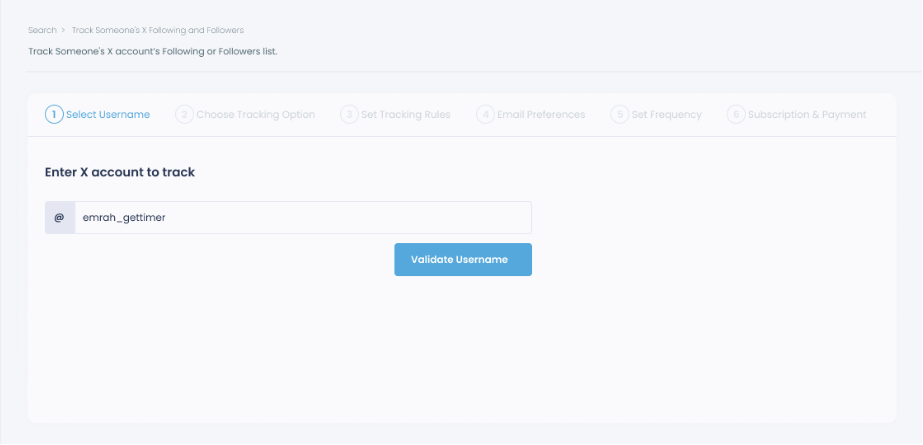
Step #1: Select any username you want to track on X.
You will track their recently followed audience.
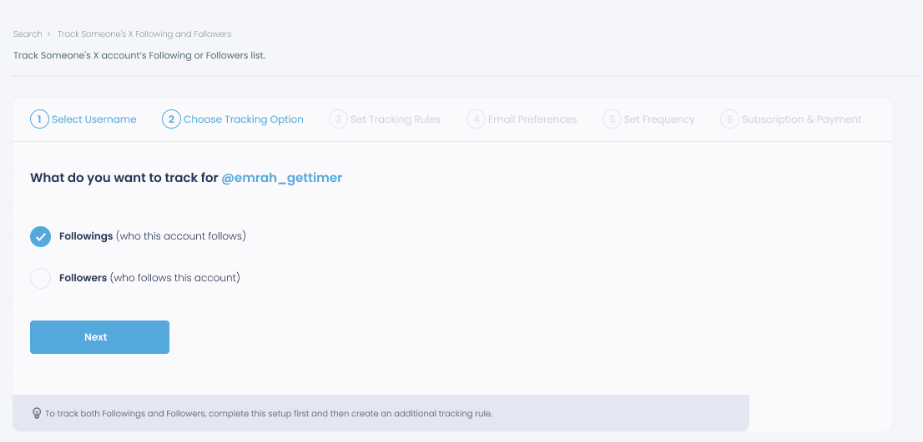
Step #2: Next, you will choose "Followings" or "Followers".
You should select one of the tracking options.
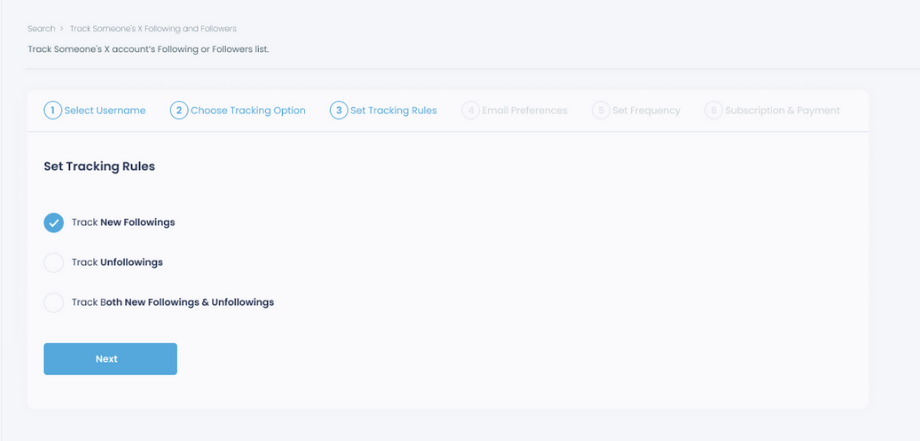
Step #3: Regarding the followings, you can track new, recent followings and unfollowings.
You can track both at the same time!
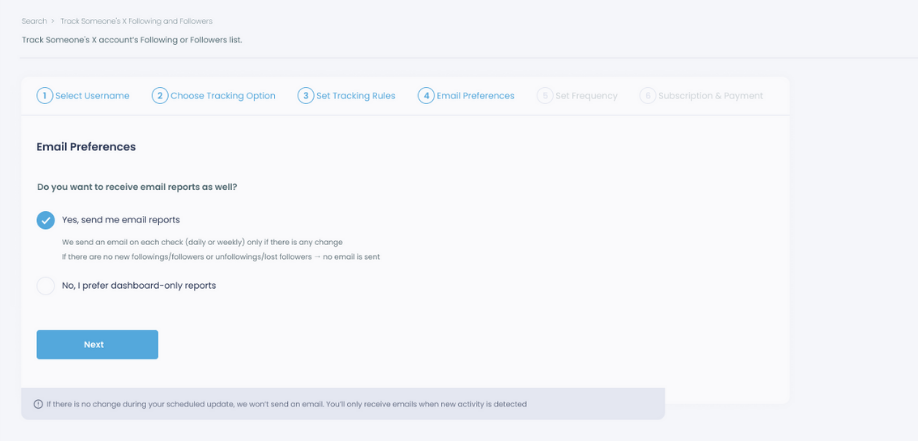
Step #4: For your tracking operations, you can receive email updates for each check.
You can still track new followings or followers without email notifications. You can monitor the following or followers with dashboard-only reports.
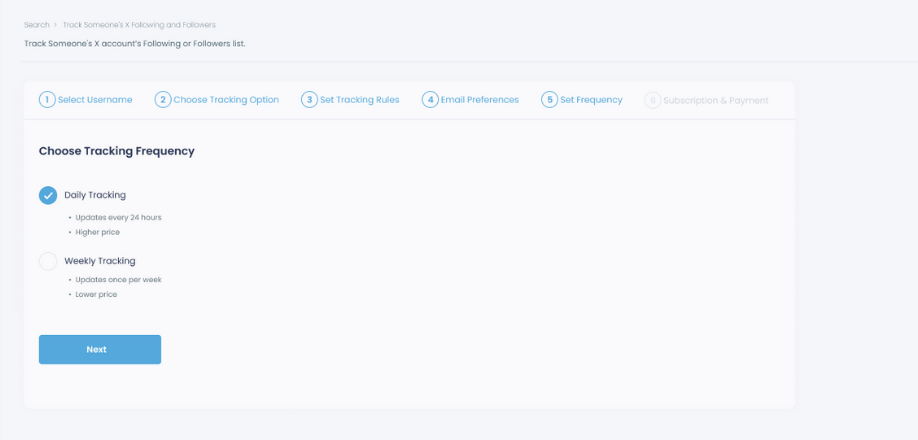
Step #5: Now, you should set the frequency.
You can get "Daily Tracking" or "Weekly Tracking".
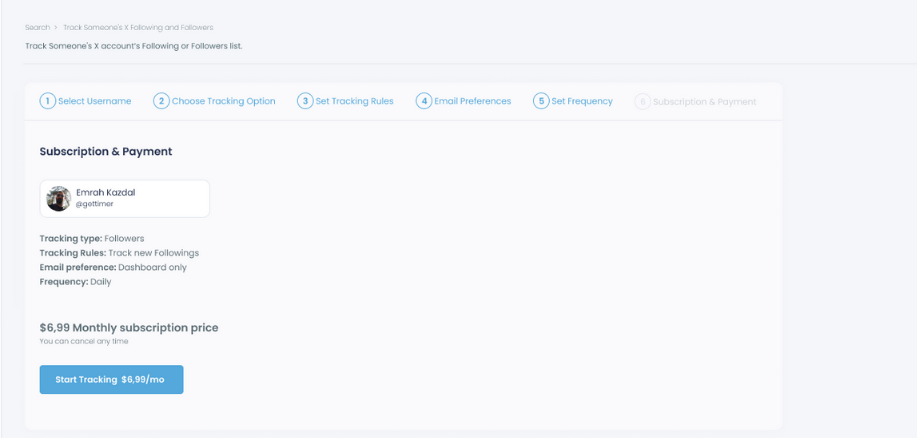
Step #6: The next step is subscription.
After checking the rules, you can start tracking.
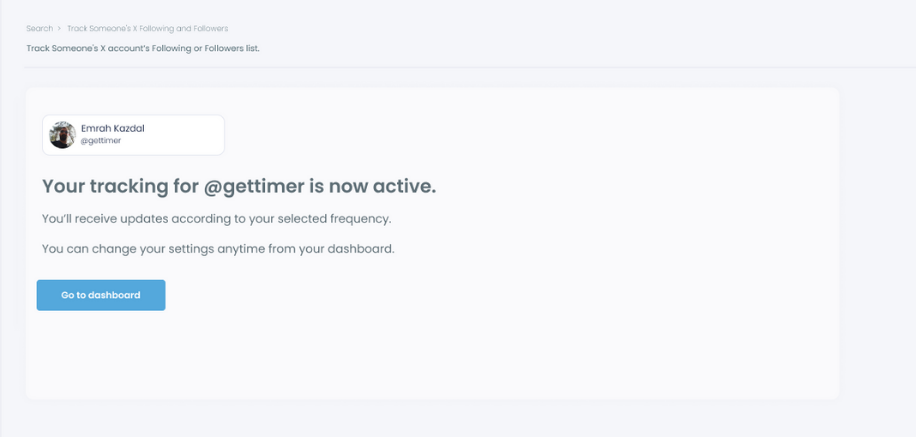
Tracking is now active.
That's it! Now you can monitor newly followings and followers of anyone on X with Circleboom!
Why Follow Activity Is Worth Tracking
A follow on Twitter is a deliberate action. Unlike a like or a view, someone chose to connect with an account. That choice often reflects something about intent, attention, or direction that isn't visible anywhere else on the platform.
In fast-moving industries like crypto, startups, venture capital, or tech, follow activity from key accounts often signals something before it becomes public. A founder starts following a new developer.
An investor connects with a startup nobody has heard of yet. A journalist follows the PR account of a company before covering them. These are early signals, and they appear in the following list before any announcement or tweet.
📌 Follow patterns reveal intent before public statements do. A single new follow from the right account can tell you more about where things are heading than a week of tweets. Tracking following activity turns what would otherwise be invisible network behavior into a structured, watchable signal.
Even outside high-signal industries, tracking who an account newly follows is useful. A competitor starts following your top clients. An influencer you'd like to work with starts following accounts in your niche. A key journalist begins connecting with sources relevant to your beat.
None of this shows up in a notification. All of it shows up in Circleboom's tracking dashboard.
What You See for Each Newly Detected Following
When Circleboom Twitter detects a new following on a tracked account, you don't just see a username.
Every newly followed account appears with complete profile data: display name, bio, follower count, following count, tweet count, account creation date, and activity indicators.
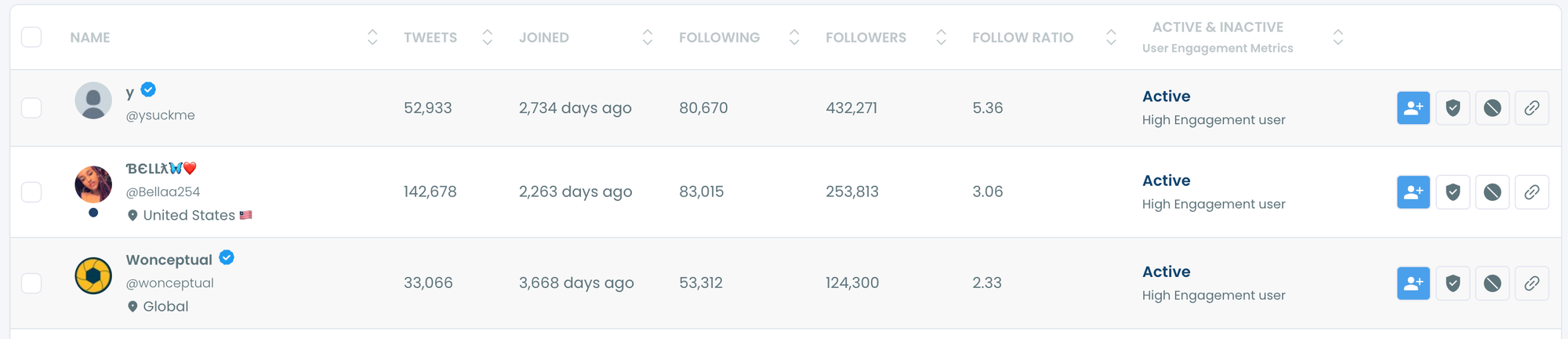
That context matters. A tracked account newly following an account with 500 followers and a very specific niche bio tells you something different from them following an account with 200,000 followers and a broad media presence.
The profile data lets you evaluate the signal immediately without clicking through to each account separately.
You can also take direct action from the results. If you want to follow the same account the tracked account just followed, you can do it from the dashboard. If you want to add newly detected accounts to a Twitter List for monitoring, that's available too. And if you want to export all tracked following activity as a CSV, that option is there for deeper analysis or reporting.
What Twitter Actually Shows You
Twitter's following list is a static snapshot. You can visit any public profile, click the following count, and see who they currently follow. But you're looking at the present state of the list, with no indication of what changed or when.
There are no timestamps on individual follows. No way to filter by "recently followed." No alert system for following activity on accounts you're watching. No way to compare the list today with what it looked like last week.
⚠️ The only way to manually track new followings on Twitter is to screenshot a following list, come back later, and compare. That's not realistic for any account with more than a few hundred followings, and it still misses follows that happened and were removed between your checks. Circleboom tracks continuously so nothing gets missed.
Who Should Use This Feature
Competitive intelligence. If a competitor is actively following accounts in a specific niche, technology, or geography, those patterns tell you where their attention is going before it shows up anywhere else. Tracking their following activity gives you advance visibility into their strategic focus.
Trend detection. In industries where follow activity precedes public announcements, tracking the right accounts gives you early access to emerging signals. Who is a top VC following this week? What accounts is a well-connected founder suddenly paying attention to? These are real questions with observable answers.
Influencer and partnership research. When evaluating whether an influencer or creator is worth working with, understanding who they follow gives you insight into their actual interests and network beyond what their bio says.
Staying aware of your own network. If key accounts in your niche start following your competitors, or stop following accounts you care about, that's useful information for understanding how the landscape is shifting. Circleboom Twitter's Account Comparison feature can be combined with following tracking to see both the static overlap and the dynamic movement together.
Frequently Asked Questions
Can you track who a Twitter account newly follows?
Not through Twitter's native tools. Twitter shows the current following list but provides no record of when accounts were added or removed. Circleboom Twitter's Track Someone's X Account feature monitors any public account continuously and surfaces new followings as they are detected.
How quickly does Circleboom detect new followings?
Tracking is continuous and updates regularly with minimal delay. When a new following is detected on a tracked account, it appears in the dashboard and triggers any alerts you have enabled without requiring you to check manually.
Can I track multiple accounts at the same time?
Yes. You can set up tracking for multiple public accounts simultaneously, each with its own dashboard showing new followers, new followings, and unfollow events separately.
Can I get alerts when a tracked account follows someone new?
Yes. Circleboom Twitter allows you to enable alerts for following activity on any tracked account. When a new following is detected, you are notified automatically without needing to log in and check.
Does this work on private accounts?
No. Private accounts have protected follower and following data that is not accessible through X's public API. Circleboom Twitter can only track public accounts using publicly available data.
Can I see who the tracked account unfollowed as well?
Yes. The tracking feature covers new followers, new followings, and unfollow events on the same tracked account. All three types of activity are monitored and displayed in the same dashboard.
Can I export the tracking data?
Yes. You can export all tracked following activity as a CSV file for deeper analysis, record keeping, or use in other workflows outside the Circleboom dashboard.
Final Thoughts
Who someone chooses to follow on Twitter is one of the most underused signals on the platform. It's deliberate, it's public, and it often tells you something before anything else does.
Circleboom Twitter's Track Someone's X Account feature makes that signal visible. Set up tracking on any public account, enable alerts, and know every time they follow someone new without checking manually.
Track the newly followed people for any Twitter account with Circleboom Twitter.
infocircleboom.com