

Posting on X (formerly Twitter) is usually about reaching your followers and getting engagement. But there is another opportunity many people overlook: your posts can also appear on Google search results.
Yes, some tweets and X posts get indexed by Google. This means that when someone searches for a topic, a brand, or even a specific phrase, your post can appear directly in the search results.
This can bring extra visibility, traffic, and authority to your content.
Of course, you cannot completely control what Google decides to index. But there are ways to increase the chances of your tweets being discovered through search.
Over time, I noticed something interesting: sometimes a tweet about my blog post appears on Google even when the blog itself does not rank yet.
Because of that, I started sharing my blog posts automatically on X using Circleboom Publish, and it has become a simple way to support both content visibility and SEO.
 Kevin Frank
Let’s look at how tweet indexing works and what you can do to increase your chances.
A Smart Way to Support Indexing: Share Blog Posts on X Automatically
One of the easiest ways to increase discoverability is by sharing your blog posts on X through an RSS feed.
When you connect your RSS feed to your X account:
✅ every new blog post is automatically shared
✅ your content appears on multiple platforms
✅ your topics become visible to a wider audience
There is also an interesting SEO advantage.
Sometimes when someone searches for a topic, the tweet containing the blog link appears on Google, even if the original article is still building authority in search results.
Because of this, sharing blog posts on X helps your content exist in more searchable places online.
Why I Use Circleboom Publish for RSS-to-X Automation
To automate this process, I use Circleboom Publish.

Circleboom Publish is a social media scheduling and automation tool that allows you to connect RSS feeds and automatically share blog content on social media accounts, including X.
With Circleboom Publish, every time a new blog article is published, it can automatically be posted on your X account. This keeps your account active while also helping distribute your content faster.
Instead of manually sharing every article, the system does it for you.
How to Connect Your RSS Feed to X with Circleboom Publish
Setting up RSS automation only takes a few minutes.
Step #1: Go to Circleboom Publish, and log in with your Circleboom account.
Don't have one yet? No worries, get yours in secs!

Step #2: Once you log in, add your Twitter/X account(s) to continue. Your other options are Facebook, Instagram, LinkedIn, Pinterest, Threads, Google My Business, and YouTube.
All these will take only a few seconds, nothing more.

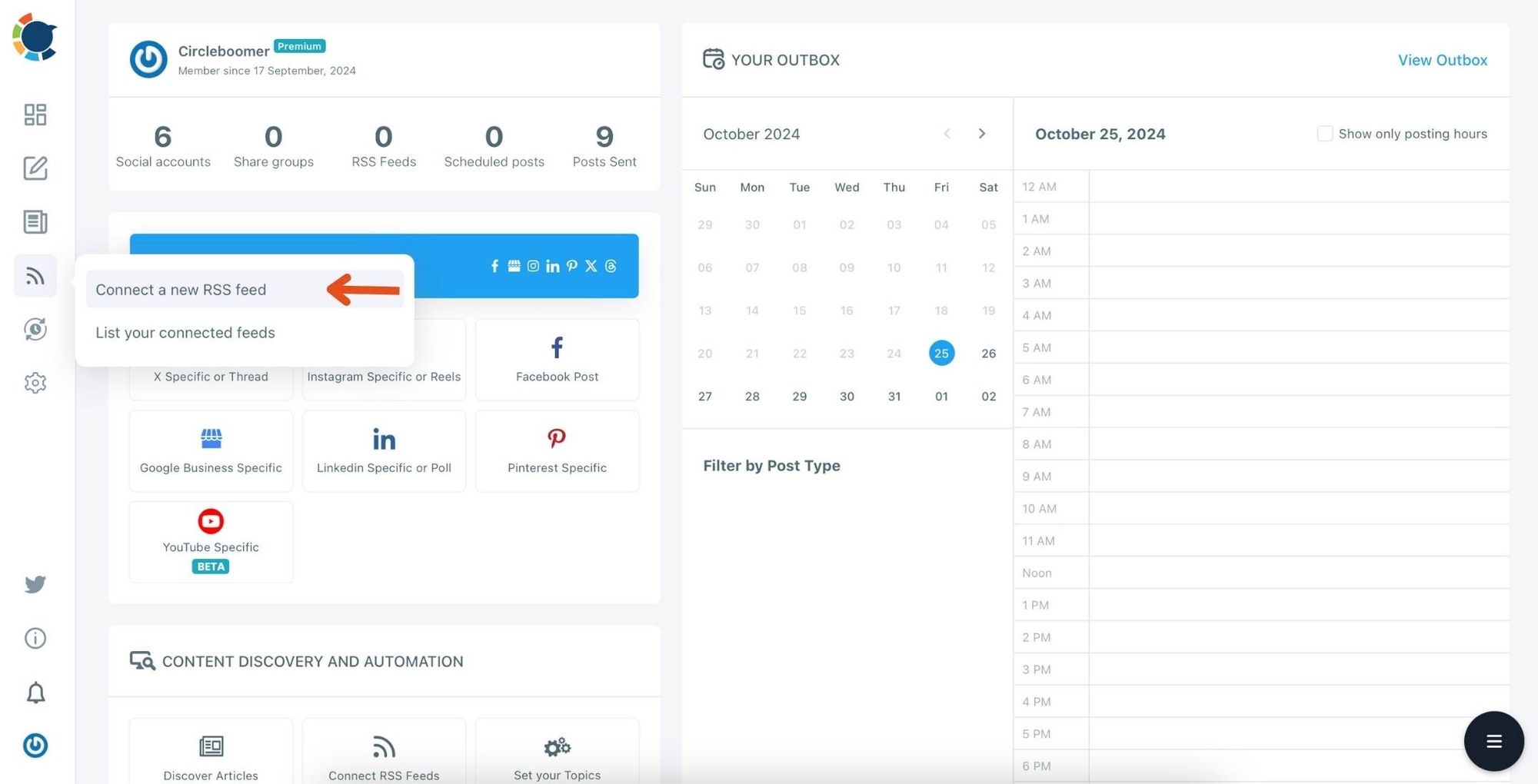
Step #3: Click on the "Connect a New RSS Feeds" on the left-hand menu.
Or you can continue with the "Connect RSS Feeds" button on the bottom of the dashboard.
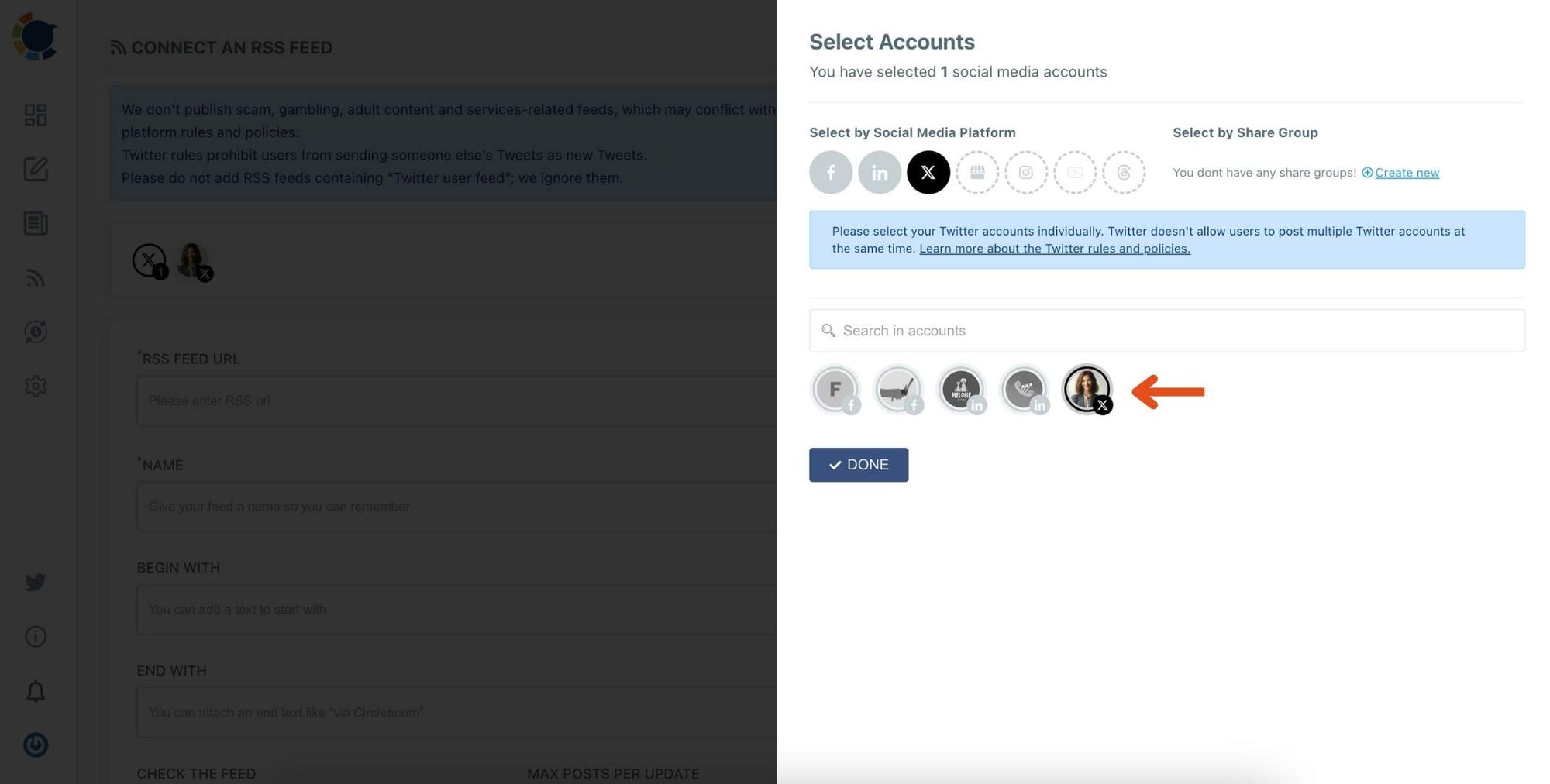
Step #4: Here, you need to select the Twitter account to which you want to connect RSS feeds. To do this, you should first click on the "Select Account" tab.
Then, pick up the Twitter accounts that you want to auto-post from RSS feeds.
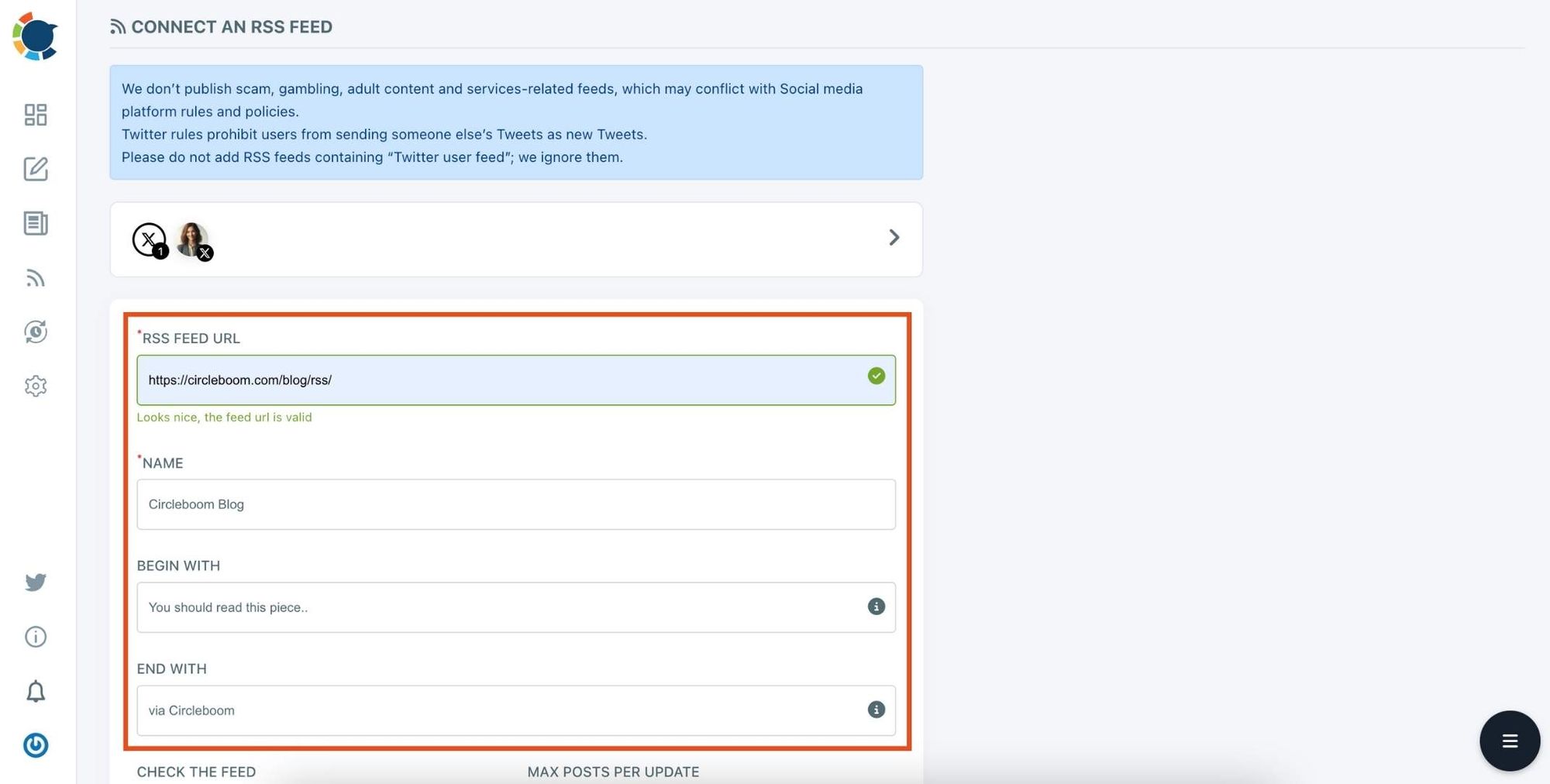
Step #5: Now, add your RSS feeds to the "RSS FEED URL" box to connect them to your Twitter account.
You can also name the feed you want to auto-post to Twitter or add a specific text to publish with RSS tweets.
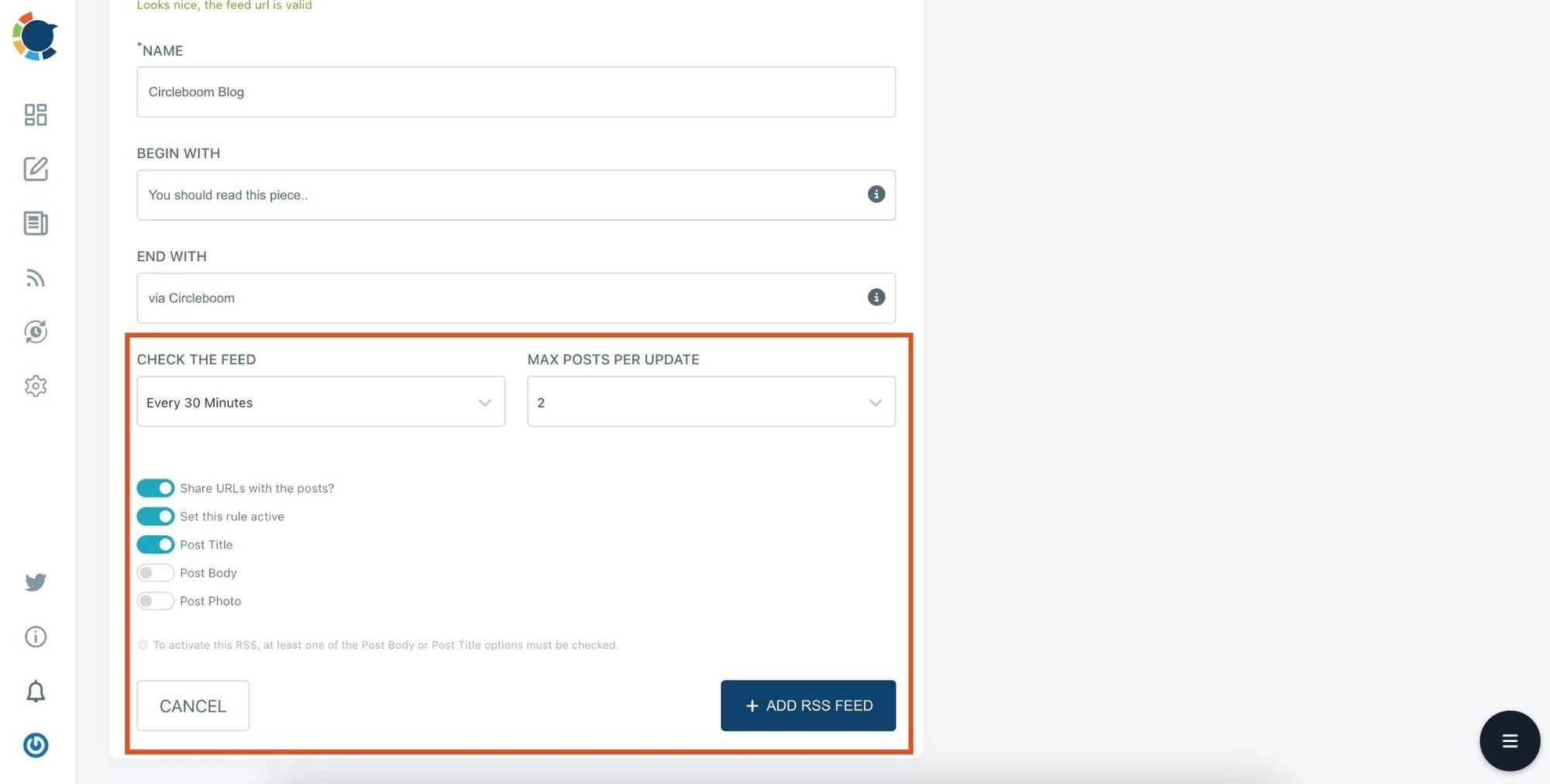
Step #6: Then, you can set time intervals and frequency to auto-post from RSS Feeds. Once you complete all the steps, finish the process by clicking on the "+ ADD RSS FEED" button.
Auto-posting RSS Feeds to Twitter is that easy!
You can add multiple RSS feeds by following these steps!
Benefits of Using RSS-to-X Automation
Automating blog posts to X offers several advantages.
➡️ Keeps your account active with fresh content
➡️ Saves time by removing manual sharing
➡️ Helps distribute your content faster
➡️ Expands your content visibility
➡️ Gives your posts another chance to appear in Google search results
Over time, this creates a consistent flow of searchable content across both your website and your social media.
Final Thoughts
You cannot directly control whether Google indexes a tweet or not. But you can increase the chances by posting publicly, sharing useful content, and staying active on the platform.
One of the most effective strategies is automatically sharing blog posts on X so your content appears in more places online.
By connecting your RSS feed to X with Circleboom Publish, every article you publish gets another opportunity to reach people through social media and search engines.
And sometimes, the tweet itself may appear in Google search results, giving your content even more visibility.

