

A few weeks ago, I saw a tweet in my niche explode.
Not just a couple of retweets — I mean hundreds.
Everyone seemed to be sharing it. It was spreading fast.
I was curious: Who are these people amplifying this message?
Not the casual likers — the ones who actually retweeted it.
Because a retweet says something different.
A like is passive. A retweet is endorsement.
So I clicked the “Reposts” section.

And that’s when reality hit:
X/Twitter only shows a small part of the retweeters.
It does not show the full list.
No scrolling further.
No filters.
No export.
No way to analyze the audience behind that viral push.
For something that can be incredibly valuable, it’s surprisingly hidden.
That’s when I realized: If you want to study audience behavior, find engaged communities, discover influencers, or build targeted campaigns, you need access to the full retweeter list — not just the preview.
Why Retweeters Matter More Than You Think
When someone retweets a post, they’re doing more than just liking it.
They’re essentially saying:
“I want my followers to see this.”
That action reflects:
- Interest
- Agreement
- Identity alignment
- Community connection
- Topic relevance
Which makes retweeters extremely valuable for:
| Purpose | Why It Matters |
|---|---|
| Audience Research | See which types of people amplify your niche content. |
| Influencer Discovery | Spot creators with influence in specific communities. |
| Competitor Analysis | Understand what messaging resonates for others. |
| Twitter Ads Targeting | Build seed or lookalike audiences based on people who already engage. |
| Relationship Building | Engage with warm individuals who care about the topic. |
But again — you can’t do any of this if the retweeter list is incomplete.
 Kevin O. Frank
The Problem: X/Twitter Doesn’t Show the Full List
The native interface limits you to a partial view.
There is:
🔴 No full list viewer
🔴 No export
🔴 No sorting or filtering
🔴 No data enrichment
And despite what some browser extensions claim, none of them can reliably extract 100% of retweets (and many risk your account by scraping).
So if you want the complete set, you need a tool that works through the official Twitter/X API.
The Solution: Export the Full Retweeter List with Circleboom Twitter
To get the full list safely and completely, I used Circleboom Twitter, which is an official X/Twitter developer tool.

Because it uses the approved API, it can:
🟢 Pull all accounts who retweeted a public tweet
🟢 Let you filter, analyze, and export them
🟢 Do this without scraping or account risk
This is what makes it reliable for research, campaigns, outreach, and audience building.
How to View and Export the Full Retweet List (Step-by-Step)
You need to follow these steps:
Step #1: Sign up to Circleboom and connect your X account.
Circleboom is an official X Enterprise partner! So, your account and all the data you have are safe and secure with us!

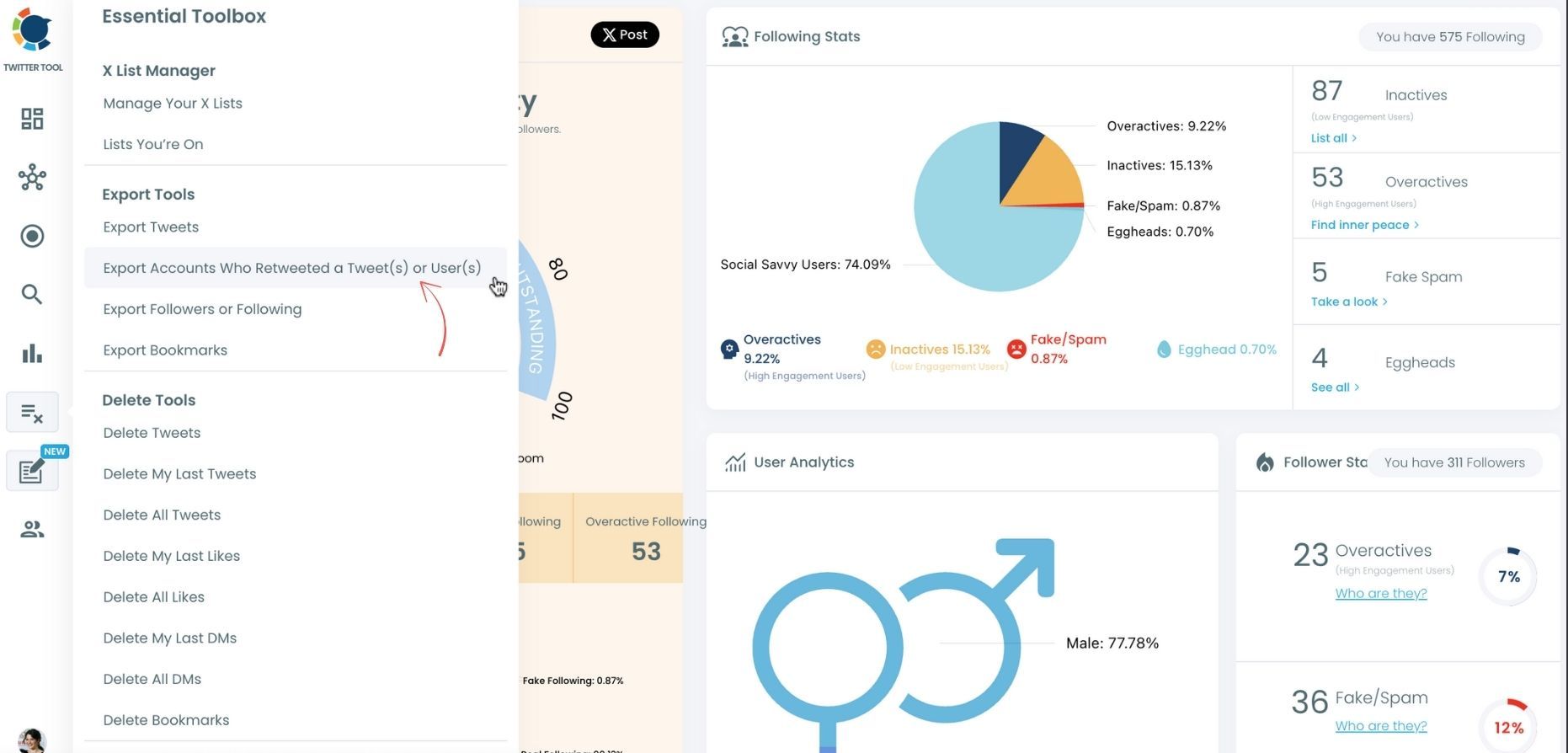
Step #2: Once reached dashboard, go over the menu and find “Essential Toolbox”.
You will see the sub-menu “Export Tools”. Under this, you will see Export Retweeters of a Tweet(s) or User(s).
Step #3: You will see two options there:
“Export retweeters of specific tweets” and “Bulk export retweeters of a user’s tweets”
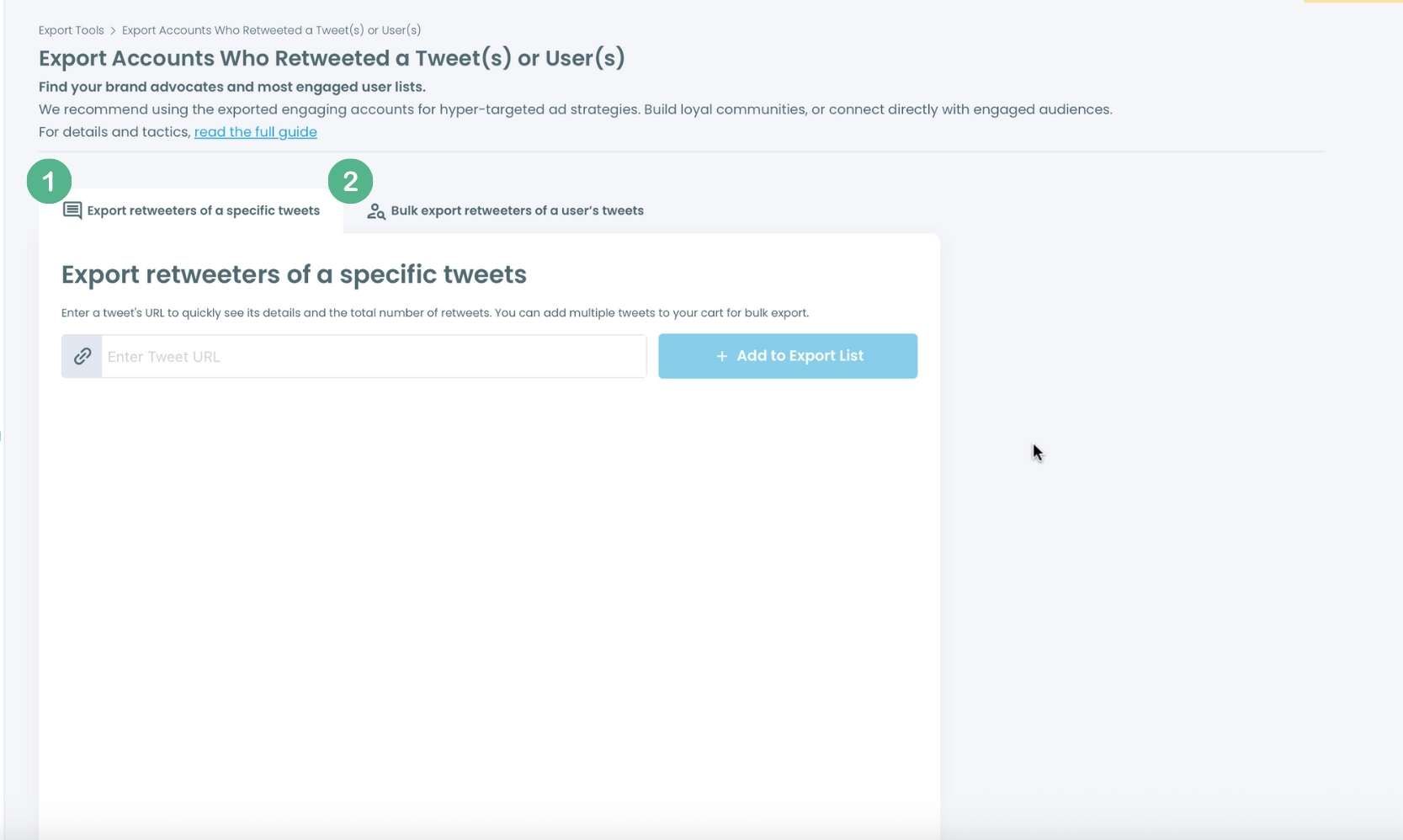
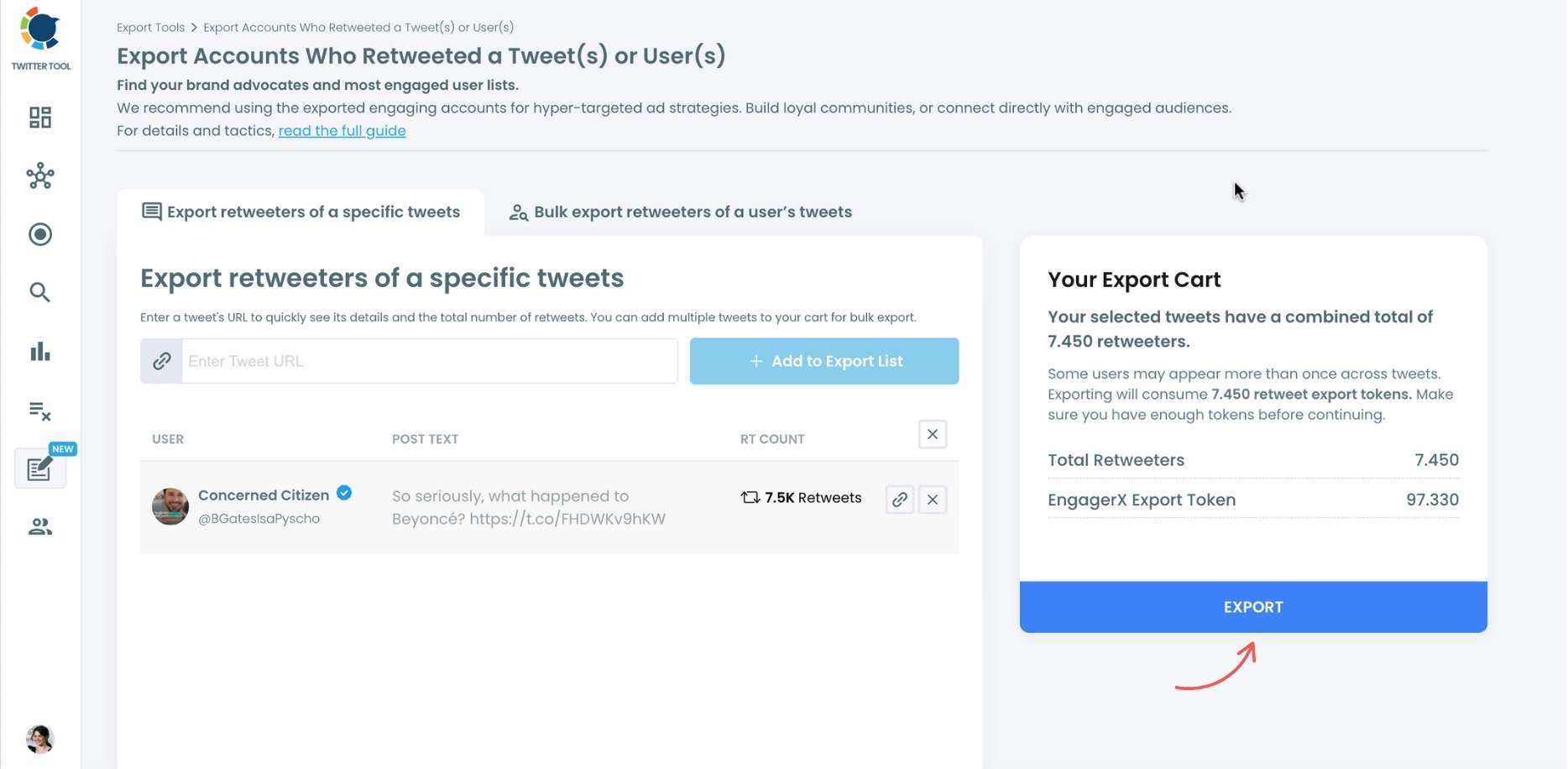
For specific tweets, Circleboom enables you to extract retweeters of specific tweets, your own or other users. You need to paste the URL of the targeted tweet.
Then, we will extract all retweeters of that tweet. The one thing you should do is click on the “Export” button.
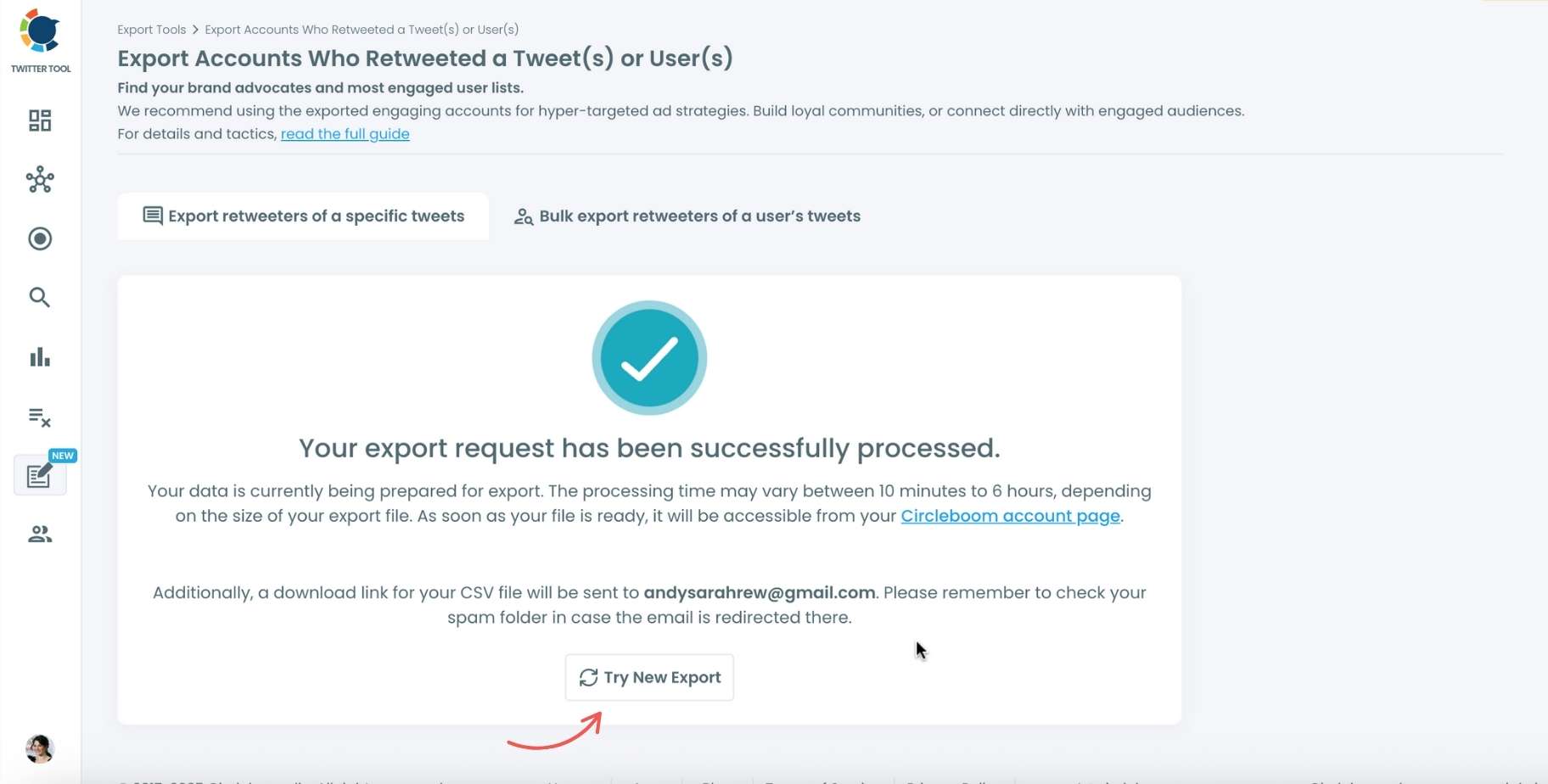
Your export request has been sent. You will get your exported retweeters file within Circleboom, and a copy will be sent to your email address.
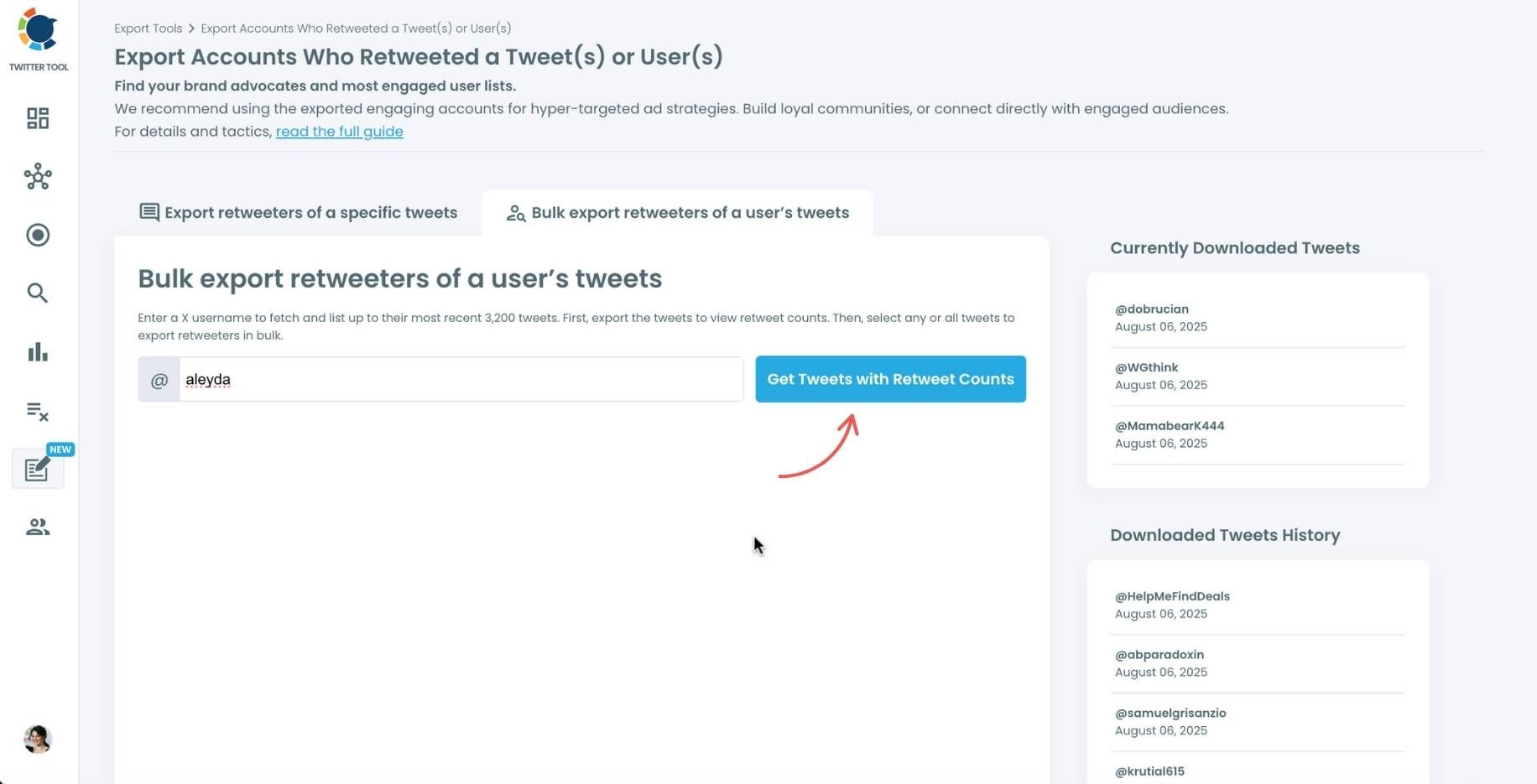
Step #4: Your second option is to bulk export retweeters of a user’s tweets.
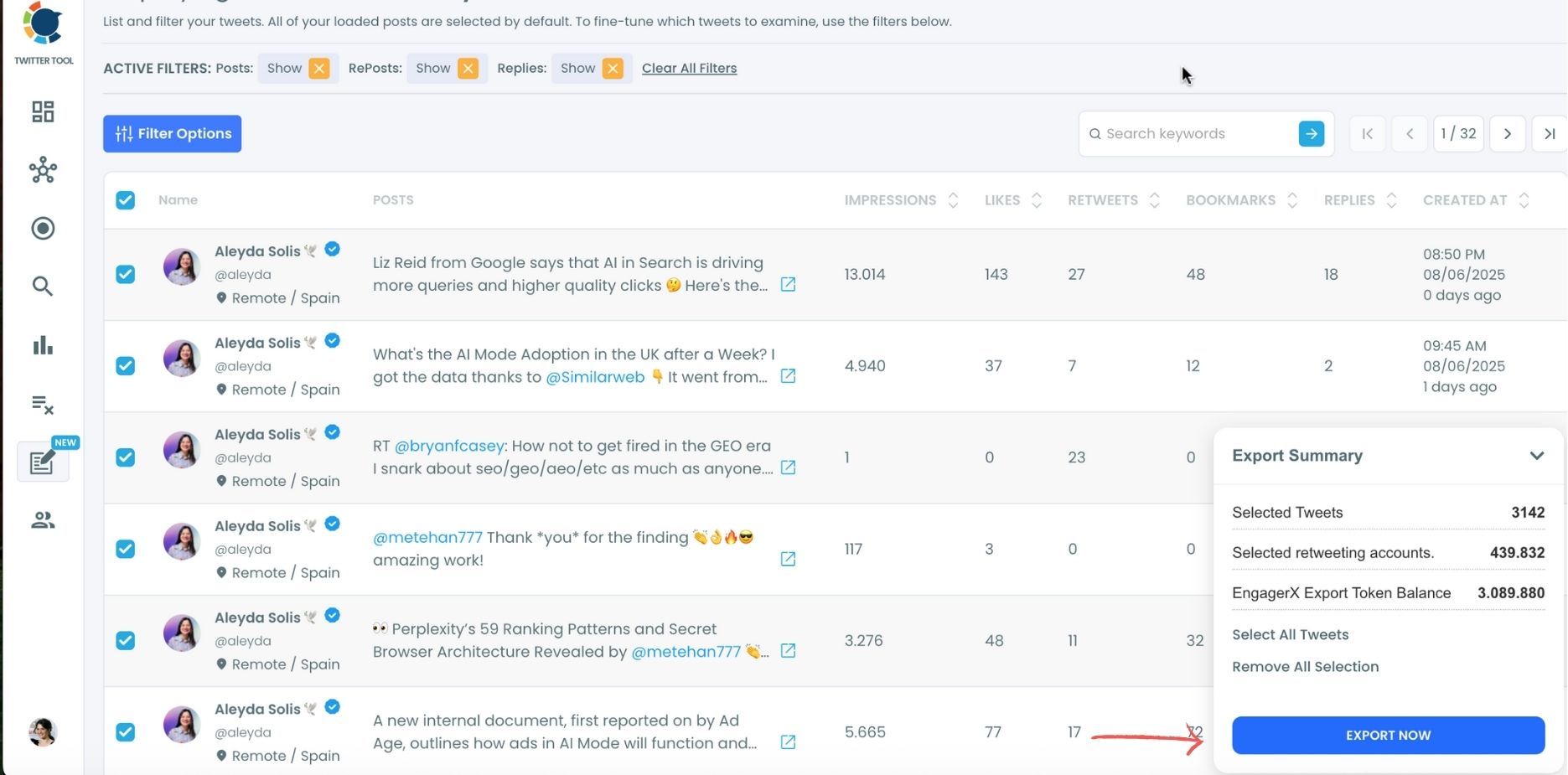
You need to enter the handle of a Twitter user. Then, we first extract all their tweets. Then, you can export all of their retweeters or some of them. You can apply filters to sort their tweets by retweet number, like number, etc.
You can export retweeters of all tweets, or you can select some. In this example, you will export 439.832 retweeters by clicking on the “Export Now” button.
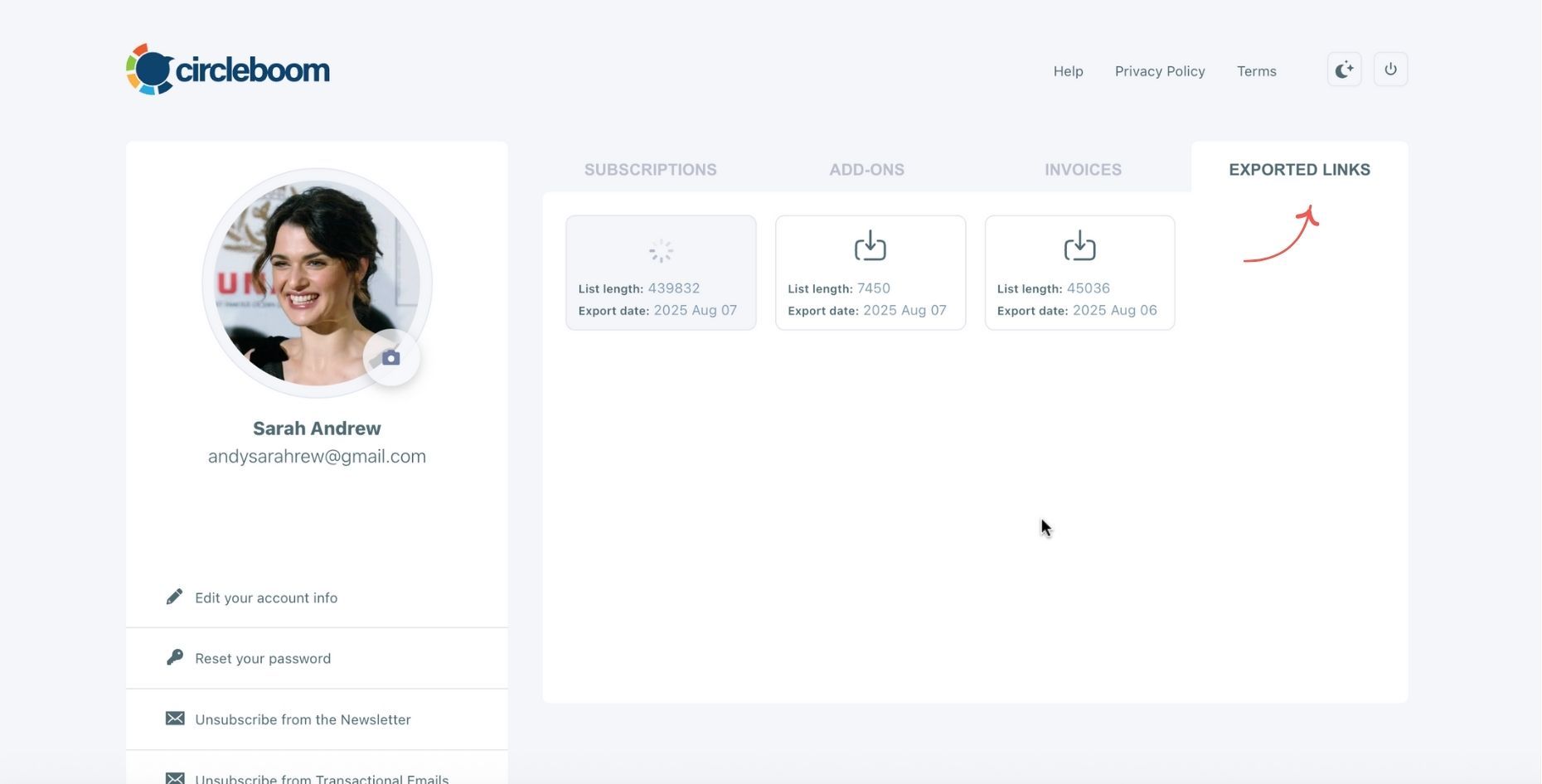
You can see your export lists, finished and processing, on your Circleboom account page, under the “Exported Links” section.
How to Use the Data Effectively
| Goal | Action to Take with the Export |
|---|---|
| Launch a focused X Ads campaign | Upload as audience seed |
| Find creators to collaborate with | Sort by follower count & engagement ratio |
| Understand niche behavior | Look for repeating names across similar tweets |
| Build deeper relationships | Engage with retweeters directly in replies or DMs |
This is how you move from guessing to actually understanding your audience.
Final Thoughts
Understanding who spreads a message is often more important than the message itself.
Retweeters reveal:
- Communities
- Influence networks
- Belief clusters
- Organic amplification pathways
But X/Twitter makes that insight hard to access.
So if you want the full picture, not just the surface layer:
Export the full list of retweeters using Circleboom Twitter.
%3F)
