

I’ve been archiving my own tweets for a long time. It’s something I do regularly — not just for tweet backup, but to look back at ideas, track how my thoughts evolve, or even reuse content in better formats.
Exporting your own Twitter data is easy since Twitter provides a built-in Download Your Data option.
But recently, I needed to archive someone else’s tweets.
In my case, it was for research and reference. I wanted to analyze the posting patterns, tone, topics, and formats of an account in my industry that consistently gets good engagement. Maybe your reason is different, maybe you want to:
 Arif Akdogan
- Track competitor strategy
- Study influencer tweet activity
- Archive public statements for accountability
- Save someone’s content before it gets deleted
- Analyze tweet history for journalism or research
Whatever the motivation, there’s one issue:
Twitter does not allow you to download or archive someone else’s tweets natively.
You can only download your own data.
So I had to find another secure, reliable way, without scraping, copying tweets manually, or using sketchy tools.
That’s when I used Circleboom Twitter.
Why You Can’t Archive Someone Else’s Tweets Using Twitter’s Own Tools
Twitter’s official Download Your Data feature works only for the account you control. It does not allow exporting or downloading tweets from other profiles, even if those profiles are public.
There is:
- No export option
- No timeline download button
- No official tweet archive for other accounts
Which means:
🚫 You cannot archive another user’s tweets using Twitter alone.
The Solution: Circleboom Twitter (Official Twitter/X Partner)
To export someone else’s tweets safely, I use Circleboom Twitter.

Circleboom is an official Twitter/X API partner, which is extremely important.
This means:
- It complies with Twitter’s rules
- It does not scrape or hack data
- Your account remains safe
- Data accuracy is high and complete
What Circleboom Allows You to Do
✅ Export tweets from any public Twitter account
 infocircleboom.com
✅ Filter tweets by:
- Date range
- Keywords
- Tweet type (original tweets, replies, retweets)
✅ Download tweets in:
- CSV
- Excel
- Google Sheets format
This makes it perfect for research, analysis, content libraries, audits, or archiving.
How to Archive Someone Else’s Tweets with Circleboom (Step-by-Step)
Step #1: Head to Circleboom's tweet exporting page and type in the handle for the account that you'd like to download the tweets of.

Step #2: Confirm the details and enter your email address. After being processed, the downloaded tweets will be sent to your inbox.
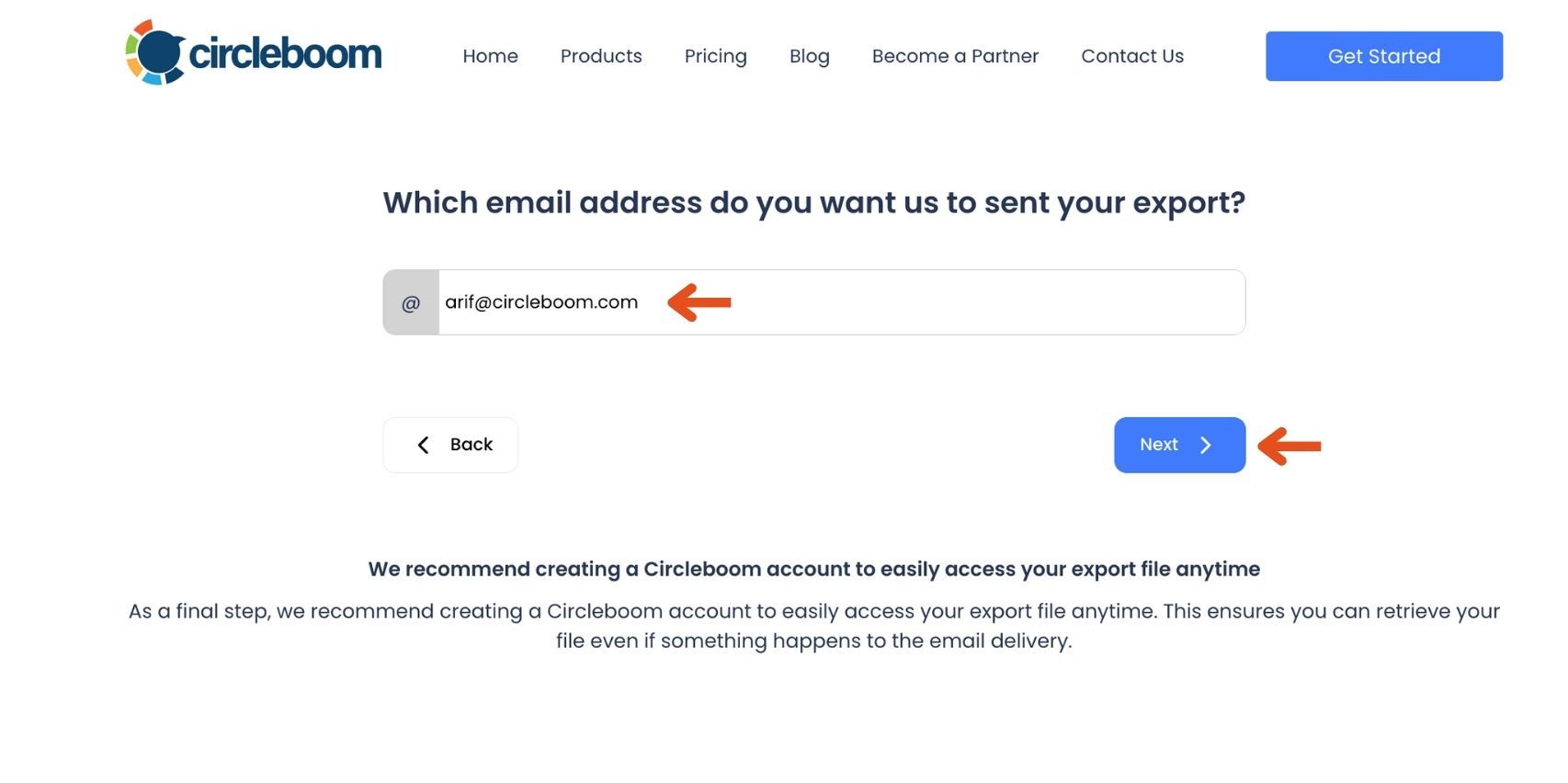
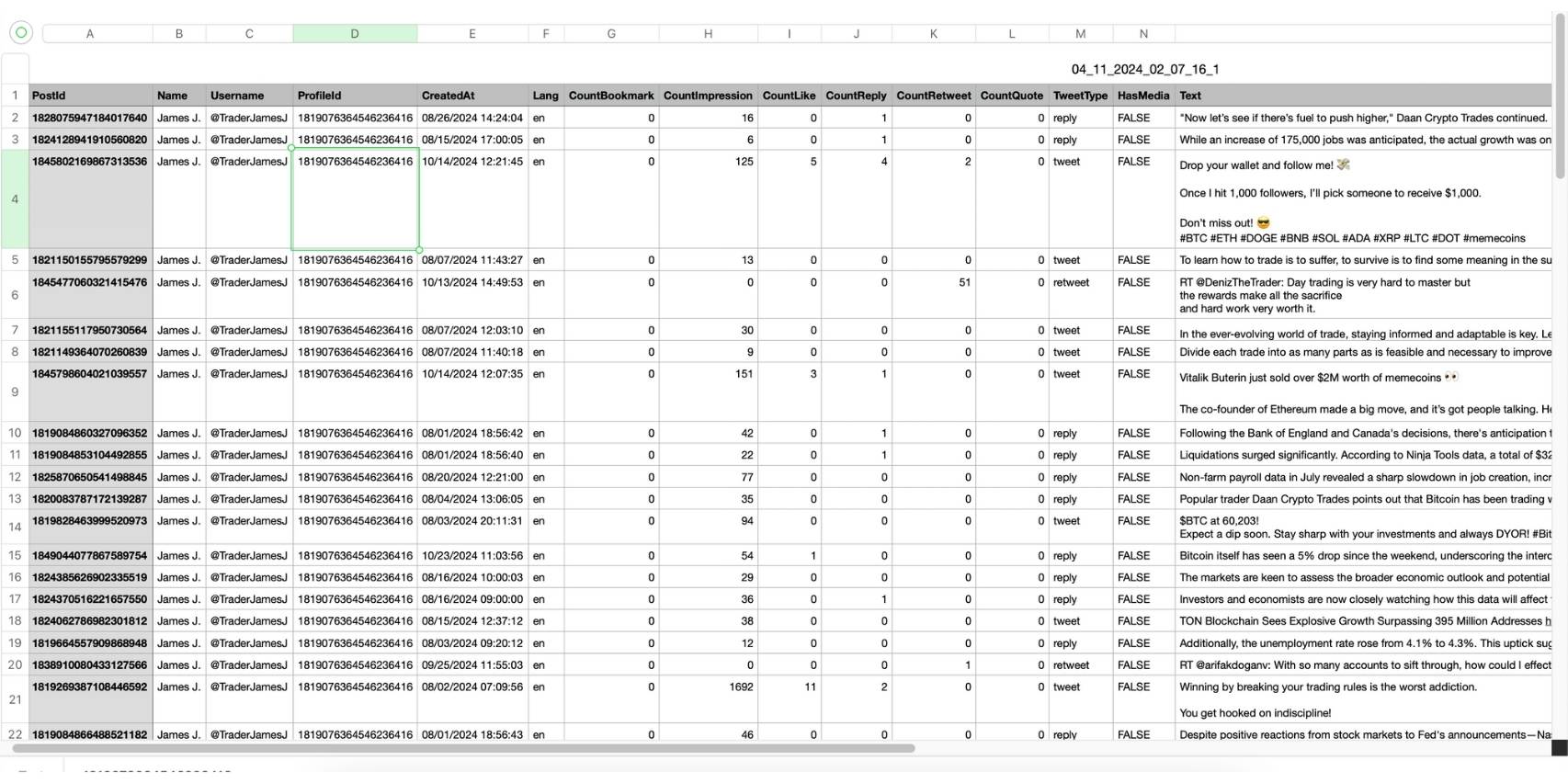
Step #3: Once you receive the exported tweets in the email, retrieve the file to download the tweets.
What You Can Do After Exporting Someone’s Tweets
Once exported, you can:
| Use Case | Benefit |
|---|---|
| Analyze competitor content | Understand posting frequency, topics & engagement styles |
| Build a swipe file | Collect strong hooks, formats, and writing patterns |
| Create reports or research papers | Useful for journalism, academic studies, trend analysis |
| Verify or reference past statements | Helps with documentation and accountability |
| Study influencer strategy | Identify what resonates with audiences |
The exported file makes all of this easy because you can sort, filter, search, and categorize tweets in spreadsheets.
Important Notes (Read This)
➡️ This method only works for public accounts.
➡️ You cannot export tweets from private/locked accounts.
➡️ Respect copyright, fair use, and ethical use when analyzing or reposting content.
Conclusion
Archiving your own tweets is simple with Twitter’s built-in data export tool.
But when you need to archive someone else’s tweets, Twitter doesn’t provide any native support.
Instead of manually scrolling or copy-pasting, Circleboom Twitter makes it possible to export any public account’s tweets safely and efficiently, with filtering and clean spreadsheet output.
It’s the easiest and most reliable way to:
- Track accounts
- Study performance
- Preserve data
- Build research archives
And because Circleboom is an official Twitter/X partner, you stay within platform rules and avoid any account risks.

