
A raw follower count moves for reasons that have nothing to do with your content. In December 2025, X removed roughly 15 million inactive accounts in a single cleanup, and every account that lost a few hundred followers overnight watched a number drop it had no way to explain.
That is the core problem with auditing growth from the profile page alone: the number changes, but the story behind the change stays hidden.
Auditing follower growth means reading the movement, not the total. A day where you gained 120 and lost 40 is a different day from one where you gained 80 and lost nothing, even though both net out to plus-80.
To audit Twitter follower growth properly, you need the gained side and the lost side separated, dated, and attached to the actual accounts that came and went.
To audit Twitter follower growth over time, you track an account's follower list on a schedule and read the daily delta as two separate series: accounts gained and accounts lost. Circleboom records each snapshot of any public X account and surfaces the specific gains and losses per day through its official, sanctioned API access, so you audit the composition of your growth, not just the headline number.
→ Start your Twitter follower growth audit
Below is how the audit works, what each part of the dashboard tells you, and how to trace a spike or drop back to its real cause.
Why a Follower Count Alone Can't Be Audited
A public X profile shows one number and nothing behind it. It does not show what changed yesterday, which accounts left after your last campaign, or whether a sudden jump came from real people or a batch of bots that will churn out next week.
The profile is a snapshot with no memory, which is exactly the wrong shape for an audit.
An audit needs a baseline and a diff. You record the state of the follower list at regular intervals, then compare each new snapshot against the last one to find what moved. That diff is the audit unit.
Circleboom builds this baseline automatically for any public account and computes the delta on every scheduled check. The raw list movement becomes a dated, reviewable record instead of a number you trust blindly, which is what makes an honest Twitter follower audit possible in the first place.
If your real goal is a fuller picture of movement, the same tracking approach powers a routine to track your Twitter followers daily, weekly, or monthly.
The distinction that most growth guides skip is net versus gross. Net growth is the number the profile shows.
Gross movement is the two flows underneath it, and only the gross view can be diagnosed. If you want to know why a week went flat, you need to see whether it was a quiet week with no activity or a loud week where heavy gains were canceled by heavy losses.
Those two weeks demand completely different responses.
This is exactly the split you can audit your Twitter follower growth against, before you make any strategy call based on a number that hides half the story.
The Audit Circleboom Runs on Your Growth
Circleboom monitors any public account's follower and following lists using official X Enterprise data access, then converts the raw movement into an auditable history. As an official X Enterprise Developer partner, it pulls complete, sanctioned data rather than the partial, scraped snapshots that unofficial trackers rely on.
That completeness matters enormously for an audit, because a diff built on incomplete data reports fake losses and misses real ones. You can begin your follower growth audit on your own account or any public account you want to benchmark against.
The output is built around a dated activity chart. Blue bars above the zero line show accounts gained on each day; red bars below the line show accounts lost.
The chart runs from your tracking start date to today, so the shape of your growth becomes visible at a glance, and you can toggle each series on or off to isolate gains from losses.
Underneath the chart sits the part that turns a number into an audit: a per-day results grid. Pick any date or date range, and the grid lists the exact accounts that came or went during that window, each with its username, bio, follower and following counts, tweet count, join date, and activity indicators.
This is what separates auditing from counting. A spike of new followers whose profiles are all near-empty and freshly created reads very differently from a spike of established accounts in your niche, and the grid shows you which one you actually got.
A follower count tells you how many. An audit tells you who, when, and why.
For a longer look at how the dated view and per-account context render together, this walkthrough shows the audit in motion.
Video walkthrough: how the gained-versus-lost bar chart and the per-follower detail grid combine into one auditable growth timeline.
Connect your X account to Circleboom
Log in to Circleboom Twitter and connect your X account with official OAuth. The audit works on your own account or any public account, so you can point it at yourself first or at a competitor you want to benchmark.

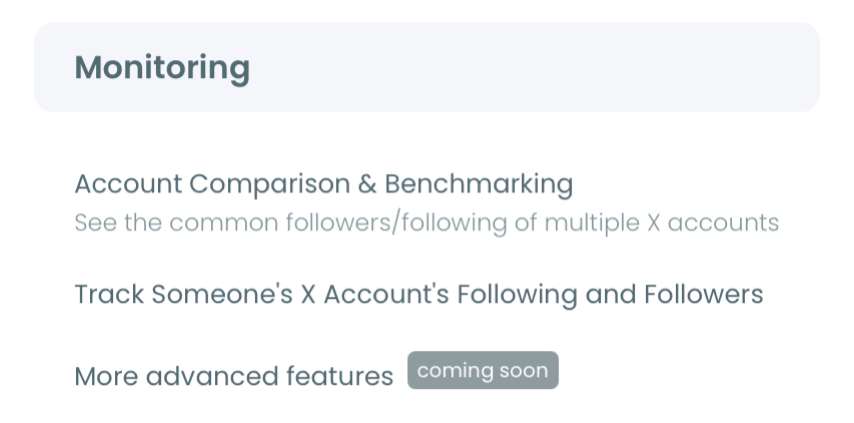
Open the Monitoring menu
Go to the Monitoring menu, where the tracking tools live. Enter the username you want to audit and validate it to confirm the account is public and reachable.
Set the tracking scope and rule
Choose Followers to audit who follows the account, then set the rule to track both recent follows and unfollows so your audit captures gains and losses in the same view. Pick a daily or weekly snapshot cadence, or dashboard-only if you prefer to review on your own schedule.
Read the delta and trace the cause
Open the dashboard once snapshots accumulate. Read the blue and red bars for the shape of your growth, then click into any spike or drop and use the date-range grid to inspect the exact accounts behind it.
Match those dates against your own timeline, a campaign, a viral thread, a platform purge, and the cause usually becomes obvious.
That order matters because each step narrows the question. Connecting the account establishes the baseline, and the Monitoring setup defines what gets diffed.
The rule decides which movements count, and the date-range grid is where a vague "I lost followers" becomes "these 60 dormant accounts dropped the night of the December cleanup." Skip the grid and you are back to guessing at a number.
At a glance: connect, set the tracking rule, let snapshots build, then read each day's gains and losses against your own calendar.
Reading Spikes and Drops Without Panicking
Most sudden follower drops are not about your content at all. X runs periodic purges of bots and inactive accounts, and its own platform authenticity rules explain why: the platform actively removes inauthentic and manipulative accounts to keep experiences genuine.
When a purge lands, accounts that were padding your follower count disappear, and the count falls through no fault of yours.
An audit tells the difference between a purge and a content problem in one look. Open the grid for the drop date and read the profiles.
If the lost accounts are dormant, near-zero-tweet, or freshly created, you watched a bot purge clean your list, which is a healthy correction.
If the lost accounts are real, active people in your niche, that is a genuine unfollow signal worth investigating against what you posted. The same red bar means opposite things depending on who is inside it, and the per-account view is what resolves the ambiguity.
Reading those signals is a skill in itself. There are reliable ways to tell whether an X account is authentic once you know what to look for in a bio and activity profile.
Spikes deserve the same scrutiny. A jump you can trace to a specific thread or mention is repeatable growth; a jump made of empty accounts is noise that will reverse.
Auditing the composition of each spike is what lets you double down on what actually works instead of chasing a number that was never real.
Once you understand your past pattern, Circleboom can also project momentum with its Twitter follower forecast so you can set expectations grounded in your real trend line.
What You Get From an Honest Growth Audit
A follower audit turns a number you worried about into a pattern you can act on. Instead of reacting to every dip, you review movement across periods and connect each meaningful change to a real driver.
The most valuable habit an audit builds is attribution. When threads consistently pull more real follows than single tweets, or when a certain topic quietly bleeds your audience, the dated record shows it.
Your content strategy gets a feedback loop it never had from the raw count, and pairing the audit with your Twitter follower growth stats sharpens that picture further.
The composition insight is where the audit pays off hardest. Two accounts can post identical net growth while one is accumulating engaged people in its niche and the other is collecting bots that will churn. The count cannot tell them apart.
An audit can. It reads the bio, activity, and account age of everyone who joins, which is the same signal that drives a deeper follower analysis when you want to profile your audience rather than just tally it.
You also gain an exportable record. Every audited window can be downloaded as a CSV for reporting, client updates, or competitive research. Because the underlying data comes through sanctioned enterprise access, you can trust it enough to put it in front of a client.
When you understand not just how fast you grew but who you grew with, you can finally judge whether your growth is the kind that compounds.
The Bottom Line
Auditing Twitter follower growth over time means reading the gained and lost flows underneath the count, dated and attached to real accounts, so every spike and drop has a traceable cause instead of a shrug. Circleboom builds that dated baseline for any public X account, separates gains from losses on a daily chart, and lets you inspect the exact profiles behind each movement.
That is the difference between watching a number and understanding it. Once you can see who joined and who left, follower growth stops being a mystery and becomes a strategy you can steer.
→ Run your Twitter follower growth audit
Frequently Asked Questions About Auditing Follower Growth
How far back can I audit my follower growth?
The audit begins building history from the day you start tracking, and it accumulates forward from there. Circleboom cannot reconstruct movement from before tracking started, so the earlier you set it up, the deeper the growth record you will have to audit later.
Can I audit follower growth for an account that isn't mine?
Yes. You can audit any public X account, which makes competitor benchmarking straightforward. Point the tracker at a rival account, let snapshots accumulate, and you get the same dated gained-versus-lost view for their growth that you get for your own.
How do I know if a follower drop was a bot purge or real unfollows?
Open the results grid for the drop date and inspect the lost accounts. Dormant, near-empty, or freshly created profiles point to a bot or inactive-account purge; established, active accounts in your niche point to genuine unfollows tied to your content.
The per-account detail is what resolves it.
Does auditing follower changes keep my account safe?
Yes. Circleboom reads only public data through official, sanctioned API access as a verified X Enterprise partner, so auditing another account's growth never touches your account's standing or violates platform rules. Nothing about the audit is visible to the account being tracked.