You have a content calendar full of posts, a product launch coming up, or a month of campaigns to load before you go on leave. Doing this one post at a time is not a workflow. It is a time tax. If you need to bulk schedule social media posts across multiple platforms without losing your mind or your afternoon, there is a method and a tool that makes it actually doable.
If you are a creator on X and want to know about the latest developments regarding the algorithm changes, engagement strategies, payout boosts, etc., you can join Circleboom's X Creator Growth Lab Community and enjoy a free space to learn from and contribute to!
How Can I Schedule 300 Social Media Posts Quickly?
To bulk schedule social media posts, you need a platform that accepts a CSV or spreadsheet upload containing your post text, media, timing, and platform targets in one go, then queues everything automatically. Twitter's native scheduler only handles single posts and has no import feature, and most basic tools cap out at small batches. The fastest way to bulk schedule social media posts on Twitter and across multiple platforms at once is to use Circleboom's X Post Planner, which supports CSV bulk upload, multi-platform publishing, and AI-assisted content generation.
To bulk schedule social media posts means uploading hundreds of posts in a single action, setting the platform, date, and time for each, and letting the tool publish them automatically, and the fastest way to do it is with Circleboom!

TABLE OF CONTENTS
- Why Bulk Scheduling Is a Non-Negotiable for Serious Content Teams
- What Bulk Scheduling Social Media Posts Actually Means
- What You Need Before You Bulk Schedule
- How to Bulk Schedule Social Media Posts Using Circleboom
- How to Build a CSV File for Bulk Upload
- Which Platforms Circleboom Supports for Bulk Scheduling
- How to Use AI to Speed Up Content Creation Before You Schedule
- How to Avoid Common Bulk Scheduling Mistakes
- How Bulk Scheduling Integrates with Your Content Calendar
- FAQ
- Conclusion
Why Bulk Scheduling Is a Non-Negotiable for Serious Content Teams
Manual posting is the enemy of consistency. When you post manually, every post depends on someone being available, focused, and remembering to hit publish at exactly the right time. That system fails the moment a team member is sick, a launch overlaps with a holiday, or a platform algorithm shift demands more frequent posting.
Bulk scheduling removes the dependency on real-time availability. You do the creative work in batches, upload once, and the tool handles the rest.
According to Sprout Social's research on social media team workflows, content teams that batch their content creation and scheduling report significantly higher consistency in publishing cadence and meaningfully lower per-post production time. The math is simple: scheduling 300 posts at once versus individually represents hours of saved time every week.
The goal is not to post less thoughtfully. It is to remove the mechanical work so you can focus on the strategic work.
What Bulk Scheduling Social Media Posts Actually Means
Bulk scheduling is the process of uploading multiple posts at once to a scheduling tool, assigning each post a platform, a publish date, and a publish time, and letting the tool handle delivery automatically without further manual input.
It is different from queuing, where posts go into a general rotation without specific timing. And it is different from single-post scheduling, where you create and schedule each post one at a time.
True bulk scheduling means you can prepare 300 posts in a spreadsheet over the course of a few hours, upload them in one action, and have them publish across Twitter, Instagram, LinkedIn, Facebook, and other platforms over the next 30, 60, or 90 days without touching the dashboard again.
What You Need Before You Bulk Schedule
Preparation is the difference between a smooth bulk upload and a chaotic one.
A finalized content plan. Know which posts go to which platform, on which date, at which time. Your scheduling tool will need this information for every post.
A clean CSV file. Most bulk scheduling tools including Circleboom accept uploads in CSV format. Each row in your CSV represents one post, with columns for the platform, date, time, post text, and media file path or URL.
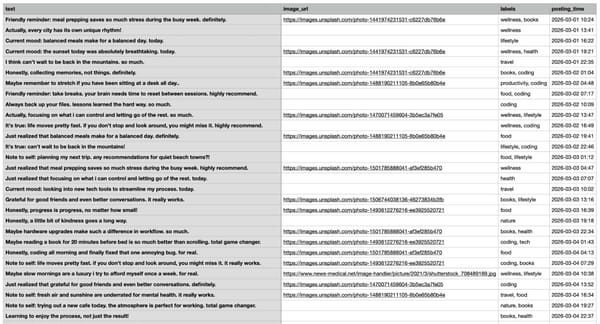
Here is an example of CSV file:
Media assets ready. If your posts include images or videos, have them organized and accessible before you upload. Linking media files in your CSV requires the files to be stored somewhere the tool can access them.
Platform accounts connected. All platforms you want to publish to must be authorized inside Circleboom before you run the bulk upload.
A review pass. Do one final read of your CSV before uploading. Typos, wrong dates, or formatting errors in a 300-row file can cause publishing failures across your entire queue.
How to Bulk Schedule Social Media Posts Using Circleboom
Circleboom is an Official X Enterprise Developer, trusted by NBC News, BBC, the American Red Cross, and L'Oréal, and fully compliant with Twitter's API policies. The fastest way to bulk schedule social media posts across Twitter and other platforms is to use Circleboom's Bulk Scheduler.
Here is the full process.
Step 1: Connect your social accounts. Go to Circleboom Twitter's X Post Planner and connect every platform you want to publish to.
You can connect Twitter, Facebook, Instagram, LinkedIn, Bluesky and Threads all together.
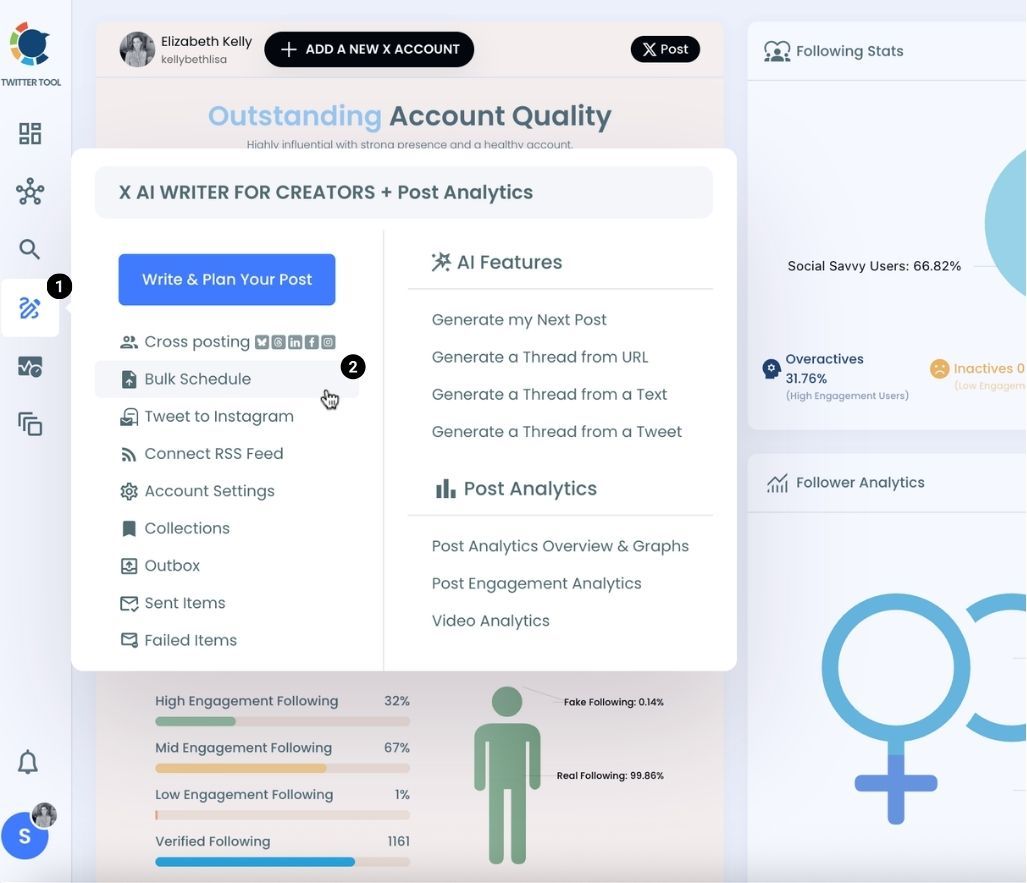
Step #2: You are on Circleboom Twitter. Go to the X Post Planner
You will see "Bulk Schedule" on the list. Click on it and continue.
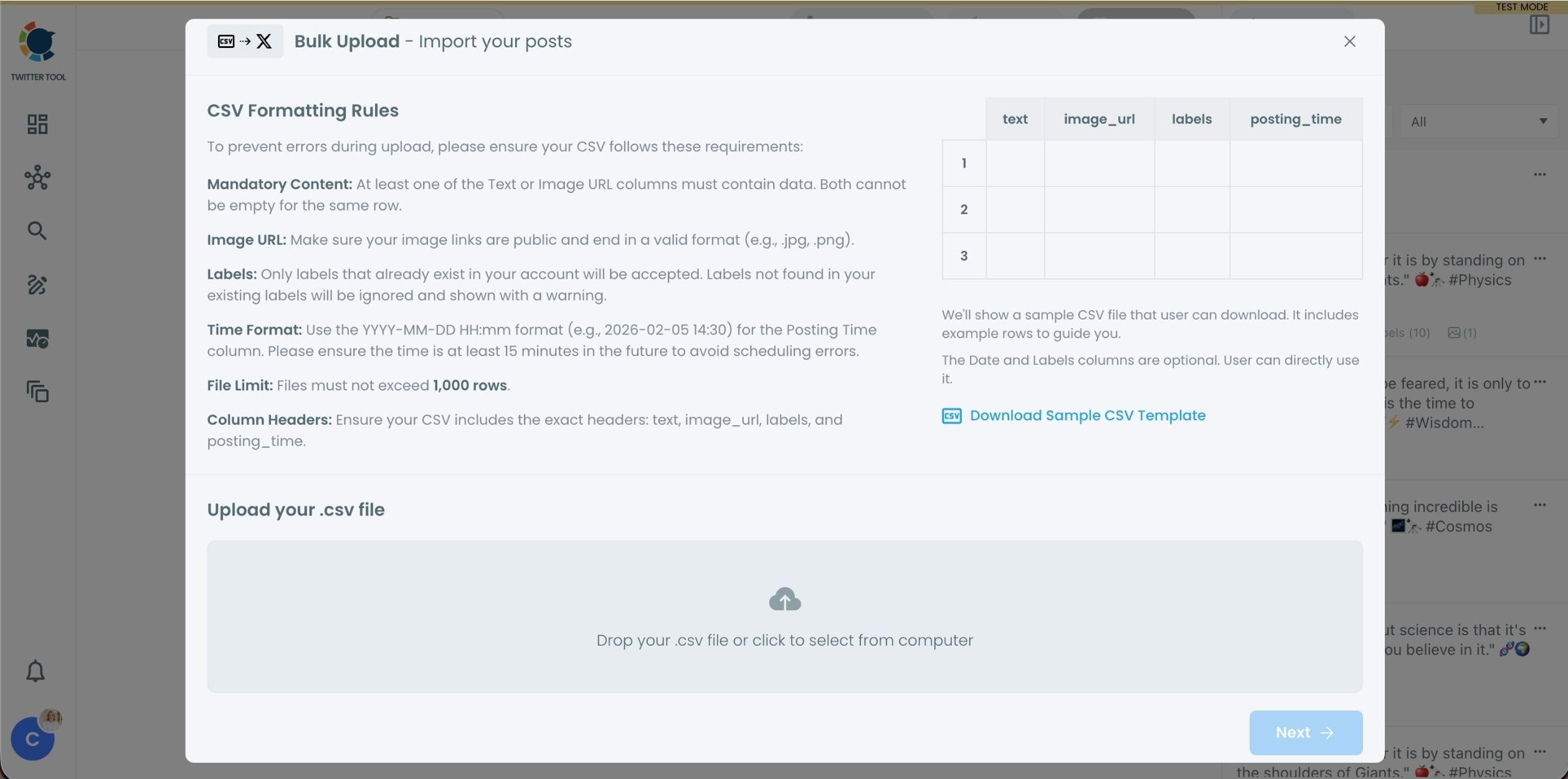
Step #3: Upload your CSV file by dragging it into the upload area or selecting it from your device.
Before uploading, make sure your CSV file follows the required format. Your file should include the correct column headers, and each row should represent a single tweet. You can include tweet text, image URLs, labels, and posting times. Preparing the file in the correct format prevents errors during scheduling.
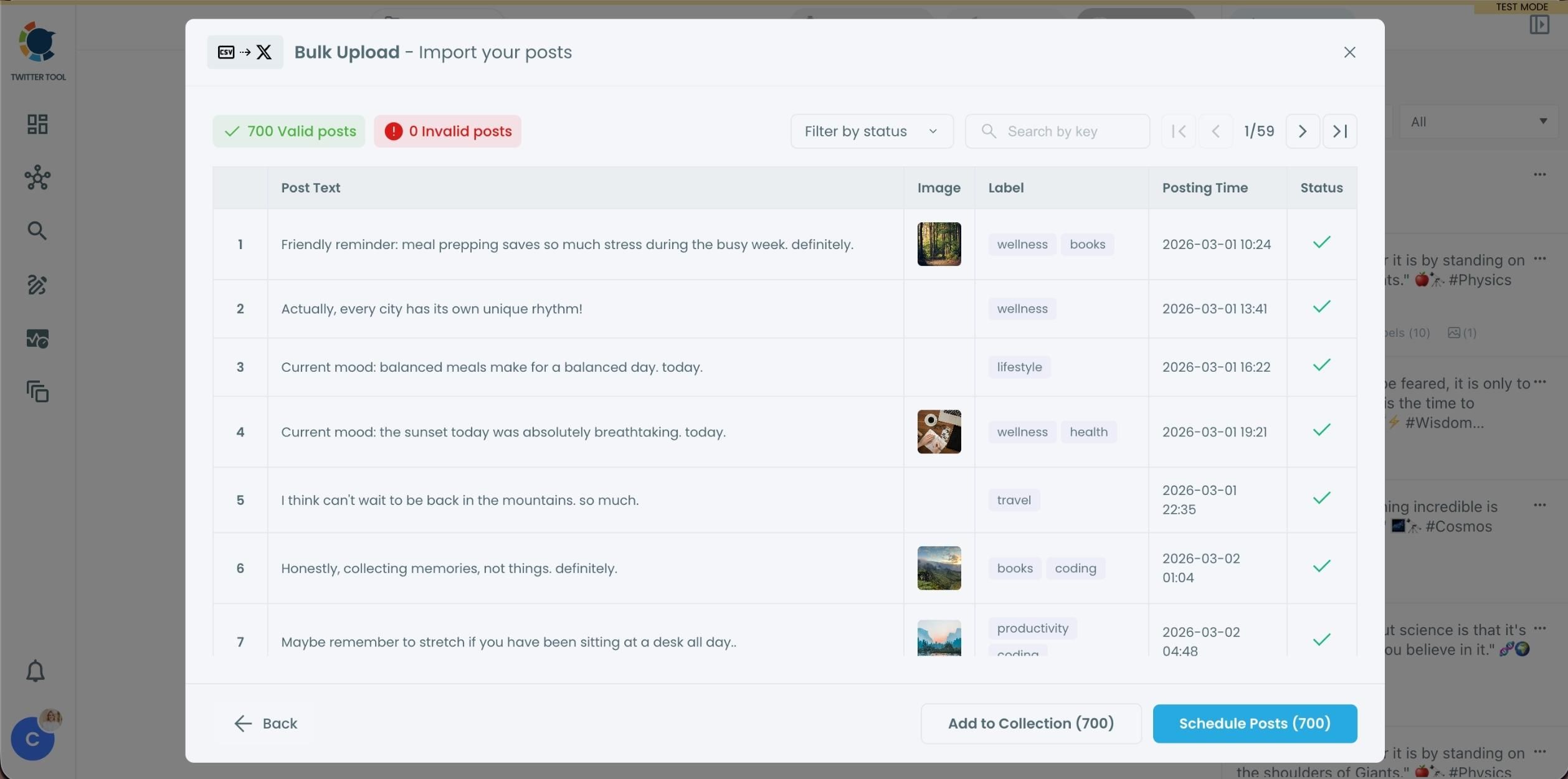
Step #4: After uploading the CSV file, Circleboom shows all your tweets in a preview list.
At this stage:
- Valid tweets are marked clearly
- Invalid tweets are shown with the reason for the error
- You can also add tweets to Collections if you want to organize or reuse them later
This step helps you catch and fix problems before anything is scheduled.
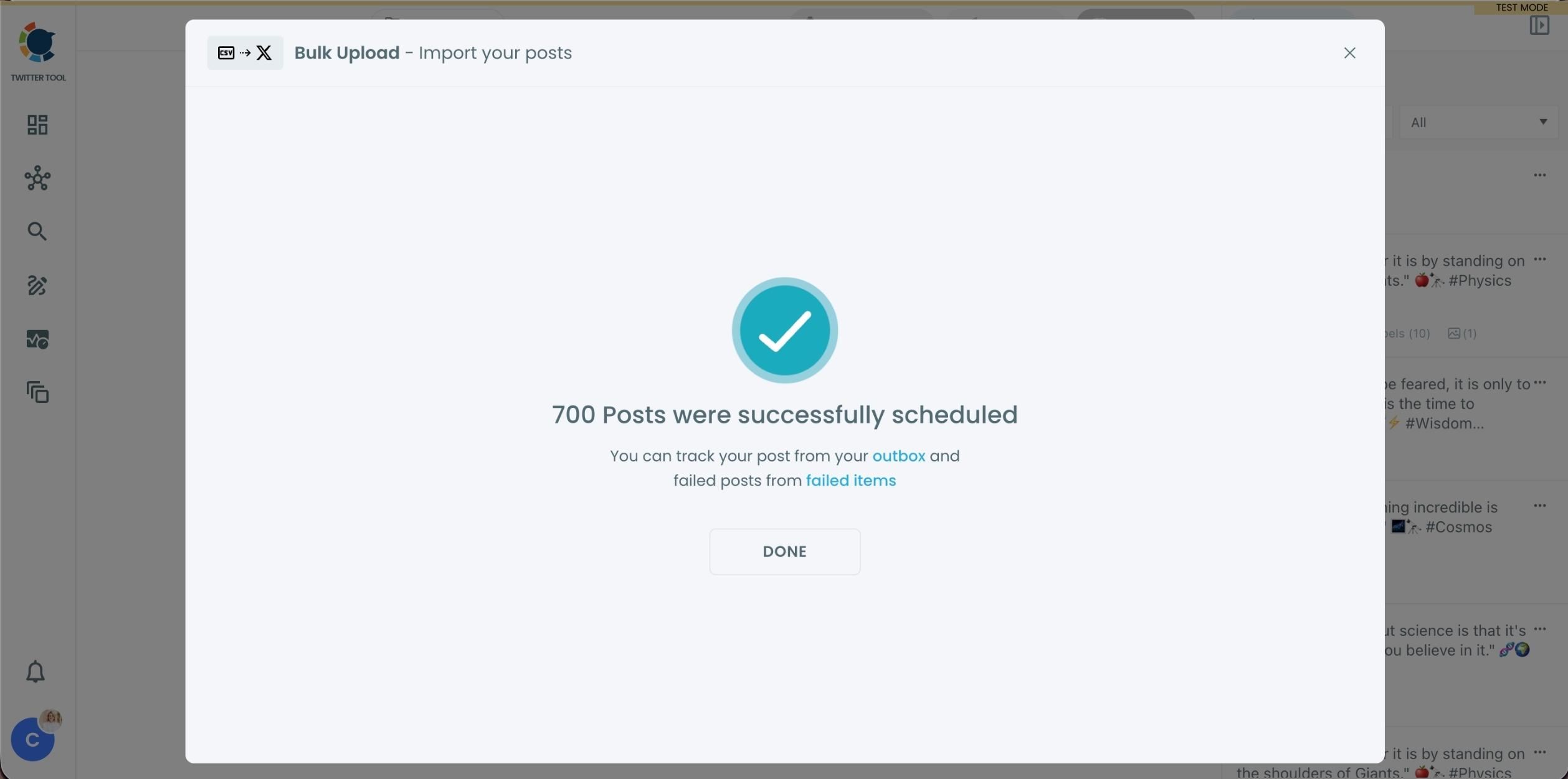
Step #5: Once everything looks correct, click Schedule Posts.
Circleboom automatically schedules all valid tweets based on the posting times in your CSV file.
Even hundreds of tweets can be scheduled in seconds, without manual work.
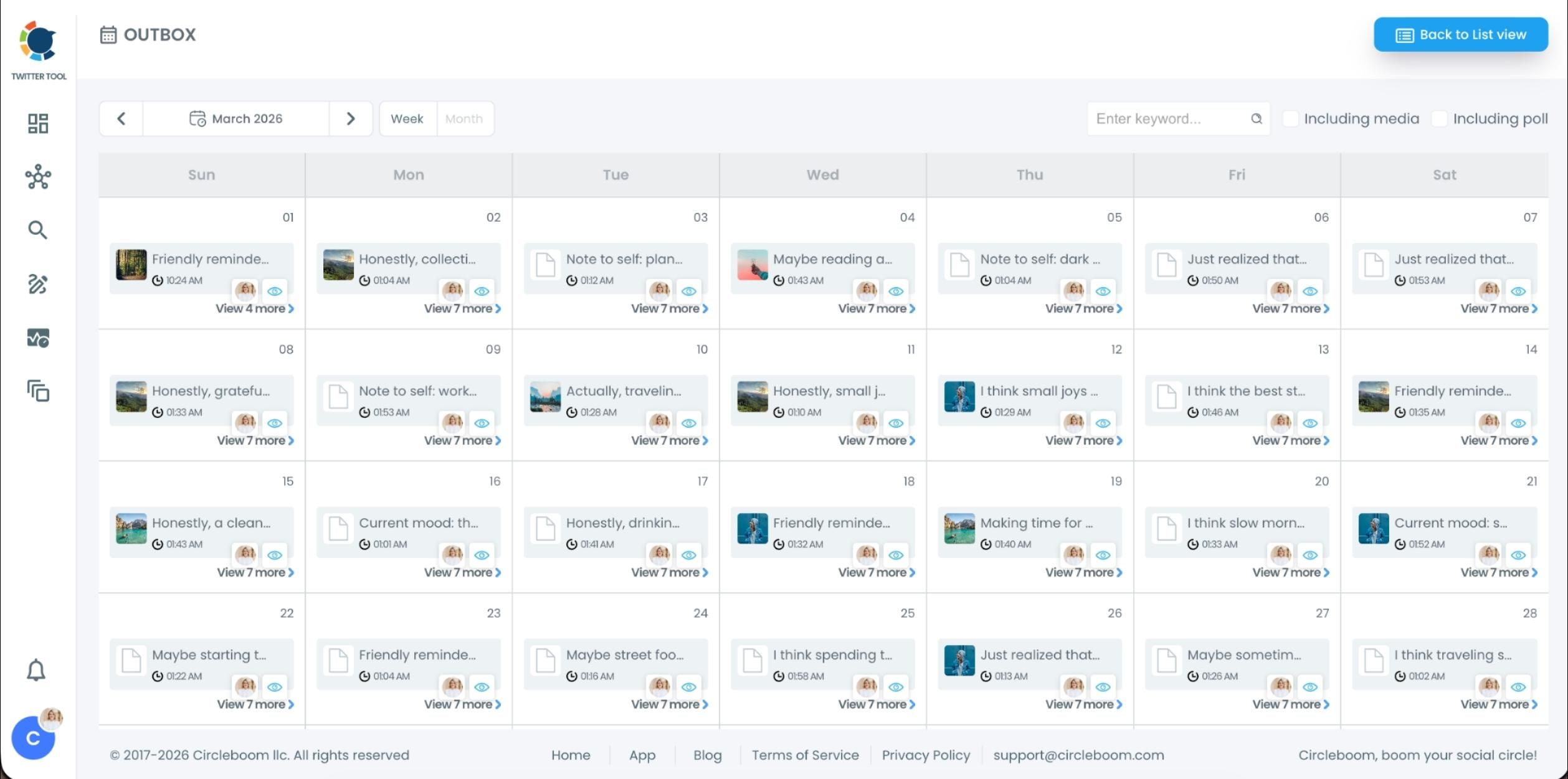
Step #6: After scheduling, all your tweets appear in the Outbox and calendar view.
From here, you can:
- See all scheduled tweets by date and time
- Make changes if needed
- Edit or remove scheduled posts
- Keep track of your content easily
This gives you full control even after bulk scheduling is completed.
The fastest and safest way to bulk schedule social media posts on Twitter and across every major platform is to run this process once and let Circleboom handle the rest.
How to Build a CSV File for Bulk Upload
Your CSV is the backbone of your bulk schedule. A well-built CSV makes the upload fast and error-free.
Use these column headers as your structure:
Date — use a consistent date format. ISO format (YYYY-MM-DD) is the safest choice.
Text — the full post body. For Twitter posts, stay under 280 characters in this column.
Media URL — a direct link to the image or video for that post. Leave blank if the post is text-only.
Labels — optional, but keeping them in a separate column makes it easier to add or remove them without editing the full post text.
Validate your CSV in a spreadsheet tool like Google Sheets before exporting it. Check for empty required fields, posts that exceed character limits for their platform, and date formatting inconsistencies.
Which Platforms Circleboom Supports for Bulk Scheduling
Circleboom's Bulk Scheduler supports bulk publishing to:
Twitter (X), Instagram, LinkedIn, Facebook, Bluesky and Threads.
This means you can build a single CSV file that contains posts for all six platforms, each with its own timing and content variation, and upload everything in one action. You do not need to run separate uploads per platform.
For teams managing multi-brand social presence, Circleboom also supports multiple accounts per platform, so you can bulk schedule social media posts for different clients or brand handles from the same dashboard.
How to Use AI to Speed Up Content Creation Before You Schedule
The bottleneck in bulk scheduling is usually not the upload. It is creating 300 posts worth of content in the first place.
Circleboom's built-in AI content assistant helps you generate post variations at scale. You provide a topic, a tone, and a platform target, and the AI produces ready-to-use post drafts that you can drop directly into your CSV.
This is particularly useful for content that follows a repeatable pattern: product highlights, testimonial shares, tips of the week, event reminders, and evergreen educational posts. Instead of writing each one from scratch, you generate a batch of variations, review and edit as needed, and paste them into your schedule.
According to DataReportal's 2024 Global Digital Overview, social media users now spend an average of 2 hours and 20 minutes per day across platforms. Volume matters. AI-assisted content creation inside Circleboom lets you meet that demand without burning out your content team.
How to Avoid Common Bulk Scheduling Mistakes
Not testing with a small batch first. Before uploading 300 posts, upload 10 and check that they appear correctly in your queue. This catches formatting issues before they scale.
Ignoring platform-specific character limits. Twitter posts have a 280-character limit. LinkedIn posts have a 3,000-character limit for personal accounts. A CSV that ignores these limits will generate upload errors or truncated posts.
Forgetting time zones. Circleboom schedules in the time zone you set in your account. If your team operates across multiple time zones, confirm which zone your scheduling times refer to before uploading.
Using the same text across every platform. A post optimized for Twitter is rarely optimized for LinkedIn or Pinterest. Use Circleboom's platform fields to write platform-specific variations for each post even within the same CSV.
Scheduling without a review workflow. Bulk scheduling makes errors easy to miss. Build a two-person review step into your content process before any CSV goes live.
How Bulk Scheduling Integrates with Your Content Calendar
Bulk scheduling works best when it is the output of a content calendar, not a replacement for one.
Build your calendar first: campaigns, product moments, seasonal content, evergreen pillars, and reactive slots. Once the calendar is final, translate it into a CSV row by row. The content calendar is your strategy. The bulk upload is the execution.
Circleboom's dashboard shows all scheduled posts in a calendar view, so you can visually verify that your uploaded content is distributed as intended and fill any gaps before they become missed publishing days.
FAQ
How many posts can I bulk schedule in one upload with Circleboom? Circleboom supports large-volume uploads suitable for agencies and enterprise teams. You can schedule hundreds of posts across multiple platforms and accounts in a single CSV upload.
Can I bulk schedule posts with different media for each post? Yes. Your CSV can include a unique media URL or file reference for each row. Each post can have its own image or video without requiring separate uploads.
Can I edit a post after it has been bulk scheduled? Yes. Once your posts are in the Circleboom queue, you can edit individual posts before their scheduled publish time. You can also delete posts from the queue if plans change.
Does Circleboom publish to Instagram automatically or does it send a push notification? For Instagram business accounts connected via the official API, Circleboom publishes directly without requiring a manual step. Personal Instagram accounts may require a push notification confirmation depending on content type.
Is there a way to bulk reschedule posts if my campaign dates change? Yes. Circleboom's queue management lets you shift entire campaigns or individual posts to new dates. You can also re-upload a revised CSV to replace an existing schedule.
Does Circleboom's bulk scheduler support multiple Twitter accounts? Yes. If you manage multiple Twitter accounts, Circleboom lets you connect all of them and target different accounts within the same bulk upload by specifying the account handle in your CSV.
Conclusion
Whether you are planning a product launch, managing a content agency, or simply trying to get ahead of a month of posting, the ability to bulk schedule social media posts changes everything about how you work. Instead of reactive, manual publishing, you get planned, consistent output that frees up your time for strategy, engagement, and creative work.
Circleboom's Bulk Scheduler gives you the CSV upload workflow, the AI content tools, and the multi-platform support to do all of it in one place.