

The best notification on X is still the same one: “You have a new follower.”
It’s a simple signal that something you shared worked.
But there’s a catch.
X only sends that notification for your own account.
There’s no option to track the new followers of any other account, even if that account is public, active, or important to you.
And if you’ve ever tried to check manually, you already know how limited X is.
 Arif Akdogan
Can You See Someone Else’s New Followers on X?
Short answer: No, not natively.
Twitter:
- Notifies you only when you get a new follower
- Doesn’t offer a “new followers” view for other accounts
- Doesn’t show full follower lists for many profiles
- Loads a limited portion of followers and then stops
So even if you scroll through someone’s followers today, there’s no way to know:
- Who followed them yesterday
- Who followed them today
- What actually changed since your last visit
That makes tracking other accounts’ follower growth almost impossible.
Why You Might Want to Track Someone’s New Followers
There are many real reasons to care about this, not just curiosity.
Tracking someone’s new followers helps you:
- Monitor competitor or creator growth
- Discover people interested in a specific niche
- See who engages with certain topics early
- Understand where attention is flowing
- Build targeted follow or outreach lists
For example:
- A creator starts gaining followers from a specific industry
- A competitor’s campaign suddenly attracts a new audience
- An influencer begins pulling in highly active users
All of that information is hidden unless you track it properly.
Why Manual Tracking Doesn’t Work
Even if X showed full follower lists (which it often doesn’t), manual tracking would still fail.
Here’s why:
- High-activity accounts gain followers constantly
- Large accounts can add hundreds or thousands per day
- You’d have to compare lists manually, over and over
- There’s no “since last check” indicator
Manual tracking isn’t just slow, it’s unreliable.
You need automation.
The Better Way: Track New Followers With Circleboom
This is where Circleboom Twitter comes in.

Circleboom is a full Twitter management tool and an official X (Twitter) Enterprise Developer, which means it connects to X through approved, secure infrastructure.
Instead of guessing, Circleboom lets you track any public account’s new followers automatically.
 infocircleboom.com
What Happens When You Set a New Follower Alarm
Once you set a follower tracking alert, Circleboom does the monitoring for you.
You get a daily list showing:
- Who followed the account since the last check
- A clean, structured list (no endless scrolling)
But it doesn’t stop there.
For each new follower, Circleboom also shows:
- Whether the account looks real or fake
- Active vs inactive status
- Follower and following counts
- Tweet count and activity level
This turns raw follower data into actionable insight.
From the same screen, you can:
- Follow those accounts instantly
- Export the list for research, outreach, or analysis
Step-by-Step: How to Check Someone’s New Followers on Twitter
Here’s exactly how to set it up.
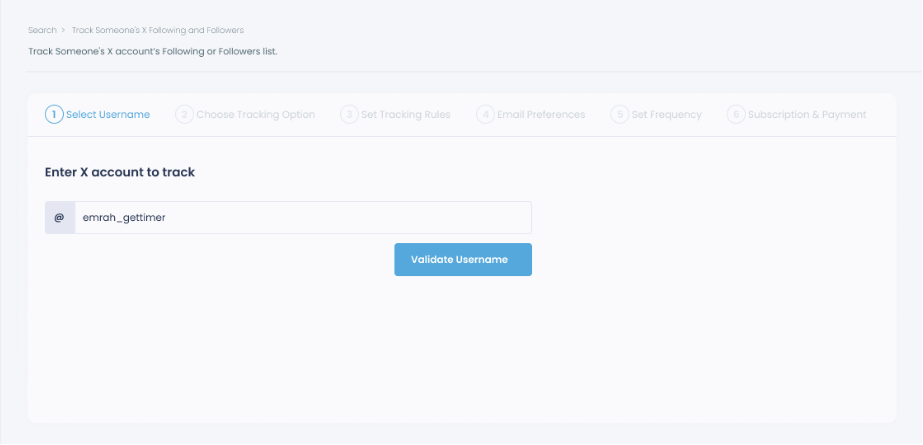
Step #1: Select any username you want to track on X.
You will track their recently followed audience.
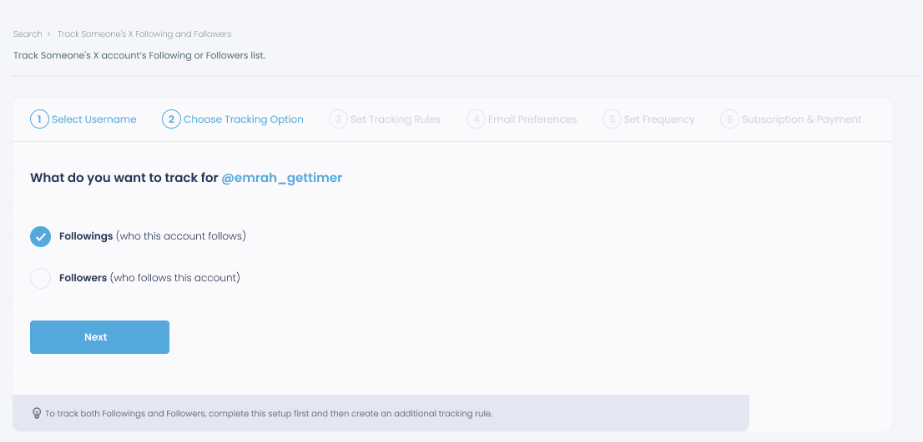
Step #2: Next, you will choose "Followings" or "Followers".
You should select one of the tracking options.
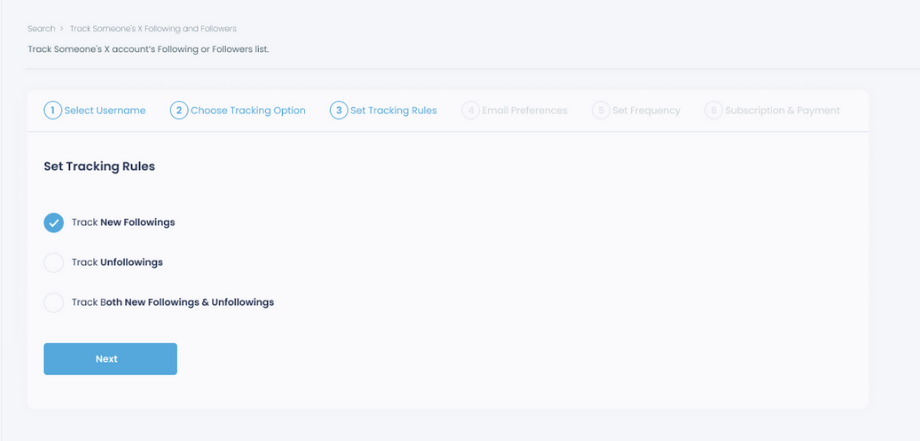
Step #3: Regarding the followings, you can track new, recent followings and unfollowings.
You can track both at the same time!
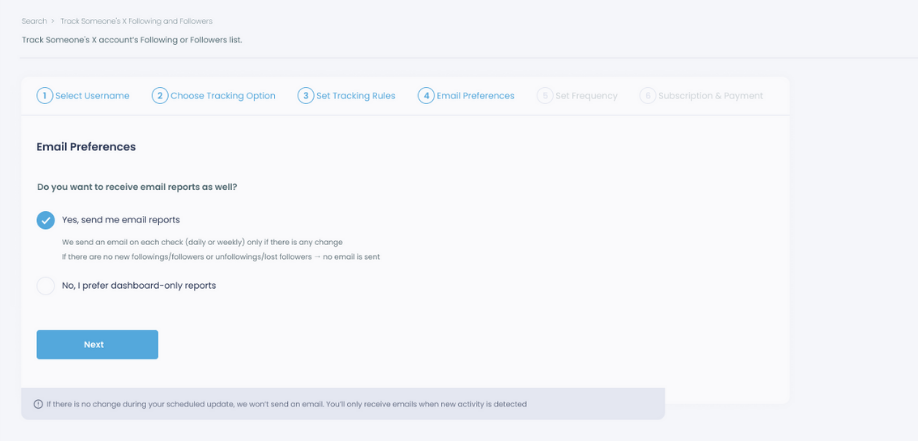
Step #4: For your tracking operations, you can receive email updates for each check.
You can still track new followings or followers without email notifications. You can monitor the following or followers with dashboard-only reports.
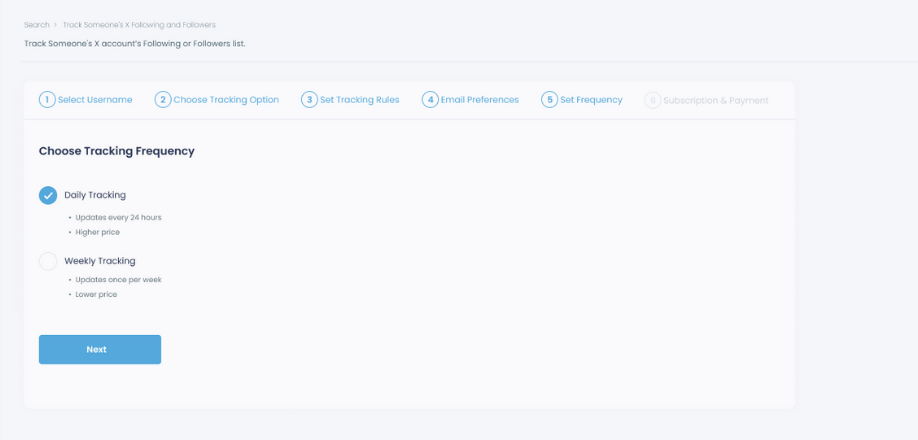
Step #5: Now, you should set the frequency.
You can get "Daily Tracking" or "Weekly Tracking".
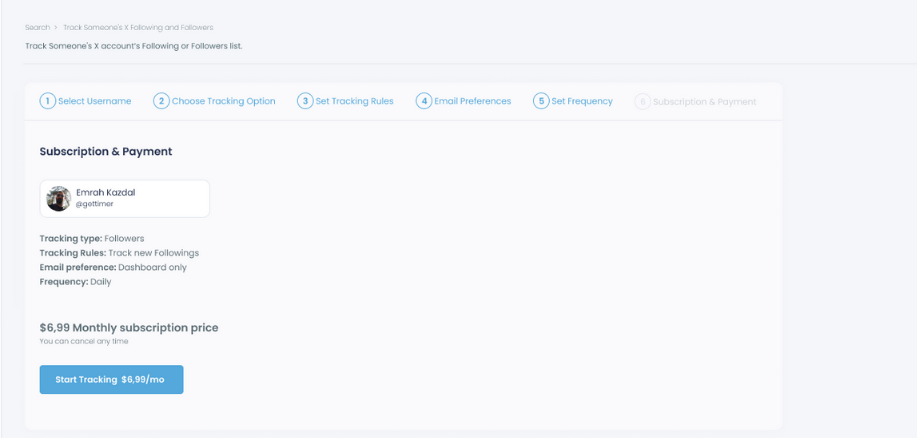
Step #6: The next step is subscription.
After checking the rules, you can start tracking.
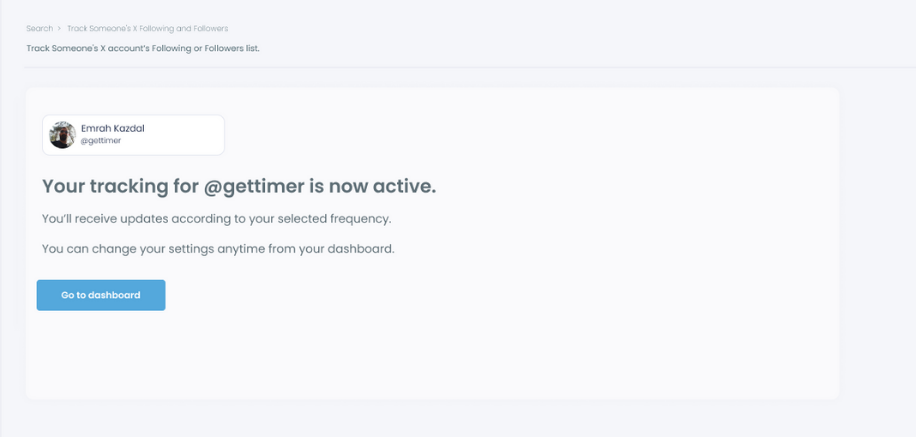
Tracking is now active. That's it! Now you can monitor newly followings and followers of anyone on X with Circleboom!
How People Use New Follower Tracking in Practice
This feature is commonly used to:
- Track competitor audience growth
- Discover new people to follow from similar accounts
- Monitor influencer momentum
- Spot growth spikes after campaigns or viral posts
- Build targeted prospect or community lists
It’s not just about who followed, it’s about why and what that signals.
Turn New Followers Into Strategy
X gives you one of the best notifications, new followers, but only for your own account.
If you want that same visibility for any other account, you need a tool built for it.
With automated follower tracking:
- You see changes as they happen
- You understand audience movement
- You can act immediately
Instead of scrolling blindly, you get clarity, and that’s where real strategy starts.

