
X has no search or filter for your likes, so you cannot remove likes on a specific topic without scrolling and unliking them one by one. To delete likes by keyword, open Circleboom's Delete All Likes feature, upload the like.js file from your X archive (or use Delete My Last Likes for your latest 3,200), enter a keyword, @username, or #hashtag in the filters, and unlike every matching post in one action. Likes on everything else stay exactly as they are.
Most people do not want to erase every like they ever gave. They want one topic gone. The election cycle they got too into. The crypto project they cheered for before it collapsed. A sports rivalry, a fandom, an account they no longer want to be associated with.
X makes that oddly hard. The Likes tab has no search box. You can scroll, look for the tweets that mention the topic, and tap each heart one at a time, but the tab loads in batches and eventually stops showing older likes. After twenty minutes you have removed a handful and have no idea how many are left.
The alternative most people consider is deleting all likes, which solves the problem by also removing everything worth keeping: likes on friends' milestones, customer shoutouts, posts you saved by liking.
With Circleboom Twitter, you can filter your liked posts by any word, @username, or #hashtag, see exactly which likes match, and unlike all of them at once through X's official API. Recent likes load straight from your account, and older ones come from your X archive, so the keyword filter covers your entire like history.
What a keyword filter can catch
The keyword field in Circleboom's filters searches three places in each liked post: the tweet text, the @mentions, and the #hashtags. That one field handles most of the cleanups people actually want:
A topic. Type "election," "NFT," or the name of a show, and every liked post mentioning it comes up. Useful when an account is moving away from an old niche or a subject that no longer fits.
An account. Type an @username to pull up every liked post that mentions that account. That is the quickest way to cut ties with a brand, a creator, or a person you used to engage with constantly.
A hashtag. Type a #hashtag to catch likes from a campaign, an event, or a trend you were swept up in. Event hashtags are especially good at piling up likes in a short window.
The filter combines with the rest of the panel too. Add a date range to limit the keyword to one period, choose a language, or narrow by media or post type. Likes you want to keep can go on a Protect List even if they match.
All of this runs on data from X's official API. Circleboom is an Official X Enterprise Developer, so the unlike requests go through X's own endpoints, without password sharing or browser automation tapping hearts in the background.
How to delete likes by keyword on X with Circleboom
Pick the path based on how far back the likes go. If the topic is recent, the first path is quicker. If it goes back years, use the second.
Path 1: Delete recent likes by keyword (no archive needed)
Step 1: Open Delete My Last Likes. Log in to Circleboom Twitter, connect your X account, and open Delete My Last Likes. Circleboom loads up to your latest 3,200 liked posts with their metrics.
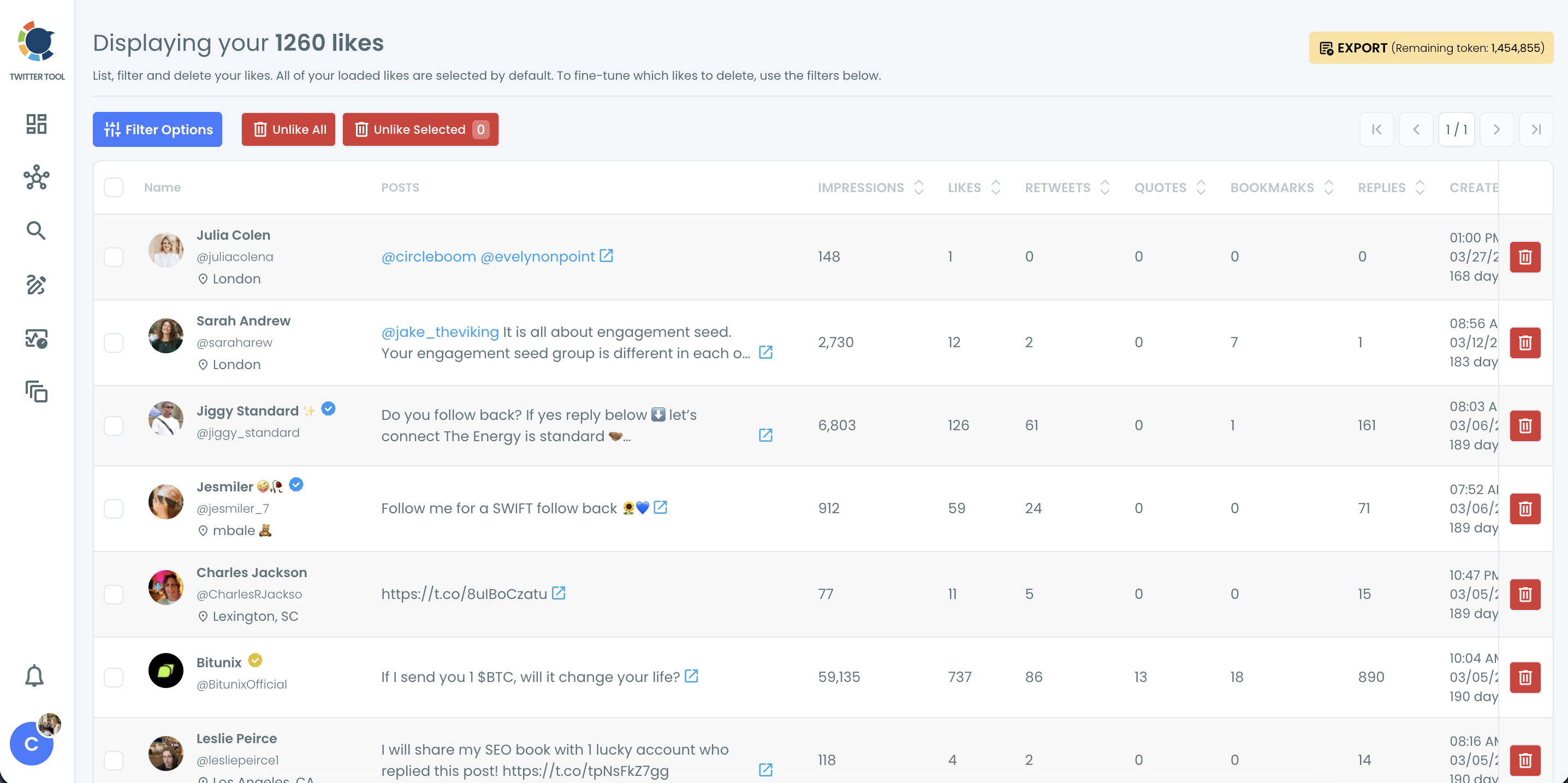
Step 2: Filter by keyword. Click Filter Options and type the word, @username, or #hashtag into the Keyword / Username or Hashtag field. Add a date range, language, or media filter if you want to narrow it further, then click Apply Filters.
📌 Check the filtered list before unliking. A broad keyword can also catch posts about something else, so a more specific word or a hashtag gives cleaner results.
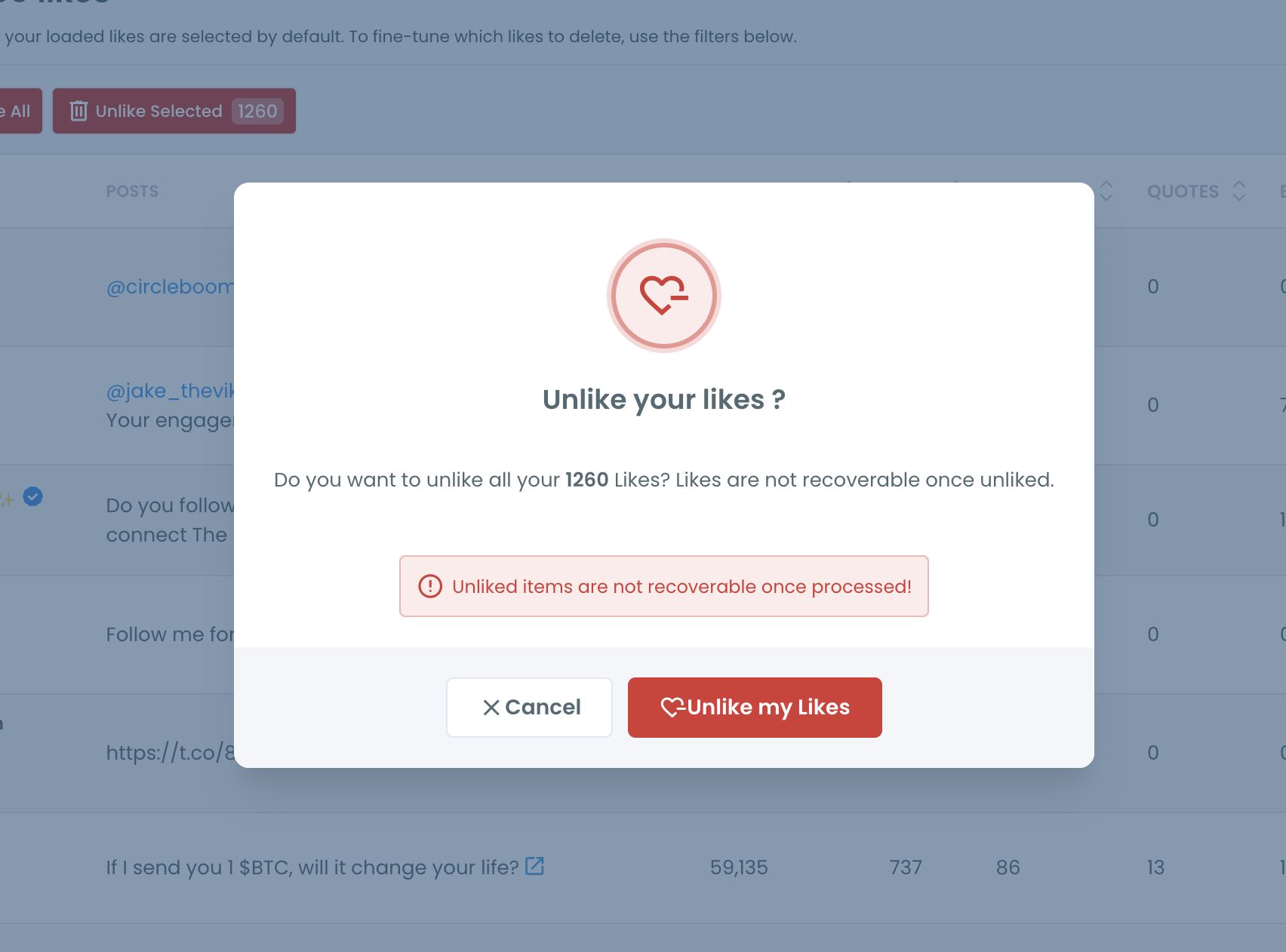
Step 3: Unlike the matches. Click Unlike All to remove every like in the filtered list, or select specific ones and click Unlike Selected. Confirm in the pop-up.
Path 2: Delete likes by keyword across your full history
Step 1: Download your X archive and find like.js. On X, go to Settings and privacy, then "Download an archive of your data." When the archive is ready, unzip it, open the data folder, and find the like.js file. Upload only that file, not the whole ZIP.
Step 2: Upload like.js to Delete All Likes. Open Delete All Likes and drop in the file. It must come from the X account linked to your Circleboom subscription. Circleboom shows how many liked posts it found.
Step 3: Enter your keyword and protect exceptions. In the filter step, type the keyword, @username, or #hashtag. Add any liked posts you want to keep to the Protect List, and set a date range if the topic belongs to a specific period.
Step 4: Approve and delete. Check the Approve & Delete panel for the number of likes that will be removed, then click "Delete my Likes" and confirm.
⚠️ Unliking is permanent. If you want a record of what you liked, keep the archive file before you start.
You can upload the same like.js file again with a different keyword. Likes that were already removed are skipped automatically, so you can clear several topics in separate passes.
Why X won't let you search or filter your own likes
The Likes tab on X is a feed, not a database. It shows liked posts in reverse order, loads them in batches, and offers no search, no sort, and no filter. Finding every liked post about one topic means reading through all of them.
There is also a ceiling on how far back the tab and the API go. X's API returns roughly your latest 3,200 likes, and the Likes tab starts failing to load older items well before you reach the bottom of a long history. Our post on why you can't see your Twitter likes explains what is happening there.
That is why the archive matters for keyword cleanup. The like.js file lists every post you have liked since the account was created. Once it is uploaded, the keyword filter can search the full history, not just the part X still shows.
📌 Likes are signals, not just a record. X uses what an account likes to understand its interests, which feeds into recommendations and the For You timeline. Removing likes on a topic you are done with is one of the cleaner ways to stop that topic from following you around. If the goal is a broader reset, see how to reset your Twitter algorithm.
Deleting tweets has had keyword filters for a long time, through tools like delete tweets by keyword. Likes deserve the same precision, because the reasons people want to clean them up are just as specific.
Why a keyword cleanup beats deleting all likes
You keep what matters. Likes on a friend's announcement, a client's launch, or a post you saved for later stay in place. Only the topic you targeted disappears.
It matches how people actually change. Accounts drift. Someone who liked hundreds of gaming posts five years ago may run a marketing account today. Removing likes that match the old topic lines the history up with the current one without wiping the parts that still fit.
It handles one account at a time. Filtering by @username removes every liked post that mentions a specific person or brand. That is useful after a falling out, a partnership ending, or an account turning into something you would rather not be linked to.
It works for campaigns and events. A #hashtag filter can clear the hundreds of likes you gave during a conference, a launch, or a viral moment, while likes from the rest of the year stay untouched.
It is safer than manual cleanup. Tapping through likes by hand is slow, easy to abandon halfway, and impossible to verify. A filtered list shows the exact number of matches before you confirm. For the opposite job, keeping a record first, read how to download your Twitter likes.
FAQ
Can I search my likes on X by keyword?
Not in X itself. The Likes tab has no search or filter. With Circleboom, you can filter your liked posts by keyword, @username, or #hashtag and see every match in one list.
How do I delete likes by keyword on X?
Open Delete My Last Likes for your latest 3,200 likes, or upload your archive's like.js file to Delete All Likes for your full history. Enter the keyword in the filters and unlike all matching posts at once.
Can I remove all likes on posts from one account?
Yes. Type the account's @username into the Keyword / Username or Hashtag filter. Every liked post that mentions that account will be listed, and you can unlike them together.
Can I delete likes by keyword from a specific year?
Yes. Combine the keyword with a date range. Only likes that match both the keyword and the dates will be removed.
Will deleting likes by keyword remove my other likes?
No. Only the likes that match your filters are removed. You can also add specific posts to the Protect List so they stay liked even if they match the keyword.
Can I get the likes back after deleting them?
No. Unliking is permanent and cannot be undone by Circleboom or X. Keep your archive file if you want a record of what you liked.
Is deleting likes with Circleboom safe for my account?
Circleboom is an Official X Enterprise Developer and sends every unlike request through X's official API. There is no password sharing and no browser automation.
Final thoughts
Deleting likes was never the hard part. Finding the right ones was, because X shows likes as an endless scroll with no way to search it. Circleboom turns that scroll into a list you can filter by word, account, or hashtag, across recent likes and your full archive, so you can delete likes by keyword and leave everything else alone. One topic goes, and the rest of the account stays as it is.
Start your keyword based like cleanup with Circleboom Twitter:
https://circleboom.com/twitter-management-tool/unlike-delete-all-twitter-likes