Take an illustrative study of three public health agencies during one campaign. Three account exports produce three CSV files of up to 3,200 rows each, 9,600 rows at most, and the study is ready for a spreadsheet in an afternoon.
To export tweets for research that cleanly, the choice between accounts and topics has to come before the download.
Should you export tweets by account or by topic?
Export by account when your question names who is speaking, and search by keyword when it names what was said. Circleboom downloads up to 3,200 recent tweets per public X account as a CSV through official X Enterprise APIs.
→ Download an account's recent tweets for your study
Why the export scope decides what your Twitter study can claim
The scope of an export sets the population your findings describe.
Most guides treat the download as a mechanical last step, but I treat it as the sampling decision, because no later cleaning can add a tweet the export left out.
Three common mistakes come from skipping that decision:
- Choosing accounts first and only later noticing the question was about a topic.
- Assuming a date filter reaches further back than the retrieved tweets.
- Reading a zero in an impressions column as a real value.
If you are still looking for existing data rather than building your own, start with how to find Twitter datasets for download.
If your question needs specific accounts and a known collection date, building the file yourself is usually the shorter road.
For that case, you can export tweets for research directly from a public account.
Still shaping the question? A list of research ideas that fit tweet data can help you test it against what the columns can measure.
Pick the unit of analysis: accounts or topics on X
Your unit of analysis picks the tool. Circleboom Twitter has two routes for tweet data, and they answer different questions.
| Your question names | Route | Sample limit |
|---|---|---|
| Specific accounts | Export Tweets | 3,200 per account |
| A topic or event | Historical Tweet Search | Up to 10,000 per search |
| The people who shared | Export retweeters | Accounts, not tweets |
The first row is the account study: what these organizations posted, how often, and with what response.
Each export covers one public account, so five accounts means five exports.
A protected account cannot be exported, even if you follow it.
The third row is a hand-off. When the study turns to who amplified a message, you can export retweeters as a separate list and keep it apart from the tweet rows.
Can one keyword search cover many Twitter accounts?
Yes, with Historical Tweet Search rather than Export Tweets. Export Tweets works on one account per export and offers no way to gather a keyword across accounts.
With the search, you describe the tweets in plain language, pick a date range (last 30, 60 or 90 days, one year, or a custom window) and set the count.
Two trade-offs belong in your plan. Searches and their exports use tokens, so check the balance before a large pull.
Historical coverage can also have gaps for very old content or tweets deleted quickly, which matters if you plan to report completeness.
The sampling logic flips as well. A keyword search finds accounts you did not know to include, which is useful for mapping a conversation and awkward for comparing a fixed group.
Set the export scope for one account
Scope comes in two layers: what X returns, then what you keep. The X API returns up to the most recent 3,200 tweets, and that limit applies to any plan. The filters then narrow that set.
The available filters are:
- Date range, for a campaign or event window.
- Engagement ranges, such as minimum likes or impressions.
- Post type: tweet, retweet or reply.
- Language.
- Keyword.
Filters run on the retrieved tweets, so they shrink the file and never reach further back.
That order explains a common surprise. Ask for three years from a busy account and you may receive far less, because its 3,200 most recent tweets ran out long before that date.
An account posting 10 times a day covers about 320 days, by simple arithmetic.
Filter now or keep everything for later?
For research, I lean toward exporting without engagement filters.
A file holding only tweets above a like threshold is useful for studying high performers, but it cannot tell you what share of output performed that way, because the rest of the denominator is gone.
Language and date filters are easier to defend when your protocol names them in advance.
The TweetType column also lets you filter retweets and replies after export, so you lose nothing by keeping them in the raw file.
The same thinking applies if you want all tweets from a user: the fuller file costs you a little cleaning and saves you a second export.
Match CSV columns to your research question
The CSV has 15 columns, and each study needs only some of them. Choosing them in advance keeps a spreadsheet from deciding your analysis for you.
Circleboom's Export Tweets file carries every column below, so the choice is about what you analyze, not what you pay for.
| Research question | Columns to use |
|---|---|
| What topics appear? | Text, Lang |
| How does output change over time? | CreatedAt, TweetType |
| Which formats earn response? | HasMedia, CountLike, CountReply |
| How far did content travel? | CountImpression, CountRetweet, CountQuote |
| Can I cite a specific tweet? | PostId, Username, CreatedAt |
The last row is easy to skip and hard to fix later. PostId and the timestamp are what make a single row traceable when a reader or a supervisor asks for the original.
What kind of analysis can I run on the file?
You can run content, behavior and performance analysis in Excel, Google Sheets or any data tool. Circleboom's file on X supports these directly:
- Sorting by impressions to separate reliable performers from one-time spikes.
- Counting tweets against retweets and replies to measure original output against amplification.
- Filtering to a date range for a complete record of an event window.
- Comparing accounts by running the same steps on each file.
Text coding and sentiment work happen outside the file, using the Text column as input.
Tweets grouped by hour can also show posting patterns, as long as your window is the same across accounts.
What the columns will not tell you
The count columns say how many, never who. CountLike gives you a number with no list of the people behind it, and CountRetweet works the same way.
If the identity of those accounts matters to your question, that is a separate export and a separate dataset.
The file also describes the account's own posts. A reply appears as that account's reply, so you see one side of a conversation unless you collect the other accounts as well.
Plan for this before you code conversations from the Text column, because a one-sided thread can look like a monologue.
How to export tweets for research, from question to CSV
Run these steps once per account in your sample, in the same order each time.
Open the feature from your account
- Log in to Circleboom Twitter Management and connect your X account.

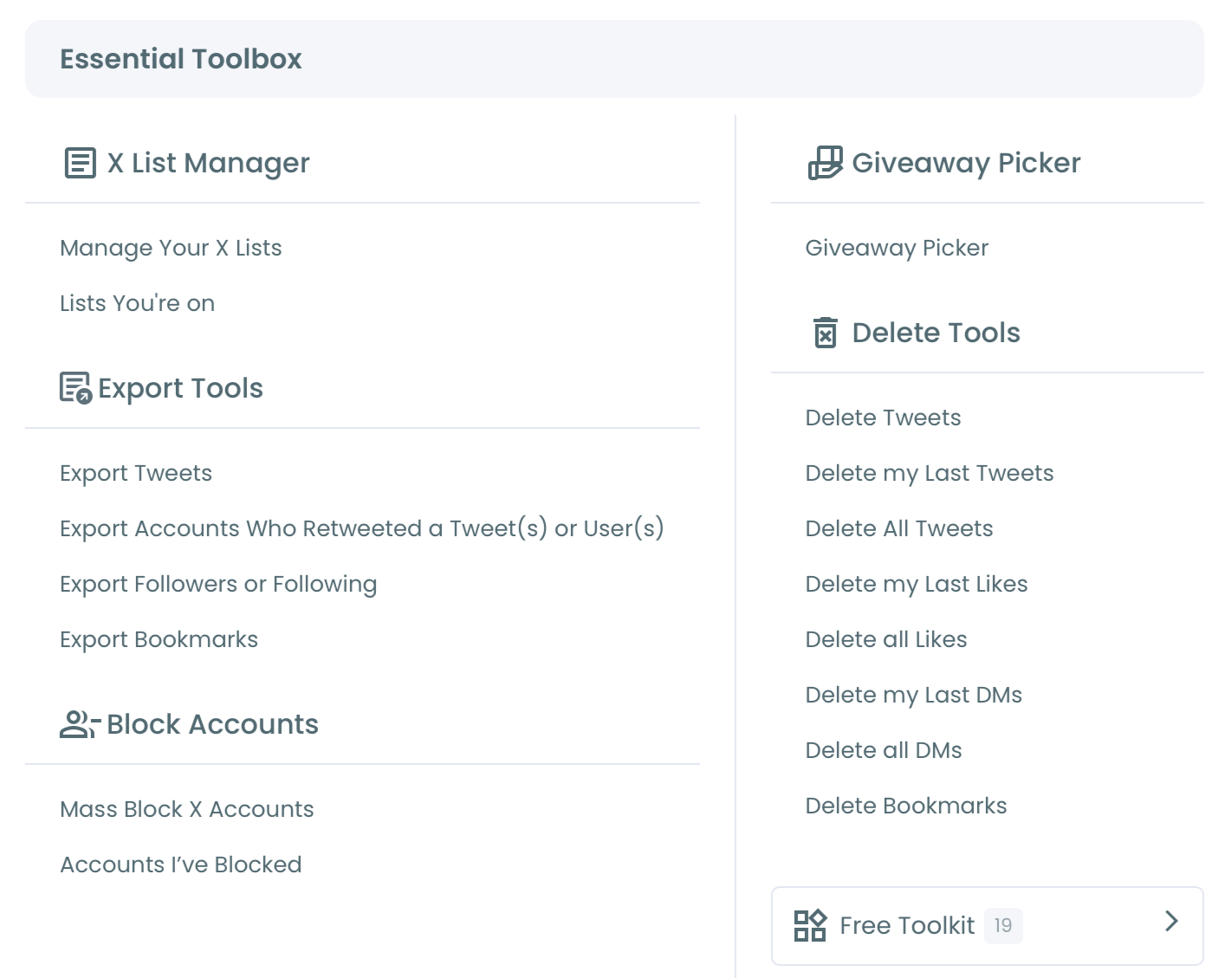
- Navigate to the Essential Toolbox menu and select Export Tweets.
Define the account and the scope
- Enter the public username from your sampling list, then verify it matches the account you intend to study.
- Check the tweet count Circleboom returns, which tells you whether the account reaches the 3,200 limit.
- Apply only the filters your protocol names.
Confirm the export and store the file
- Confirm the export and enter the email address for delivery.
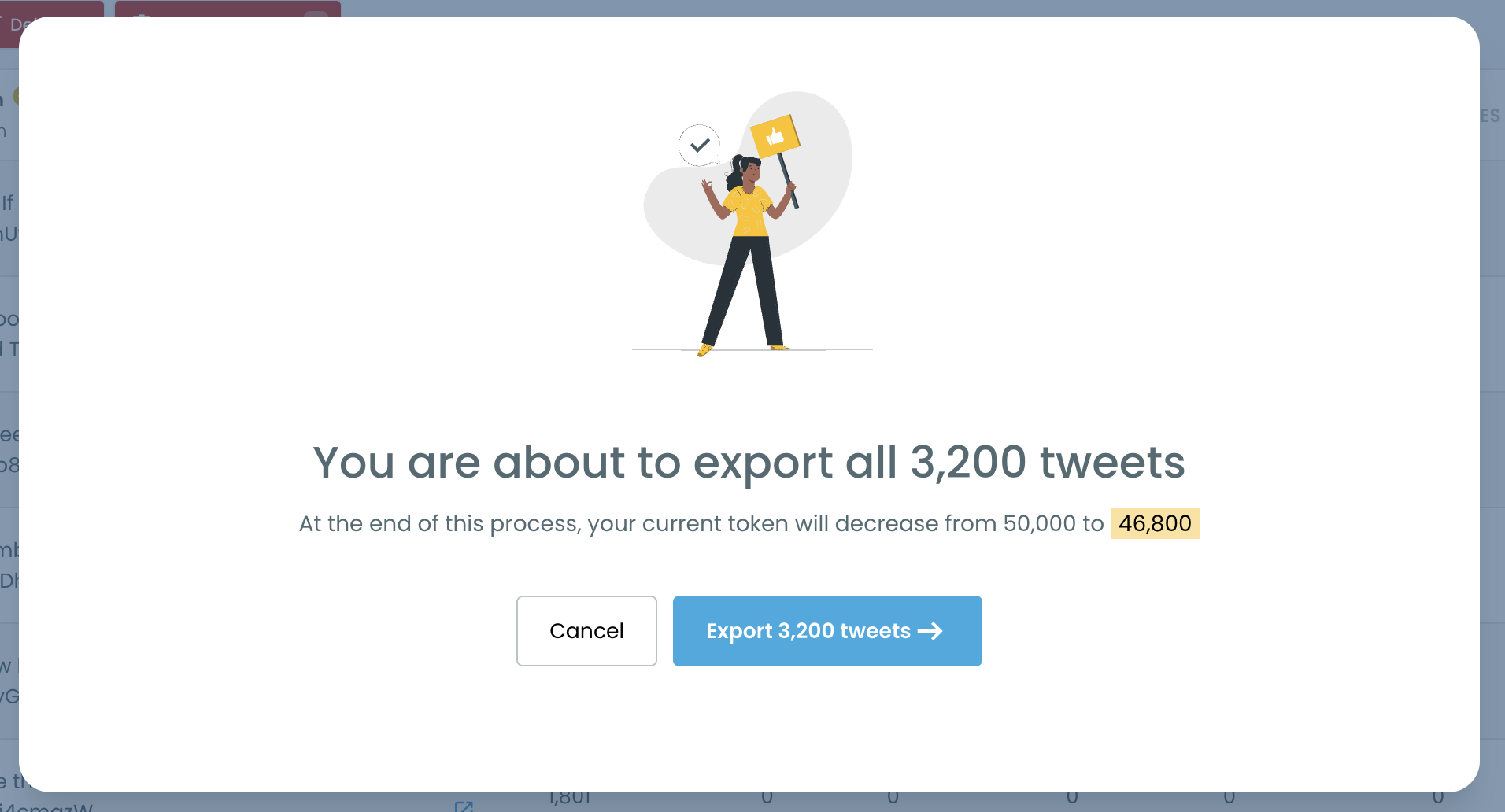
- Pay on the secure Stripe page, since each export is bought individually rather than with tokens.
- Save the CSV from your email or your Circleboom account page, with the export date in the file name.
This sequence puts verification before payment and dating before analysis, which is where research datasets tend to lose their credibility.
A wrong handle costs you an export, and an undated file costs you a citation.
As an official X Enterprise Developer, Circleboom gives you a data source you can name plainly in your methods.
The walkthrough on how to download tweets from Twitter covers non-research uses of the same flow.
After each export, add one line to a dataset log. It takes a minute and answers most questions a reviewer will ask:
- Account handle and the date you ran the export.
- Filters applied, or "none".
- Row count and the earliest tweet date in the file.
That log is what lets someone else repeat your scope, or lets you explain it a year later when the live counts on X have moved on.
Do likes and impressions update after I download the Twitter file?
No. The CSV is a point-in-time snapshot, so likes, retweets and bookmarks keep the values they held when you ran the export, and they never update in the downloaded file.
That single fact creates three rules for a research dataset.
Pull comparison accounts together. A tweet posted yesterday has had less time to collect likes than one posted last year, and files pulled weeks apart widen that gap. Exporting all accounts in one session keeps the measurement date the same, and you can exclude the newest tweets if they would skew a comparison.
Report what deleted tweets mean for your sample. Tweets deleted after your export remain in your file, while tweets deleted before it were never retrievable. Your dataset therefore describes what was public on export day, which is a sentence worth writing into your methods.
Treat a zero impression as possibly missing. Impression availability depends on the account type and X's API access level for that account, and some accounts return zero or incomplete data. Before averaging that column, check whether zeros cluster in one account.
If they do, drop impressions for the comparison and lean on likes, replies and retweets.
The path applied to the three-agency example
The opening example shows how these choices stack up, using illustrative figures. The question names three agencies, so the route is three account exports in one session, with no engagement filter.
Each file then gets a date cut to the campaign window, and any campaign tweets outside the 3,200 show up immediately as a missing start.
For the analysis, CreatedAt and TweetType measure how each agency's output changed, while likes and replies measure response. Impressions stay in only if the zero check passes for all three.
Choose your next move from your research question
The right next step depends on what your question names. Run through these forks in order:
- If your question names accounts, export each one in a single session and record the dates.
- If it names a topic or event, run Historical Tweet Search and budget tokens.
- If it needs years of one account's history, check whether that account's earliest exported tweet reaches your start date before you commit.
- If it is about the audience, add retweeter or Twitter account exports as separate files.
The mistake to avoid is treating these as one big download. Each fork produces a different population, and a clean methods section names exactly one of them per dataset.
Questions about ethics review or citation format sit with your institution, so settle those alongside this plan.
Once your fork is clear, the export is the easy part.
→ Run your tweet export for research
CSV and sampling FAQ for tweet research
Can I reach tweets past the latest 3,200?
X's own account data download is the only route to older history, and it serves an account you control. Circleboom's Twitter archive viewer post explains how to read that file once you have it.
Is scraping a better way to collect tweets for a study?
Scraping-based collection can miss records when pages fail to load or interfaces change, which leaves an unknown gap in a research sample. Scraping all of a person's tweets covers the comparison in more depth. Circleboom pulls its records through official X APIs instead, while X's own access limits still apply.
What does each row of the tweet CSV contain?
The file has PostId, Name, Username, ProfileId, CreatedAt, Lang, CountBookmark, CountImpression, CountLike, CountReply, CountRetweet, CountQuote, TweetType, HasMedia and Text, with one row per tweet.