

When a tweet gets reposted, it doesn’t just gain a few extra views, it starts reaching entirely new audiences. Every retweet means your content is being pushed into someone else’s network, often beyond your own followers.
But here’s the thing: most people never really look at who is actually sharing their content.
On X, you can technically see retweeters. But you can’t really understand them, analyze them, or do anything meaningful with that list.
If you want to properly find, analyze, and use retweeter data, you need more than just a basic view. That’s where Circleboom Twitter comes in, letting you see all retweeters with detailed data and export them into a clean CSV for easy analysis.
How Circleboom Twitter Helps You Find Retweeters Properly
Circleboom Twitter is an official X Enterprise Developer, which means it works directly with X’s official APIs and handles data in a secure and compliant way.

But the real difference is how it transforms retweet data.
Instead of just showing usernames, Circleboom allows you to actually find, organize, and work with retweeters in a meaningful way.
With Circleboom Twitter, you can:
➡️ Find retweeters of any tweet, whether it’s yours or someone else’s
➡️ Analyze retweeters across multiple tweets instead of just one
➡️ Access detailed account-level data instead of just names
➡️ Export retweeter lists as a structured CSV file
 infocircleboom.com
This changes the experience completely.
You’re no longer scrolling through a list and guessing. You’re working with real data that you can sort, filter, and analyze.
It turns retweeters from a hidden, hard-to-use signal into something you can actually build insights from.
How to Find Retweeters with Circleboom Twitter
Step #1: Sign up to Circleboom and connect your X account.
Circleboom is an official X Enterprise partner! So, your account and all the data you have are safe and secure with us!

Step #2: Once reached dashboard, go over the menu and find “Essential Toolbox”.
You will see the sub-menu “Export Tools”. Under this, you will see Export Retweeters of a Tweet(s) or User(s).
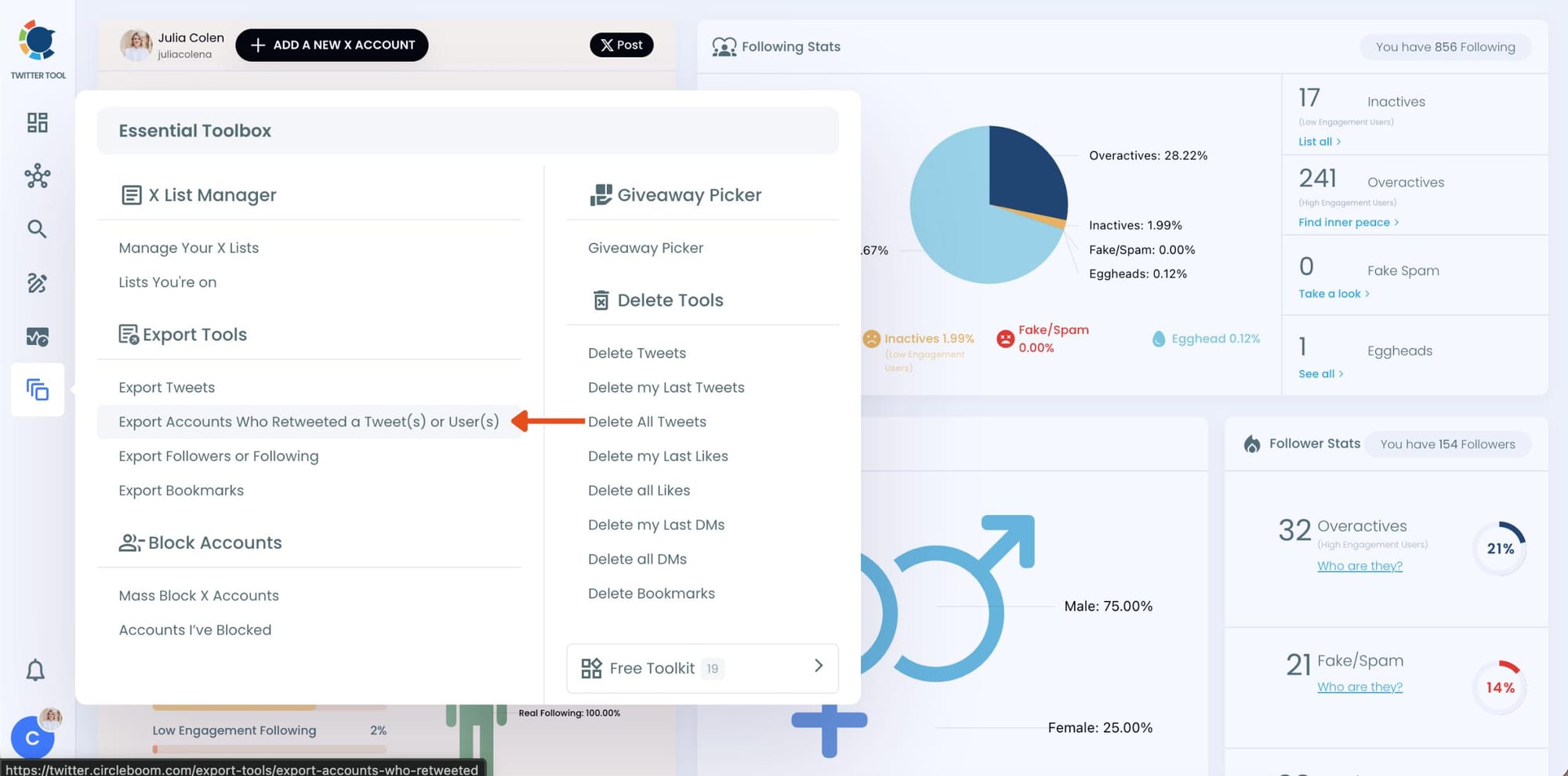
Step #3: You will see two options there:
“Export retweeters of specific tweets” and “Bulk export retweeters of a user’s tweets”
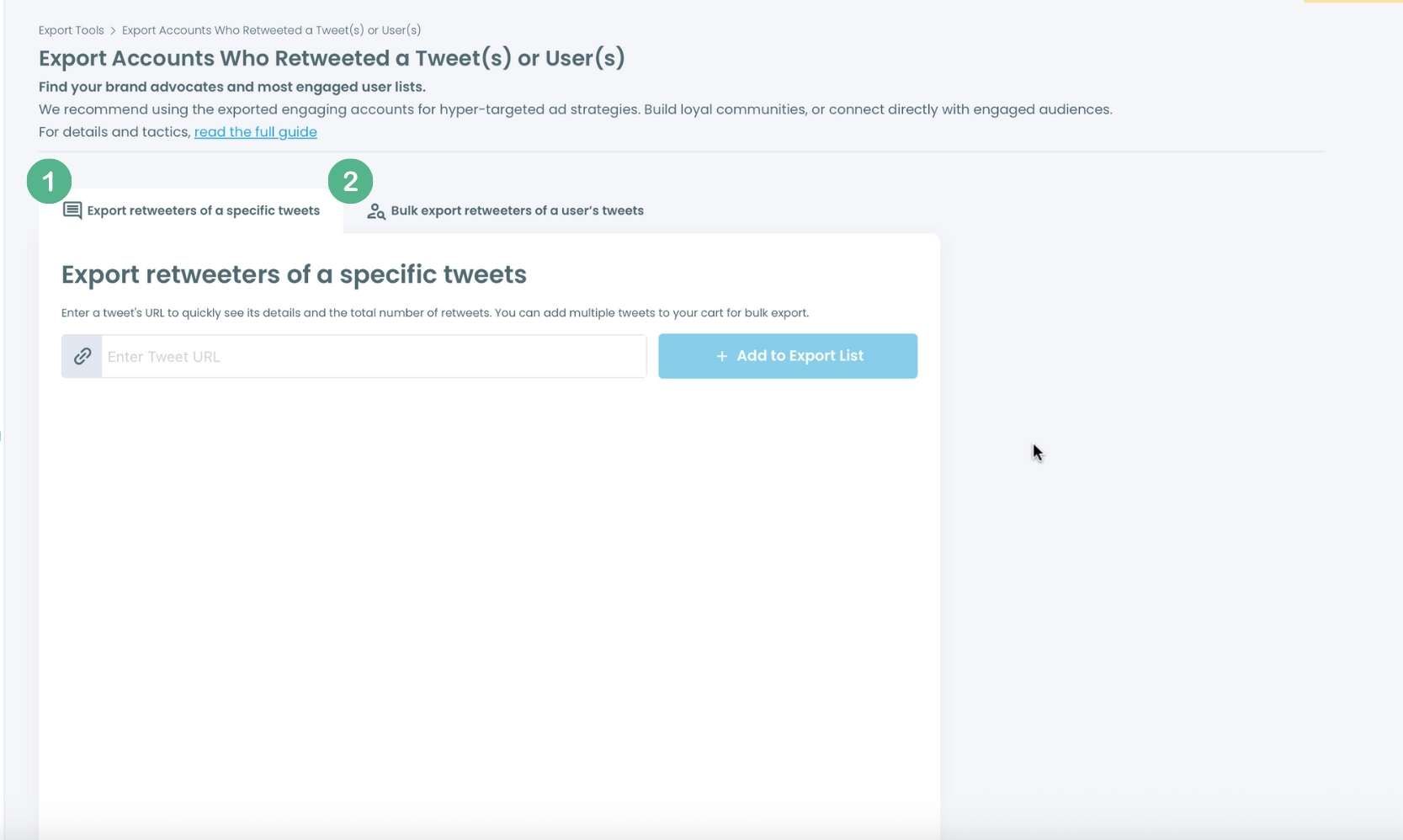
For specific tweets, Circleboom enables you to extract retweeters of specific tweets, yours or other users. You need to paste the URL of the targeted tweet.
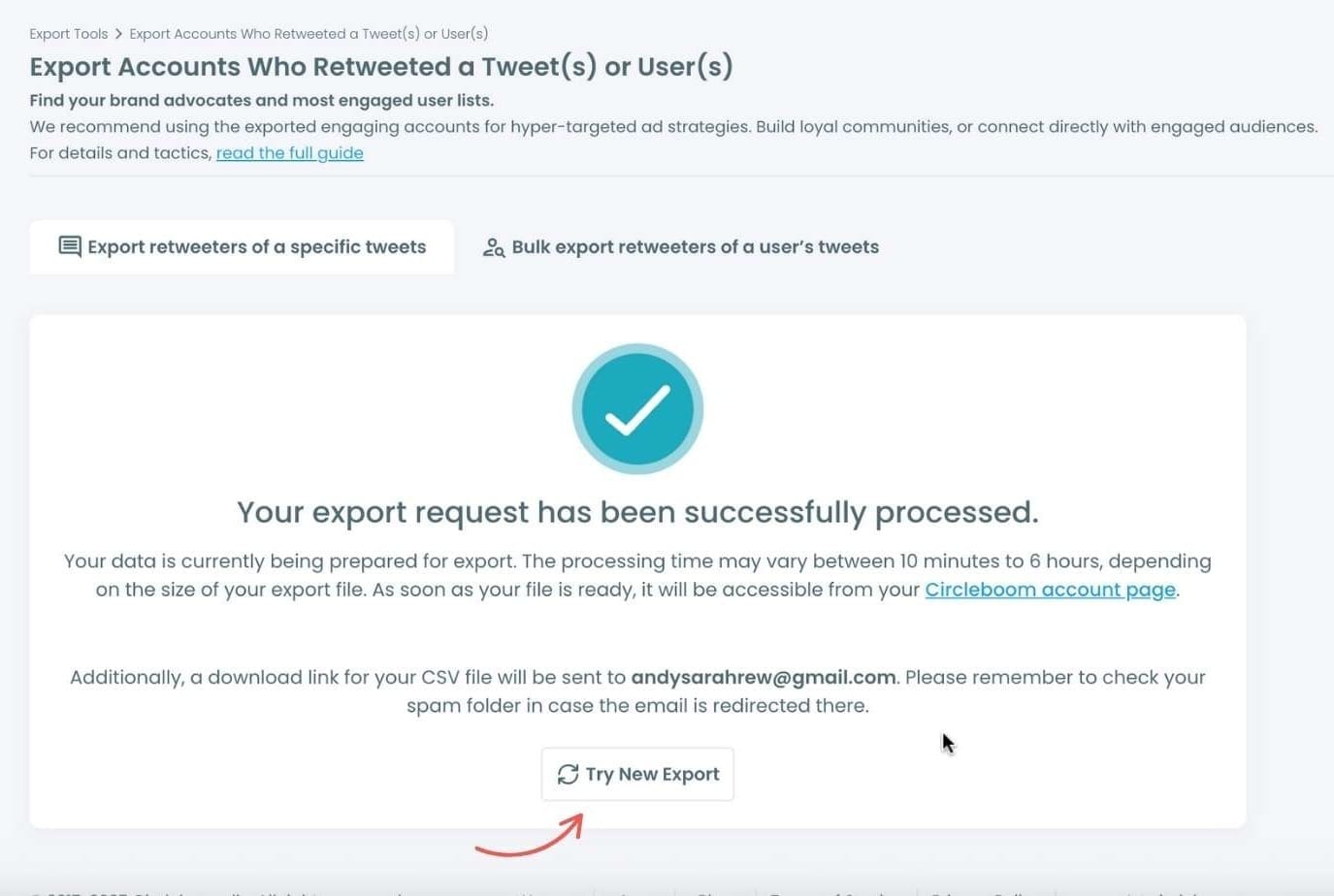
Then, we will extract all retweeters of that tweet. The one thing you should do is clicking on the “Export” button.

Your export request has been sent. You will get your exported retweeters file within Circleboom also a copy will be sent to your email address.
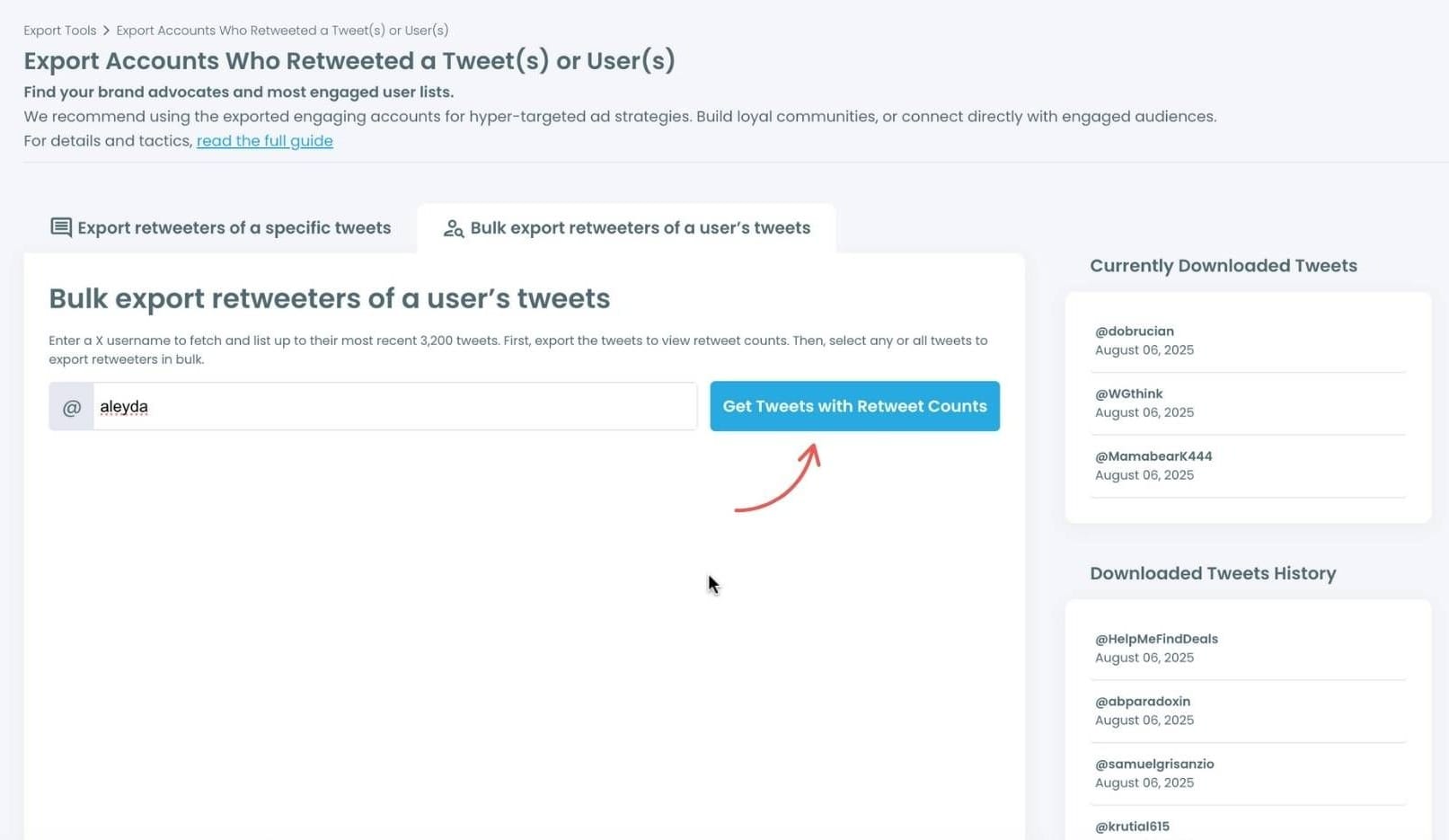
Step #4: Your second option is bulk export retweeters of a user’s tweets.
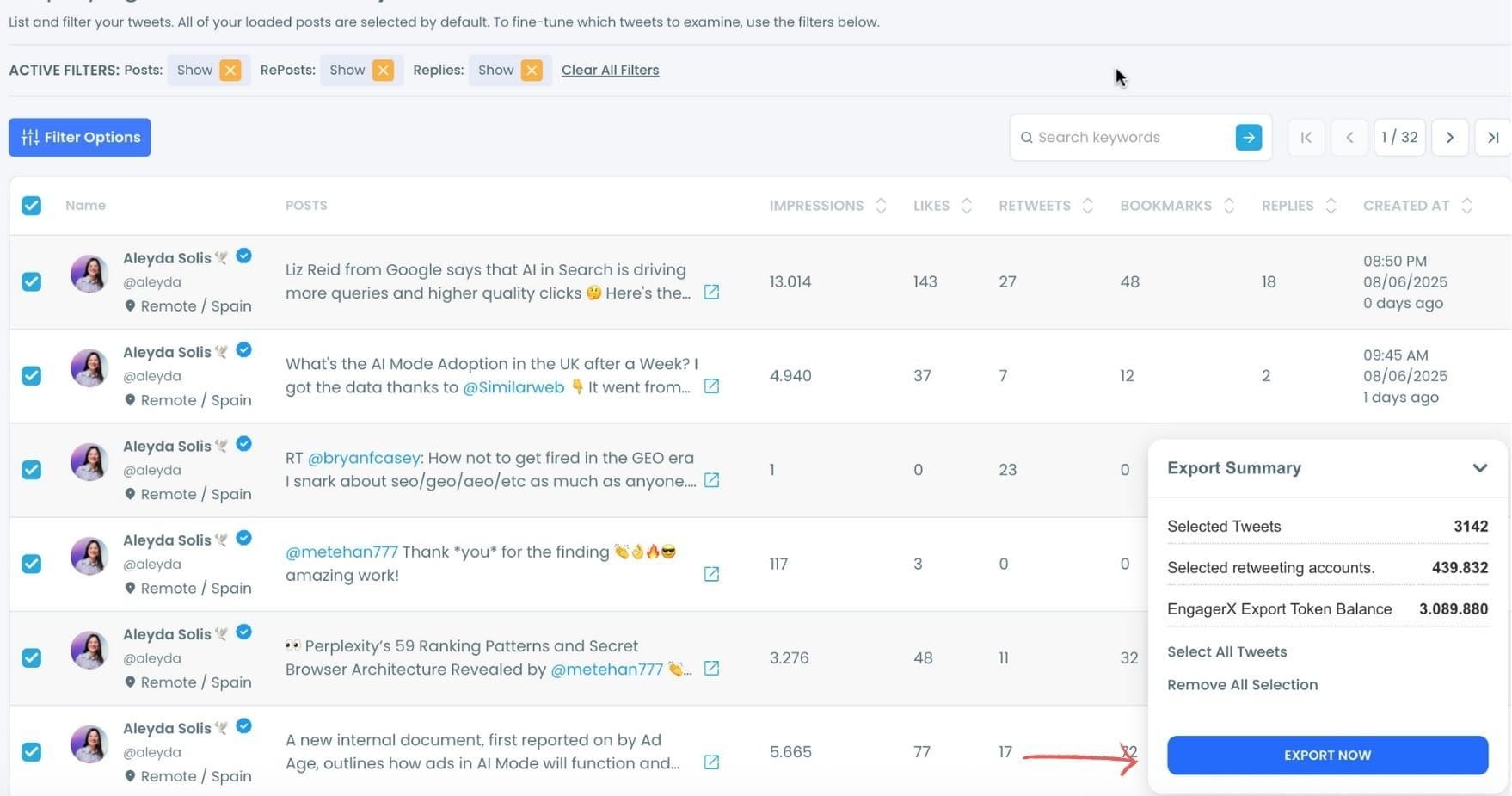
You need to enter the handle of a Twitter user. Then, we first extract all their tweets. Then, you can export all of their retweeters or some of them. You can apply filters to sort their tweets by retweet number, like number, etc.
You can export retweeters of all tweets, or you can select some.
In this example, you will export 439.832 retweeters by clicking on the “Export Now” button.
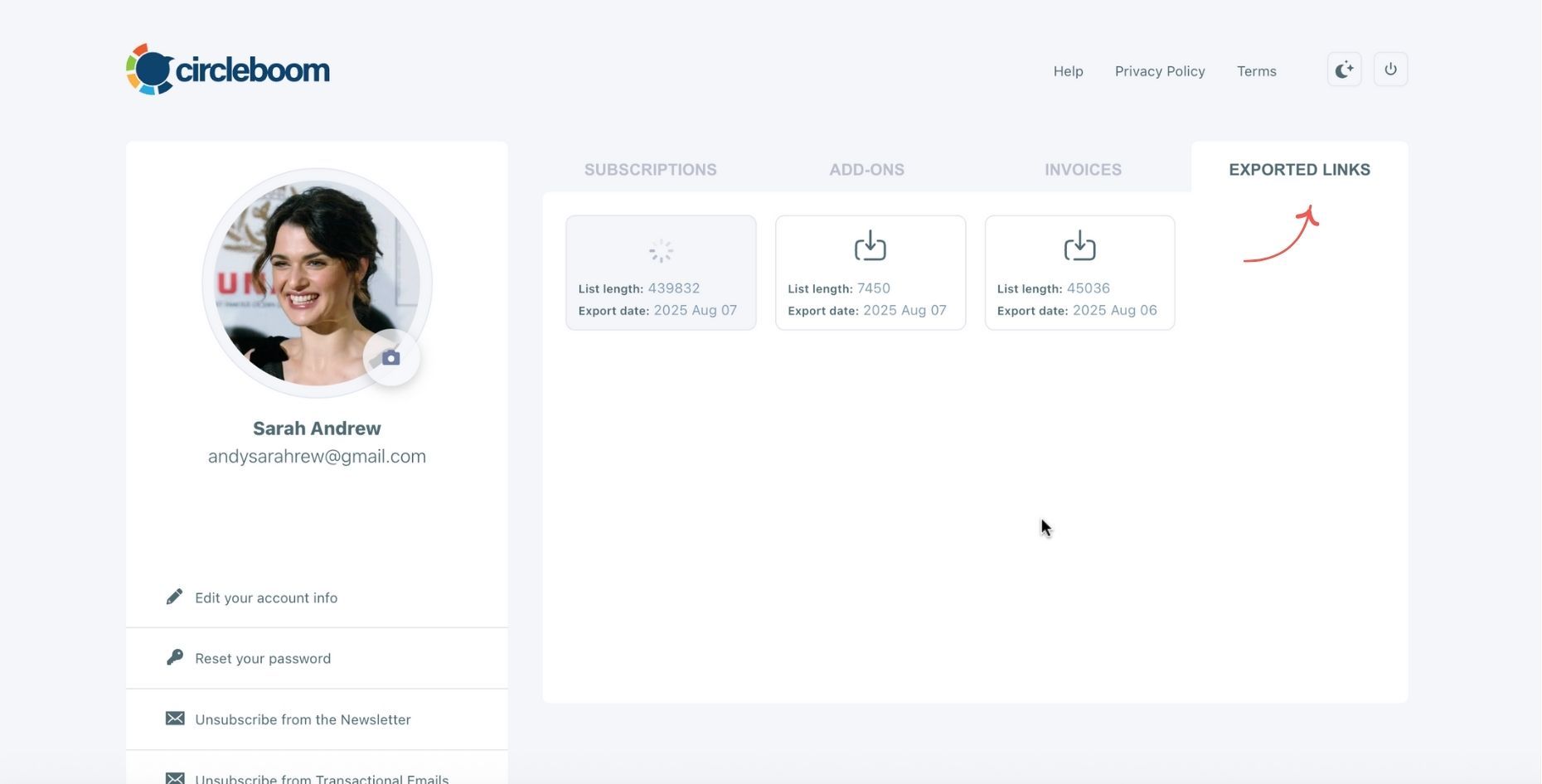
You can see your export lists, finished and processing, on your Circleboom account page, under the “Exported Links” section.
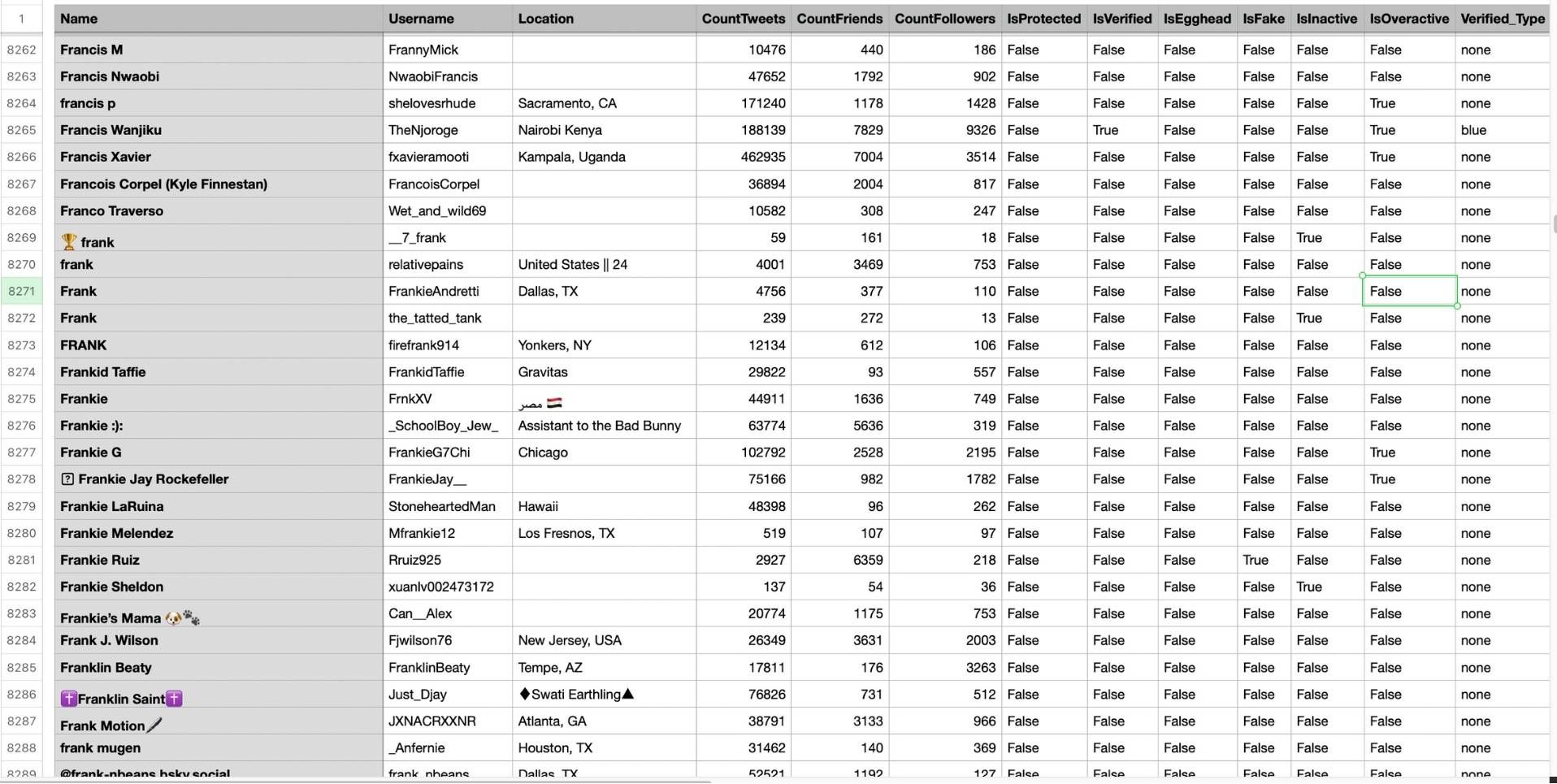
Step #5: You can see the list of retweeters in your CSV file.
There are their usernames, locations, account ages, followers counts, etc.
Circleboom then analyzes the selected tweets and collects all associated retweeters.
Why Retweeters Matter More Than You Think
Retweeters are not just passive users clicking a button. They are one of the most important drivers of reach on X.
Every time someone retweets your post, your content is exposed to a completely new group of people. In many cases, this is how tweets grow beyond your own audience and start gaining traction.
Some retweeters might have small audiences, but others might have thousands of followers. A single retweet from the right account can significantly increase your impressions.
🔵 More importantly, retweeters show who finds your content worth sharing. This is a much stronger signal than a like. It means your content is not just being consumed, but actively distributed.
Understanding who these people are helps you see:
- Who is helping your content spread
- What kind of audience resonates with your tweets
- Whether your content is reaching the right people
Arif Akdogan
What You Learn When You Analyze Retweeters
Once you go beyond the basic list and start analyzing retweeters, you begin to notice patterns that are completely invisible on X.
- You can see which types of users are consistently sharing your content. Are they highly active accounts, niche communities, or random users with no engagement?
- You can identify whether your tweets are being amplified by real people or low-quality accounts. This helps you understand if your engagement is actually valuable.
- You can also discover users who repeatedly retweet your content. These are often your most engaged supporters, even if you didn’t realize it before.
infocircleboom.com
- By looking at retweeters, you can understand whether your content is reaching the audience you intended. If not, it may signal that your messaging needs adjustment.
In short, retweeter analysis helps you move from guessing to understanding.
Conclusion
Finding retweeters on X is easy at a basic level. But understanding and using that data is where the real value is.
The native retweet view only shows a simple list. It doesn’t give you the tools to analyze or work with that information.
With Circleboom Twitter, you can go further. You can find retweeters, analyze them, and turn that data into real insights you can act on.
And once you understand who is spreading your content, you can start growing your account much more intentionally.
)
