
Framing tweets means turning a tweet into a clean, shareable image, like this:

(If you want to frame tweets like this, try Circleboom now!)
Not a raw screenshot.
Not a cropped mobile capture.
A properly framed tweet that looks intentional on any platform.
If you’ve ever tried to share a tweet on Instagram, LinkedIn, or a blog post, you already know why framing matters.
What Does “Framing a Tweet” Mean?
To frame a tweet is to convert it into a visual format that:
- preserves the tweet’s layout
- keeps text readable
- removes unnecessary UI clutter
- fits other platforms’ dimensions
In simple terms: you’re making the tweet a picture.
This is different from screenshotting. Framing is about presentation, not capture.
Why People Frame Tweets
Most people frame tweets because they want to reuse content elsewhere.
Common reasons include:
- sharing tweets on Instagram posts
- sharing tweets on Instagram Stories
- posting tweets on LinkedIn
- embedding tweets in blog articles
- using tweets in presentations
Raw screenshots usually fail because:
- text is too small
- edges are cropped
- dark mode ruins contrast
- aspect ratios don’t fit Instagram
Framing solves all of this.
Screenshot vs Framed Tweet: Why It Matters
| Method | Result |
|---|---|
| Screenshot | Blurry, cropped, inconsistent |
| Framed tweet | Clean, readable, platform-ready |
Framed tweets look deliberate. Screenshots look accidental.
That difference matters for engagement.
How to Frame Tweets Properly
To frame tweets correctly:
- maintain original tweet layout
- ensure readable font size
- export high-resolution images
- use square or vertical formats for Instagram
This is where dedicated tools make the process easier.
Sharing Framed Tweets Automatically on Instagram
Instead of manually framing and uploading tweets one by one, some creators automate the entire process.
Circleboom allows users to:
- turn tweets into shareable visuals
- automatically share tweets on Instagram
- post framed tweets as feed posts or Stories
- repurpose Twitter content without redesigning it
This is especially useful for creators who actively post on both platforms.
Step-by-Step:
You will learn how to cross-post your tweets to Instagram with Circleboom.
Step #1: First, log in to your Circleboom Twitter account.
If you don't have an account yet, you can create one in seconds!

Step #2: On the Circleboom Twitter dashboard, navigate to the left menu.
First, find the “Post Management & Analytics” and then click on “Write and Plan Your Post”.

Step #3: Write your tweet. Circleboom’s AI options can generate tweets for you automatically.
When it is ready, you can “Post” or “Schedule” your tweet. To see your cross-posting options, you should click on one of them.
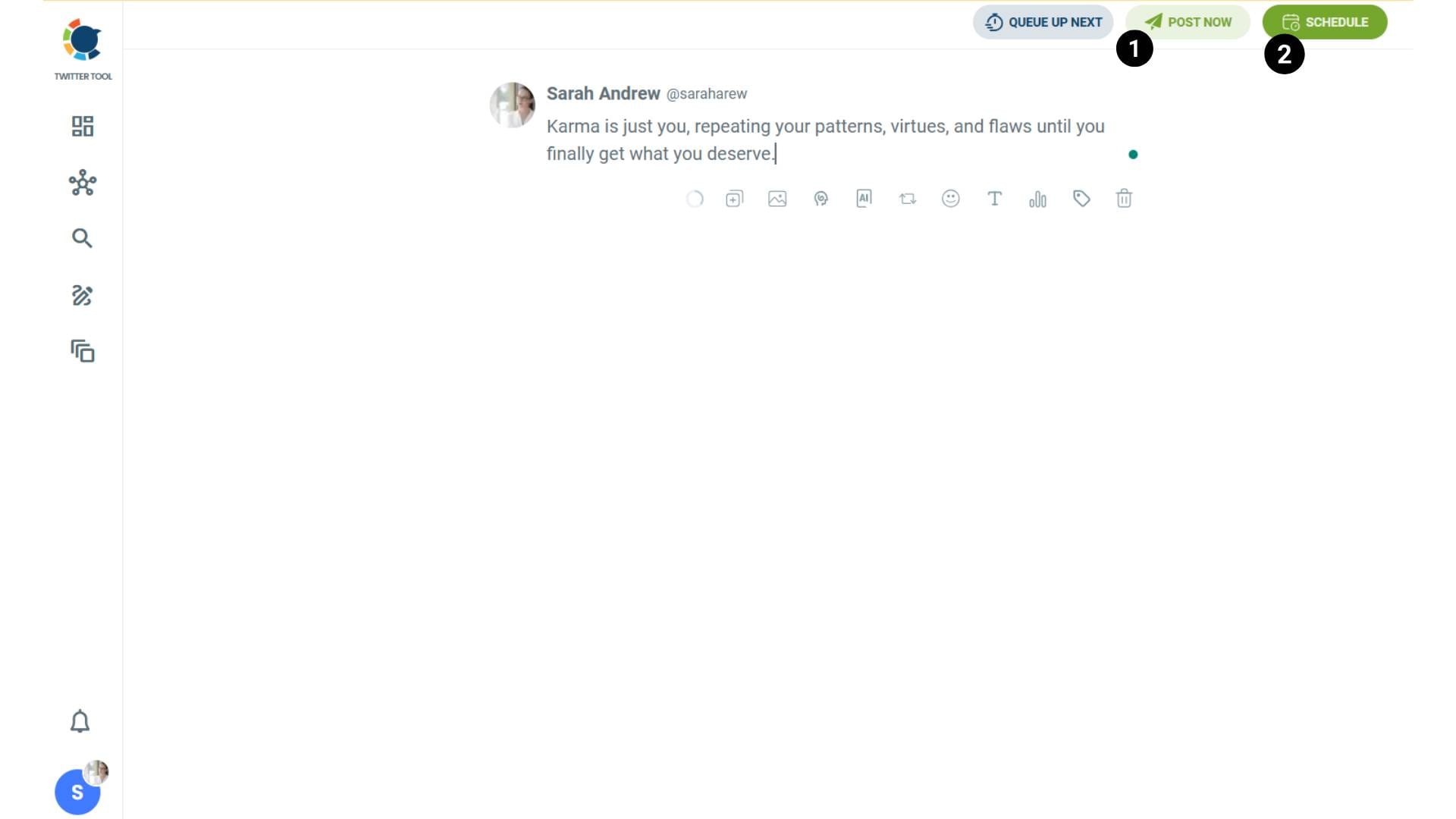
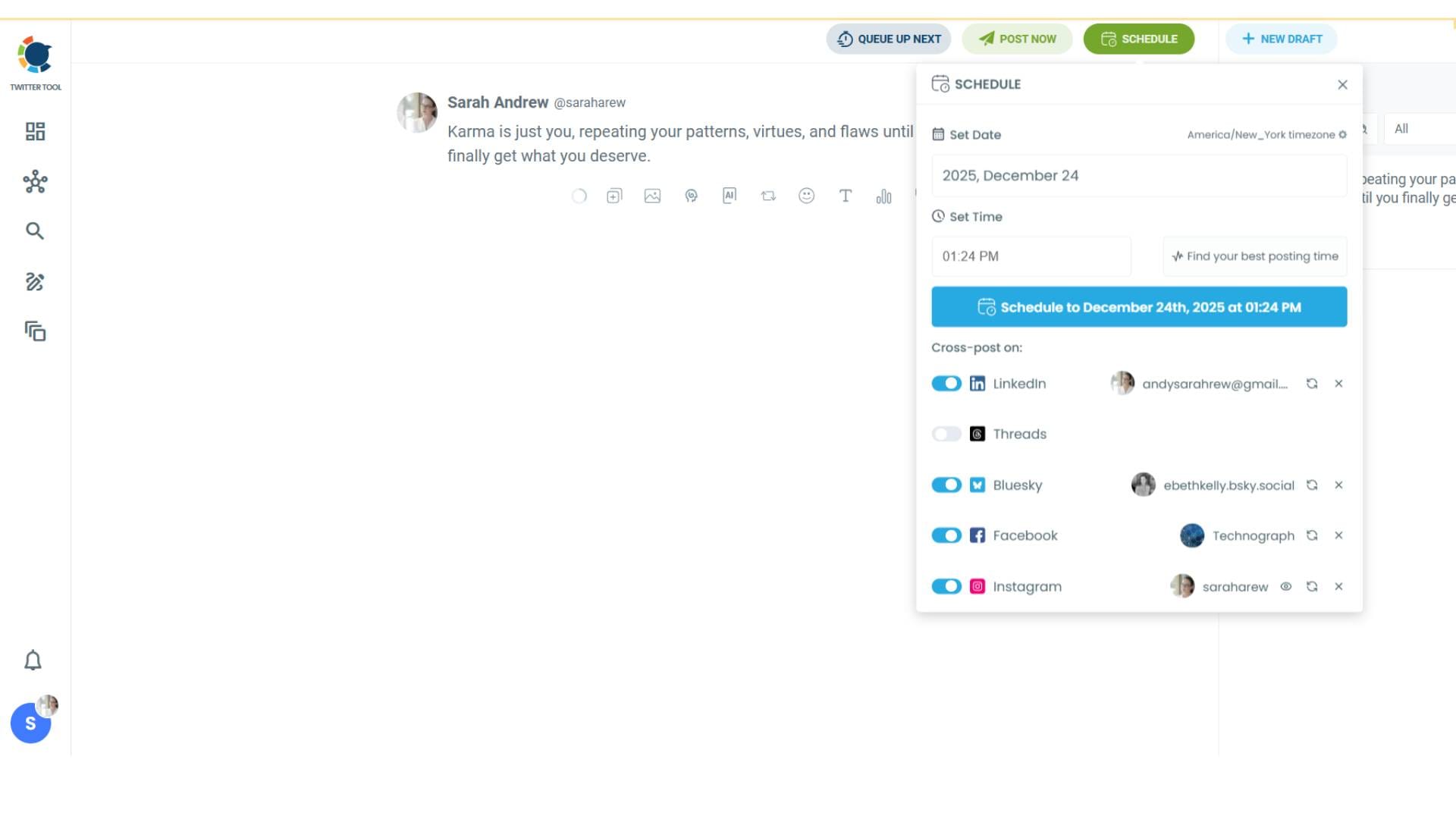
Step #4: You will see your connected platforms. You can cross-post your tweets to these accounts automatically.
You can share tweets on LinkedIn, Facebook, Threads, Bluesky, and finally, Instagram!
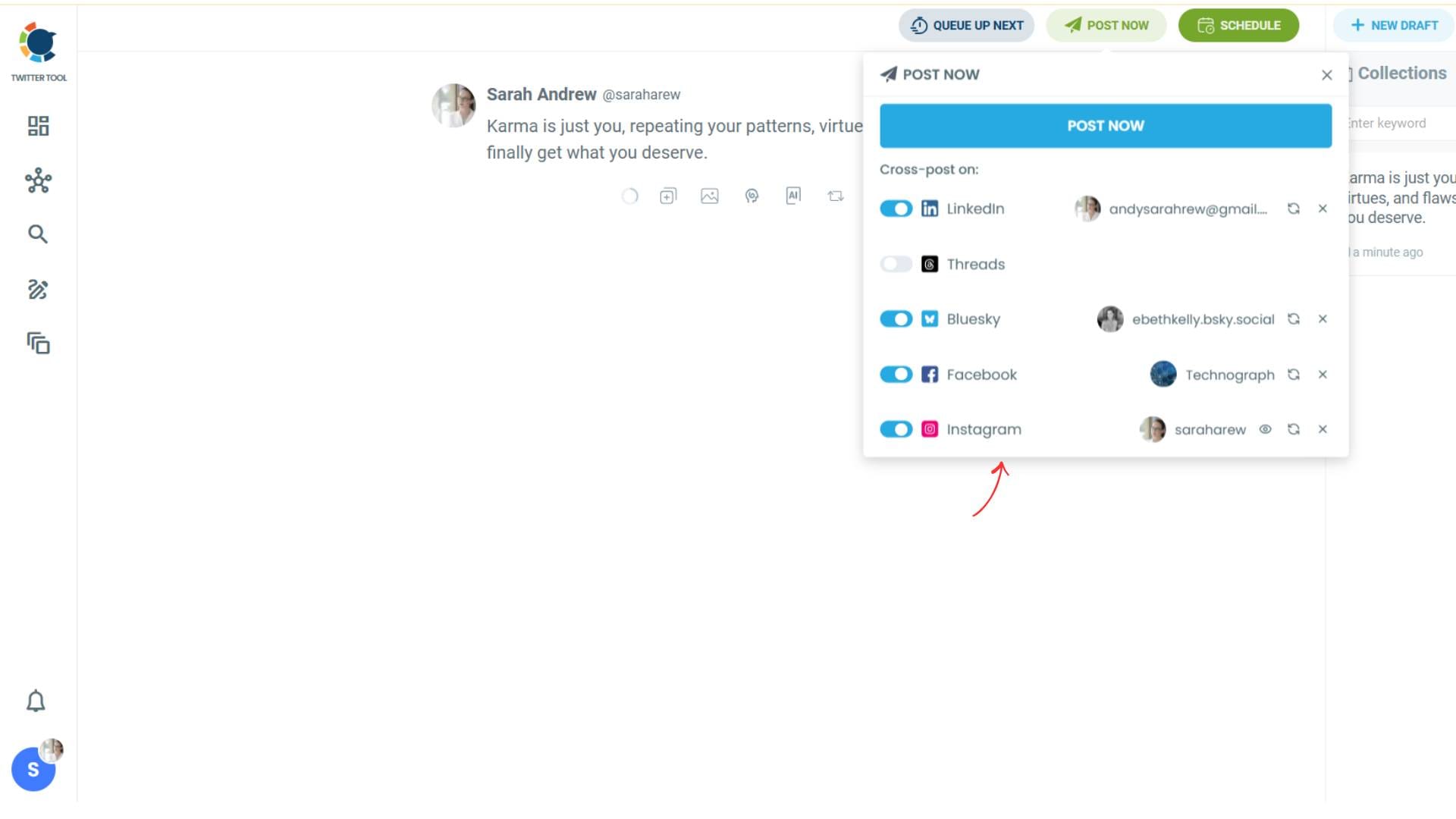
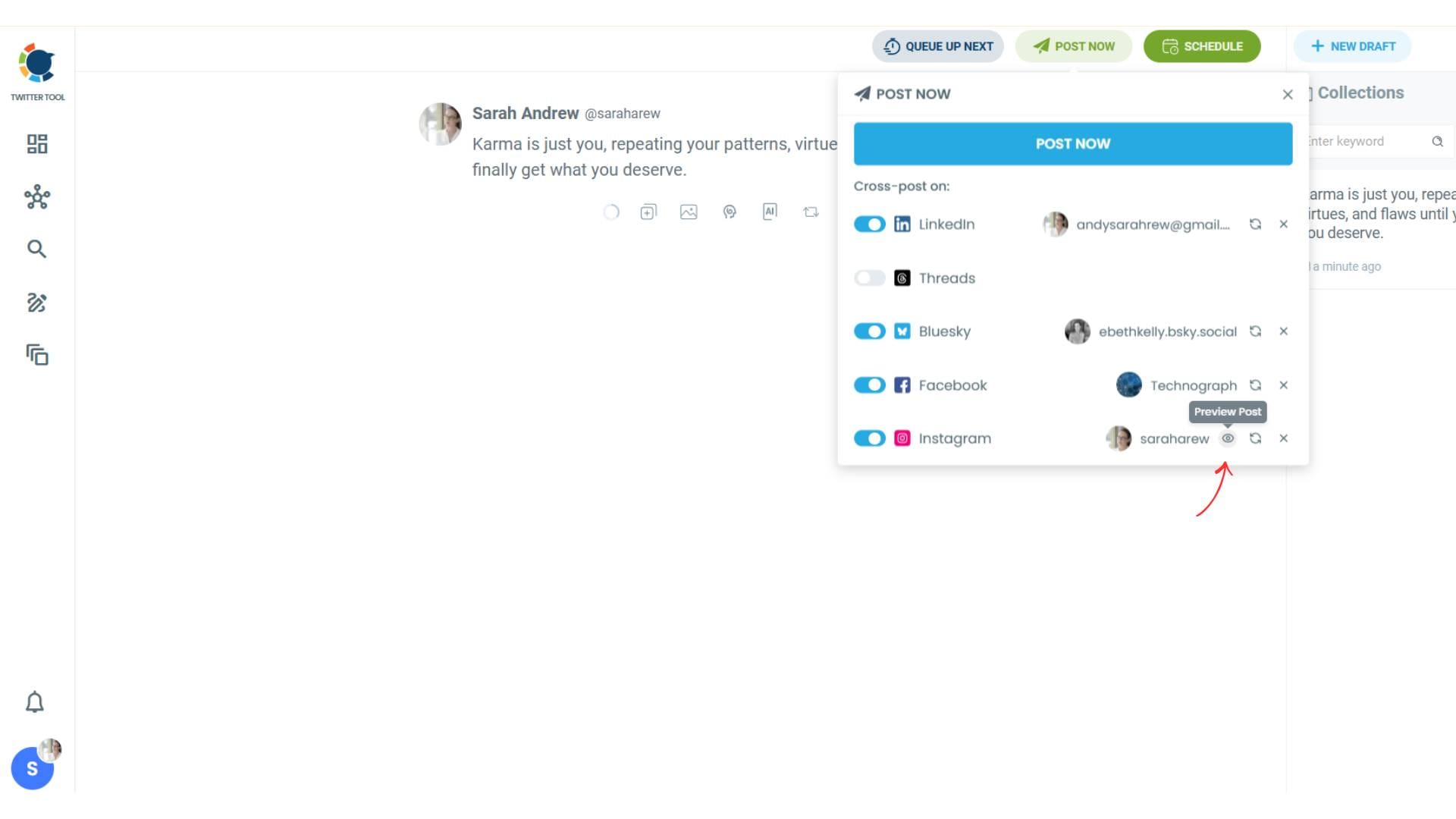
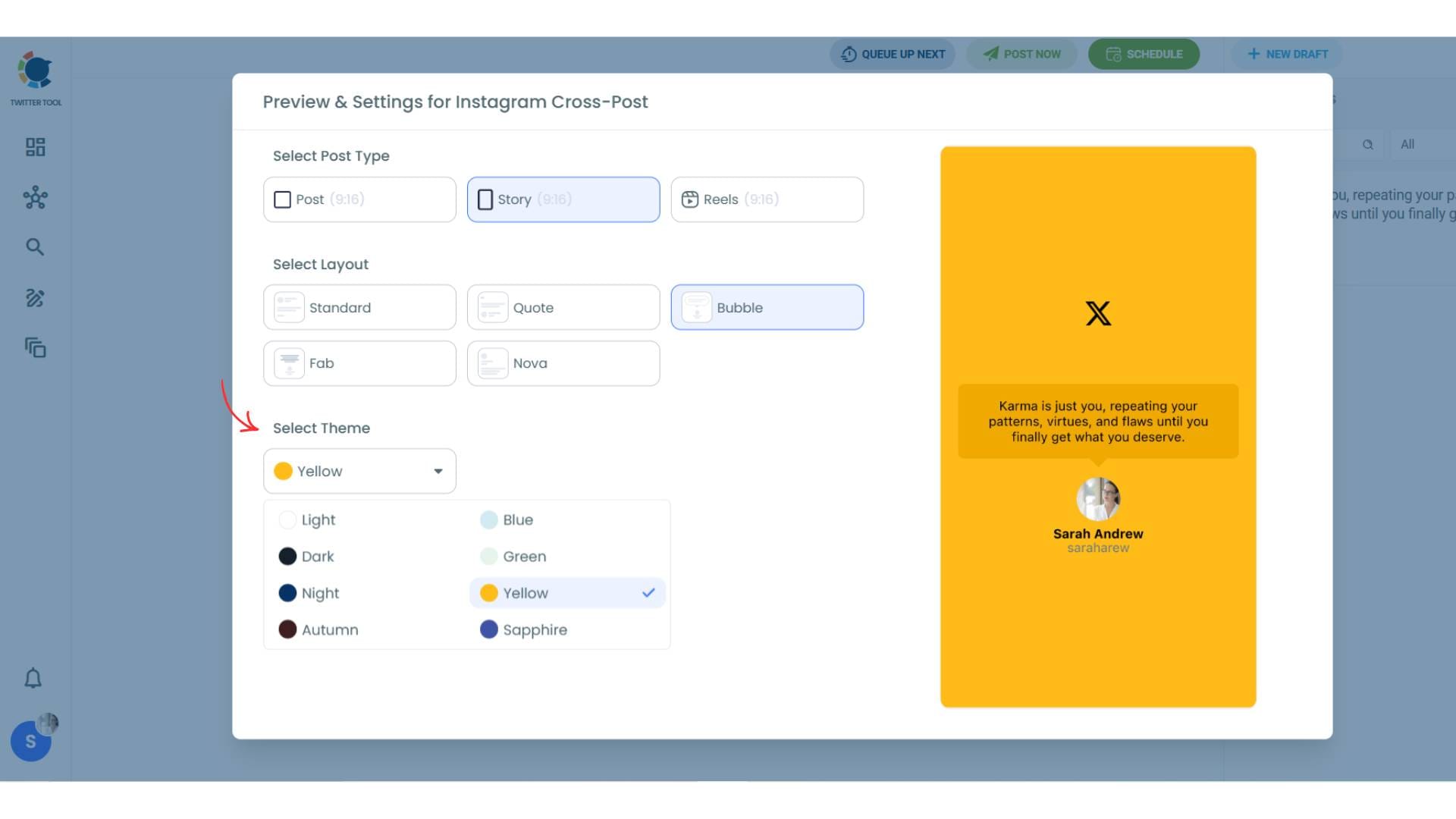
To decide if it is going to be a standard Instagram post or Story or Reels, and decide layouts and colours, click on “Preview”.
Step #5: Here you can select Instagram post type: “Post”, “Story”, and “Reels”.
You can also select the post layout.
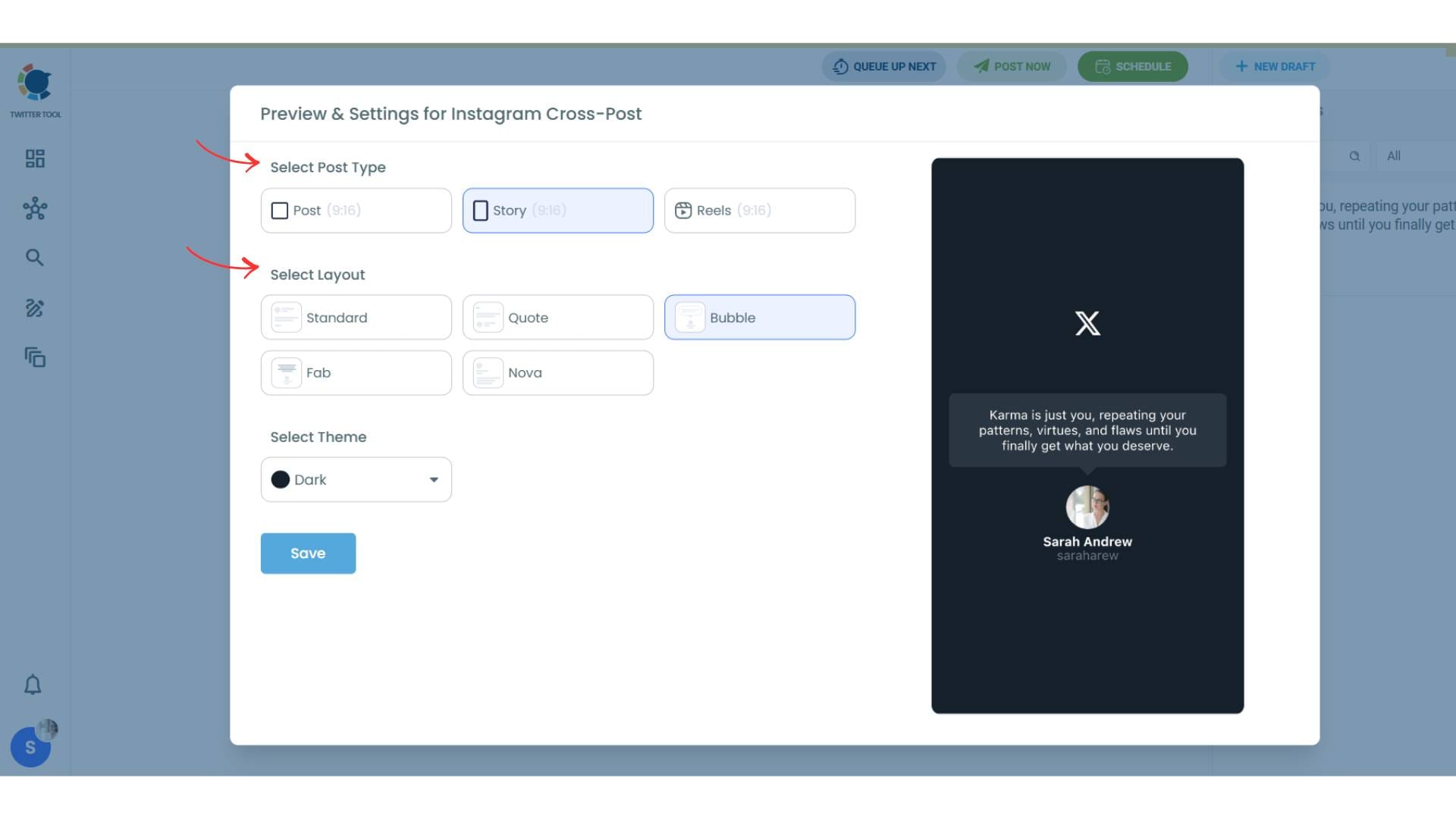
You can also select different themes. Share your tweet on Instagram with different colors.
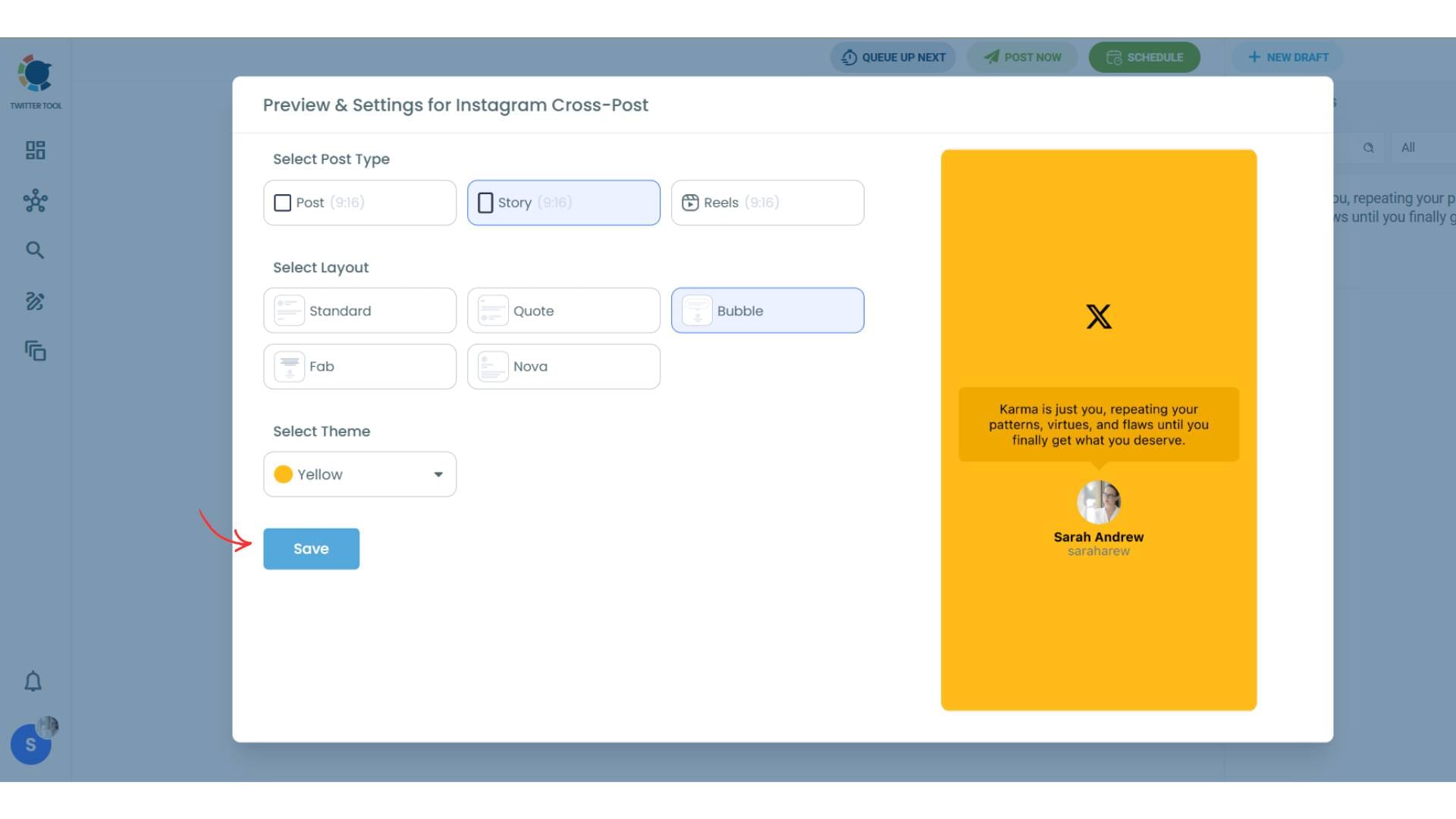
Lastly, you should click on “Save” and your Instagram cross-post is ready.
Step #6: When all is set, you can share your cross post immediately or schedule it for a later time.
You can select the day and hour and click to share your tweet!
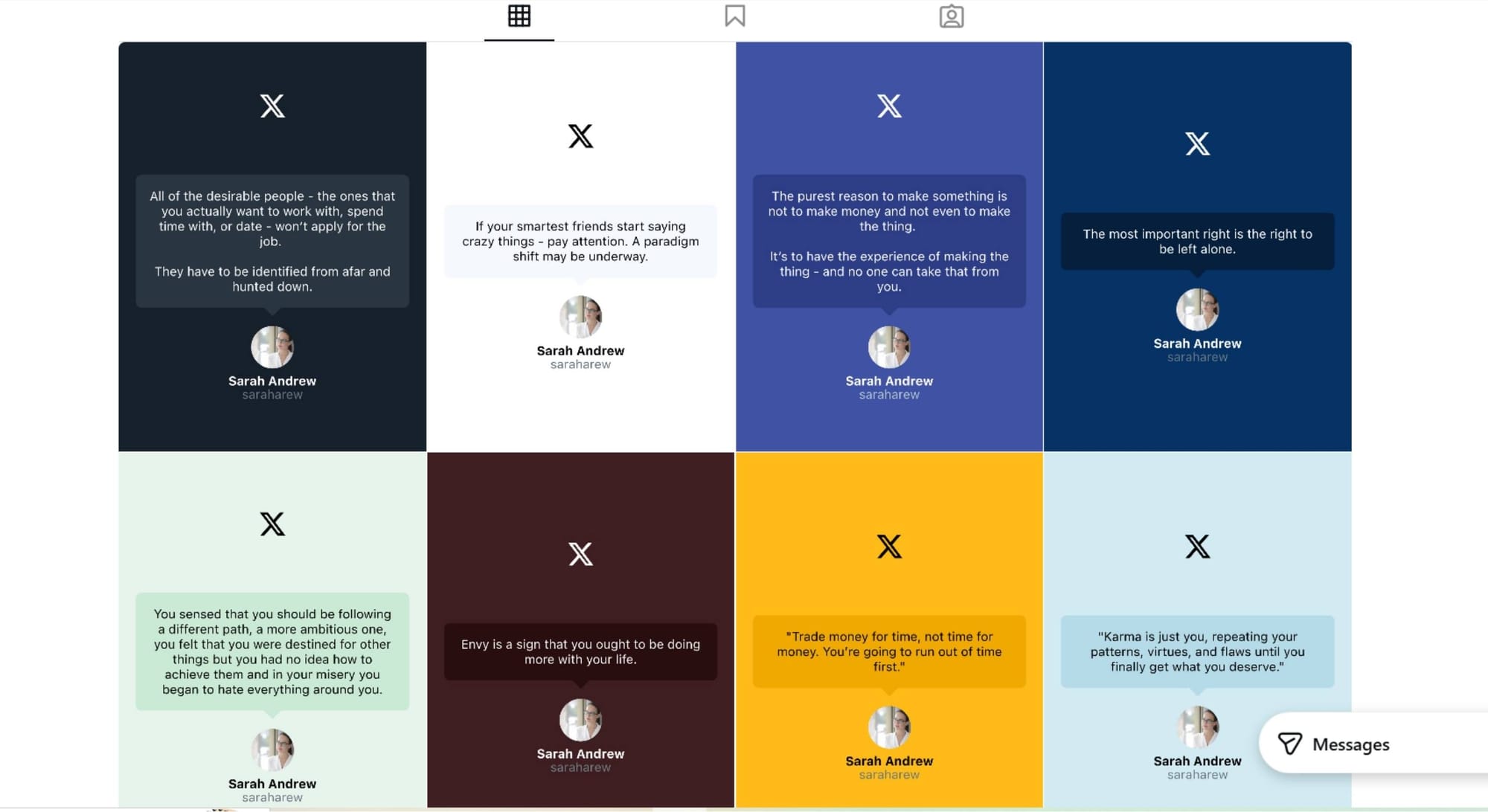
You can get more impressions and engagement for your tweets on Instagram. Don't limit yourself to Twitter (X).
Share your tweets on Instagram to reach a wider audience.
Best Practices for Framed Tweets
- keep text short and readable
- avoid clutter
- choose light backgrounds for clarity
- match Instagram-friendly dimensions
- stay consistent in style
FAQ: How to Frame Tweets
What does framing a tweet mean?
It means converting a tweet into a clean, shareable image rather than a screenshot.
Why frame tweets for Instagram?
Because screenshots often look cropped or unreadable on Instagram.
Is framing better than screenshotting?
Yes. Framed tweets are clearer, cleaner, and more engaging.
Can framed tweets be shared automatically?
Yes. Some tools allow automatic cross-posting to Instagram.
)