
Some tweets are actually good.
They just never get seen.
Others get seen… but no one replies.
If you want results on Twitter, you need both:
🟢 visibility (people actually seeing your tweet)
🔵 responses (people engaging with it)
Most people focus on one and ignore the other. But on Twitter, they work together. If your tweet doesn’t get early engagement, it won’t spread. And if it doesn’t spread, no one else gets a chance to respond.
So the real question is: How do you create tweets that people respond to, and make sure they’re seen?
 Arif Akdogan
What Makes People Reply to a Tweet?
People don’t reply to everything they see.
They reply to things that feel easy, relevant, or worth reacting to.
In practice, that usually means:
- Tweets that feel relatable
- Tweets that share a clear opinion
- Tweets that ask something simple
- Tweets that trigger agreement or disagreement
- Tweets that are short and easy to read
If a tweet feels “complete” with no room for input, people scroll past it.
If it feels like a conversation, they join.
Create Tweets That Match Your Audience (Not Just Random Ideas)
Coming up with tweet ideas consistently is harder than it looks.
You might have something to say, but it doesn’t always match what your audience cares about. And when that happens, even good tweets get ignored.
That’s why I use Circleboom Twitter’s AI Tweet Generator.
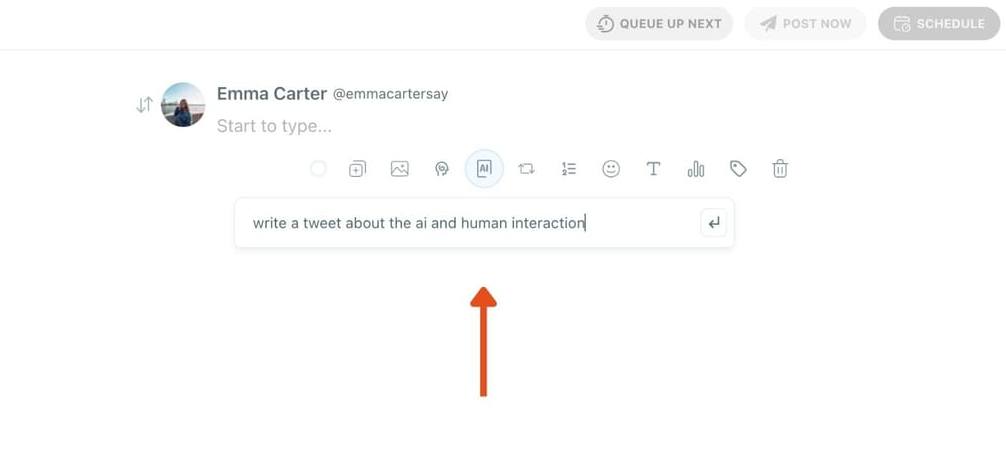
Instead of generating generic content, it creates tweets based on your audience and their interests.
It learns from your account and your followers, so the output feels more aligned with what people actually engage with.

This makes a big difference.
Because the problem is rarely “I don’t have ideas.”
It’s usually “my ideas don’t connect.”
Visibility Starts with Timing (Not Just Content)
You can write the perfect tweet.
If no one sees it early, it won’t go anywhere.
Twitter works heavily on early engagement. When your followers interact with your tweet shortly after you post it, the platform is more likely to push it further.
If they don’t see it, that first signal never happens.
That’s why timing matters more than most people think.
With Circleboom Twitter, you can see exactly when your followers are active. It analyzes their activity and gives you the best time slots to post.
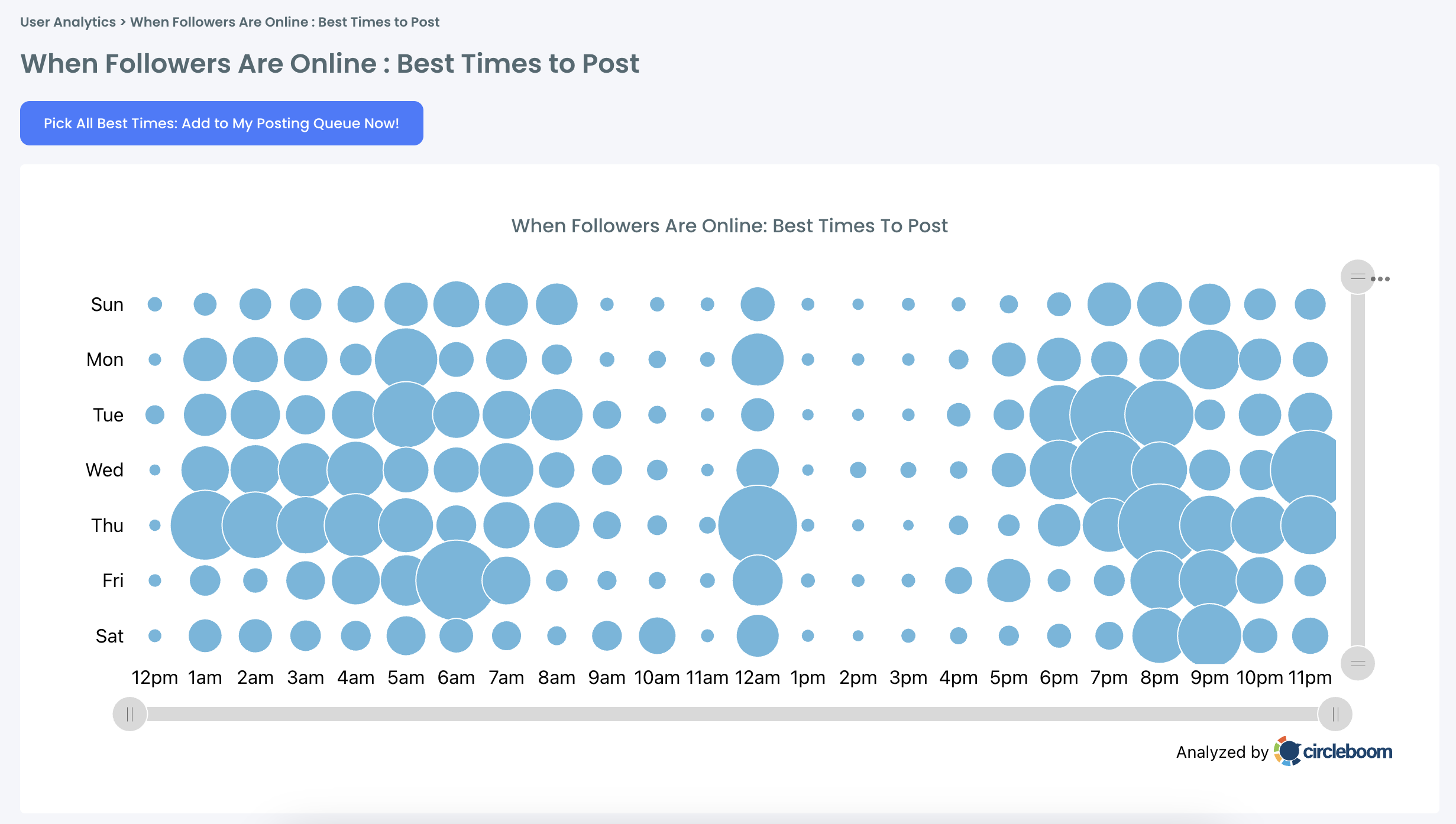
Instead of guessing, you post when your audience is actually online.
And if you don’t want to be online at those exact times, you can simply schedule your tweets in advance.
Tweets Don’t Die, They Just Get Missed
One of the biggest mistakes is treating tweets like one-time posts.
In reality, most of your audience never sees your tweet the first time.
Different people are online at different times. So even if your tweet is good, a large portion of your followers will miss it.
That’s why reposting matters.
When you repost your own tweet, you give it another chance to be seen. It becomes “new” again for people who missed it earlier.
With Circleboom Twitter’s Auto Retweet feature, you don’t have to do this manually.
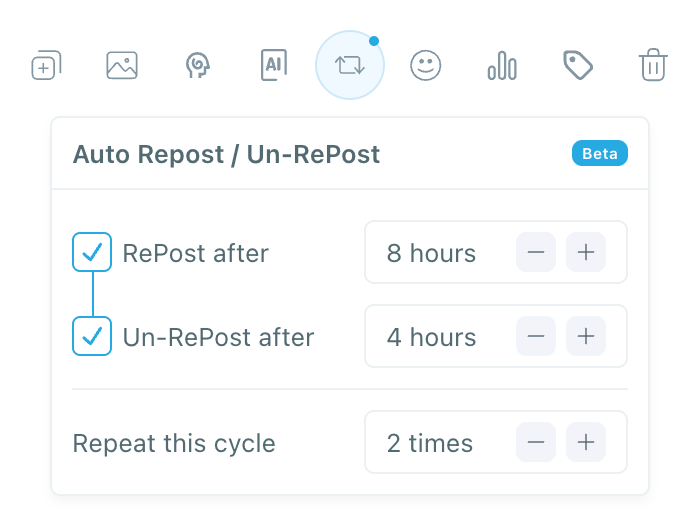
You can set rules like:
- repost after a few hours
- unrepost
- repost again later
It handles everything automatically.
This simple process can increase your tweet’s visibility significantly, even up to 4x, just by extending its lifespan.
Why These Three Things Work Best Together
Each of these strategies helps on its own.
But the real impact comes when you combine them:
- A tweet that people want to respond to
- Posted when your followers are active
- Reposted to reach more people over time
If one of these is missing, your results drop.
- Great tweet + wrong timing → no visibility
- Good timing + weak tweet → no responses
- Good tweet + good timing but no repost → limited reach
That’s why I handle all of this inside Circleboom Twitter. ⬇️

Circleboom is an official X Enterprise Developer, which means it works directly with X’s official APIs. This is important because it ensures everything you do — from scheduling to analytics to automation — is accurate, safe, and fully compliant with X’s system.
Keep in mind that the API provides a more accurate real-time data stream than the X interface itself. While the platform UI may experience lag, the API captures and reflects new developments instantaneously.
Circleboom has the official Enterprise API, we don't scrape data from X!
Instead of using separate tools for content creation, timing, and reposting, Circleboom brings everything into one place.
This turns what would normally be a scattered process into a single, structured workflow.
How to Get the Most Visibility and Responses on Twitter
You can do the entire process step by step inside Circleboom Twitter.
Step 1: Go to Circleboom Twitter’s X Post Planner
Open Circleboom Twitter and click X Post Planner + AI Writer.
Then select Write & Plan Your Post to start creating your tweet.

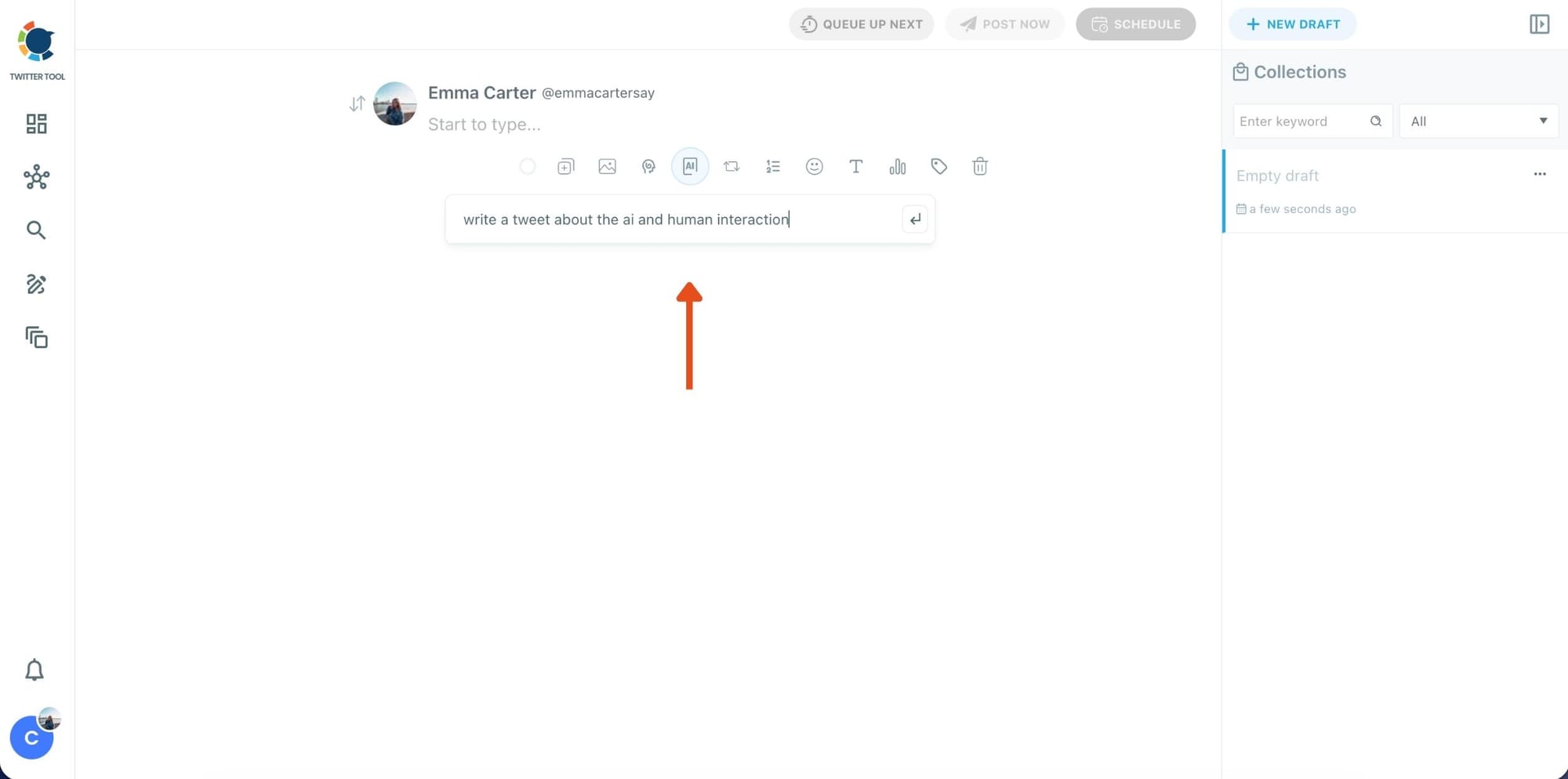
Step 2: Write your tweet (or generate one with AI)
You can type your tweet manually in the editor.
Or, if you want to move faster, click the AI option and let Circleboom generate a tweet idea for you based on your topic.
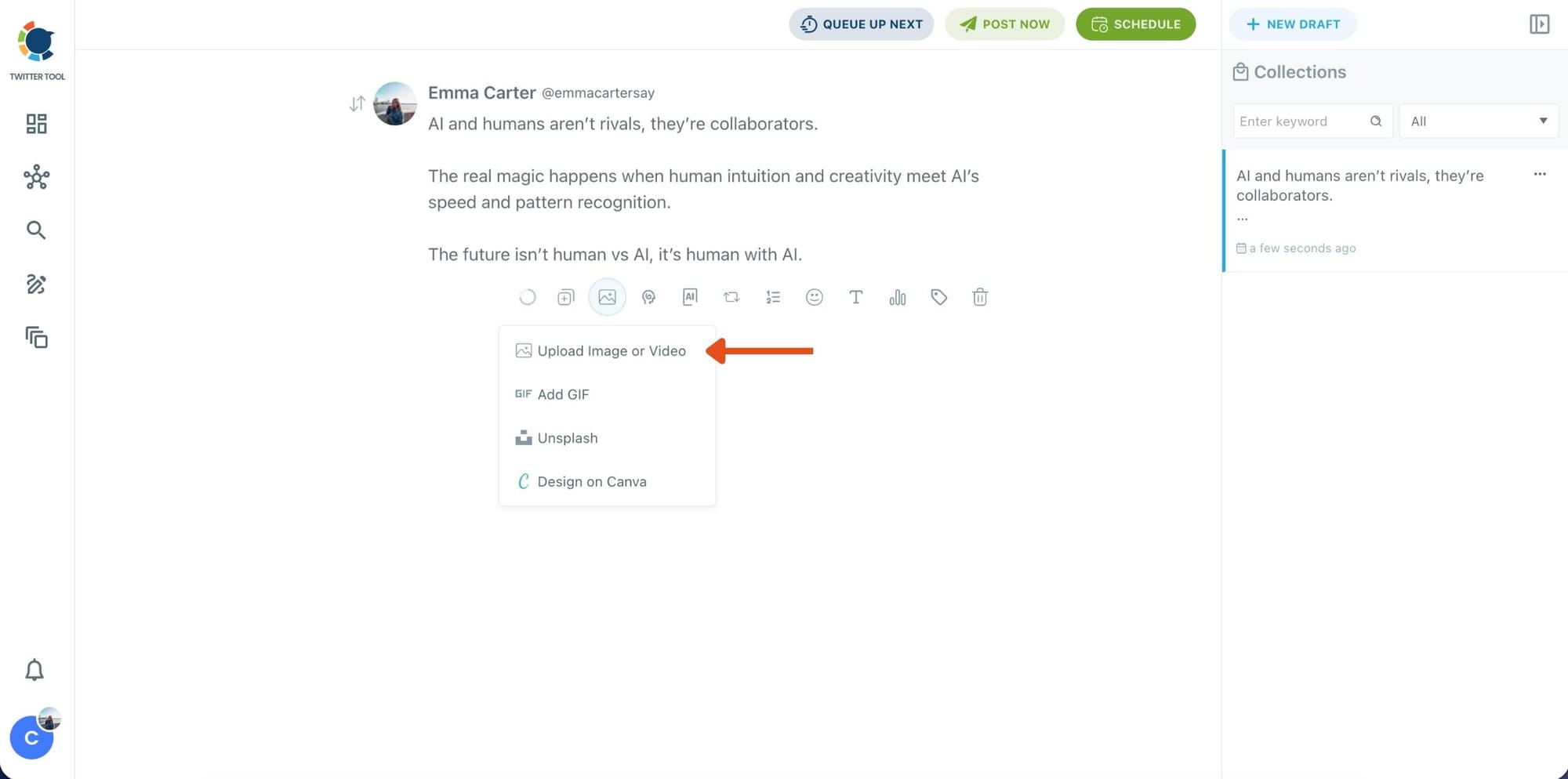
Step 3: Add an image to make the post more engaging
Once your text is ready, attach a visual to your tweet.
You can:
- Upload an image/video from your device
- Pick one from Unsplash
- Or design one instantly using Canva
Step 4: Style your tweet using Circleboom’s Font Generator
Now it’s time to make your tweet stand out visually.
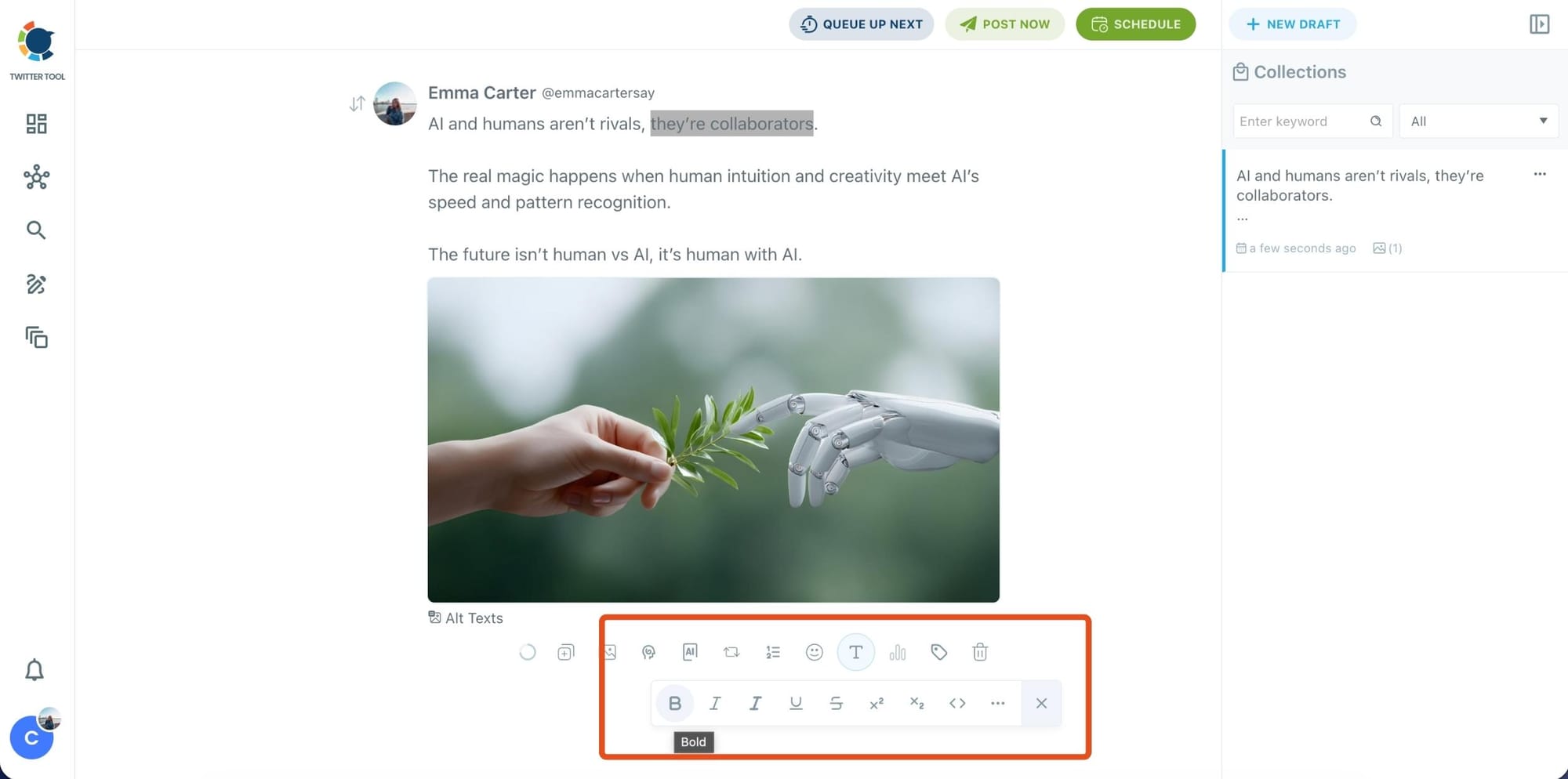
Select the part of your text you want to change, then open the Font Generator toolbar and apply styles like:
- Bold / Italic / Underline
- Different font variations
- Extra formatting options for a more “designed” look
This is perfect when you want key parts of your tweet to grab attention immediately.
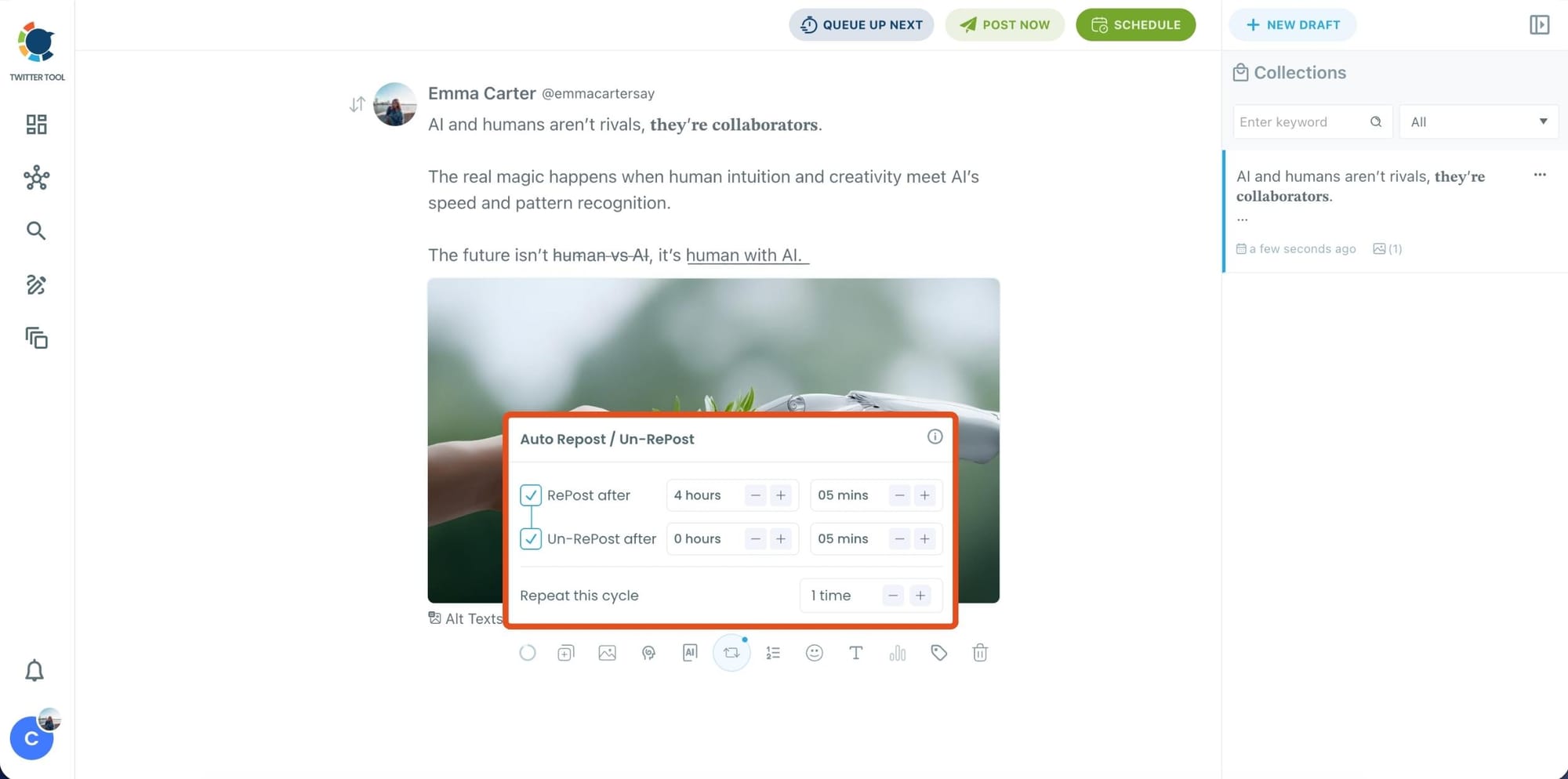
Step 5: Set Auto Retweets to boost visibility
After styling your post, you can increase reach by enabling Auto Repost / Un-RePost settings.
This lets you automatically:
- Repost your tweet after a selected time
- Remove the repost later
- Repeat the cycle if you want more than one repost
It’s a smart way to bring your tweet back into the feed without manually reposting it.
Content on X has a notoriously short shelf life; if your audience isn't scrolling the second you hit 'publish,' your insights vanish into the noise. Circleboom’s Auto Retweet bridges this gap by automatically reviving your top posts, ensuring they land in front of followers regardless of their time zone.
This automation isn't just about staying active. It’s a proven growth hack that can quadruple your impressions and double your engagement. By giving your content a 'second life,' Circleboom forces the algorithm to prioritize your brand, turning every individual tweet into a 24/7 engine for reach.
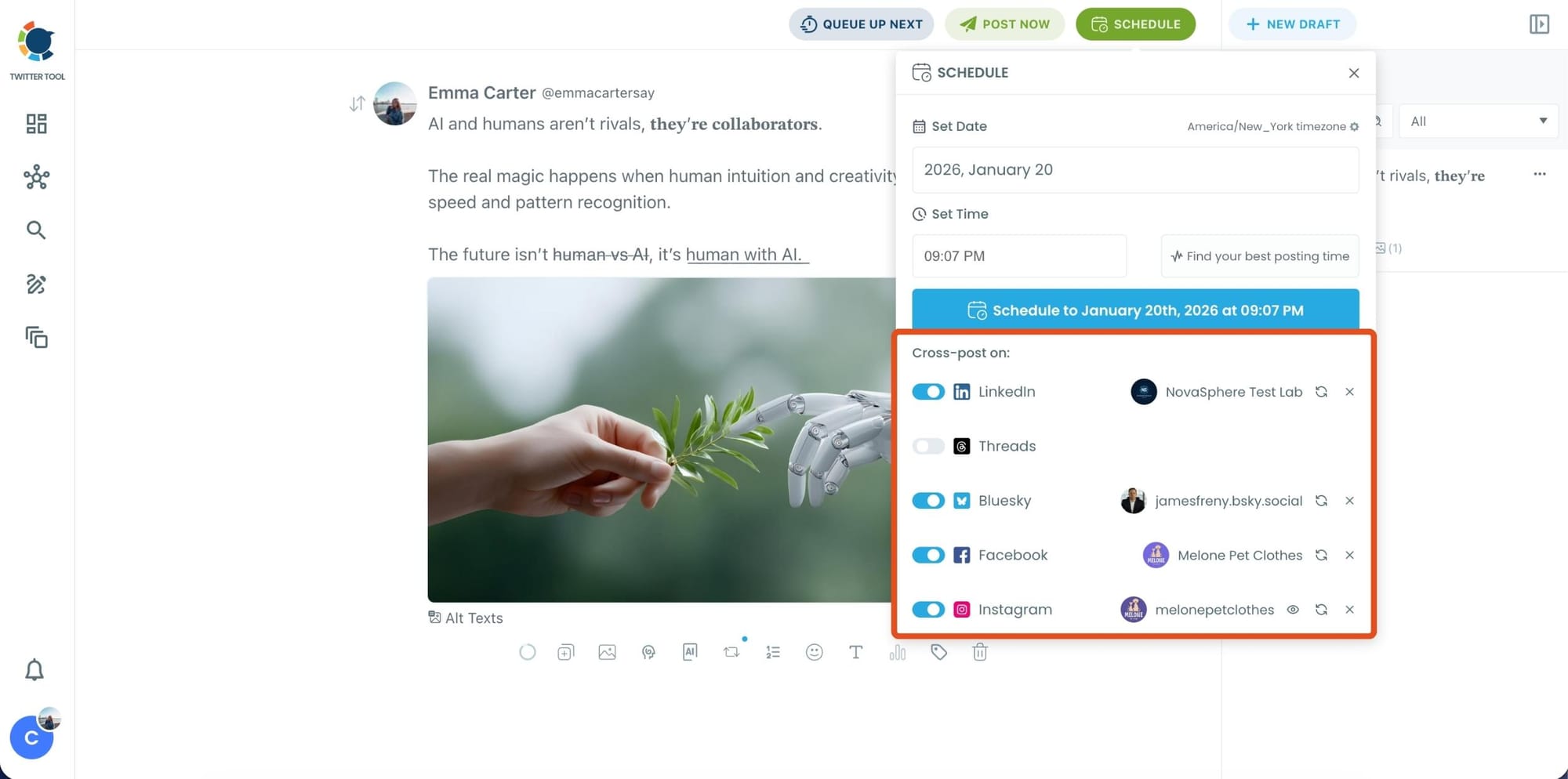
Bonus Tip: Cross-post your tweet to other platforms automatically
Before you publish, you can also enable Cross-Post to share the same tweet across multiple platforms in one go.
 Arif Akdogan
Circleboom lets you post your content to Instagram, Facebook, LinkedIn, Bluesky, and Threads automatically, so you don’t have to rewrite, re-upload, or repeat the same work on each platform.
Step 6: Schedule it for the best time to post
Finally, click Schedule and set your date and time.
You can also click Find your best posting time to see Circleboom’s suggested time slots based on follower activity.
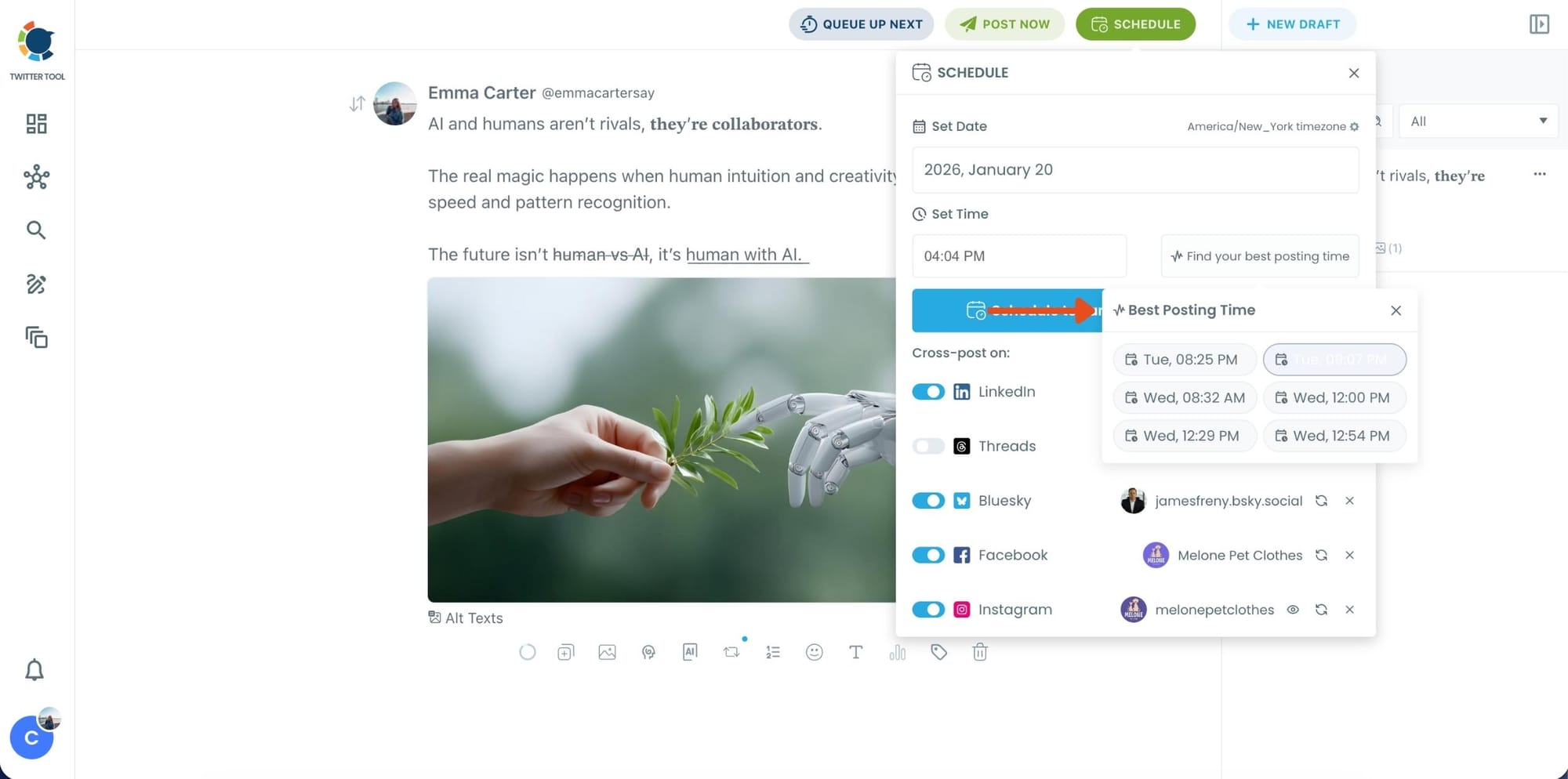
Once you pick the best option, smart-schedule it, and you’re done. Your tweet will go out at the time it has the highest chance to perform well.
Extra Tips to Get More Visibility and Replies
Beyond timing and content, a few small tweaks can make a noticeable difference:
1. Use Hooks That Stop the Scroll
The first line decides everything.
If it doesn’t catch attention, the rest won’t matter.
2. Keep It Simple
Complicated tweets reduce replies.
The easier it is to read, the easier it is to respond.
3. Give People a Reason to React
Don’t just share information, give an angle.
People respond to opinions, not neutral statements.
 Arif Akdogan
4. Reply to Your Own Tweet
Add context, examples, or follow-ups in replies.
This increases time spent on your tweet and boosts visibility.
5. Engage Back Quickly
When someone replies, respond early.
This keeps the conversation alive and signals activity to the algorithm.
6. Avoid Posting and Leaving
If you tweet and disappear, you miss early engagement.
Stay active right after posting.
The rules change every week, from payout boosts to reach suppression. Don’t get left behind. Join the Circleboom X Creator Growth Lab, your dedicated space for real-time algorithm updates, tested engagement strategies, and creator-to-creator insights.
Conclusion
Getting visibility and responses on Twitter isn’t about luck.
It’s about doing a few key things right:
- Creating tweets people want to engage with
- Posting when your audience is actually online
- Giving your tweets multiple chances through reposting
When you combine all of these, your tweets don’t just get posted; they perform.
And instead of handling everything separately, using Circleboom Twitter lets you manage the entire process in one place.
Because on Twitter, success isn’t just about what you say.
It’s about when it’s seen and how people react to it.