

Videos are no longer just another content type on Twitter. They are getting more visibility, more engagement, and in many cases, much more reach compared to regular text posts.
X is rapidly evolving into a creator-first platform. From revamped payout structures to the launch of Creator Studio, every update is designed to incentivize high-quality content placing YouTube directly in its crosshairs.
While YouTube remains the titan of video, X’s path to dominance requires a massive shift in creator behavior. To challenge the throne, X must convince creators to move their video libraries over. I predict that in the near future, the X algorithm will aggressively prioritize native video content. If I were starting as a creator today, I would focus exclusively on being a video-first creator on X to ride that upcoming organic reach wave.
But at the same time, many videos still get very low views.
This creates a confusing situation. The same platform that pushes video content heavily can also make a good video feel invisible if it does not perform well in the first moments.
After testing different approaches, it becomes obvious that the problem is usually not the video itself. In most cases, it comes down to timing and distribution.
Small changes in these areas can completely change the result.
Why video views stay low on Twitter
The main issue is how Twitter decides whether to push a video further.
When a video is posted, it is first shown to a portion of followers. The platform then watches how people react in the first minutes.
If there is strong engagement early on, the video starts reaching more people.
If there is little or no interaction, the distribution slows down quickly.
This is why the first 10–15 minutes are extremely important.
If followers are not online when the video is posted, they do not see it. And if they do not see it, they cannot interact with it. As a result, Twitter has no signal to push the content further.
In simple terms, if your audience misses the post at the beginning, the algorithm assumes it is not interesting and limits its reach.
The first fix: post when your followers are online
Posting randomly is one of the biggest reasons videos underperform.
➡️ Even strong content can fail if it is shared at a time when most followers are inactive. In that situation, the post does not get enough early engagement, and its reach remains limited.
The solution is not posting more often, but posting at the right time.
This is where understanding follower activity becomes important.
Circleboom Twitter analyzes follower behavior and shows when the audience is most active. Instead of guessing, it provides clear time slots where engagement is more likely to happen.
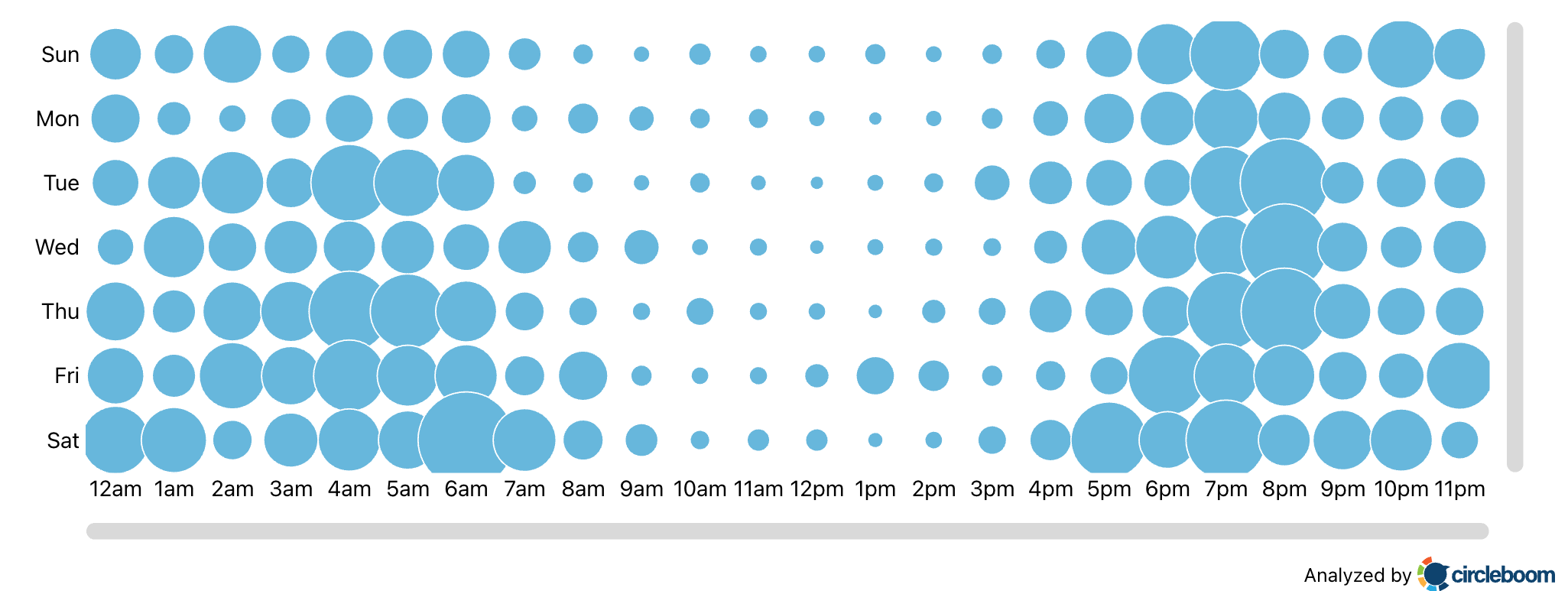
By scheduling videos for those peak times, posts are more likely to get immediate interaction, which directly improves reach.
 infocircleboom.com
This one change alone can significantly increase visibility.
The second fix: retweet your own videos
Another overlooked issue is assuming that one post is enough.
➡️ Not all followers see a tweet the first time it is posted. In fact, many people miss it completely depending on when they open the app.
That means a single post only reaches a portion of your audience.
Retweeting solves this problem.
When a video is retweeted, it is shown again, often to a different group of followers. Each retweet gives the content another chance to gain engagement and reach new viewers.
Instead of relying on one moment, the post gets multiple opportunities. This is one of the simplest and most effective ways to increase views.
Circleboom allows setting up auto retweets, where a post can be reposted, unreposted, and shared again based on a schedule. This keeps the video active over time without requiring constant manual action.
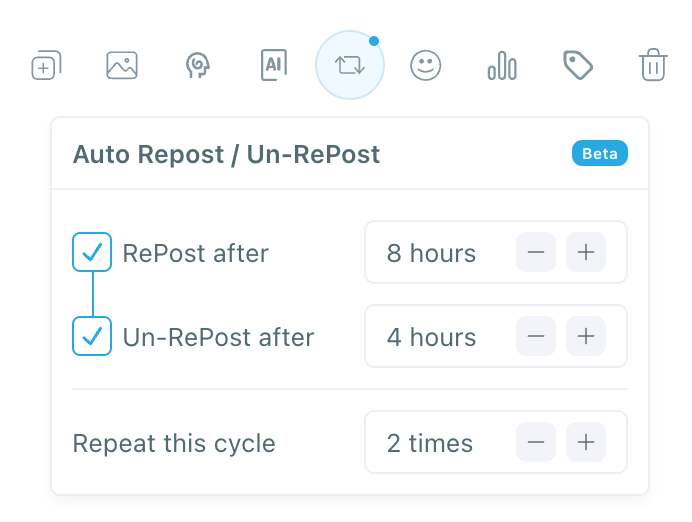
With this setup, content continues reaching new people even hours or days after the initial post.
 infocircleboom.com
It turns a single tweet into a continuous distribution cycle.
What happens when both strategies are combined
When posting at the right time is combined with consistent retweeting, the difference becomes very noticeable.
The video gets:
✅ stronger early engagement
✅ more visibility in the first phase
✅ multiple chances to reach different audiences
Instead of relying on one short window, the content stays active longer and performs better over time.
With these two adjustments, increasing video views by 4–5x is not unrealistic.
How to schedule videos on Twitter with Circleboom
The process is straightforward and does not require any complex setup.
Step 1: Go to Circleboom Twitter’s X Post Planner
Open Circleboom Twitter and click X Post Planner + AI Writer.
Then select Write & Plan Your Post to start creating your tweet.

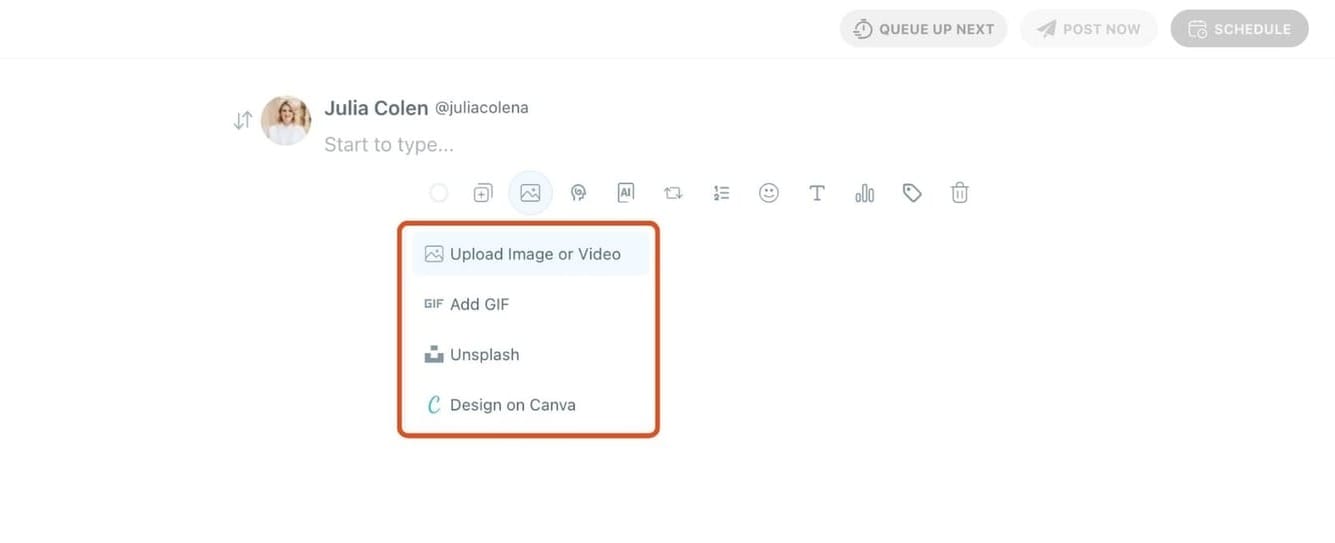
Step 2: Upload your video
First, add your video to the post.
You can upload it directly from your device.
Your video will be attached and ready while you prepare the rest of your tweet.
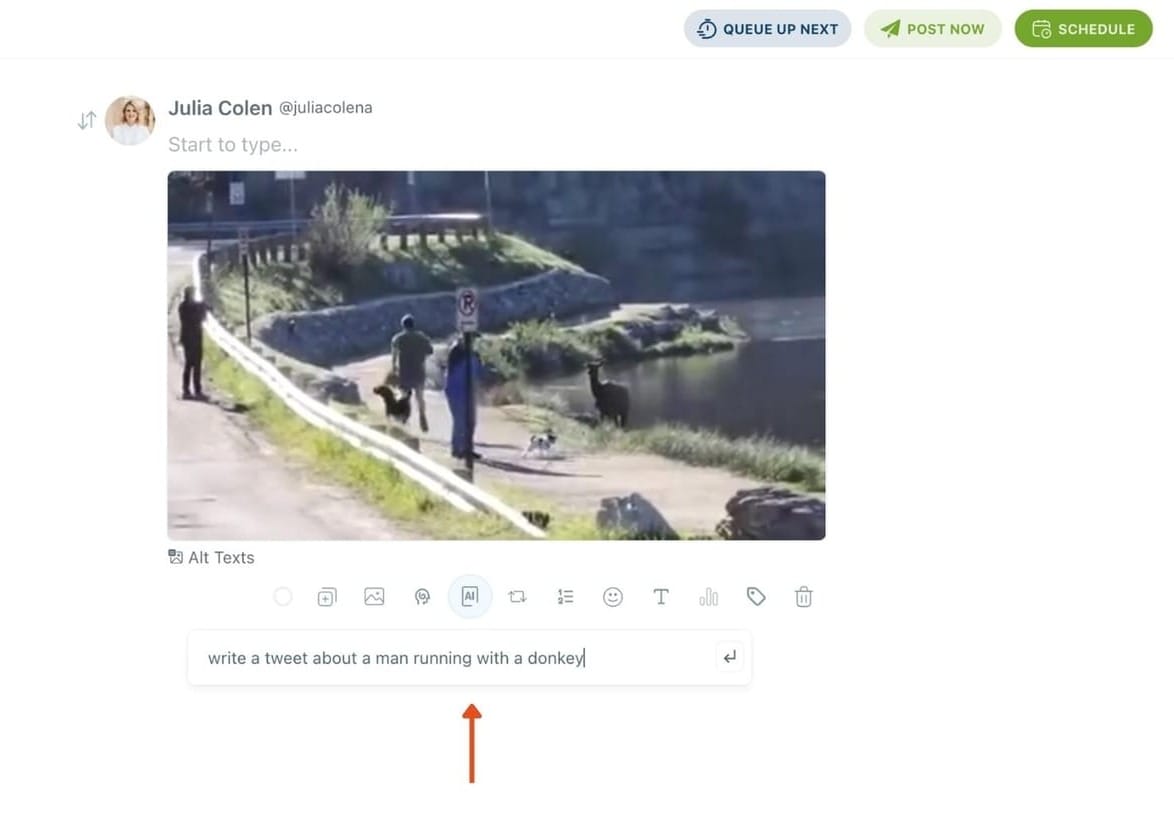
Step 3: Write your tweet (or generate one with AI)
After uploading your video, write your tweet in the editor.
If you want to move faster, use the AI Tweet Generator to create a caption based on your topic.
It helps you generate engaging and natural tweets in seconds.
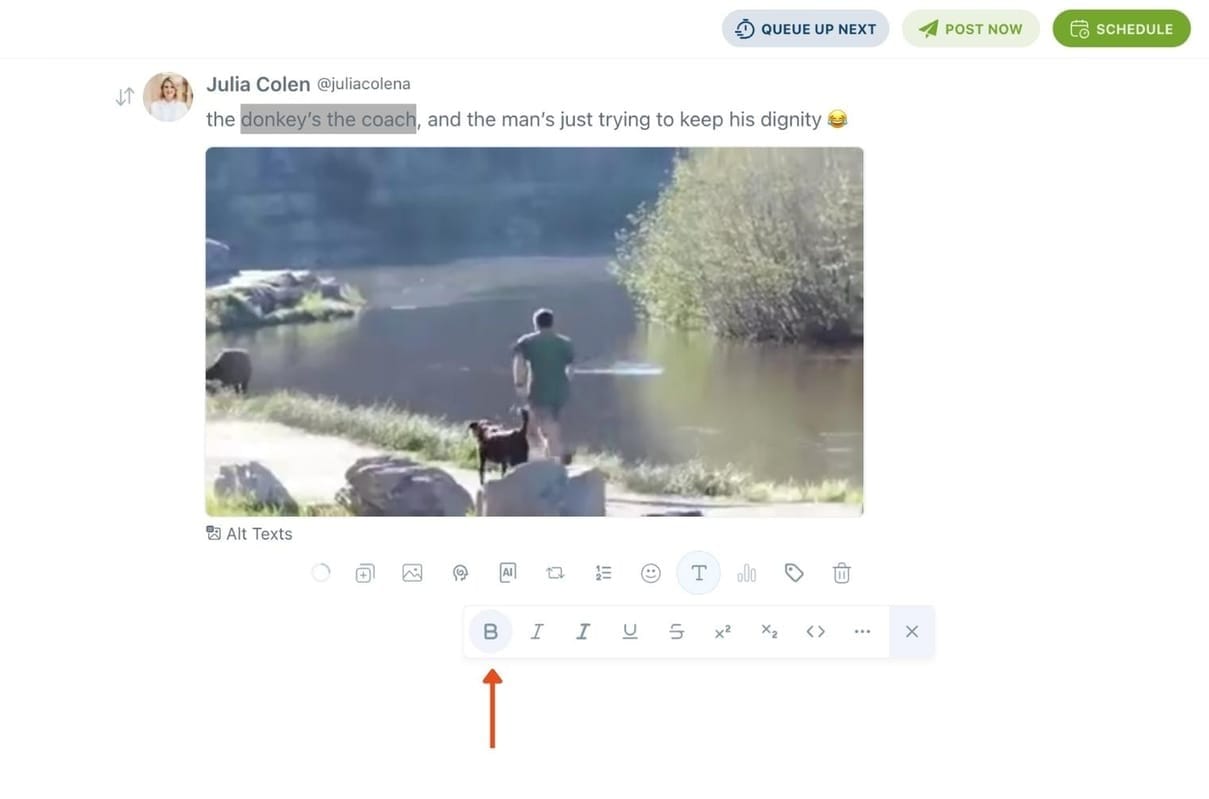
Step 4: Style your tweet using Circleboom’s Font Generator
Select the part of your text you want to change, then open the Font Generator toolbar and apply styles like:
- Bold / Italic / Underline
- Different font variations
- Extra formatting options for a more “designed” look
This is perfect when you want key parts of your tweet to grab attention immediately.
Step 5: Set Auto Retweets to boost visibility
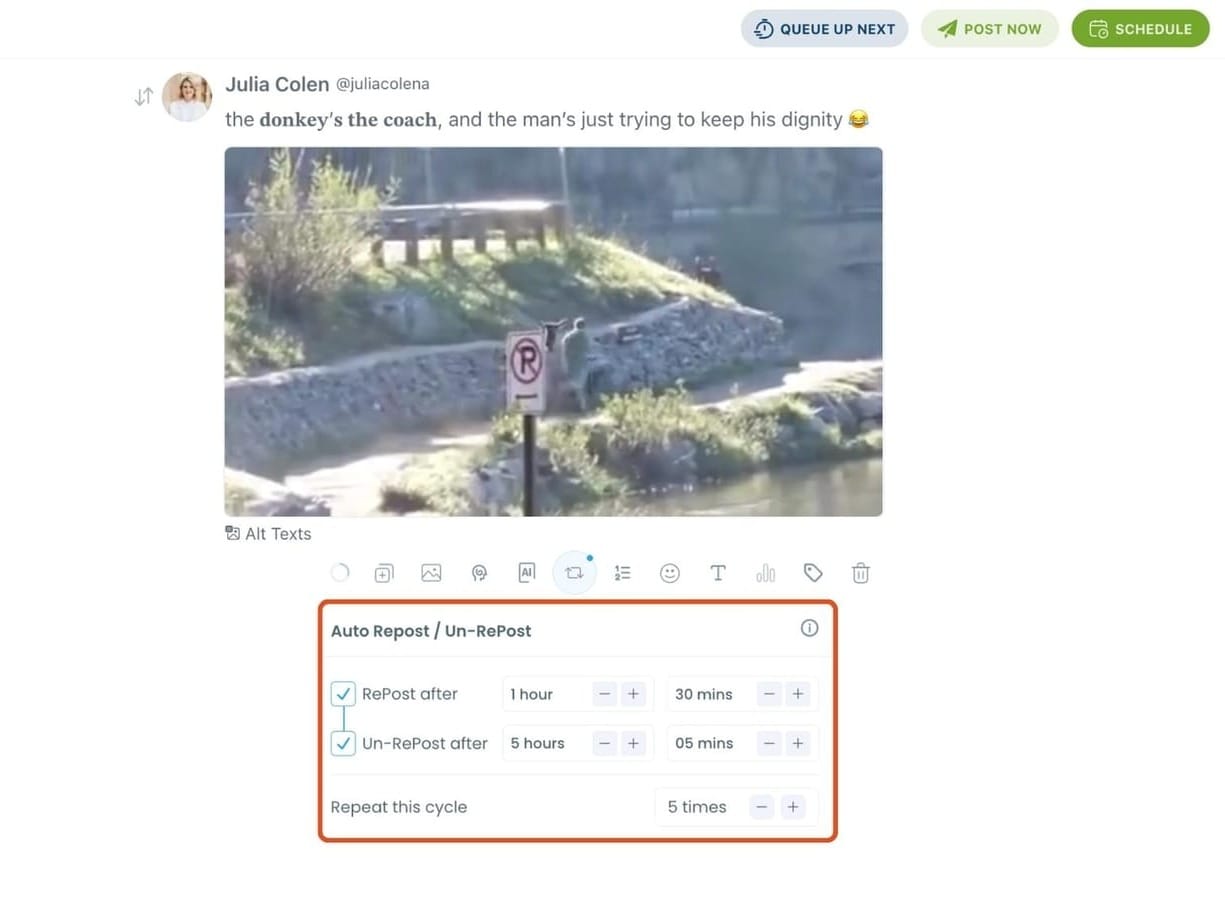
After styling your post, you can increase reach by enabling Auto Repost / Un-RePost settings.
This lets you automatically:
- Repost your tweet after a selected time
- Remove the repost later
- Repeat the cycle if you want more than one repost
It’s a smart way to bring your tweet back into the feed without manually reposting it.
Bonus Tip: Cross-post your tweet to other platforms automatically
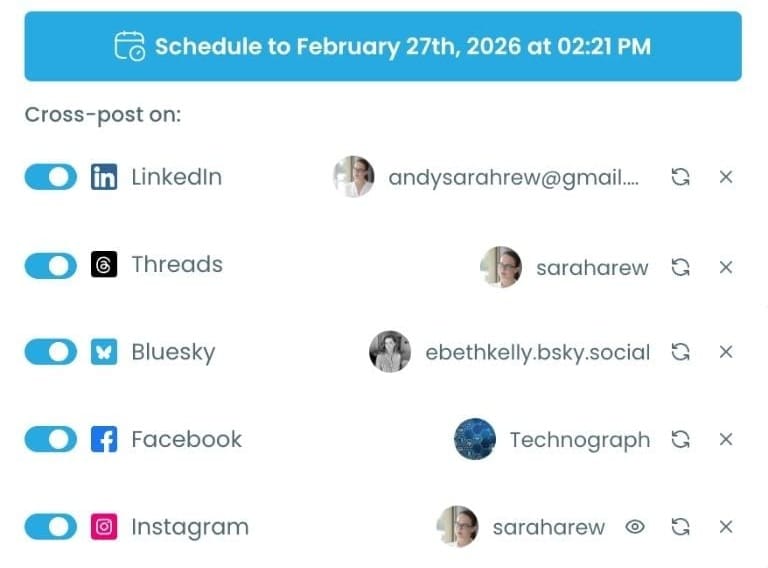
Before you publish, you can also enable Cross-Post to share the same tweet across multiple platforms in one go.
Circleboom lets you post your content to Instagram, Facebook, LinkedIn, Bluesky, and Threads automatically, so you don’t have to rewrite, re-upload, or repeat the same work on each platform.
Step 6: Schedule it for the best time to post
Finally, click Schedule and set your date and time.
You can also click Find your best posting time to see Circleboom’s suggested time slots based on follower activity.
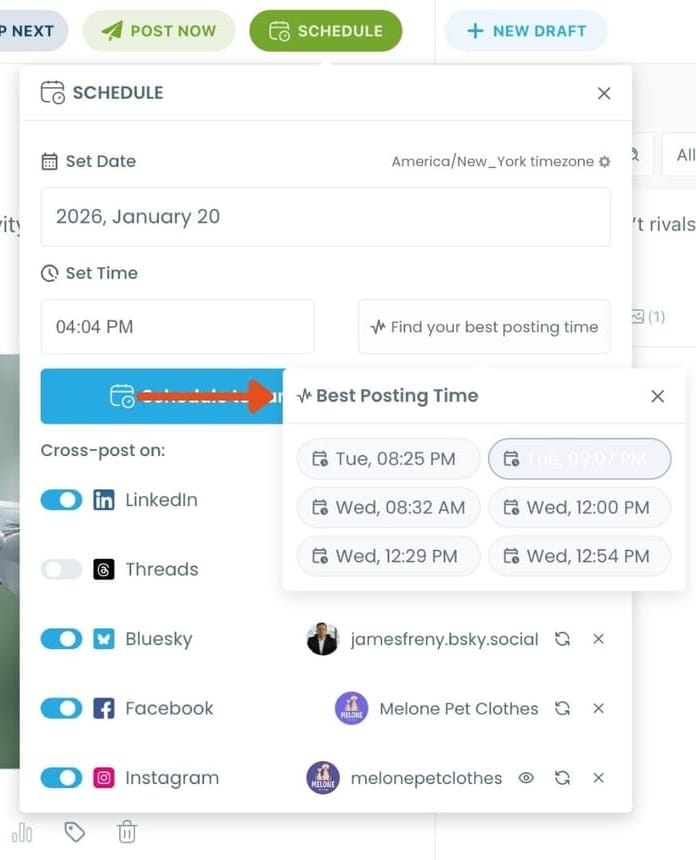
Once you pick the best option, smart-schedule it, and you’re done. Your tweet will go out at the time it has the highest chance to perform well.
Final thought
Increasing video views on Twitter is not only about creating better content.
In many cases, the content is already good, but it is not being seen by enough people.
The real difference comes from:
- posting when your audience is actually online
- giving your content multiple chances to be seen
When these two elements are in place, engagement improves naturally, and reach follows.
Instead of posting more, focusing on timing and distribution can completely change the results.
%20Videos)
