

Short-form video is one of the best ways to grow right now, but it comes with a problem nobody talks about enough:
Creating the video is only half the work.
The real-time drain starts after the video is ready, when you have to upload it everywhere.
Instagram. TikTok. YouTube Shorts.

Most creators end up choosing one platform and staying there, not because they believe it’s the only place to grow, but because managing three separate posting workflows is exhausting.
And honestly, that’s a mistake.
You don’t need to pick one platform and ignore the rest. If you’re already creating short videos, the smartest move is to make those videos work harder by publishing them across multiple platforms.
That’s why linking Instagram to TikTok is such a powerful strategy.
It turns your content routine into something much more efficient:
Create once → publish everywhere → multiply your reach.
In this blog post, I’ll show you how to link Instagram to TikTok and share the same video across both platforms (and even YouTube Shorts too) using Circleboom Publish, step by step.
 Arif Akdogan
Why Instagram + TikTok Together Is the Smart Move?
Creators argue all the time about which platform is “better.”
Some say TikTok gives faster reach.
Some say Instagram is better for brand deals.
Some say YouTube Shorts is the most stable long-term option.
But the best creators don’t get stuck in that debate.
 Arif Akdogan
They understand one simple truth:
Each platform has its own algorithm, its own audience behavior, and its own chance for viral distribution.
A video that performs average on Instagram might explode on TikTok.
A TikTok that gets ignored might suddenly get momentum on Shorts.
So instead of hoping one platform carries everything…
You give your content multiple chances to win.
That’s how you grow faster without creating more content.
The Real Problem: Posting the Same Reel to TikTok Manually Is a Pain
If you’re doing it manually, the workflow becomes repetitive fast:
- Upload to Instagram
- Write caption and hashtags
- Post
- Save or export the video
- Upload again to TikTok
- Rewrite caption
- Post again
Now repeat that for every video.
It doesn’t sound impossible, but it adds up.
And once content creation starts feeling like repetitive admin work, consistency becomes harder. You might still post on Instagram, but TikTok gets neglected. Or you stay active on TikTok but forget about Reels.
Over time, you end up reducing your potential reach, not because your content isn’t good, but because the workflow isn’t sustainable.
That’s why the best approach is simple:
Stop doing everything twice.
The Better Way: Link Instagram to TikTok and Cross-Post From One Dashboard
What you really want is a system where you can upload your video once and publish it to multiple platforms without repeating the whole process.
That’s exactly what Circleboom Publish helps you do.

Circleboom Publish is a social media management tool that allows you to manage multiple accounts across multiple platforms from one place. But the real value isn’t just scheduling, it’s turning content distribution into a simple workflow.
Instead of jumping between apps, downloading files, re-uploading, and rewriting captions…
You publish your short video to Instagram and TikTok in one flow.
And even better: Circleboom Publish also supports YouTube Shorts, so you can turn one Reel into a post for three platforms.
The Tool I Use: Circleboom Publish
Circleboom Publish is built for creators and brands who want to create and distribute content faster.
It’s not only a “post scheduler.”
It’s a content workflow tool that helps you:
- connect multiple platforms in one dashboard
- publish the same content across accounts
- schedule posts without stress
- keep consistency without doubling your workload
For this specific use case, Circleboom Publish makes it incredibly simple to connect:
✅ Instagram
✅ TikTok
✅ YouTube (Shorts)
So a single short video can work across all three platforms.
How to Link Instagram to TikTok Using Circleboom Publish (Step-by-Step)
Let’s start with connecting your accounts.
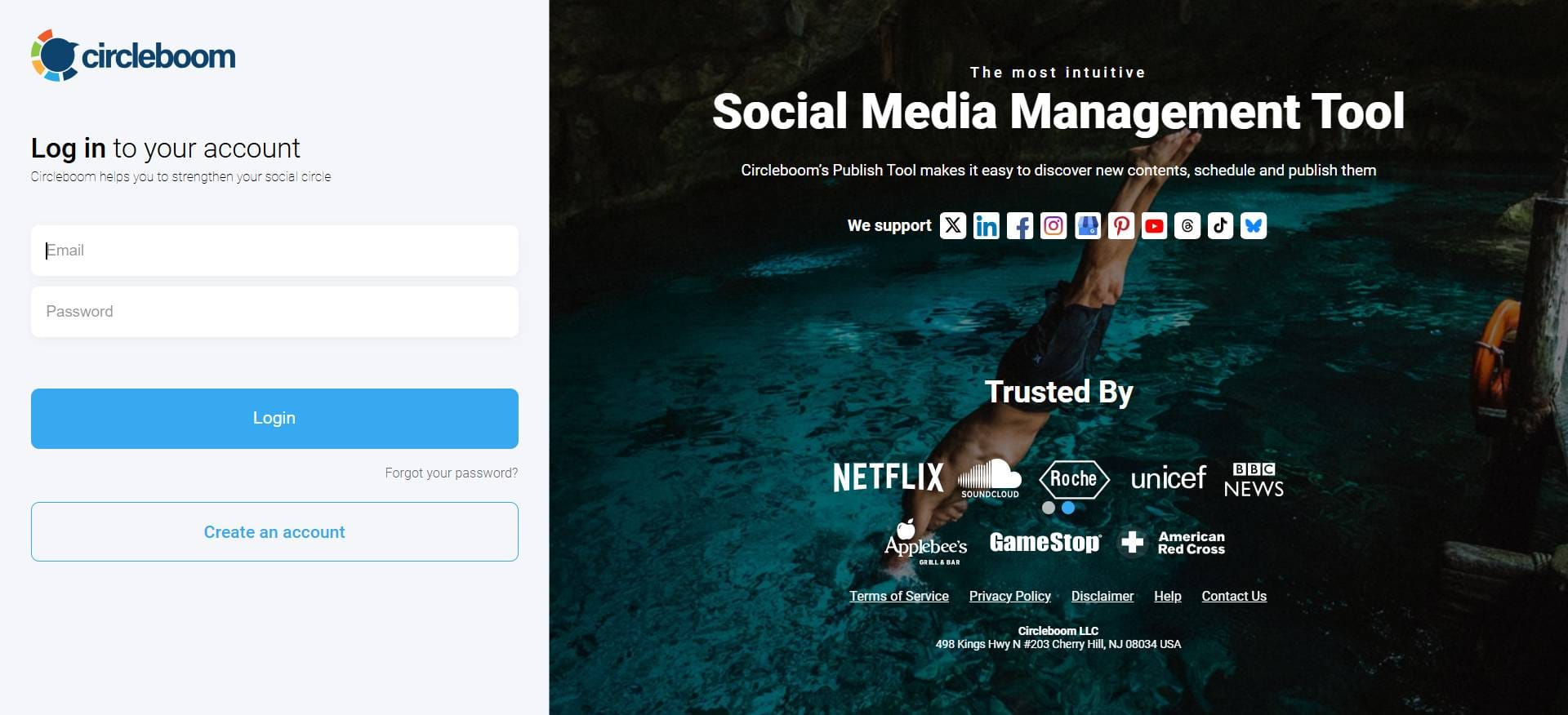
Step#1: Open your browser and land on Circleboom Publish.
If you still don't have an account, you can create one with a few clicks.
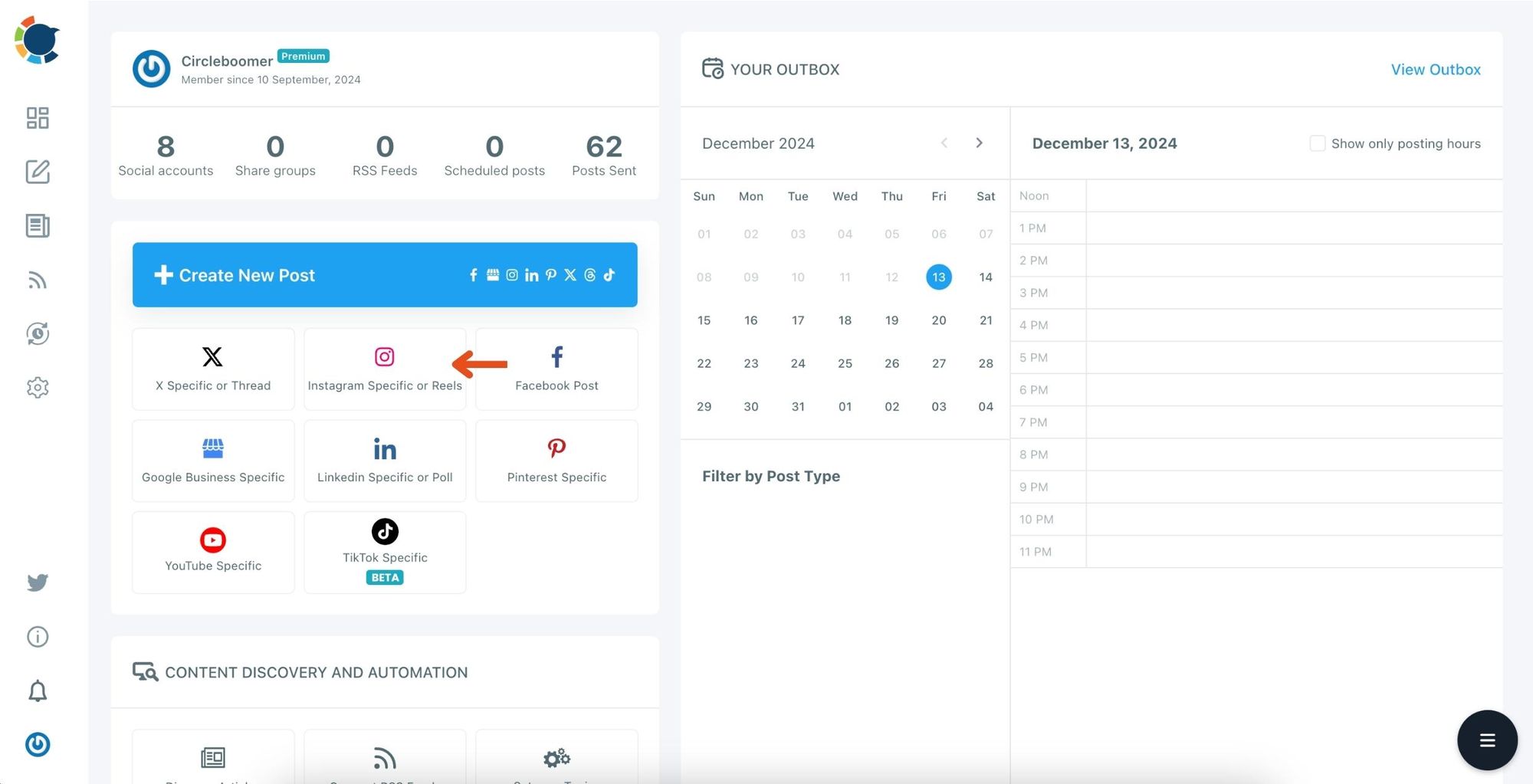
Step #2: On the first page, you'll find options for Twitter, Facebook, LinkedIn, Google My Business, Instagram, Pinterest, Threads, YouTube Shorts and TikTok.
You can link your accounts to the Circleboom Publish dashboard to schedule posts on your Instagram, YouTube, and TikTok.
Step #3: After clicking "Instagram Specific or Reels" you can start posting Reels.
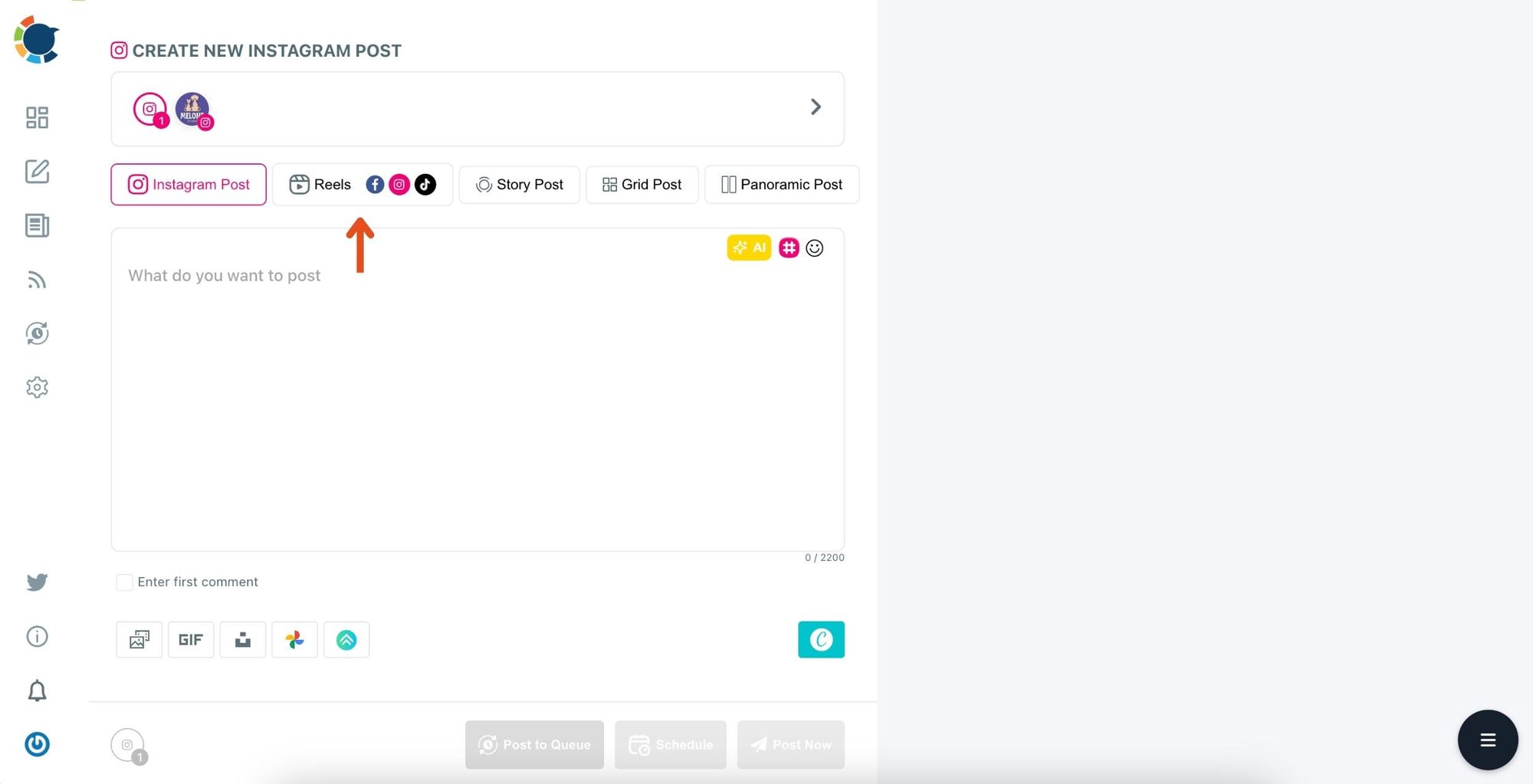
Step #4: Click on the Reels section.
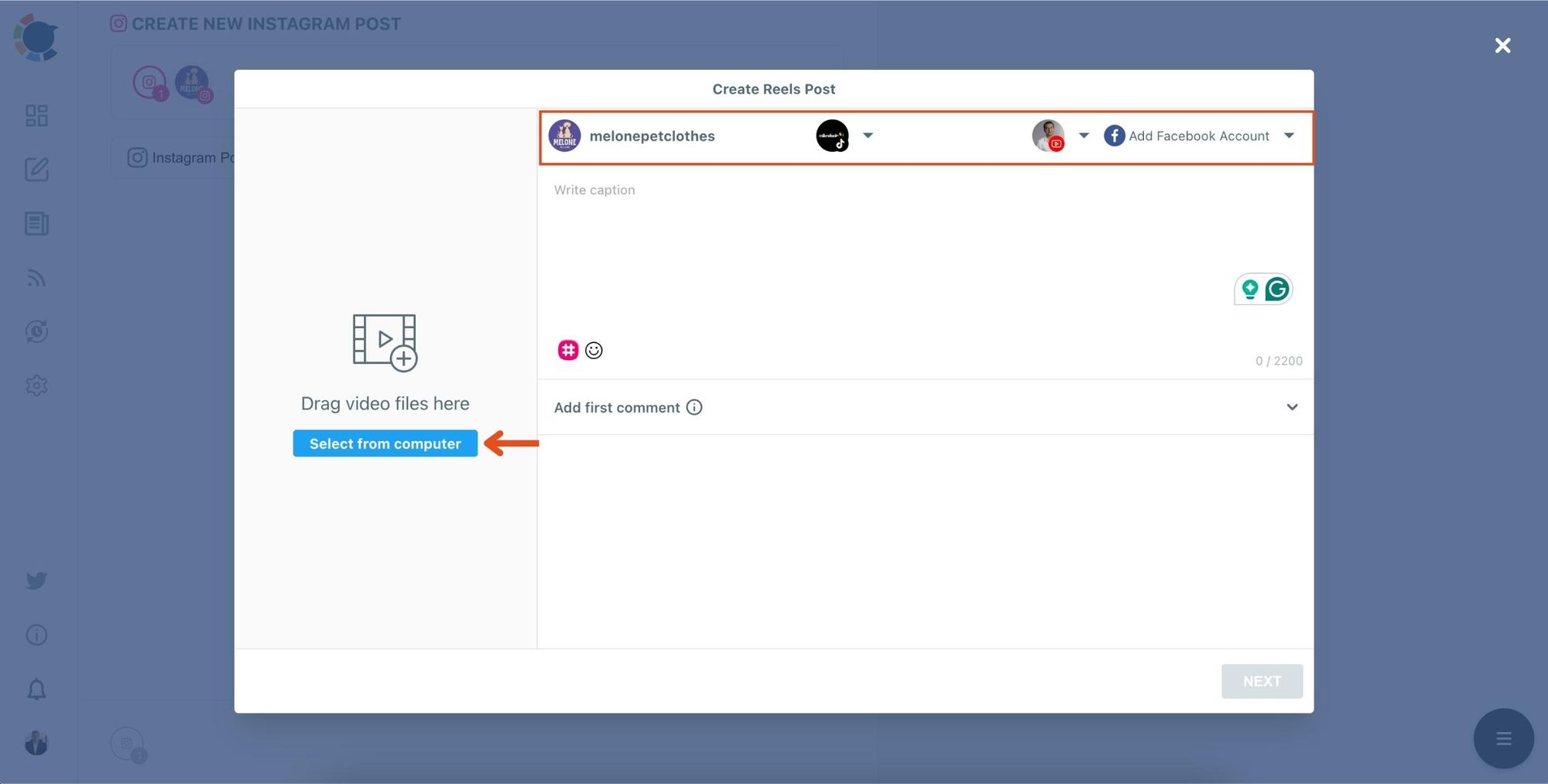
Step 5: To share reels on your Instagram, YouTube, and TikTok accounts simultaneously, select the accounts you have previously connected to.
You can also connect to a Facebook account.
Then upload your Reels to ''Media Bar''.
Step #6: After writing your caption, click on Next.
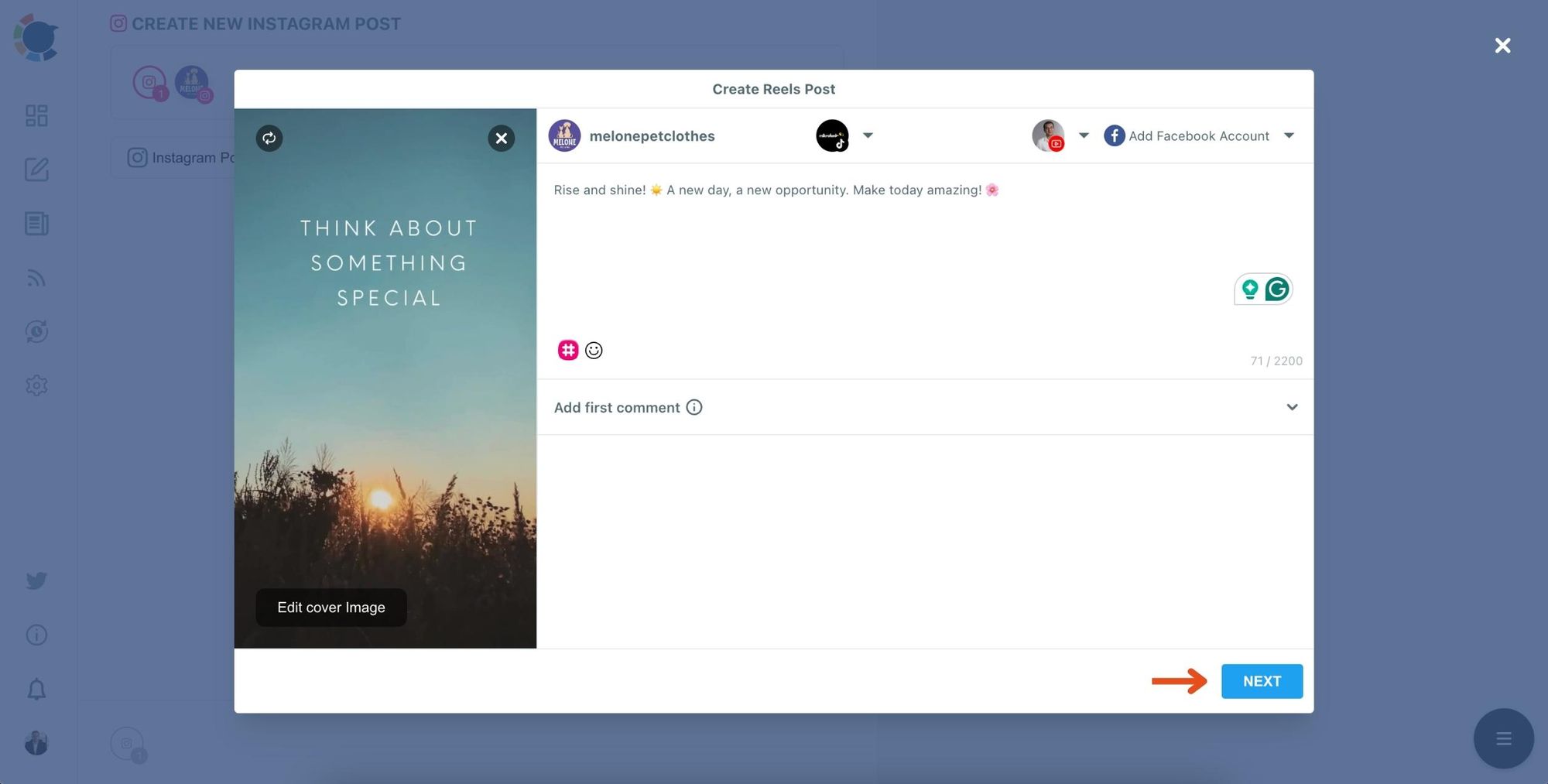
Now, your Reels is ready to share.
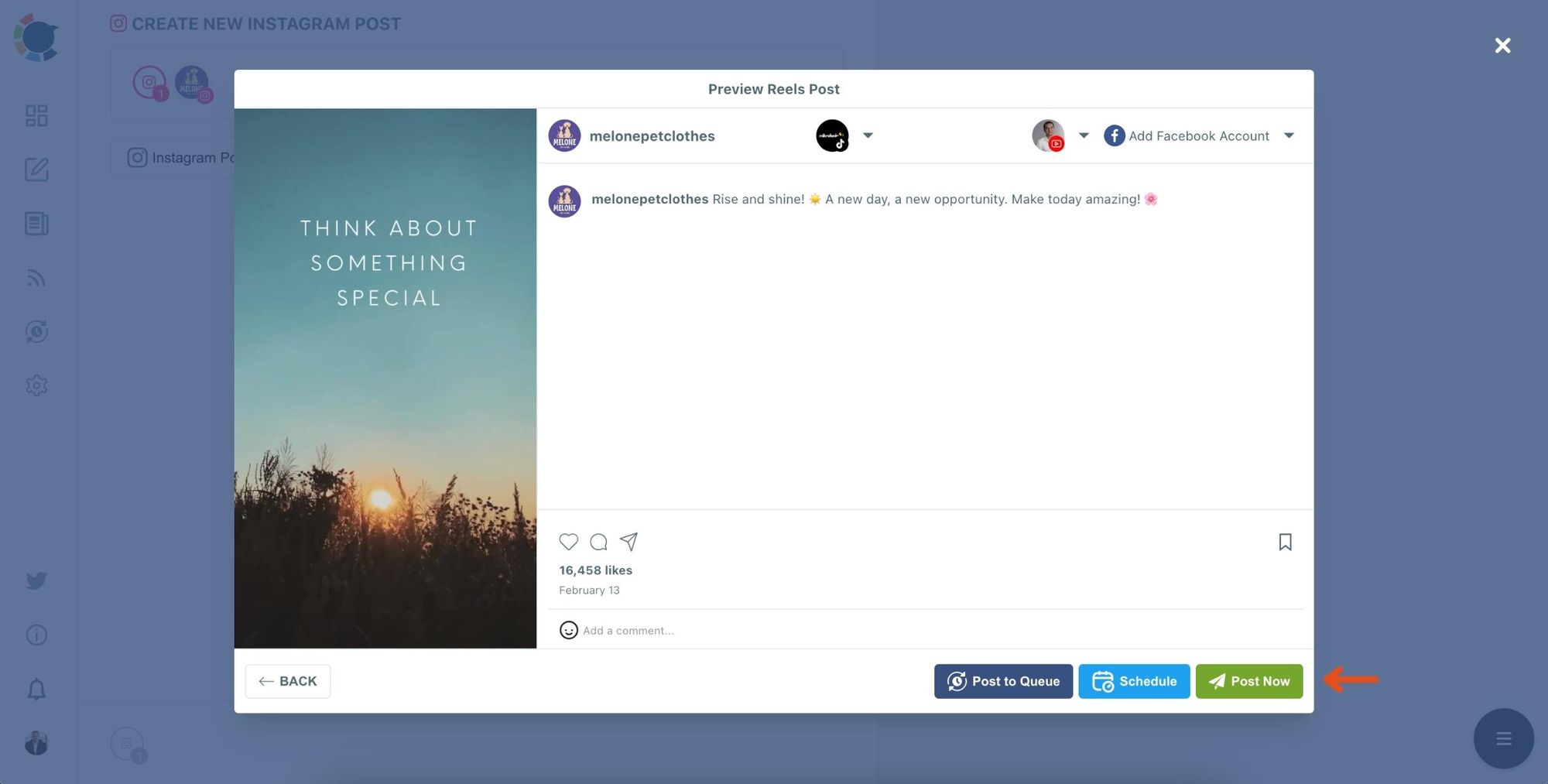
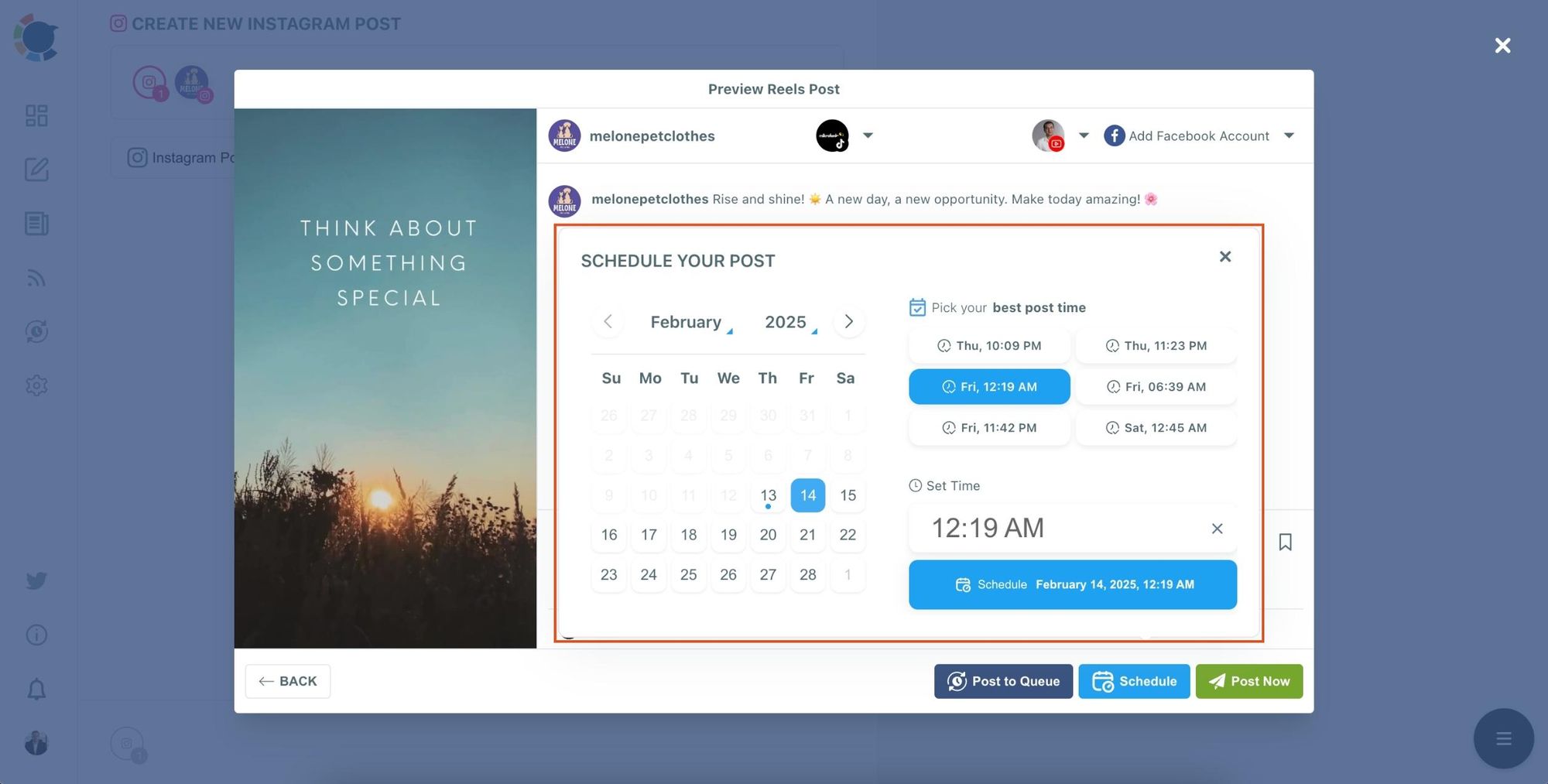
Step #7: Easily share your post on Instagram, YouTube, and TikTok by clicking ''Post Now''.
Or you can schedule it to share the best times to get more engagement.
A Simple Weekly Routine That Actually Works
The best creators don’t film every day. They build systems.
Here’s a simple routine you can follow:
- Create 3–5 short videos in one session
- Upload them to Circleboom Publish
- Select Instagram + TikTok + YouTube Shorts
- Schedule them throughout the week
- Track performance and repeat the formats that work best
This keeps you consistent without burnout, and consistency is what triggers growth over time.
Tips to Make Cross-Posting Perform Better
Cross-posting works best when you keep a few rules in mind:
Keep the first second strong: All three platforms reward attention immediately. Your hook matters more than your caption.
Make sure the video looks clean: High-quality visuals perform better everywhere. Good lighting and clear framing go a long way.
Don’t rely on one platform’s style only: A video can be the same, but tone matters. Try to keep the content universal enough to feel natural on all platforms.
Be consistent, even if it’s not daily: Three posts a week consistently beats daily posting for two weeks and then disappearing.
Final Thoughts
Linking Instagram to TikTok is one of the simplest ways to grow faster without creating more content.
Instead of creating one video and letting it live on one platform, you turn it into a multi-platform asset.
And with Circleboom Publish, that process becomes easy:
- Connect Instagram
- Connect TikTok
- Optionally connect YouTube Shorts
- Upload once
- Publish everywhere
When you do this consistently, every Reel stops being “one post”… and starts becoming three growth opportunities.
If you’re serious about building an audience, this is one of the most efficient workflows you can build.


)
