

To monitor tweets about a keyword on Twitter, you need a live stream that catches mentions of your brand, product, competitor, or hashtag the moment they post, not an hour later. Native X search shows you recent posts, but it does not turn that moment into a workflow you can act on.
The accounts worth reaching are the ones tweeting right now: someone asking for a recommendation, someone venting about a competitor, someone at the event you care about. The value lasts hours, not weeks. Catch it live and you can reply while it matters.
This guide shows you how to build a precise keyword stream, filter out the noise, and act on the accounts behind the tweets before the moment passes.
A live keyword monitor collects matching public tweets from a start date forward and extracts both the posts and the accounts behind them. Circleboom's Real-time Tweet Search runs the stream through official API access, so you can reply, save, or export while the conversation is still open. The trick is a tight query: include the exact terms, exclude the noise, and set engagement filters so you only see the accounts worth your time.
→ monitor tweets about a keyword on Twitter
Why Native X Search Falls Short for Live Monitoring
X search will show you live tweets for a keyword, but it stops there. You cannot save the matching accounts as a list, you cannot export them, and you cannot apply quality filters to strip out the spam and low-effort replies that flood any active term.
Every time you want a fresh look you scroll the feed again from scratch.
That gap matters most when timing is the whole point. A buying signal posted this week ("looking for a tool that does X") is worth chasing now, before the decision is made. The same tweet from a year ago is dead weight.
A real monitoring setup keeps the live signal separate from the archive, which is where most people lose hours doing this by hand. If you are weighing tools for this job, our rundown of what makes a good app to monitor Twitter activity covers the criteria that matter.
It pairs well with the operators in Circleboom's Twitter advanced search.
How Circleboom Monitors a Keyword Live
Circleboom's Real-time Tweet Search collects public tweets matching your keyword from a start date you choose, moving forward as new posts appear. It gives you two views of the same result: the tweets themselves and the deduplicated list of accounts behind them.
You can reply, follow, add to a list, or export from inside the result without leaving the screen.
The data side is what keeps this safe and accurate. As an official X Enterprise Developer company, Circleboom reads live public tweets through sanctioned access and stays compliant, with no scraping involved.
That official API access is also why it can pull structured live data the feed cannot. That is the practical reason to monitor tweets about a keyword on Twitter through a dedicated tool.
Video walkthrough: searching real-time live tweets and monitoring keywords on X.
How to Monitor Tweets About a Keyword on Twitter
The flow, in order, grouped into two short phases.
Set up the live keyword stream
- Log in to Circleboom Twitter and connect your X account with official OAuth.
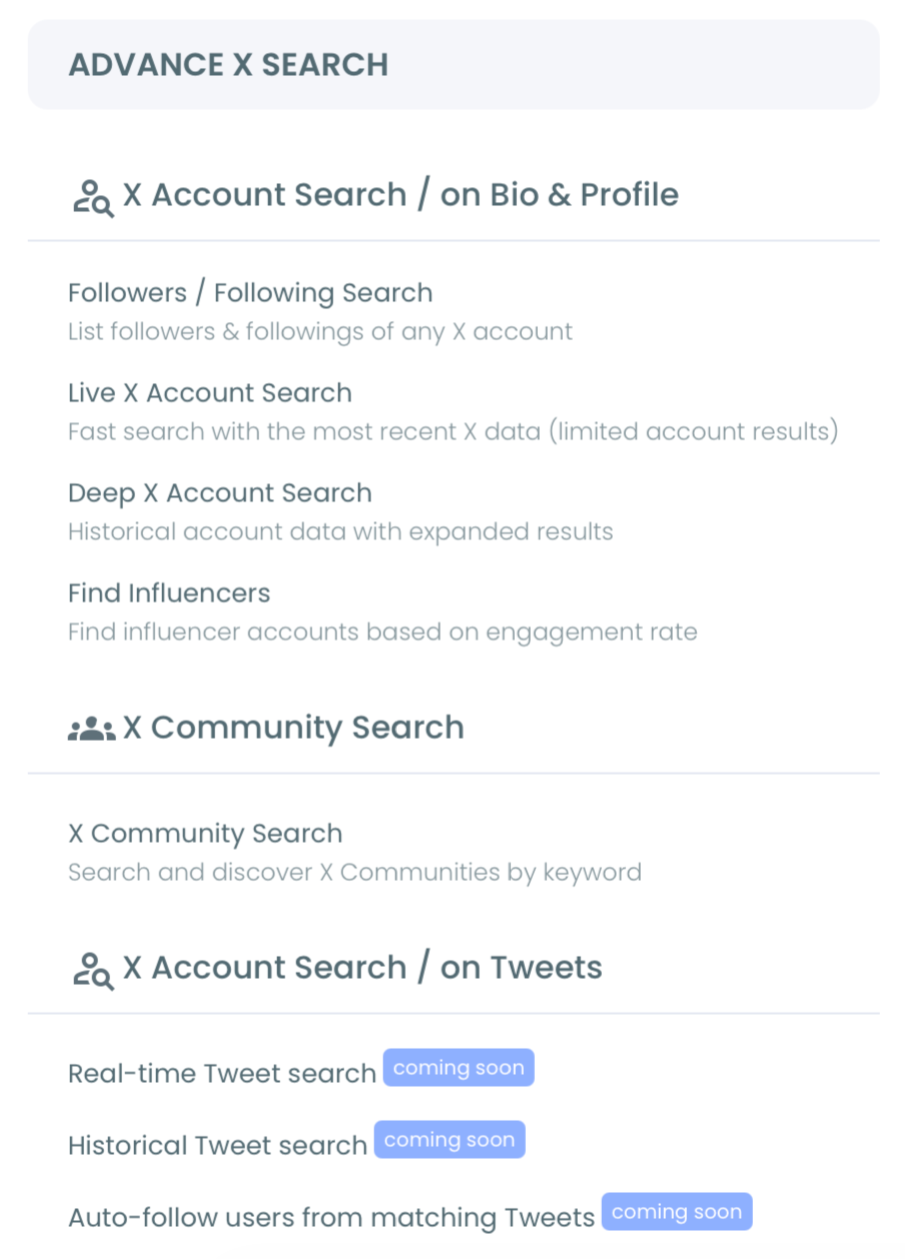
- Open the Advanced X Search menu and select Real-time Tweet Search to start a live stream.
- Write your keyword query in plain language, then add exclude terms and toggles (replies, links, verified-only) to cut the obvious noise before collection starts.
Scope the window and act on the stream
- Set the start date to the moment you care about, Last 24 Hours for a fresh window or your launch hour for a campaign, and choose how many tweets to collect.
- Review the tweets, switch to the profile view, and act, replying to live posts, adding strong accounts to a list, or exporting the set before the conversation moves on.
That order matters because the query is what separates signal from flood. A broad keyword during an active moment returns a noisy pile; a query with the right excludes and an engagement minimum returns the handful of accounts you actually want to reach.
The start date keeps the stream current instead of drifting into old data.
Quick recap:
- Build a tight query with exclude terms and filters.
- Set a recent start date and a sensible tweet count.
- Switch to the profile view and act while the moment is live.
Building a Keyword Query That Catches Signal, Not Noise
The single technique that makes live monitoring useful is a precise query. Most people type one broad keyword and drown in replies, bots, and off-topic chatter. The fix is to layer the query so only the relevant posts come through.
Start with the exact phrase or term you care about, add exclude terms for the predictable noise (giveaway, free, RT if you want originals), and set a minimum engagement count so you skip the dead posts. Toggle off replies when you want original tweets, or keep them on when you are tracking a support conversation.
The same discipline shows up in our complete guide to Twitter advanced search. It is the difference between a feed you can scan in a minute and one you abandon.
Build the query once, save the search log, and you can revisit the same stream without re-spending tokens on a fresh collection.
What to Do With the Live Stream
Catching the tweets is only half the job. The point of monitoring is the action you take while the moment is open, and the right move depends on why you are watching.
For social listening and support, reply to the live mentions directly and add the accounts to a watch list. For lead-catching, follow the accounts expressing a buying signal and export the set for follow-up.
For competitor monitoring, capture who is reacting to a rival's incident while the frustration is fresh. That timing drives how top brands use X for crisis management.
For steady growth around a topic, Circleboom can follow accounts from a live keyword stream automatically, the safer cousin of the tactic in our keyword-based auto follow breakdown.
Real-Time Versus Historical Monitoring
Live monitoring and historical lookups answer two different questions, and mixing them up wastes effort. Real-time tells you who is talking about your keyword right now; historical tells you who talked about it in the past.
Use the live stream when the window of relevance is short: a launch, an event, a breaking incident, a fresh buying signal. Use a historical search to learn whether today's spike is new or recurring, which you can run separately through Circleboom's Twitter historical data feature.
Keep this monitoring job on the live side. The moment you set the start date too far back, the stream behaves like an archive and loses its timing edge.
What You Gain From Live Keyword Monitoring
A working keyword monitor changes how fast you can respond. Instead of finding out about a mention after it cooled, you see it while you can still reply, follow, or capture the account.
The compounding benefit is a steady supply of timely, relevant accounts: prospects in the decision window, advocates worth thanking, critics worth addressing. Pair the live stream with a saved list and a periodic export, and you turn a one-time search into a repeatable monitoring rhythm that keeps your brand close to the conversation as it happens.
→ Start monitoring your keyword live now
Frequently Asked Questions About Real-Time Keyword Monitoring
Can I monitor tweets about a keyword on Twitter for free?
Native X search shows live tweets at no cost, but it has no saving, filtering, or export. A dedicated live monitor like Real-time Tweet Search uses token-based collection so you can act on the accounts, not just read the feed.
How is real-time monitoring different from historical search?
Real-time collects matching tweets from a start date forward as they post, so the signal is current. Historical search queries a past window. Use live for launches, events, and fresh buying signals; use historical to check whether a spike is recurring.
How do I stop my keyword stream from filling with spam?
Add exclude terms for predictable noise, set a minimum engagement count, and toggle off replies when you want originals. A tight query returns a short, relevant set instead of a flood.
What can I do with the accounts I find?
You can reply to their live tweets, follow them, add them to a Twitter list, or export the set as CSV. Live conversations change fast, so capture strong findings quickly.
Does monitoring a keyword follow accounts automatically?
Only if you turn on Auto Follow from the matching keyword. Set engagement and quality filters first so the stream follows relevant accounts rather than every low-signal post.

