Real Time Tweet Tracker
Circleboom is a live tweet tracker built on Real-time Tweet Search: track any keyword, hashtag, or mention from the moment you start watching, see who's posting and from where, and export the growing dataset whenever you need it.

Circleboom : An Official Enterprise Developer
"Work with a trusted X Official Enterprise Developer to expand what's possible for your business. Each Official Enterprise Developer has been selected for the program after an extensive evaluation, and represents excellence, value, and trust." — X (Twitter)Circleboom Twitter Tool
Circleboom Twitter management tool provides account analytics, follower/friends insights, tools to check, fakes, spammers, inactive accounts, advanced account search and delete tweet services.

MONITOR YOUR BRAND REPUTATION
Set the Keywords filter in Real-time Tweet Search to your brand name, product, or handle, and Circleboom helps you monitor your brand reputation by collecting every matching public post from your chosen start date forward, each one with its impressions, likes, retweets, and reply counts attached.
As a Twitter monitoring tool, it doesn't stop at counts: the Profile View lists every account behind those mentions, so you can review who's talking about you, narrow with Language and Engagement Metrics filters, and export the full list for reporting.

PERFORM MARKET SEARCH
Historical Tweet Search is how you perform market search in Circleboom: describe the pain point, comparison, or buying decision your market talks about, set a date range (last 30, 60, 90 days, a year, or custom), and Circleboom returns every matching tweet plus the Profile View of accounts that posted it.
Narrow with Language, Media Type, and Engagement Metrics filters to separate genuine signal from noise, then export the Profile View as a research dataset of accounts who've already shown the intent you're looking for.

REAL TIME FOLLOWER COUNT
Followers' Growth records your account's follower count at regular intervals and charts it two ways: a Performance view of the running total and a Daily Change view of net gains and losses, turning your real-time follower count into a trend you can scroll through rather than a single static number.
Want the same view for someone else's account? Track Someone's X Account's Following and Followers works as a Twitter tracker online for any public profile, recording follower and following changes on a schedule and surfacing exactly which accounts are new.

TWITTER COMPETITOR ANALYSIS
Account Comparison & Benchmark Report is Circleboom's core Twitter competitor analysis tool: enter your account and a competitor's, choose Followers or Following, and Circleboom returns the accounts you have in common, with full profile data, follow ratio, and engagement classification for each.
To analyze competition over time rather than as a single snapshot, add the competitor to Track Someone's X Account's Following and Followers: Circleboom records their follower and following changes on a schedule and surfaces every new follow or follower as it's detected.

ENGAGE WITH CUSTOMERS
The Profile View of Real-time Tweet Search is built to engage with customers the moment they post: every account that tweeted your keyword or hashtag from your chosen start date forward appears with Follow, Add to List, and Export actions, individually or in bulk.
Auto Follow from matching keyword takes it further, automatically following accounts behind new matching tweets as they're posted, so your account follows the exact customers expressing interest or questions while the conversation is still live.

HASHTAG COUNTER
Apply the Hashtags filter in Real-time or Historical Tweet Search and the results page header reads "Displaying N tweets collected from your search", turning Circleboom into a hashtag counter for any tag you're watching, with the matching Profile View showing how many unique accounts are behind that count.
As a Twitter tracker, run the same hashtag from a week-old start date and from today to compare the two counts and see whether the tag's volume is rising or falling.

REAL TIME MENTION STATS
Set the Keywords filter in Real-time Tweet Search to your handle or brand name, and every mention posted from your chosen start date forward arrives with real time mention stats already attached: impressions, likes, retweets, quotes, bookmarks, and replies for each one.
Use the Engagement Metrics filters to set a minimum like or retweet count and isolate the mentions that actually moved, rather than scrolling through every notification as it comes in.

LIVE TWEET TRACKER
Real-time Tweet Search is Circleboom's live tweet tracker: pick a start date and it begins collecting tweets matching your keyword or hashtag from that moment forward, building an accumulating dataset instead of a one-time snapshot. Every result in the Tweet View carries its impressions, likes, retweets, quotes, bookmarks, replies, and timestamp.
Use it as an x post tracker for a launch, a campaign, or a live event: set the start date to the moment it begins and revisit the search log to see the conversation grow.

TWEET CATCHER
As a tweet catcher, Real-time Tweet Search isn't limited to hashtags: the Keywords filter matches plain text, usernames, and phrases anywhere in a post, so one search can catch every tweet mentioning your product, a competitor, or an industry term as it's posted.
Set a start date and let Circleboom tweet track the conversation from that point forward, then switch to the Profile View to see the accounts behind every caught tweet, ready to follow, list, or export.

TWEET STATS TRACKER
Every tweet Circleboom collects through Real-time or Historical Tweet Search arrives as a row in the Tweet View with its impressions, likes, retweets, quotes, bookmarks, reply count, and creation timestamp attached, turning a keyword or hashtag search into a tweet stats tracker.
Because Real-time Tweet Search keeps collecting from your chosen start date forward, those numbers work as live stream x analytics: revisit the search log and the same dataset has grown with every new matching post, no new search required.

TWITTER TREND TRACKER
Used as a Twitter trend tracker, Real-time Tweet Search collects every post matching a keyword or hashtag from a start date you set, so you can watch volume and engagement build as the conversation develops rather than checking a static count.
To spot trends as they happen, compare today's collection against the same search run from a week ago in Historical Tweet Search: a sharp jump in tweet count or engagement confirms whether something is newly trending or has been steady all along.

TRACK LIVE TWEETS BY GEOLOCATION
Every tweet Real-time Tweet Search collects from your chosen start date forward includes the author's display name, username, and location alongside the post text, impressions, and engagement numbers in the Tweet View.
That makes it possible to track live tweets by geolocation as a launch, event, or campaign unfolds: scroll the accumulating results to see where the accounts posting about your keyword or hashtag are actually located, then switch to the Profile View to follow or export the ones in regions that matter to you.
REAL TIME TWITTER ANALYTICS
Real-time Tweet Search produces real time twitter analytics for any keyword or hashtag: the Tweet View carries impressions, likes, retweets, quotes, bookmarks, and replies for every post collected since your start date, while the Profile View shows follower count, following count, follow ratio, and engagement tier for every account behind those posts.
Both views are exportable as CSV, so the live dataset Circleboom is still accumulating can be pulled into a report at any point without waiting for the conversation to end.

TWITTER HASHTAG AND KEYWORD TRACKER
Real-time and Historical Tweet Search apply the Hashtags and Keywords filters together in the same search, so a Twitter hashtag and keyword tracker can follow a campaign tag and the plain-language mentions of it in a single result set instead of two separate searches.
Both filters return the same dual output, a Tweet View of matching posts with full engagement numbers and a Profile View of the accounts behind them, each independently exportable as CSV for as long as the tracked conversation runs.

CIRCLEBOOM IS AN X ENTERPRISE DEVELOPER
Circleboom is an official X Enterprise developer tool. Therefore, when you use Circleboom services and connect your X account, you are totally safe. You will enjoy tools and services that are not available even in the native X dashboard.
Real Time Tweet Tracker
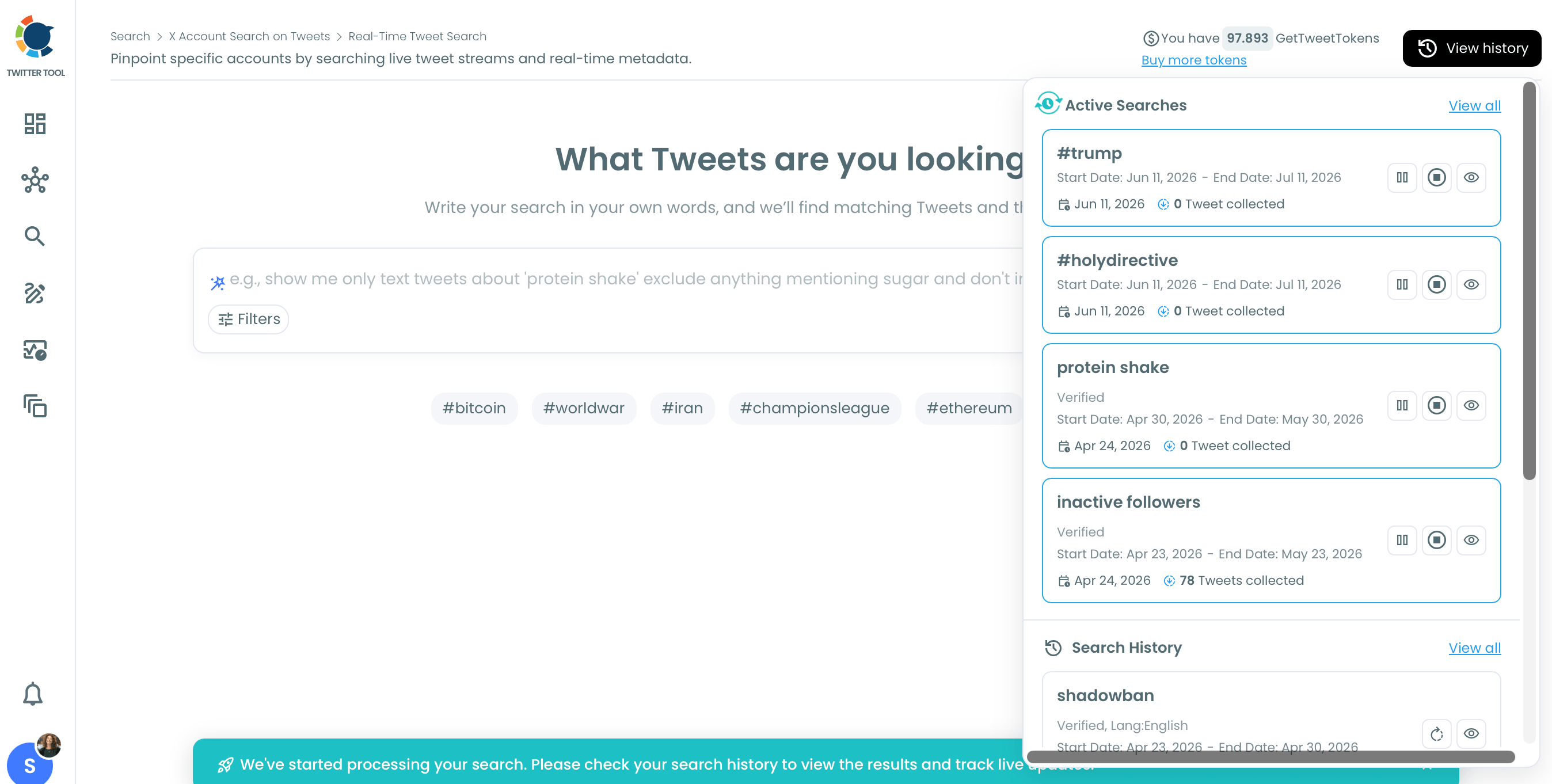
Circleboom's Real Time Tweet Tracker turns that feed into a live, growing dataset. Every tweet matching your keyword, hashtag, or brand mention arrives with engagement numbers, author location, and account data attached, ready to follow, list, or export while the moment is still live.
Go to Circleboom and log into your account.
If this is your first time, you should create a new account. It will be done in five seconds.


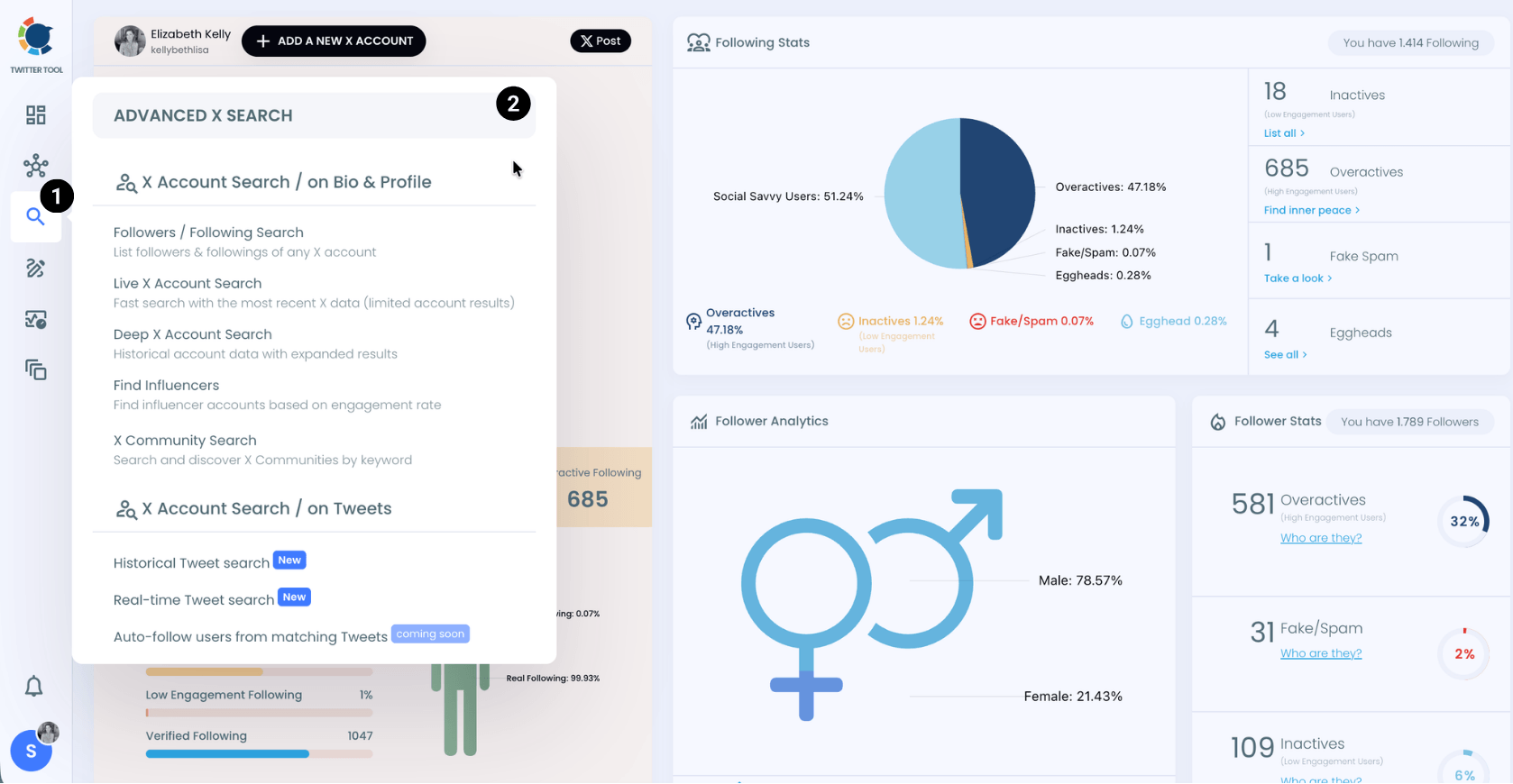
When you are on the Circleboom dashboard, go to the left and find the 'Advance X Search'.
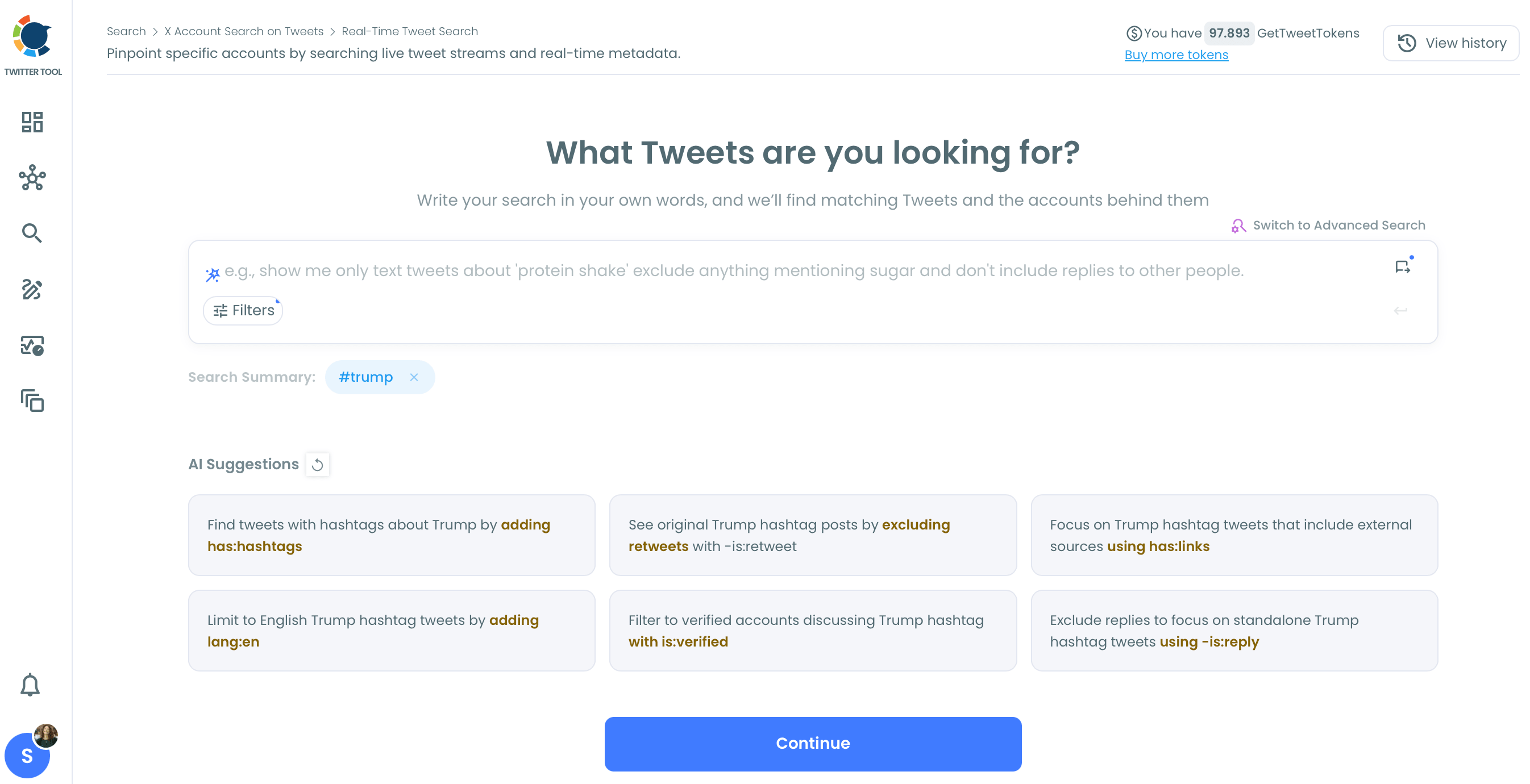
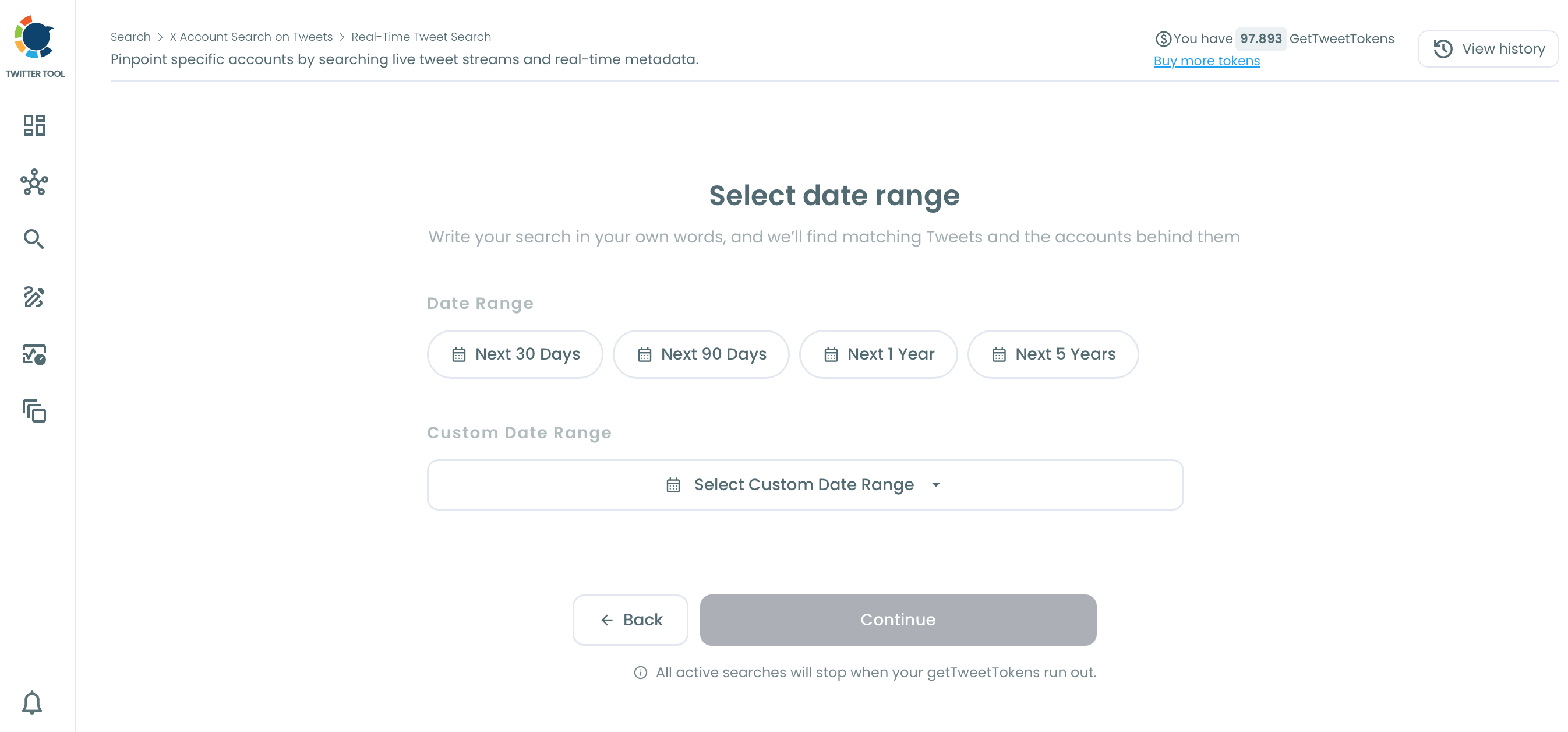
Select Historical Search or Real Time Search. If you want to track hashtags on live tweets, select Real Time. If you want to search on old tweets, select Historical.
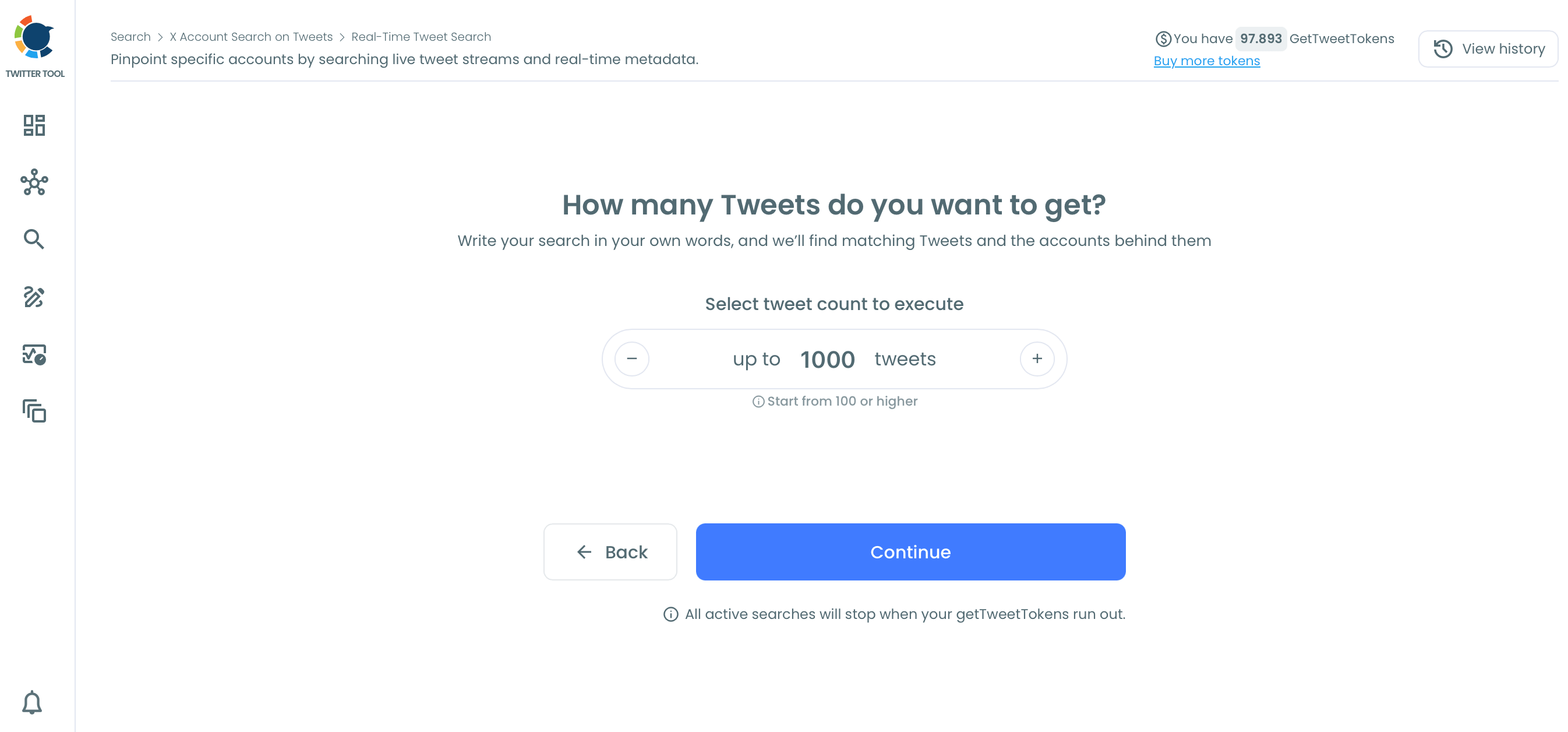
How many tweets do you want to get?
You can set the maximum tweet number.
FAQs (Frequently Asked Questions)
Do you want to have a new, cleaner appearance on Twitter? If so, maybe you should consider deleting your tweets, deleting retweets, or removing your old Twitter likes!