

X only lets you pin your own tweets. There is no setting, no workaround inside the platform, no flag or button that lets you put someone else's tweet at the top of your profile. No built-in option exists for this.
So if the tweet isn't yours, X gives you no path forward on its own. That's where Circleboom's Tweet Screenshot Generator comes in.
It's a free tool that lets you paste any public tweet URL, choose from a set of beautifully designed templates, and download a styled image of that tweet. You post the image yourself, then pin that post.
How Do You Pin Someone Else's Tweet?
To pin someone else's tweet on X, you cannot do it directly since X only allows pinning your own posts. The workaround is to create a visual image of the tweet using a tool like Circleboom's Tweet Screenshot Generator, post that image as your own tweet, and then pin it.

To pin someone else's tweet this way means converting it into a shareable visual you own, then placing it at the top of your profile.
Turning Any Tweet Into a Pinnable Visual with Circleboom
Circleboom is an Official X Enterprise Developer, which means it works directly with X's official APIs.
No scraping, no credential sharing, fully compliant with X's API policies.

That matters here because the Tweet Screenshot Generator pulls real tweet data cleanly, without distorting content or breaking platform rules.
The tool itself is free and requires no account to use. Here's what it lets you do:
🟢 Paste any public tweet URL and instantly generate a styled screenshot of it
🟢 Choose from multiple designed templates so the visual looks polished, not like a raw phone screenshot
🟢 Download the image as a ready-to-post file you can upload directly to X
🟢 Use it for any public tweet on X, whether it's a quote, a testimonial, a viral post, or your own older tweet you want to resurface
🟢 No login required for the screenshot generator itself, making it genuinely fast to use
The result is a tweet visual that looks intentional when pinned, not cobbled together. It tells visitors to your profile that you curated this deliberately.
How to Take a Screenshot of any Tweet with Circleboom
Here’s how you can use Circleboom’s screenshot tool to take high-quality, aesthetic screenshots of tweets:
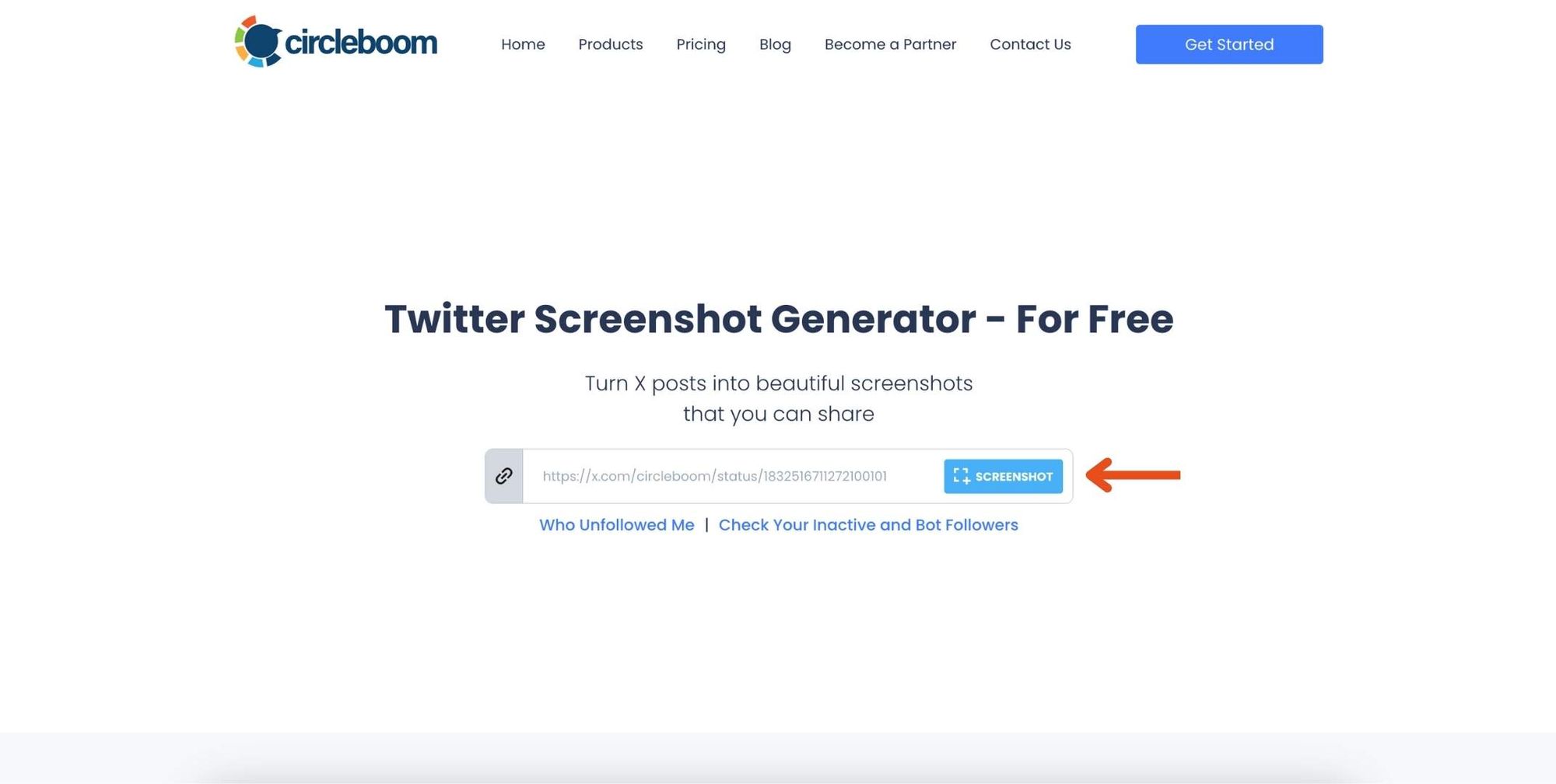
Step #1: Go to ➡️ Circleboom Twitter Screenshot Generator
First, navigate to the Circleboom Twitter Screenshot Generator. Paste the URL of the tweet you want to capture in the provided field. Then, click the 'Screenshot' button.
Step #2: Customize Your Screenshot
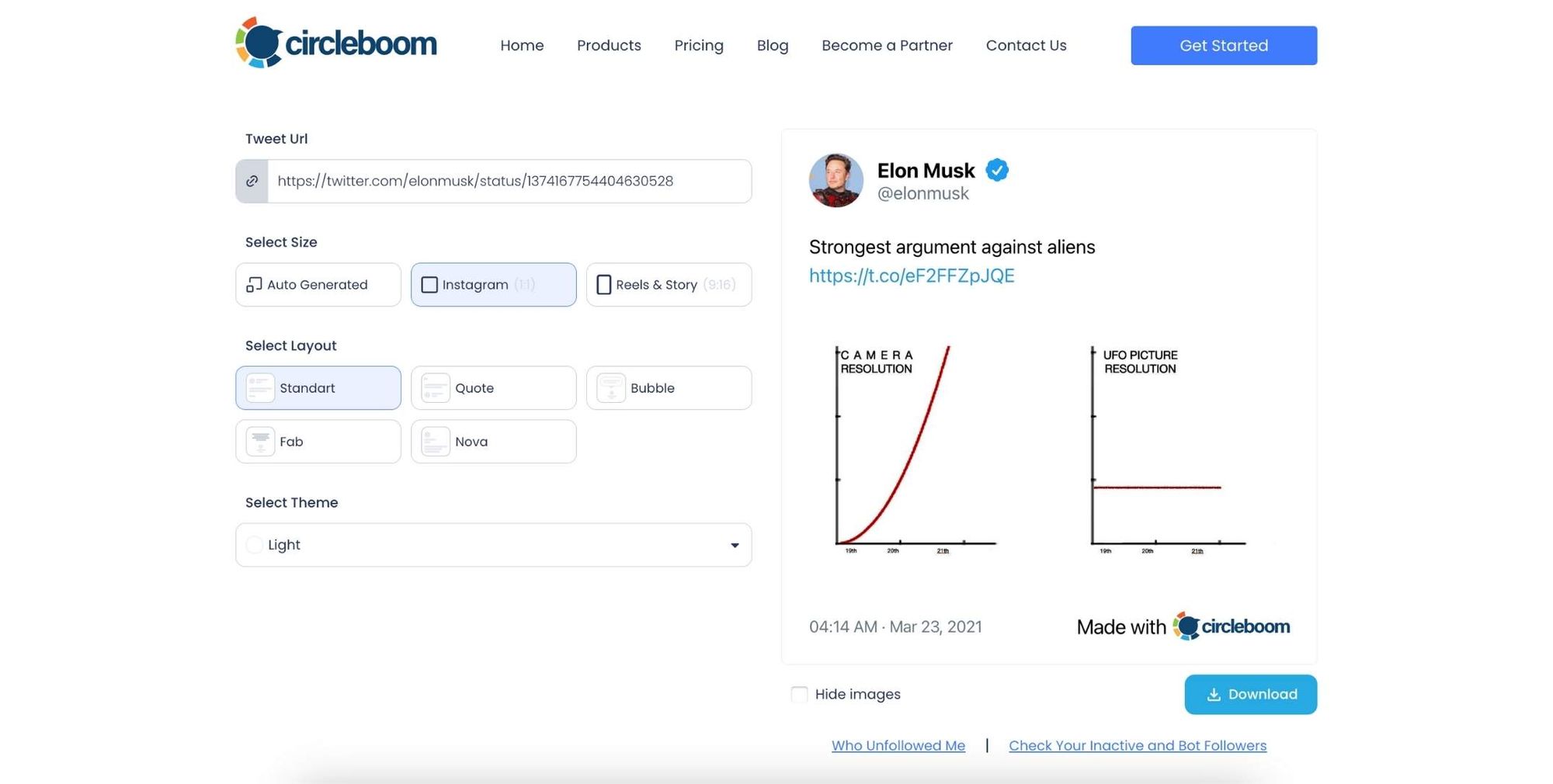
Circleboom will generate the screenshot for you instantly. If you’d like, you can change the size, layout, and theme to fit your preferences.
Step #3: Download the Screenshot
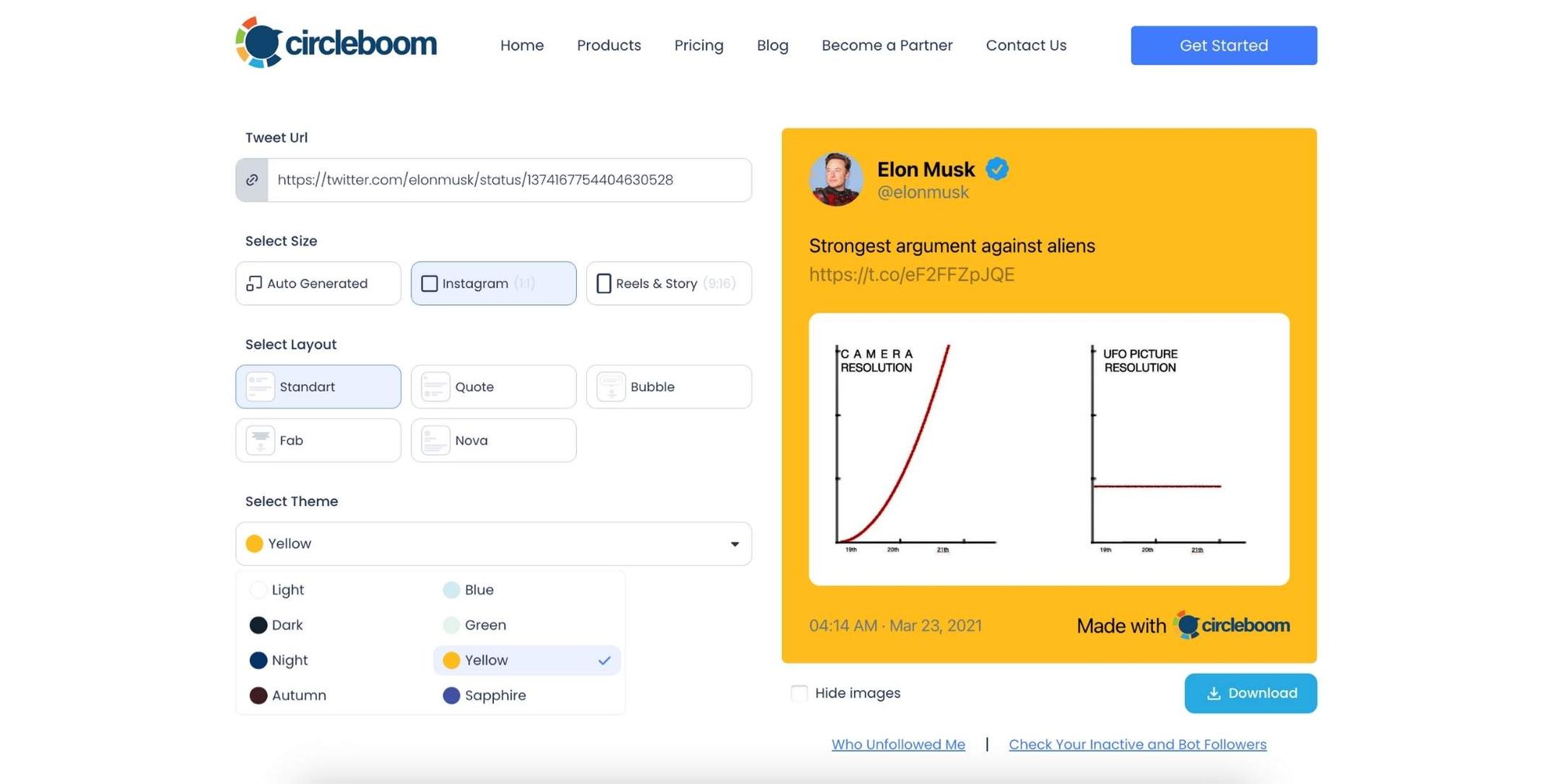
Once you’ve adjusted the design to your liking, simply click the 'Download' button. Circleboom will provide you with a high-quality screenshot of the tweet, ready to use.
Now the next step is sharing the screenshot on X.
Why X Doesn't Let You Pin Someone Else's Tweet
This isn't an oversight. X designed the pin feature around the idea that your pinned post represents your own voice.
It's a profile feature, not a curation tool. From X's perspective, your pinned tweet is a statement about who you are and what you stand for, and that should come from your own account.
The screenshot workaround respects this logic entirely. You are posting an image as your own tweet and pinning that. The content originated elsewhere, but the post is yours. The platform sees it as your content because it is on your account.
⚠️ One important note: when you post a screenshot of someone else's tweet, always credit the original author in your caption or include their handle visibly in the image. Posting a screenshot without attribution can look misleading to visitors who don't know the context. A simple "via @username" in your caption is enough.
The designed template from Circleboom actually helps with this because the original author's profile name and handle are typically visible in the tweet screenshot itself, so attribution is built in.
Why Your Pinned Tweet Matters More Than You Think
Most people treat their pinned tweet as an afterthought. That's a mistake.
It's the first post anyone sees when they visit your profile. Before they scroll, before they check your bio, before they decide whether to follow, they see whatever is pinned. That's an enormous amount of real estate to either waste or use well.
Leaving it blank or keeping a years-old post there sends a signal: this account isn't actively managed. A stale pin suggests someone who posts but doesn't think about strategy.
Featuring someone else's tweet, done right, signals something different. It shows curation. It says you pay attention to what's being said in your space, and you're comfortable letting strong content from others represent your values. That's actually a credibility move, not a deferral.
A designed screenshot image also performs better in the feed than a plain retweet or quote tweet would. Visuals stop scrolling. A styled tweet card with a clean template looks like intentional content, not a lazy repost.
If you want to understand how your overall profile is performing and what your audience responds to, Circleboom's Twitter Analytics gives you a full breakdown of your account's engagement data, follower quality, and post performance in one place.
FAQ
Can you actually pin someone else's tweet on X?
No. X only allows you to pin tweets posted from your own account. There is no native feature that lets you pin content from another user's profile. The workaround is to create a visual of the tweet using Circleboom's Tweet Screenshot Generator, post it as your own tweet, and then pin that post.
Is Circleboom's Tweet Screenshot Generator really free?
Yes. The Tweet Screenshot Generator is a free tool. You do not need a Circleboom account to use it. You paste a public tweet URL, select a template, and download the image at no cost.
Will the screenshot look like a real tweet or obviously fake?
Circleboom's templates are designed to look clean and polished, not like a rushed phone screenshot. The original tweet content, author name, handle, and profile image are rendered in a styled format that looks intentional. Visitors to your profile will recognize it as a tweet visual, which is the point.
Do I need to credit the original author when I pin a screenshot?
You should, yes. X does not require it technically, but leaving out attribution can look misleading. The tweet screenshot from Circleboom typically includes the author's handle and profile details within the image itself, which handles most of the attribution automatically. Adding "via @username" to your caption is still good practice.
Can I use this for any tweet, including tweets from private accounts?
No. The Tweet Screenshot Generator works with public tweets only. Tweets from private accounts are not accessible via public URLs, so the tool cannot retrieve or render them.
Does Circleboom need access to my X account to generate a tweet screenshot?
No. The Tweet Screenshot Generator does not require you to connect your X account. You only need the public URL of the tweet you want to capture. Connecting your account is only required if you want to use other Circleboom features like scheduling, analytics, or follower management.
Can I use this to pin my own older tweets?
Absolutely. If you have an older tweet that performed well or said something you want front and center again, you can screenshot it with Circleboom and pin the image instead. It gives the tweet a visual upgrade compared to just re-pinning the original post.
Final Thoughts on How to Pin Someone Else's Tweet
X made pinning personal by design. Your pinned tweet is supposed to represent your voice, and that's not going to change. But a designed image of someone else's tweet, posted from your account and credited properly, is still your content. You chose it. You framed it. You put it there.
The gap X leaves here is real, and Circleboom's Tweet Screenshot Generator fills it in a way that's clean, free, and fast. The result looks better than a raw screenshot and works exactly the way you'd expect a pinned tweet to work.
If you've been leaving that top slot empty because you couldn't figure out how to pin someone else's tweet on X, now you can.
Try the Circleboom Tweet Screenshot Generator free:


)
