

By [Arif Akdogan] | [25.03.2026] | 6 min read
X is no longer just a text-based platform.
Over the past few years, it has shifted heavily toward video. With the rise of short-form content and increasing competition with platforms like Reels and Shorts, video posts are now getting more visibility than ever.
This became even more noticeable after X introduced its creator payout program. As a result, more creators started focusing on video content to increase engagement and reach. There is a claim that there are 2 billion videos views on X, daily!
But here’s the real question:
Do you actually know how to post videos on X the right way?
Uploading a video is easy. Getting impressions and engagement is the hard part.
Let’s start with the basics.
 Arif Akdogan
How to Post Videos on X (Twitter) Step by Step
Posting a video on X is simple and only takes a few steps.
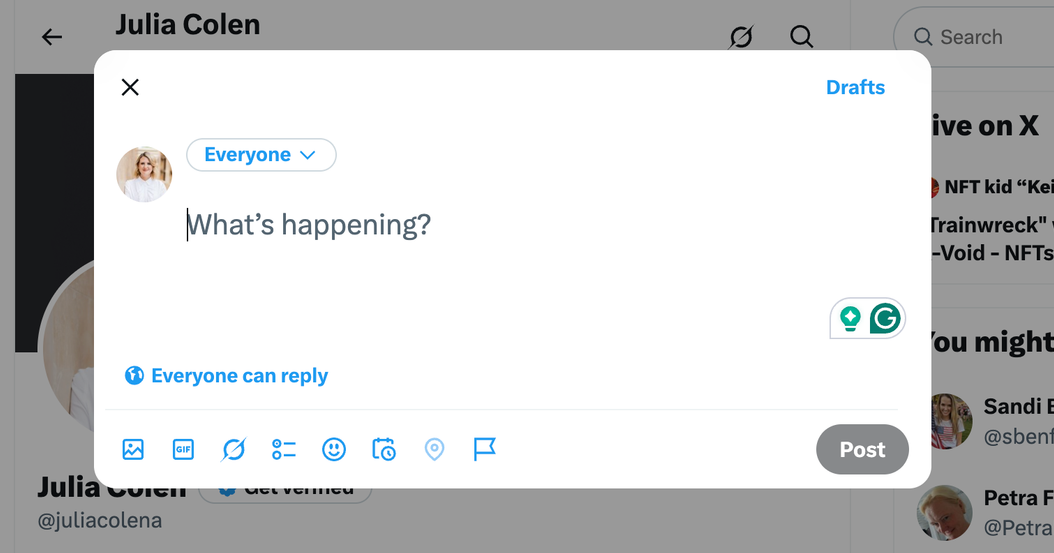
Step #1: Open X and start a new post
- On desktop, click the Post button
- On mobile, tap the + icon
This opens the composer where you create your post.
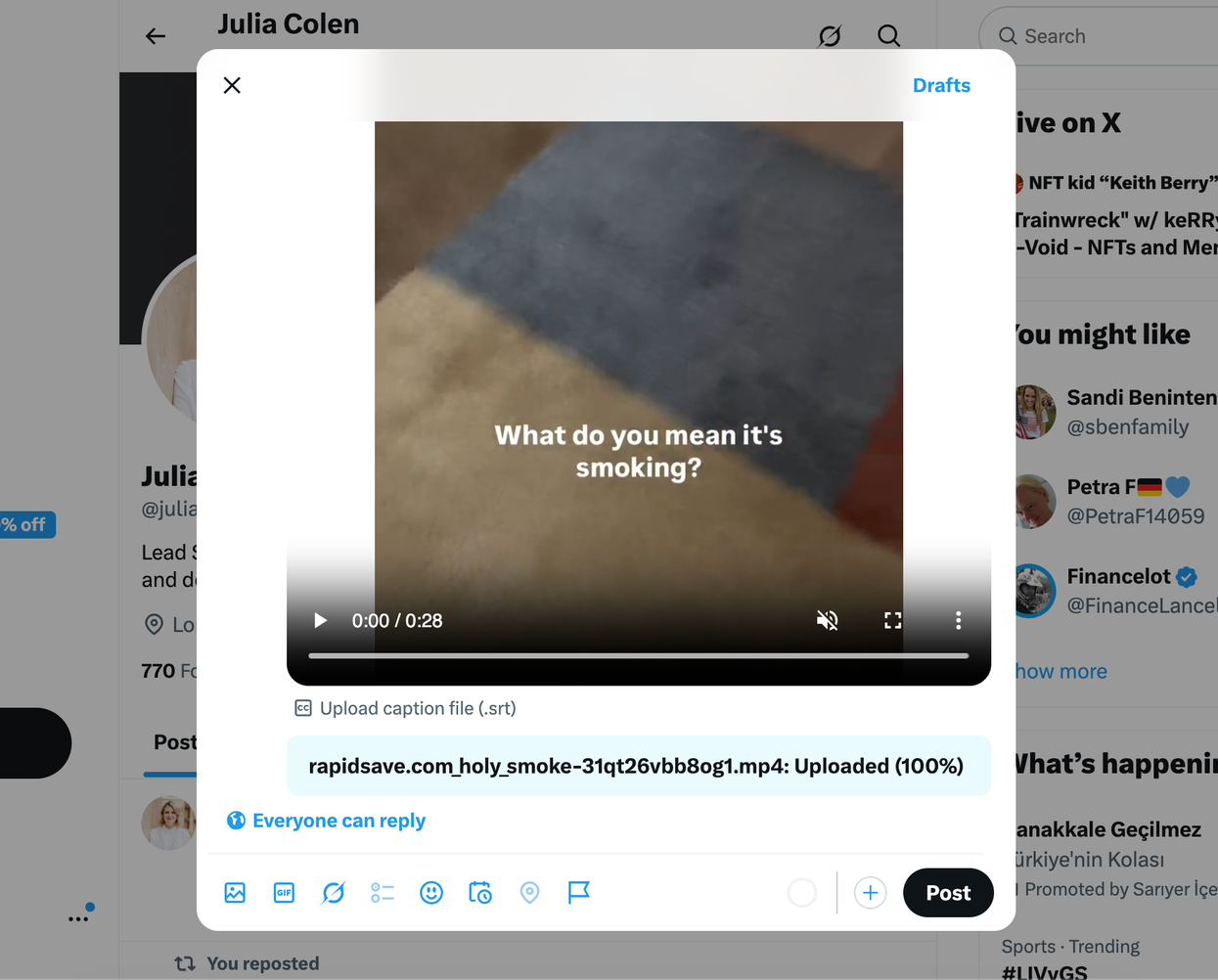
Step #2: Upload your video
- Click the media (image/video) icon
- Select your video file from your device
X allows direct video uploads inside the post composer.
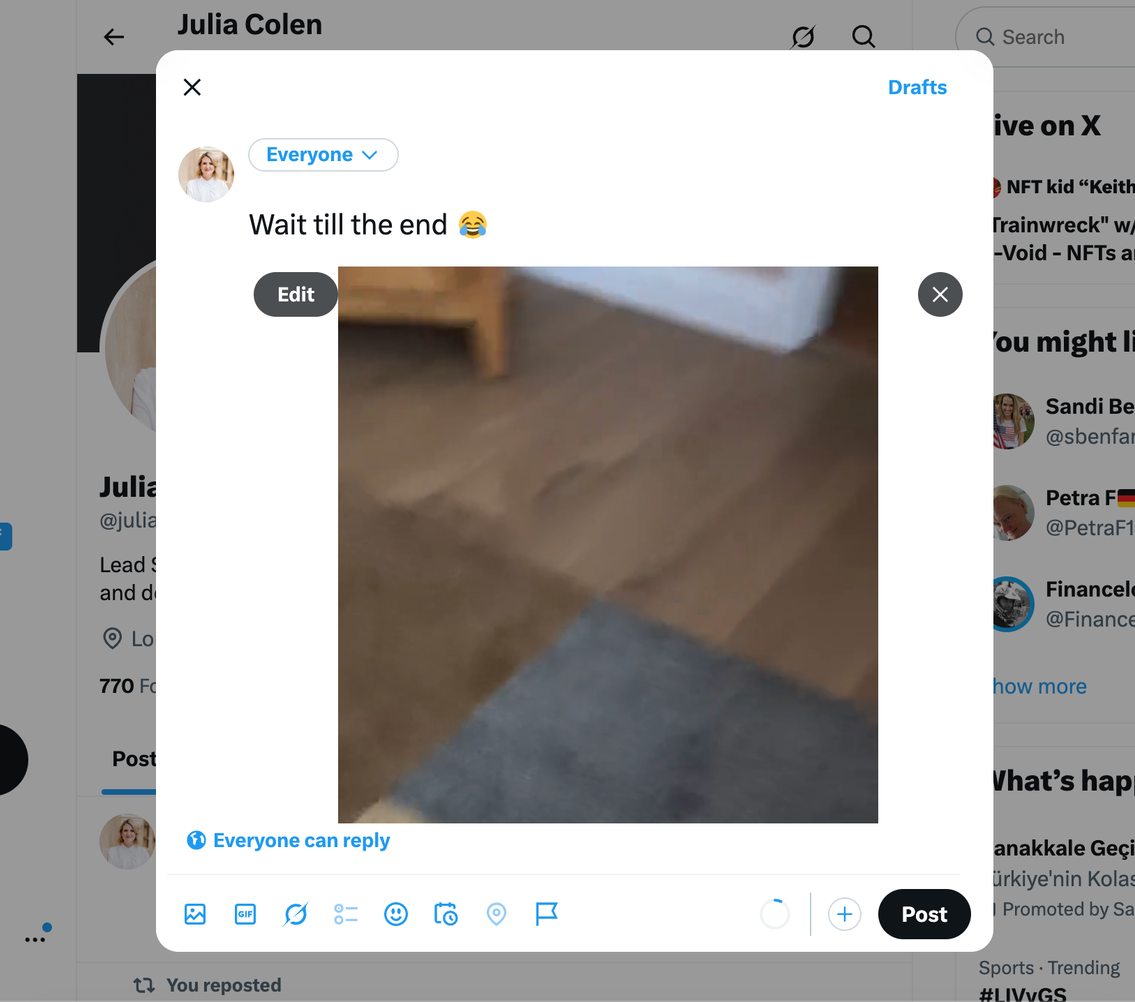
Step #3: Add your caption
Write a short text to support your video.
Step #4: Click Post
Once everything looks good, click Post.
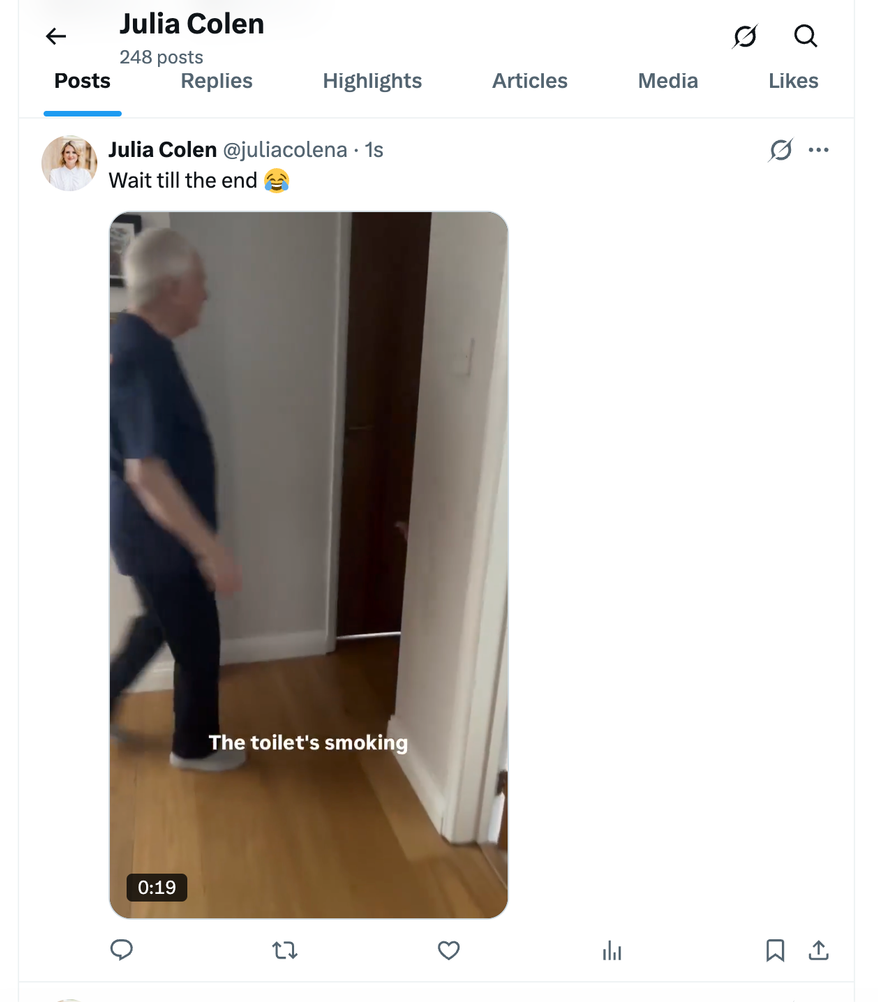
Your video is now live.
But here’s the problem:
This is only the easy part.
Why Posting Videos Manually Is Not Enough
Most videos fail for one simple reason:
Timing.
On X, content moves extremely fast. If your followers are not online when you post:
🔴 Your video gets low early engagement
🔴 The algorithm stops pushing it
🔴 Your reach drops instantly
Even a high-quality video can disappear in minutes.
That’s why randomly posting videos is not enough anymore.
Why I Schedule My X Videos Instead of Posting Randomly
Instead of guessing when to post, I plan everything in advance.
This is where I use Circleboom Twitter.

It is an official X Enterprise Developer, and it completely changes how video content performs.
Instead of posting randomly, it lets you:
So your content doesn’t just get posted—it gets seen.
How to Schedule Videos on X with Circleboom Twitter
Here’s exactly how it works.
Step 1: Go to Circleboom Twitter’s X Post Planner
Open Circleboom Twitter and click X Post Planner + AI Writer.
Then select Write & Plan Your Post to start creating your tweet.

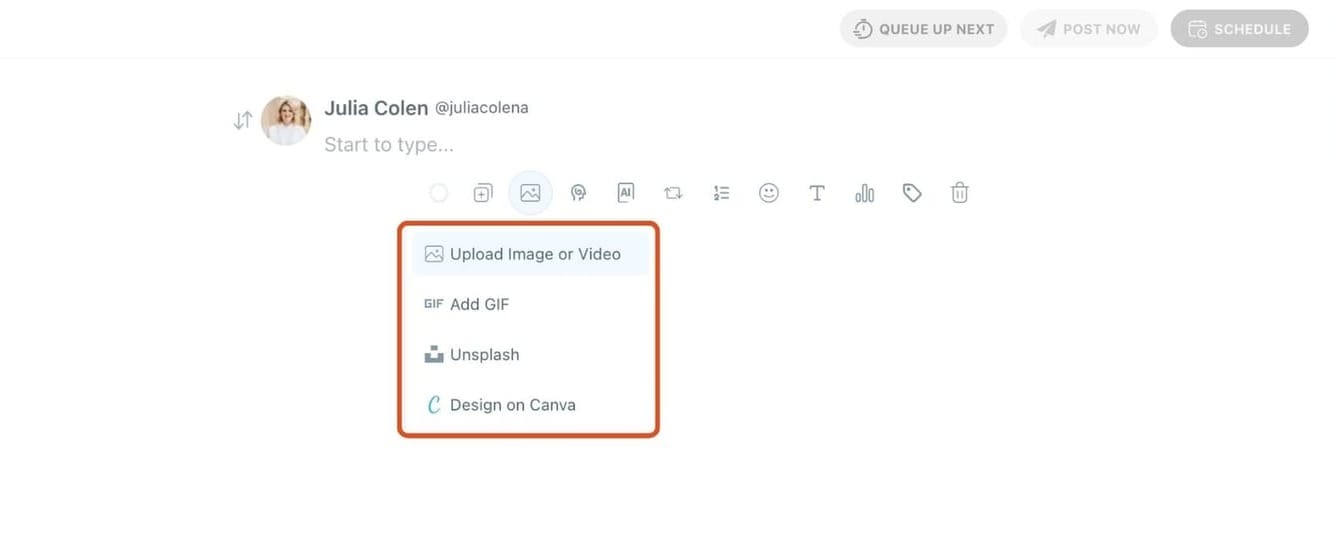
Step 2: Upload your video
First, add your video to the post.
You can upload it directly from your device.
Your video will be attached and ready while you prepare the rest of your tweet.
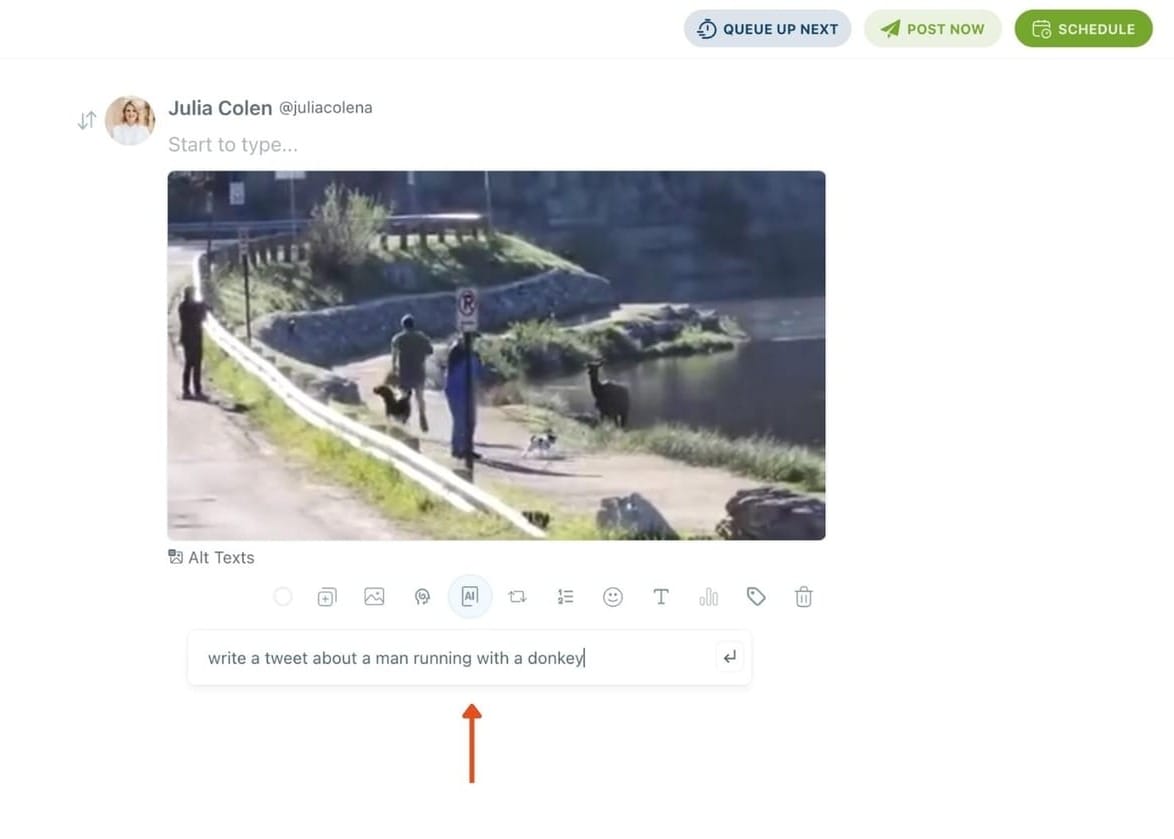
Step 3: Write your tweet (or generate one with AI)
After uploading your video, write your tweet in the editor.
If you want to move faster, use the AI Tweet Generator to create a caption based on your topic.
It helps you generate engaging and natural tweets in seconds.
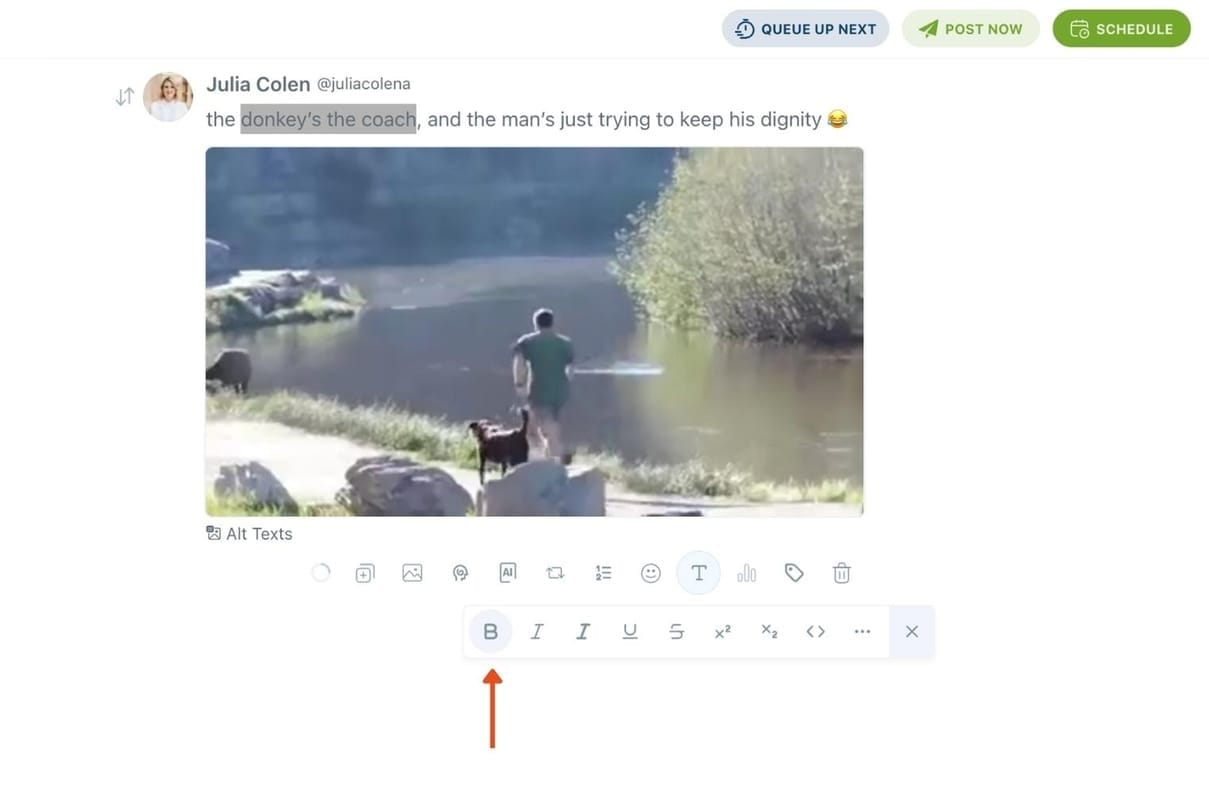
Step 4: Style your tweet using Circleboom’s Font Generator
Select the part of your text you want to change, then open the Font Generator toolbar and apply styles like:
- Bold / Italic / Underline
- Different font variations
- Extra formatting options for a more “designed” look
This is perfect when you want key parts of your tweet to grab attention immediately.
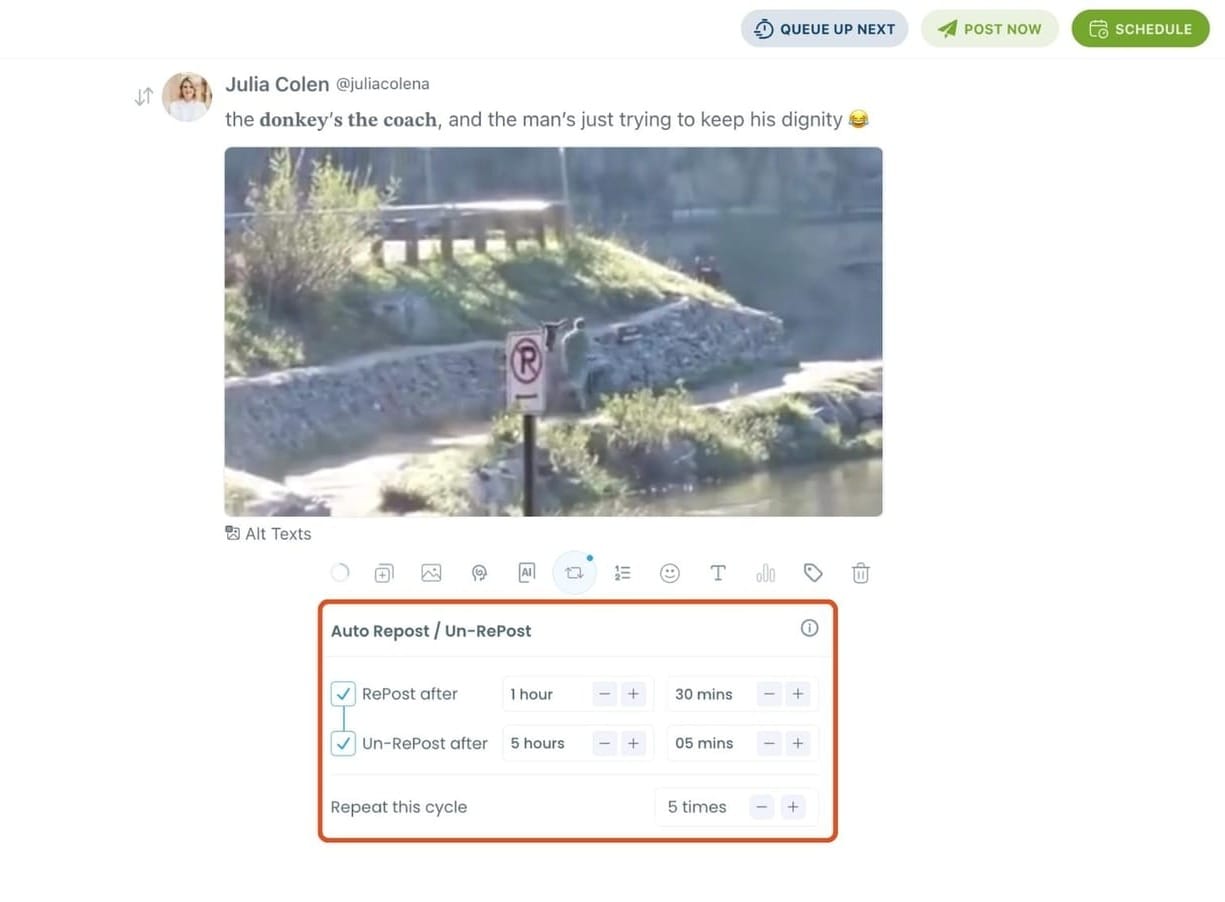
Step 5: Set Auto Retweets to boost visibility
After styling your post, you can increase reach by enabling Auto Repost / Un-RePost settings.
This lets you automatically:
- Repost your tweet after a selected time
- Remove the repost later
- Repeat the cycle if you want more than one repost
It’s a smart way to bring your tweet back into the feed without manually reposting it.
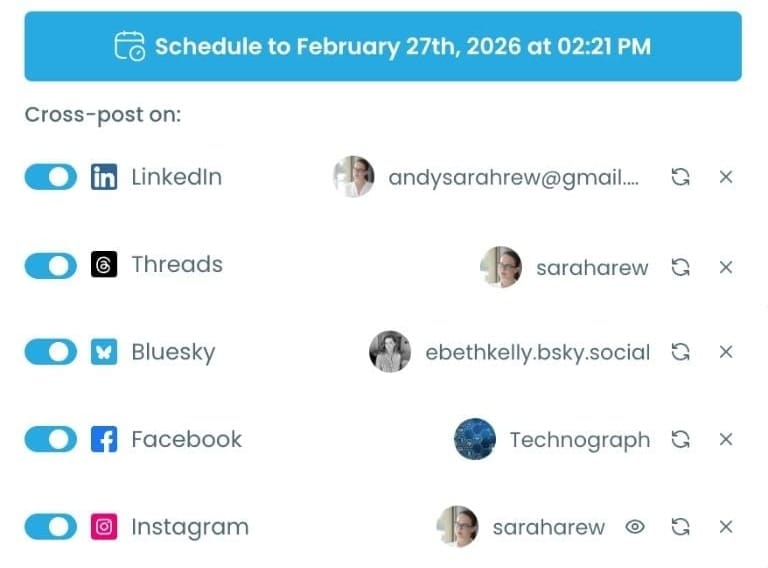
Bonus Tip: Cross-post your tweet to other platforms automatically
Before you publish, you can also enable Cross-Post to share the same tweet across multiple platforms in one go.
Circleboom lets you post your content to Instagram, Facebook, LinkedIn, Bluesky, and Threads automatically, so you don’t have to rewrite, re-upload, or repeat the same work on each platform.
You can share your X videos on Instagram Reels.
Step 6: Schedule it for the best time to post
Finally, click Schedule and set your date and time.
You can also click Find your best posting time to see Circleboom’s suggested time slots based on follower activity.
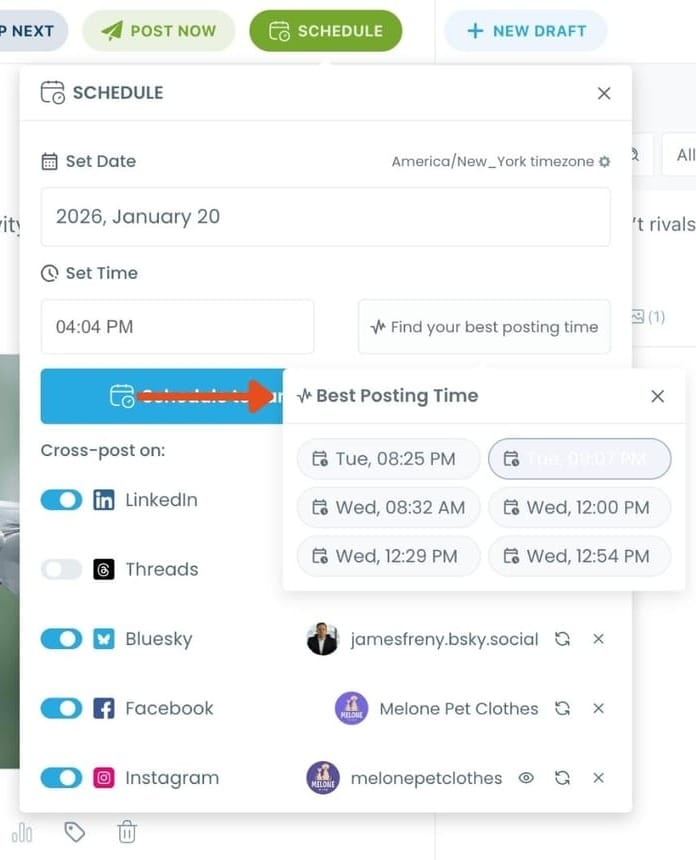
Once you pick the best option, smart-schedule it, and you’re done. Your tweet will go out at the time it has the highest chance to perform well.
Why Auto Reposting Increases Video Engagement
A single post is not enough anymore.
People log in at different times. That means:
- Some followers miss your post
- Others see it later
Reposting solves this.
Instead of creating new content:
- You reuse the same video
- Reach new people each time
- Increase total impressions
This is one of the simplest ways to grow on X without extra work.
Who Should Use This Strategy
This approach is useful for:
- Content creators
- Small businesses
- Agencies
- Personal brands
- Marketers
Anyone who wants more reach from their videos on X.
Conclusion
Posting a video on X is easy.
But getting results requires more than just clicking “Post.”
The real strategy is:
- Posting at the right time
- Planning content in advance
- Reusing content with repost cycles
That’s why using a tool like Circleboom Twitter makes a difference.
Instead of hoping your video performs well, you build a system that gives it multiple chances to succeed.
)
