

The mechanical part of quoting a tweet on X takes about two taps: hit the repost icon, choose Quote, and a blank text box opens above the original post. That part isn't the hard part. The hard part is what goes in the blank box, and that's exactly where most quote tweets stall out, get abandoned, or get published empty and forgettable.
Circleboom handles both halves of this at once. Inspiration surfaces tweets posted by other accounts, filtered to the specific content topics you've chosen, so you're picking from a feed of relevant, currently-engaging posts rather than searching for something to quote manually. Once you've selected one, AI Quote generates the commentary text for you, turning quoting from a half-finished action into a complete one.
Where the tweet you're about to quote comes from
Every tweet available to quote inside Circleboom comes from the Inspiration feed, and nothing in that feed is your own content. Inspiration filters tweets posted by other accounts down to the specific topics you set in AI Preferences, Politics, Social Media, Tech Analysts, or whatever subject areas you actually cover, so the feed shows posts relevant to what you write about, not a generic trending list.
Each tweet card also shows real engagement numbers, views, replies, retweets, likes, bookmarks, which means you're choosing from posts that are already proving they resonate with an audience, not guessing whether something is worth reacting to. You browse this filtered feed and pick the specific tweet you want to quote; nothing gets selected automatically on your behalf.
That selection step is yours entirely. AI Quote only generates a commentary draft once you've chosen which tweet, from which other account, in your topic area, you actually want to react to.
What quoting actually means, mechanically
Quoting sits between two other actions on X, and confusing it with either one changes what actually gets published.
- Quote versus Repost. A plain repost shares the original tweet exactly as it is, with no commentary attached and no new post created in your own words. A quote tweet wraps the original with your own commentary, published as a new post that's distinctly yours.
- Quote versus Reply. A reply attaches your response inside the original tweet's thread, visible mainly to people already reading that conversation. A quote tweet is a standalone post on your own profile and timeline, with the original embedded below your commentary.
- Quote versus quoting inside a reply. It's also possible to embed a quoted tweet within a reply rather than as a standalone quote tweet, a related but distinct mechanism worth knowing about if a reply specifically is what you're after.
Knowing which of these three you actually want before you start typing saves the awkward moment of publishing a repost when you meant to add commentary, or a reply when you meant a standalone post.
How to quote a tweet with AI Quote
Because Circleboom is an official X Enterprise Developer, publishing the finished quote tweet runs through sanctioned API access directly from the same screen.

1. Set your topics so Inspiration shows the right tweets: Confirm your content interest topics in AI Preferences. This determines which other accounts' tweets actually appear in your Inspiration feed.
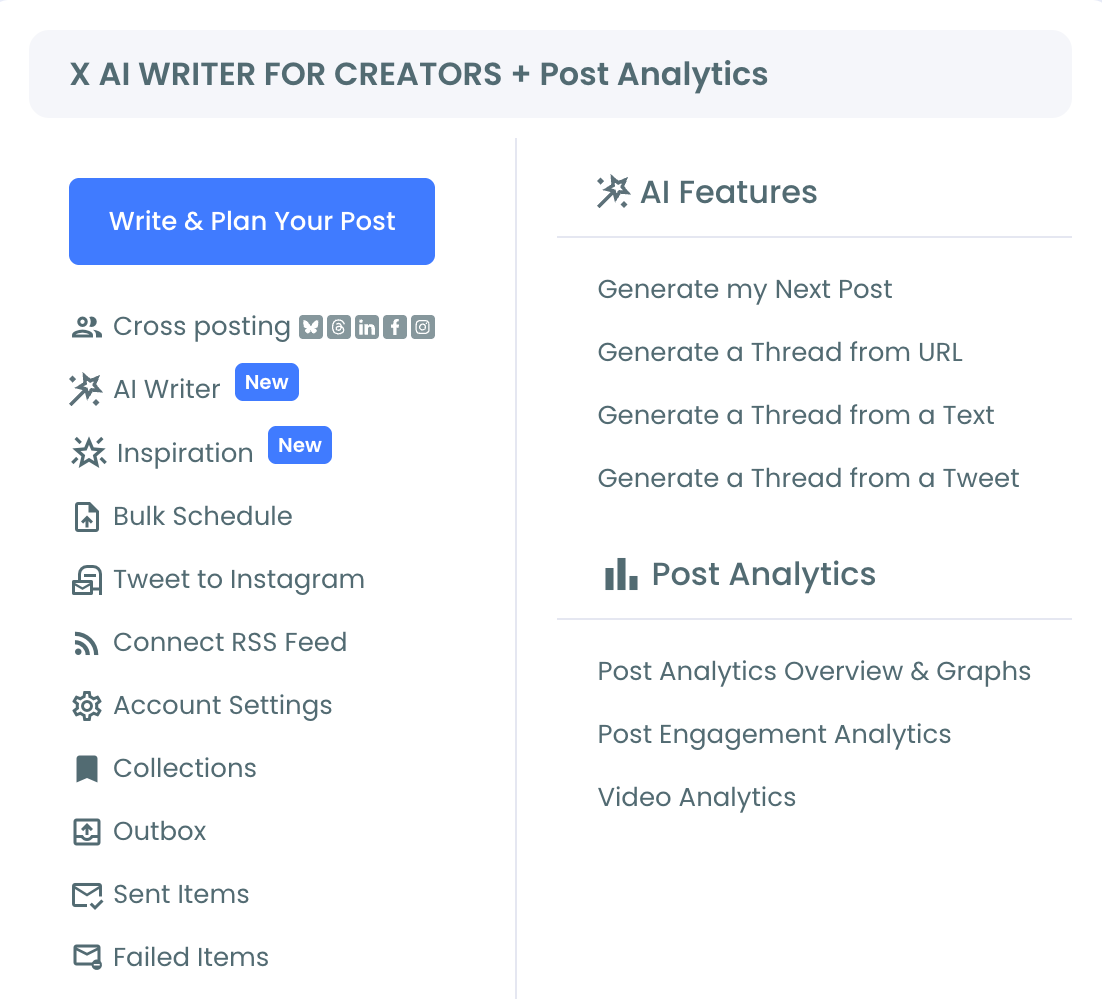
2. Browse the feed and select the tweet to quote: Look through the topic-filtered cards for a tweet, posted by another account, with engagement numbers and a topic that gives you something real to react to.
3. Click AI Quote to generate the commentary: The AI drafts a quote tweet around the selected post, shown in a modal with the original embedded below the generated commentary so you can compare the two directly.
4. Refine and publish: Adjust the tone with the "Describe and improve tweet" field or switch styles if the first draft doesn't land, then use Queue Up Next, Post Now, or Schedule once it reads as something genuinely yours.
That sequence answers both halves of the original problem: where the tweet comes from, and what to actually say about it, without leaving the page between finding it and publishing your reaction.
What this actually solves
The blank text box is the part that stalls quote tweets out before they're published at all. Most people who open the native Quote composer either abandon it or type something generic just to get past the empty field. Starting from a generated draft removes that specific friction, the box is never blank when you start.
It also closes the timing gap. Quote tweets can generate real visibility when published while the original is still actively gaining engagement, and a faster path from finding the tweet to publishing the reaction means more quotes actually go out while that window is open, instead of being drafted later once the moment has passed.
A quote tweet is one complete thought, not two halves
A finished quote tweet needs both pieces: the original idea, and your reaction to it. Publishing the original with no real reaction wastes the commentary slot. Having a strong reaction but never finding a tweet worth attaching it to wastes the idea. Either half missing means the post isn't actually finished, even if something got published.
Inspiration solves the first half by surfacing tweets worth reacting to. AI Quote solves the second half by drafting the reaction itself. Put together, the two halves that usually stall a quote tweet out separately both get handled before you ever open the composer.
The mistake to avoid
The most common mistake is publishing a quote tweet with a generic reaction just to get past the blank box, "this" or a single emoji stacked on the original. A quote tweet is a standalone post that shows up on your own profile independent of the source; a commentary that adds nothing wastes that visibility instead of using it.
The second mistake is confusing Quote with Repost when selecting the action. A repost shares the tweet with no new words attached; a quote tweet always needs commentary of your own. If the goal is purely to amplify something without adding a take, Repost is the right action, not an empty Quote.
Common questions
What's the actual difference between quoting and retweeting?
Retweeting (reposting) shares the original tweet exactly as it appears, with no added text. Quoting wraps the original tweet with your own written commentary, published as a new standalone post that's distinctly yours rather than a plain reshare.
Where do the tweets available to quote in Circleboom come from?
They come from Inspiration, which surfaces tweets posted by other accounts, filtered to the content interest topics you've set. Nothing in that feed is your own past content; every option is a post from someone else that matches what you've told Circleboom you cover.
Does the original author get notified when I quote their tweet?
Quoting surfaces the activity in the original author's notifications in the same way any quote tweet would on X, regardless of whether the commentary was AI-assisted or typed manually.
Can I quote a tweet from Circleboom on mobile the same way?
Yes. The Inspiration feed, AI Quote generation, and publishing options work the same way across devices wherever Circleboom is accessible, with no separate mobile-specific workflow.
Your next move
Somewhere in your topic-filtered Inspiration feed is a tweet from another account worth a real reaction, not just a tap past an empty box. Pick it, let AI Quote draft the commentary, sharpen it until it actually says something, and publish. Pick it, say something, publish it.

