

Recently, I started paying much closer attention to who was following me on X.
With the latest updates around X’s payout and monetization criteria, one thing has become very clear: having verified followers matters more than ever.
When your follower list includes a strong number of verified users, your chances of meeting payout requirements and earning consistently are much higher.
At the same time, I noticed another pattern.
Most genuinely active users on X now have a blue checkmark. They post regularly, engage, and actually contribute to conversations.
On the other hand, a large portion of unverified accounts looked inactive, spammy, or simply empty.
That’s when I decided to clean things up and remove non-verified followers.
 Arif Akdogan
Why Non-Verified Followers Can Hurt Your Account
At first, having more followers feels like a good thing. But numbers alone don’t help if those followers don’t engage or aren’t real users.
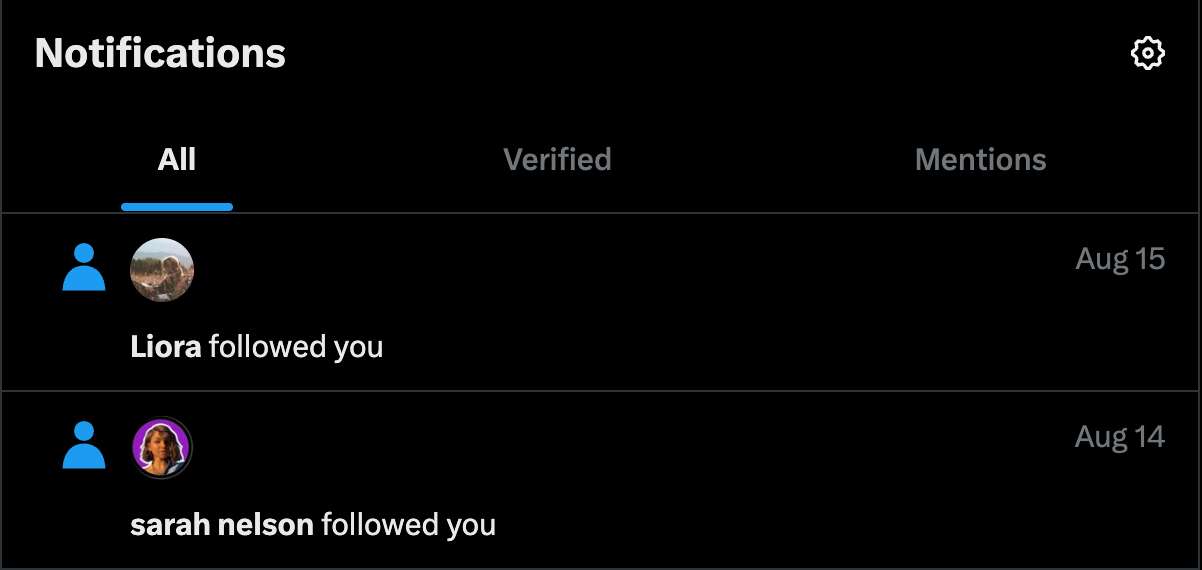
Unverified followers are not always bad, but in practice:
❌ Many spam and bot accounts are unverified
❌ Inactive users rarely upgrade or engage
❌ These accounts do not like, reply, or repost
❌ They lower engagement rates and early interaction
When your follower list is filled with low-quality or inactive accounts, your content struggles to perform, even if it’s good. For monetization and visibility, that’s a serious disadvantage.
Can You Remove Non-Verified Followers on X?
Yes, you can remove followers on X. But there’s a problem.
Twitter allows removing followers one by one, and that’s it.
There is no built-in way to:
 Arif Akdogan
- Identify bots or inactive accounts easily
- Remove followers in bulk
If you have more than a handful of followers, doing this manually is simply not realistic.
Why Manual Removal Doesn’t Scale
When I tried to approach this manually, I quickly realized how inefficient it was.
You have to:
- Open each profile individually
- Check if the account is verified
- Decide whether it looks real or spammy
- Remove the follower
- Repeat this process hundreds or thousands of times
It’s slow, exhausting, and easy to make mistakes. That’s when I stopped trying to do it inside X itself.
The Tool I Use: Circleboom Twitter
To handle this properly, I use Circleboom Twitter.

Circleboom Twitter is an official X Enterprise Developer and one of the most powerful tools for analyzing and managing followers and followings on Twitter.
Instead of guessing, it displays all your followers in a structured list, along with details that X does not clearly show in one place.
For each follower, you can see:
- Verification status
- Tweet count
- Follower and following numbers
- Follower to following ratio
- Account join date
- Activity status
- Clear indicators for bot, fake, spam, or inactive accounts
On top of analysis, Circleboom allows you to take action directly from the same screen:
This turns follower management into a controlled process instead of a guessing game.
How I Removed All Non-Verified Followers With Circleboom Twitter
Once everything is visible, the process becomes straightforward.
Step #1: Visit the Circleboom Twitter website and log in with your account.
If you don’t have an account yet, you can sign up in just a few seconds.

Step #2: Open your Followers list
From the left-side menu, click on Followers under Followers / Following Management & Analytics.
Then select All My Followers to display your full follower list.
This allows you to apply advanced filters—such as verification status—on your followers.
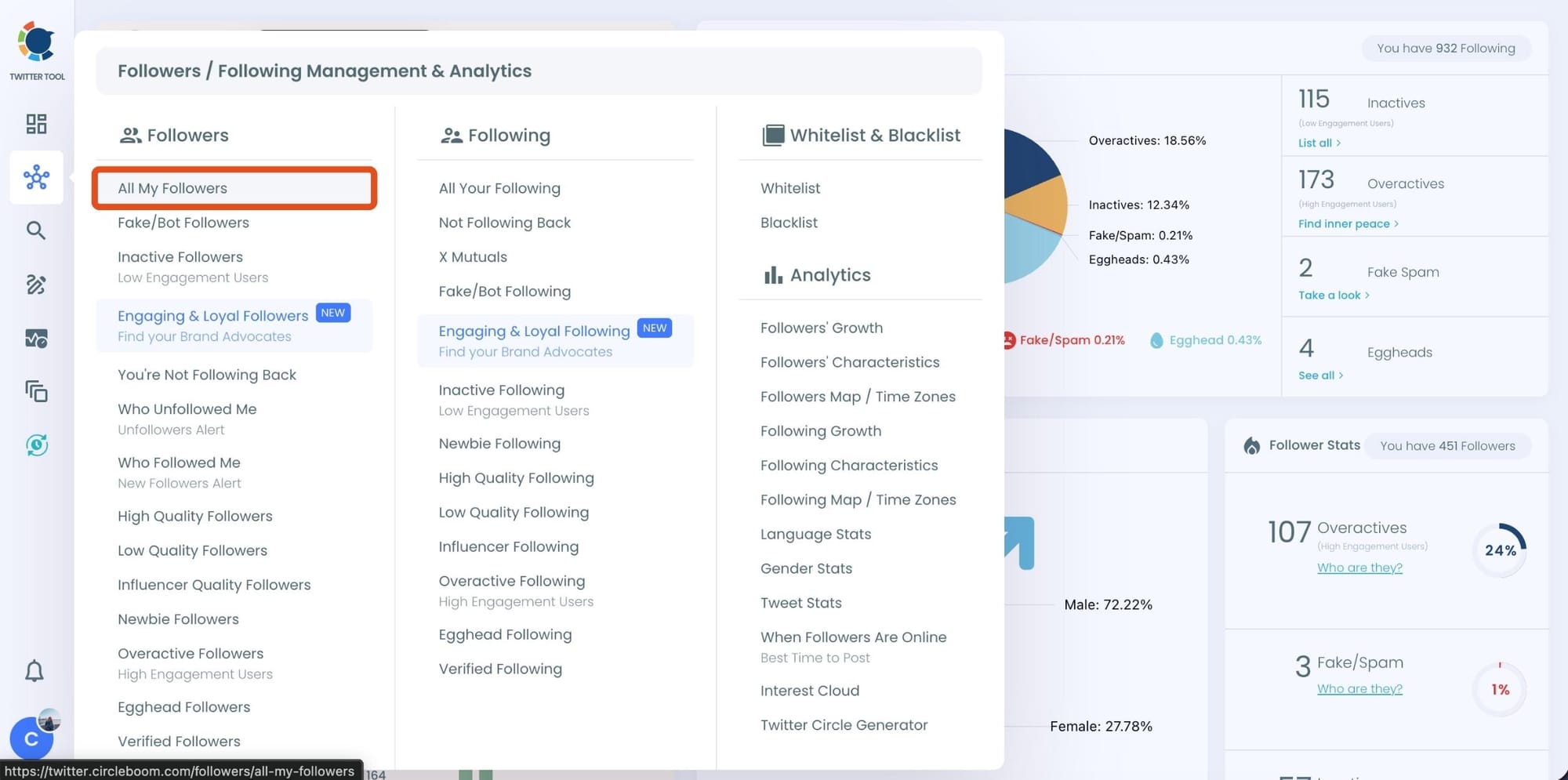
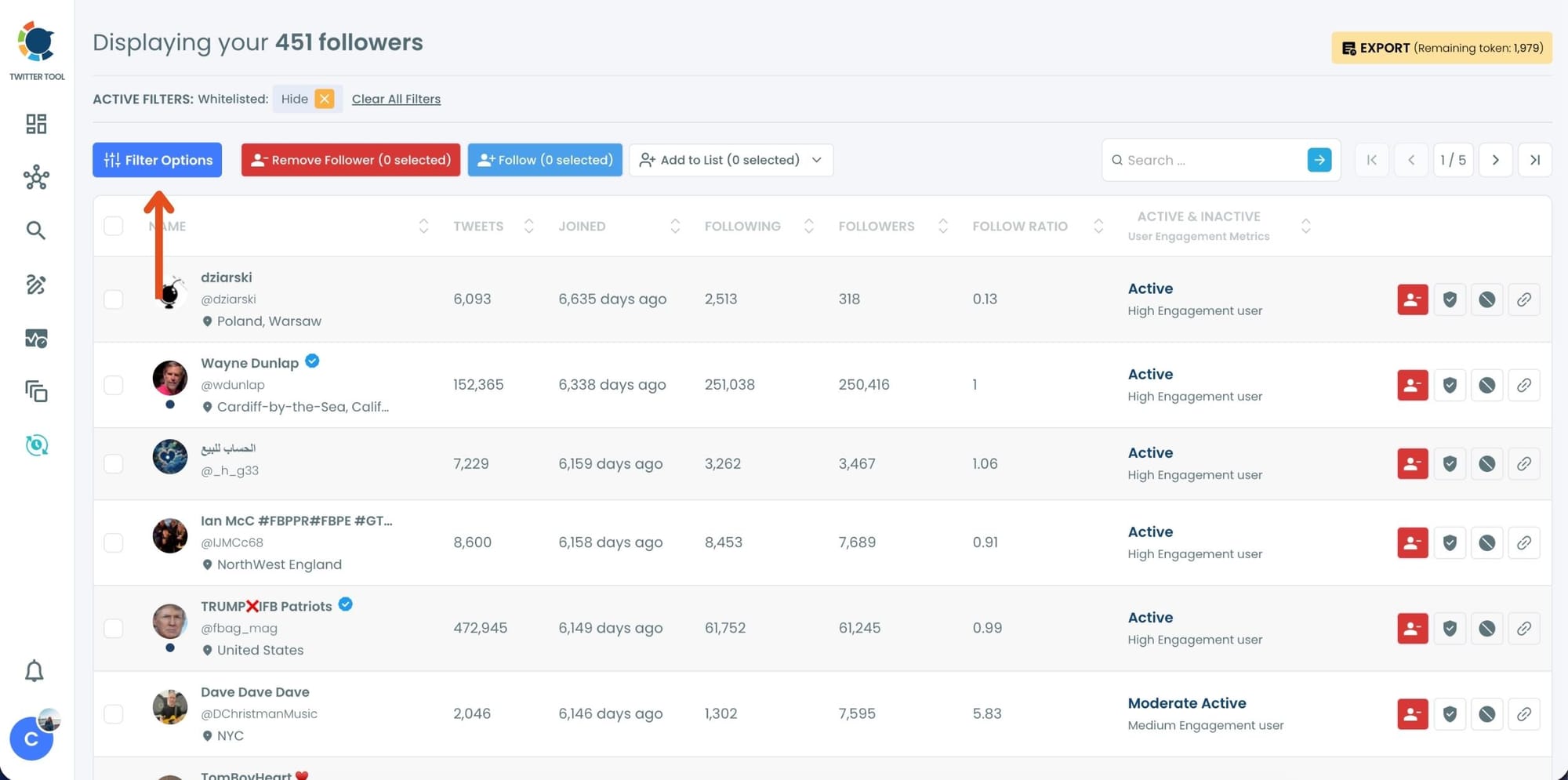
Step #3: Filter your followers by verification status
Click on Filter Options at the top of the followers list.
Under Verification Status, select Unverified Accounts.
(You can also filter by Blue, Gold, or Gray verified accounts if needed.)
After selecting Unverified Accounts, click Apply Filters.
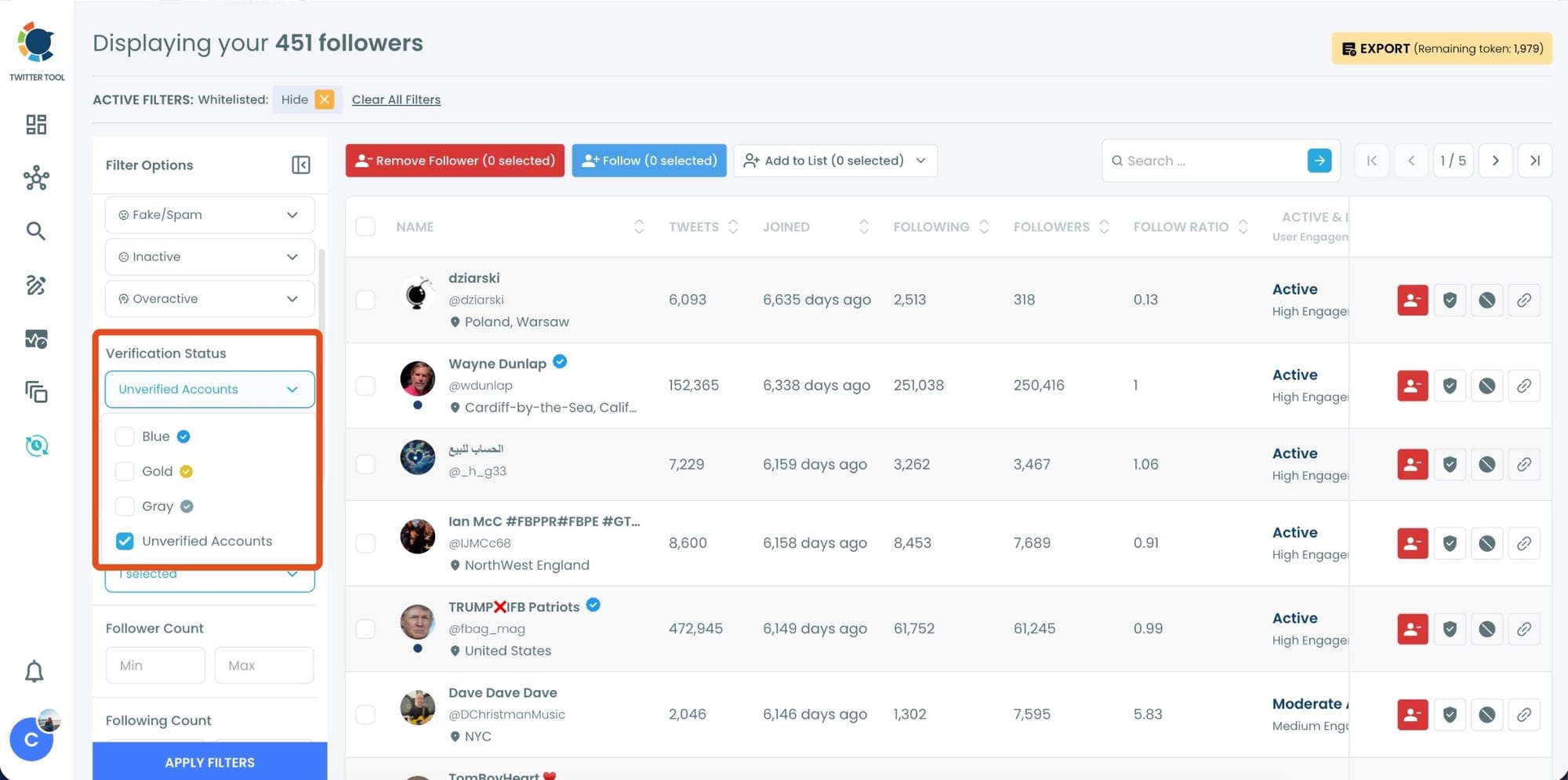
Circleboom will now display only your unverified followers.
Step #4: Select unverified followers to remove
Check the boxes next to the accounts you want to remove
Or select multiple users at once for bulk removal
Once selected, click the Remove Followers button at the top.
You can also remove followers one by one using the red remove icon next to each profile.
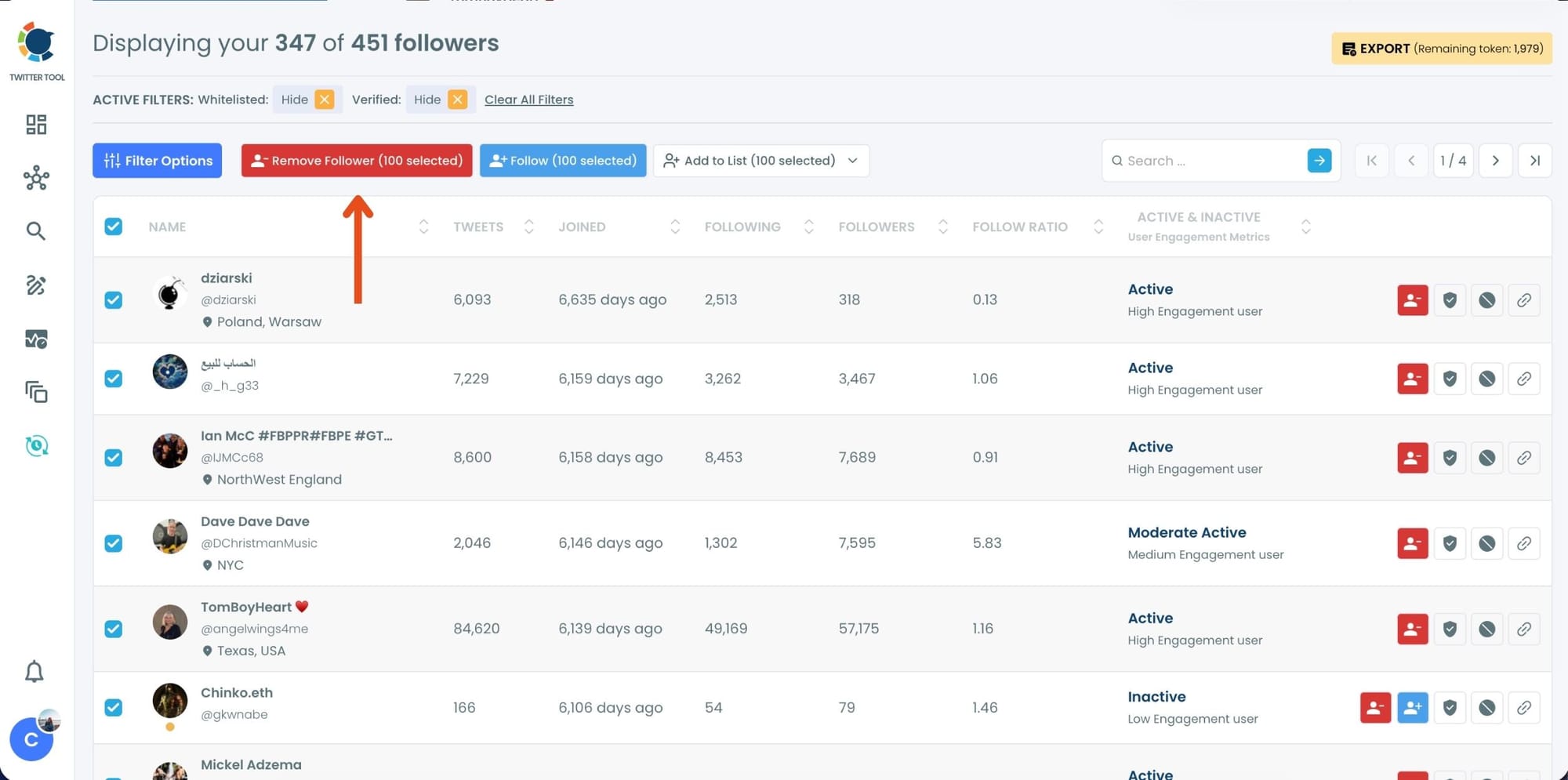
A confirmation pop-up will appear.
Click Remove Followers to continue.
Step #5: Since the removal action is processed via the Circleboom Remove Twitter/X Followers extension, you need to install it to complete the process.
Click on Download the Extension and install it from the Chrome Web Store.
Once installed, you can easily remove followers.

Step #6: After installing the extension, Circleboom will automatically add all your removal requests to the extension queue.
Click on the Start button to begin the removal process.
The extension will process your requests and remove the selected followers.
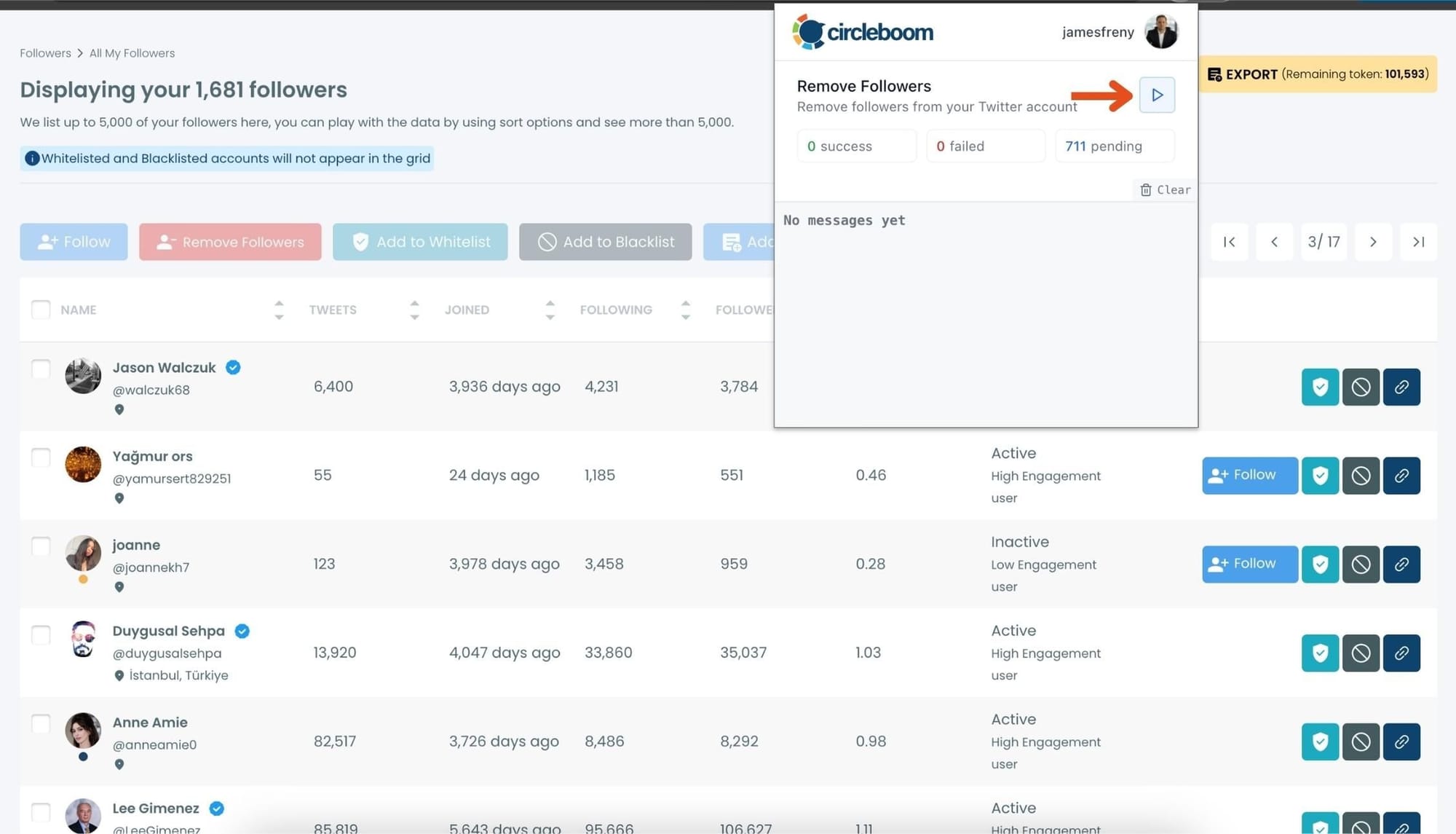
That's it! Your selected followers are now removed automatically.
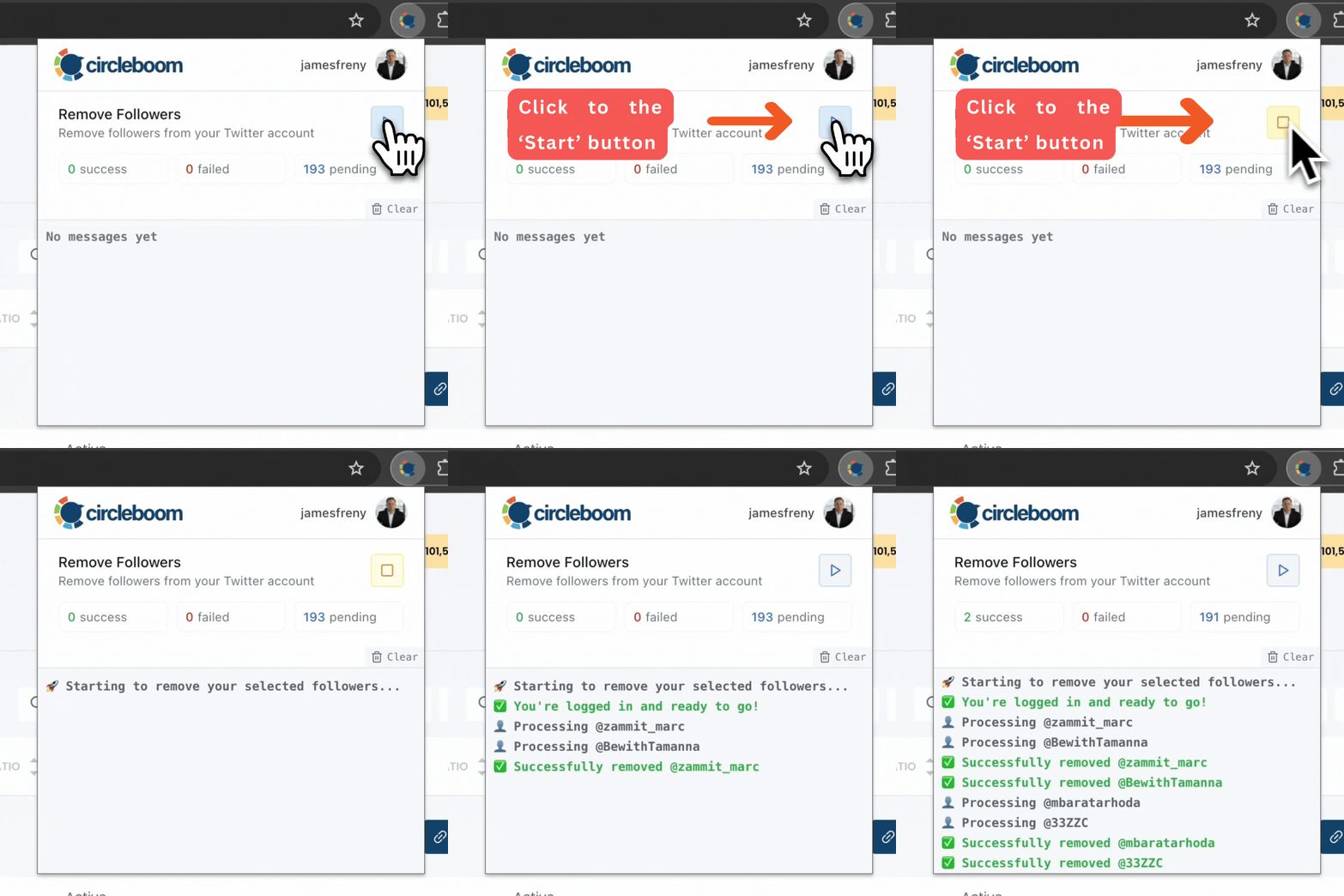
⚠️ Important Warning: Once the removal process begins, do not close your Chrome browser or the Circleboom tab. The tool will automatically remove followers in the background, but if you close the tab or exit Chrome, the process will stop.
What Changed After Removing Non-Verified Followers
The first thing I noticed was that my follower count dropped. But something more important happened.
Engagement became more consistent. Likes and replies started coming from real users. The account felt more active, not quieter.
More importantly, my follower list now reflects the kind of audience X’s monetization system values. Instead of inflated numbers, I have a cleaner, more credible profile.
A Small but Important Tip
Do not remove followers blindly just because they are unverified.
The best results come from combining:
➡️ Verification status
➡️ Bot or spam indicators
➡️ Activity level
This keeps genuine users while removing accounts that actively hurt performance.
Final Thoughts
With X placing more emphasis on verified engagement and payouts, follower quality matters more than follower count.
Removing non-verified followers manually is nearly impossible at scale. But with the right tools, it becomes a manageable and even routine task.
For me, using Circleboom Twitter turned follower cleanup from a frustrating chore into a simple part of maintaining a healthy, monetization-ready account.
)
