Finding Twitter accounts in a specific location is more useful than most people realize. Local customers, regional influencers, journalists based in a city, event attendees in an area, competitors active in a specific market. The use cases are broad and the need is real.
The good news is that there are two ways to do it. Twitter has a native approach that works to a point. Circleboom Twitter has a search tool with a dedicated location filter that goes considerably further and actually lets you do something with the results.
This article covers both.
Can you search Twitter accounts by location?
Yes. Twitter offers limited native location search through profile filters and search operators. F
or more precise and actionable results, Circleboom Twitter's Advanced X Search includes a geographic location filter that works on top of keyword and bio search, letting you find accounts in any city, country, or region and act on them directly from the results.
 infocircleboom.com
What Is Circleboom Twitter?
Circleboom is an Official X Enterprise Developer, which means it works directly with X's official APIs.
All account data retrieved is publicly available. No scraping, no credential sharing, fully compliant with platform rules.

Here's what Circleboom Twitter gives you for location-based account search:
- Search any keyword across public bios and profiles and filter results by location
- Narrow results to a specific city, country, or region alongside other quality filters
- Choose between Live Search for active accounts and Deep Search for broader coverage
- Take direct actions on results including follow, export, add to lists, and mass block
- Export location-filtered results as a CSV for outreach, research, or reporting
If you need to find Twitter accounts in a specific location with results you can actually use, Circleboom Twitter makes that possible.
How to Search Twitter Accounts by Location with Circleboom Twitter
Let's say you wanted to find accounts based in London on Twitter:
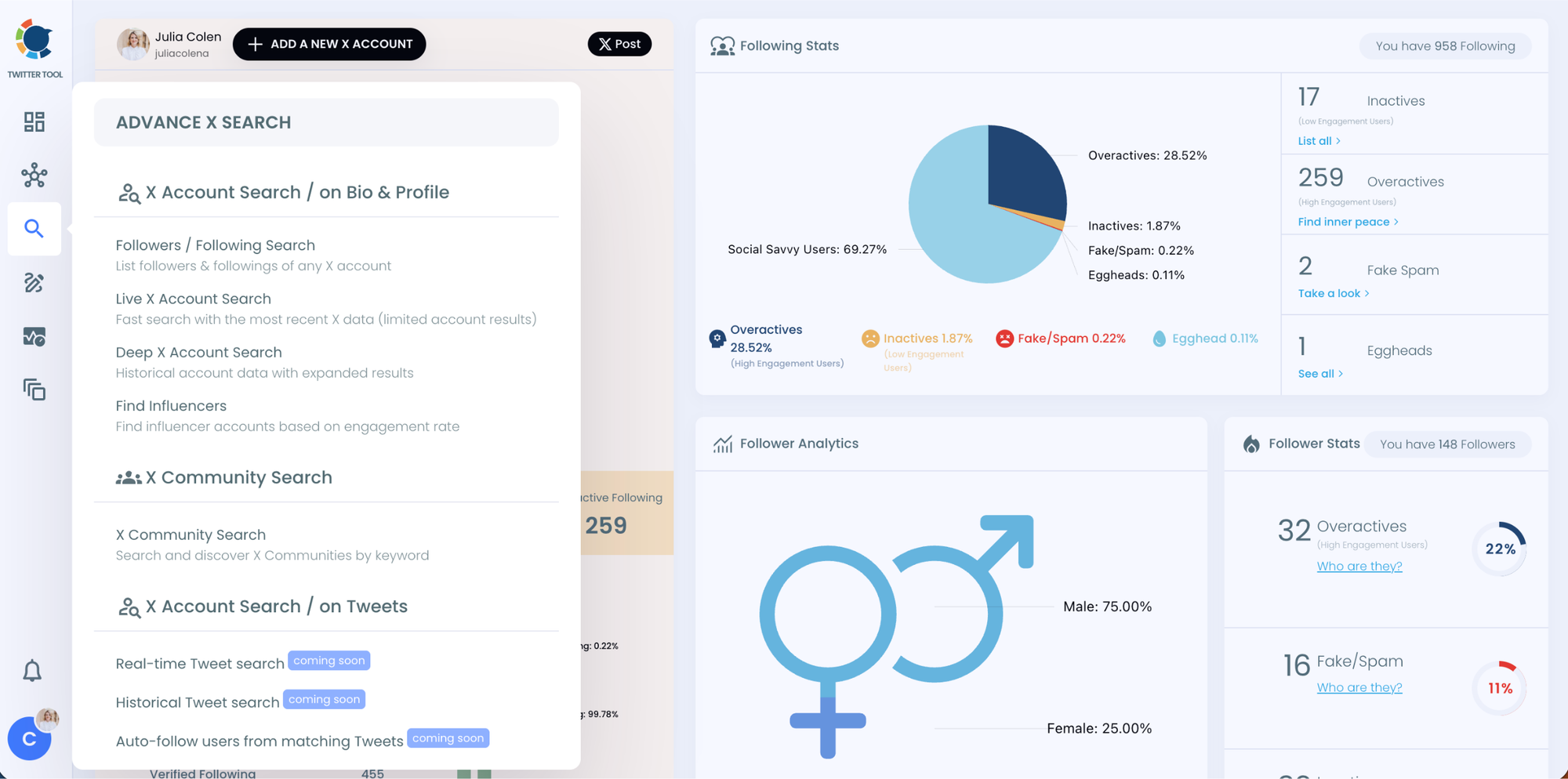
Step #1: Go to the left-hand menu, open the Advanced X Search tab, and click “Live X Account Search”
You’ll land on the updated Live Search page.
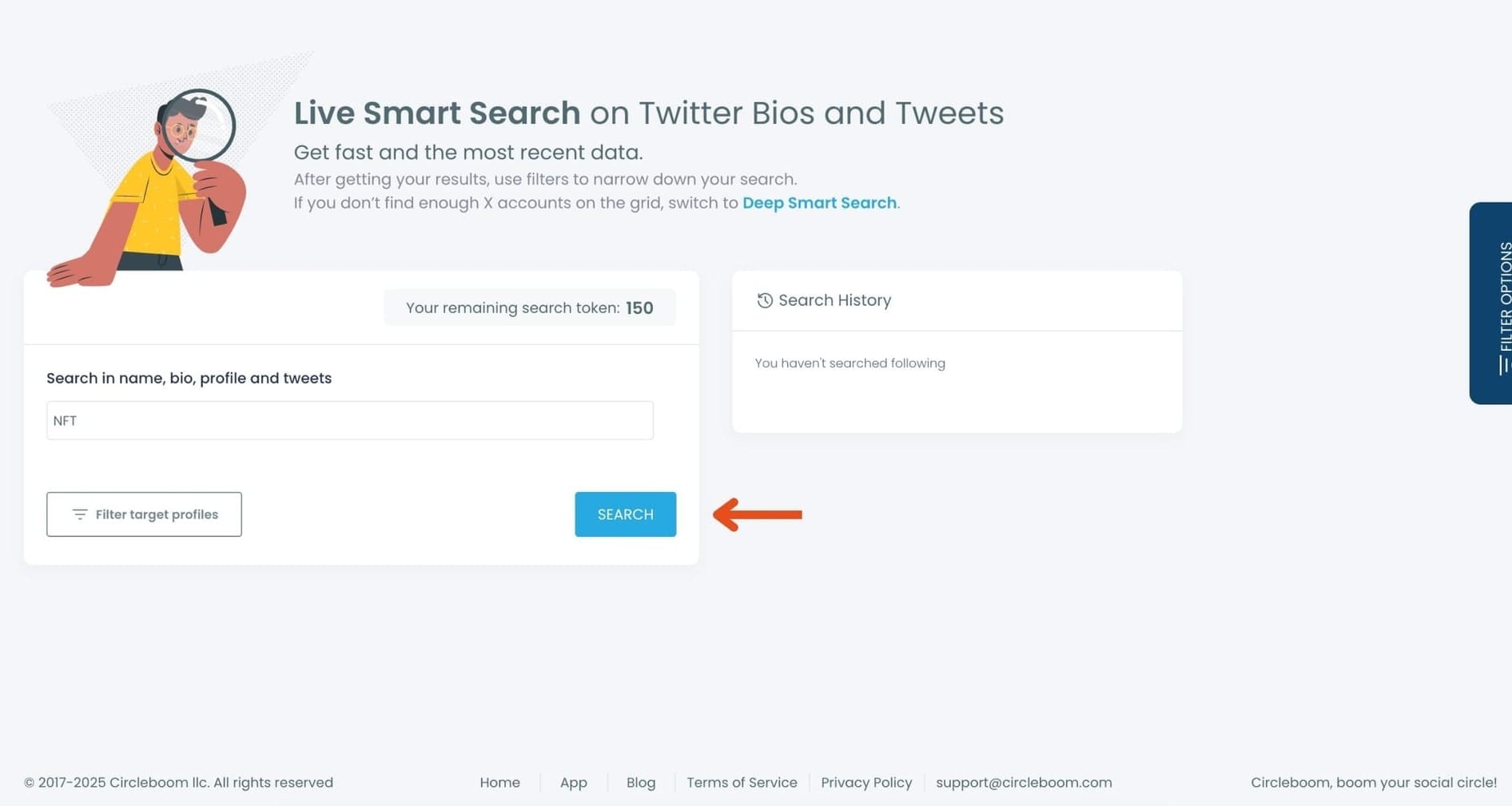
Step #2: Enter your keyword in the search bar.
Circleboom scans names, bios, profiles, and tweets in real time. Type your keyword and hit "Search."
Step #3: Use the Filters; Especially the Location Filter
Your results will appear instantly.
Here you can filter users by:
- Activity level
- Verification
- Follower / following range
- Join date
- Location
- Tweet count
To focus on location, scroll to the Location filter and enter your target area:
- A specific city (e.g. London, Istanbul, New York)
- A country (e.g. Germany, Brazil)
- Or a broader region
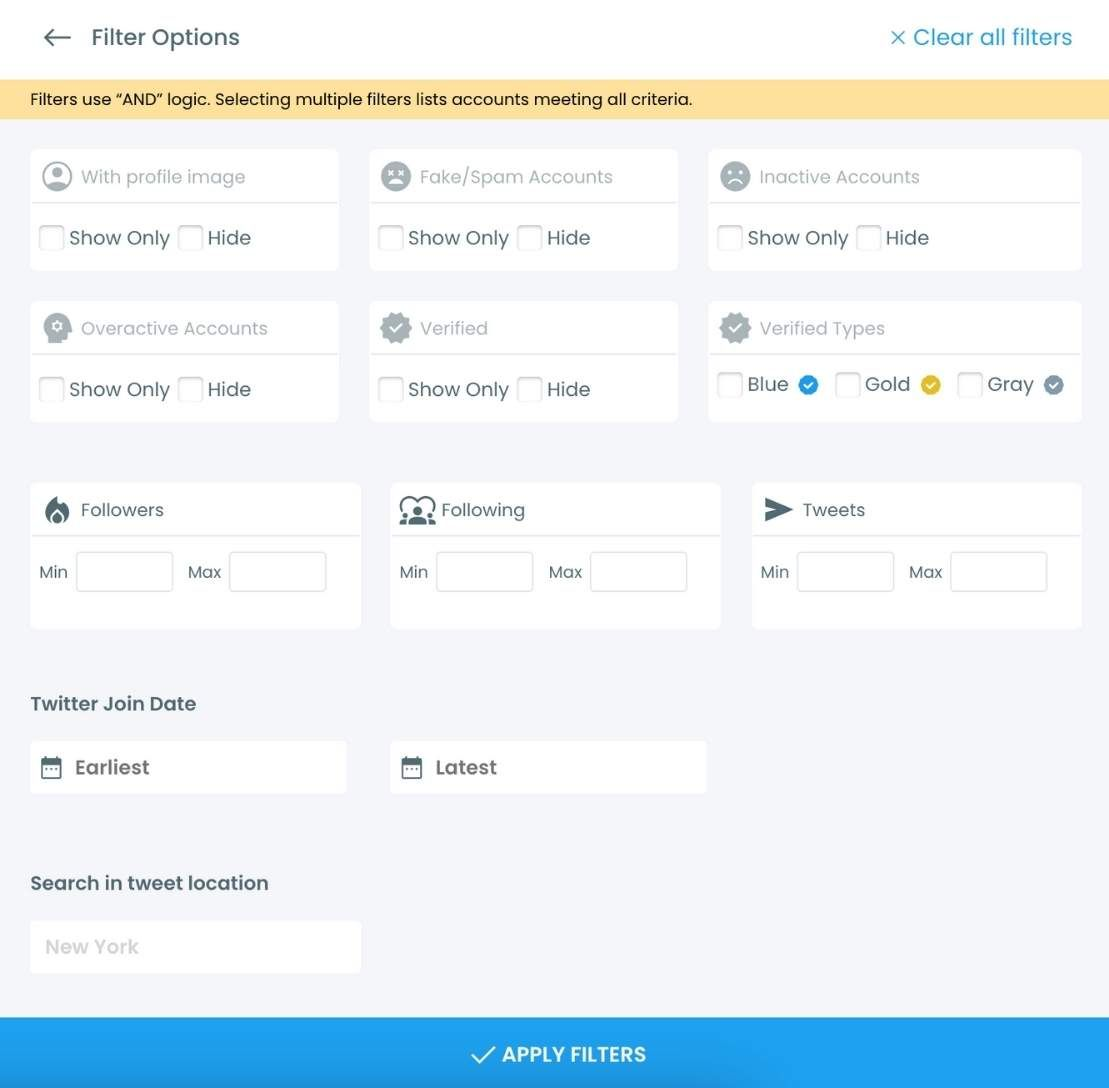
This is where you find accounts that are not just relevant to your topic but actually based where you need them to be.
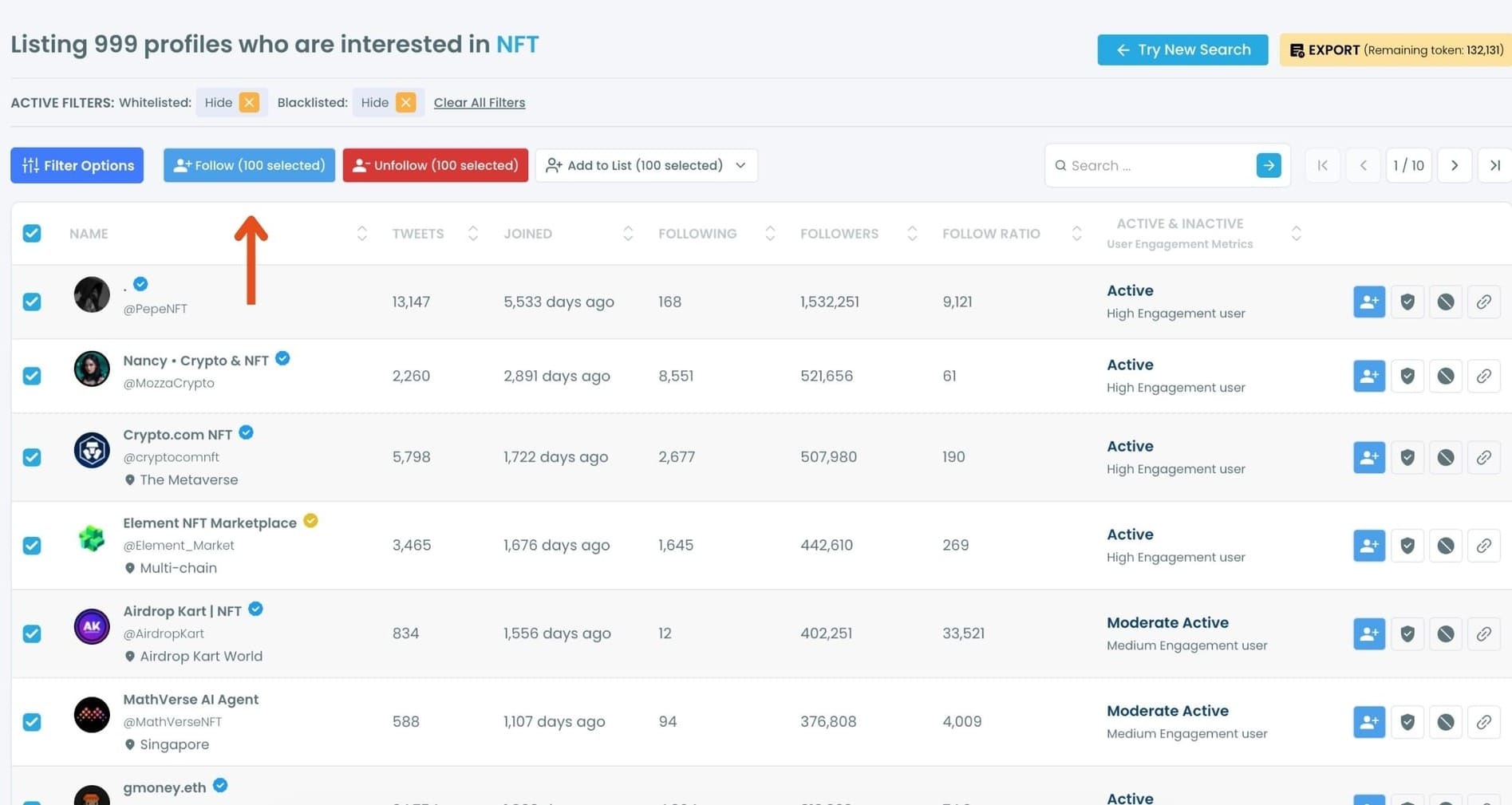
Step #4: Select the accounts you want to follow in bulk.
You can tick them one by one or use the selection tools at the top. Once selected, click the "Follow" button.
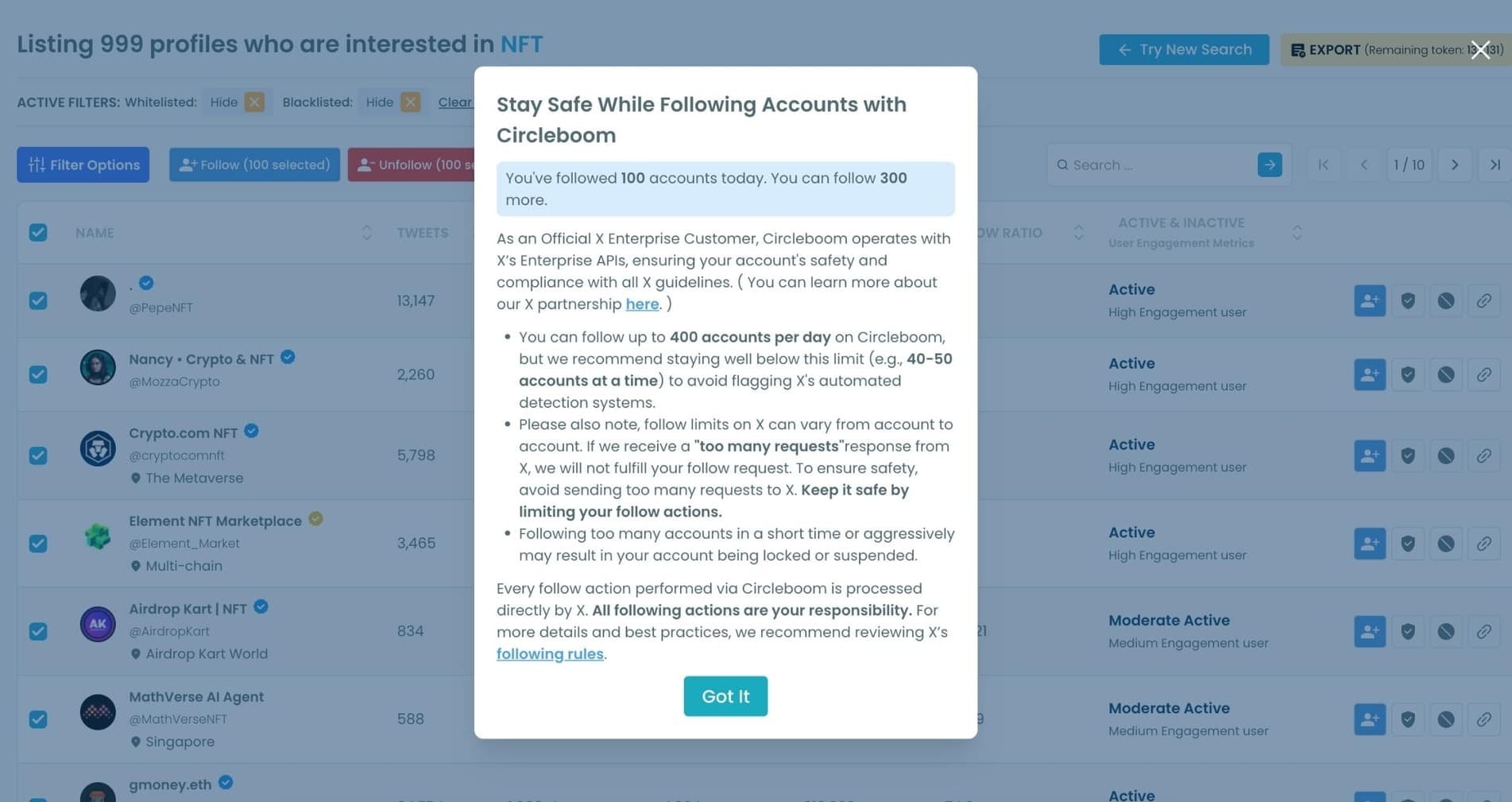
Step #5: A safety pop-up will appear. Circleboom reminds you of X's follow limits and keeps your account safe by preventing aggressive or risky actions. Read the message and click "Got It" to continue.
Your follow requests will begin processing automatically.
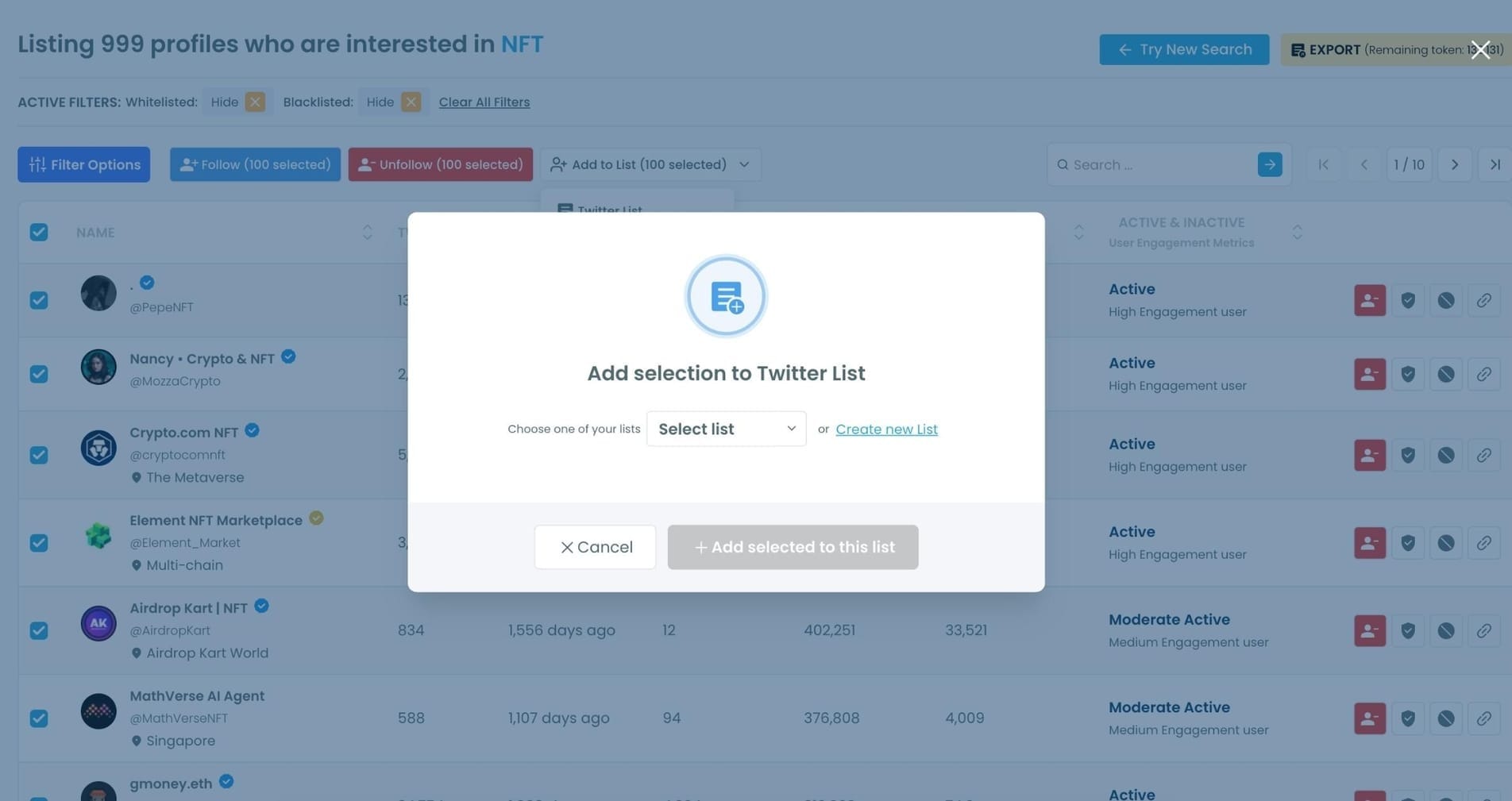
Step #6 (Optional): You can also:
- Add the selected users to a Twitter List
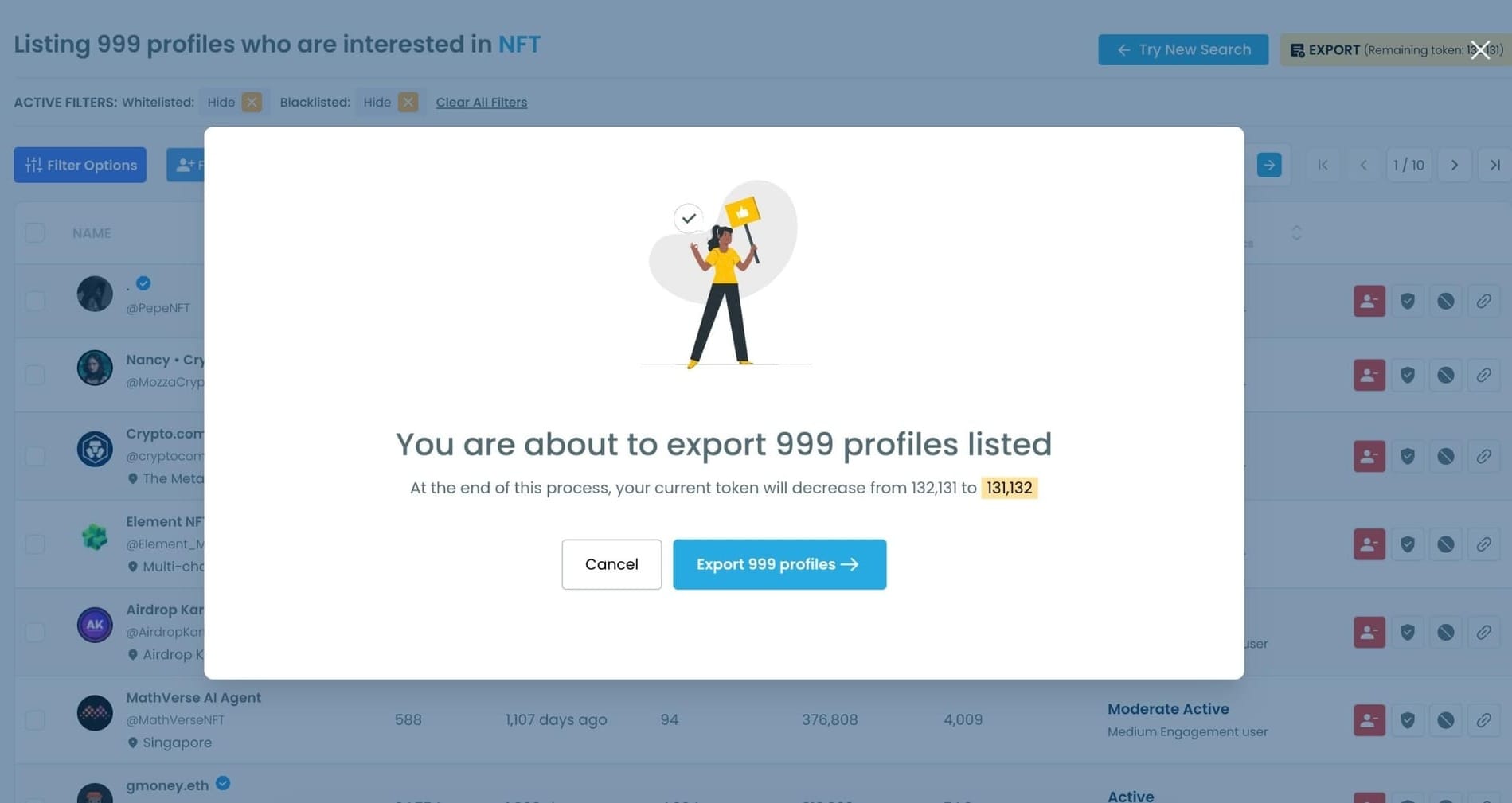
- Or export the entire result set as a CSV file for outreach, influencer targeting, or audience building.
How to Search for Accounts by Location on X Natively
Twitter does offer some location-based search capability, and it's worth knowing what it can and can't do before reaching for a third-party tool.
The People filter in search. When you search a keyword on X and click the People tab, the results show accounts rather than tweets. You can refine this further using the Location option in the filter panel to narrow results to accounts that have listed a specific location in their profile. This works and it's free, but the results are limited in volume and give you no way to sort, filter further, or take bulk actions.
Search operators for tweet-level location. Twitter supports operators like near: and within: for narrowing tweet searches to a geographic area. For example, photographer near:London within:25mi will return tweets from accounts near that location. The limitation here is that this searches tweets, not accounts, and the location is based on geotagged content rather than profile location. Very few users geotag their tweets, which makes this significantly less useful than it sounds.
The profile location field. Every X profile has a location field that users fill in manually. When you search people by location on Twitter, the results pull from this field. The problem is that it's self-reported, unverified, and inconsistent. Some users write "London, UK." Some write "🇬🇧." Some write "Earth." Some leave it blank entirely.
📌 X's native location search is a legitimate starting point for quick, low-volume lookups. For anything that requires precision, scale, or the ability to act on results, it falls short quickly. The profile location field is the foundation it's built on, and that field is as reliable as whoever filled it in.
How Circleboom Makes Location Search Actually Useful
The key difference with Circleboom Twitter is that location filtering works on top of keyword and bio search, not instead of it.
On X, you can filter accounts by location. You get a list of accounts in that place. On Circleboom Twitter, you search "photographer" and filter for London. You search "real estate agent" and filter for Dubai. You search "journalist" and filter for Germany. You're not finding accounts in a location. You're finding accounts that match a topic and are in that location. That combination is what makes the results actually useful.
The results come back as a structured table with full profile data for each account: username, bio, follower count, following count, tweet count, account age, and activity status. From that view you can follow accounts directly, add them to Twitter Lists, export the full list as a CSV, or run a mass block on selected accounts depending on your goal.
You can also stack additional filters on top of location.
⚠️ Location data on X is self-reported regardless of whether you're using native search or Circleboom Twitter. The filter surfaces accounts that have listed a location in their profile. It does not detect the physical location of accounts that haven't disclosed one. If someone in Paris hasn't listed Paris in their profile, they won't appear in a Paris search.
Why You'd Want to Find Accounts by Location
Local business outreach and customer discovery. If your product or service is regional, finding accounts in that region who match your target audience profile is a direct path to potential customers and community members. Searching a relevant keyword filtered to your city or country immediately narrows the universe to people who are both relevant and reachable.
Regional influencer discovery. National or global influencers often charge more and reach broader than you need. Regional influencers with smaller but locally focused audiences frequently deliver better results for geo-targeted campaigns. Combining a topic keyword with a location filter surfaces exactly these accounts without manual scrolling.
Finding journalists and media accounts in a specific city. PR outreach, press coverage, and media relationship building are all more effective when you're targeting the right geography. Searching "journalist" or a publication name filtered to a specific city returns the accounts most likely to be relevant to a local story.
Connecting with community members or event attendees. If you're running or attending an event in a specific place, finding active accounts in that location who talk about relevant topics gives you a ready-made list of people worth connecting with before, during, or after.
Competitor research by market. Understanding which accounts are active in a specific market, what they post about, and how large their following is tells you something about the competitive landscape in that region.
Frequently Asked Questions
Can you search Twitter accounts by location?
Yes, through both native X tools and Circleboom Twitter. X offers a People filter with location refinement and tweet-level location operators, but results are limited in volume and actionability. Circleboom Twitter's Advanced X Search adds a dedicated location filter on top of keyword and bio search, with structured results and direct action capabilities.
How do I find Twitter users in a specific city?
On X natively, search a keyword, click the People tab, and use the Location filter to enter a city name. In Circleboom Twitter, enter a keyword in the Advanced X Search, apply the location filter with your target city, and optionally stack additional filters like account age or activity level to refine the results further.
Does Twitter show the real location of an account?
Not necessarily. The location field on X profiles is self-reported and unverified. Users can write anything, leave it blank, or use a location that doesn't reflect where they actually are. Both native X search and Circleboom Twitter rely on this field, which means location-based search surfaces accounts that have listed a location, not all accounts physically present in a place.
Can I search by location and keyword at the same time in Circleboom?
Yes. That's the core strength of Circleboom Twitter's location filter. You search a keyword across bios and profiles and apply the location filter simultaneously, so results match both criteria at once. You can also add further filters like account age, follower count, and activity level on top of both.
What if an account hasn't listed a location on their profile?
Those accounts will not appear in location-filtered search results, whether you're searching on X natively or through Circleboom Twitter. Location-based search is inherently limited by what users have chosen to disclose in their profiles. Accounts without a listed location are invisible to this filter regardless of where they're physically based.
Can I export location-filtered search results?
Yes. Any filtered result set from Circleboom Twitter's Advanced X Search can be exported as a CSV file. This is useful for outreach lists, research documentation, reporting, or feeding the data into another workflow outside the Circleboom dashboard.
Final Thoughts
Location-based account search on Twitter is possible two ways. X gets you started with a limited People filter and some basic search operators. Circleboom Twitter gets you a structured, filtered, actionable list of accounts that match both a topic and a location, with full profile data and the ability to follow, export, or block directly from the results.
One is a starting point. The other is a workflow.
Search Twitter accounts by location with Circleboom Twitter's Advanced X Search.
infocircleboom.com