

How do you see every account that reposted your tweet, not just the handful X puts in front of you? You cannot, at least not inside the app. X caps the reposter list at the 100 most recent accounts, attaches no filters to it, and gives you no export button, so on any post that actually travelled, most of the people who carried it stay invisible to you.
Inside X: tap the repost count, scroll a list that stops at 100 names, copy handles by hand, finish with no follower counts and nothing to sort by. With Circleboom: one request returns every account that reposted the tweet, and Circleboom delivers that full list of retweeters on X as a CSV carrying follower counts, quality flags, bios, and account age through official Enterprise APIs.
→ export retweeters on Twitter
The distance between those two lists is where your best-qualified audience segment has been sitting.
What X actually shows when you tap the repost count
X publishes this limit in its own help documentation. X's Repost FAQs state that there is no cap on how many times a post can be reposted. The platform will only show up to the most recent 100 people who reposted any public post.
Run the arithmetic on that number and the picture changes.
A tweet with 300 reposts hides two thirds of the accounts that shared it. A tweet with 1,000 reposts hides 90 percent. A tweet with 4,500 reposts, the kind of result a marketing team screenshots for the quarterly deck, shows you 2.2 percent of the people who carried it and buries the rest.
The 100 you do see are also the wrong 100 for most purposes. They are the most recent, not the most relevant. On a post that ran for three days, the accounts you see are the late arrivals, while the early sharers who pushed it into circulation in the first hour have already fallen off the bottom of the list.
Nothing about that list is workable, either. No sort by follower count. No filter to strip out the obvious spam accounts. No column showing you who reposted twice. No download.
I have watched teams handle this by screenshotting the panel and typing handles into a spreadsheet, which is how you end up with a partial list of the wrong accounts and a wasted afternoon. That is the specific gap the full retweeter list on X is built to close.
One clarification worth making before going further: reposts and quote posts are separate records on X, and they live in separate tabs on the post detail page. If the difference between the two actions is fuzzy for you, the mechanics of how to repost a tweet sort out which button produces which entry.
Why one retweeter is worth more than one follower
A repost is the only public engagement on X that costs the account doing it something. A like is private approval. A follow is a subscription the account can forget about a week later. A repost puts your words in front of that person's own audience with their name attached, which means they judged the content good enough to spend their own credibility on.
That makes the retweeter list something rarer than an engagement metric. It is a public, self-selected roster of people who chose to be associated with your content in front of their own audience.
The value of that concentrates further when you look at how posting behaviour is distributed. Pew Research Center found that 20% of U.S. adults on X produce 98% of the posts from that group. The people who repost are drawn almost entirely from that minority, because reposting is itself a posting action.
So the retweeter list is not a slice of your general audience. It is a slice of the small group that actually publishes on the platform, filtered down to the ones who publish about your subject.
Once you can see the whole list rather than a truncated preview, patterns show up that a repost count never gives you. Which of your posts pull sharers with real reach. Whether a viral moment came from your niche or from a giveaway crowd passing through. Which accounts repost you more than once, which is the strongest single signal of an ongoing supporter.
Looking at your most retweeted tweet tells you what travelled. The retweeter list tells you who moved it.
Circleboom treats that list as a dataset rather than a vanity panel, which is also why Export Twitter Accounts sits alongside it in the same toolbox.
How to see and export retweeters on Twitter (step by step)
Watch the export run end to end: how a single tweet URL turns into a finished retweeter CSV, including the token confirmation screen that stops most people on their first attempt.
The process, in order, from login to delivered file.
Queue the tweets whose retweeters you want
- Log in to Circleboom Twitter and connect the X account you will run the export from.

- Open the Essential Toolbox menu, where the export tools live.

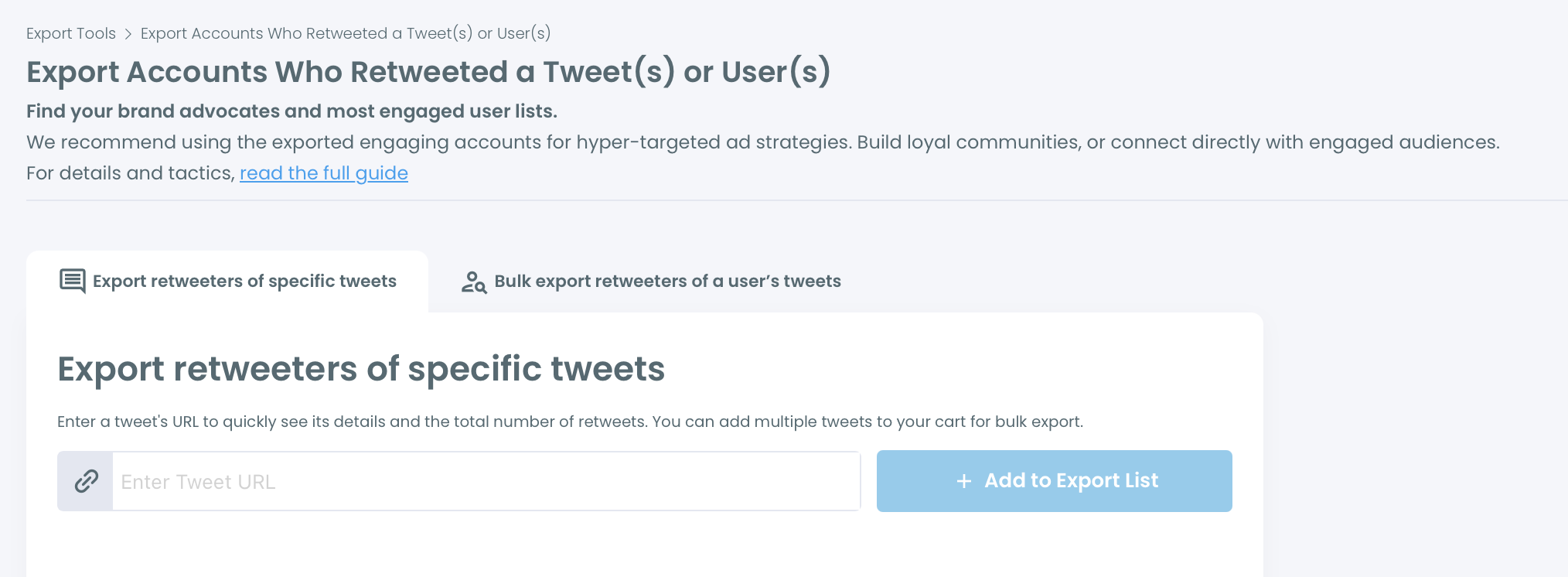
- Select Export Accounts Who Retweeted a Tweet(s) or User(s), then pick a tab. The first tab takes tweet URLs directly. The second takes a username and pulls up to that account's 3,200 most recent tweets so you can choose which ones to draw retweeters from.
- Paste a tweet URL and click Add to Export List. The queued tweet appears with its author, a text preview, and its live repost count, so you can confirm you grabbed the right post before spending anything.
Confirm the scope, then run the export
- Add any other tweets that belong in the same audience. Retweeters from every queued tweet merge into one file, and an account that reposted several of them appears once with a RepostCount column recording how many.
- Check the Export Cart total and confirm. The cart shows the combined retweeter count and the EngagerX Export Tokens the job will consume, with a confirmation modal before anything is spent.
- Collect the CSV when it lands. Processing takes anywhere from 10 minutes to 6 hours depending on volume, and the file arrives both on your Circleboom account page and by email at your registered address.
That ordering exists for a reason. Queuing before confirming means you see the true combined total instead of paying per tweet and stitching files together afterwards. The confirmation modal means no export ever runs on a number you have not seen. The asynchronous delivery means a 40,000-row job does not tie up your browser for an hour.
Quick recap:
- Log in and connect your X account.
- Open Essential Toolbox and choose the retweeter export.
- Queue tweet URLs, or pull a username's tweet history and select from it.
- Confirm the combined total in the cart.
- Download the CSV from your account page or your email.
What lands in the CSV, column by column
The export is a structured account record, not a list of handles. Every row is one retweeting account, and the columns are what turn the file into something you can act on the same day.
Profile identity comes first: ProfileId, Username, Name, Location, and Bio. Reach and behaviour follow: CountFollowers, CountFriends, CountTweets, and CreatedAt, which gives you account age.
Then the columns that do the real work:
- IsFake flags accounts classified as fake or spam.
- IsInactive flags dormant accounts that reposted and went quiet.
- IsEgghead flags accounts with no profile photo.
- IsOveractive flags accounts posting at volumes that suggest automation.
- RepostCount records how many of your queued tweets this account reposted.
Those five columns are the difference between a raw list and a usable segment. Sort by IsFake and IsInactive, delete those rows, and what remains is the set of real accounts that chose to share your work. Sort by RepostCount descending and the top of that file is your repeat amplifier list, which almost never matches the accounts you would have guessed.
This is also where holding Enterprise-tier access to X's own data stops being a badge and starts being the reason the data is trustworthy. The quality flags come from Circleboom's own classification running over account data pulled through sanctioned X endpoints, which is a different thing from a scraper guessing at what it can reach.
X documents the underlying Reposted by endpoint publicly, so there is no mystery about where the list comes from.
You can pull your Twitter retweeters for any public tweet on this basis, including tweets you did not write.
Three things worth doing with the list
Follow targeting is the fastest return. An account that reposted your work has already told you it finds your subject worth publishing about, which makes it a better follow candidate than anything a bio-keyword search returns.
Work down the filtered list, skip the fake and inactive rows, and follow the accounts whose bios put them in your actual market.
List building is the durable one. Take the accounts with the highest RepostCount and drop them into a dedicated group in Twitter List Manager. You now have a monitoring feed whose membership was earned by behaviour rather than a follow click, and those accounts are the ones worth engaging with before you publish the next thing.
Ad and look-alike work is the third. A CSV of accounts that shared content on a specific topic is a cleaner seed audience than an interest category, because the qualifying action already happened. The same reasoning is what makes a Twitter retweet list extractor a targeting instrument rather than a reporting one.
The same logic applies to a rival's content. Export the retweeters of a competitor's strongest tweet and you have a list of people who publish about your category and have already shown they will share work in it.
One boundary worth naming here. Only public tweets and public accounts are reachable, and if a post's retweet button is greyed out because the author protected their account, there is no retweeter list to pull. That is a platform rule, not a tool limitation, and no export gets around it.
Is exporting retweeters safe for your X account?
Yes, because nothing about the export touches your account's public behaviour. Reading a public post's reposter list through sanctioned X endpoints is a read operation. It does not follow anyone, does not notify anyone, and produces no activity on your timeline that another account could see.
The safety question that actually matters comes after the export. Following 400 accounts in an afternoon because a CSV made it easy is what puts an account at risk, not the CSV itself. Pace the follow-ups, keep them relevant, and treat the list as a research output rather than a queue to burn through.
Circleboom sits on X's Enterprise customer directory as a listed developer. That is why its data path is a documented one rather than a workaround that breaks the next time X changes a page.
What to do next
Pick the branch that matches your situation.
If you have one post that travelled further than usual, start with the single-tweet tab, export that post's retweeters, and read the RepostCount and follower columns before doing anything else. You are looking for who carried it, not how many.
If you are running a campaign across several posts, queue all of them into one export. The merged file with RepostCount attached tells you which accounts showed up more than once, and those accounts are your campaign's real distribution layer.
If you are studying a competitor or an influencer in your niche, use the username tab, pull their tweet history, and select their two or three strongest posts. The retweeters of those tweets are the most precisely qualified prospect list available to you on this platform, and you can build it without ever touching their account.
Whichever branch you are on, the first step is the same, and it is a step I would take before any other audience-research work: get the whole list instead of the visible fragment.
What to know before you export
How long does an export actually take?
Processing runs from 10 minutes to 6 hours, scaled to the size of the file. A single tweet with a few hundred reposters completes quickly, while a multi-tweet campaign export with tens of thousands of rows sits at the longer end. Circleboom delivers it to your account page and to your registered email, so you do not have to keep the tab open.
Can I combine several tweets into one retweeter list?
Yes. Queue as many tweet URLs into the Export Cart as you want, and Circleboom merges the retweeters into a single CSV. An account that reposted more than one of the queued tweets appears once, with the RepostCount column showing how many of them it shared.
Does exporting notify the accounts on the list?
No. The export reads publicly available repost data through official X endpoints and generates a file. Nobody on the list is followed, mentioned, messaged, or notified, and nothing appears on your timeline as a result of running it.
What happens to accounts that deleted their retweet?
The export is a point-in-time snapshot taken when the request is processed, so an account that reposted and then undid it may still appear depending on timing. The same applies in reverse for suspended, deleted, or newly protected accounts, which is why the final row count often comes in slightly under the repost number shown on the post itself.


)
