

A few days ago, I was checking one of my tweets that started getting traction. I noticed the “Quotes” number was growing, which usually means people were adding their thoughts when sharing it. Naturally, I wanted to see what they said.
But when I clicked on the Quotes count, only a few appeared — and the rest were missing. That’s when I realized something most users eventually learn the hard way: you can’t see private quote tweets on X (Twitter).
You can see quotes by clicking first "View Quotes"
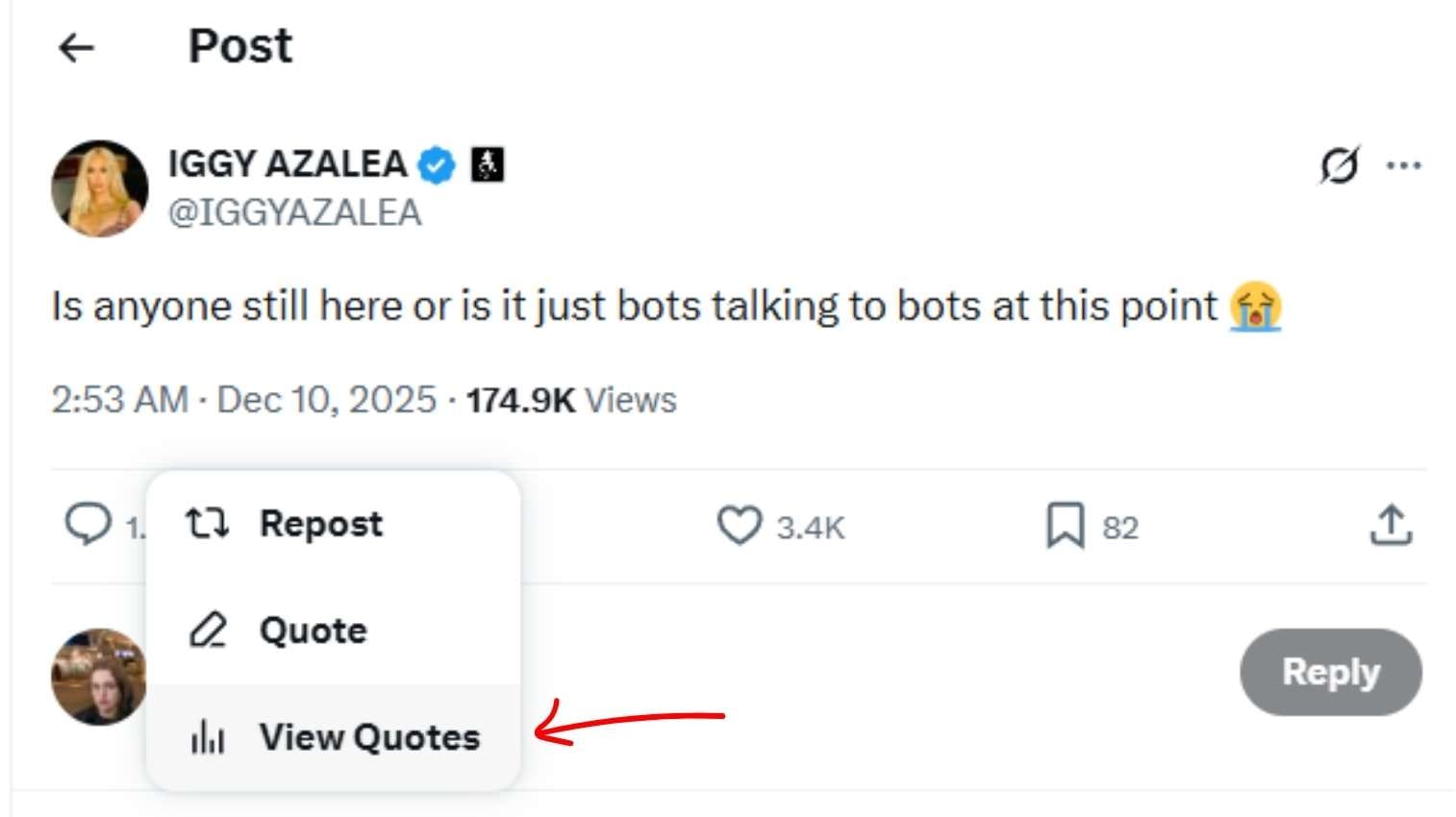
And you will see quotes

If you’re trying to understand how people interact with your content, this limitation is frustrating. That’s why tools like Circleboom Twitter are helpful — they give you broader analytics around who engages with your posts, even when certain tweet types are hidden.
Here’s why — and what you can do instead.
Can You See Private Quote Tweets on Twitter?
Unfortunately, the short answer is no.
If someone quote-tweets your post from a protected (private) account, you won’t be able to see that quote unless you’re an approved follower.
This isn’t a bug — it’s a privacy feature.
Here’s why you can’t see them:
🟢 Protected accounts only share content with their approved followers.
🟢 Deleted tweets or deactivated accounts make their quotes disappear from public view.
🟢 Privacy laws and user safety prevent X from exposing private activity to non-followers.
In other words, there’s no trick or tool to bypass this — and any that claim to do so are unsafe.
But while you can't view private quotes, you can still understand how your content spreads. Tools like Circleboom’s Post Analytics help you track public quote tweets, retweets, and engagement patterns so you can see the bigger picture even when some activity is hidden.
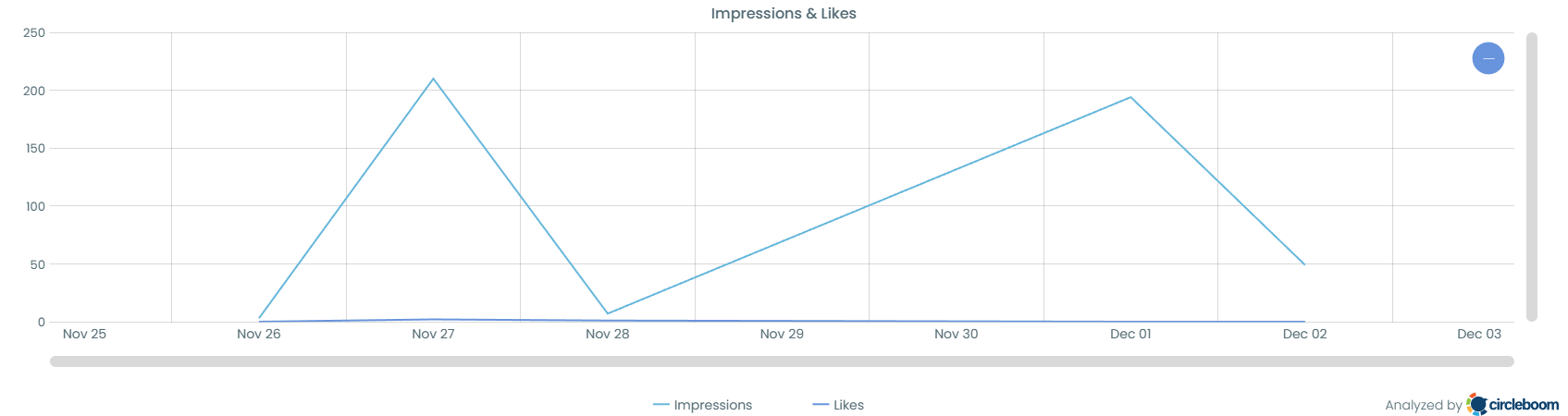
But while you can’t view private quotes, there are still ways to see and analyze your own quote tweets, retweets, and even the public retweeters of any post.
What You Can See: Your Own Quote Tweets and Retweets
You can easily find your own reposts (retweets) and quote tweets using either X’s built-in search filters or a third-party analytics tool.
Here’s how to do it directly on Twitter:
Step #1: Open Your Tweet
Click on the tweet you posted to view the full engagement metrics.
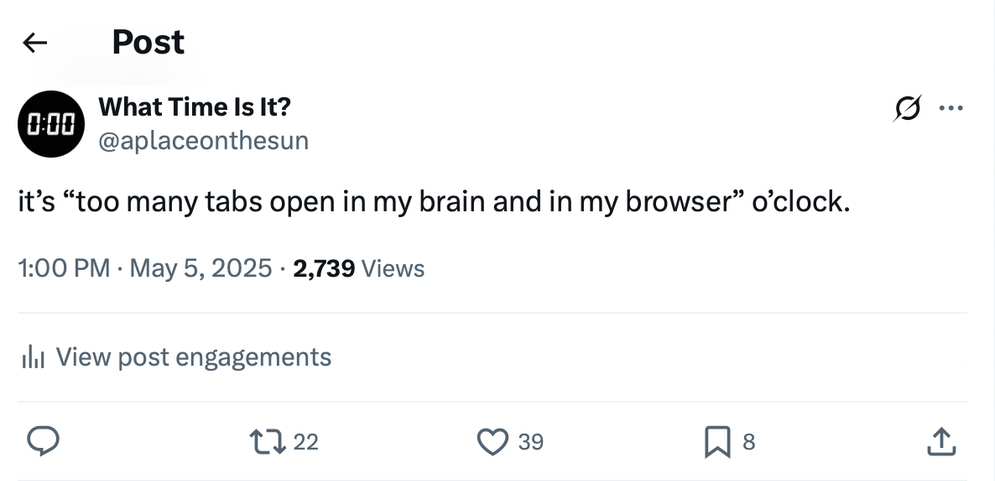
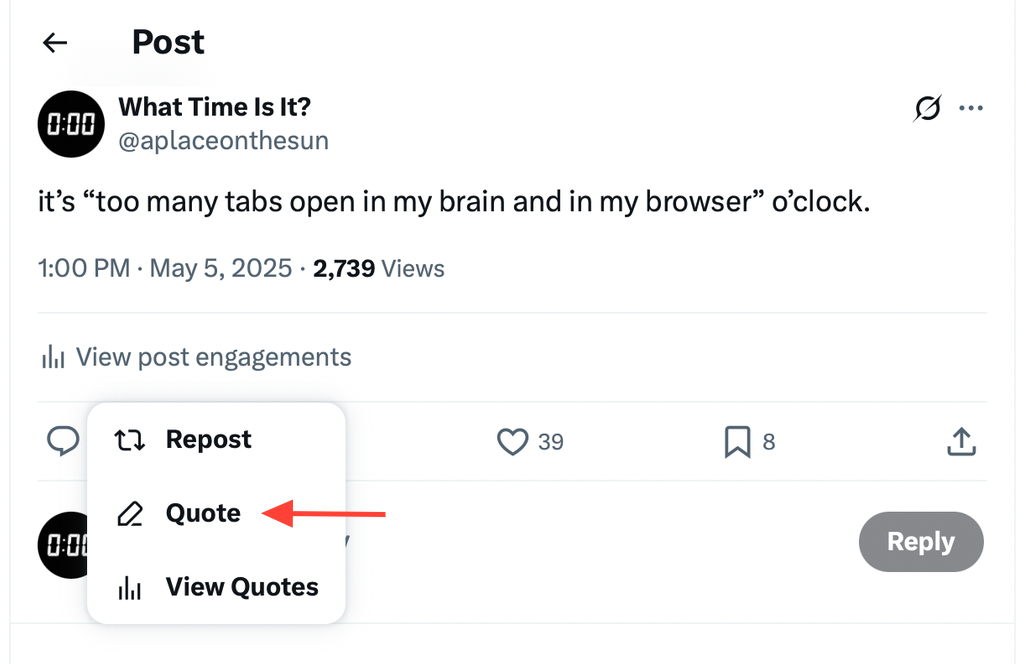
Step #2: Click the Repost Icon
Underneath the tweet, click the repost (retweet) icon. A menu will appear.
From the dropdown, choose “View Quotes.” This opens a page called Post Engagements.
Step #3: Select “View Reposts”
Once inside the Post Engagements view, switch from the Quotes tab to the Reposts tab.
Here, you’ll see a list of users who retweeted your tweet.

This lets you see everything you’ve shared or quoted — but it’s limited. You can’t sort by engagement, export data, or filter beyond basic search options.
That’s where Circleboom Twitter comes in handy.
When You Want to See Someone Else’s Retweets
Let’s say you’re curious who retweeted one of your tweets. You open the post and click the Retweets count, but Twitter only shows a small selection.
That’s because X often displays a limited list of retweeters or quote-tweeters, not the full set. It also doesn’t let you export or analyze those accounts in any way.
So if you want a complete list of retweeters, you need a professional tool that works with X’s official API — and the best one for that is Circleboom Twitter.
Circleboom doesn’t just show you the numbers — it gives you the entire retweeter list in a clean, downloadable format so you can actually use the data. You can see who amplified your post, how influential they are, how often they engage with you, and whether they match the audience you want to attract.
Instead of guessing who your real supporters are, Circleboom gives you the full picture, helping you identify loyal followers, potential partners, and the communities your content is reaching. This is the kind of insight that turns random virality into repeatable growth.
 Altug Altug
The Solution: Use Circleboom Twitter
Circleboom Twitter is an official partner developer of X, which means it operates safely and in full compliance with Twitter’s API rules.

It gives you detailed insights and control over your tweets, retweets, and audience — something Twitter itself doesn’t offer.
Here’s what you can do with it:
✅ Export any tweet’s full list of retweeters.
✅ Filter results by language, verification status, or follower count.
✅ Analyze audience data for engagement and influence.
✅ Save lists as CSV files for reporting or outreach.
So even though you can’t view private quote tweets, you can still see every public retweet or repost related to your tweets — completely and safely.
Retweeters aren’t just casual engagers — they’re the closest thing you have to qualified leads on social media. When someone retweets your post, they’re not passively scrolling… they’re actively endorsing your message to their own audience. That means three things: they like you, they trust your content, and they’re willing to share it publicly.
This group is dramatically more valuable than random followers or cold audiences and that’s exactly why exporting your retweeters matters.
Once you have the complete list with Circleboom, you can turn these people into your highest-performing marketing asset:
• They’re the warmest leads for outreach or community building.
• They convert at a much higher rate because they’ve already interacted with you.
• They reflect the psychographic DNA of your ideal customer.
And here’s where it gets even more powerful:
Retweeters give you the perfect seed audience for nano-targeting on X Ads.
 Altug Altug
Instead of guessing who to advertise to, you can upload your retweeter list and let the ads algorithm find people who behave exactly like your most loyal engagers. This results in:
✔ Cheaper ad costs
✔ Higher CTR and engagement
✔ Better quality followers
✔ And a far more accurate lookalike audience
Circleboom gives you the data. Nano-targeting turns it into results.
 Altug Altug
Your retweeters already told you who they are — now you can use that information to turn them (and people like them) into customers.
Step-by-Step: How to Export Retweeters with Circleboom Twitter
Step #1: Sign up for Circleboom and connect your X account.
Circleboom is an official X Enterprise partner! So, your account and all the data you have are safe and secure with us!

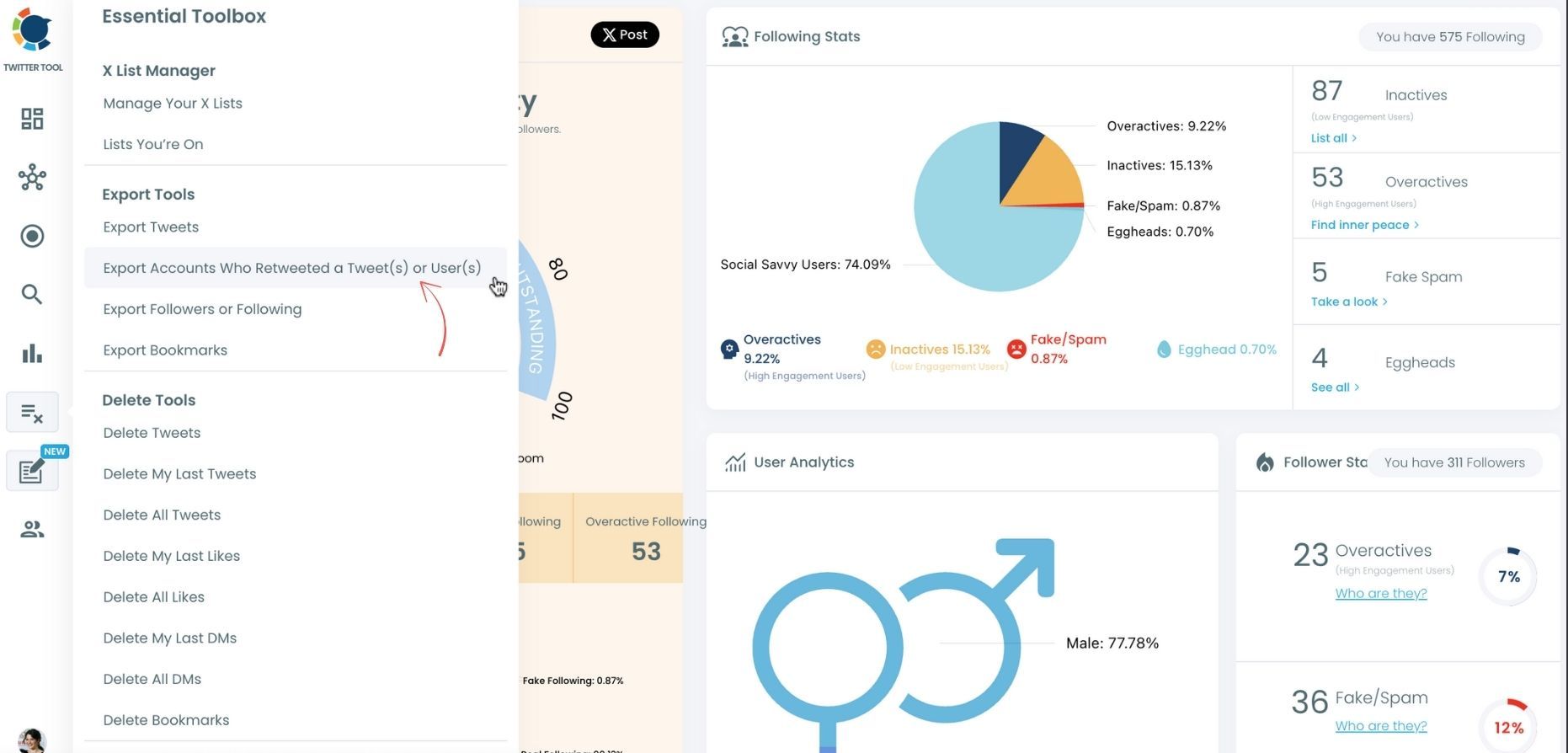
Step #2: Once reached dashboard, go over the menu and find “Essential Toolbox”.
You will see the sub-menu “Export Tools”. Under this, you will see Export Retweeters of a Tweet(s) or User(s).
Step #3: You will see two options there:
“Export retweeters of specific tweets” and “Bulk export retweeters of a user’s tweets”
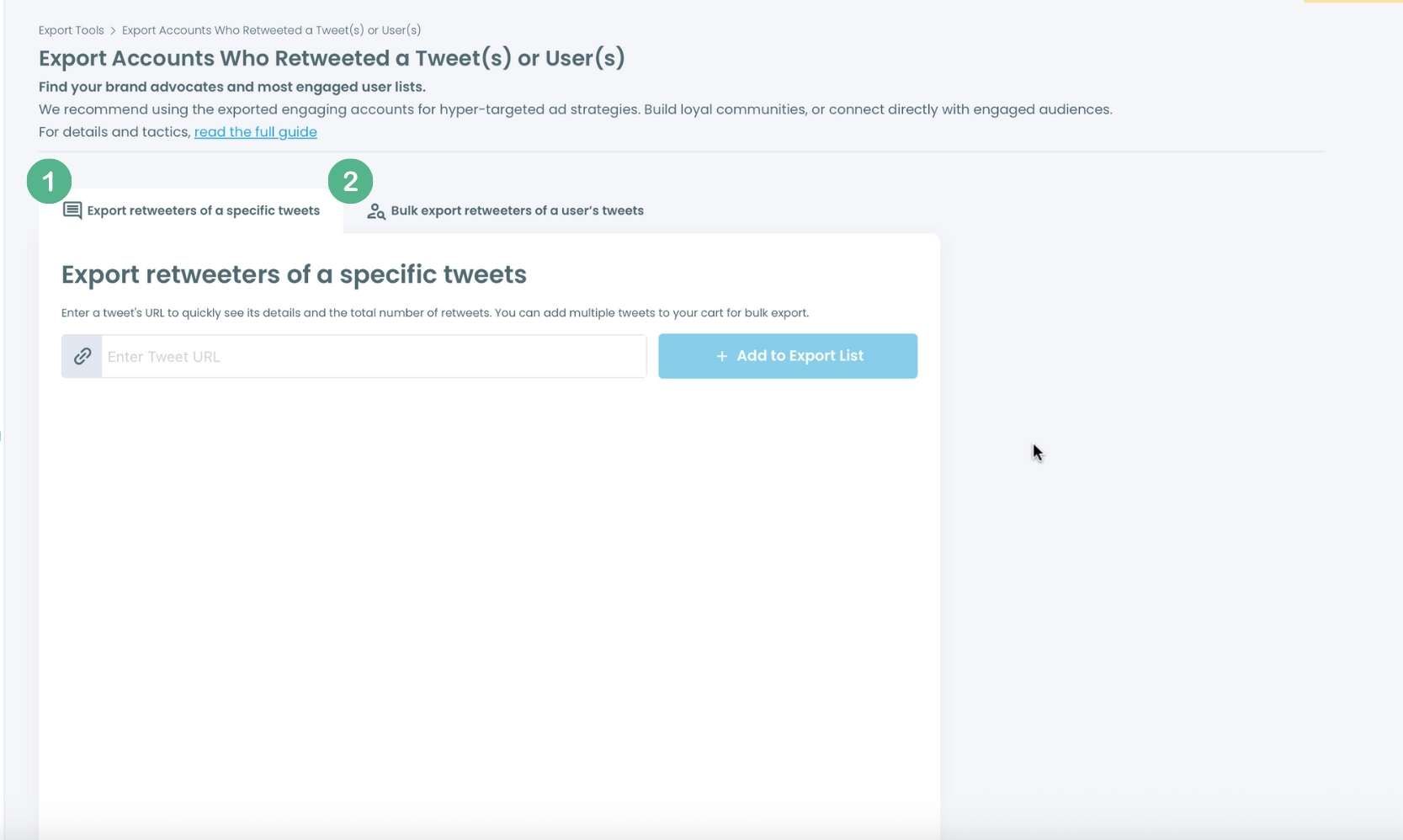
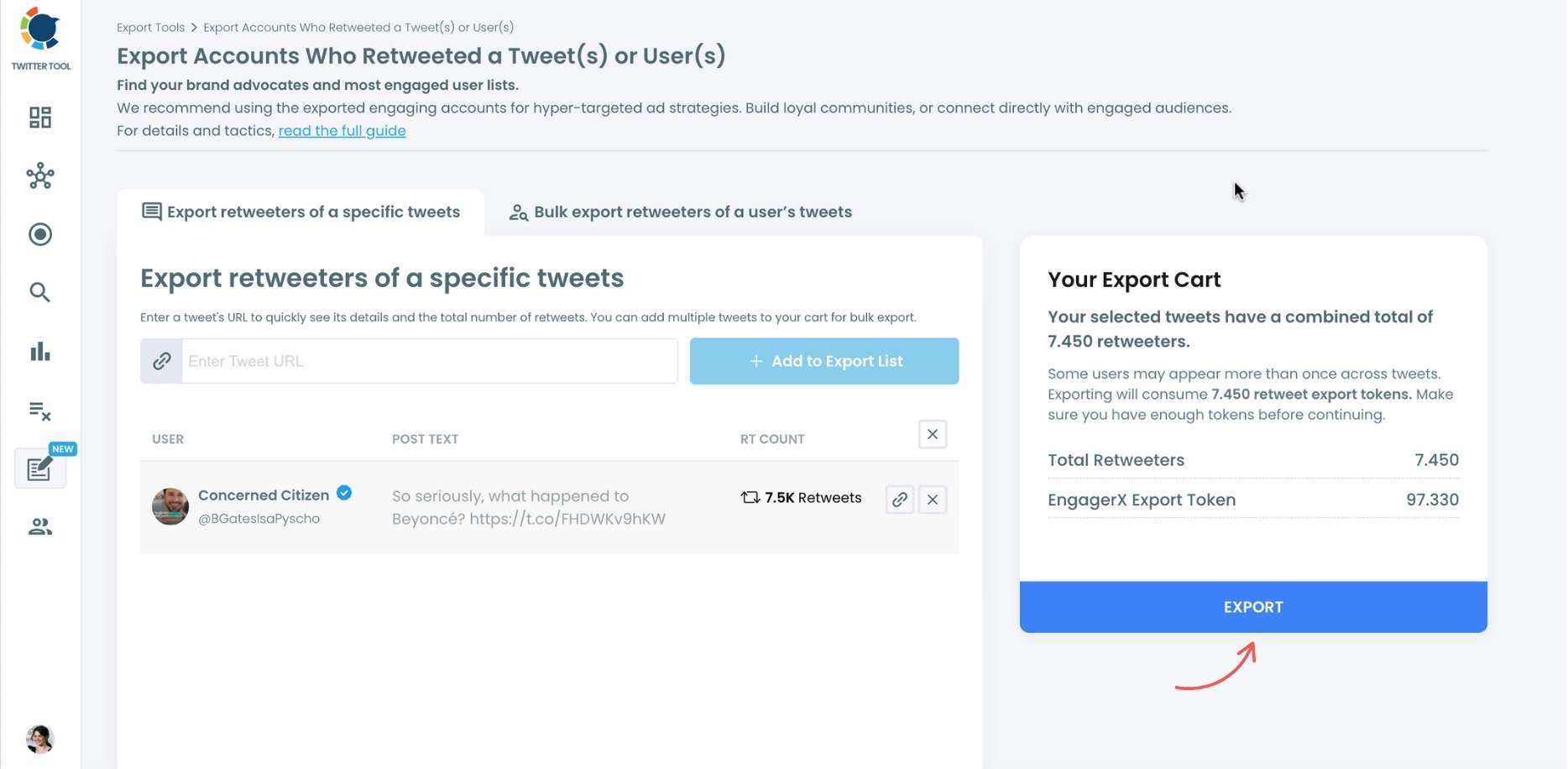
For specific tweets, Circleboom enables you to extract retweeters of specific tweets, yours or other users. You need to paste the URL of the targeted tweet.
Then, we will extract all retweeters of that tweet. The one thing you should do is clicking on the “Export” button.
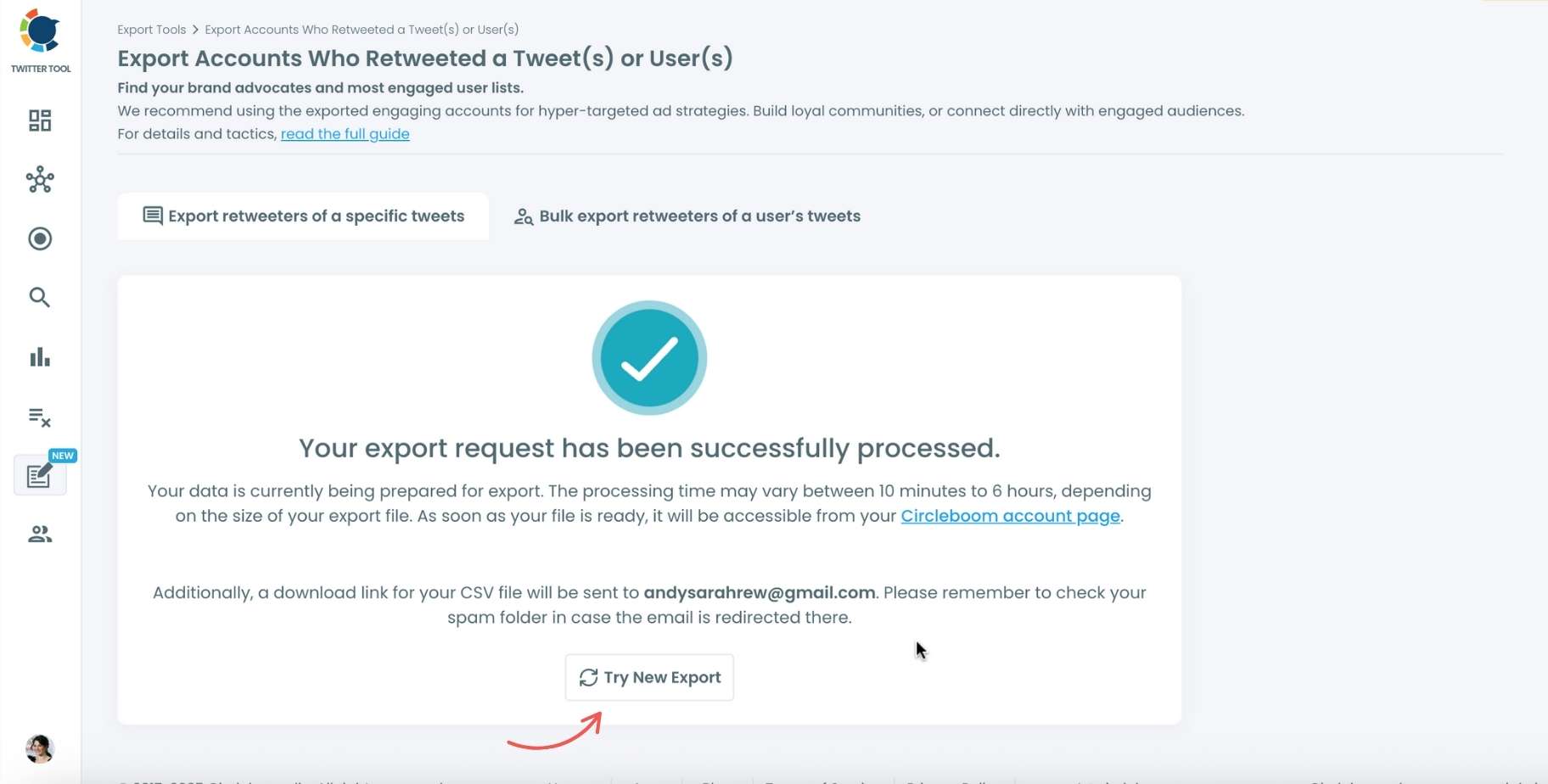
Your export request has been sent. You will get your exported retweeters file within Circleboom also a copy will be sent to your email address.
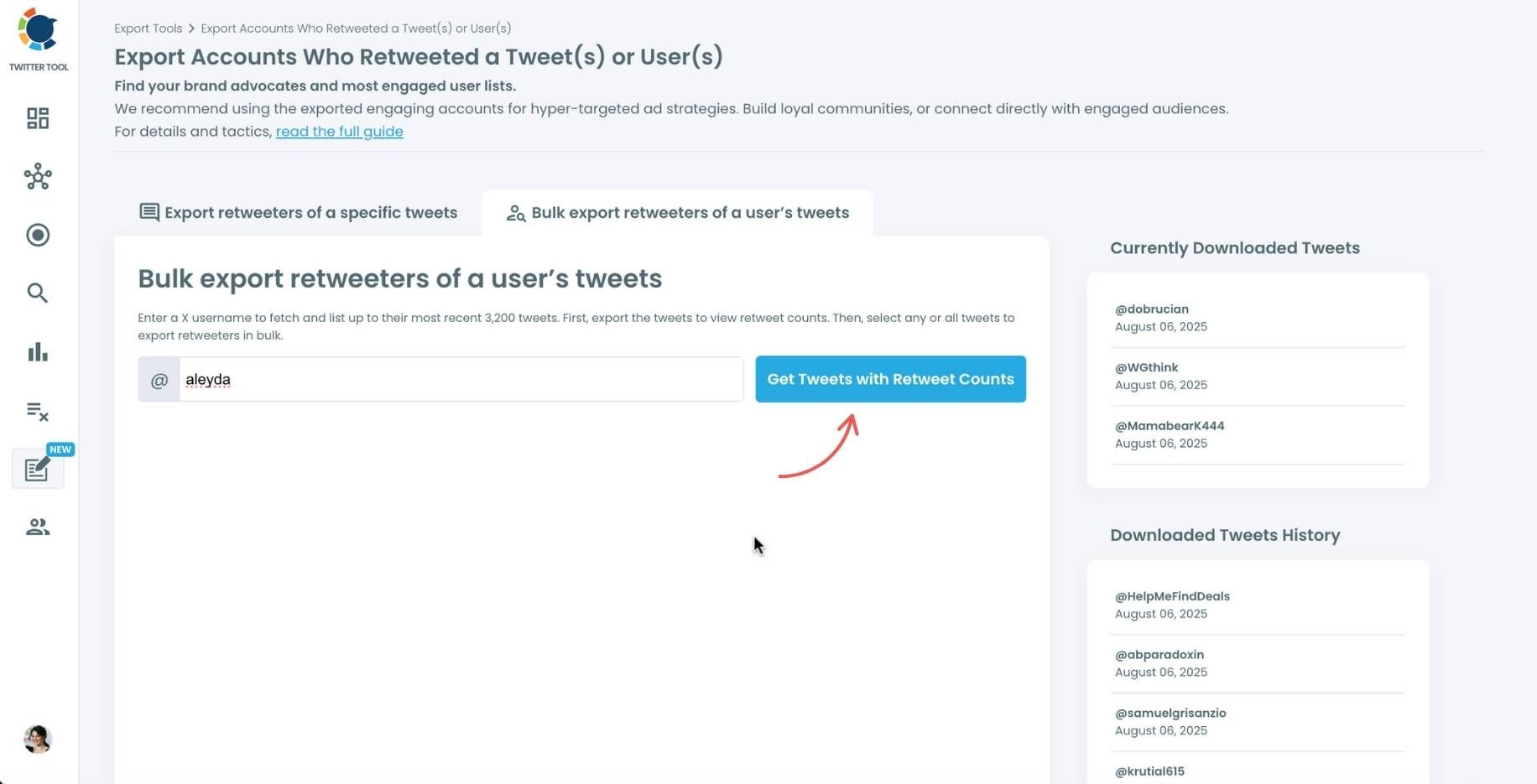
Step #4: Your second option is to bulk export retweeters of a user’s tweets.
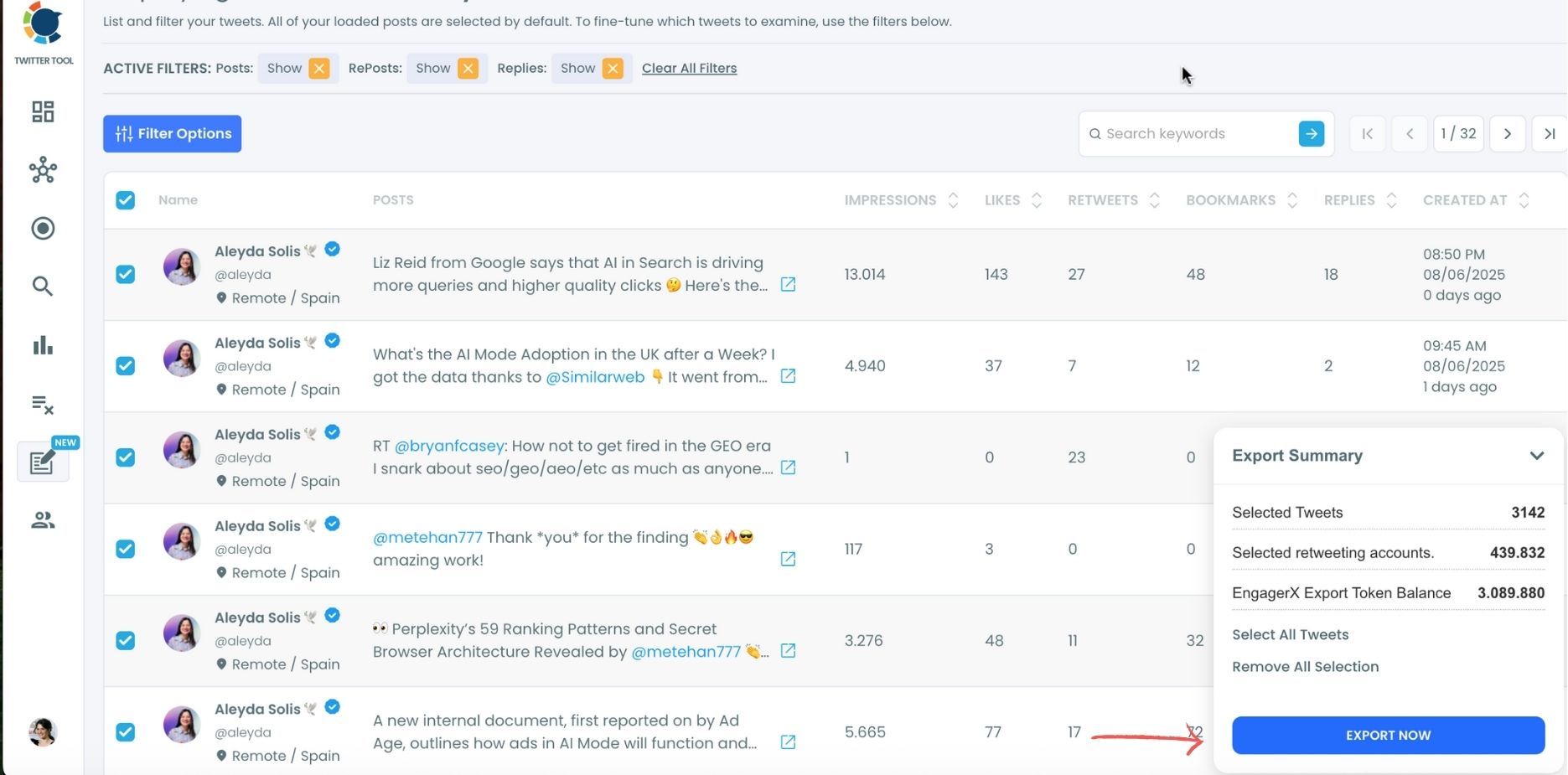
You need to enter the handle of a Twitter user. Then, we first extract all their tweets. Then, you can export all of their retweeters or some of them. You can apply filters to sort their tweets by retweet number, like number, etc.
You can export retweeters of all tweets or you can select some. In this example, you will export 439.832 retweeters by clicking on the “Export Now” button.
You can see your export lists, finished and processing, on your Circleboom account page, under the “Exported Links” section.
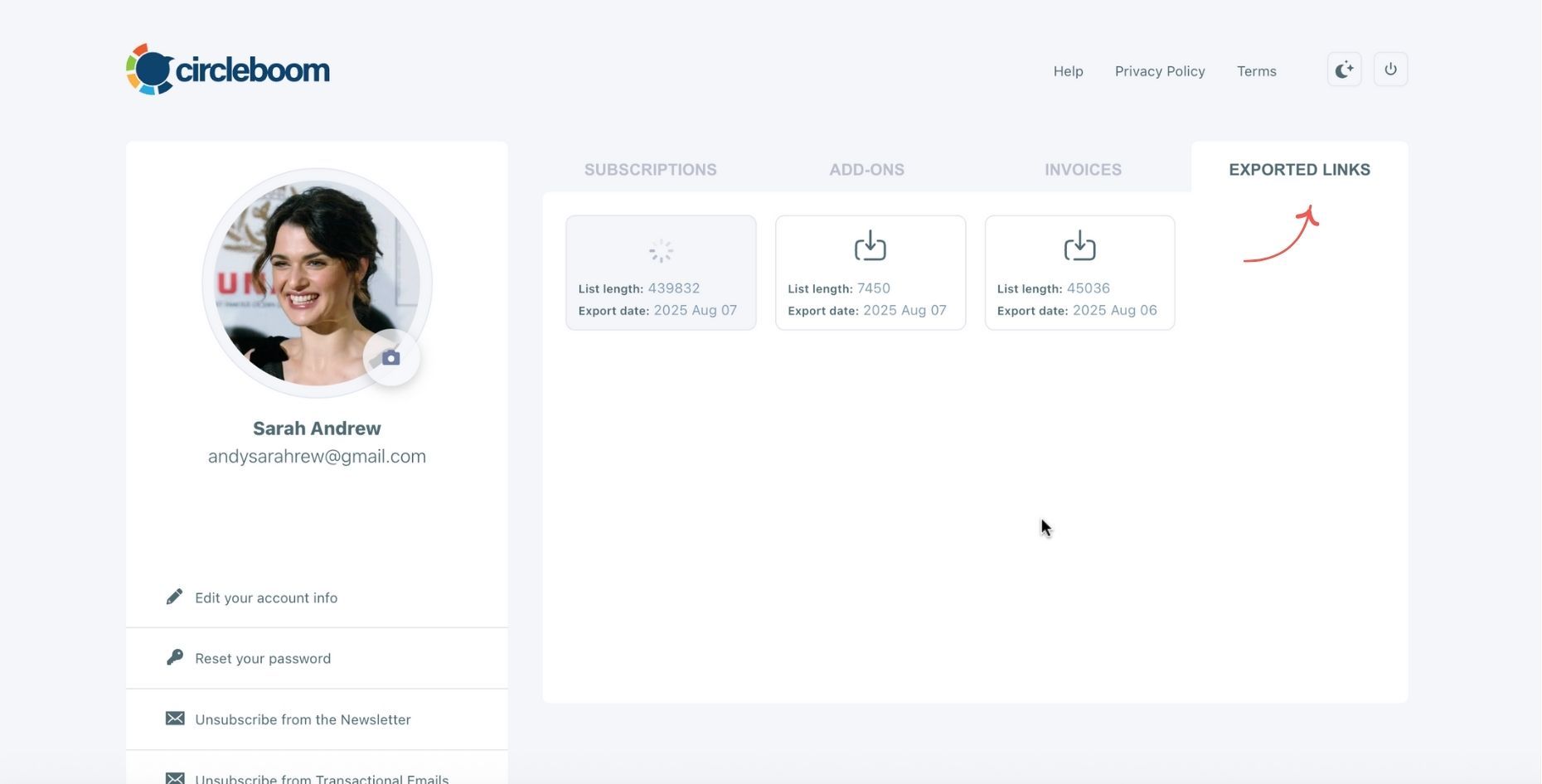
Here are the details of this list:
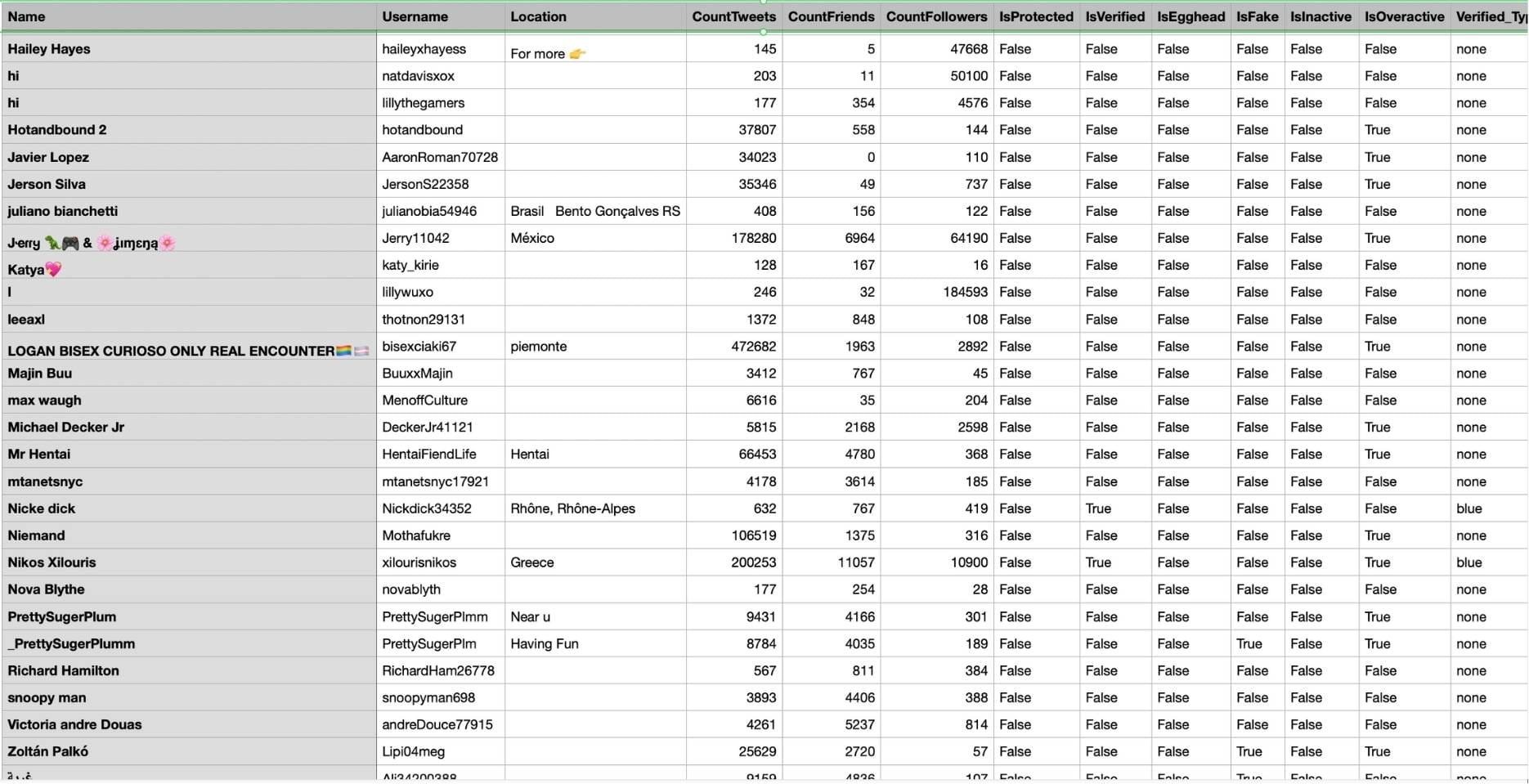
When Is This Useful?
- For brands: Track who amplifies your campaigns.
- For creators: Identify your most supportive fans and communities.
- For analysts: Monitor how far specific tweets reach.
- For individuals: Clean or archive engagement data.
And yes — it all works safely within X’s limits, respecting every privacy rule.
 Kevin O. Frank
Pro Tips
*️⃣ Respect privacy: Private quote tweets stay private. Circleboom won’t reveal what you’re not authorized to see.
*️⃣ Add time filters: Useful for analyzing retweets during a launch or campaign window.
*️⃣ Export regularly: Keep CSV copies for audits or historical tracking.
*️⃣ Combine insights: Cross-check retweeters with your followers to find your most engaged users.
Final Thoughts
You can’t see private quote tweets on Twitter — that’s by design, and it’s a good thing for privacy.
But you can still take full control of your own activity and see who publicly retweeted or quoted your posts.
With Circleboom Twitter, you can easily list, filter, and export your tweets’ retweeters, gaining insights that X doesn’t provide natively.
Whether you’re cleaning up old posts, analyzing engagement, or researching your audience, Circleboom Twitter gives you everything you need — safely, accurately, and instantly.
👉 Start using Circleboom Twitter today and see the full picture of your tweets, quotes, and retweets — without missing a single detail.

