
X has no way to show only the posts you liked from a single account, so to unlike tweets from one person you would have to scroll your Likes tab and tap each heart by hand. The faster way is Circleboom's Delete My Last Likes feature: type the person's @username into the filters, review the matching liked posts, and click Unlike All. For likes older than your latest 3,200, upload your X archive's like.js file to Delete All Likes and run the same @username filter.
A friendship ends. A creator you followed for years says something you cannot get behind. A former colleague now works for a competitor. Whatever the reason, the hearts you left on that person's posts are still sitting there, one for every tweet you ever enjoyed.
On X, unliking is a one post at a time job. Open the Likes tab, scroll until you find one of their tweets, tap the heart, keep scrolling. The tab mixes that person's posts with everyone else's, it loads in batches, and after a while it simply stops going further back. If you liked their content for three years, you will be at it for a long, frustrating evening and still not be sure you got them all.
Visiting their profile does not help much either. Their timeline shows what they posted, not what you liked, so you end up opening every tweet to check the heart color.
With Circleboom Twitter, you can load your liked posts in one list, filter it by that person's @username, and unlike everything that matches in a single action. Likes on everyone else stay exactly where they are.
Why Circleboom handles this better than the Likes tab
Circleboom is an Official X Enterprise Developer, and every unlike request goes through X's official API. There is no password sharing, no browser extension clicking hearts in the background, and no scraping. Your liked posts come straight from your connected account.
That matters here because the whole job depends on a complete, accurate list. Once your likes are in Circleboom, the work changes shape:
- Your latest 3,200 liked posts load in a table with their impressions, likes, retweets, replies, and dates, no archive needed.
- The Keyword / Username or Hashtag filter narrows that list to one account's posts in a few seconds.
- A date range can limit the cleanup to a specific period, for example only the year you two were close.
- Older likes beyond the 3,200 window can be reached through your X archive and the Delete All Likes flow, with a Protect List for posts you want to keep.
So instead of hunting for one person's tweets inside a feed of thousands, you look at a short list that only contains them.
How to unlike tweets from one person on Twitter with Circleboom
Start with Path 1. If the person's posts go back further than your latest 3,200 likes, finish with Path 2.
Path 1: Unlike their recent tweets (no archive needed)
Step 1: Open Delete My Last Likes. Log in to Circleboom Twitter, connect your X account, and open the Delete My Last Likes tool. Circleboom loads up to your latest 3,200 liked posts with their metrics.
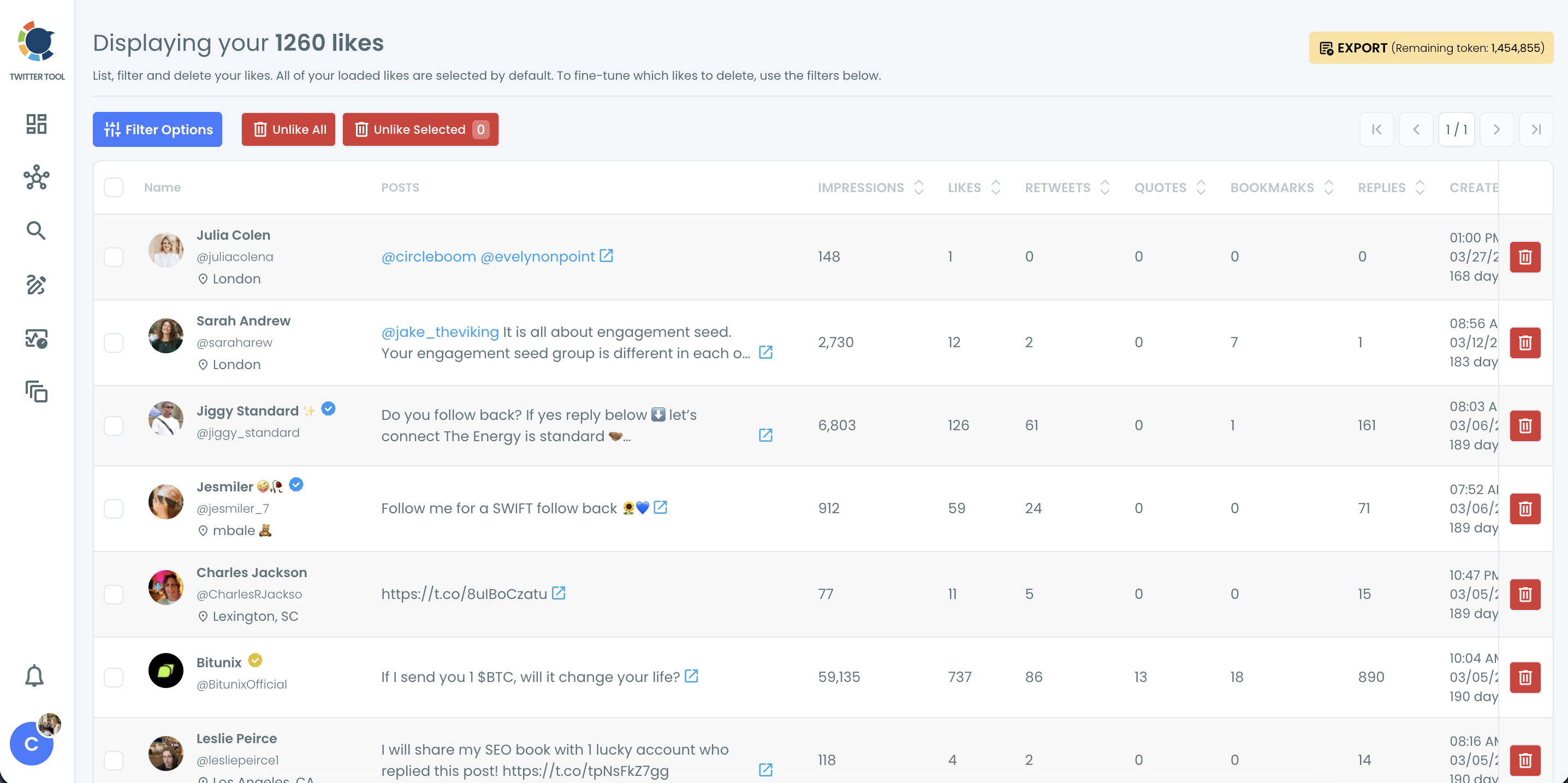
Step 2: Filter by their @username. Click Filter Options and type the person's @username into the Keyword / Username or Hashtag field. Add more filters if you want to narrow it further, then click Apply Filters.
The Delete My Last Likes filter panel gives you these fields, and all of them can be combined with the @username:
- Post Type: limit the list to a certain type of liked post.
- Exclude Some Tweets: keep specific categories out of the selection.
- Retweet, Like, Reply, Quote, Bookmark and Impression Count: set a Min/Max range for each.
- Date: pick the earliest and latest date, for example only the year you two were close.
- Language: show only liked posts in one language.
- Keyword / Username or Hashtag: searches the tweet text, @mentions and #hashtags. This is where the @username goes.
- Media: show only posts with or without media.
📌 The username field also matches posts that mention that account, so someone else's tweet tagging them can show up too. Scroll through the filtered list, open any unclear post on X with the link icon, and uncheck what you want to keep.
Step 3: Unlike the matches. Click Unlike All to remove every like in the filtered list, or select specific posts and click Unlike Selected. Confirm in the "Unlike your likes?" pop-up.
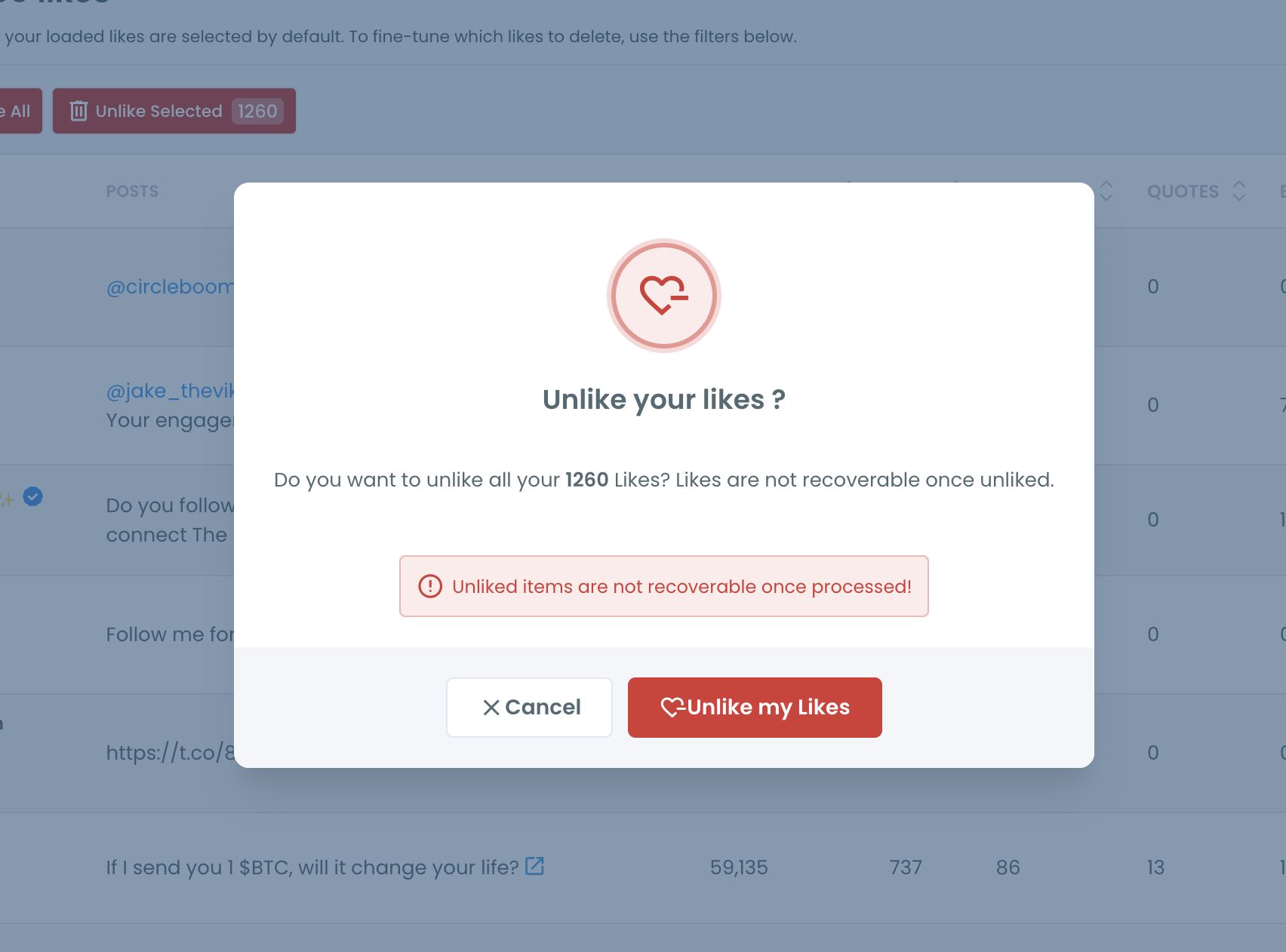
Keep the browser open until the progress indicator finishes. Large batches are paced automatically to stay within X's API rate limits.
Path 2: Unlike their older tweets from your full like history
Step 1: Download your X archive. On X, go to Settings and privacy, then Your account, then Download an archive of your data. When the archive is ready, unzip it and find the like.js file in the data folder.
Step 2: Upload like.js to Delete All Likes. In Circleboom, open Delete All Likes and upload the like.js file. Your entire like history loads, not just the latest 3,200.
Step 3: Apply the @username filter and unlike. Open Filter Options, type the person's @username, review the results, and unlike the rest. The Delete All Likes panel looks like the one in Path 1 but has its own fields:
- Post type selection: Tweets, ReTweets and Replies, all checked by default.
- Protect List: keep specific liked posts out of the deletion, even if they match the @username.
- Delete by like count: a Min/Max range.
- Delete by retweet count: a Min/Max range.
- Delete by date: a start and end date. Both dates and every day between are included.
- Delete by Keyword / Username or Hashtag: searches the tweet text, @mentions and #hashtags. Type the @username here.
- Delete by Language: pick one language. "UND" means posts without text.
- Delete by Media Type: only posts with media, or only posts without media.
Why X makes it hard to unlike tweets from one person
The Likes tab was built for looking back, not for cleaning up. It shows likes in the order you gave them, with no search box and no filter by author. One person's posts are scattered across months or years of everything else you liked.
The tab also does not reach very far. It loads in batches as you scroll and eventually stops, so older likes become hard to find through the app at all. That is why people who try the manual route usually give up halfway.
⚠️ Unliking is permanent. Neither X nor Circleboom can bring a removed like back, so review the filtered list before you confirm. If you used likes as a way to save posts, export your bookmarks or keep your archive file as a record first. You can also read how to download your Twitter likes before you start.
There is also a quieter reason this cleanup matters. X uses your likes as signals about what you want to see. Hundreds of likes on one account tell the algorithm that account is important to you, which keeps its posts and similar content in your For You feed long after you have lost interest. If you want a broader reset, this guide on how to reset your Twitter algorithm covers the bigger picture.
What happens if you leave those likes in place
Your feed keeps pushing them. Likes are personalization input. A long trail of likes on one person keeps their posts, their replies, and accounts like theirs showing up in your recommendations.
The connection stays on record. Likes are no longer a public tab other users can freely browse, but each like still counts on the original post and links your account to that content. If you are curious how visible likes are today, see how do you see someone's Twitter likes and hide likes on Twitter.
A brand account looks aligned with them. For businesses, a stack of likes on a competitor, an ex partner, or a controversial figure can read like an endorsement. Clearing them by @username is the cleanest way to step back without making a statement.
Unfollowing is not enough. Unfollowing, muting, or blocking someone does not remove the likes you already gave. If you want a full break, combine the unlike cleanup with blocking an account, or use Circleboom's Mass Block X Accounts tool when several accounts are involved.
Wiping everything is overkill. Deleting your whole like history, as in how to delete all liked tweets, also removes likes on friends' milestones, customer shoutouts, and posts you saved on purpose. Filtering by one person keeps all of that.
FAQ
Can I see all the tweets I liked from one person on X?
Not inside X. The Likes tab has no search or author filter. With Circleboom, you can filter your liked posts by that person's @username and see them in one list.
How do I unlike tweets from one person on Twitter at once?
Open Circleboom's Delete My Last Likes, type their @username into the Keyword / Username or Hashtag filter, review the results, and click Unlike All. For likes older than your latest 3,200, run the same filter in Delete All Likes with your archive's like.js file.
Will the person know I unliked their tweets?
X does not send a notification when a like is removed. The like count on their post simply goes down by one.
Do I need to unfollow or block them first?
No. Unliking works whether you still follow them or not. Unfollowing and blocking are separate actions, and neither one removes your past likes on their posts.
Can I unlike only their tweets from a certain period?
Yes. Combine the @username filter with a date range. Only likes on their posts from those dates will be listed and removed.
Can I get the likes back if I change my mind?
No. Unliking is permanent and cannot be undone by Circleboom or X. Review the filtered list carefully and keep your archive file if you want a record.
Is it safe to unlike tweets in bulk with Circleboom?
Circleboom is an Official X Enterprise Developer and sends every unlike request through X's official API. Large batches are paced automatically to stay within X's rate limits, with no password sharing and no browser automation.
Final thoughts
Unliking someone was never the hard part. Finding every one of their tweets inside years of likes was, because X gives you an endless scroll with no way to filter it by person. Circleboom turns that scroll into a short list of one account's posts, so you can unlike tweets from one person on Twitter in a single action and leave the rest of your history alone. The connection goes quietly, and nothing else changes.
Start cleaning up likes from one account with Circleboom Twitter:
https://circleboom.com/twitter-management-tool/unlike-delete-all-twitter-likes