

Most people check their analytics, nod at the numbers, and move on. The follower count went up. The impressions look okay. Nothing actionable comes out of it.
That's because Twitter analytics, used passively, tells you what happened. Used actively, it tells you what to do next.
The real value of analytics isn't the numbers themselves. It's finding which tweets already worked and doing more of them. And that's where most people leave a lot on the table. They keep creating new content from scratch every day when the answers are already sitting in their post history, waiting to be found.
I use Circleboom Twitter for this because it lets me sort every tweet I've ever posted by any metric I want and then act on the results directly from the same dashboard.
Find the best tweets, then reschedule them, rewrite them with AI, or set them up to auto-retweet. Tweets that already performed well get four times the engagement the second time around because the content is proven. The audience already told you it works.
Can you use Twitter analytics to improve engagement?
Yes. Analytics show you which tweets generated the most interaction. The key is acting on that data rather than just reading it.
With Circleboom Twitter's X Post Engagement Analytics, you can sort all your tweets by likes, retweets, replies, impressions, or engagement rate, and take direct action on the best ones: reschedule, rewrite, add to a queue, or set up an auto-retweet cycle, all from the same dashboard.
 infocircleboom.com
What Is Circleboom Twitter?
Circleboom is an Official X Enterprise Developer that works directly with X's official APIs. The analytics data you see in Circleboom is pulled through compliant, verified API access and gives you more sorting and filtering flexibility than X's built-in analytics.

Here's what Circleboom Twitter gives you for analytics-driven content optimization:
- See all your tweets in one dashboard sorted by any engagement metric
- Filter by likes, retweets, replies, impressions, engagement rate, profile clicks, and more
- Reschedule top-performing tweets directly from the analytics view
- Rewrite high-performing tweets using built-in AI tools
- Set up auto-retweet cycles on your best posts without leaving the dashboard
How to Use Twitter Analytics to Boost Interaction with Circleboom Twitter
Step #1: Navigate to the Analytics Menu
From the left-hand menu, click on the "X AI WRITER FOR CREATOR + Post Analytics" tab, then select "Post Analytics" from the dropdown.
Within Post Analytics, select the "Post Engagement Analytics" option.
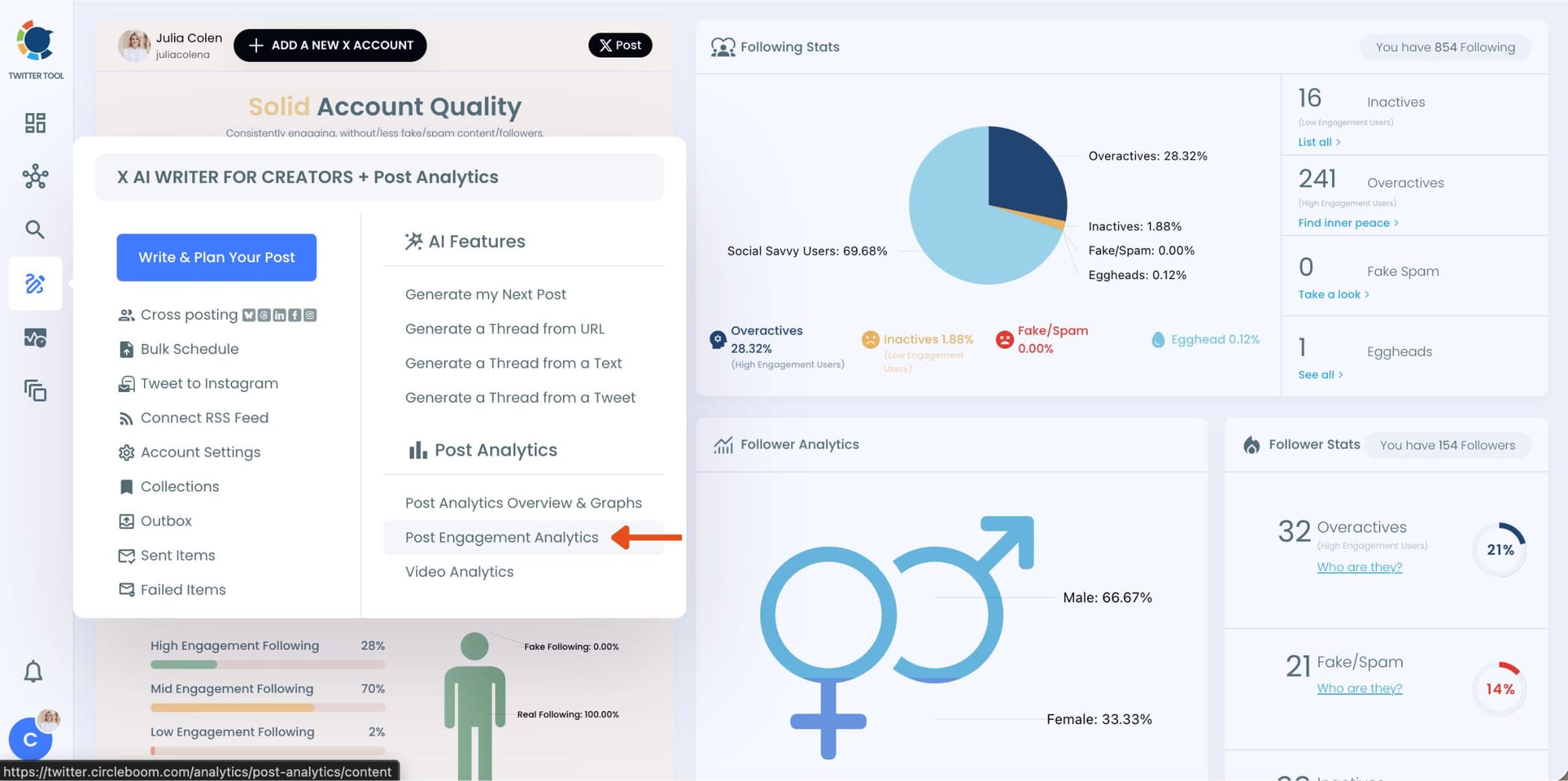
Circleboom will display a detailed breakdown of your posts, including metrics like impressions, likes, retweets, replies, and more.
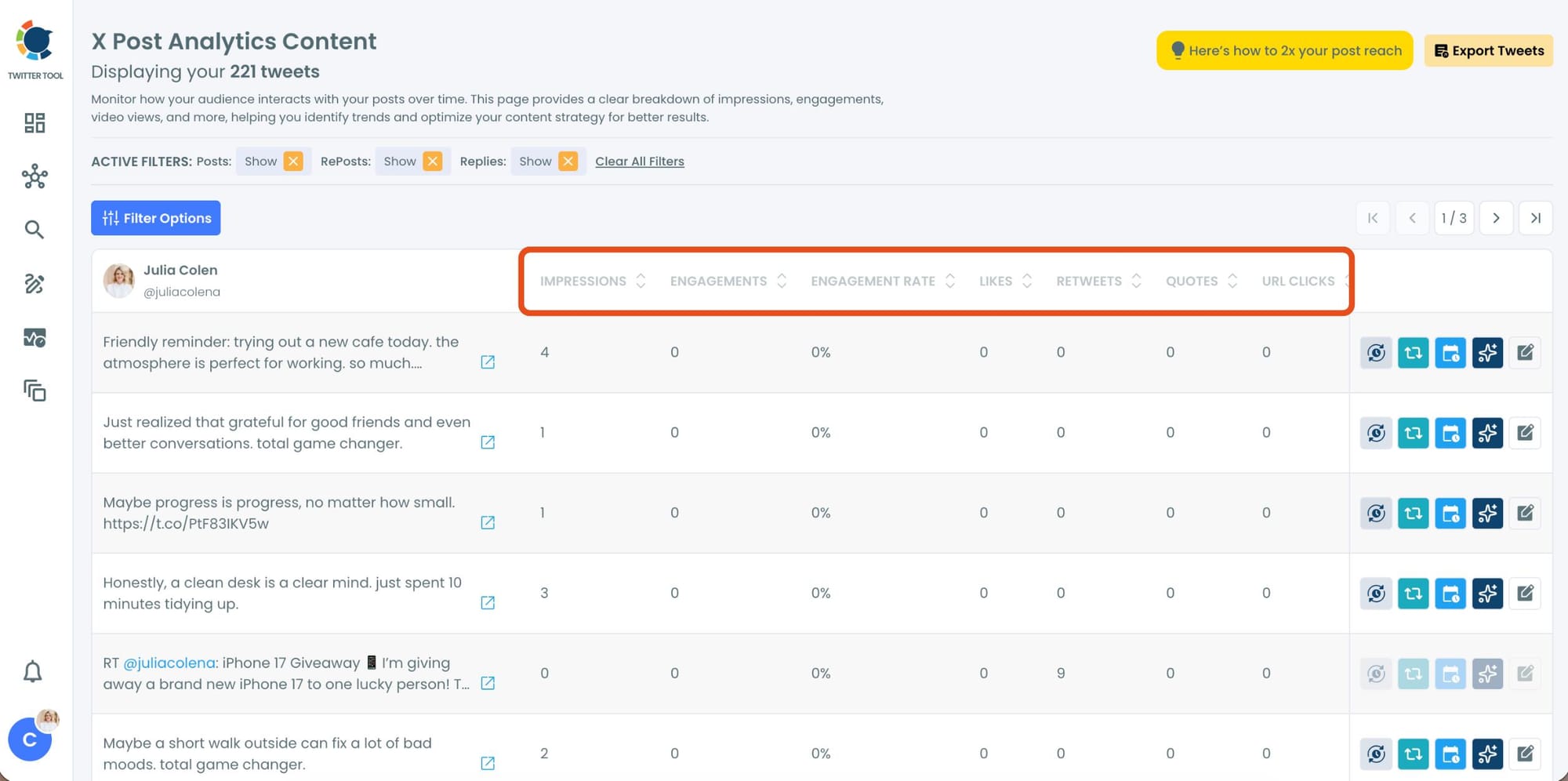
Step #2: Sort by Engagment
Now, you can sort your tweets for any stats you want. Let's say you want to find your most liked tweet and reuse it.
Locate the "Likes" column in the content list.
Click on the column heading, and Circleboom will automatically arrange your tweets from the highest to the lowest number of likes.
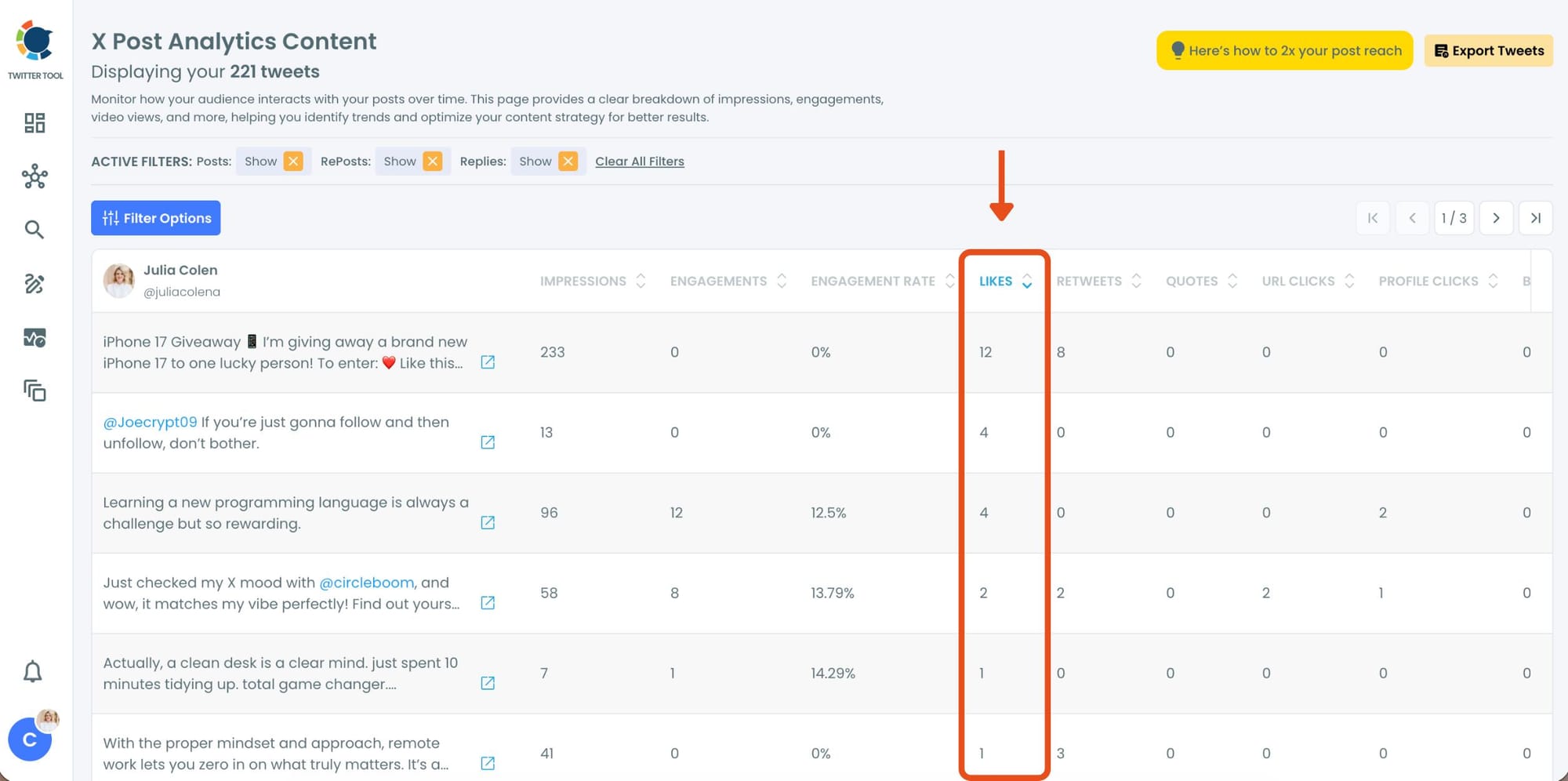
Here, you’ll instantly see your most popular tweets at the top, making it easy to identify which content performed best.
Step #3: Once you’ve found your old tweets, Circleboom offers several tools to make the most of them; choose which you want to use:

🟢 Reschedule Popular Tweets: Found a tweet that’s still relevant or hilarious but didn’t get the engagement it deserved?
With Circleboom, you can reschedule it to repost it at a better time.
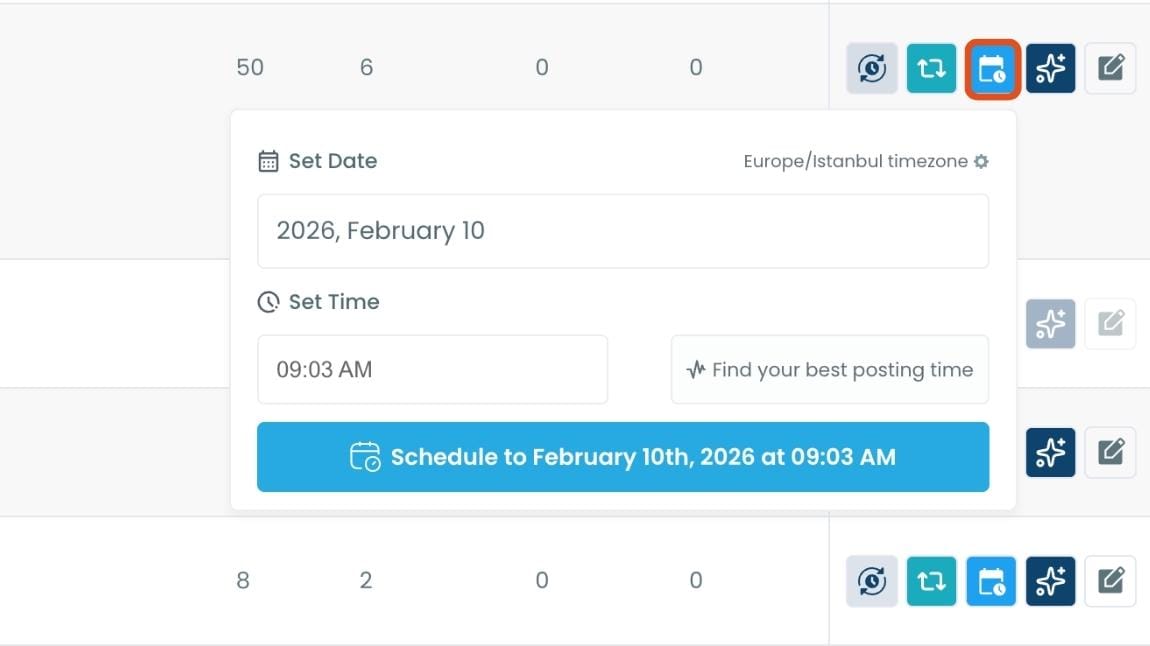
Maybe your audience wasn’t active when you first tweeted it, or perhaps it just got lost in the noise. Rescheduling ensures your best content gets a second chance to shine.
🔵 Refresh Content with AI: Some of your old tweets might feel outdated or could use a fresh twist. Circleboom’s AI-powered tweet generator can help you rewrite or improve them.
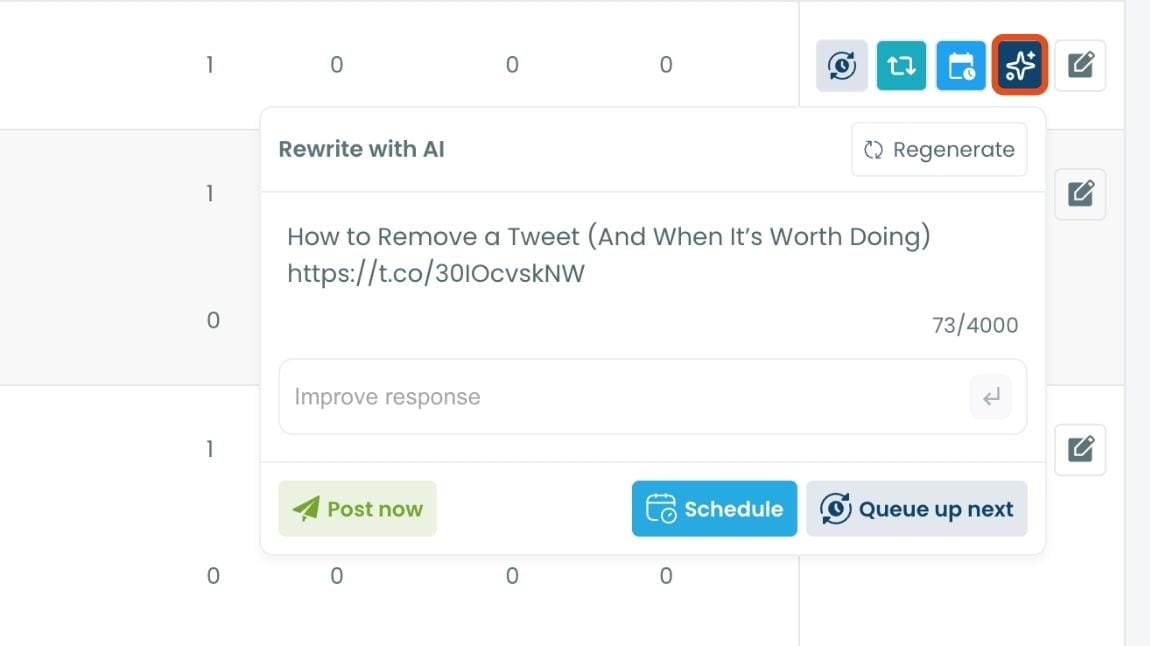
Whether you want to update the language, add a modern twist, or make it more engaging, the AI feature has got you covered.
🟡 Set Auto-Retweets: If you’ve got evergreen tweets that are still relevant, why not let them work for you on autopilot?
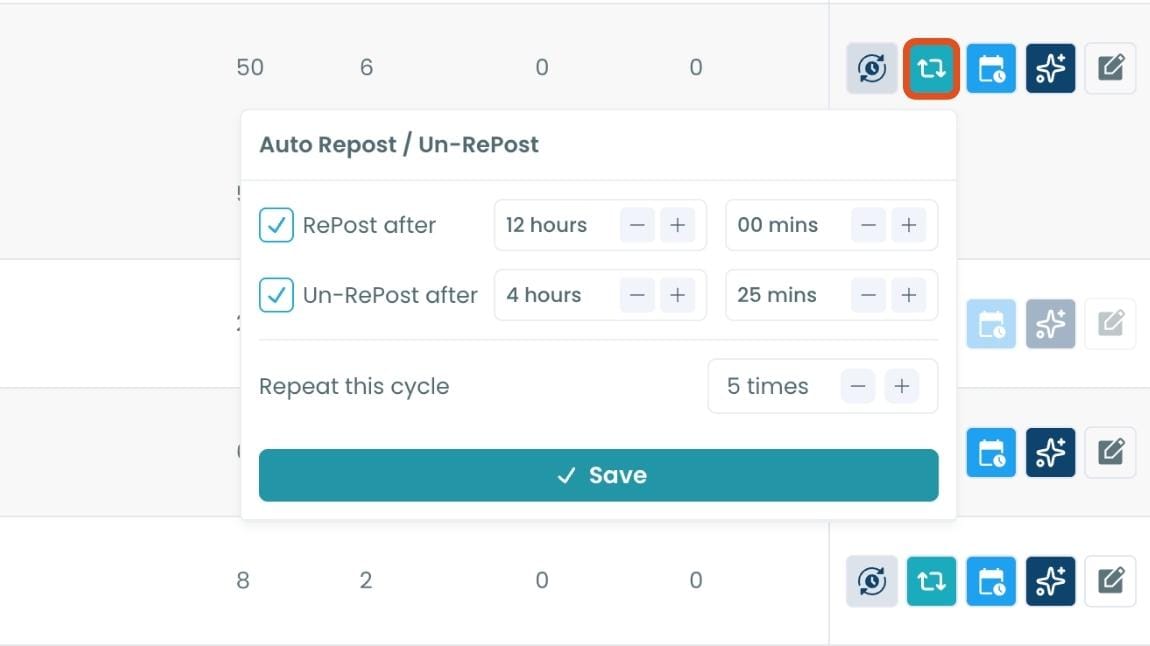
Circleboom’s auto-retweet feature allows you to automatically retweet your best-performing content at regular intervals.
This is perfect for driving consistent engagement without lifting a finger.
Why X's Built-In Analytics Isn't Enough
X gives you analytics. You can see impressions, engagements, and a few other metrics on each tweet if you click through to it individually. There's also an overview graph showing trends over time.
What X doesn't give you is the ability to sort all your tweets by a performance metric at once. You can't rank your posts by engagement rate. You can't pull up your top ten tweets by likes in a single view. You can't filter by a specific date range and see which content performed best within that window.
📌 X's native analytics is a readout, not a tool. It tells you numbers but doesn't help you find the tweets worth acting on. Circleboom Twitter's Post Engagement Analytics puts every tweet in a sortable table so the best-performing ones rise to the top immediately.
The Part Most People Skip: Acting on What You Find
This is where the real difference is.
Once you sort your tweets by engagement rate in Circleboom Twitter, the top performers become obvious. The tweet that got three times the usual likes. The thread opener that sent a spike in profile clicks. The reply that spread beyond your own followers.
Most people notice these tweets and feel good about them. Then they write the next one from scratch.
The smarter move is to act on what's already in front of you. Circleboom Twitter's analytics dashboard gives you four ways to do that directly, without switching tools.
Reschedule. Take a tweet that performed well and schedule it to go out again at a better time or to a different slice of your audience. A tweet that landed on a Tuesday morning might do even better on a Thursday evening. The content is proven. You're just extending its reach.
Rewrite with AI. High-performing tweets reveal what resonates with your audience. The AI rewriter inside Circleboom Twitter takes the structure and intent of that tweet and produces a fresh version with different phrasing. Same topic, same energy, new copy. This is how you scale content without becoming repetitive.
infocircleboom.com
Add to queue or reshare. If you have a scheduling queue set up, you can push a top-performing tweet back into rotation with one click. It slots in alongside your other scheduled content and goes out at the next available time.
Set up an auto-retweet cycle. This is the most powerful option for tweets you want to keep circulating. Define the repost interval, how long each repost stays up, and how many cycles to run. Circleboom handles the rest automatically. A tweet that got strong engagement the first time typically sees three to four times that engagement across a full auto-retweet cycle because it reaches different segments of your audience at different times.
infocircleboom.com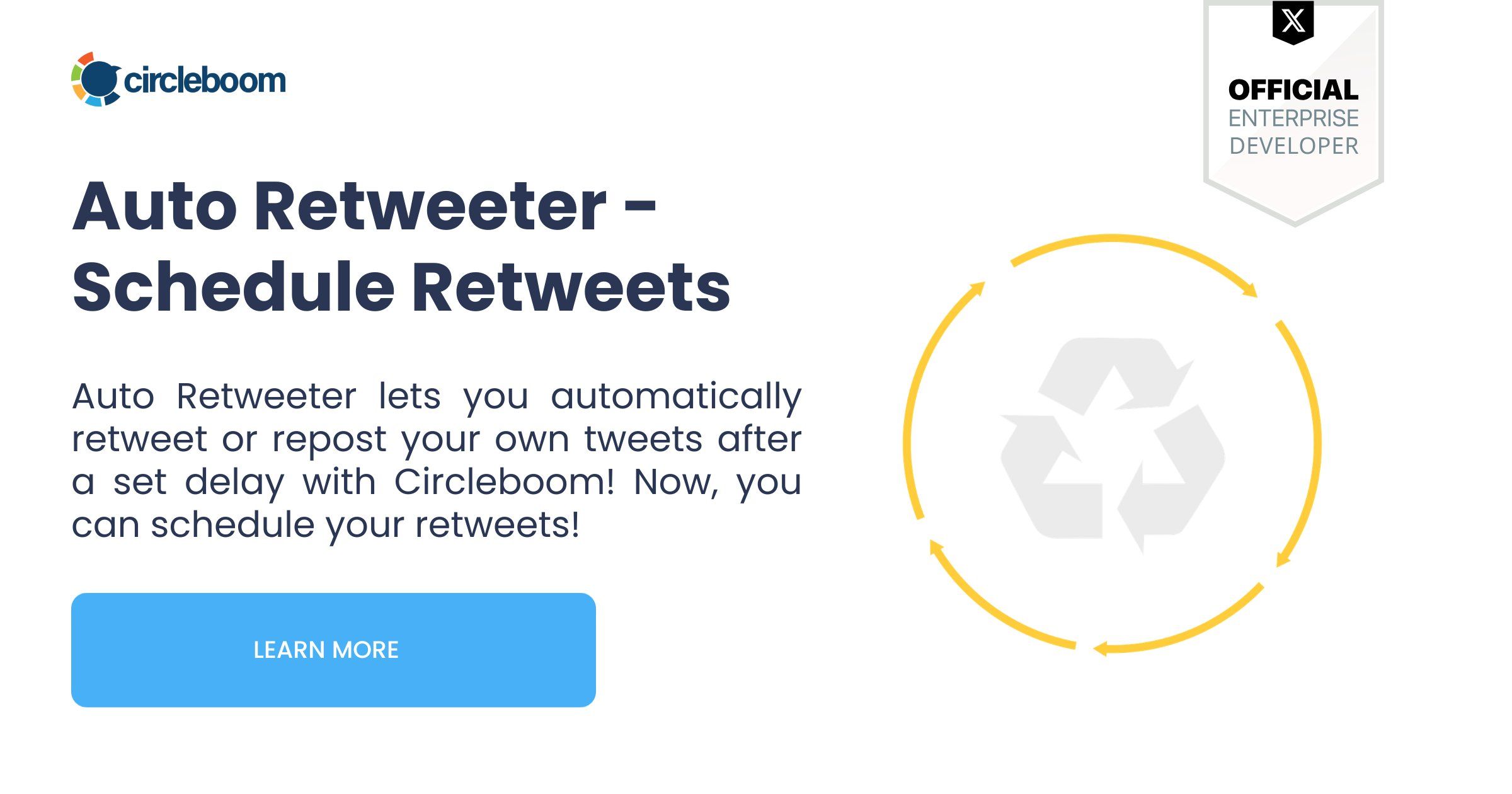
What to Look For When You Sort by Engagement
Not every high-impression tweet is a high-engagement tweet. The distinction matters.
Impressions tell you how many times the tweet appeared in feeds. A high number here means distribution was strong. But if the engagement rate is low, people saw it and kept scrolling. That's a reach problem, not a content problem.
Engagement rate tells you what percentage of people who saw the tweet actually did something. This is the most useful signal for content quality. A tweet with modest impressions but a strong engagement rate means the content landed well with the people who saw it. More distribution of that tweet would produce more results.
Profile clicks are the signal most people overlook. A tweet that generates unusually high profile clicks means something in it made people curious enough to investigate the account. Those are the tweets worth repeating most. They're the ones that actually convert awareness into followers. Circleboom Twitter lets you sort by profile clicks specifically, which X's native analytics doesn't offer in a sortable table view.
Likes and reposts together give you a social proof signal. High likes with low reposts means people enjoyed it privately. High reposts with moderate likes means people thought it was worth spreading. Both are valuable but for different reasons, and sorting by each tells you something different about which content to reuse.
Frequently Asked Questions
Can you use Twitter analytics to improve engagement?
Yes. Analytics reveal which content already resonated with your audience. The key is using that data to inform what you do next, by rescheduling, rewriting, or auto-retweeting top performers, rather than treating analytics as a passive readout.
Why is Circleboom Twitter better than X's built-in analytics for this?
X's native analytics shows you metrics per tweet when you check them individually. Circleboom Twitter puts all your tweets in one sortable dashboard where you can rank them by any metric and take direct action on the results from the same view. The sorting and the actions together are what make the difference.
What metrics should I focus on to boost interaction?
Engagement rate is the most reliable signal for content quality. Profile clicks indicate curiosity and conversion potential. Reposts indicate content people consider worth spreading. Sort by each separately to find different categories of high-performing content.
Can I reuse tweets directly from the analytics dashboard?
Yes. From Circleboom Twitter's Post Engagement Analytics, you can reschedule, reshare, rewrite with AI, add to queue, or set up an auto-retweet cycle on any tweet without leaving the dashboard.
How much does reusing top tweets actually improve engagement?
Tweets that are rescheduled or auto-retweeted typically reach different segments of your audience at different times, producing three to four times the total engagement of the original post. The content is already validated. You're expanding its distribution.
Do I need X Premium to access this kind of analytics?
No. Circleboom Twitter's Post Engagement Analytics works without X Premium, giving you sortable, filterable tweet performance data through X's official API regardless of your subscription tier.
Final Thoughts
Analytics is only useful if you do something with it. Most people read the numbers and move on. The accounts that grow consistently are the ones that find their best tweets, act on them, and build a content system around what already works.
Circleboom Twitter's Post Engagement Analytics is where that workflow starts. Sort, find, and reuse the tweets your audience already told you they like.
Use post analytics to boost interaction with Circleboom Twitter.
infocircleboom.com
