

Twitter lets you search tweets. It lets you search hashtags. It does not let you filter accounts by how long they've been on the platform.
Account age is one of the most useful signals for evaluating whether an account is real, established, or worth engaging with. An account created in 2015 with 3,000 followers tells you something very different from an account created last month with the same count. Twitter treats both identically in search results.
That gap matters whether you're vetting a potential collaborator, researching a niche, auditing a follower list, or trying to understand why engagement from a certain group feels off. The creation date is right there on every profile when you visit it individually. It just can't be used as a filter anywhere in Twitter's native search.
With Circleboom Twitter, account age is one of the core filters. You search a keyword across bios and profiles, get a full list of matching accounts, and narrow that list to accounts created within any date range you specify.
Is there a way to search Twitter accounts by account age?
Not through Twitter's native tools. Twitter provides no way to filter search results by account creation date.
With Circleboom Twitter's Advanced X Search, you can search any keyword across public bios and profiles and filter the results by account age, setting a creation date range to surface only the accounts that match.
 infocircleboom.com
The filter works alongside other quality signals like follower count, tweet count, and activity level.
What Is Circleboom Twitter?
Circleboom is an Official X Enterprise Developer, which means it connects directly to X's official APIs.
All account data retrieved is publicly available. No scraping, no credential sharing, full compliance with platform rules.

Here's what Circleboom Twitter's Advanced X Search gives you for account discovery:
- Search any keyword across public bios and profiles across X
- Filter results by account age, follower count, tweet count, and activity level
- Choose between Live Search for recent accounts and Deep Search for broader historical coverage
- Take direct actions on results including follow, export, add to lists, and mass block
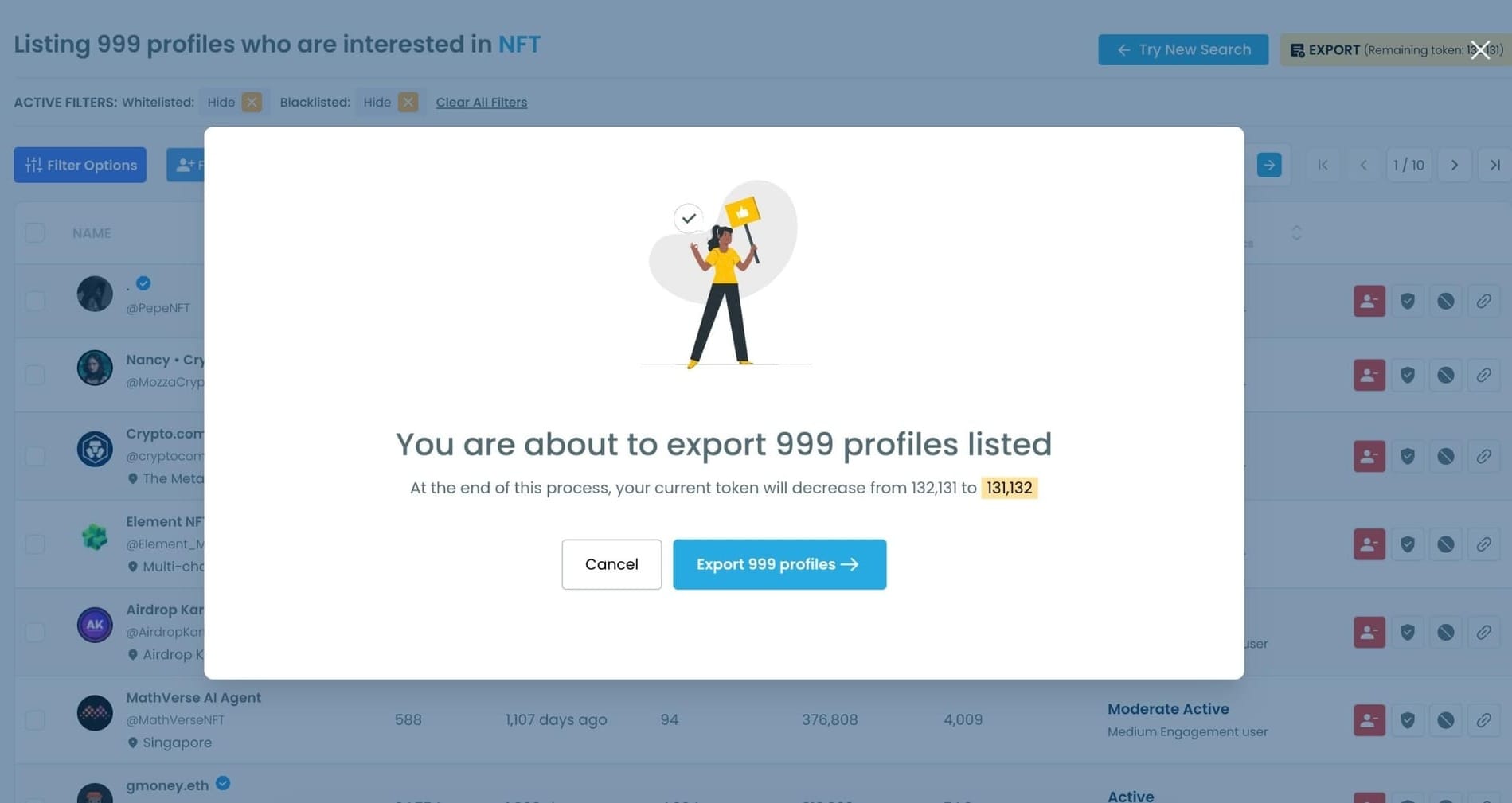
- Export any filtered result set as a CSV for external analysis or outreach workflows
If you need to search Twitter accounts by account age, Circleboom Twitter is the tool that makes it possible.
How to Search Twitter Accounts by Account Age with Circleboom Twitter
Let's say you wanted to find accounts interesting with NFTs on Twitter:
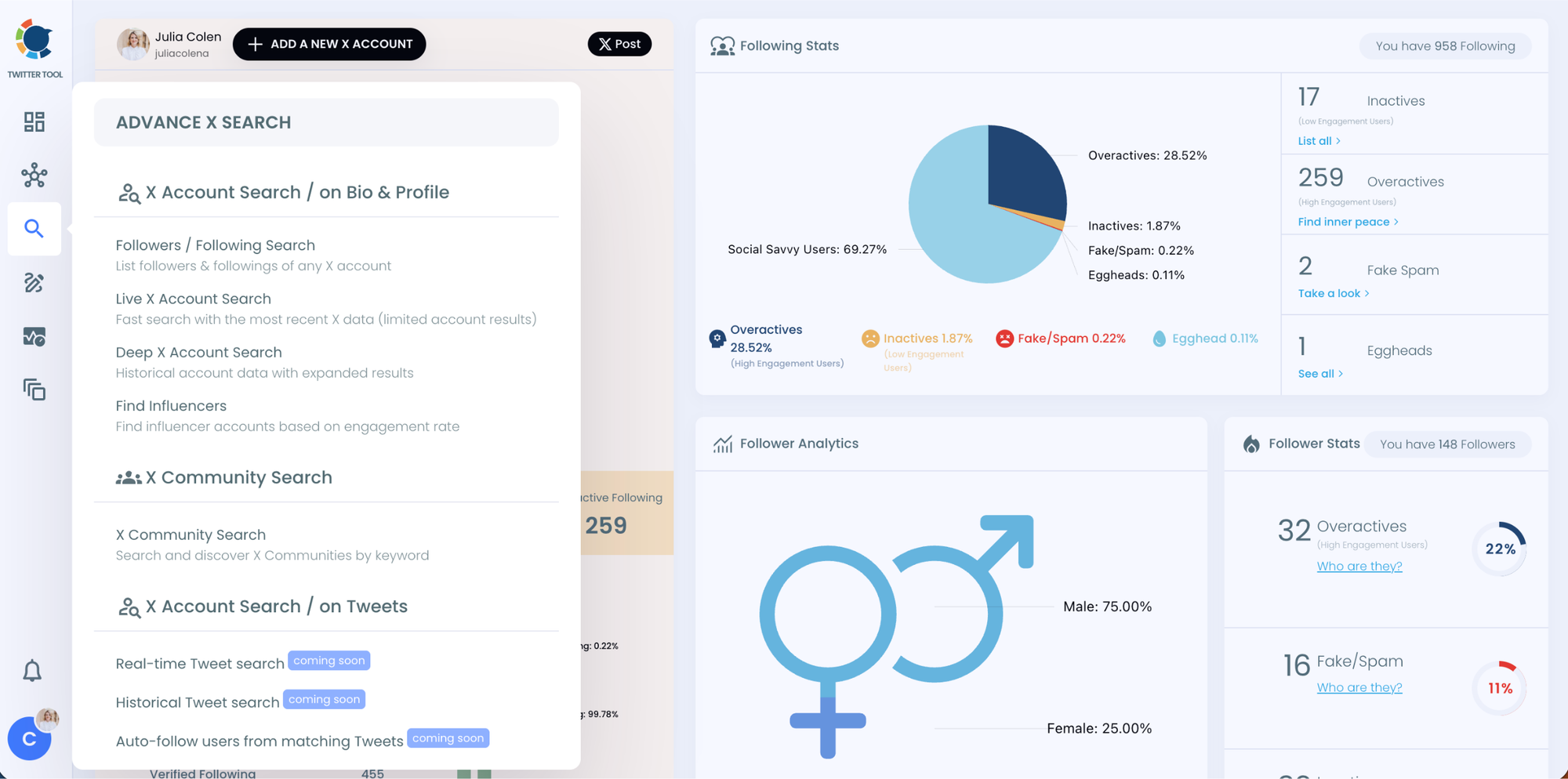
Step #1: Go to the left-hand menu, open the Advanced X Search tab, and click “Live X Account Search”
You’ll land on the updated Live Search page.
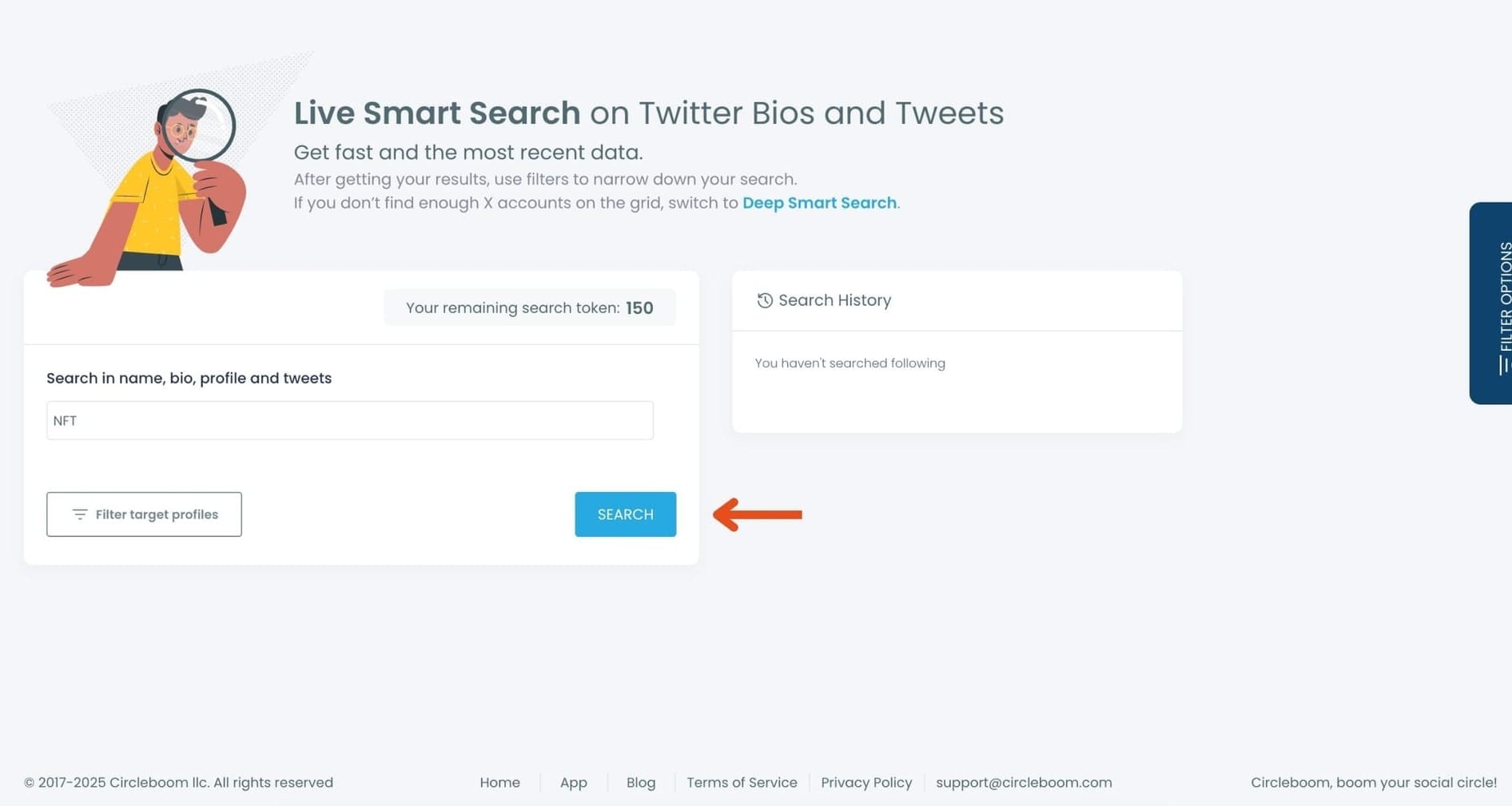
Step #2:Enter your keyword in the search bar.
Circleboom scans names, bios, profiles, and tweets in real time.
Type something like NFT and hit “Search.”
Step #3: Use the Filters — Especially the Join Date Filter
Your results will appear instantly.
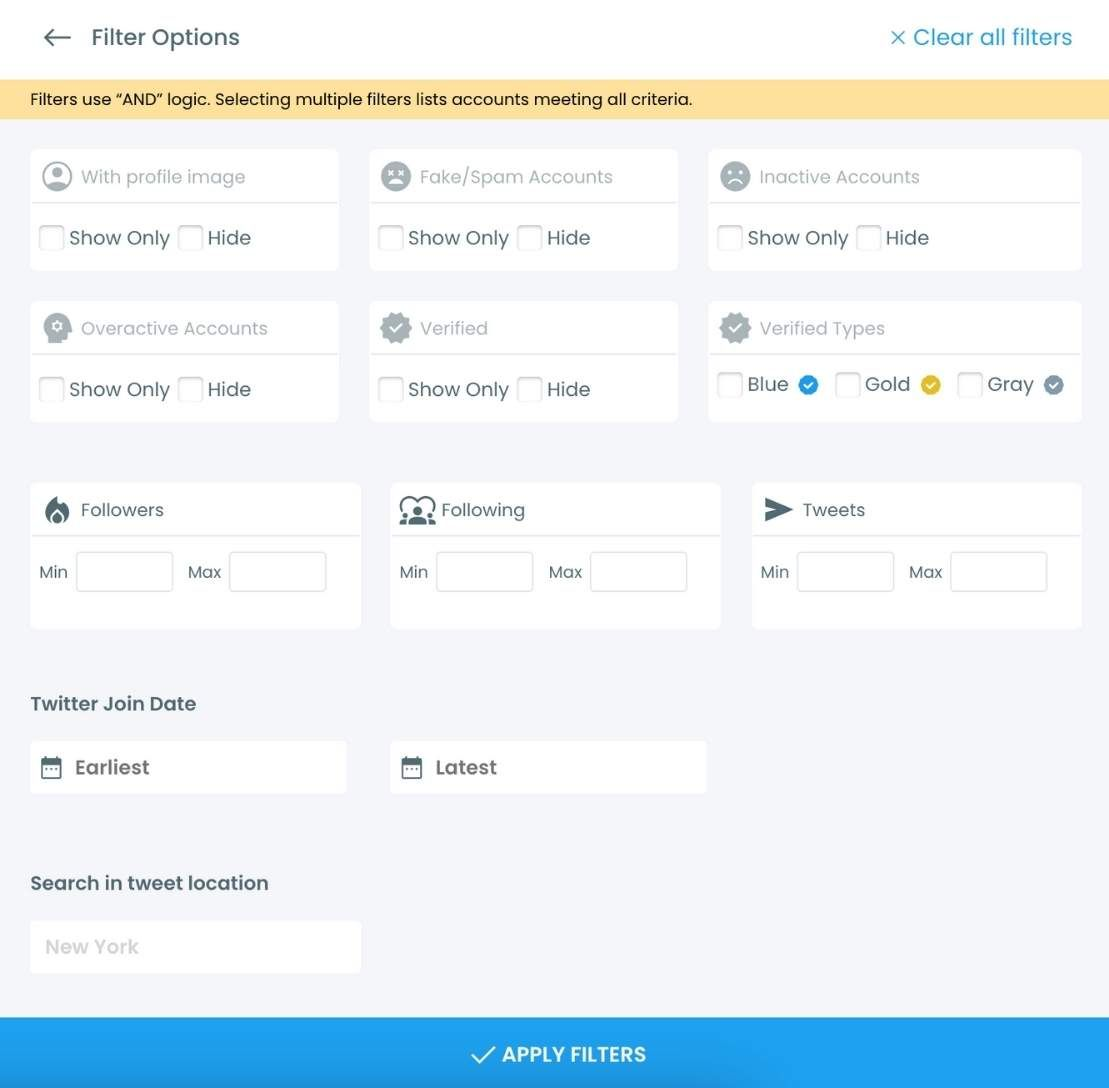
Now open the Filter Options panel to refine the list.
Here you can filter users by:
- Activity level
- Verification
- Follower / following range
- Join date
- Location
- Tweet count
To focus on account age, scroll to the Join Date filter and choose:
- Accounts that joined before a specific date
- Accounts that joined after a specific date
- Or a full custom date range
This is where you can find accounts from 2010, 2012–2016, users, etc.
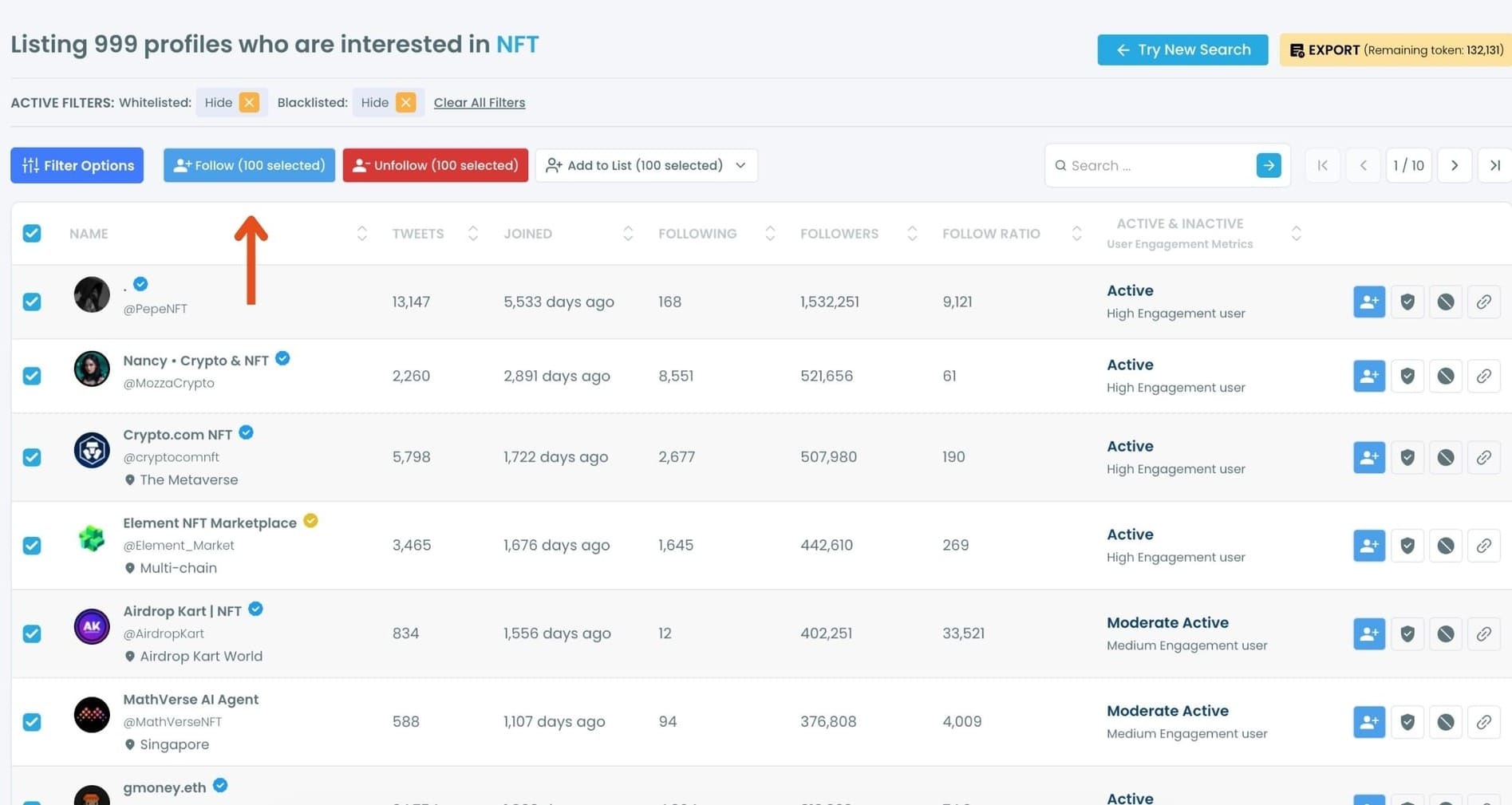
Step #4: Select the accounts you want to follow in bulk.
You can tick them one by one or use the selection tools at the top.
Once selected, click the “Follow” button.
Step #5: A safety pop-up will appear.
Circleboom reminds you of X’s follow limits and keeps your account safe by preventing aggressive or risky actions.
Read the message and click “Got It” to continue.
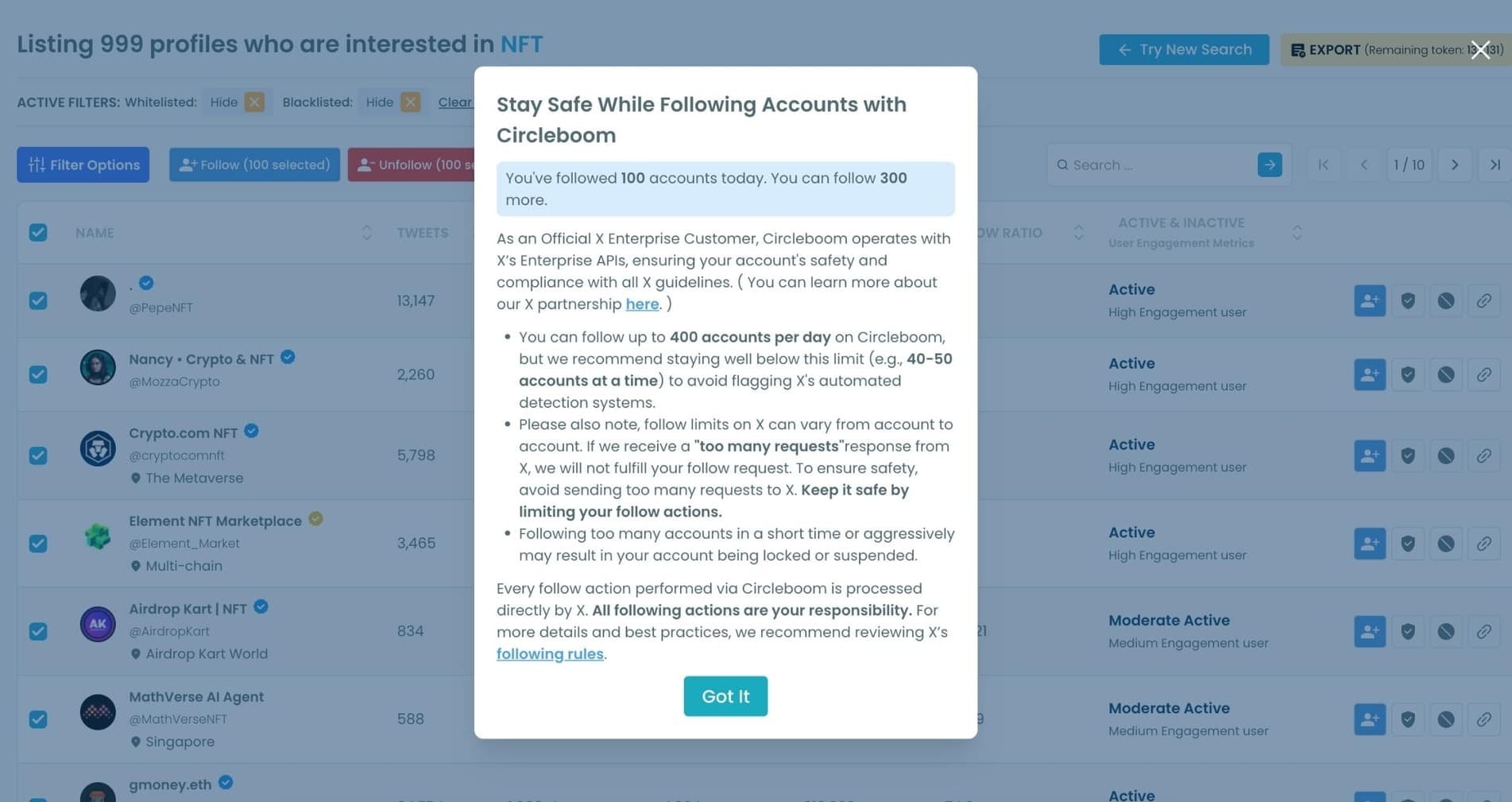
Your follow requests will begin processing automatically.
Step #6 (Optional): You can also:
• Add the selected users to a Twitter List,
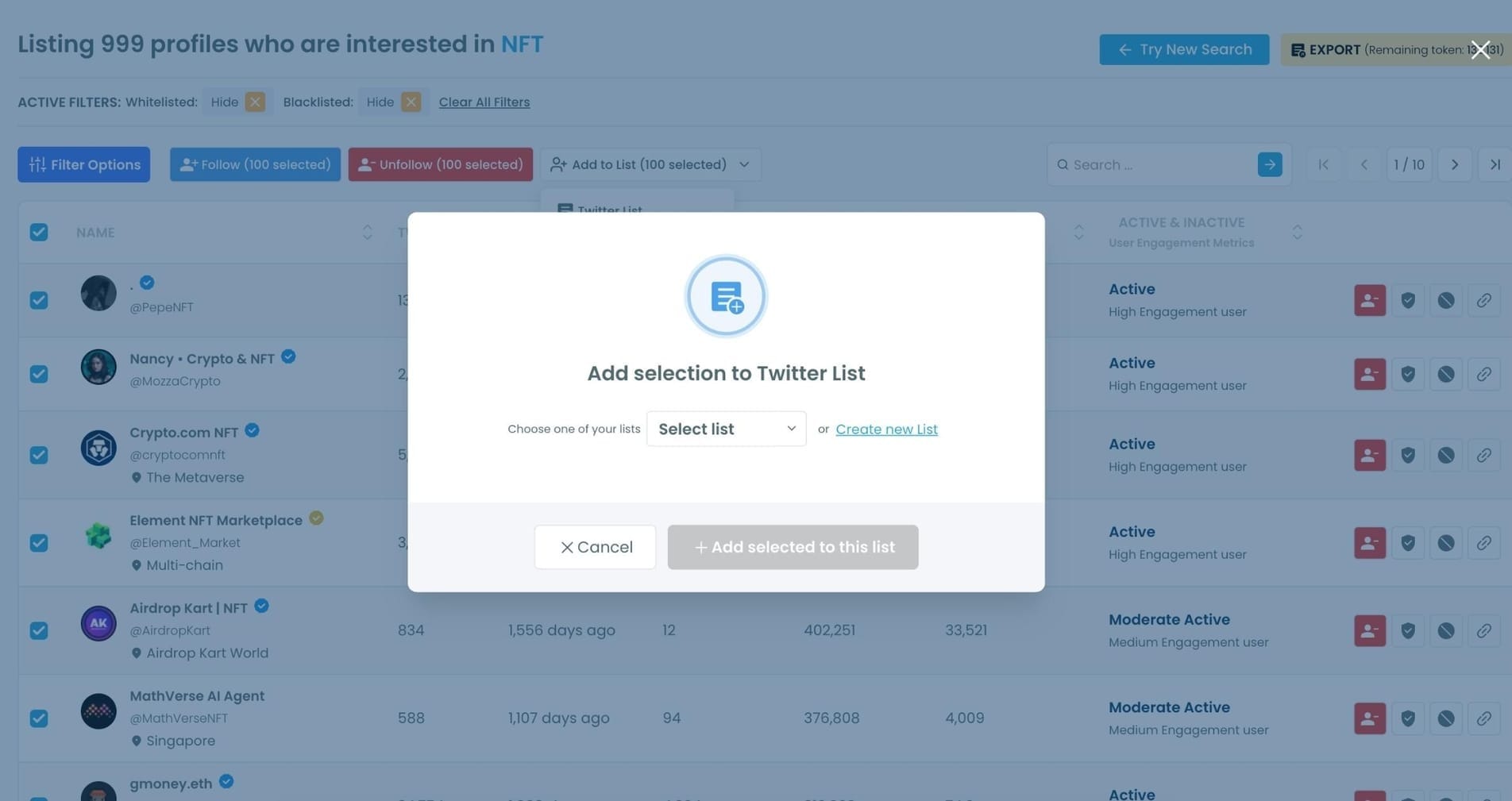
• Or Export the entire result set as a CSV file for outreach, influencer targeting, or audience building.
Why Account Age Matters More Than Most People Think
A follower count, a bio, and a profile picture are easy to fake. Account age is not. You can create an account today and buy 10,000 followers by tomorrow. You cannot make that account look like it was created in 2017.
That's what makes account age such a reliable signal, and why its absence from Twitter's native search is a meaningful limitation.
Older accounts carry established history. An account that has been active for several years has a tweet record, a pattern of engagement, and a presence that can be evaluated. A new account is a blank slate. When you're looking for people who have been genuine contributors to a topic or community over time, filtering for account age is the most direct way to find them.
New accounts in clusters are a classic bot signal. When a keyword search returns a large proportion of accounts all created within the same short window, that pattern is almost never organic. Real people don't join a platform in coordinated waves around the same dates. Bot networks do. The account age filter makes this pattern visible immediately.
Age combined with low tweet count is a strong quality indicator. An account created three years ago with fewer than 20 tweets is either completely inactive or was created for a specific purpose other than genuine participation. Filtering for older accounts with low activity surfaces these quickly without manual checking.
📌 Account age alone doesn't tell the whole story. A very old account with no activity is different from an old account with consistent engagement. The filter is most useful when combined with tweet count, follower ratio, and activity signals together, which is exactly what Circleboom Twitter allows.
For influencer vetting, age changes the interpretation of everything else. A verified account with 50,000 followers created in 2023 raises different questions than the same account created in 2016. The follower number is the same. The credibility reading is different. Age gives you context that the number alone can't.
Arif Akdogan
What You Can Do with Account Age Search
Find established accounts in your niche for outreach or collaboration. If you're looking for long-term contributors to a specific topic, filtering for accounts created before a certain year gives you a list of people who have been in that space for a while. These are the accounts most likely to have genuine audiences and real influence.
Filter out newly created accounts from search results. When you run a keyword search and want to exclude the bot-adjacent noise that often shows up, setting a minimum account age removes the most obvious candidates from the results before you do anything else with the list.
Identify early adopters and community veterans. In any niche, the people who were there first often have the most credibility and the most connected networks. Filtering by account creation date lets you find the people who were talking about a topic before it became popular.
Vet followers or following lists for suspicious patterns. Circleboom Twitter's Followers and Following Search lets you retrieve any public account's follower or following list and apply the same account age filter. If a large percentage of an account's followers were created in a short recent window, you're looking at an audience that was purchased or manufactured.
Competitor research. Understanding when a competitor's audience was built tells you something about how it was built. A follower base that accumulated gradually over years looks very different from one that appeared quickly. Account age filtering makes that difference visible in the data.
Frequently Asked Questions
Can you search Twitter accounts by account age?
Not natively. Twitter's search tools do not include an account age filter. Circleboom Twitter's Advanced X Search includes account creation date as a filter, letting you set a date range to narrow any keyword search result to accounts created within that window.
How do I find old or established Twitter accounts in a specific niche?
In Circleboom Twitter, you search the keyword associated with your niche in the Advanced X Search, then apply the account age filter to set a minimum creation date, for example accounts created before 2019. The results will show only accounts that match both the keyword and the age criteria, with full profile data for each.
Why does account age matter when evaluating Twitter accounts?
Account age is one of the few signals that cannot be faked after the fact. A high follower count, a polished bio, and a profile picture can all be bought or manufactured. The creation date on an account is fixed. Combined with other signals like tweet count and activity level, it becomes one of the most reliable indicators of whether an account is genuine and established.
Can I combine account age with other filters in Circleboom?
Yes. The account age filter works alongside follower count, following count, tweet count, verification status, activity level, language, and location filters. Combining multiple filters gives you a much more precise result set than any single filter alone.
Does Twitter show account creation date on profiles?
Yes. The account creation date appears on every public Twitter profile, listed under the bio section. The limitation is that this information is only visible when you open an individual profile. There is no way to use it as a search filter natively within Twitter's search tools.
Is account age a reliable signal for detecting bots?
It's one of the strongest signals, but it works best in combination with others. A newly created account isn't automatically a bot, and an old account isn't automatically legitimate. T
he pattern that reliably indicates coordinated inauthentic activity is a large number of accounts with similar creation dates appearing together, especially when combined with low tweet counts and extreme follower to following ratio imbalances. Circleboom Twitter lets you apply all of these filters together.
Final Thoughts
Twitter gives you a search box and takes away half the filters that would actually make it useful. Account age is one of the most meaningful signals available for evaluating any account, and the platform hides it completely from search.
Circleboom Twitter's Advanced X Search puts it back. Search any keyword, set your date range, combine with other quality filters, and get a result set that actually tells you something.
Search Twitter accounts by account age with Circleboom Twitter's Advanced X Search.
infocircleboom.com
