
Posting YouTube Shorts often feels like the fastest way to grow on YouTube. You upload one clip, it gets traction, and suddenly you’re asking the real question:
Should I post more than one YouTube Short per day?
The honest answer is yes, you should, but only if your niche, content type, and workflow can support it.
Posting more Shorts can accelerate growth dramatically, but if done wrong, it can also stall a channel or burn out the creator.
 Altug Altug
The Real Goal of YouTube Shorts (And Why Frequency Matters)
YouTube Shorts are not just “short videos.” They are discovery engines, which are a leading path that directs watchers to your long-form content. Don't skip this part before understanding what I mean.
On Reddit, a contributor who is posting YT Shorts and sharing the experience put a claim that YouTube "likes" shorts which is actually the "short" form of your long content. So, stay within your niche, use the same language, and target the same audience.
Their primary roles are:
- Introducing your channel to new viewers
- Testing ideas, hooks, and formats quickly
- Feeding subscribers into your long-form content (what I tried to say above)
Because Shorts are pushed to people who don’t follow you yet, posting frequency directly affects how often YouTube can test your content with new audiences.
More Shorts = more tests.
More tests = more chances to hit a winning format.
But this only works if the content stays relevant and watchable.
Yes, You Can Post Multiple YouTube Shorts a Day — But Your Niche Sets the Ceiling
Not all niches behave the same way on Shorts. Audience expectations matter more than raw volume.
Fast-consumption niches (high tolerance for volume)
These niches naturally support multiple Shorts per day:
- Entertainment
- Memes and humor
- Sports highlights
- Trending clips
- Reactions and commentary
Audiences here scroll fast and expect frequent updates. Posting 2–6 Shorts per day often works if the hooks stay fresh.
Educational and value-based niches (moderate tolerance)
Examples:
- Productivity tips
- Marketing insights
- Tech explainers
- Finance basics
Here, 1–3 Shorts per day usually performs better. Too many uploads can dilute perceived value and reduce retention.
High-effort or story-driven niches (low tolerance for volume)
Examples:
- Deep tutorials
- Storytelling
- Cinematic edits
- Research-heavy explanations
In these niches, quality and watch time matter more than frequency. 3–7 Shorts per week can outperform daily posting if retention stays high.
Key principle:
The best posting frequency is the highest number you can sustain without lowering average watch duration and completion rate.
Why Posting Multiple Shorts Per Day Works (When Done Right)
When frequency matches your niche, the benefits compound quickly.
1. You keep your audience active
Regular Shorts keep your channel present in the feed. Even viewers who don’t engage every time start recognizing your content.
2. You increase algorithm exposure
Each Short is an independent opportunity to be pushed. You don’t need every video to win; you need one to break out.
3. You learn faster
Posting more means:
- Faster feedback on hooks
- Clearer signals on topics
- Quicker format validation
Instead of guessing what works, you see it in days.
4. You build momentum for long-form content
Shorts often act as entry points. A viewer finds you through a Short, subscribes, and later watches your long-form videos.
 Arif Akdogan
When Posting Multiple Shorts a Day Hurts Your Channel
More uploads don’t automatically mean more growth.
Posting too frequently can hurt if:
- Shorts repeat the same idea with different wording
- Hooks feel recycled
- Editing quality drops to “just post something”
- You can’t keep the pace for more than a week
YouTube rewards consistent signals over time, not short bursts of intensity.
If posting five Shorts a day leads to two weeks of silence afterward, the algorithm and the audience both lose trust.
A Practical Posting Framework (Start Here)
Use these as realistic starting ranges:
- Entertainment / memes / trends: 2–6 Shorts per day
- Tips, commentary, light education: 1–3 Shorts per day
- High-effort content: 3–7 Shorts per week
- Brand-new channels: 1 Short per day for 30 days, then scale
Once you find a format with strong retention, then increase volume.
How to Post More Without Burning Out (This Is Where Most Creators Fail)
Posting frequently is not about working more; it’s about building a system.
Batch creation is non-negotiable
Instead of creating one Short per day:
- Record 15–30 clips in one session
- Edit them in batches
- Schedule everything ahead of time
One focused day can cover an entire week.
Use content buckets
Create 3–5 repeating formats, such as:
- Quick tips
- Mistakes to avoid
- Myths vs facts
- Reactions
- Mini case studies
This removes creative friction and keeps your content varied.
Plan weekly, not daily
Daily posting decisions create mental fatigue. A weekly plan gives clarity and consistency.
The Hidden Bottleneck: Scheduling YouTube Shorts
Once you increase posting frequency, manual uploads become the real problem.
Scheduling directly on YouTube:
- Is slow when managing many videos
- Doesn’t support multi-platform workflows
- Becomes frustrating when posting daily or multiple times per day
This is where most creators lose consistency, not because of ideas, but because of process.
My Workflow: Scheduling Shorts and Growing Across Platforms Together
This is why I use Circleboom Publish.

It allows you to manage multiple social media accounts across multiple platforms from a single dashboard. My main channel is YouTube, but I don’t limit Shorts to one platform.
The same Short can also be shared on:
- TikTok
- Instagram Reels
This helps grow entirely different audiences without creating extra content.
Instead of creating platform-specific videos, I focus on content once and distribute it efficiently.
Another major advantage is timing. Circleboom Publish analyzes audience activity and shows when followers are most active, so Shorts are scheduled for maximum visibility rather than guesswork.
 Kevin Frank
Step-by-Step: How to Schedule YouTube Shorts With Circleboom Publish
Here’s the exact process:
Step #1: Log into Circleboom Publish on your browser.
Is it your first time there? Then, you can create a new account in just a few seconds.
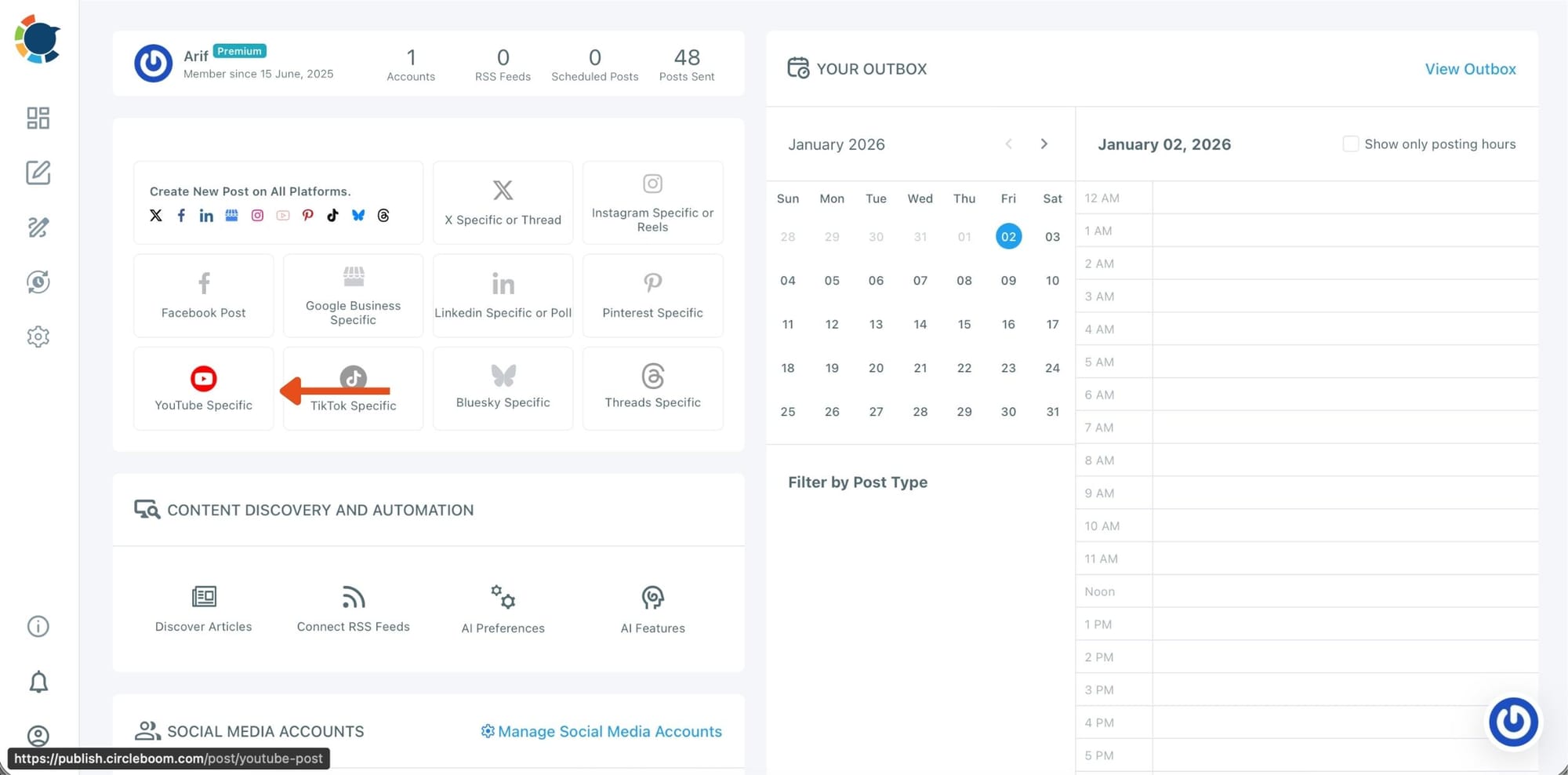
Step #2: You are on the Circleboom dashboard. There, you will see buttons for each social media platform that Circleboom supports.
Select “YouTube Specific” and move forward.
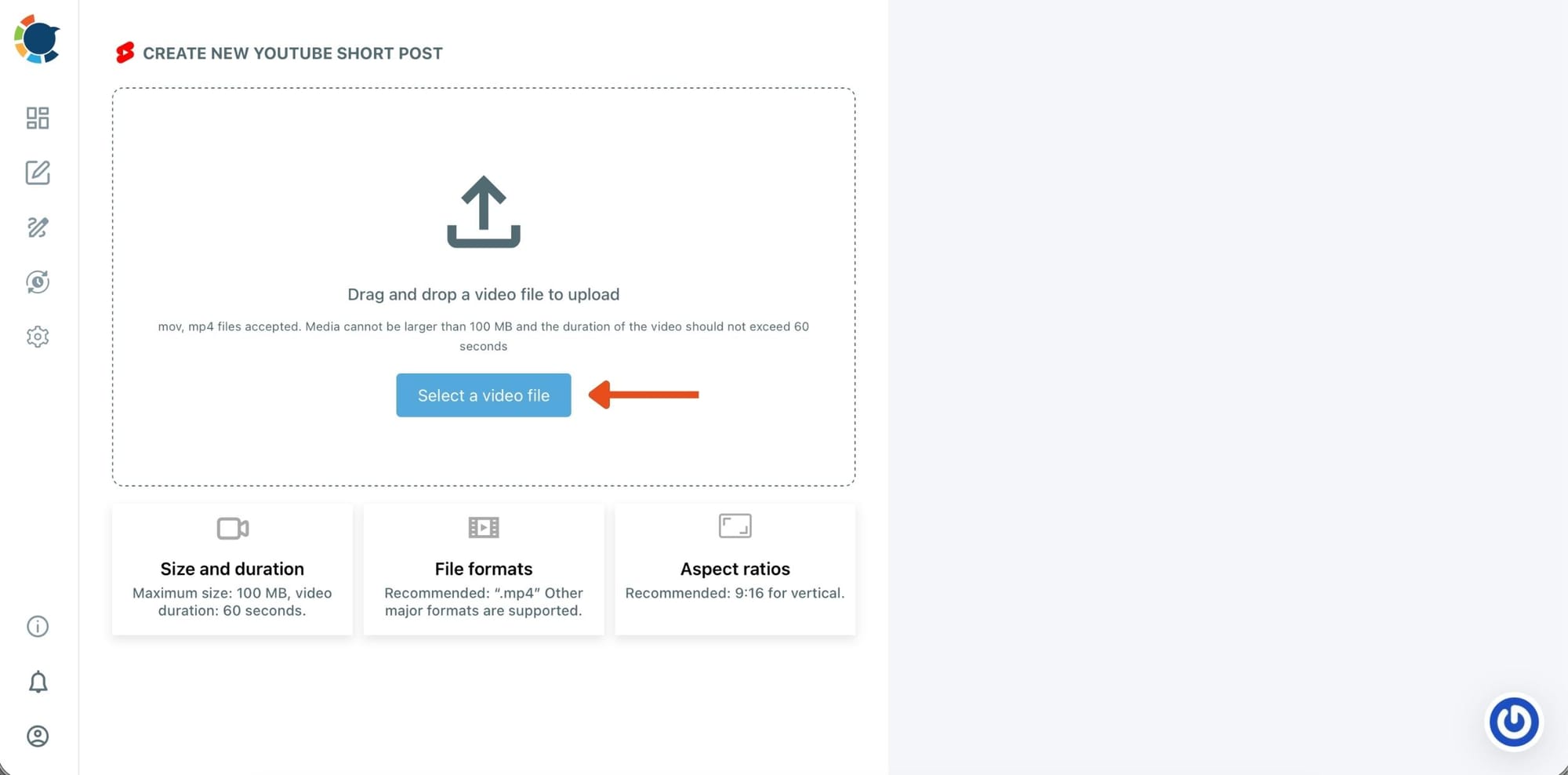
Step #3: Next, you will upload your YouTube Shorts video from your device.
You can drag and drop your shorts. It should be between 5 and 60 seconds and not larger than 100MB.
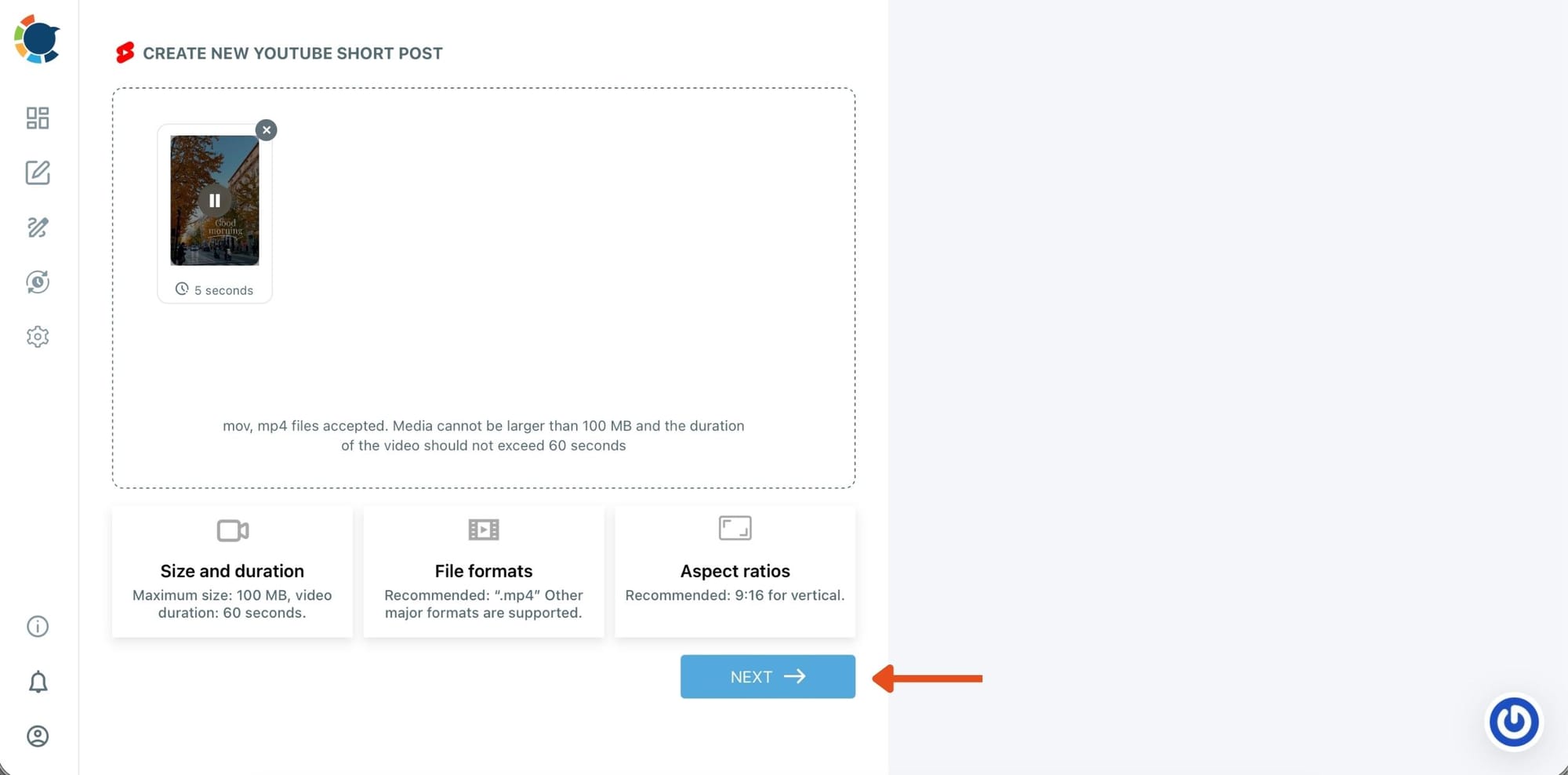
You can add more than one video and schedule YouTube Shorts in bulk!
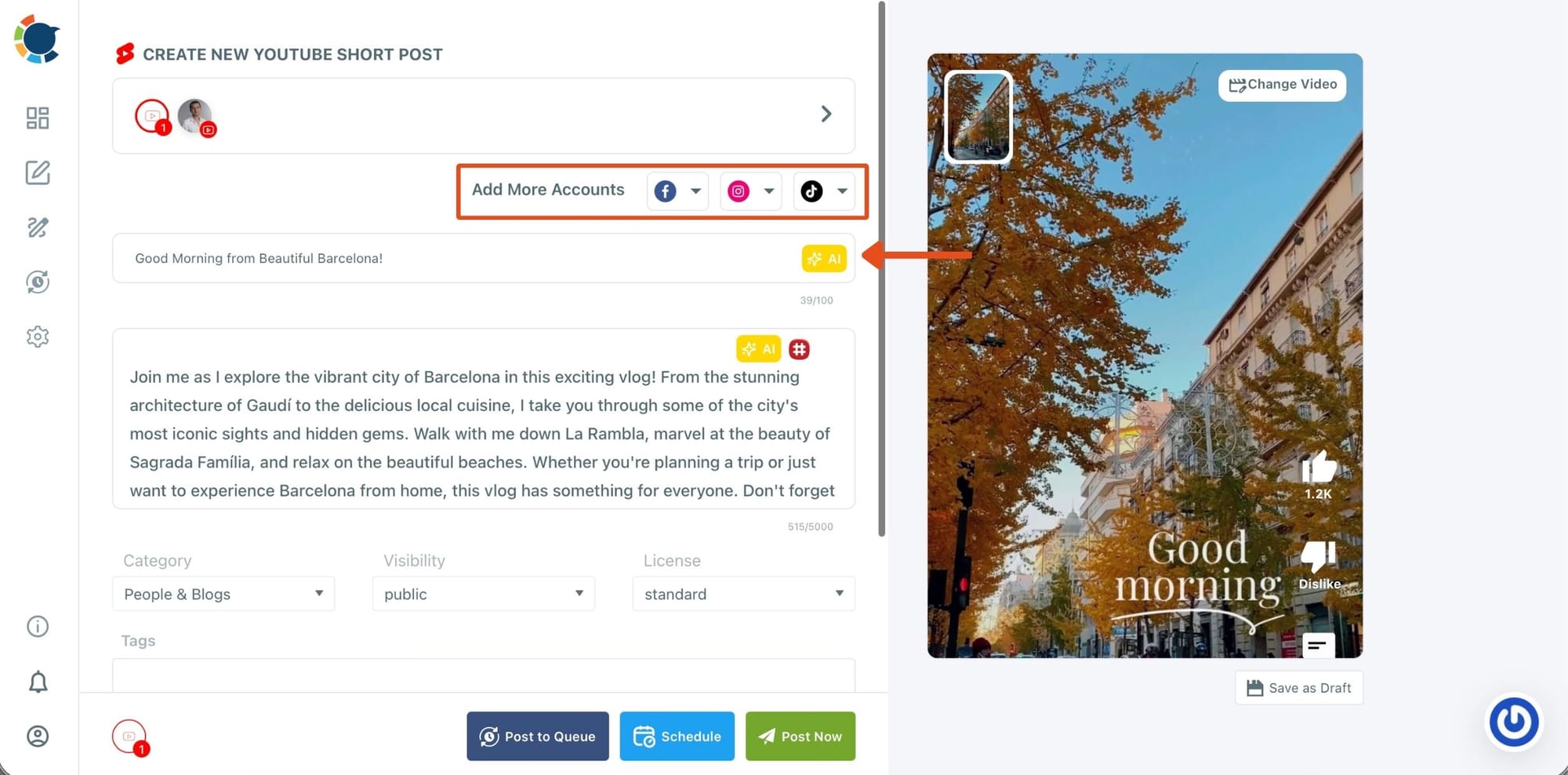
Step #4: Once it is uploaded, you will enter the other details like video title, and audience.
You can also choose to notify your subscribers or label the video for kids. Once everything is set, you can share and schedule your YouTube shorts for multiple YouTube channels at once.
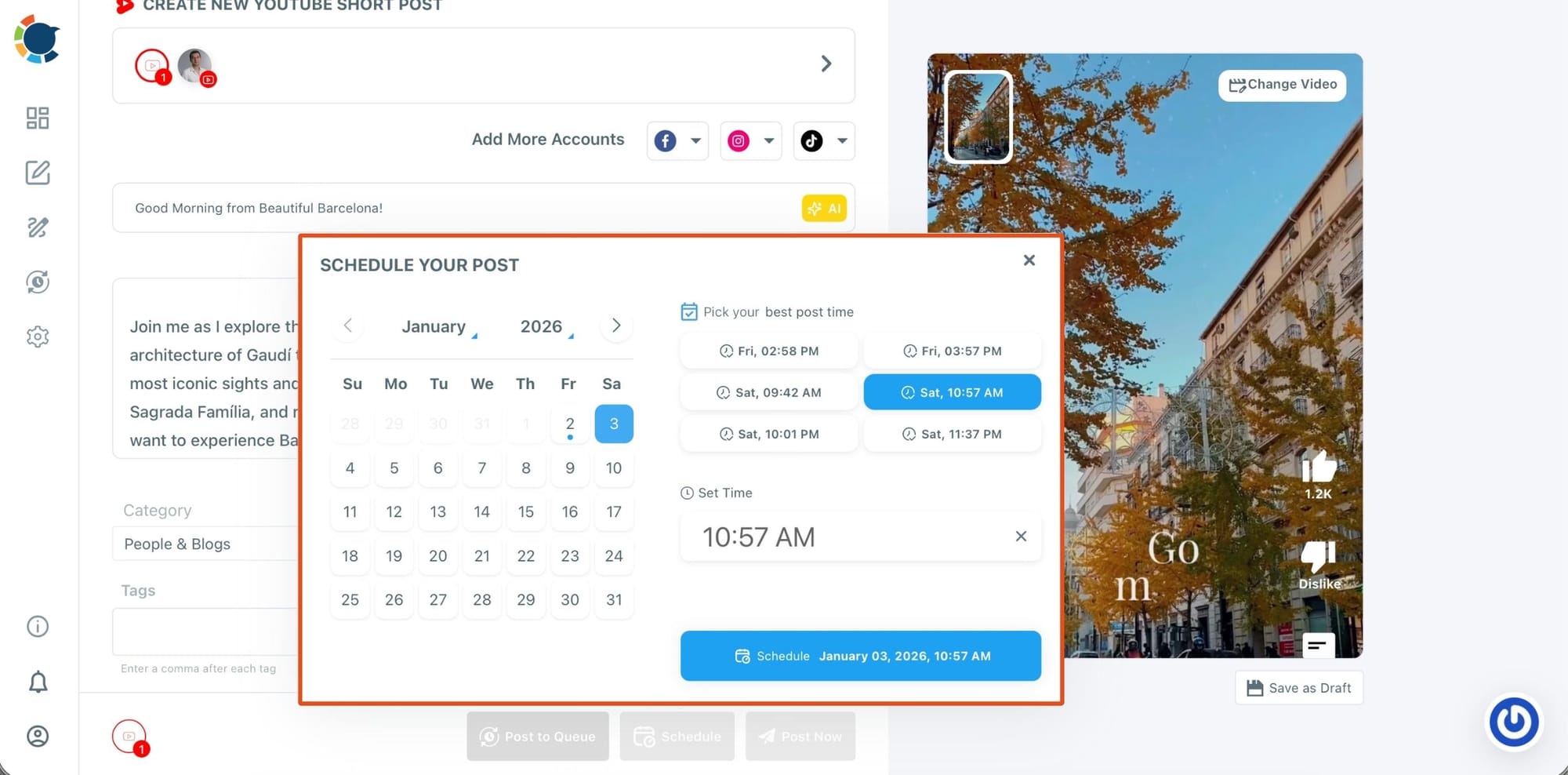
Step #5: Now, we can choose the posting time.
As you can see, Circleboom Publish's Best Time to Post feature offers ideal hours for sharing as an option. Click on one of these times and schedule your post.
With this workflow, an entire week (or even a month) of Shorts can be scheduled in a single session.
Example of a Sustainable Weekly Shorts System
A realistic structure that works long-term:
- Monday–Friday: 2 Shorts per day
- Saturday–Sunday: 1–2 Shorts per day (testing new formats)
- One batch day: record and edit 20–30 Shorts
- One planning session: outline topics and schedule times
This keeps the audience active without daily stress.
Final Verdict: Yes, Post Multiple YouTube Shorts a Day — But Only With a System
Posting multiple YouTube Shorts per day absolutely works when it matches your niche and you stay consistent.
The winning formula is simple:
- Match frequency to audience expectations
- Plan weekly instead of improvising daily
- Schedule content instead of uploading manually
- Repurpose Shorts across platforms for effortless growth
Start with what you can sustain, build a system around it, and scale only after the data supports it. That’s how Shorts turn into long-term channel growth, not just temporary spikes.