

What do you actually get when you type a hashtag into X search? A scroll of posts, sorted by an algorithm, with no way to save the people behind them. The accounts you most want, the ones posting the tag right now, slide off the screen the moment you stop scrolling.
Tracking the hashtag is easy. Capturing the accounts is the part X never built.
Can you track a hashtag on Twitter and see who is actually posting it?
Yes. Circleboom runs a Real-time Tweet Search on your hashtag, then extracts a deduplicated list of the accounts behind every matching tweet as a verified Enterprise partner of X, so the list is complete and current rather than scraped or sampled.
→ track a hashtag on Twitter and see every account posting
What Native X Search Leaves on the Table
Native X search answers "what was said," not "who said it in a way I can act on." You can read the posts under a tag. You cannot turn them into a list, filter them by quality, or export them before the conversation cools.
That distinction decides whether a hashtag is a passing curiosity or a working asset. A list of accounts is audience discovery, lead generation, and competitor monitoring at once. A wall of posts is just a feed you have to babysit.
X's own trending hashtags and topics guidance explains that trends surface what is popular in a moment, personalized to location and activity. What it does not offer is a structured way to pull the accounts driving that moment into something you own. You browse them one at a time, then they are gone.
That is the gap worth closing. To track a hashtag on Twitter and see every account posting, you need a tool that treats accounts, not engagement charts, as the output.
Most hashtag guides skip the part that actually matters: the accounts behind a live tag are a decaying asset, and the value drops by the hour, not by the week. A tweet you can act on at 2 PM may be deleted, edited, or buried by 5 PM. Tracking is not just collection. It is collection plus timing.
How Circleboom Turns a Tag Into an Account List
Circleboom collects live hashtag tweets and extracts the accounts behind them in one pass on X. The Real-time Tweet Search feature gathers public tweets matching your hashtag from a start date you set, then gives you two views of the same result: the tweets, and the deduplicated list of unique accounts that posted them.
The account view is the half native search will never hand you. Each account shows once, no matter how many times it used the tag, with follower count, following count, follow ratio, account age, and an active-or-inactive signal. From there you can follow, add to a Twitter list, or export to CSV without leaving the page.
This is where the data source matters. Circleboom uses official X (Twitter) Enterprise APIs to pull live tweets, which is why the results come back full and authorized rather than the partial, rule-breaking sample that scraping tools sell. An outreach list built on missing or stale accounts wastes the exact moment you were trying to catch, so completeness here is not a nice-to-have.
Want the volume side too? Circleboom's keyword and hashtag monitoring and its Twitter hashtag counter measure how loud a tag is. Real-time Tweet Search owns who makes the noise.
You can run the whole thing yourself in a few minutes and see every account posting your hashtag in one live list.
How to Track a Hashtag on Twitter and See Every Account Posting
To track a hashtag and pull the accounts behind it, you run a Real-time Tweet Search scoped to a start date, narrow the results with filters, then switch from the tweet view to the deduplicated profile view and act on the list. The flow below runs that loop in two phases.
See it live: how a tracked hashtag becomes a followable, exportable account list inside Real-time Tweet Search.
Connect and open the live tracker
- Log in to Circleboom Twitter and connect your X account with official OAuth.
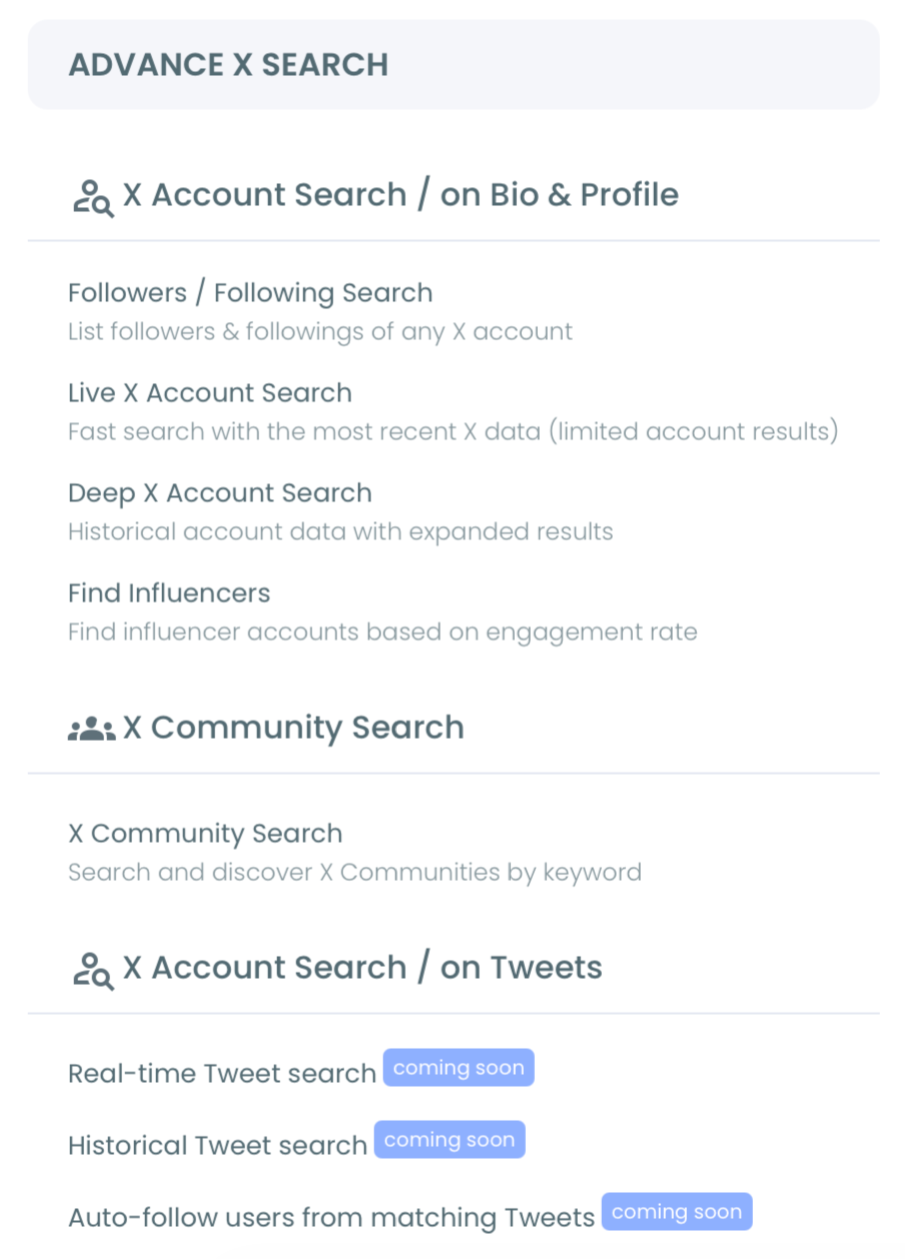
- Open the Advanced X Search menu and select Real-time Tweet Search.
Set the window, filter, and switch to accounts
- Type your hashtag in plain language in the search box, or describe the conversation and let the AI refine the query for you.
- Set the start date to anchor your live window: Last 24 Hours, Last 7 Days, Last 30 Days, or a custom date matching your campaign or event.
- Choose how many tweets to collect so the system knows how wide to cast as it pulls matching posts.
- Apply filters for language, engagement minimums, verified-only, or media type to strip noise before you reach the people.
- Click "Display Profiles of this search" to flip from tweets to the deduplicated account list, then follow, add to a Twitter list, or export to CSV.
That order holds up because each step narrows the field before the next one acts. The login earns official-API access, the start date keeps the data live, the filters cut the noise, and the profile view turns a wall of tweets into people you can actually reach. Skip the filters and you export spam; set the start date too far back and you drift into stale historical results.
What You Can Do With the Account List
The account list is where a tracked hashtag pays off, and the right move depends on which tag you tracked. The same export serves several jobs.
Here is what the people view becomes:
- Audience discovery: find and follow accounts already talking about your niche.
- Lead generation: catch accounts posting a buying-signal hashtag this week.
- Outreach: build a targeted list while the shared context is still warm.
- Competitor monitoring: see who keeps posting around a rival's branded tag.
A campaign hashtag turns into a participant list you can engage during the launch. A conference hashtag becomes an attendee list while the event is still running and a connection still feels natural. A competitor's branded tag becomes a steady feed of accounts already interested in your category.
None of that comes from a count, and none of it survives if you wait for the conversation to go quiet. If you want a sense of which tags are worth tracking before you start, the breakdown of the best trending hashtags on Twitter is a useful starting map.
Is Tracking Accounts the Same as Counting a Hashtag?
No. Counting answers "how big was this tag?" Tracking accounts answers "who is behind it, and can I reach them?" Both have a place, but only the account list hands you people to act on.
If raw volume is genuinely what you need, that is a different question. The walkthrough on how many people saw your hashtag covers the reach-and-impressions side, where the number itself is the deliverable.
There is also an ongoing-watch use case that hashtag tracking feeds directly. Once you have followed the accounts behind a tag, knowing when they engage with you matters. The approach in monitoring new Twitter followers without checking notifications keeps that loop running without manual checks.
Niche tags reward this workflow most, because the account list is small enough to act on by hand. A focused set like Twitter real estate hashtags produces a tight, high-intent group of accounts, exactly the kind of list where one good export turns into real conversations.
The pattern across all of these is the same: counting is passive, tracking accounts is active, and active is where outreach and growth happen.
What to Do Next
If you only need to know how loud a tag is, run a hashtag counter and read the number. If you need the people, run Real-time Tweet Search, filter the stream, and export the account list before the conversation moves on.
For a live campaign, set the start date to your launch hour and watch the participant list build in real time. For competitor monitoring, point it at a rival's branded tag and let the recurring accounts reveal themselves. For a one-off event, scope it to the event window and act while the shared context still exists.
Whichever branch fits you, the accounts are already raising their hands by posting the tag. Your only job is to capture them before they scroll away.
→ pull every account posting your hashtag
Questions People Ask About Tracking Hashtag Accounts
Can I see the accounts posting a hashtag, not just the post count?
Yes. Circleboom's Real-time Tweet Search collects the matching tweets, then extracts a deduplicated list of the accounts behind them, so you get the people instead of only a number.
How current is the data when I track a hashtag this way?
It is live from your chosen start date forward. Real-time Tweet Search accumulates matching tweets as they are posted, so the account list reflects who is talking about the tag right now, not who mentioned it months ago.
Can I export the accounts to use them outside Circleboom?
Yes. From the profile view you can export the account list to CSV, and you can also follow accounts or add them to a Twitter list directly from the results.
Is this safe for my X account?
Yes. Circleboom pulls public hashtag data as an official X Enterprise developer rather than scraping, so the workflow stays inside X's rules and your account is never put at risk.
What if a tweet gets deleted after I collect it?
Live tweets can be deleted or edited within minutes, so a result captured at collection time may no longer exist on X when you act. Export strong findings quickly rather than treating a live result set as a stable archive.

