
Understanding tweet activity is the foundation of growing on Twitter/X.
Every impression, click, reply, and repost tells a story about how your content travels, who sees it, and what actually resonates. Yet many users only scratch the surface, checking likes and moving on.
This pillar guide is your central resource for everything related to tweet activity, including:
- what tweet activity means
- how Twitter/X measures it
- which metrics matter most
- how to analyze performance at scale
- how to turn tweet activity into actionable strategy
Whether you’re a creator, marketer, or brand, this page connects all the key concepts in one place.
What Is Tweet Activity?
Tweet activity refers to all measurable interactions, visibility and performance metrics associated with a tweet after it is published.
Core tweet activity metrics include:
- impressions
- likes
- replies
- reposts (retweets)
- profile clicks
- link clicks
- bookmarks
Together, these metrics show not just popularity, but reach, interest, and intent.
Tweet activity answers fundamental questions:
- Did people see this tweet?
- Did it encourage interaction?
- Did it drive users to take action?
How Twitter/X Tracks Tweet Activity (Native Analytics)
Twitter/X provides basic tweet activity data directly within the platform.
When viewing tweet activity for a post, Twitter shows:
- total impressions
- total engagements
- engagement rate
- breakdown of clicks and interactions
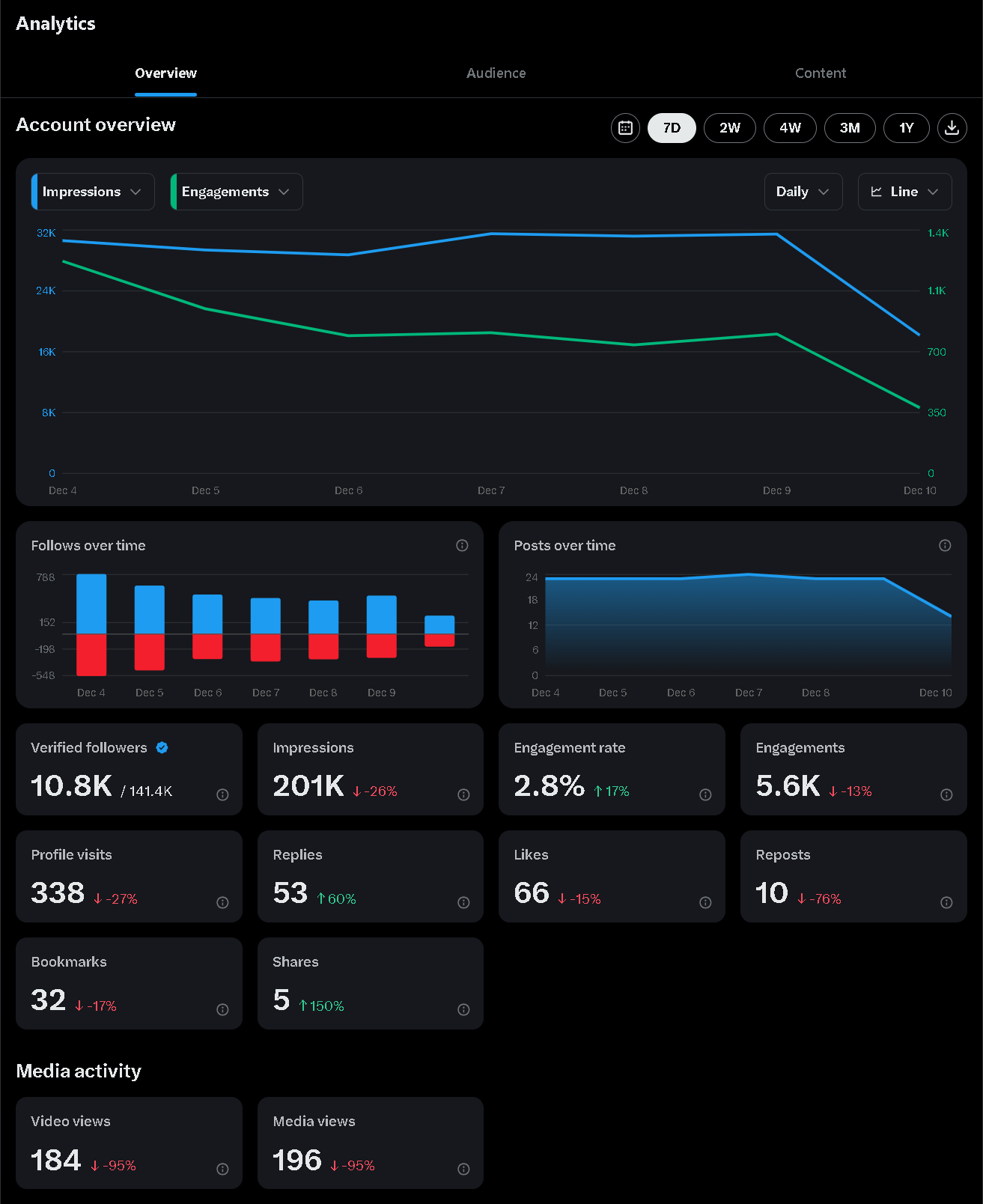
This data is useful for:
- quick performance checks
- recent tweets
- surface-level insights
However, native analytics are limited by design.
Limitations of Native Tweet Activity on Twitter/X
Twitter’s built-in analytics have several constraints that prevent deeper analysis:
- metrics are viewed one tweet at a time
- historical comparisons are limited
- no bulk performance overview
- no segmentation by content type or timing
- no audience quality insights
As a result, users often know what happened—but not why.
Why Tweet Activity Matters More Than Follower Count
Follower count is static.
Tweet activity is dynamic.
Two accounts with the same number of followers can have vastly different tweet activity levels. That’s because Twitter/X distributes content far beyond follower lists.
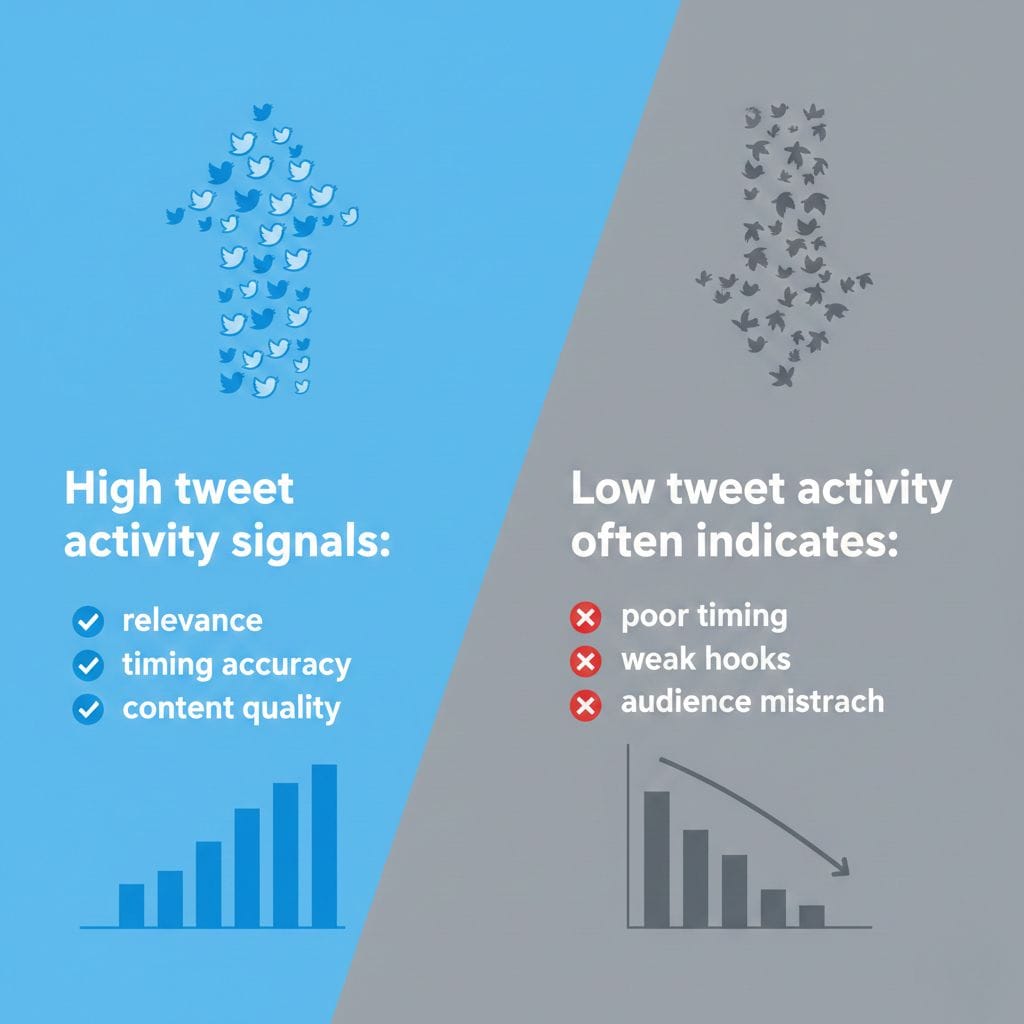
High tweet activity signals:
- relevance
- timing accuracy which means sharing your tweets at the best times!
- content quality
Low tweet activity often indicates:
- poor timing which means sharing your tweets at the wrong times!
- weak hooks
- audience mismatch
For growth, tweet activity is a far more reliable indicator than follower numbers.
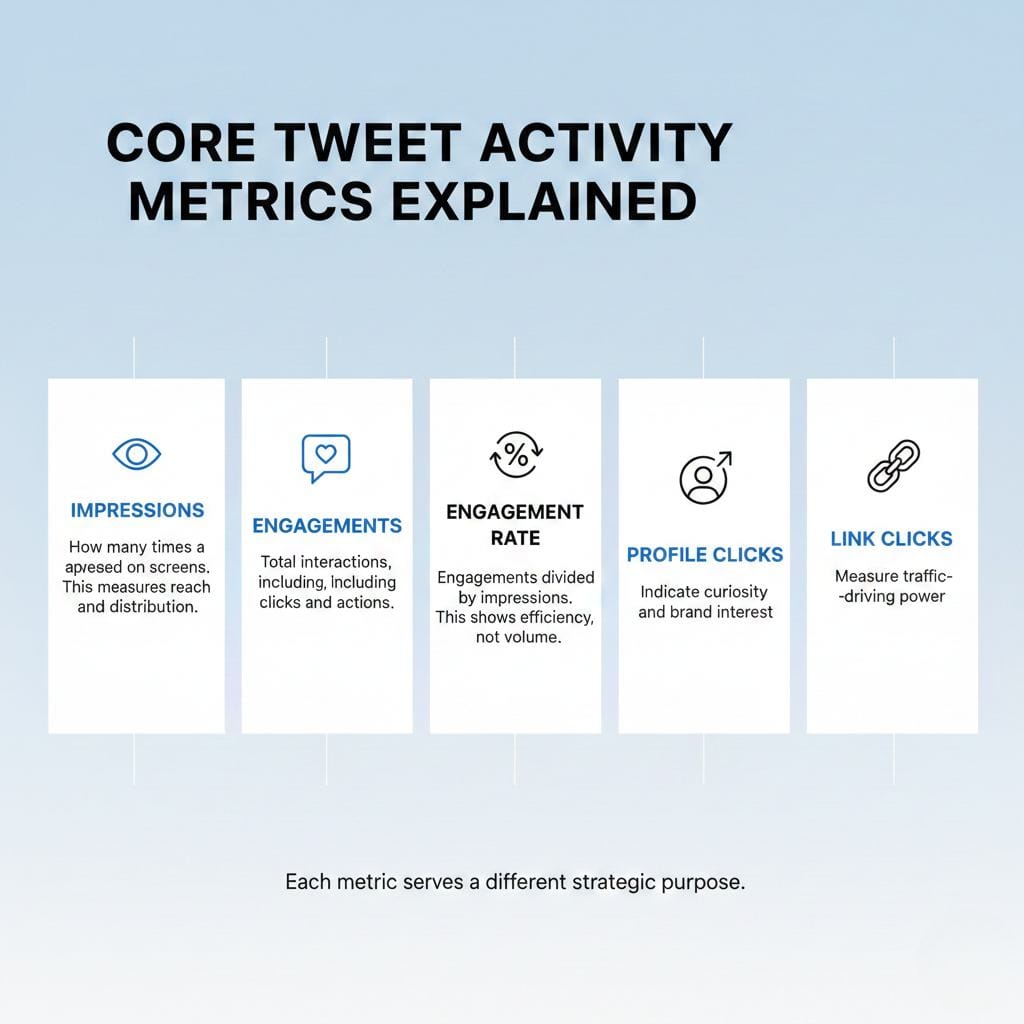
Core Tweet Activity Metrics Explained
Impressions
Impressions measure how many times a tweet appeared on users’ screens.
This is the most fundamental tweet activity metric because it represents reach and distribution, before likes, replies, or clicks can happen, a tweet has to be seen.
On Twitter/X, impressions are not evenly distributed. Multiple platform analyses show that:
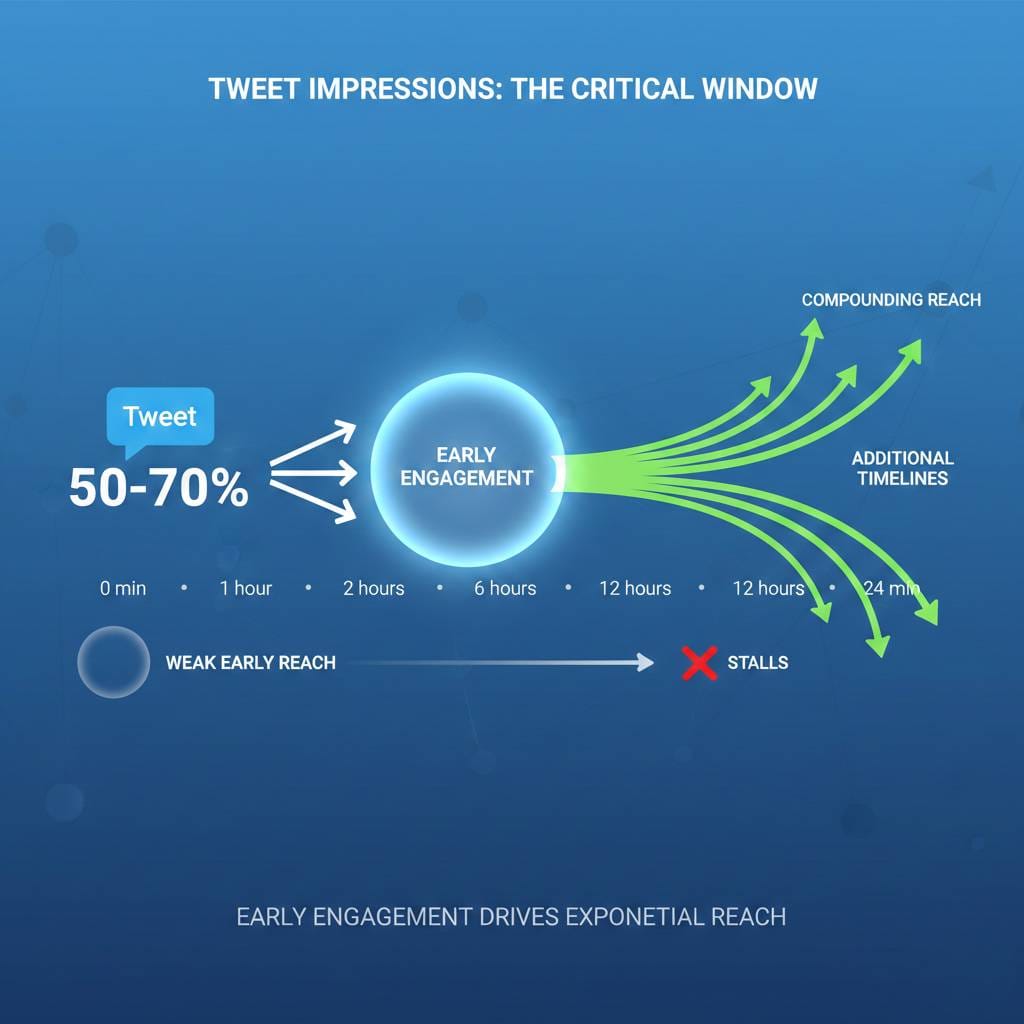
- 50–70% of a tweet’s total impressions happen within the first 1–2 hours
- Tweets that receive early engagement are far more likely to be pushed into additional timelines
- A tweet with strong early impressions often compounds, while one with weak early reach stalls quickly
In other words, impressions are the entry point to every other metric.
Why Impressions Matter More Than You Think
Many users focus on likes or replies, but impressions tell a deeper story.
- Low impressions + high engagement rate
Your content resonates, but distribution is limited (often a timing issue). - High impressions + low engagement
Your tweet is visible, but the message or hook may need improvement. - Consistently rising impressions over time
A strong signal that your posting strategy, timing, and content alignment are improving.
Because impressions are influenced by timing, consistency, and early interaction, they are one of the most optimizable metrics on Twitter/X.
How Impressions Are Influenced on Twitter/X
Impressions are affected by several factors:
- posting time (audience availability)
- posting consistency
- early likes, replies, and reposts
- resurfacing via retweets
- follower quality and activity
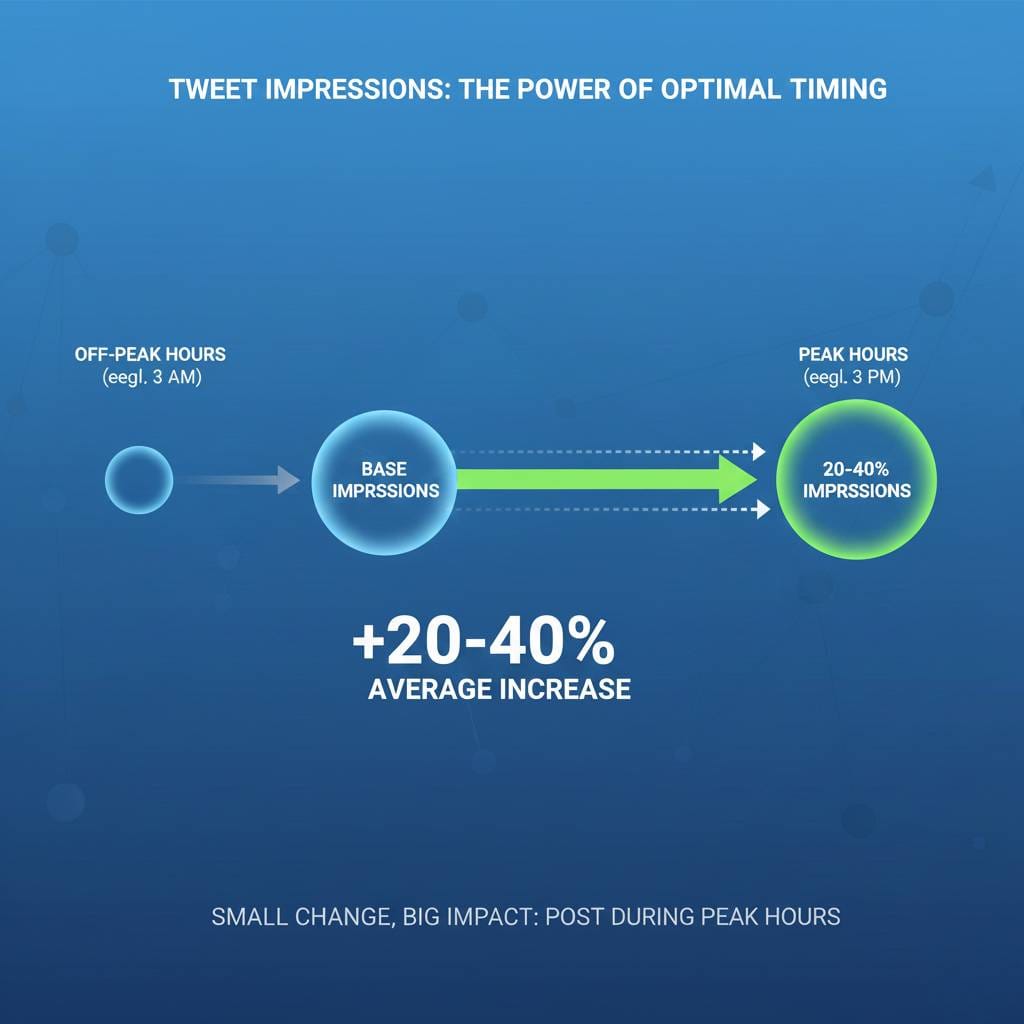
Even a small change, like posting during peak hours instead of off-hours, can result in 20–40% more impressions on average, according to multiple social media timing studies.
Increasing Impressions with Advanced Strategies
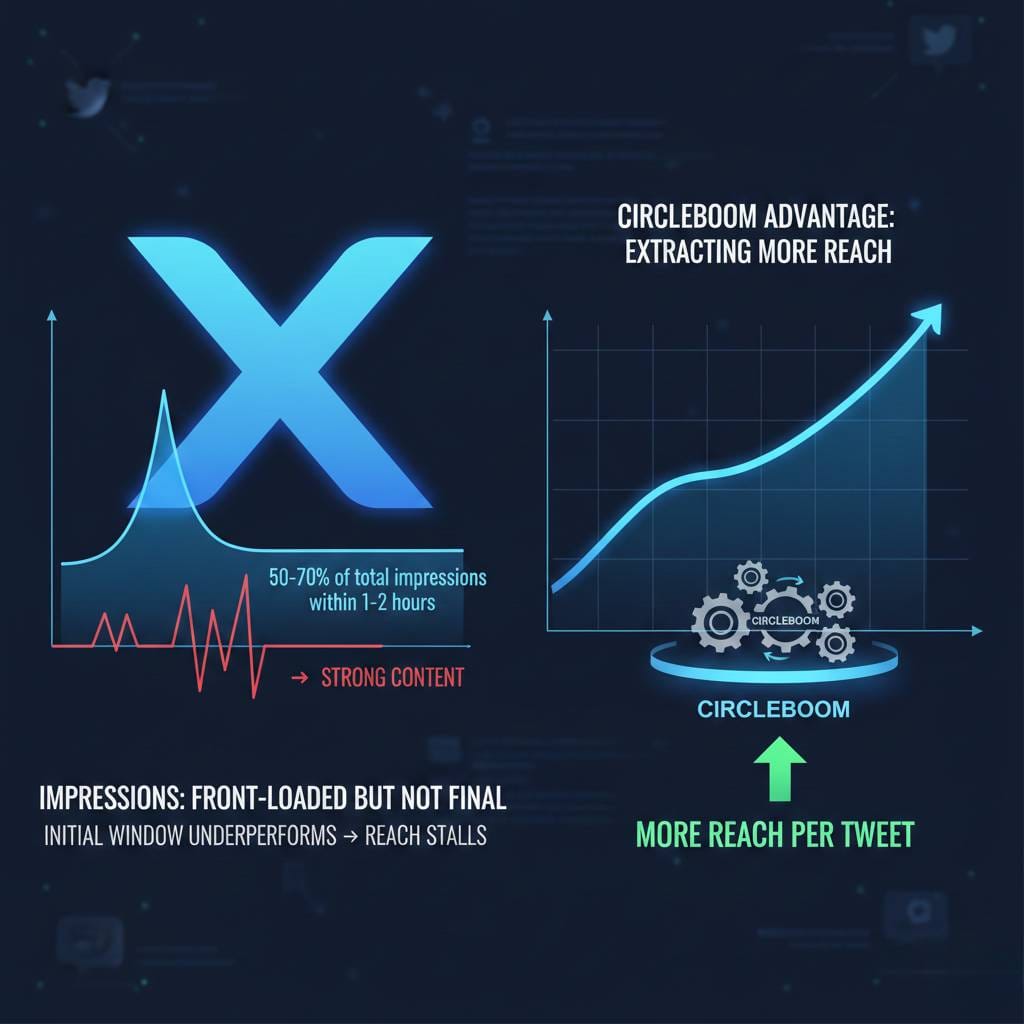
On Twitter/X, impressions are front-loaded but not final.
Most tweets receive 50–70% of their total impressions within the first 1–2 hours after posting. If that initial window underperforms, the tweet’s reach usually stalls, even if the content itself is strong.
This is where tools like Circleboom provide a clear advantage over native posting alone, not by posting more tweets, but by extracting more reach from each tweet.
Auto-Retweets: The Strongest Lever for Impression Growth
The single most effective way to increase impressions after a tweet is published is strategic auto-retweeting.
Circleboom allows users to set automated retweets at the time of scheduling, creating a planned second (or third) visibility window for the same tweet.
Why this matters, numerically:
- At any given moment, only 10–25% of your followers are typically online
- A second retweet, posted 6–12 hours later, reaches a largely different audience segment
- Creators consistently observe 15–35% additional impressions from one well-timed retweet
- High-performing tweets often gain 20%+ of their total lifetime impressions from retweets alone
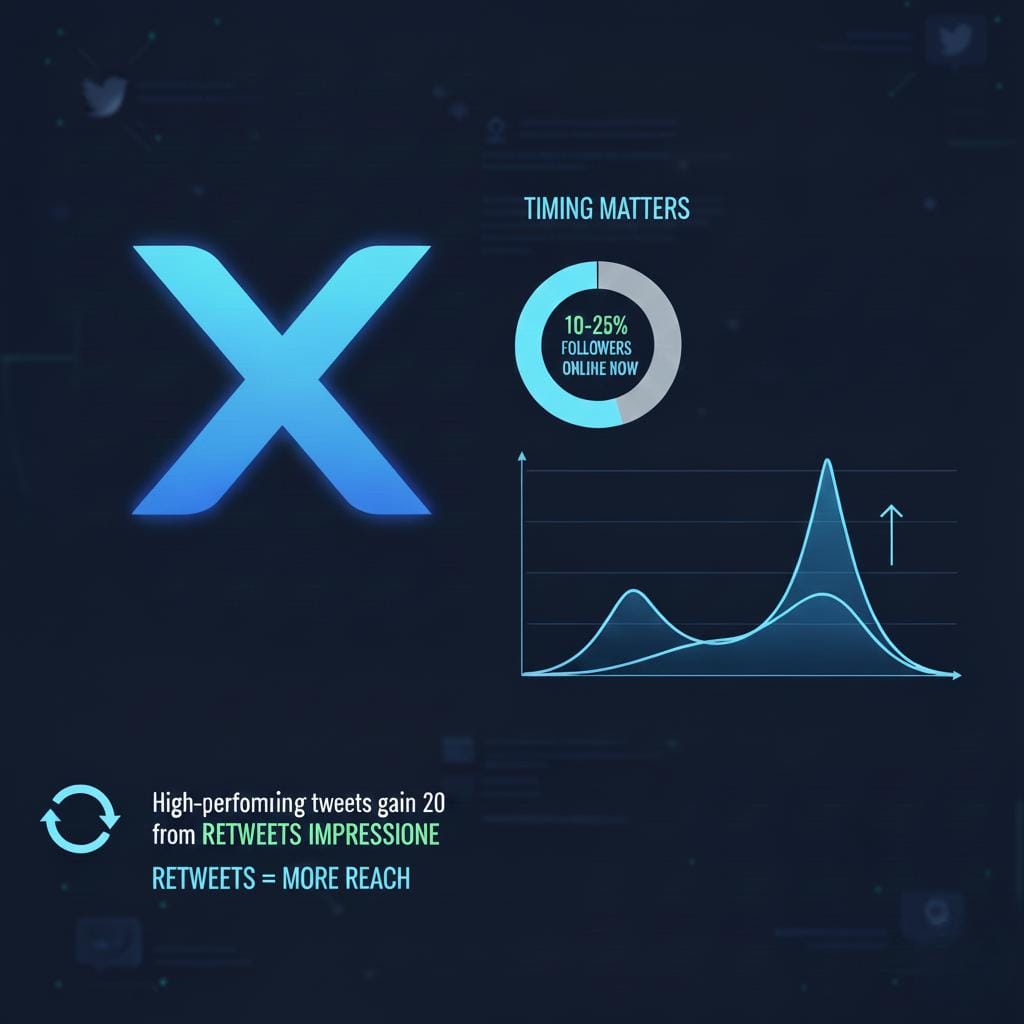
Instead of one exposure, auto-retweets give your tweet multiple entry points into the timeline, without increasing posting volume.
This is not repetition.
It’s controlled redistribution.
Why Auto-Retweets Work So Well on Twitter/X
Auto-retweets are effective because they:
- reopen the early-engagement window
- generate fresh interaction signals (likes, replies, reposts)
- prompt the algorithm to reassess distribution
- extend a tweet’s lifespan beyond its initial decay
Importantly, this is not spam when used responsibly. Spacing retweets naturally preserves credibility while significantly increasing reach.
Supporting Strategies That Strengthen Auto-Retweets
Auto-retweets perform best when combined with smart foundations:
Identify Better Posting Windows
Posting the original tweet during peak activity increases early traction, making the retweet even more effective.
 Fatih Kemal Oksuzoglu
Schedule Tweets Strategically
Scheduling ensures tweets launch when they have the highest chance of strong initial impressions.
 Altug Altug
Maintain Consistency Without Burnout
Accounts that post 1–3 times per day at stable hours tend to build stronger baseline impressions over time.
Avoid Low-Impact Posting Patterns
By reviewing performance trends, users can stop posting at times that consistently underperform and focus only on high-yield windows.
 Altug Altug
The Core Insight About Impressions
Impression growth doesn’t come from tweeting more.
It comes from making each tweet work longer.
Auto-retweets turn a single tweet into a multi-phase distribution asset:
- launch
- resurface
- re-engage
Instead of relying on chance, impression growth becomes systematic, repeatable, and measurable.
That’s the real difference between posting and distributing on Twitter/X.
Engagements
Engagements represent the total number of interactions a tweet receives, including:
- likes
- replies
- reposts (retweets)
- profile clicks
- link clicks
- bookmarks
If impressions measure visibility, engagements measure impact.
They show whether people merely saw your tweet, or actually did something because of it.
Why Engagements Matter More Than Raw Metrics
On Twitter/X, engagements are one of the strongest signals the algorithm uses to decide whether a tweet deserves further distribution.
Numerically:
- Tweets with early engagement are up to 3× more likely to receive extended distribution
- Tweets that receive interactions in the first 15–30 minutes often gain 30–50% more lifetime impressions
- Replies and reposts carry more weight than likes, as they signal active participation
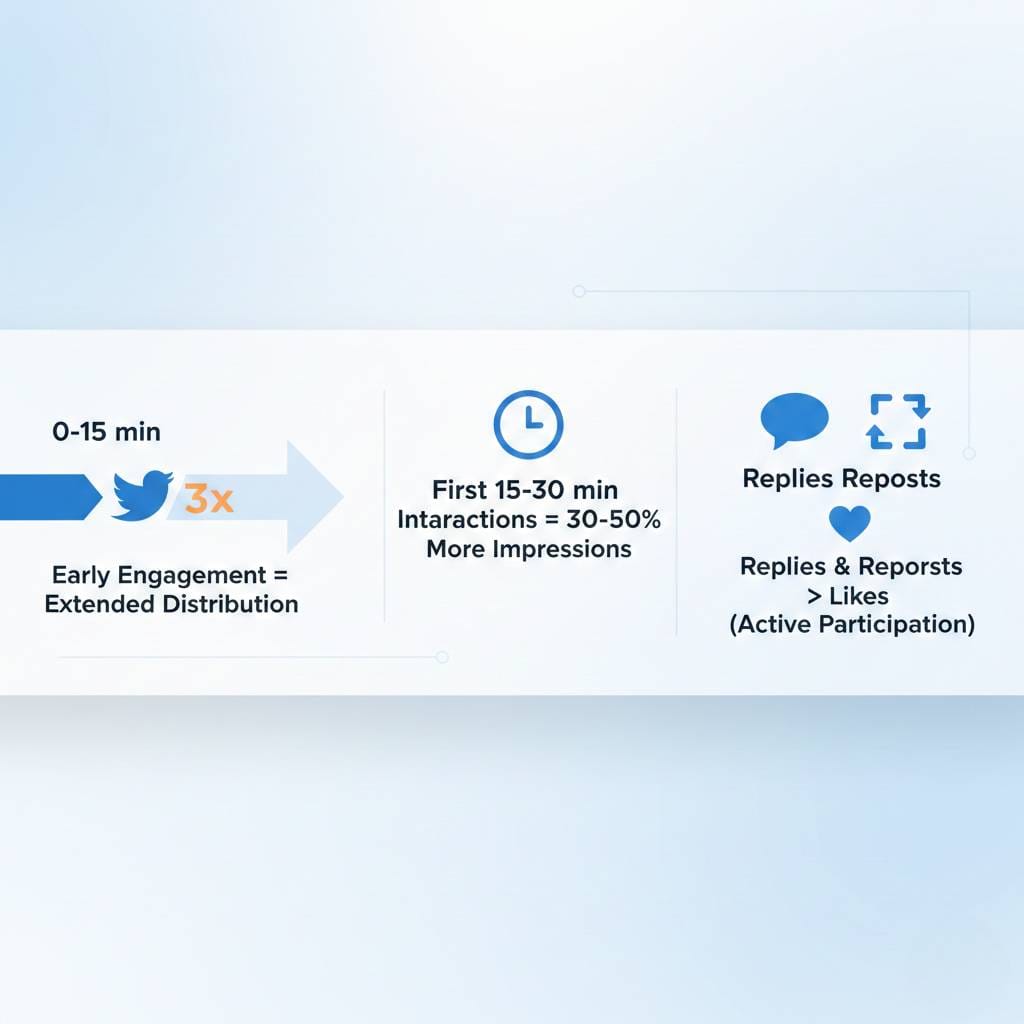
In other words, engagements don’t just reflect performance, they shape it.
Not All Engagements Are Equal
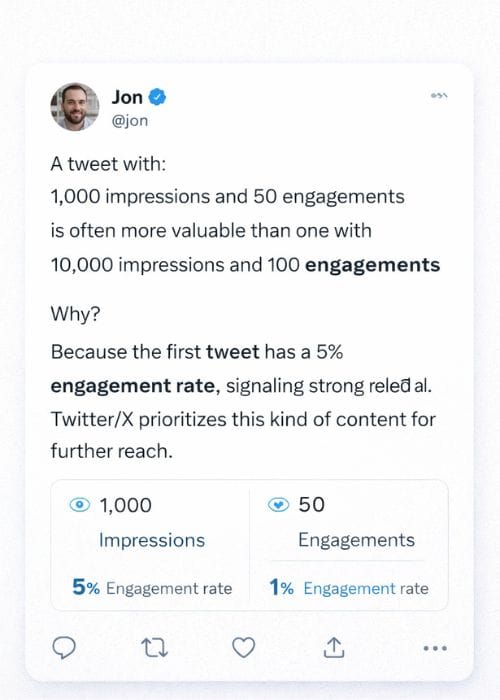
A tweet with:
- 1,000 impressions and 50 engagements
is often more valuable than one with - 10,000 impressions and 100 engagements
Why?
Because the first tweet has a 5% engagement rate, signaling strong relevance. Twitter/X prioritizes this kind of content for further reach.
Engagements tell you:
- whether your message resonates
- whether your audience is curious
- whether your content invites action
Engagement Patterns That Reveal Opportunity
By looking at engagement breakdowns, you can spot clear signals:
- High impressions + low engagements
→ content is visible but not compelling - Lower impressions + high engagements
→ content is strong but poorly timed or under-distributed - High replies and bookmarks
→ content is informative or conversation-driven
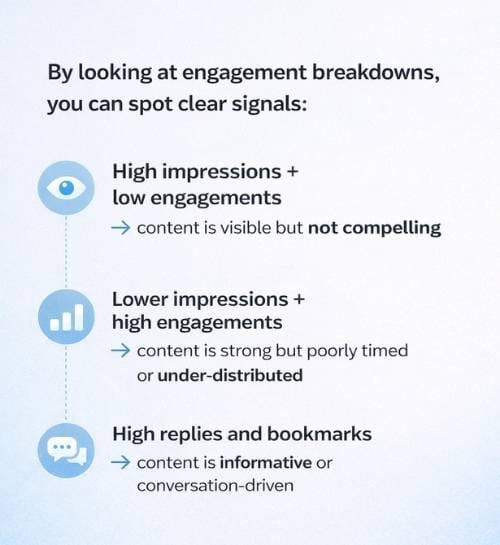
These patterns are where optimization begins.
How Circleboom Helps You Increase Engagements
This is where Circleboom moves beyond basic analytics and into actionable insight.
Circleboom helps users increase engagements by enabling them to:
- Identify which tweets generate meaningful interactions, not just likes
- Analyze engagement trends across multiple tweets, instead of isolated posts
- Optimize timing, which alone can improve engagement rates by 20–40%
- Use auto-retweets strategically, creating second engagement windows that often add 15–35% more interactions
- Improve audience quality, reducing low-quality or inactive followers that dilute engagement signals
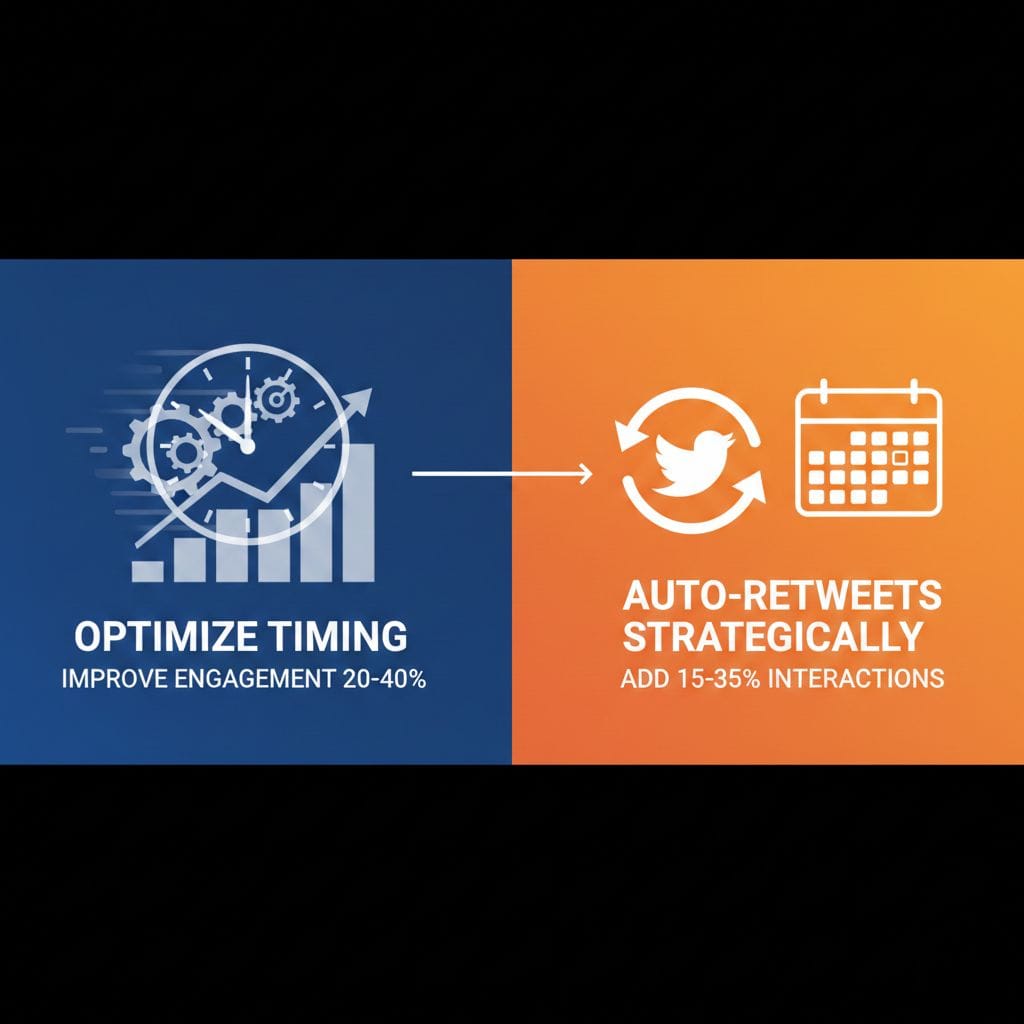
Many users notice that after cleaning follower bases and optimizing timing, average engagement per tweet increases even when posting frequency stays the same.
Why Engagement Quality Beats Engagement Volume
A smaller number of high-quality engagements often outperforms a larger number of passive ones.
For example:
- replies indicate conversation
- profile clicks signal interest
- bookmarks suggest long-term value
Circleboom’s analytics help surface these differences so you don’t optimize blindly for likes alone.
The Key Takeaway About Engagements
Engagements are not just reactions, they are feedback loops.
They tell Twitter/X:
- this tweet matters
- this content is relevant
- this account deserves distribution
When engagements increase, impressions often follow.
And when engagements are analyzed strategically, not emotionally, they become one of the most powerful growth signals available on the platform.
Engagement Rate
Engagement rate is calculated as:
Engagements ÷ Impressions
Unlike raw engagement numbers, engagement rate measures efficiency, how well your tweet performs per view, not just how many interactions it collects in total.
This distinction is critical.
Why Engagement Rate Matters More Than Engagement Volume
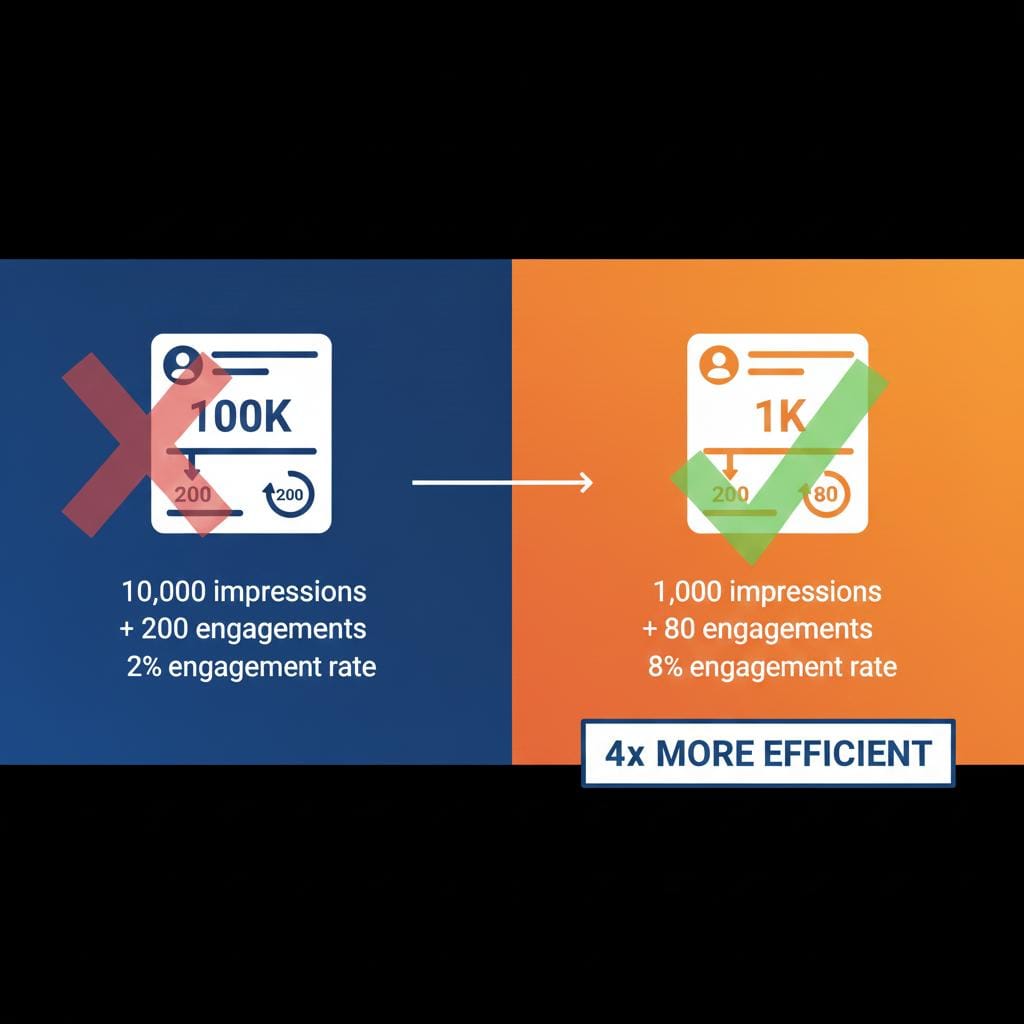
A tweet with:
- 10,000 impressions and 200 engagements
has a 2% engagement rate
A tweet with:
- 1,000 impressions and 80 engagements
has an 8% engagement rate
Despite fewer total interactions, the second tweet is 4× more efficient.
On Twitter/X, the algorithm heavily favors efficiency over scale. Tweets with higher engagement rates are:
- more likely to be resurfaced
- more likely to appear in non-follower timelines
- more likely to gain compound reach
Numerically:
- Tweets with above-average engagement rates can receive 30–70% more secondary impressions
- Tweets with low engagement rates often stop distributing early, regardless of impression count
In short: engagement rate determines momentum.
Engagement Rate Is a Strong Signal of Relevance
Engagement rate answers a more important question than likes or replies alone:
“When people see this tweet, do they care?”
High engagement rate means:
- the content matches audience intent
- the audience is well-targeted
- the timing is correct
Low engagement rate usually signals:
- poor audience alignment
- low content relevance
- weak targeting (organic or paid)
This is why engagement rate is often a better KPI than impressions or total engagements.
Engagement Rate and Paid Ads on Twitter/X
Engagement rate is even more important in X ads.
On paid campaigns:
- low engagement rate = wasted spend
- high engagement rate = lower effective cost per action
Many advertisers unknowingly pay for impressions shown to:
- inactive users
- bots ( do you have a bot followers problem on X?
- uninterested accounts
This inflates impressions but destroys engagement rate, making ads expensive and inefficient.
How Circleboom’s Hyper-Targeting Increases Engagement Rate
This is where Circleboom plays a decisive role, especially for advertisers and growth-focused accounts.
Circleboom’s hyper-targeting approach helps improve engagement rate by:
- Filtering out low-quality audiences
Removing inactive or bot-like accounts increases the probability that each impression reaches a real, responsive user. - Targeting based on real engagement behavior
Instead of broad interests, hyper-targeting focuses on users who actually interact, reply, repost, bookmark. - Improving audience relevance before ads run
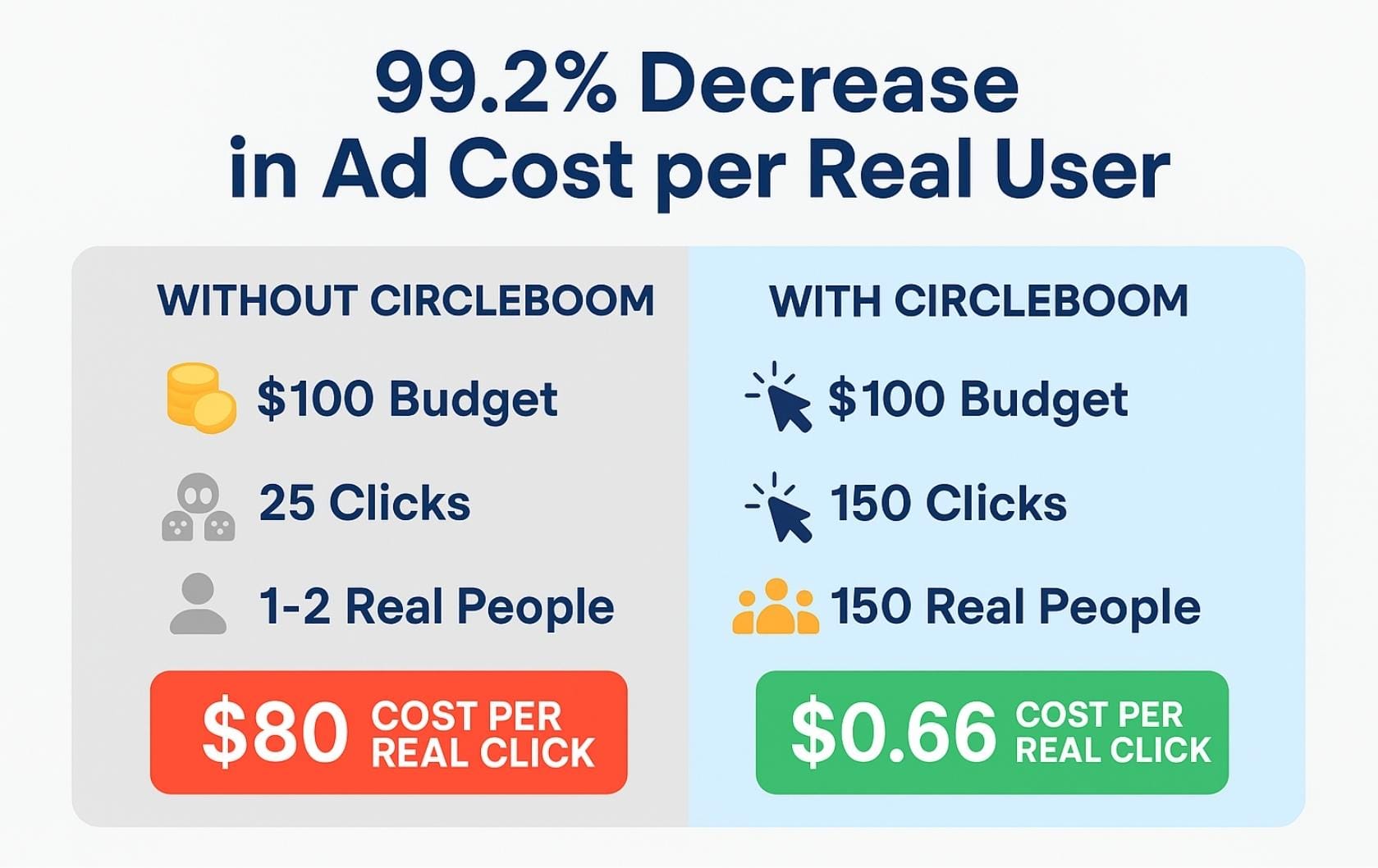
When ads are shown to high-intent users, engagement rates often increase by 2–4×, while CPC and CPM drop.
In practice, many advertisers see:
- 20–40% higher engagement rates
- lower cost per engagement
- less wasted ad spend on unresponsive impressions
This means you’re not paying less by bidding lower, you’re paying less because each impression is more valuable.
Engagement Rate as a Cost-Control Metric
High engagement rate does two things simultaneously:
- Signals relevance to the algorithm
- Reduces cost per result in ads
That’s why focusing on engagement rate often leads to:
- fewer impressions
- but better outcomes
- and lower overall spend
Efficiency beats volume every time.
The Key Insight About Engagement Rate
Engagement rate is not a vanity metric.
It’s a relevance score.
It tells you:
- whether your audience is right
- whether your content resonates
- whether your spend is efficient
By combining engagement rate analysis with hyper-targeted audience refinement, Circleboom helps turn both organic tweets and paid ads into high-efficiency distribution engines.
When engagement rate goes up:
- impressions compound
- ad costs drop
- growth becomes predictable
That’s the real power behind the number.
Profile Clicks
Profile clicks indicate moments of curiosity and brand interest.
They occur when someone sees a tweet and decides it’s worth learning more about who posted it, not just what was said. This makes profile clicks one of the clearest signals of intent beyond passive engagement.
A like is quick.
A reply is reactive.
A profile click is intentional.
Why Profile Clicks Are a High-Intent Metric
Numerically, profile clicks sit much closer to conversion than most tweet interactions.
Across social media performance studies:
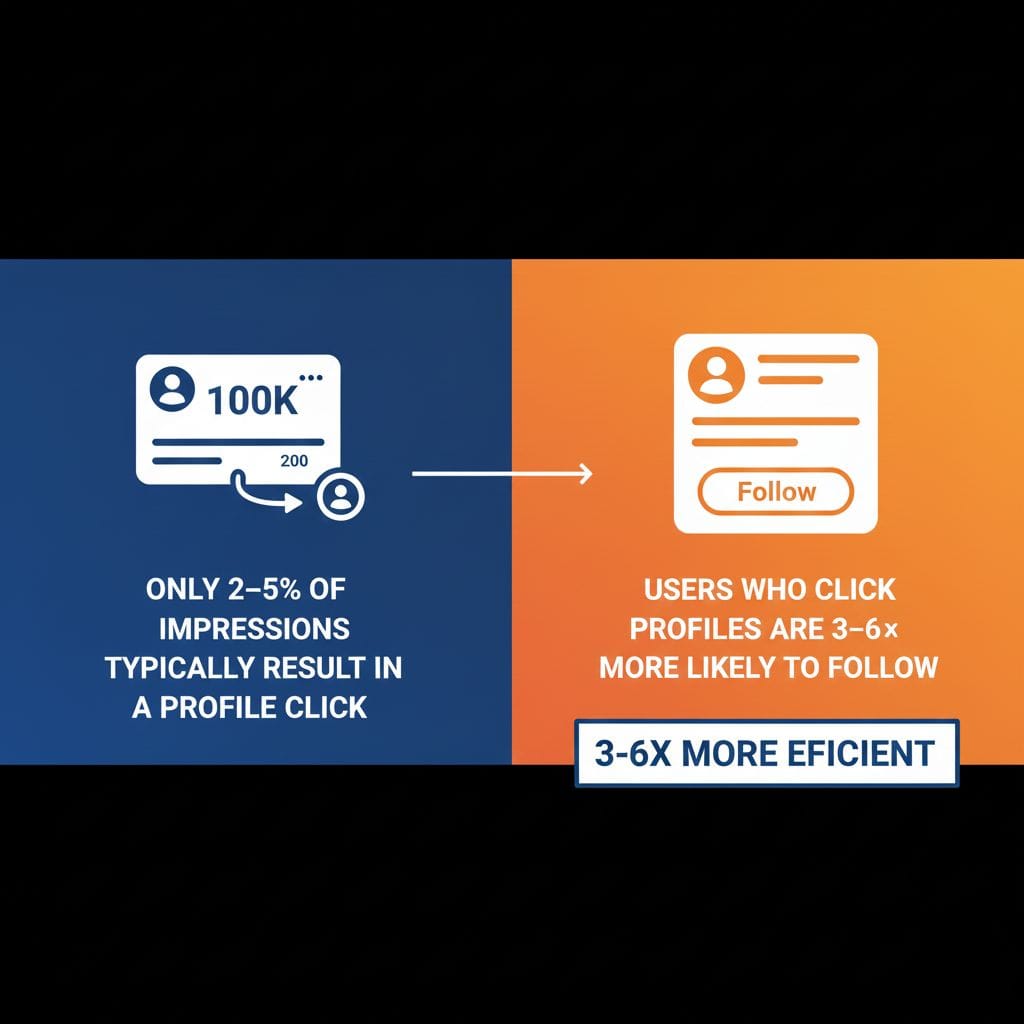
- Only 2–5% of impressions typically result in a profile click
- Users who click profiles are 3–6× more likely to follow
- Profile visitors are significantly more likely to:
- read pinned tweets
- explore threads
- click bio links
- return later
This makes profile clicks a strong indicator of brand pull, not just content reach.
What Profile Clicks Tell You About Your Tweet
Profile clicks often signal one of three things:
- your tweet sparked curiosity
- your message positioned you as credible or useful
- your audience wants context or more content
Different patterns reveal different opportunities:
- High impressions + high profile clicks → strong positioning and hook
- High likes + low profile clicks → entertaining but shallow content
- Low impressions + high profile clicks → highly relevant content with limited distribution
Profile clicks help diagnose why engagement happened, not just that it happened.
Profile Clicks and the Follower Funnel
Profile clicks are the bridge between engagement and audience growth.
Typical funnel behavior looks like this:
- 100 profile clicks
- → 20–40 new followers
- → several bio link visits
- → long-term engagement potential
Optimizing for profile clicks means optimizing for followers who choose you, not accidental exposure.
How Circleboom Helps Increase Profile Clicks
This is where Circleboom adds strategic depth.
Circleboom helps increase profile clicks by enabling users to:
- Analyze which tweets drive the most profile visits, not just likes
- Identify content formats that trigger curiosity (threads, educational posts, insights)
- Optimize timing, which alone can increase profile clicks by 20–35%
- Improve audience quality, so impressions are shown to users more likely to care
- Use auto-retweets strategically, giving high-intent tweets additional exposure windows
Many users find that once timing and audience relevance improve, profile clicks rise even if total impressions stay flat.
Profile Clicks in Paid Campaigns
Profile clicks are especially important in X ads.
Low-quality targeting often produces:
- high impressions
- low engagement
- near-zero profile clicks
Hyper-targeted audiences, on the other hand, can:
- double or triple profile click rates
- significantly reduce cost per meaningful action
By filtering out low-intent users before ads run, Circleboom helps ensure that impressions are worth paying for.
The Key Insight About Profile Clicks
Profile clicks are not casual interactions.
They are expressions of interest.
They tell you:
- who wants to know more
- which tweets build credibility
- whether your content attracts the right audience
When profile clicks increase, follower growth and deeper engagement usually follow.
That’s why profile clicks are one of the most underrated, but powerful, tweet activity metrics on Twitter/X.
Link Clicks
Link clicks measure a tweet’s traffic-driving power, how effectively it moves people off Twitter/X and onto an external destination such as a website, blog post, landing page, or product page.
While impressions show visibility and engagements show interaction, link clicks show intent. A user who clicks a link is no longer just reacting, they’re taking action.
Why Link Clicks Are a High-Value Metric
On Twitter/X, link clicks are relatively rare compared to likes or impressions.
On average:
- Only 0.5–2% of impressions result in a link click
- Users who click links are among the highest-intent segment of your audience
- Link clickers are far more likely to convert, subscribe, or return later
This makes link clicks one of the most valuable tweet activity metrics, especially for brands, creators, and businesses focused on traffic and conversions.
What Link Clicks Tell You About Your Content
Link click patterns reveal important insights:
- High impressions + low link clicks
→ The tweet is visible, but the call-to-action or value proposition is weak. - Lower impressions + strong link clicks
→ The content is highly relevant, but distribution may be limited. - High link clicks + low likes
→ Users care more about the destination than public interaction (common for educational or commercial content).
Link clicks help you evaluate message clarity, relevance, and intent alignment, not just popularity.
Why Many Tweets Fail to Generate Link Clicks
Common reasons include:
- posting links at low-activity hours
- unclear or generic CTA
- mismatched audience targeting
- showing links to users with low intent or low activity
In many cases, the issue isn’t the link, it’s who sees it and when.
How Circleboom Helps Increase Link Clicks
This is where Circleboom becomes especially valuable.
Circleboom helps increase link clicks by enabling users to:
- Post links at high-impact times, when users are more likely to click
- Schedule and resurface link tweets using auto-retweets, creating multiple traffic windows
- Analyze which tweets drive the most clicks, not just engagement
- Improve audience quality, ensuring impressions go to users more likely to act
- Reduce wasted impressions, which often inflate reach but suppress click-through rates
Many users observe that by optimizing timing and audience relevance alone, link click-through rates increase by 20–50% without changing the content itself.
 Arif Akdogan
Link Clicks and Engagement Rate
Link clicks also strongly influence engagement rate.
Because link clicks count as engagements:
- even a small increase in clicks can significantly raise engagement efficiency
- higher engagement rates often lead to additional distribution
This creates a feedback loop:
better targeting → more clicks → higher engagement rate → more impressions
The Key Insight About Link Clicks
Link clicks are not about volume.
They’re about quality of attention.
A tweet that drives:
- 30 high-intent clicks
can be more valuable than one with: - 3,000 impressions and no action
By focusing on timing, audience relevance, and strategic resurfacing, link clicks become predictable, not accidental.
When link clicks increase, traffic becomes measurable, campaigns become accountable, and tweet activity turns into real-world results.
Each metric serves a different strategic purpose.
How Timing Influences Tweet Activity
Tweet activity on Twitter/X is heavily front-loaded.
That means a tweet’s performance is largely decided very early in its life cycle, often before most of your audience has even seen it.
Across multiple social media performance studies:
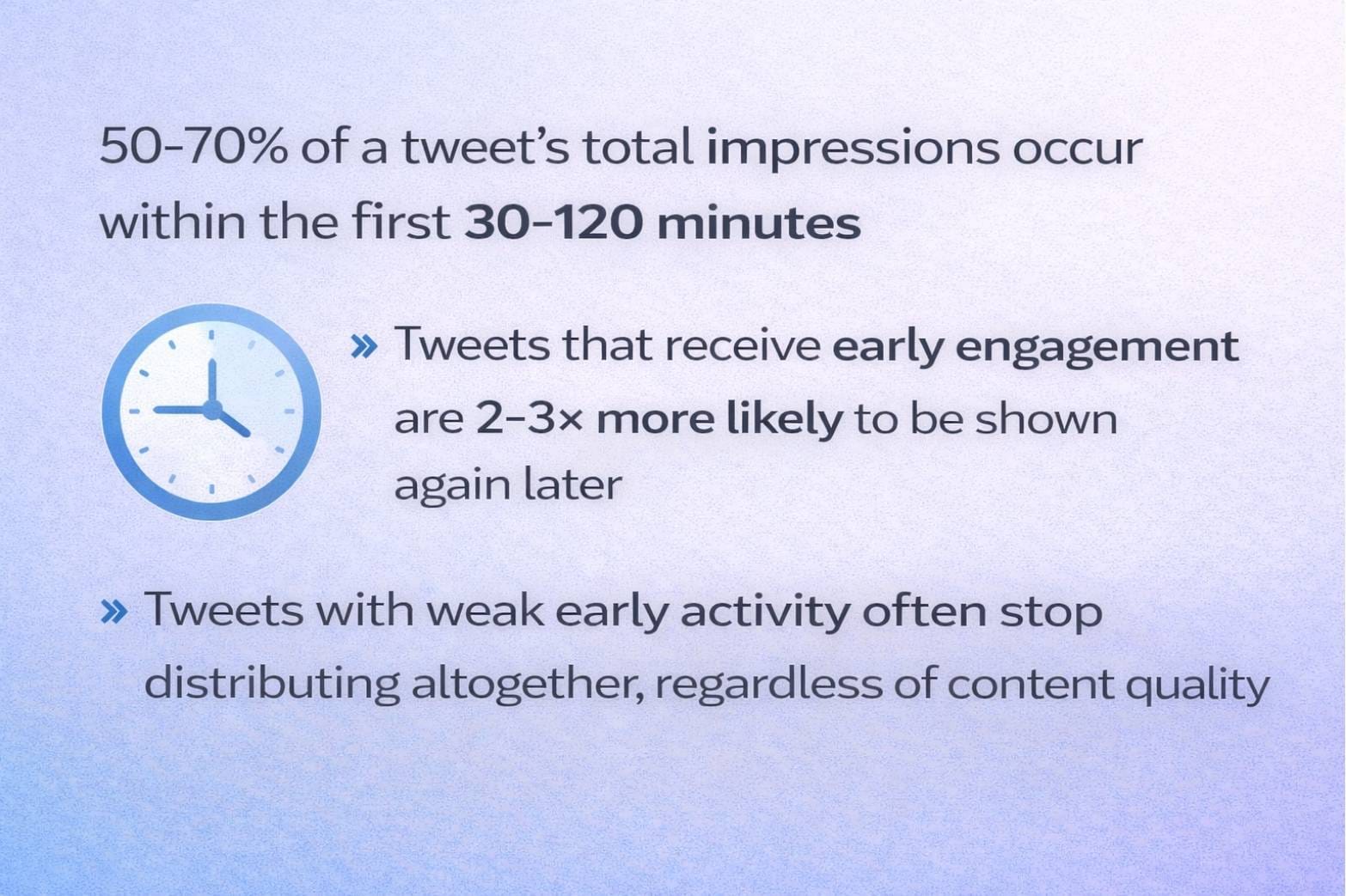
- 50–70% of a tweet’s total impressions occur within the first 30–120 minutes
- Tweets that receive early engagement are 2–3× more likely to be shown again later
- Tweets with weak early activity often stop distributing altogether, regardless of content quality
This makes timing one of the most powerful and most underestimated levers for increasing tweet activity.
Why Early Timing Matters So Much
When a tweet is published, Twitter/X initially shows it to a small test group of users.
If that group:
- likes
- replies
- reposts
- clicks
the tweet quickly earns extended distribution.
If engagement is slow:
- impressions flatten
- reach stalls
- the tweet disappears from timelines
In practice, a tweet posted at the wrong time can lose 30–50% of its potential lifetime impressions, even if the content is strong.
Audience Availability Is the Hidden Variable
At any given moment:
- only 10–25% of followers are typically active
- the rest are offline due to time zones, work schedules, or scrolling habits
Posting when your audience is inactive drastically reduces early engagement opportunities.
By contrast, posting during peak activity windows can:
- increase impressions by 20–40%
- raise engagement rates without changing content
- improve algorithmic resurfacing chances
How Circleboom Turns Timing into a Growth Strategy
This is where Circleboom transforms timing from guesswork into a system.
Circleboom helps optimize timing by enabling users to:
- Analyze audience activity patterns
Identify when followers are most likely to engage instead of relying on generic “best time” charts. - Schedule tweets for high-impact windows
Ensure tweets go live during periods with the highest probability of early interaction. - Use auto-retweets to reopen engagement windows
A strategically timed retweet, often 6–12 hours later, can generate 15–35% additional impressions by reaching a different audience segment. - Maintain consistent timing patterns
Accounts that post at stable hours often build stronger baseline impressions than accounts that post randomly.
Instead of hoping the algorithm favors your tweet, you engineer favorable conditions for it.
Timing + Retiming = Compounded Tweet Activity
The most effective strategy isn’t just posting at the right time, it’s posting and resurfacing.
A strong timing system:
- maximizes early engagement
- extends tweet lifespan
- improves total impressions
- increases engagement rate
With the right timing, one tweet can outperform multiple poorly timed ones.
The Core Insight About Timing
Timing doesn’t just influence tweet activity.
It amplifies or suppresses it.
A tweet posted at the wrong moment can fail silently.
The same tweet, posted and retweeted strategically, can compound impressions over hours instead of minutes.
By combining audience analytics, scheduling, and auto-retweets, Circleboom turns timing into one of the most reliable drivers of tweet activity growth.
When timing improves, everything else follows.
Tweet Activity Patterns That Signal Opportunity
Analyzing tweet activity over time reveals patterns such as:
- posts that gain impressions but few interactions
- tweets with strong engagement but limited reach
- content formats that outperform others
- topics that generate replies instead of likes
These patterns guide smarter content decisions.
Advanced Tweet Activity Analysis Beyond Twitter/X
To move from observation to optimization, tweet activity must be analyzed in context and at scale.
This is where Circleboom naturally supports the workflow.
Circleboom helps users:
- compare tweet activity across many posts
- identify top-performing content patterns
- analyze timing and engagement correlations
- understand audience behavior quality
- connect analytics with scheduling and publishing
Instead of isolated metrics, you gain trend-based insights.
Turning Tweet Activity into a Growth Strategy
Tweet activity becomes actionable when used to:
- refine posting times
- adjust content formats
- prioritize high-performing topics
- reduce low-impact posts
- improve consistency
Growth comes from iteration, not from guessing.
Common Mistakes When Interpreting Tweet Activity
Many users misread tweet activity by:
- focusing only on likes
- ignoring impressions
- overreacting to single tweets
- comparing unrelated posts
- neglecting timing effects
Tweet activity should always be analyzed across multiple tweets and timeframes.
Tweet Activity as a Feedback Loop
Tweet activity is Twitter/X’s built-in feedback system.
It tells you:
- what your audience notices
- what they interact with
- what they ignore
When tracked consistently, tweet activity becomes your most reliable guide for improvement.
FAQ: Tweet Activity on Twitter/X
What does tweet activity mean?
It refers to impressions, engagements, and interactions a tweet receives.
Can I see tweet activity for other users?
No. Tweet activity is only visible for your own tweets.
Why do some tweets get impressions but no likes?
Visibility does not guarantee relevance or interest.
How often should tweet activity be analyzed?
Weekly or monthly pattern reviews work best.
Is tweet activity more important than followers?
Yes. Tweet activity reflects real performance, not static reach.
Final Takeaway
Tweet activity is not just data, it’s direction.
Every impression, click, reply, and profile visit is a signal. On its own, a number doesn’t mean much. But when you look at tweet activity consistently and in context, it tells you what’s working, what’s being ignored, and where your attention should go next.
Twitter/X gives you the basics:
it shows you what happened.
Advanced analysis shows you why it happened, and more importantly, what to do next.
When you start treating tweet activity as part of your regular workflow rather than an occasional check, a few important things change:
- you stop guessing why some tweets perform better than others
- you stop chasing vanity metrics and focus on efficiency
- you optimize timing, content, and distribution intentionally
- you learn which actions actually move impressions, engagement, and clicks
This is where tools like Circleboom become valuable, not because they add more data, but because they help you connect the dots between analytics, timing, audience quality, and execution.
Growth on Twitter/X rarely comes from one viral post.
It comes from small, repeatable improvements based on real feedback.
When tweet activity becomes something you read, understand, and act on, growth stops being random, and starts becoming predictable, measurable, and sustainable.
That’s the difference between posting on Twitter/X
and actually building momentum on it.