

Keep in mind that the API provides a more accurate real-time data stream than the X interface itself. While the platform UI may experience lag, the API captures and reflects new developments instantaneously.
Circleboom has the official Enterprise API, we don't scrape data from X!

If you’re working on audience research, content analysis, or network mapping, you already know that access to data is everything. But the real challenge is not just getting data, it’s getting accurate and complete data you can trust.
Many tools promise large-scale exports, but they rely on unofficial methods. This often leads to missing information, inconsistent datasets, or unreliable results. And when your analysis depends on that data, even small gaps can completely change your conclusions.
That’s why choosing the right tool from the beginning makes a big difference.
Circleboom Twitter: The Safest and Most Reliable Way to Export Twitter Data
This is where Circleboom Twitter stands out.

As an official X Enterprise Developer, Circleboom works directly with X’s API. This ensures that the data you receive is accurate, consistent, and compliant with platform rules, unlike many tools that rely on scraping or unofficial sources.
Instead of guessing or approximating, Circleboom gives you real data directly from the platform. This makes your analysis much more reliable.
It also offers flexibility and ease of use, which is critical when working with large datasets.
✅ Official API access ensures accurate and complete data
✅ No reliance on scraping, reducing risk of missing or incorrect information
✅ Multiple export options for different analysis needs
✅ Structured datasets that are ready to use in Excel or other tools
With Circleboom, you don’t spend time fixing messy data. You can directly focus on analysis and insights.
Download Any User’s Tweets
With Circleboom Twitter, you can export tweets from any public account, including your own, into a structured dataset like the one shown earlier.
 Altug Altug
Instead of just viewing tweets in a timeline, Circleboom turns each post into a row of data with detailed metrics attached.
This allows you to analyze content performance in a much more systematic and scalable way.
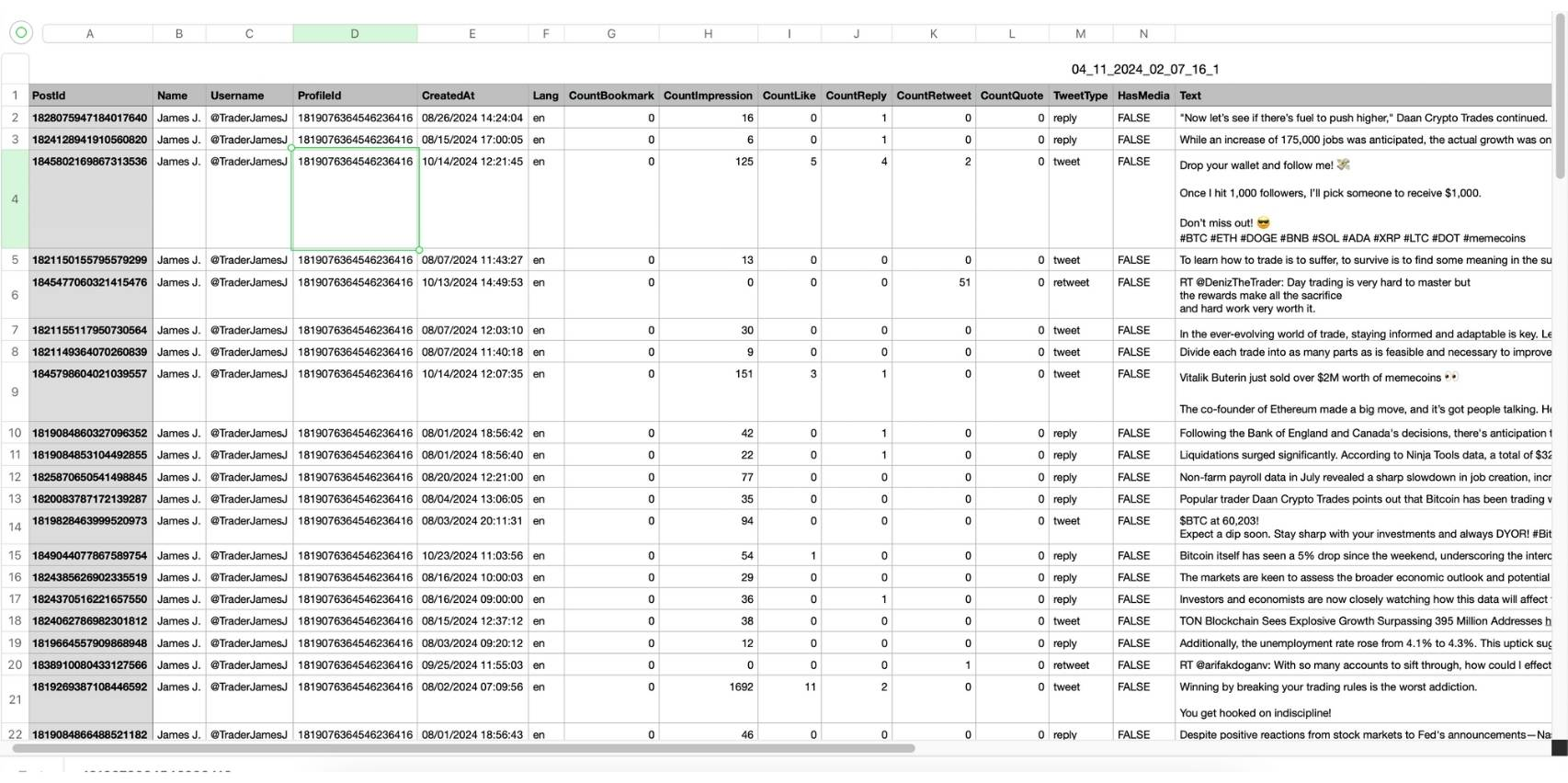
In the exported file, you get fields such as:
- PostId, CreatedAt, TweetType to understand when and what type of content was posted
- CountImpression, CountLike, CountReply, CountRetweet, CountQuote to measure performance
- HasMedia, Lang, Text to analyze format, language, and actual content
This structure helps you move beyond surface-level observations and into real analysis.
- Compare engagement across tweets to identify top-performing content
- Analyze how content type (tweet, reply, retweet) affects performance
- Detect patterns in timing, messaging, or format that drive results
For example, you can filter tweets with the highest impressions and quickly understand what they have in common, or compare posts with and without media to see what performs better.
 Arif Akdogan
With Circleboom, you are not just exporting tweets. You are getting a ready-to-analyze dataset that can be used in Excel or any data tool for deeper insights.
Download Any User’s Followers or Following List
With Circleboom Twitter, you can export follower or following lists of any public account into a structured dataset like the one shown earlier.
 Arif Akdogan
Instead of just seeing usernames, you get a detailed table with multiple attributes for each account.
This allows you to analyze not only who follows an account, but also the quality and structure of that audience.
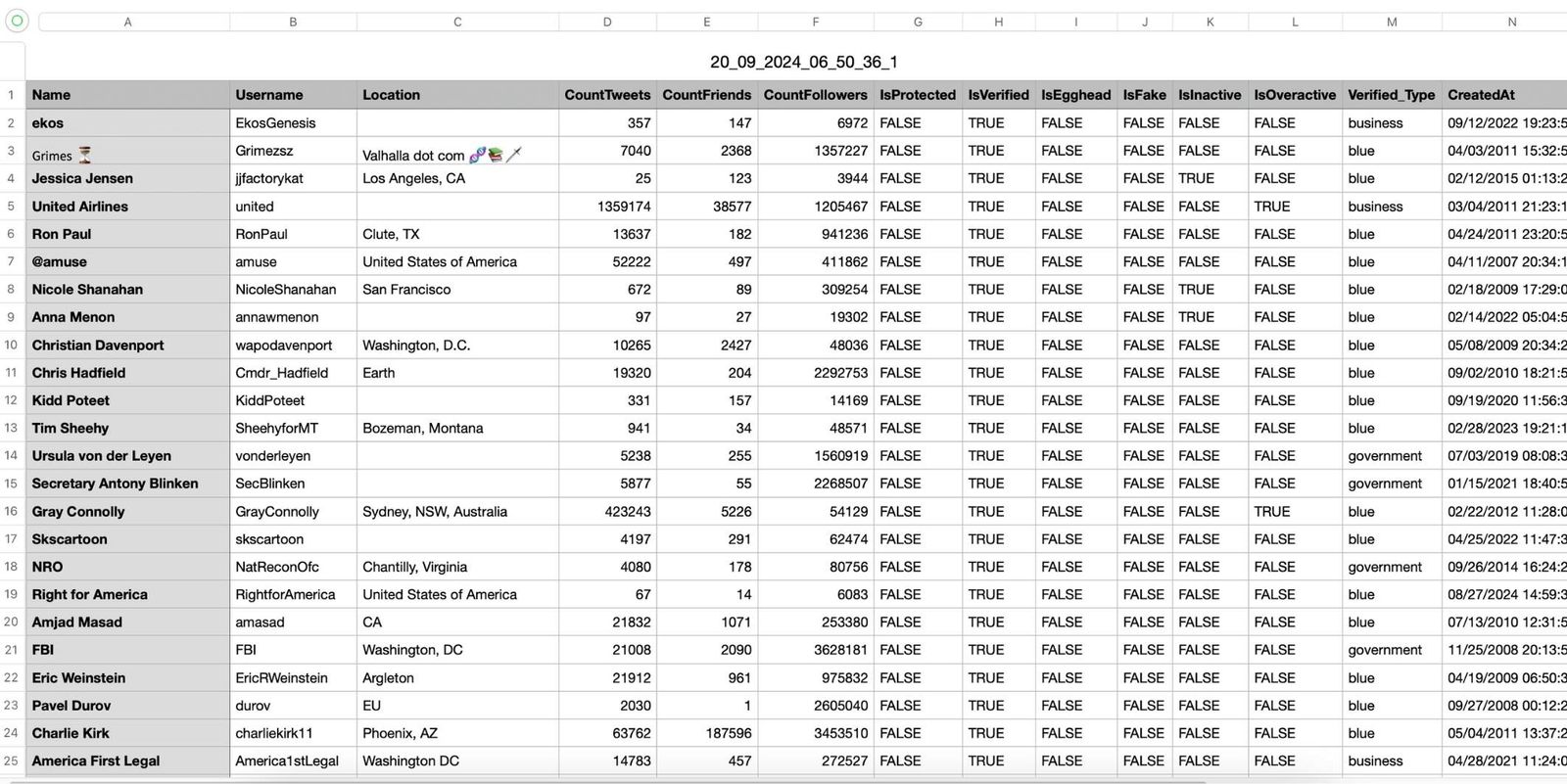
In the exported file, you get fields such as:
- CountFollowers, CountFriends, CountTweets to evaluate influence and activity
- IsVerified, Verified_Type to identify credible or official accounts
- IsFake, IsInactive, IsOveractive to assess audience quality
This transforms a simple follower list into something much more powerful.
- Identify high-quality followers by filtering active and verified users
- Segment audiences based on behavior, influence, or profile characteristics
- Detect patterns such as fake followers or inactive networks
For example, you can isolate verified users with high follower counts to find key influencers, or filter out inactive accounts to better understand real audience strength.
 Fatih Kemal Oksuzoglu
With Circleboom, you are not just exporting a list. You are getting a structured network dataset that can be used for serious social network analysis.
Export Retweeters of Any Tweet or Account
With Circleboom Twitter, you can export the users who retweeted a specific tweet or multiple tweets, and analyze them as a structured dataset like the one shown above.
 Arif Akdogan
Instead of only seeing how many retweets a post has, you can see exactly who shared it and understand their characteristics.
This turns retweets into one of the most valuable datasets for understanding content distribution.
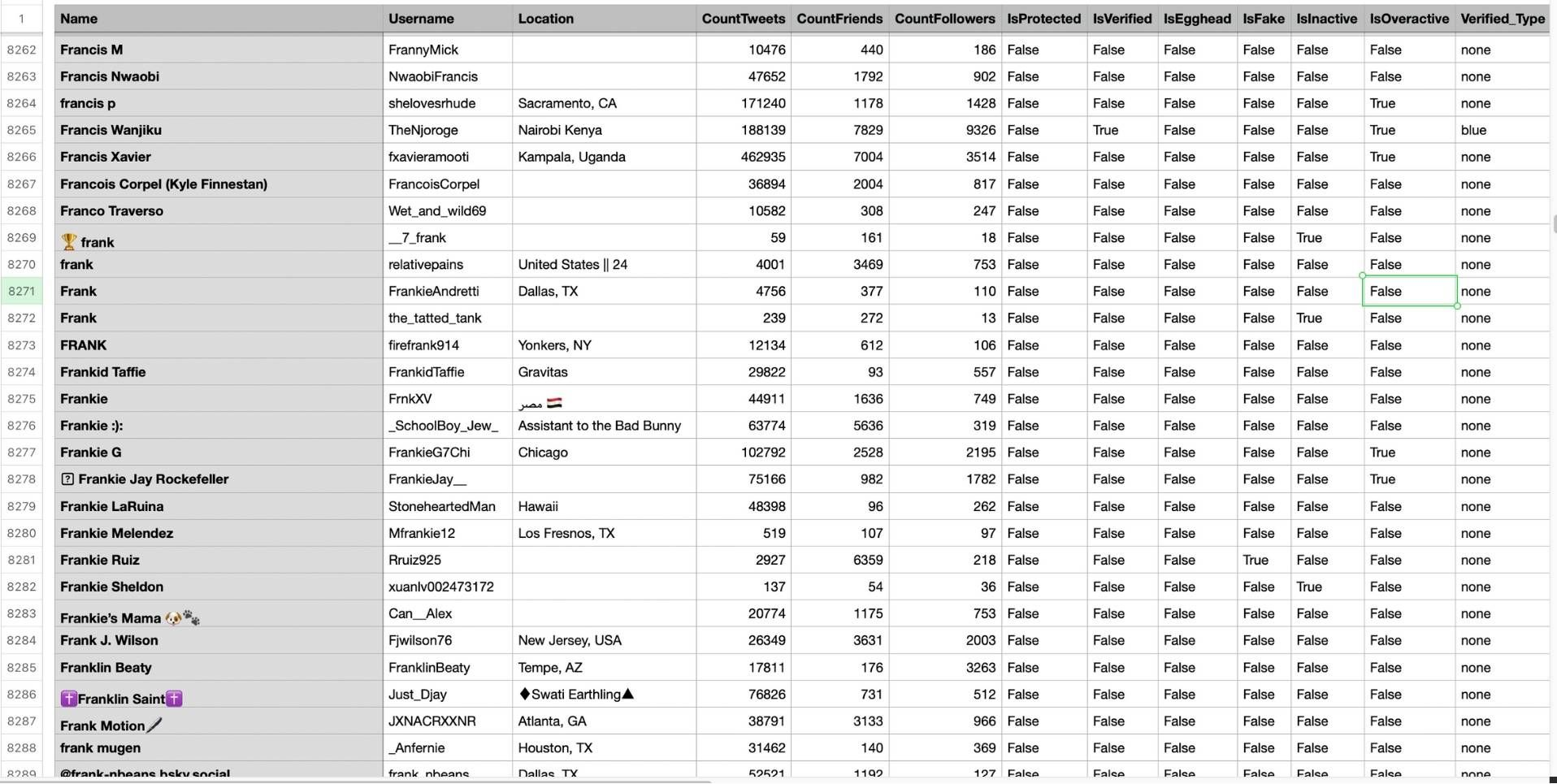
In the exported file, you get fields such as:
- CountFollowers, CountFriends, CountTweets to measure influence and activity
- IsVerified, Verified_Type to identify credible users
- IsFake, IsInactive, IsOveractive to evaluate engagement quality
This allows you to go far beyond basic engagement numbers.
- Identify high-value users who actively amplify content
- Separate real engagement from fake or low-quality interactions
- Understand what type of audience is spreading specific tweets
For example, you can filter retweeters with large followings to find potential influencers, or analyze whether your content is being shared by active and relevant users.
 Arif Akdogan
With Circleboom, retweets are no longer just numbers.
You gain clear insight into who is driving your reach and how your content spreads across the network, which is essential for both analysis and growth strategies.
Conclusion
So, what’s the best way to download large amounts of Twitter data for social network analysis?
Using Circleboom Twitter.
It provides accurate data through official API access, flexible export options, and structured datasets that are ready for analysis.
Instead of dealing with incomplete or unreliable information, you can focus on understanding networks, analyzing behavior, and making better decisions.
With Circleboom, you’re not just downloading data. You’re working with data you can actually trust.

