

There was a time when I was writing a tweet and wanted to tag someone in it. It was a simple situation. I wanted to mention the account so they could see the post and maybe join the conversation.
So I typed their username.
But the tag didn’t work.
At first I thought I had typed the handle incorrectly, so I tried again. Still nothing. The mention didn’t appear, and when I published the tweet the person wasn’t notified.
This kind of situation happens more often than people think. Tagging is one of the most common actions on Twitter (X), but sometimes it simply doesn’t work the way you expect.
In most cases, the problem is not a platform bug. Usually, there are specific reasons why tagging fails.
Let’s look at the most common ones and how you can fix them.
 Arif Akdogan
Reason #1: The account disabled tagging
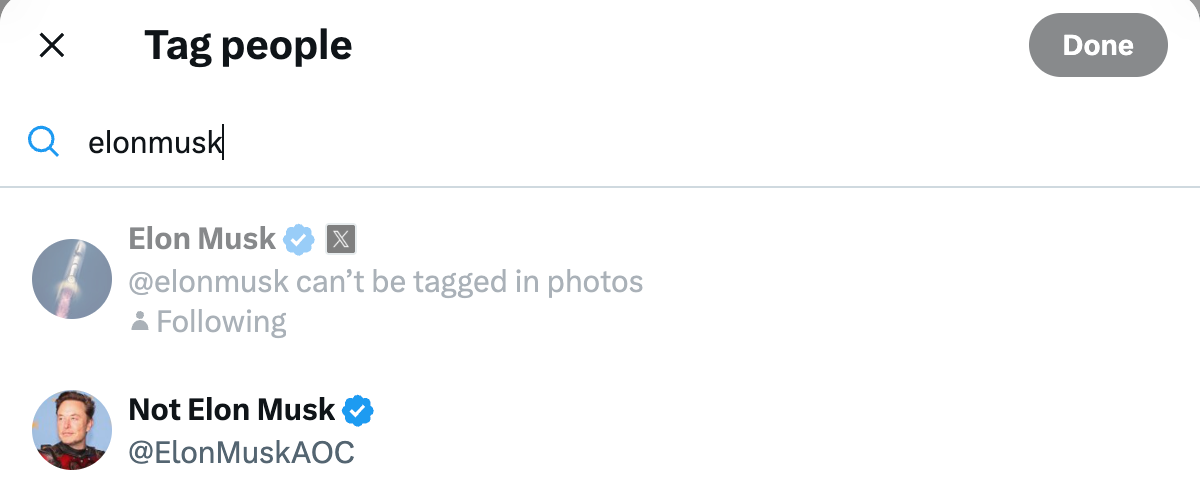
Some users disable photo tagging in their privacy settings. This means other people cannot tag them in images.

This setting is often used by people who want to avoid spam tagging or random posts they are not related to. When this option is turned off, Twitter simply blocks the tag.
I have encountered this a few times when trying to tag someone in an image post. The username appears in text, but the system does not allow the photo tag.
✅ Solution:
If tagging in an image doesn’t work, the easiest solution is to mention the account directly in the tweet using @username. Mentions still notify the person and allow them to see the tweet, even if photo tagging is disabled.
Reason #2: The account is private or protected
Another situation that can affect tagging is when the account is protected.

Protected accounts limit interactions from people who are not following them. Some actions, including tagging or mentions in certain contexts, may behave differently if you are not connected to that account.
This is especially common with personal accounts that restrict their audience.
✅ Solution:
Follow the account first and wait for the follow request to be accepted. Once you are connected, tagging or mentioning them usually works normally.
 Arif Akdogan
Reason #3: The user blocked you
Sometimes the reason is simpler but less pleasant.
If someone blocks you on Twitter, you cannot interact with their account normally. This includes tagging, mentioning, replying, or following.

If tagging suddenly stops working for one specific account while everything else works normally, blocking might be the reason.
✅ Solution:
Unfortunately there is no technical fix for this. If the account has blocked you, tagging will not be possible unless the block is removed.
 Arif Akdogan
Reason #4: The username is incorrect or has changed
Usernames on Twitter can change at any time.
I have personally experienced this when trying to tag someone from memory. I typed the handle I remembered, but the tag did not work because the person had updated their username.
When the handle changes, the old username becomes invalid and tagging it will fail.
✅ Solution:
Open the person’s profile and check their current handle. Once you use the updated username, the tag should work correctly.
Reason #5: The account is suspended or unavailable
Accounts that are suspended or restricted cannot be tagged.
If the platform removes or limits an account, the username may still exist in memory, but tagging it will not work because the account is no longer active.
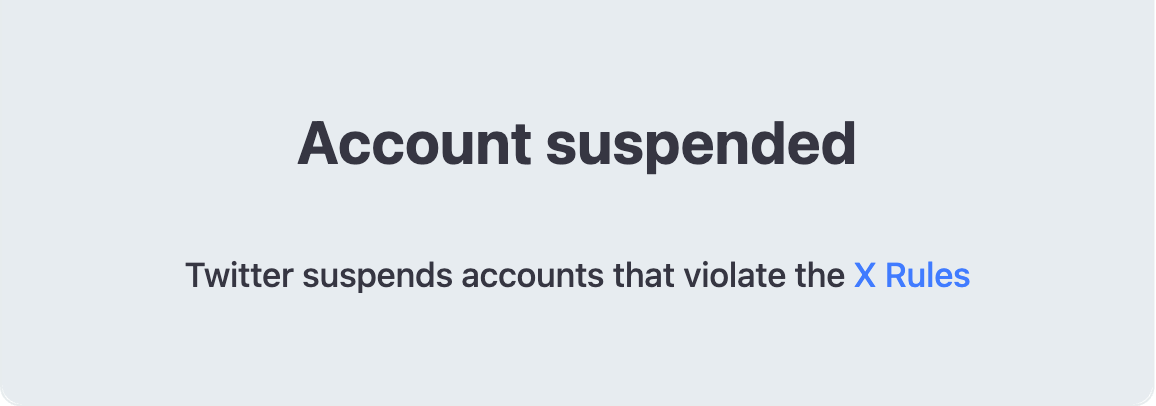
Sometimes this happens when an account violates platform policies or temporarily disappears.
✅ Solution:
Check whether the profile page still loads. If the account is suspended or removed, tagging will not work until the account becomes active again.
Reason #6: You reached the tagging limit
Twitter also places limits on tagging in certain situations, especially in photos.
For example, when tagging people in an image, there is a maximum number of accounts that can be tagged. If you try to add too many usernames, the platform may stop accepting additional tags.
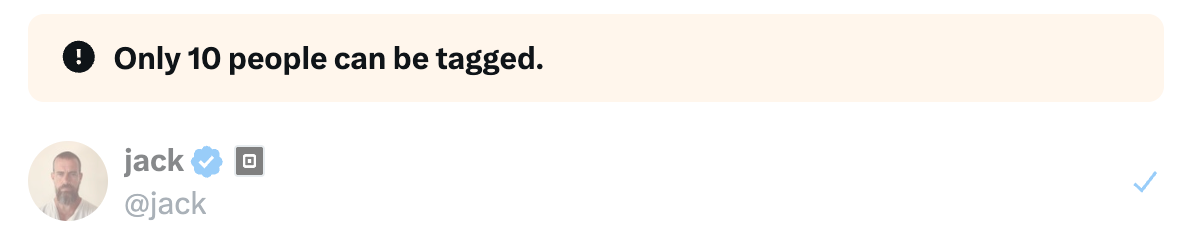
This is done to prevent spam tagging.
✅ Solution:
Reduce the number of tagged users in the image. Once the number of tags is within the allowed limit, tagging should work normally.
Reason #7: Temporary app glitches or platform issues
Sometimes the problem is simply technical.
There have been moments when tagging didn’t work for me because the app had not refreshed properly. In other cases, the issue was caused by an outdated app version.
Connection problems or small platform bugs can also interfere with tagging.
✅ Solution:
Try refreshing the page, restarting the Twitter app, or updating it to the latest version. In many cases, tagging begins working again after a simple refresh.
Tagging accounts easily with Circleboom Twitter
When you create tweets frequently and tag multiple accounts, managing mentions directly on the platform can sometimes become messy.
This is one reason I use Circleboom Twitter when creating posts.

Circleboom Twitter is an official X Enterprise Developer, and it includes a feature called the X Post Planner. This tool allows you to create and schedule tweets from a single dashboard.
 infocircleboom.com
When you compose a tweet inside the X Post Planner, you can mention any accounts you want directly while writing the tweet. This allows you to check the mentions carefully before publishing.
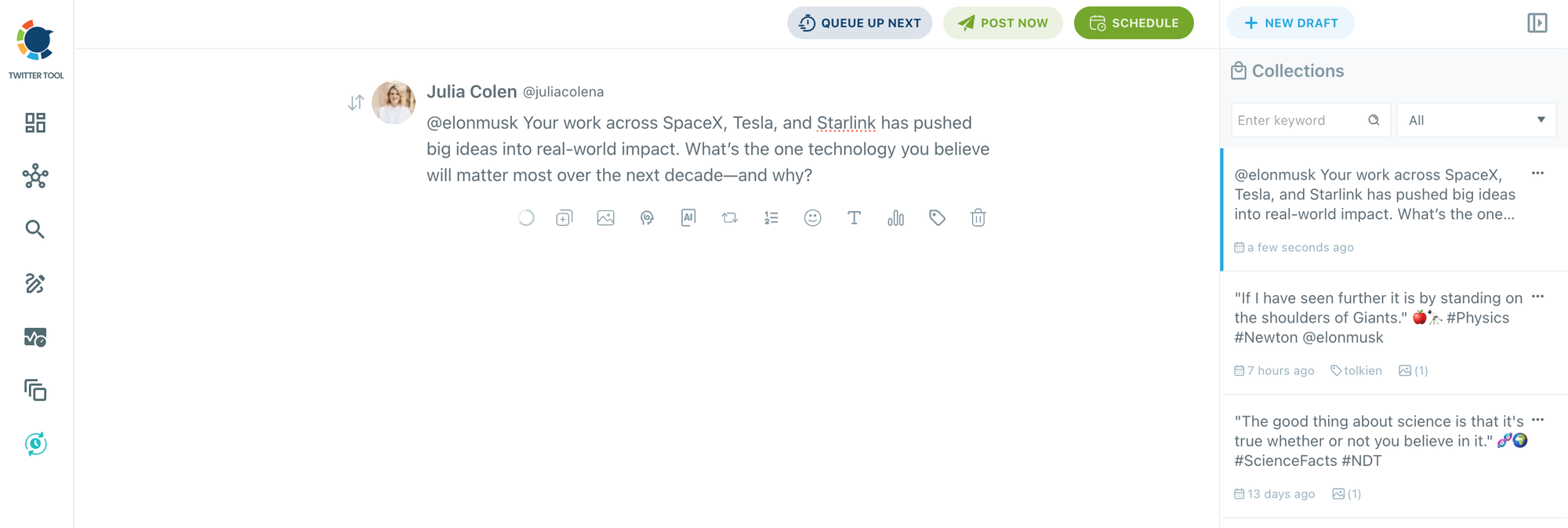
Instead of editing tweets multiple times on the platform, I can prepare the tweet, add the tags, and schedule it in one place. This makes the process much more organized, especially when tagging brands, collaborators, or other creators.
Final thoughts
If you cannot tag someone on Twitter, the issue is usually related to privacy settings, account restrictions, username changes, or small technical problems.
In most cases, checking the account settings, verifying the username, or refreshing the app will solve the problem.
And if you frequently create tweets that mention other accounts, tools like Circleboom Twitter’s X Post Planner can make the process easier by allowing you to compose your tweets, add tags, and schedule them before publishing.
%3F)
