

Replies are one of the fastest ways to grow on X. You jump into conversations, get visibility under viral tweets, and attract new followers without even posting your own content. It feels like a simple growth hack.
But then something frustrating happens. Your replies start getting flagged as “spam” or even “malicious activity.” Suddenly, your visibility drops, fewer people see your replies, and your growth slows down.
The confusing part is this: most of the time, you’re not actually spamming. You’re just being active.
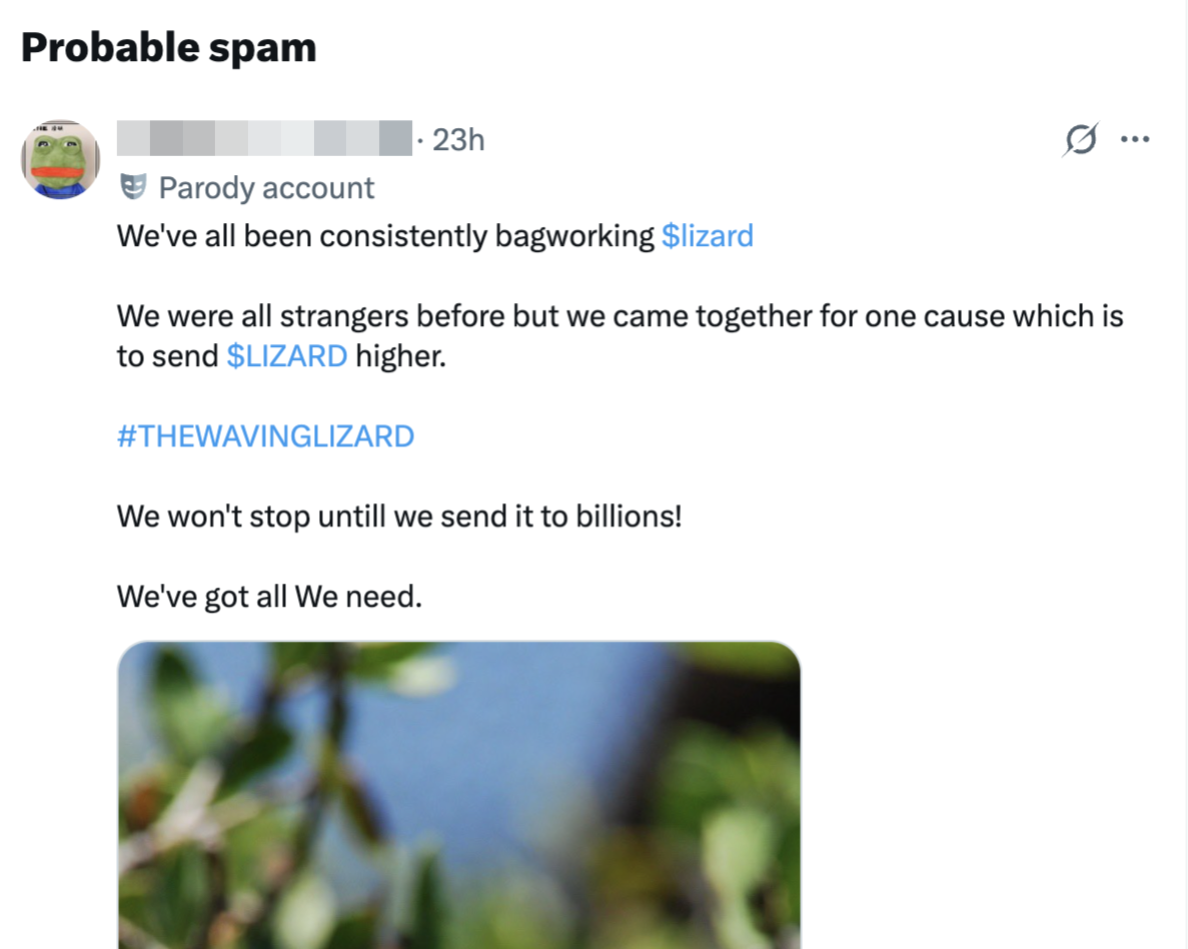
The real issue is how X interprets your behavior. It doesn’t judge intention, it looks at patterns. And some normal behaviors can look suspicious when they’re repeated at scale.
Let’s break down the most common reasons, in a way that actually reflects what happens in real usage. ⬇️
1. Repetitive or Copy-Paste Replies
This is one of the easiest mistakes to fall into, especially when you’re trying to grow fast.
You find a reply format that works, maybe something like a smart comment or a short engaging sentence. Then you start reusing it across multiple tweets. It saves time and keeps you active.
But from X’s perspective, this looks very different.
When the system sees:
- The same sentence repeated across different tweets
- Very similar wording with only minor changes
- Patterns that look templated
It starts to assume automation is involved.
Even if you’re typing everything manually, the pattern itself is what matters. Real users naturally vary their language. Bots don’t.
Over time, this kind of behavior signals low-quality engagement, and your replies can start getting flagged or suppressed.
✅ Solution:
Try to treat every reply as a fresh interaction. Even if you’re responding to similar tweets, slightly change your wording, add context, or reference something specific from the post.
Writing like a human instead of following a template makes your activity look much more natural to the algorithm.
 infocircleboom.com
2. High Reply Frequency in a Short Time
There’s a big difference between being active and being hyper-active.
Let’s say you sit down for 20–30 minutes and reply to dozens of tweets back-to-back. You might think you’re just being productive. But to X, this can look unnatural.
Most users don’t:
- Reply to 30 different people in a few minutes
- Jump rapidly between unrelated conversations
- Maintain a constant high-speed interaction pattern
When your activity spikes like this, it triggers rate-based signals. The system starts asking: “Is this human behavior, or is this automated?”
Even if everything you write is original, the speed alone can raise flags.
✅ Solution:
Slow things down a bit and spread your replies over time. Instead of replying to everything in one session, break it into smaller windows throughout the day.
This creates a more natural pattern and reduces the chance of triggering spam detection.
3. Including Links in Replies
Links are one of the most sensitive elements in X’s spam detection system.
This is because a huge portion of spam and scams on the platform involve links. So the system is naturally cautious.
You might run into problems if you:
- Add links in most of your replies
- Share the same link repeatedly
- Use shortened or unfamiliar URLs
Even if your link is completely safe, repeating it across multiple replies can make your behavior look promotional or automated.
✅ Solution:
Use links only when they genuinely add value to the conversation. Instead of dropping links in every reply, focus on building engagement first.
When you do share a link, make sure the reply itself is meaningful and not just a vehicle for promotion.
4. Low-Quality or Generic Replies
Replies like:
- “Nice”
- “Great post”
- “Love this”
feel normal, but at scale, they can become a problem.
If you leave these kinds of replies occasionally, nothing happens. But if your activity is mostly made up of generic responses, the system starts to see a pattern.
From X’s perspective, these replies:
- Don’t add meaningful context
- Look like engagement farming
- Resemble bot-like interaction behavior
The platform is increasingly prioritizing meaningful conversations.
✅ Solution:
Add a small layer of personalization to each reply. Even one extra sentence explaining why you agree or what stood out can completely change how your reply is perceived.
The goal is to sound like someone genuinely joining the conversation, not just leaving quick reactions.
5. Having Fake or Bot Followers
This is one of the most overlooked reasons, but it has a surprisingly strong effect.
⚠️ Your followers are part of your account’s overall signal. If a large portion of them are fake or bot accounts, it can lower your credibility in the eyes of the algorithm.
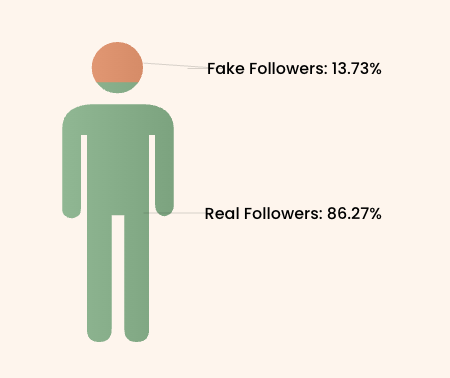
Fake followers typically:
- Follow thousands of accounts randomly
- Have little to no real activity
- Are part of automated or spam networks
When your account is connected to these profiles, X may assume:
- You’re part of the same network
- Your engagement is not organic
- Your activity needs closer monitoring
As a result, even normal replies can start getting flagged more easily.
✅ Solution:
Regularly review and clean your follower base to maintain a healthy audience. Removing fake and low-quality accounts improves your trust signals and helps your replies perform better.
Using Circleboom Twitter makes this process much easier and more accurate, since it analyzes your followers, shows which are fake and bot followers, and lets you remove them.
infocircleboom.com
A Smarter Way to Detect Fake and Bot Followers
Instead of guessing, you need a way to actually see what your audience looks like.
Circleboom Twitter is an official X Enterprise Developer, which means it works directly with X’s official APIs. This is important because the data you get is accurate, reliable, and aligned with how the platform itself sees your account.

With Circleboom, you can analyze your followers and clearly identify:
It doesn’t just give you a random list. It shows account-level details, so you understand why certain profiles are flagged. More importantly, it’s not just about detection. Circleboom also allows you to take direct action on these accounts.
➡️ You can remove fake or bot followers from your profile, and if you’re following suspicious accounts, you can unfollow them as well.
Instead of manually checking profiles one by one, you can clean your audience in a much faster and more controlled way.
This makes it much easier to move from analysis to action and keep your account healthy without wasting time.
How to Find Fake/Bot Followers with Circleboom Twitter
Step #1: Go to the Circleboom Twitter website and log in with your credentials.
If you’re a new user, sign up, it’s quick and easy!

Step #2: On the left-side menu, click on the Followers / Following Management section. A dropdown menu will appear. Select Fake/Bot Followers to see the full list of your followers.
If you want to remove specific accounts, such as inactive users, you can directly select these categories from the dropdown menu instead of viewing all followers.
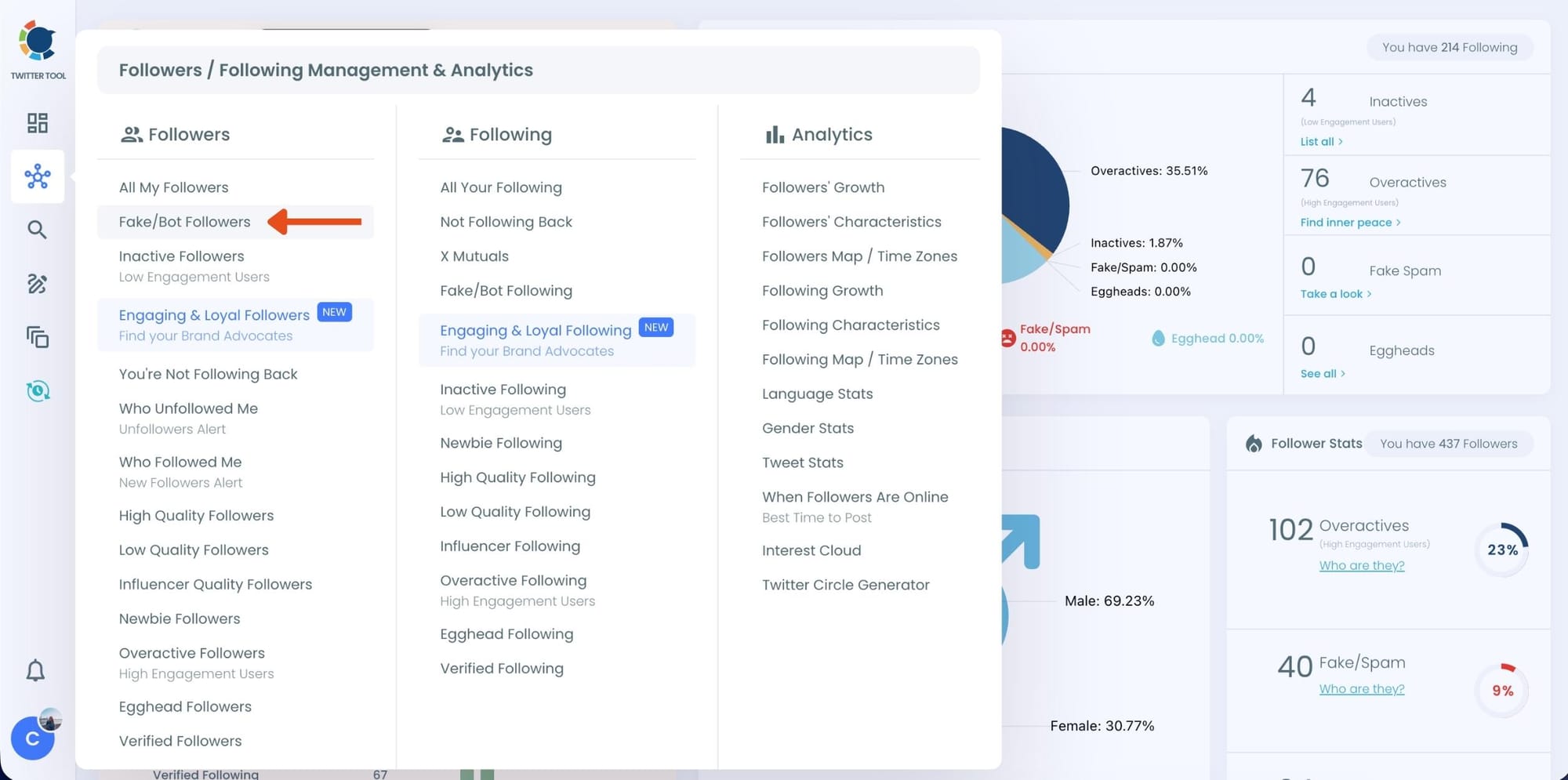
Step #3: You will see a complete list of your fake/bot followers.
Use the Filter Options on the left side to refine your list.
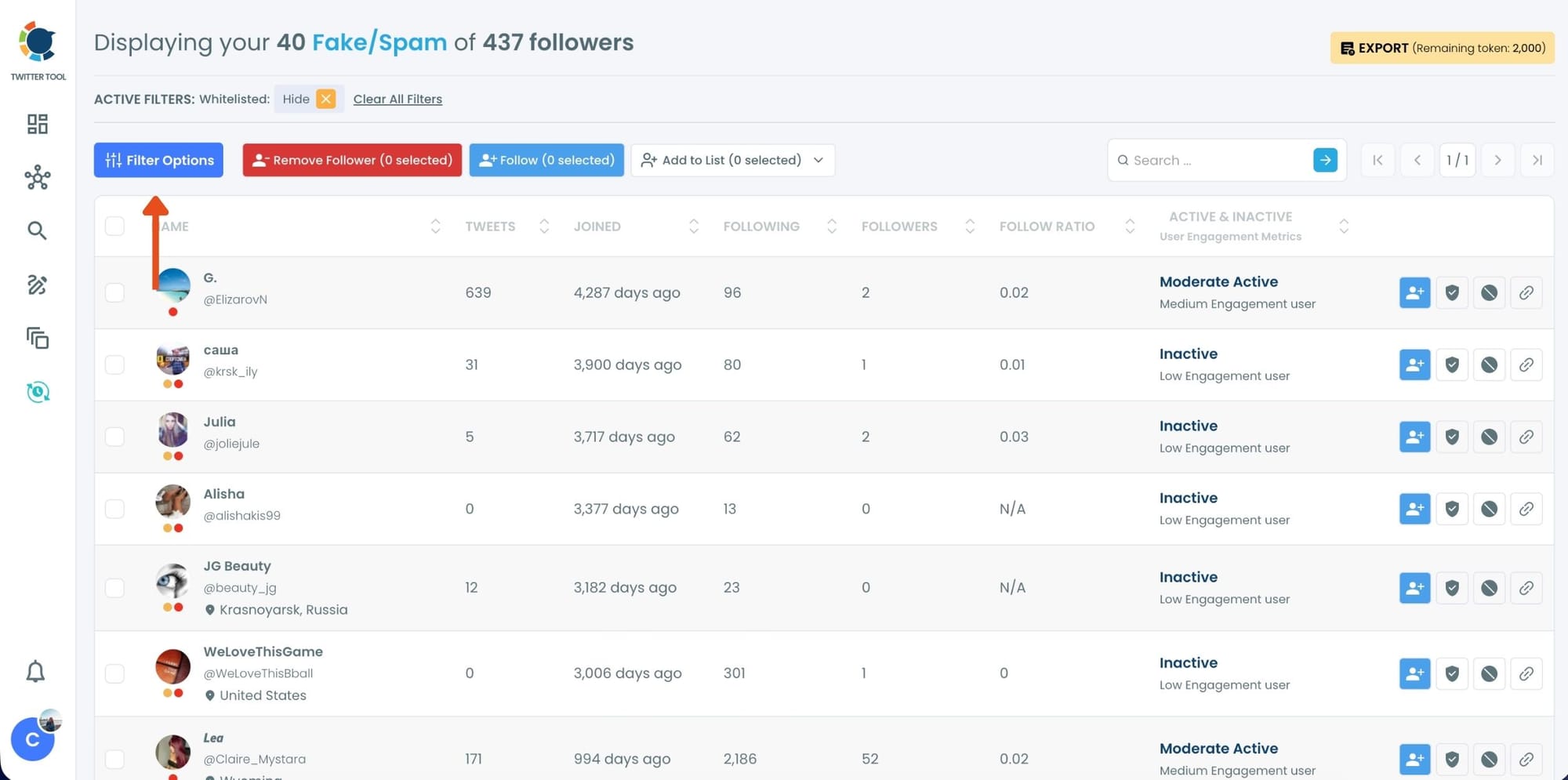
You can filter followers based on engagement levels, inactivity, verification status, follower/following count, and more.
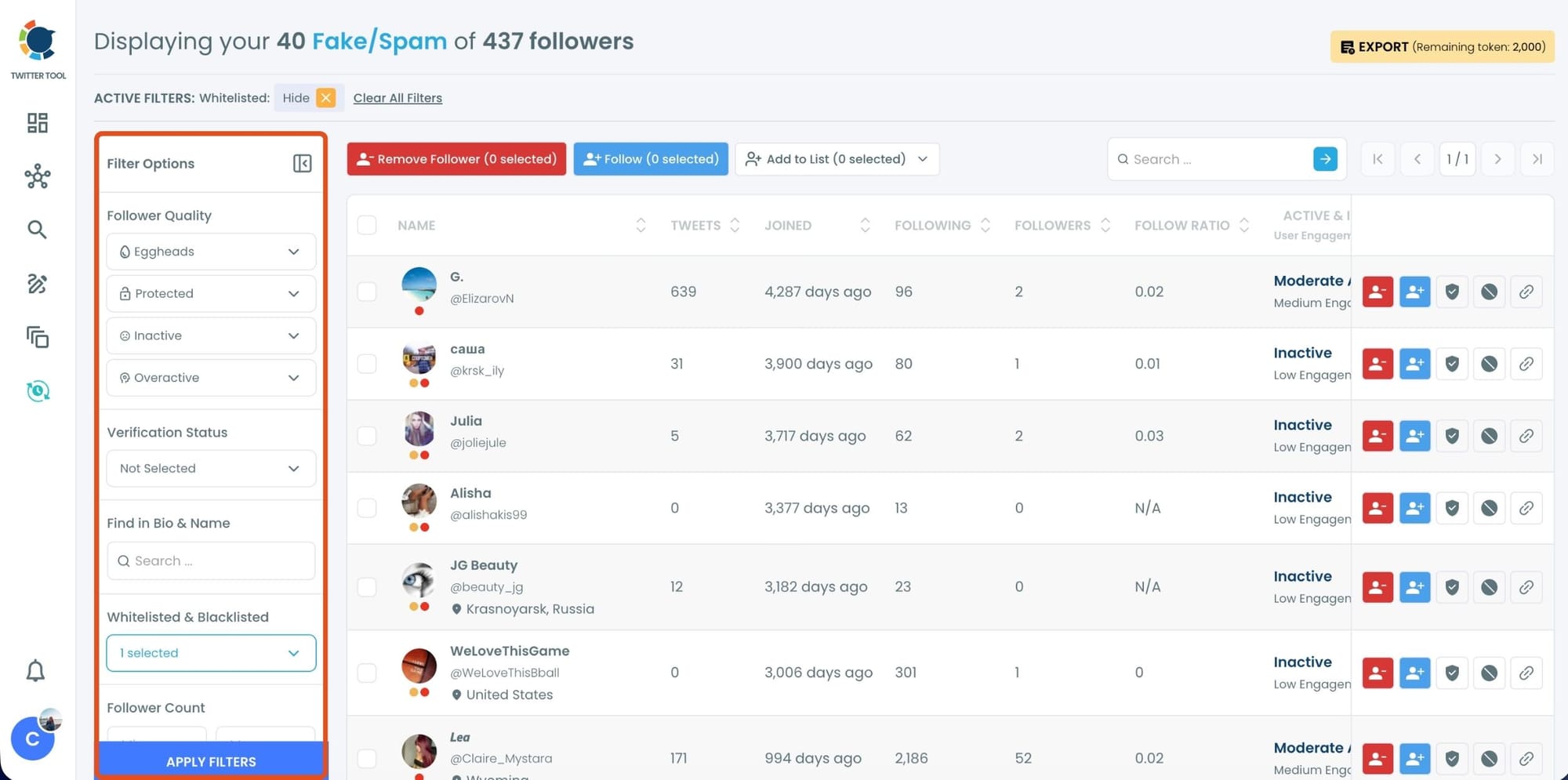
Step #4: Browse through your followers and check the boxes next to the users you want to remove.
You can also select multiple users at once. Once you have selected the users, click on the Remove Followers button at the top.
Alternatively, you can remove individual followers by clicking the red remove icon next to their name on the right side of the list.
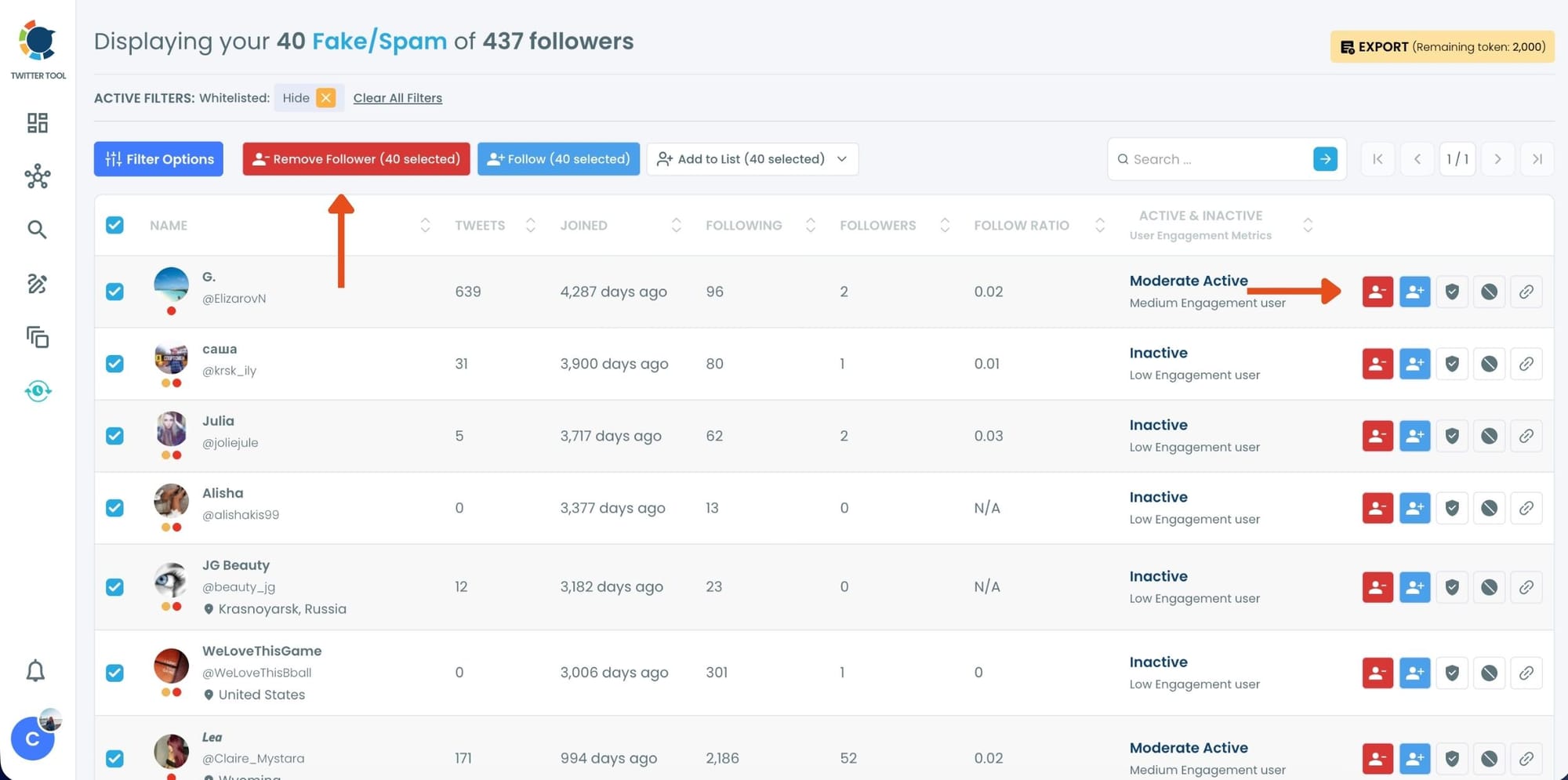
A confirmation message will appear asking if you are sure you want to remove the selected followers.
Click ''Remove Followers''.
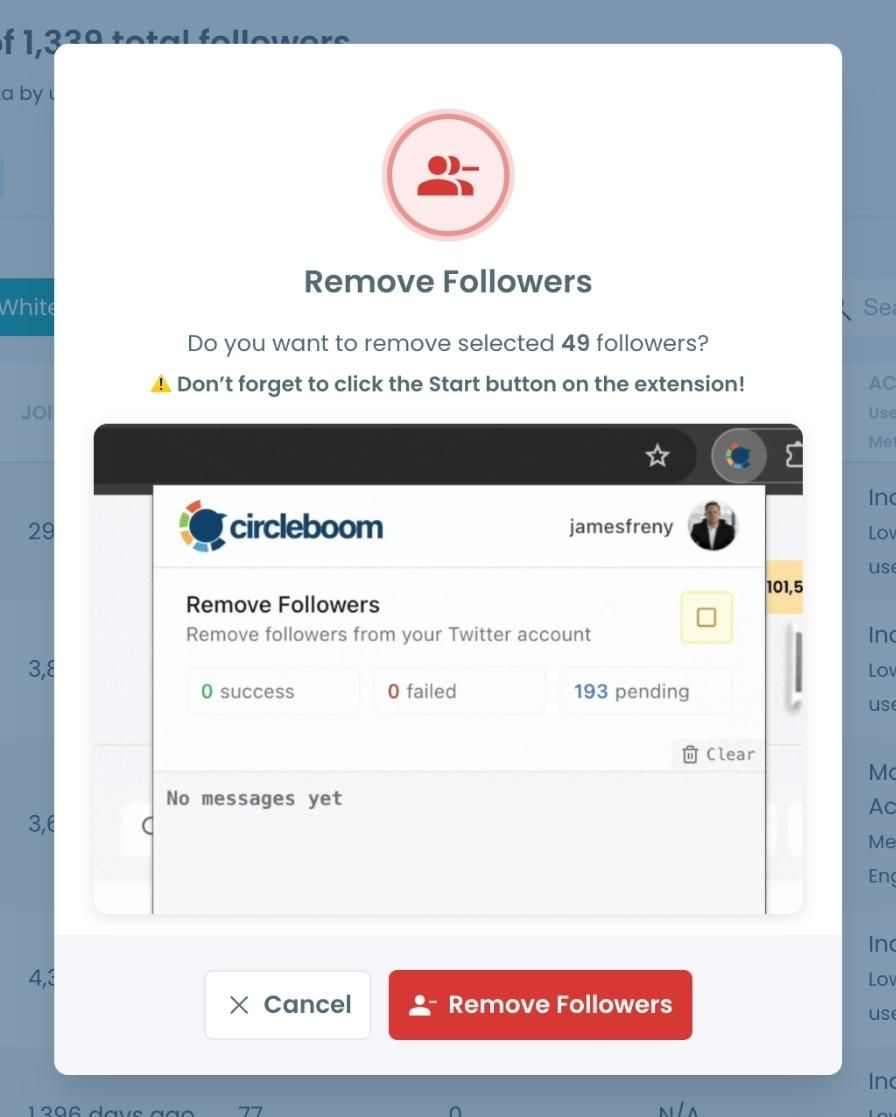
Step #5: Since the removal action is processed via the Circleboom Remove Twitter/X Followers extension, you need to install it to complete the process.
Click on Download the Extension and install it from the Chrome Web Store.
Once installed, you can easily remove followers.

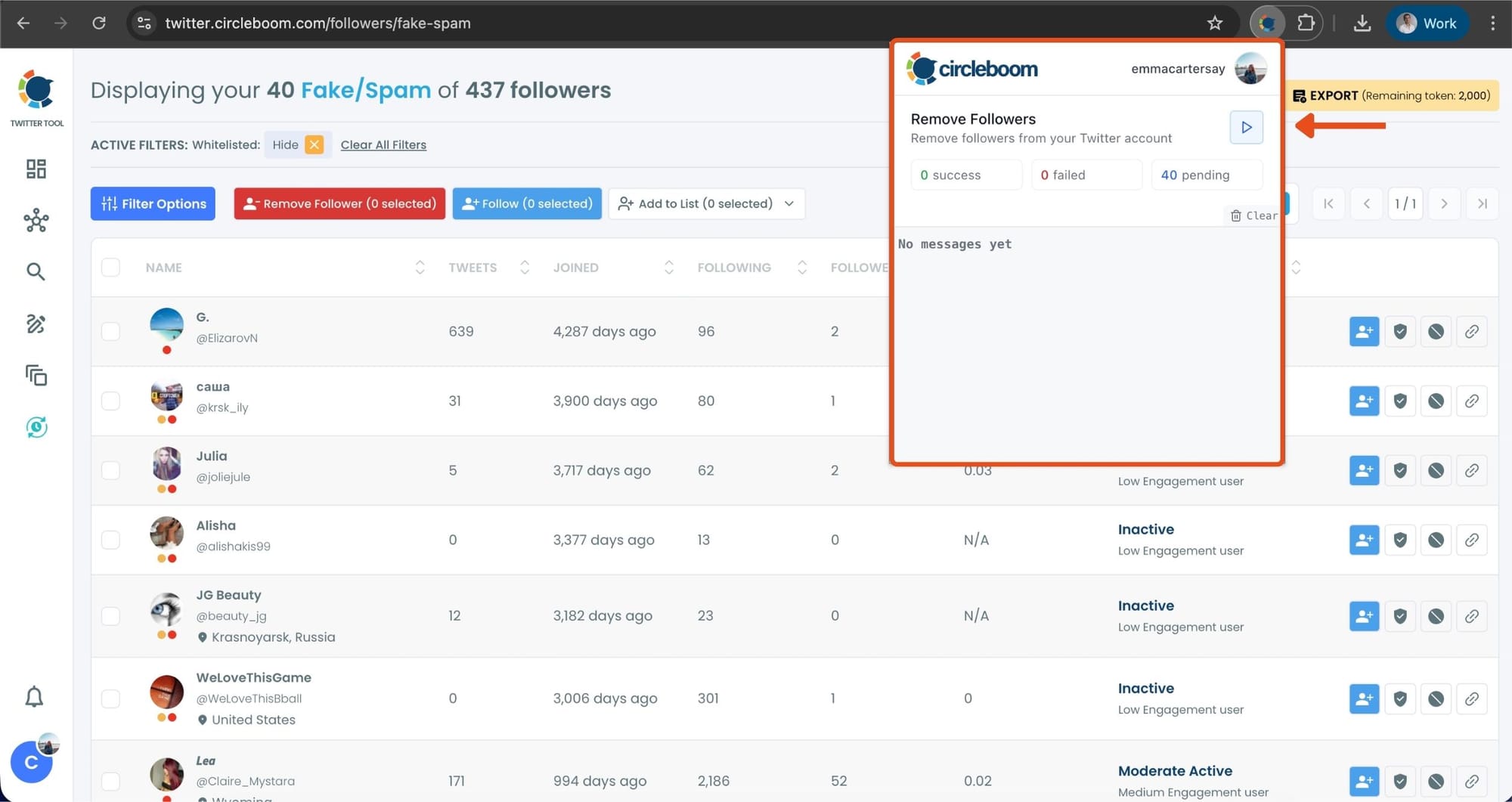
Step #6: After installing the extension, Circleboom will automatically add all your removal requests to the extension queue.
Click on the Start button to begin the removal process.
The extension will process your requests and remove the selected followers.
That's it!
Your selected followers have been removed automatically.
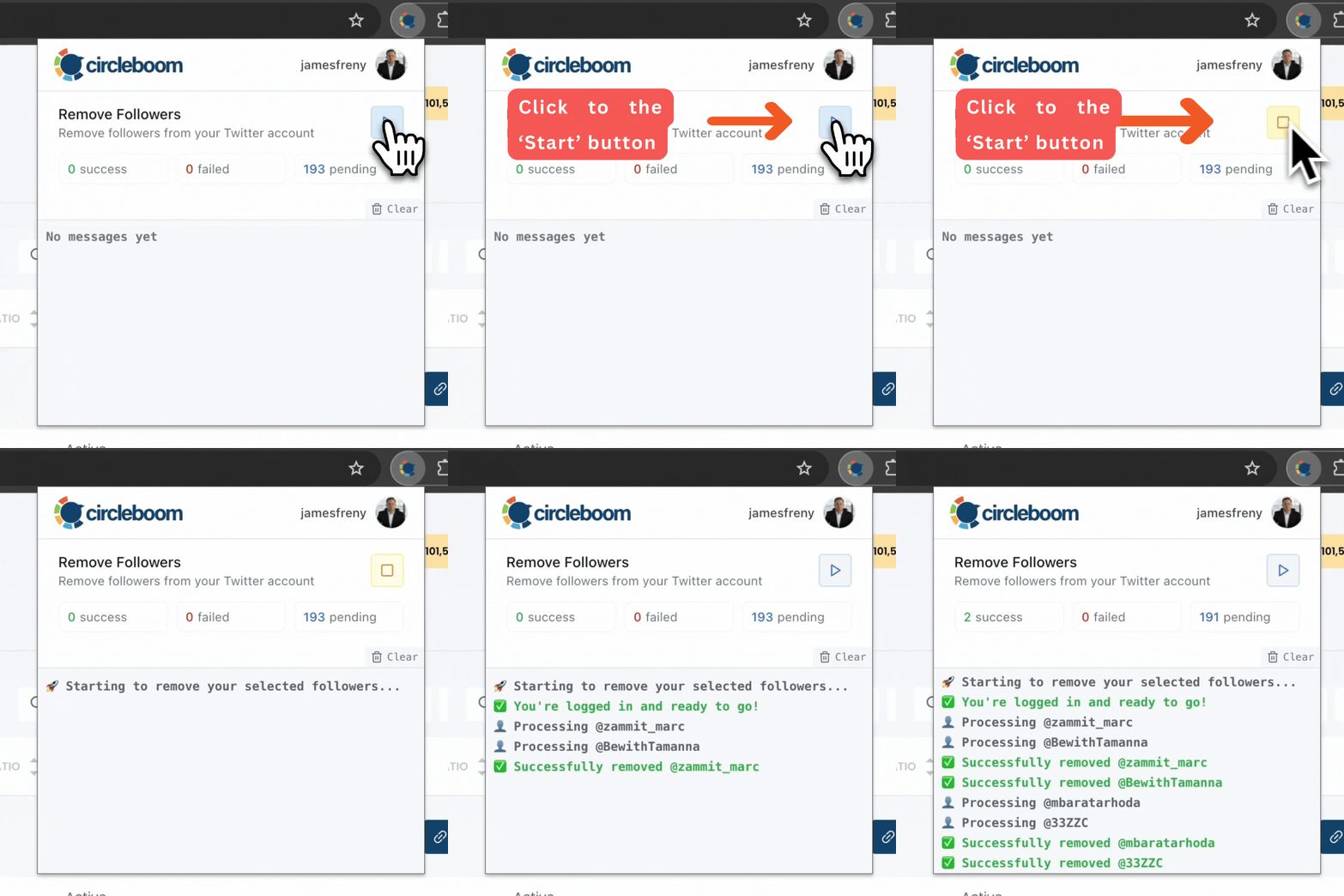
⚠️ Important Warning: Once the removal process begins, do not close your Chrome browser or the Circleboom tab. The tool will automatically remove followers in the background, but if you close the tab or exit Chrome, the process will stop.
If you need a more detailed guide check this video ⬇️
6. Sudden Behavior Changes
Consistency matters more than intensity on X.
If your account suddenly changes behavior, it can trigger spam signals. For example:
- You were inactive for weeks, then suddenly very active
- You rarely replied before, now you’re replying to everything
- Your engagement patterns shift overnight
These kinds of changes look unusual from a system perspective.
✅ Solution:
Increase your activity gradually instead of making sharp jumps. If you want to become more active, build up over a few days rather than switching overnight. This helps your account look stable and predictable.

7. Being Reported by Other Users
This is the part you don’t fully control.
📌 If multiple users report your replies, your account’s trust score can drop. And once that happens, your future replies are more likely to be flagged.
This can happen if:
- Your replies are misunderstood
- You’re replying too aggressively
- You’re engaging in controversial threads
Even a few reports in a short time window can have an impact.
✅ Solution:
Be mindful of tone and context, especially in sensitive or controversial discussions. If you notice pushback on your replies, adjust your approach rather than pushing harder. Staying constructive and relevant helps reduce the chance of being reported.
Final Thoughts
Getting flagged as spam on X usually isn’t about doing one thing wrong. It’s about how multiple signals come together.
You might be:
- Replying too fast
- Repeating similar content
- Using links too often
But at the same time, your account might also be surrounded by low-quality followers, which amplifies the problem.
When you combine more natural reply behavior with a cleaner audience, things start to change. Your replies feel more authentic, your reach improves, and those spam warnings become far less common.
It’s not about replying less. It’s about replying smarter and maintaining a healthier account overall.




%20Mark%20My%20Replies%20as%20%E2%80%9CSpam%E2%80%9D%20or%20%E2%80%9CMalicious%20Activity%E2%80%9D%3F)


