Team Management for Social Media
Circleboom lets teams, agencies, and businesses collaborate smoothly on social media. Assign roles, control permissions, and manage all your accounts from one secure dashboard.







Circleboom : An Official Enterprise Developer
"Work with a trusted X Official Enterprise Developer to expand what's possible for your business. Each Official Enterprise Developer has been selected for the program after an extensive evaluation, and represents excellence, value, and trust." — X (Twitter)Circleboom Publish Tool

SET ROLES & PERMISSIONS (ADMIN / USER)
Not everyone on your team needs the same level of access. Circleboom allows you to assign role-based permissions — like Admins who can approve, edit, or delete content and manage other team members, or Users who can create and schedule posts but require approval. This helps prevent mistakes, ensures control, and keeps your workflow clear and professional. Here the details of Roles and Access Levels.

POSTING AND SCHEDULING AUTHORITY
Empower your content creators to work independently — without giving up control. You can allow team members to create and schedule content only on the platforms they’re authorized for. This ensures efficient collaboration while maintaining brand consistency and posting discipline, especially for teams working across time zones or content verticals.

IDEAL FOR AGENCIES, BUSINESSES, AND CONTENT TEAMS
Circleboom Team Management is built for scaling collaboration. If you’re an agency working with multiple clients, a business managing content across departments, or a growing brand with a distributed team — this feature is for you. Manage who posts what, where, and when — and keep everything running smoothly, securely, and professionally.

ALL-IN-ONE TEAM MANAGEMENT FOR EVERY PLATFORM
Unlike other team collaboration tools that charge extra per platform or per brand, Circleboom gives you full control over all supported social media platforms — with no hidden costs. Manage your team’s access and roles across Twitter (X), LinkedIn, Instagram, Facebook, TikTok, YouTube, Pinterest, Threads, Bluesky, and Google My Business from one place.

INVITE TEAM MEMBERS TO YOUR WORKSPACE
Adding new users to your team takes just seconds. Enter their email, assign their role, and they’re in. Whether you're building an internal marketing team, adding a new freelancer, or collaborating with a client, Circleboom makes onboarding simple and seamless. There’s no need for shared passwords or risky workarounds — each member has their own secure login and workspace.

GIVE CUSTOM ACCESS PER ACCOUNT
Need someone to manage only your Instagram and Facebook pages but not your LinkedIn or TikTok? With Circleboom, you can assign access on a per-account basis. This is especially useful for teams with specialized roles (e.g., someone for video content, someone for B2B) or agencies managing multiple clients. Keep access tight and relevant to avoid errors and confusion.

APPROVE, REJECT OR EDIT POSTS BEFORE PUBLISHING
Don’t let unreviewed content slip through the cracks. With built-in post approval workflows, Admins can review and approve every piece of content before it goes live. This is ideal for large teams, agencies, and businesses where messaging, timing, and tone need to be carefully aligned with brand guidelines. Review, reject, or edit scheduled content — all from a single dashboard.

SWITCH BETWEEN MULTIPLE WORKSPACES
Are you juggling multiple clients or brands? Circleboom makes it easy to switch between workspaces without logging in and out. Manage separate teams, roles, and social accounts for each workspace while keeping everything isolated, secure, and efficient. Ideal for freelancers, consultants, and agencies that need multi-brand support.
HOW TO CREATE A TEAM ON CIRCLEBOOM
Creating a team on Circleboom allows you to collaborate with your colleagues, manage approvals, and organize your social media accounts under different workspaces — perfect for agencies, businesses, or multi-brand management.
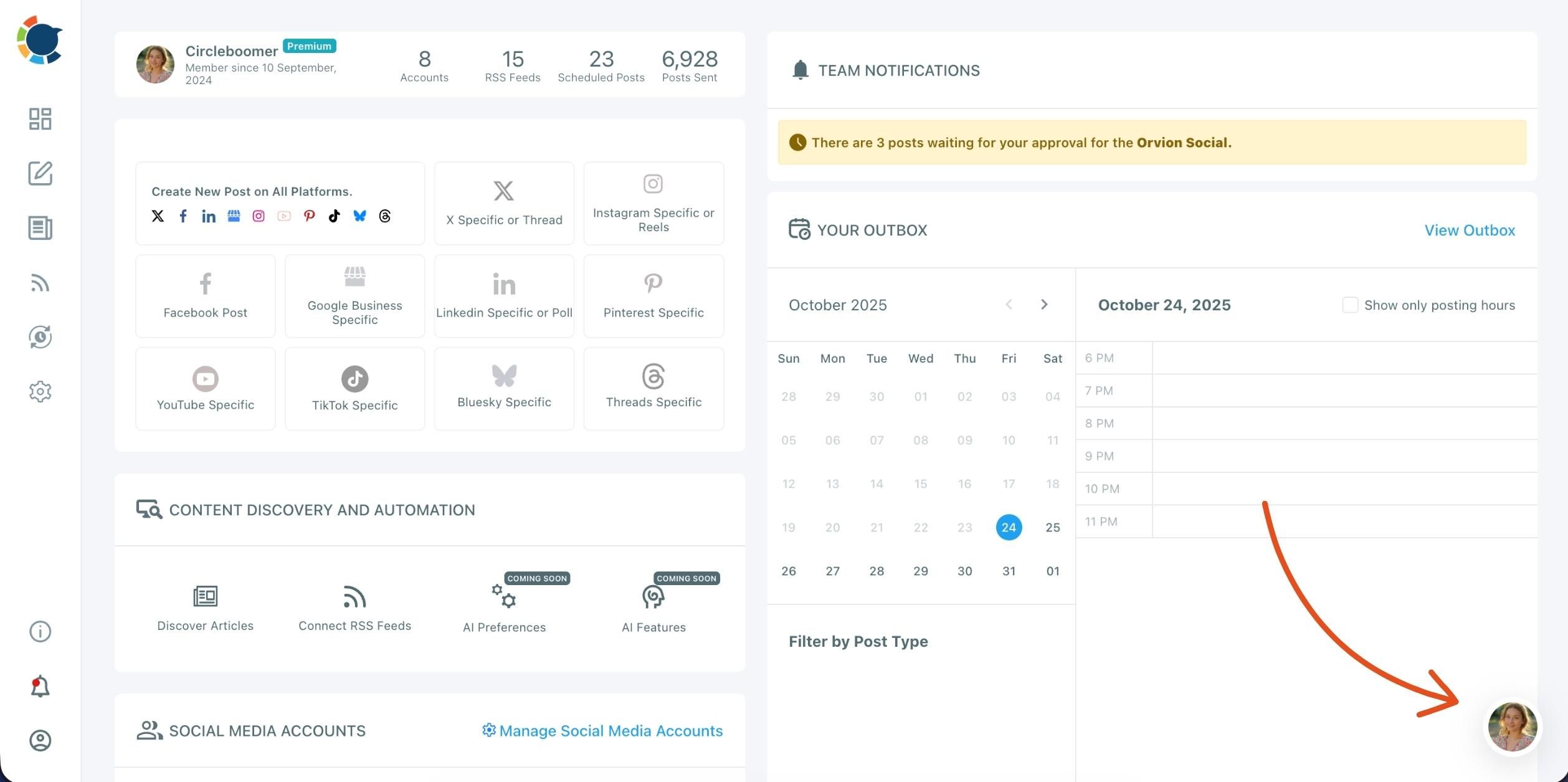
Open the Profile Menu
At the right corner of your dashboard, click on your profile icon. This is the place where you can switch between teams (workspaces), view your current organization, and manage your team settings.
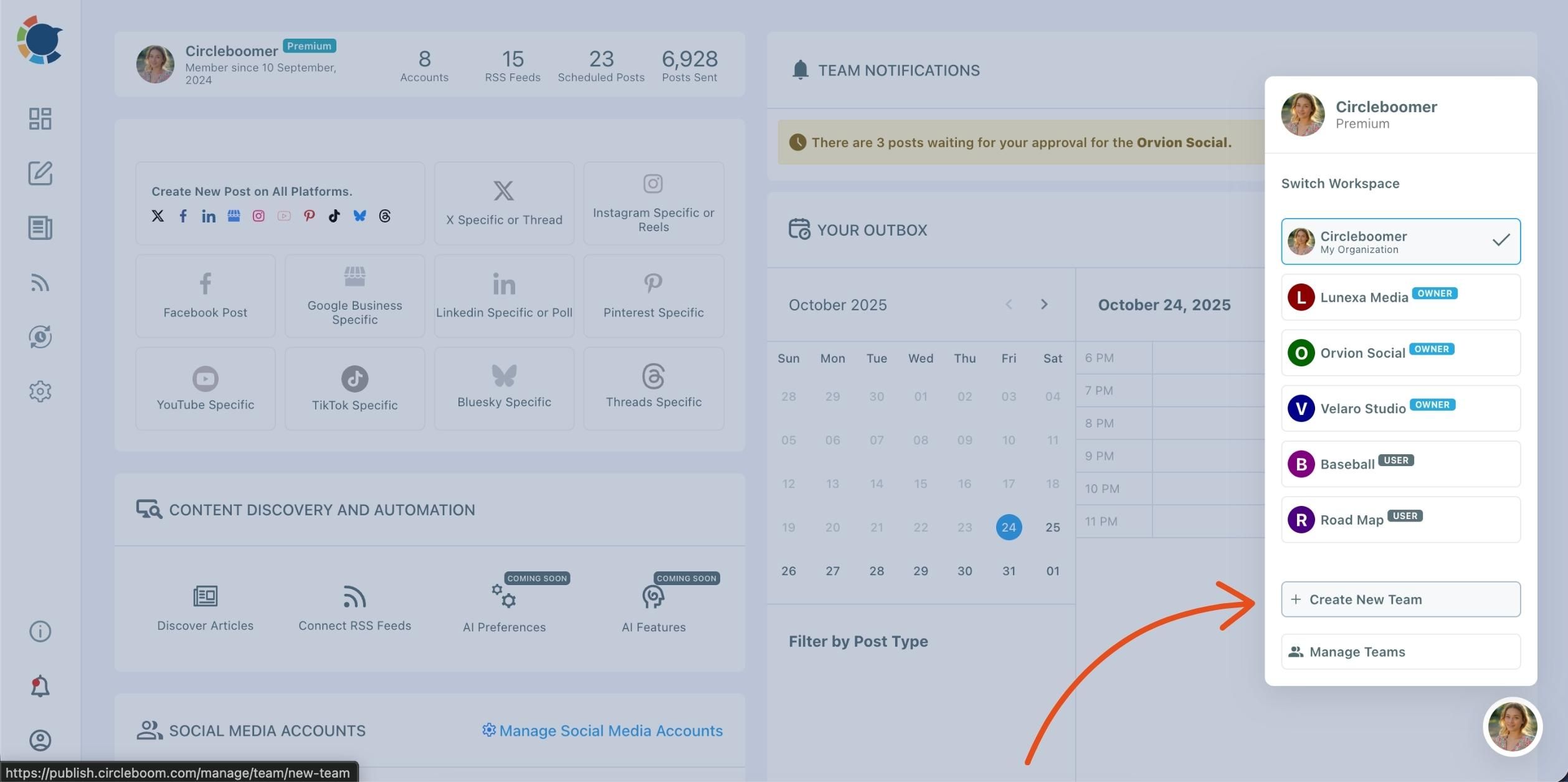
Select “Create New Team”
From the dropdown, you’ll see all your existing teams listed with labels like Owner or User. Click ➕ Create New Team at the bottom of the list.
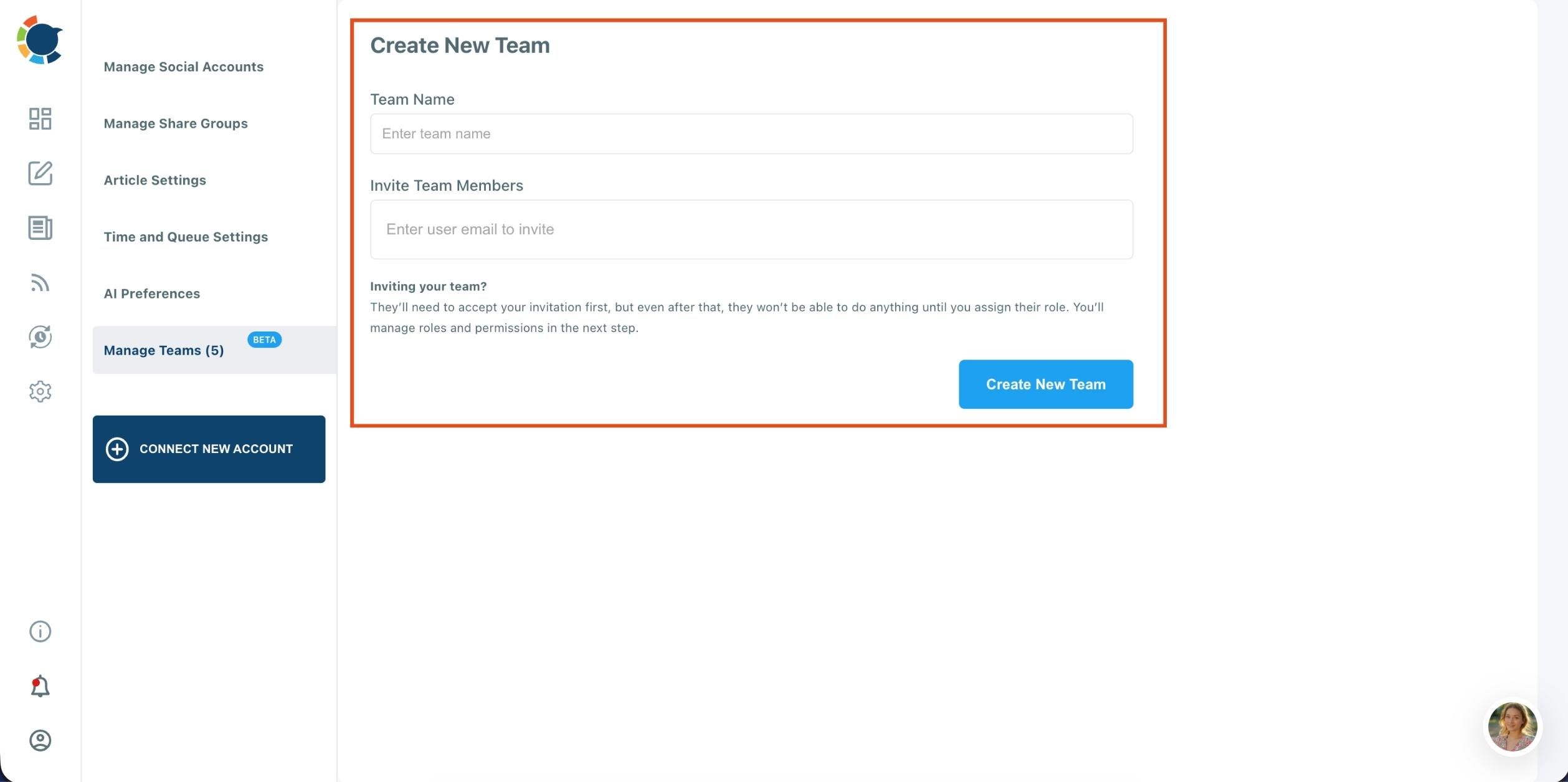
Enter Team Details
You’ll be redirected to the Create New Team page.
- Type your Team Name in the first field.
- Then, enter the email addresses of the members you’d like to invite in the “Invite Team Members” field.
Once they receive and accept your invitation, you can assign roles and permissions for each member from the “Manage Teams” section.
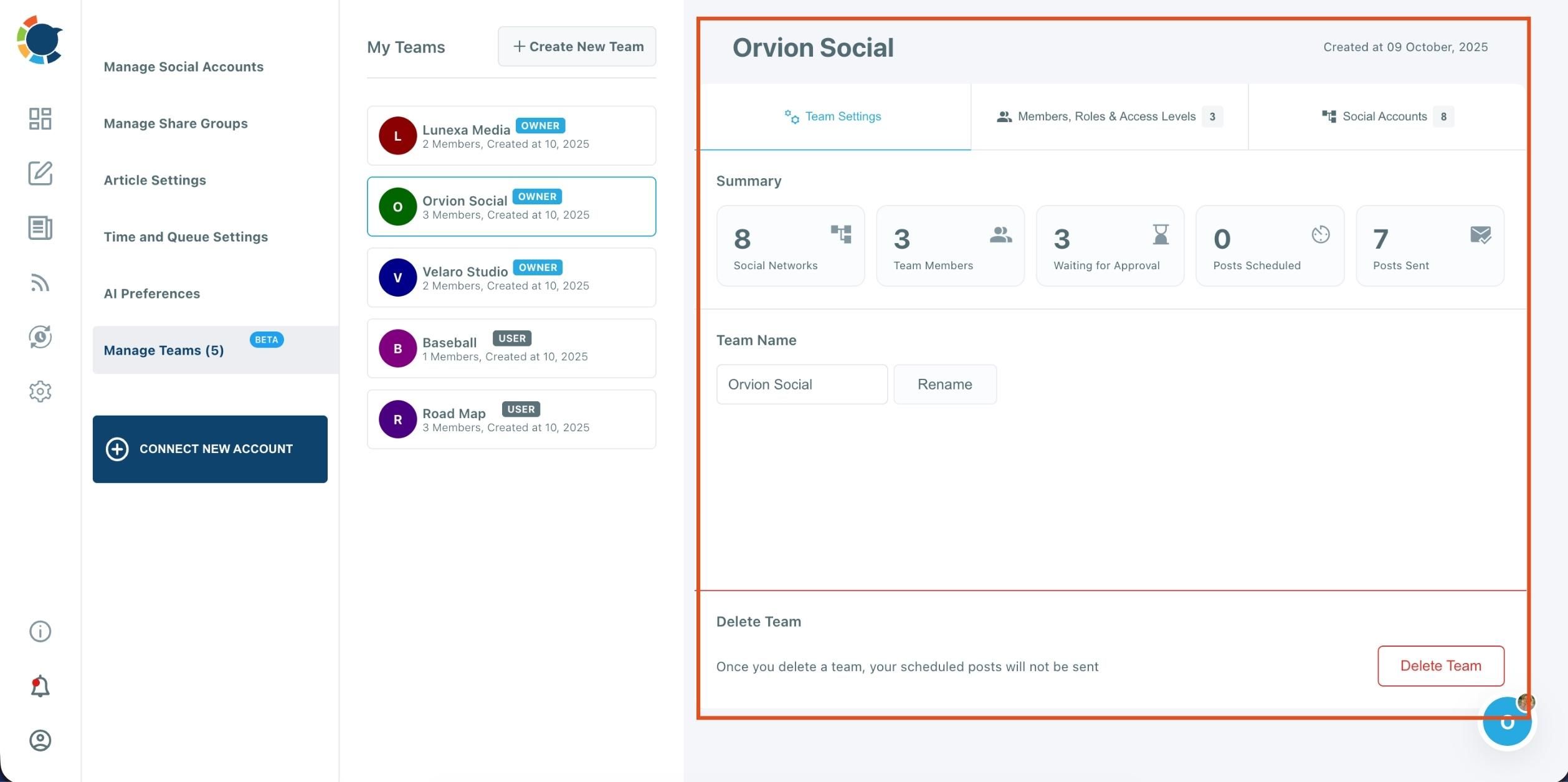
Manage Your Team
After creating your team, you can:
- Add or remove members
- Assign roles and access levels (Owner, Admin, User)
- Connect social media accounts for shared management
- Review scheduled or pending posts for approval
You can also switch between all your teams anytime from the profile dropdown menu.
Frequently Asked Questions (FAQs)
Are you looking for a comprehensive social media scheduler? Take advantage of Circleboom Publish's Twitter Scheduler, Facebook Post Scheduler, LinkedIn Post Scheduler, Instagram Post Scheduler, Google Business Profile Scheduler, YouTube, Threads and Pinterest Scheduler!
Manage all social media in one place! One dashboard, less effort.