

X (Twitter) changed a lot in the last year.
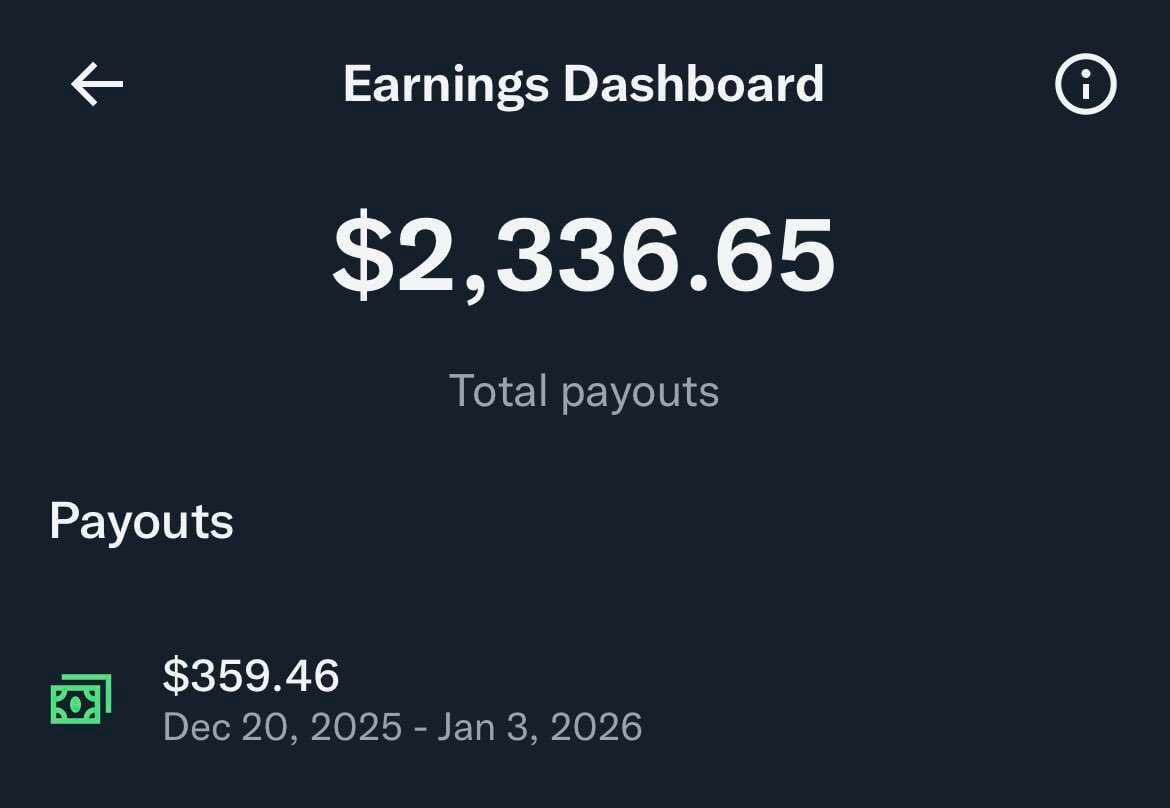
It’s not just a place where people casually post thoughts anymore. Once X started to support creators and roll out payouts, content stopped being “optional.”
Now, it’s the whole game.
And the interesting part is: it’s not only creators who understand this. Regular users are also more aware than ever. People instantly notice when a post is well-written, well-timed, or actually worth reading.
So yes, what you tweet matters.
But here’s the thing:
Even when you write something great, there’s one factor that decides whether it gets seen or disappears quietly…
When you tweet.
 Altug Altug
Content Became a Serious Game on X (And That’s Not a Bad Thing)
Once payouts, which are the earnings you would gain from X for your posts, entered the picture, X naturally became more competitive.
If you are a creator on X, you can calculate your possible earnings here ⬇️
 Altug Altug
Now, the difference between a random tweet and a strong tweet is much bigger than before. People don’t scroll the same way anymore. They’re faster, pickier, and way more selective about what they engage with.
That means writing better content is no longer just a “growth tactic.”
It’s part of staying relevant on the platform.
But even if your writing is solid, X still has one major problem that no one can escape…
The Real Problem: A Tweet’s Lifespan Is Around 12 Minutes
If you’ve been posting on X recently, you probably noticed this pattern:
You post a tweet.
You watch it get a few likes.
Then suddenly… it’s gone.
Not deleted. Not removed.
Just buried.
Because X is built like a live stream. A nonstop timeline where new posts arrive every second. And your tweet gets pushed down immediately.
That’s why many creators say a tweet’s lifespan is around 12 minutes.
After that, most people won’t even see it, especially if they weren’t online when you posted.
And that leads to an uncomfortable truth:
Your tweet doesn’t fail because it’s bad.
It fails because it didn’t get the timing it deserved.
 Arif Akdogan
Why Bad Timing Quietly Kills Even Great Tweets
This is where X becomes frustrating.
Because you can post something valuable. Something sharp. Something that should perform well…
But if the timing is off, you won’t get momentum.
And on X, early momentum is everything.
If your tweet doesn’t get enough engagement in the first minutes:
- the algorithm reads weak early signals
- it stops distributing your post widely
- reach stays low
- engagement stays low
- and your tweet dies silently
So the real challenge isn’t only “writing better.”
The real challenge is “posting smart.”
And once you realize that, the next question becomes obvious:
How do you post at the right time… consistently… without being online all day?
That’s Why Tweet Scheduling Is No Longer Optional But The Smart One
A lot of people say, “Just post consistently.”
And sure, consistency matters, but on X, consistency alone isn’t enough.
Because the best posting times rarely match real life.
Your audience might be most active when:
- you’re working
- you’re busy
- you’re asleep
- you’re not even thinking about X
So trying to manually post at peak times every day becomes unrealistic.
This is exactly why smart tweet scheduling is powerful.
Not because it makes you “more productive.”
But because it makes sure your content actually reaches people at the moment it has the best chance to win.
And once you accept that smart-scheduling, which is sharing tweets at the times when your followers are online, is the move… the next step is choosing the right tool.
I Tested Different Tweet Schedulers… Circleboom Twitter Was the Best One
Like most creators, I didn’t start with one tool and stay there.
I tested multiple tweet schedulers because I needed a real system.
But almost all of them had the same issues:
- they felt unstable
- they lacked creator-focused features
- or they didn’t feel safe enough for long-term use
And when it comes to X, safety matters a lot more than people think.
Because X is strict about automation behavior. If your tool doesn’t work properly or uses risky methods, it can easily create problems you never planned for.
That’s why the tool that felt genuinely different was:

And what made it stand out wasn’t just the UI or smart-scheduling feature. It was something deeper.
Circleboom Twitter Is an Official X Enterprise Developer (So It’s Safer)
Here’s what separates Circleboom from random scheduling tools:
Circleboom Twitter is an official X Enterprise developer.
Meaning it works through the official X API, not shady workarounds. Keep in mind that the API provides a more accurate real-time data stream than the X interface itself. While the platform UI may experience lag, the API captures and reflects new developments instantaneously.
Circleboom has the official Enterpise API, we don't scrape data from X!
And that matters because official API usage is usually:
- safer
- more reliable
- more stable
- and built for long-term consistent use
So you’re not just “scheduling posts.”
You’re using a system designed to work with the platform properly.
Now, even that alone would make Circleboom worth it, but what really makes it a creator tool is what it includes beyond scheduling.
Because scheduling is only one piece of the game.
Circleboom Twitter Isn’t Just a Scheduler (It’s Full X Management)
Most tools on the market are “one job” tools.
They schedule. That’s it.
Circleboom is different because it’s a complete Twitter/X management platform.
So besides smart-scheduling tweets, it also includes features like:
- follower & following management
- account and post analytics
- delete services (tweets, likes, etc.)
- export tools
- audience cleanup options
That’s important because creators don’t just post, they manage.
But inside Circleboom, the most creator-focused part is easily:
And once you open it, you see why it feels like a full content workflow, not just a calendar.
Circleboom X Post Planner: AI-Powered Tweet Creation + Smart Scheduling
Most schedulers let you write a tweet and pick a time.
Circleboom takes it further by turning scheduling into a full creator system.
Because the X Post Planner is built for two things:
- Creating strong content faster
- Publishing it at the perfect time
That’s the real combo.
And it starts with making content creation easier inside the platform itself.
Create Tweets Faster With Built-In Media Tools
Sometimes you don’t want your tweet to be text-only.
Sometimes you want your post to pop.
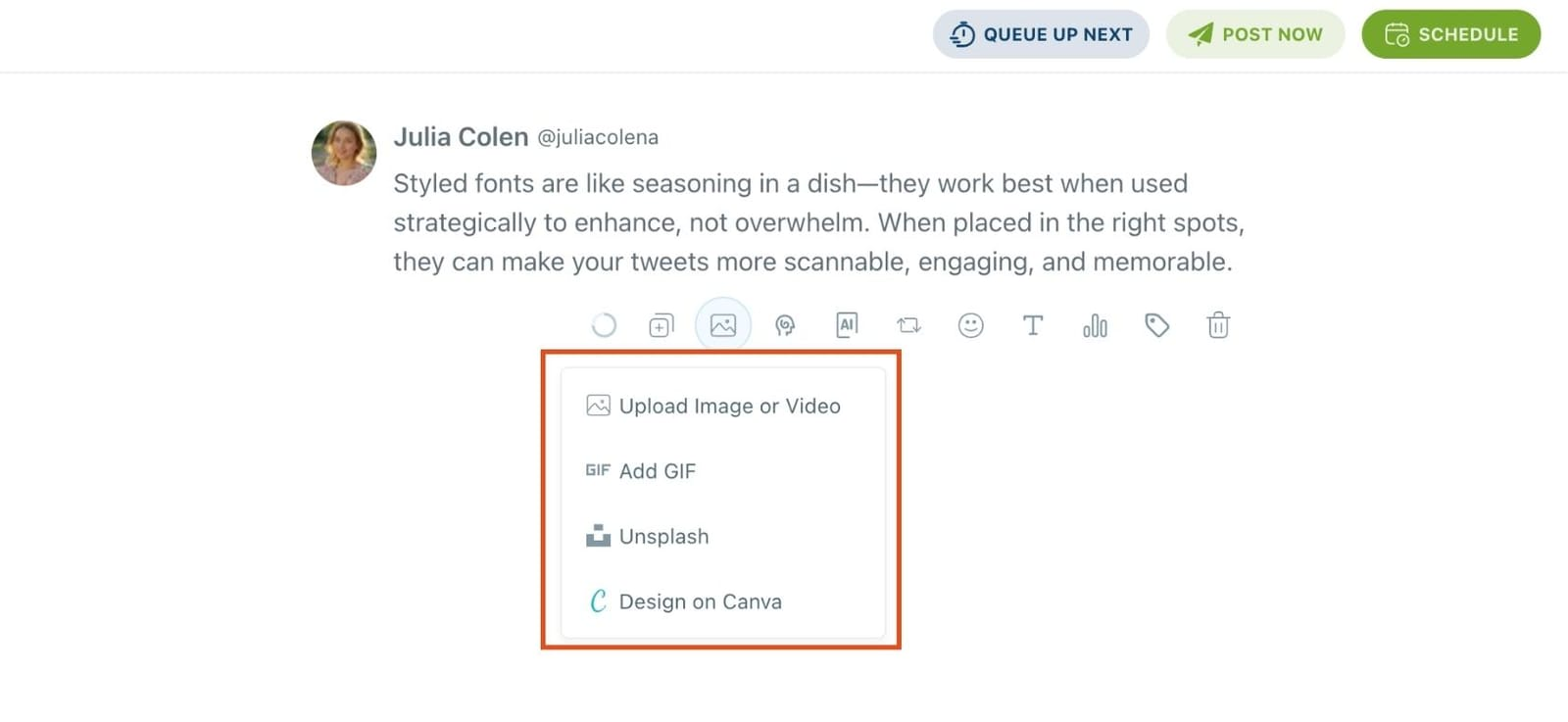
Circleboom helps with that because you can attach media while you create content, using built-in tools like:
- Canva designs
- Unsplash images
- Giphy GIFs
So instead of jumping between five tabs, downloading files, re-uploading everything…
You build the post in one clean workflow.
And since presentation matters on a fast-scrolling platform like X, Circleboom also lets you go one step further.
Style Your Posts to Make Them Easier to Read
On X, readability is underrated.
People scroll fast. They don’t “study” your tweet.
So if your content looks clean and structured, it performs better.
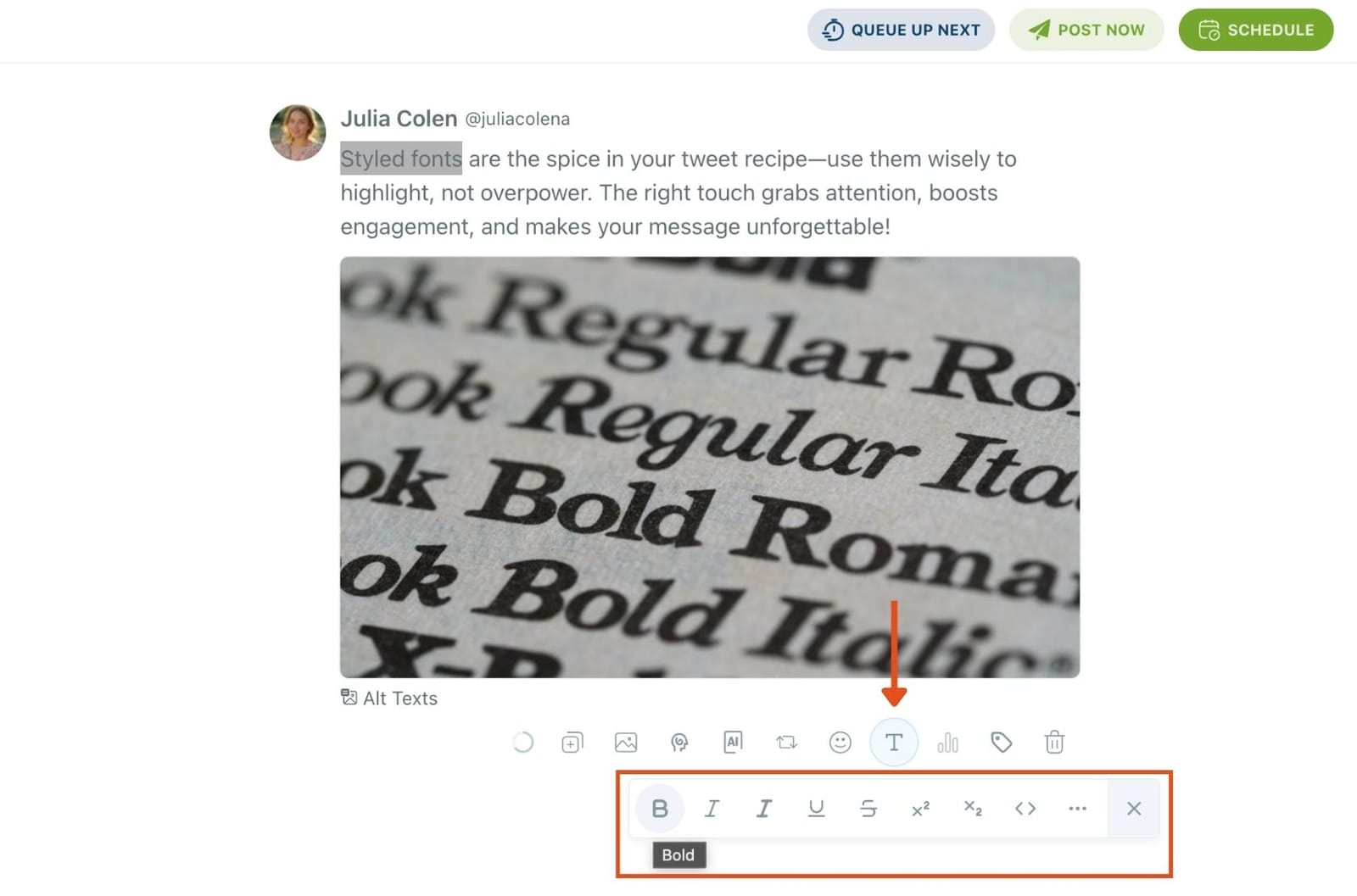
Circleboom includes a styling tool that helps your post stand out visually and feel more readable, which can quietly improve engagement.
But even with great visuals and a strong tweet… you still face the lifespan problem.
That’s why Circleboom includes a feature that targets the 12-minute reality directly.
Auto Retweet: A Simple Way to Keep Tweets Alive Longer
A tweet dies quickly because it gets buried.
The average lifespan of an X post is fleeting; if your followers aren't online at the exact moment you post, your best content is often lost forever. Circleboom’s Auto Retweet feature solves this "visibility gap" by strategically resurfacing your posts to ensure your audience never misses an update. It’s the ultimate tool for capturing attention across different time zones and activity peaks without the manual effort of reposting.
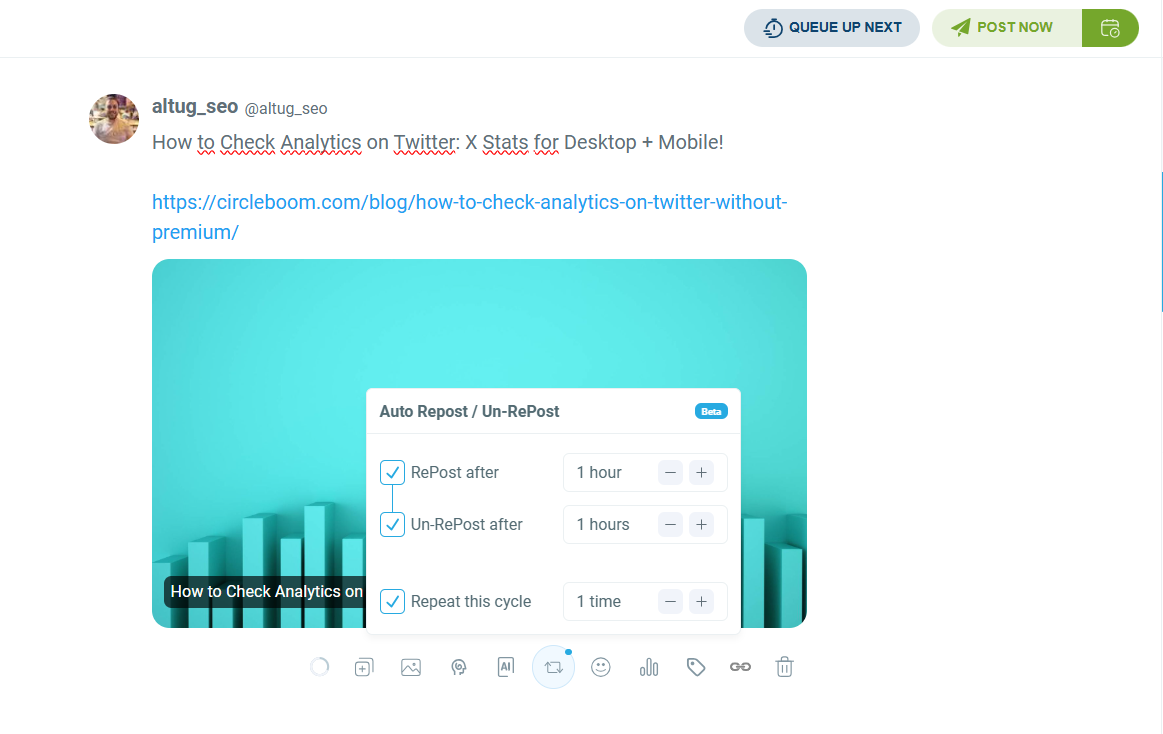
By automating your retweet strategy, you can effectively boost your impressions by 4x and double your engagement rates. This practice doesn't just keep your profile active; it forces the algorithm to give your content a second life, reaching fresh segments of your audience who missed the original broadcast. With Circleboom, you transform a single post into a high-performance asset that works around the clock to maximize your digital reach.
That helps you get:
- more visibility
- more engagement opportunities
- longer reach lifespan
- better results from the same content
And honestly, features like this are what make the tool feel “made for creators,” not just “made for posting.”
 Altug Altug
But the biggest advantage still isn’t Auto Retweet.
The biggest advantage is that Circleboom doesn’t make you guess posting times.
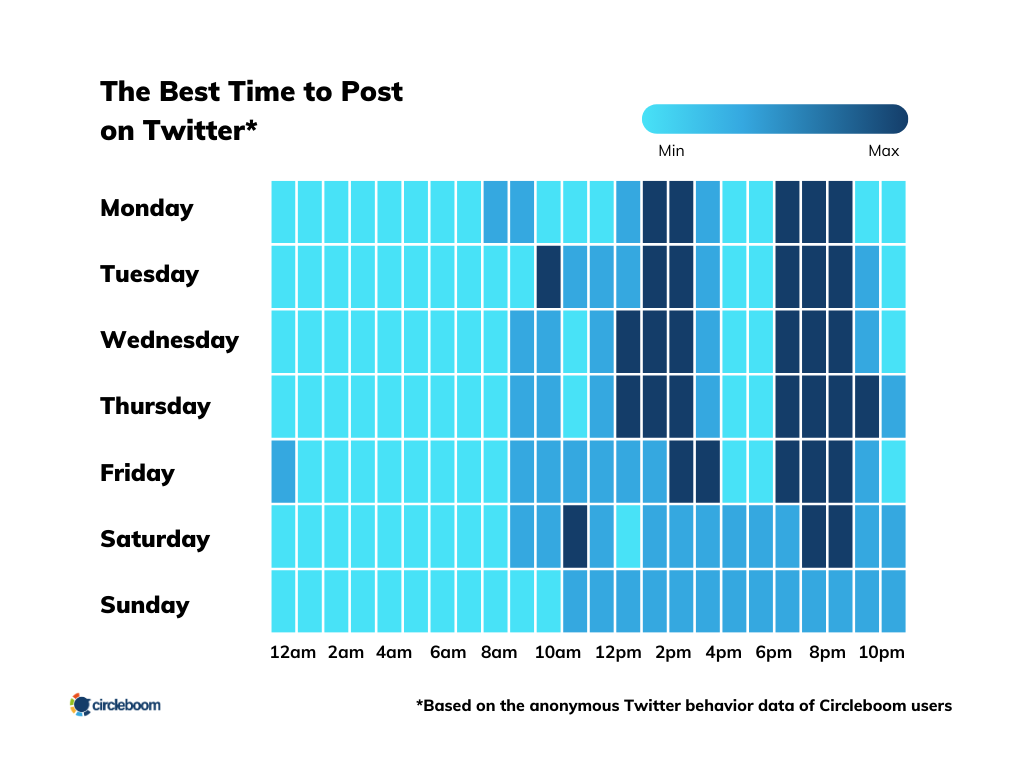
Smart-Schedule Tweets Based on When Your Followers Are Online
This is the real power.
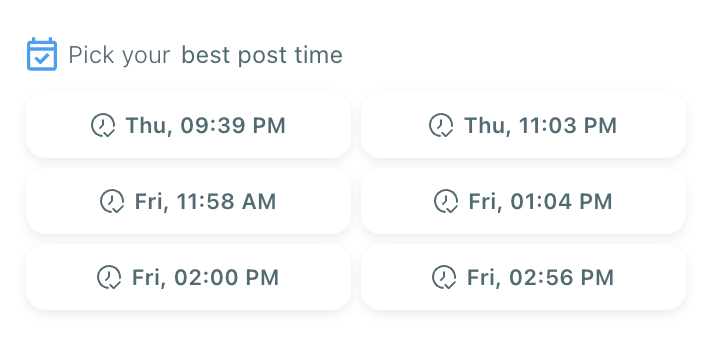
Circleboom analyzes your audience and shows you a clear table of time slots like:
- when your followers are online
- which times are strongest
- where engagement potential is highest
So instead of scheduling at random times…
You smart-schedule with a real plan.
And that changes everything, because posting at the right time means:
✅ early engagement
✅ stronger algorithm signals
✅ higher reach
✅ more consistent growth
Now, at this point you might think Circleboom is already strong just because it’s data-based.
But the “AI-powered” part isn’t only about scheduling.
It also upgrades the content itself.
Circleboom AI: Not Generic AI, Built for Social Media Posts
A lot of tools claim they have AI, but most of them produce generic text.
Circleboom AI is different because it’s designed for social media content specifically.
Even better, it doesn’t stay random.
Over time, it adapts to you.
It learns from your posting habits like:
- what you typically share
- your tone and language
- your interests and topics
- your style and structure
So instead of generating tweets that feel like “AI wrote this…”
It generates content that feels like your account wrote it.
And once you have that, the AI becomes useful for more than just writing a single tweet.
What You Can Do With Circleboom AI Inside X Post Planner
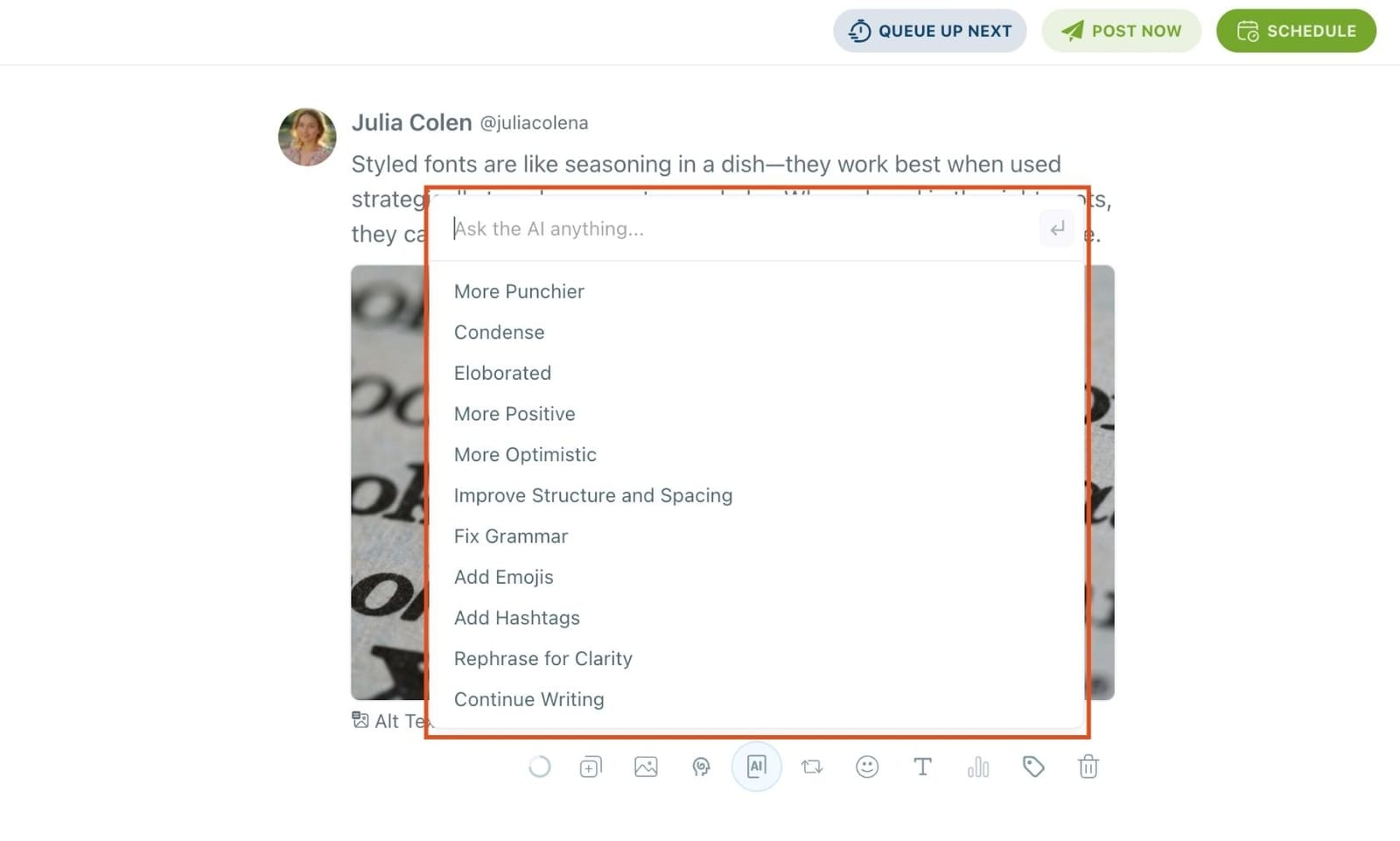
Circleboom AI can help you:
- generate tweet ideas when you don’t know what to post
- rewrite your draft to make it sharper
- improve hooks
- expand a short thought into a real post
- generate complete threads
And one of the most useful creator features is:
Generate Threads From an Article, Tweet, or Text
If you have:
- an article link
- a news link
- a tweet
- or even a paragraph
Circleboom can turn it into a clean thread in seconds.

So you’re not stuck manually restructuring content every time.
Now let’s take all these features and bring them into the simplest question:
How do you actually schedule a tweet using this system?
How to Smart-Schedule a Tweet With Circleboom Twitter
Here’s how the workflow looks from start to finish:
Step 1: Go to Circleboom Twitter’s X Post Planner
Open Circleboom Twitter and click X Post Planner + AI Writer.
Then select Write & Plan Your Post to start creating your tweet.

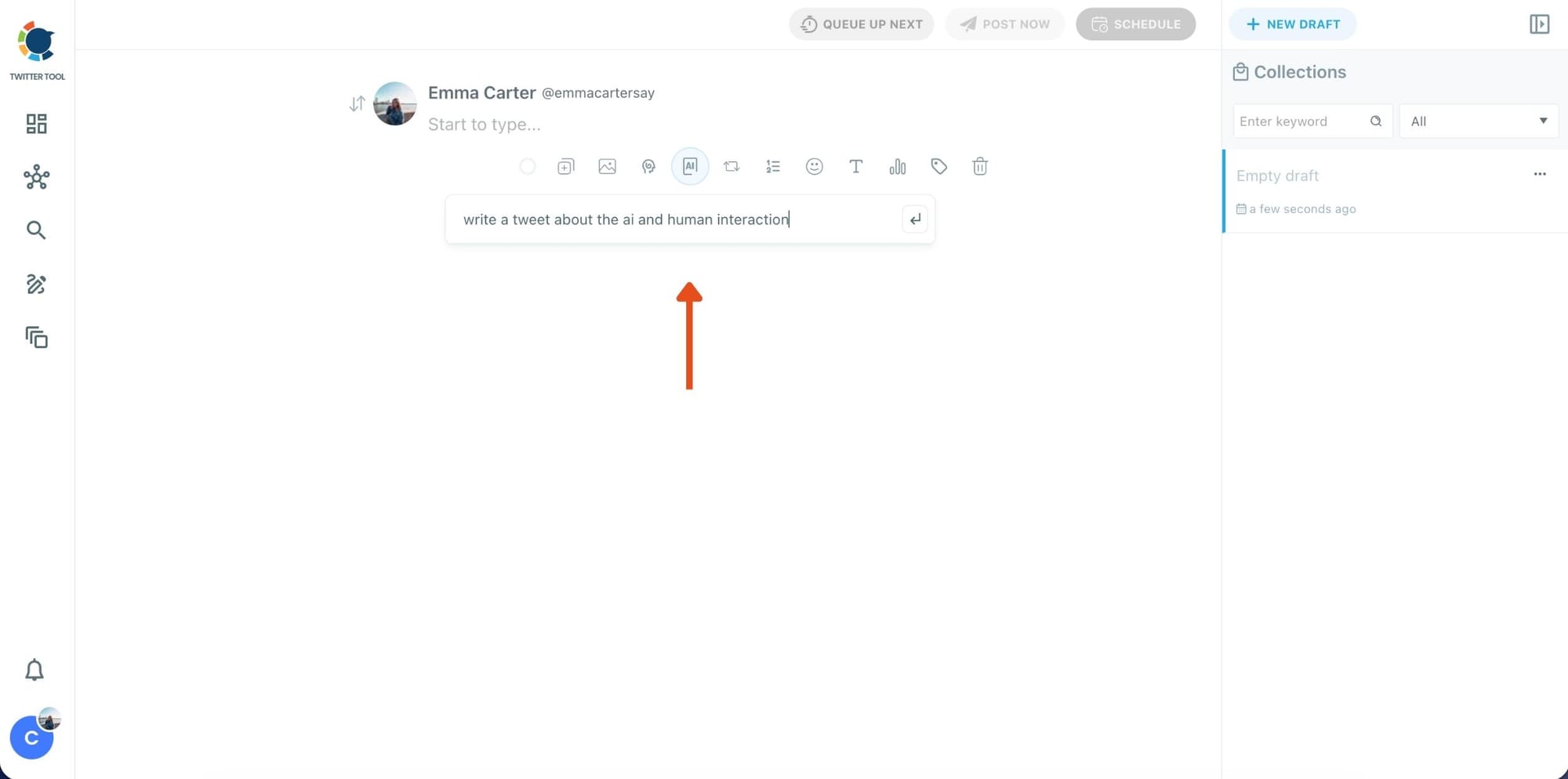
Step 2: Write your tweet (or generate one with AI)
You can type your tweet manually in the editor.
Or, if you want to move faster, click the AI option and let Circleboom generate a tweet idea for you based on your topic.
Step 3: Add an image to make the post more engaging
Once your text is ready, attach a visual to your tweet.
You can:
- Upload an image/video from your device
- Pick one from Unsplash
- Or design one instantly using Canva
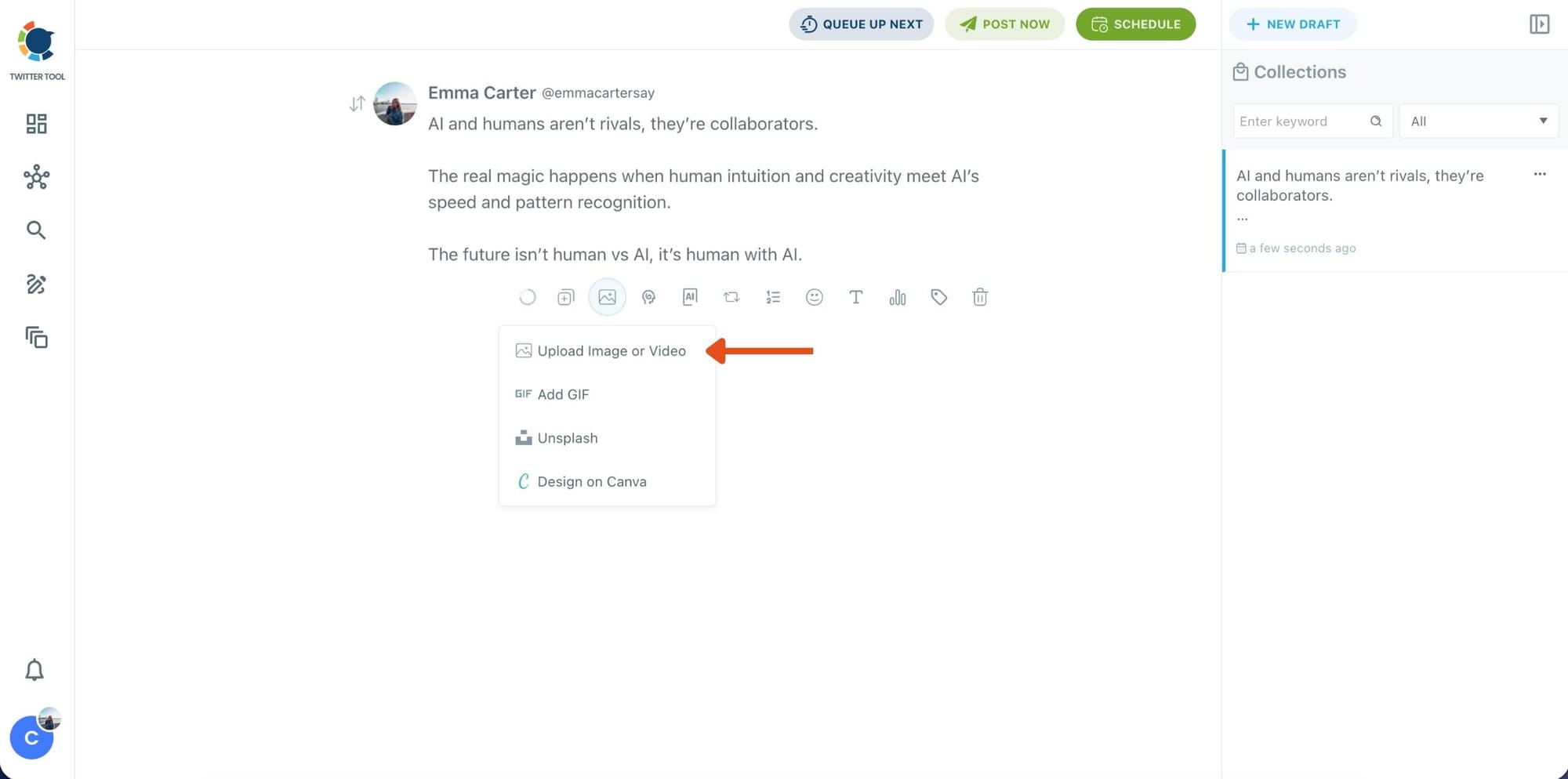
Step 4: Style your tweet using Circleboom’s Font Generator
Now it’s time to make your tweet stand out visually.
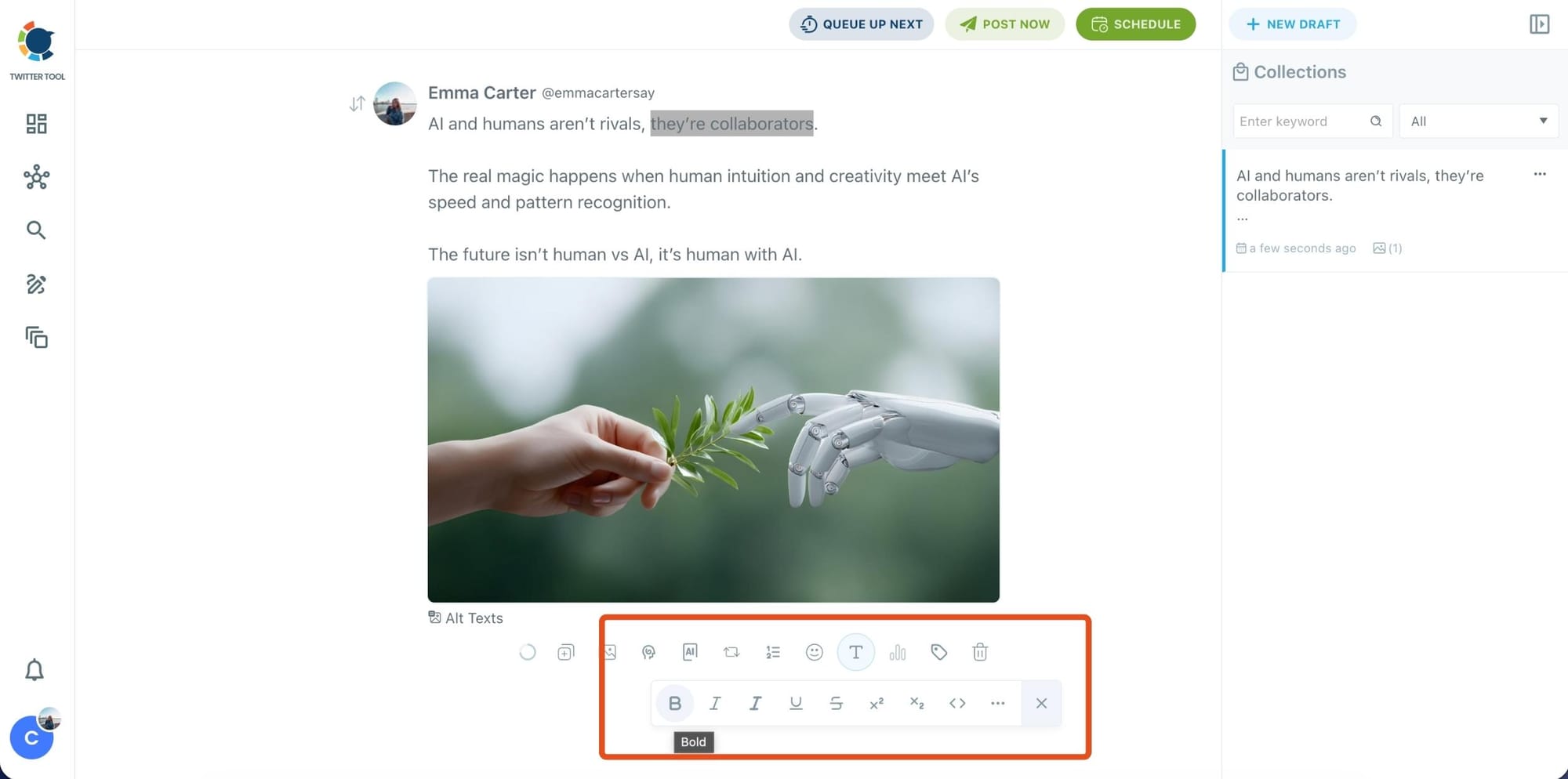
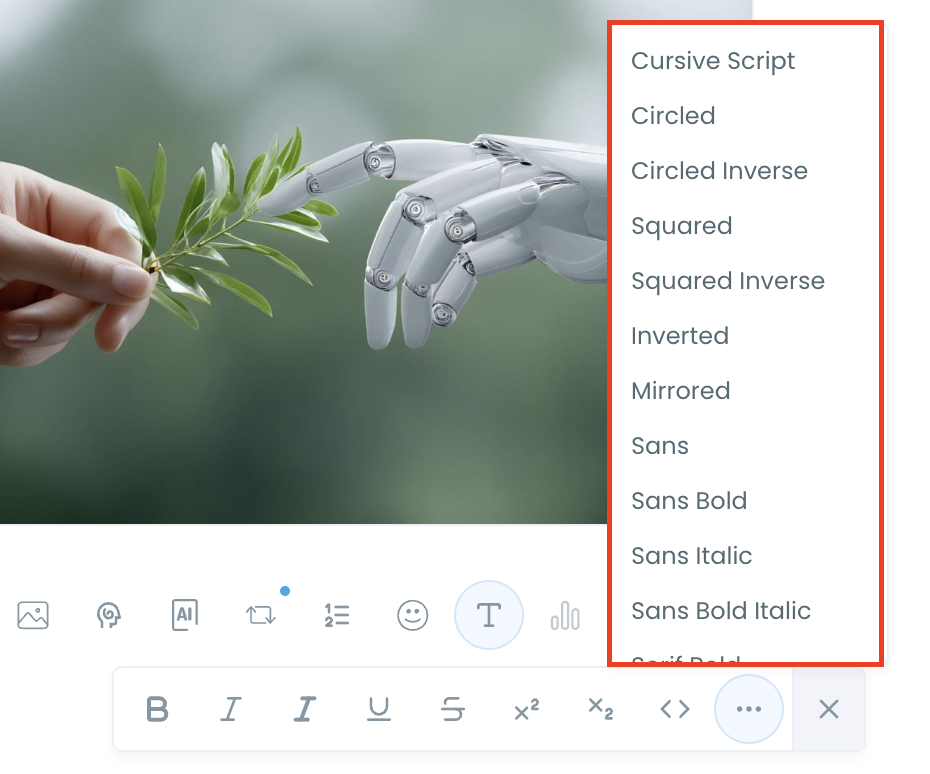
Select the part of your text you want to change, then open the Font Generator toolbar and apply styles like:
- Bold / Italic / Underline
- Different font variations
- Extra formatting options for a more “designed” look
This is perfect when you want key parts of your tweet to grab attention immediately.
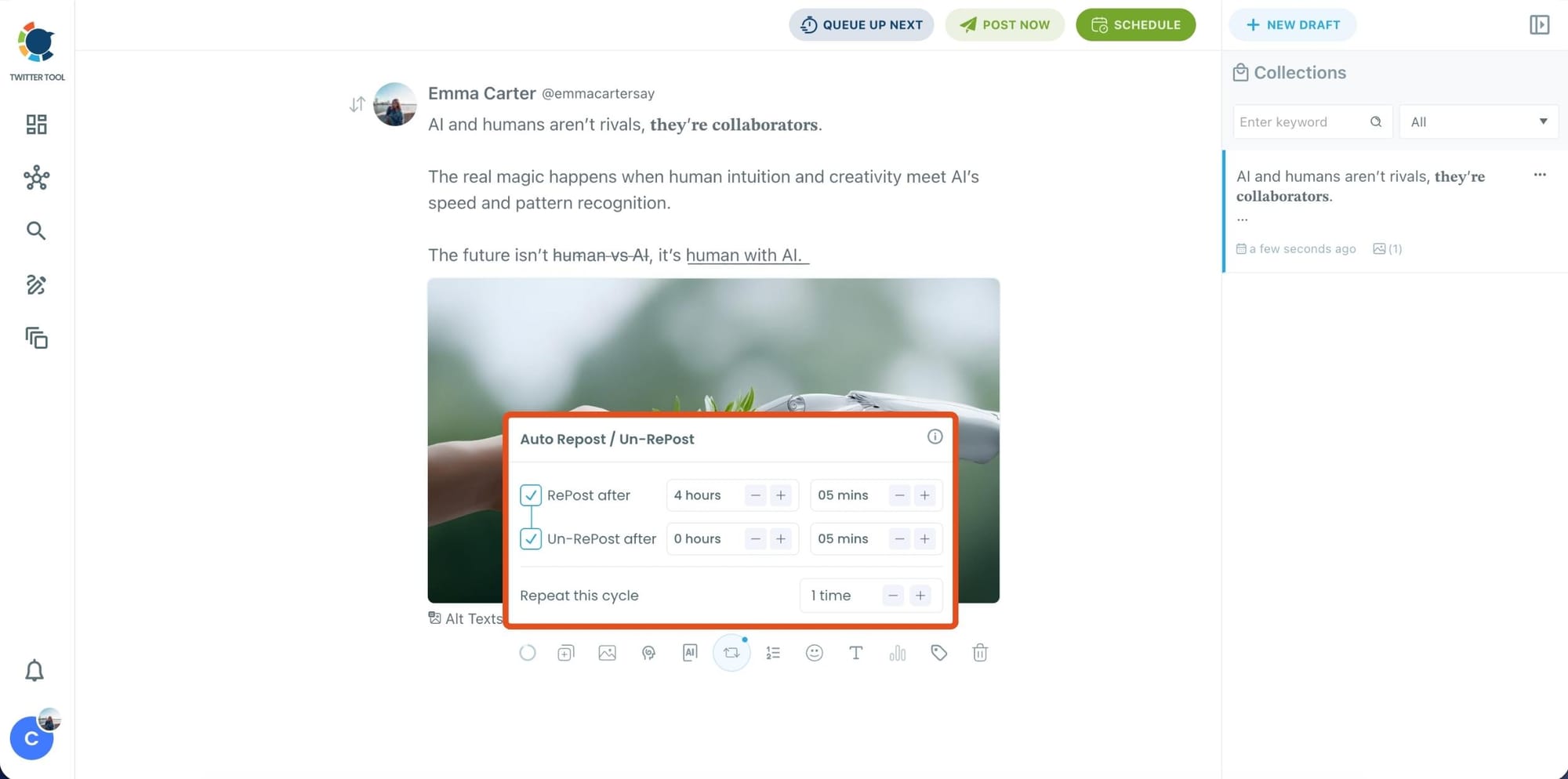
Step 5: Set Auto Retweets to boost visibility
After styling your post, you can increase reach by enabling Auto Repost / Un-RePost settings.
This lets you automatically:
- Repost your tweet after a selected time
- Remove the repost later
- Repeat the cycle if you want more than one repost
It’s a smart way to bring your tweet back into the feed without manually reposting it.
Bonus Tip: Cross-post your tweet to other platforms automatically
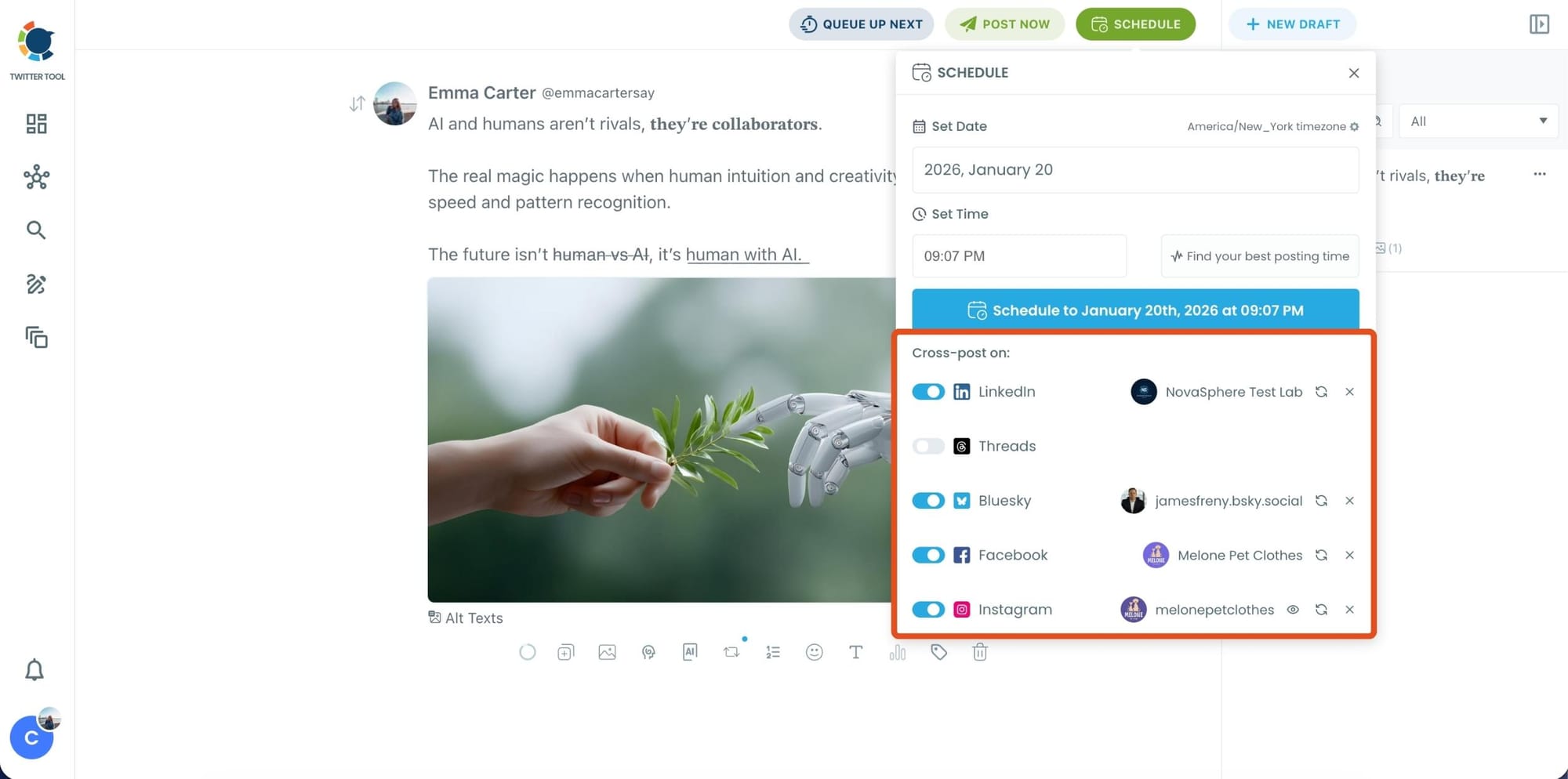
Before you publish, you can also enable Cross-Post to share the same tweet across multiple platforms in one go.
Circleboom lets you post your content to Instagram, Facebook, LinkedIn, Bluesky, and Threads automatically, so you don’t have to rewrite, re-upload, or repeat the same work on each platform.
Step 6: Schedule it for the best time to post
Finally, click Schedule and set your date and time.
You can also click Find your best posting time to see Circleboom’s suggested time slots based on follower activity.
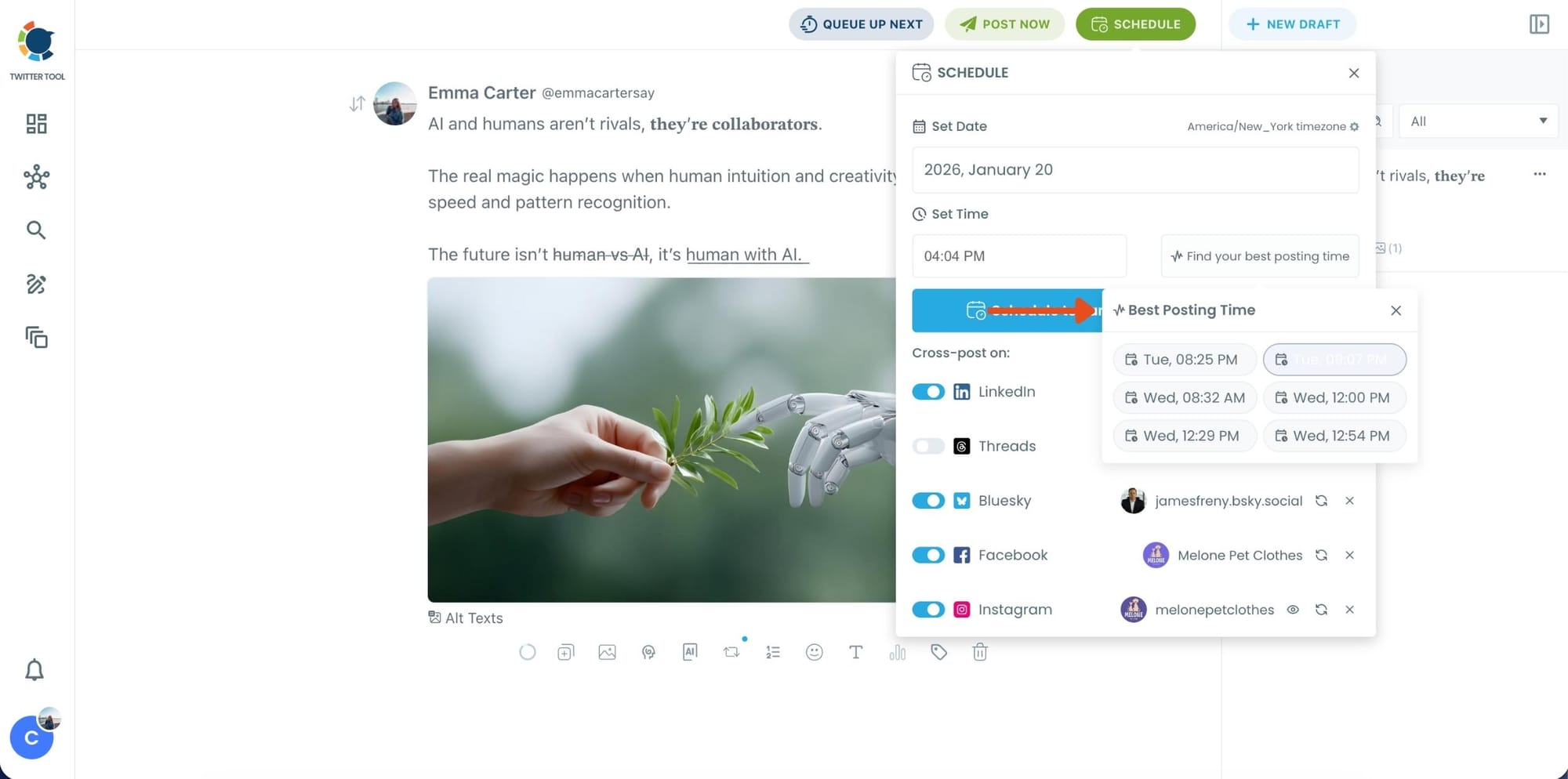
Once you pick the best option, smart-schedule it, and you’re done. Your tweet will go out at the time it has the highest chance to perform well.
Who This AI-Powered X Scheduler Is Perfect For
This workflow is ideal for:
- creators chasing reach and engagement
- people trying to grow consistently
- founders building a public audience
- brands running campaigns
- anyone managing multiple accounts
- users who are too busy to post manually every day
If you care about growth on X, scheduling becomes a growth tool, not just a convenience.
Final Thoughts
Good content matters on X.
But timing decides whether that content gets seen.
That’s why an AI-powered smart tweet scheduler isn’t just a “nice tool to have.”
It’s a real advantage.
Circleboom Twitter combines everything creators need:
- AI-powered tweet creation
- smart scheduling based on follower activity
- auto retweets to extend tweet lifespan
- built-in media tools
- official API access as an X Enterprise developer
So instead of posting randomly…
You post with strategy, consistency, and better results.

