

If you’ve recently joined Bluesky, you’ve probably noticed something immediately:
your username isn’t just a username — it’s a handle, and it works more like a domain name than a typical social media tag.
That means your handle becomes your identity, your URL, and the way people search, tag, and recognize you across the platform.
The issue?
Because Bluesky is growing fast, many good handles are already taken.
And since Bluesky uses domain-style formatting (like yourname.bsky.social), competition for simple, clean names is intense.
If you’ve tried several ideas and saw the same message —
❌ “Handle already taken.”
—you know how frustrating it can be.

That’s where a Bluesky Username Generator becomes essential.
 infocircleboom.com
Why Your Bluesky Username Matters More Than Ever
Bluesky is positioning itself as a decentralized, creator-friendly social platform.
On such a platform, your username isn’t something you throw away — it’s your branding, your discoverability, and your professional identity.
Your Bluesky handle:
- Appears in every reply and post
- Becomes your unique URL
- Impacts how people find you in search
- Signals credibility (especially if you connect your own domain)
- Helps you build recognition across the AT Protocol ecosystem
If your handle is confusing, too long, or not aligned with your brand, it becomes harder to grow.
Why Finding a Good Bluesky Handle Is Hard
Bluesky handles follow strict rules, and that makes the process even harder:
- Handles look like domain names: yourname.bsky.social
- They must be globally unique (no duplicates in the entire network)
- They allow letters, numbers, and hyphens
- They do not allow underscores
- Many short words and names are taken
- The platform doesn’t offer creative suggestions
If you're trying to build a business profile, a professional identity, or even a personal brand, the options can feel very limited.

That’s why more users are turning to AI-powered handle generators.
The Best Solution: Use a Bluesky Username Generator
Instead of endlessly guessing and checking availability, you can instantly create unique Bluesky handles using a generator.
The best tool for this is the Circleboom Bluesky Username Generator, which works perfectly for Bluesky’s handle system.
Why it stands out:
- Generates Bluesky-ready handle formats
- Filters out unavailable handles
- Uses AI for creative, niche-based suggestions
- Provides dozens of name ideas instantly
- Works for any niche or vibe (professional, cute, minimal, bold, business, creator, etc.)
- Completely free to use
Whether you're:
- Starting a new Bluesky account
- Rebranding your profile
- Matching your Twitter handle
- Building a brand presence
…the Bluesky Username Generator makes it painless.
 Arif Akdogan
How to Use the Bluesky Username Generator for Bluesky (Step-by-Step)
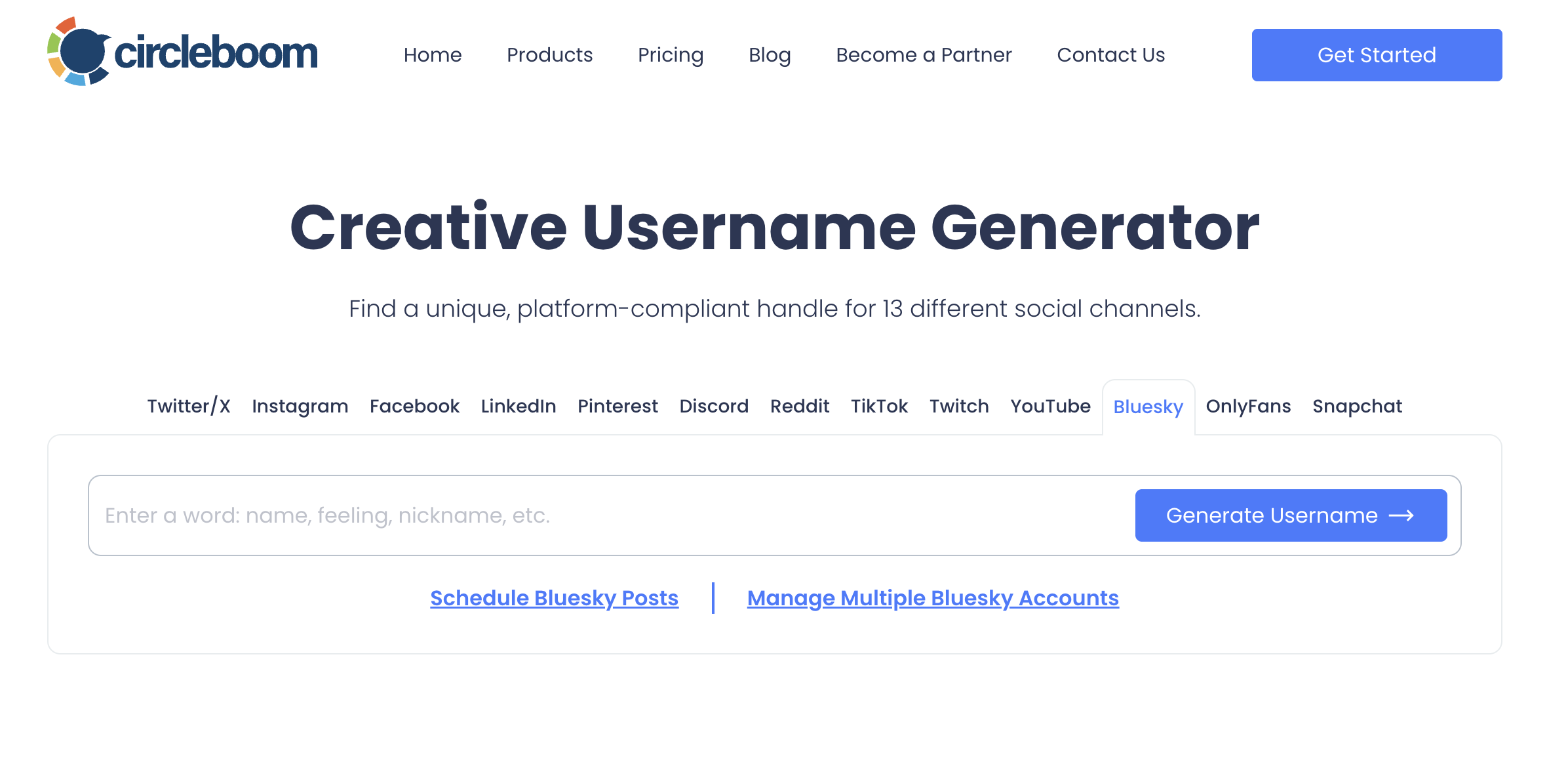
Step #1: Go to the Circleboom Bluesky Username Generator
Open the generator in your browser.
Enter a keyword that represents your profile — your name, niche, brand, or style.
Or any vibe you want your Bluesky identity to have.
Step #2: Let the AI Generate Unique Bluesky Handle Ideas
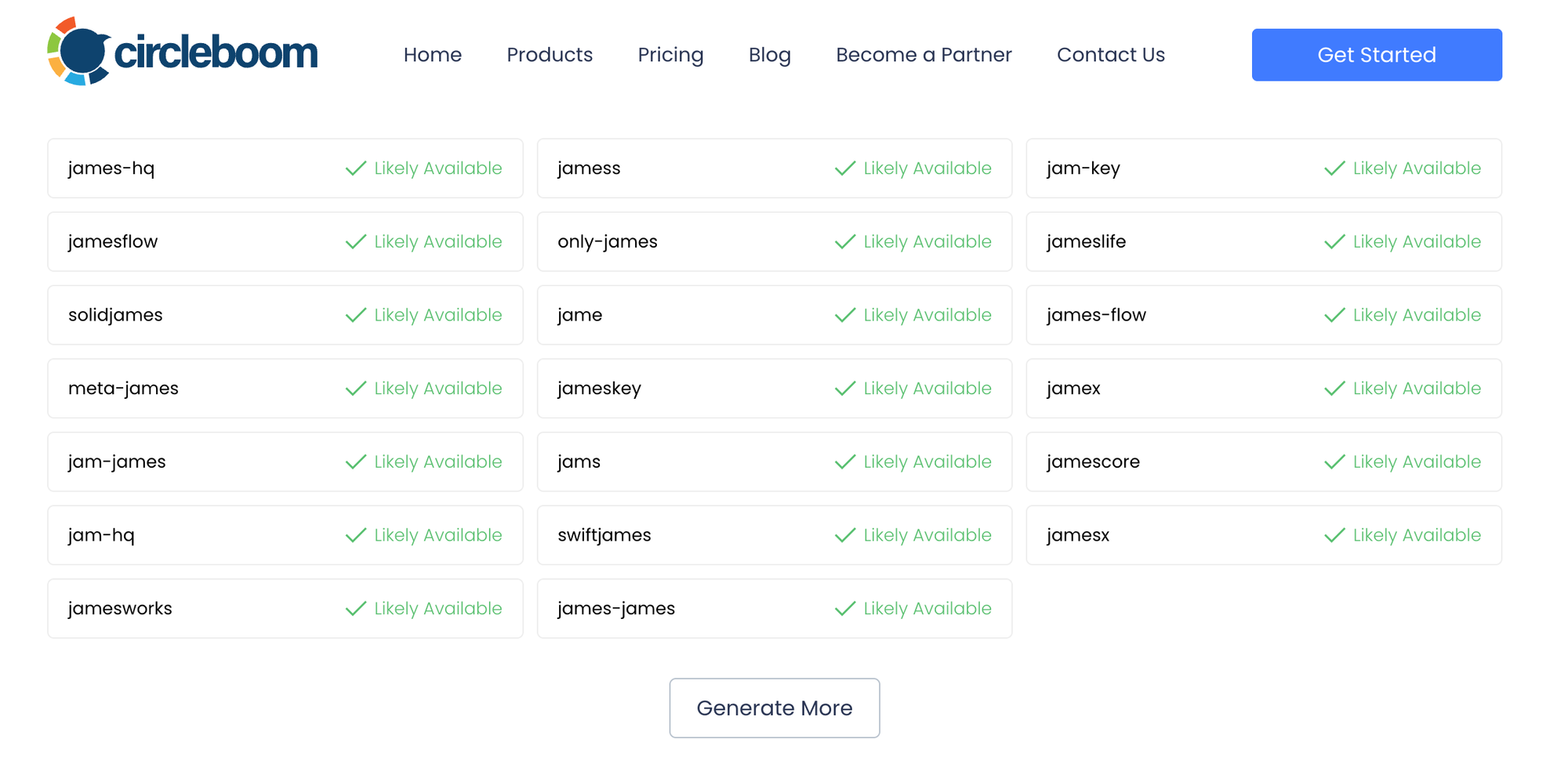
The tool instantly creates dozens of handle suggestions.
All of them fit Bluesky’s handle rules.
The generator automatically removes taken usernames, so the list you see is ready to use.
No more trial-and-error, no more guessing.
Copy the one you prefer.
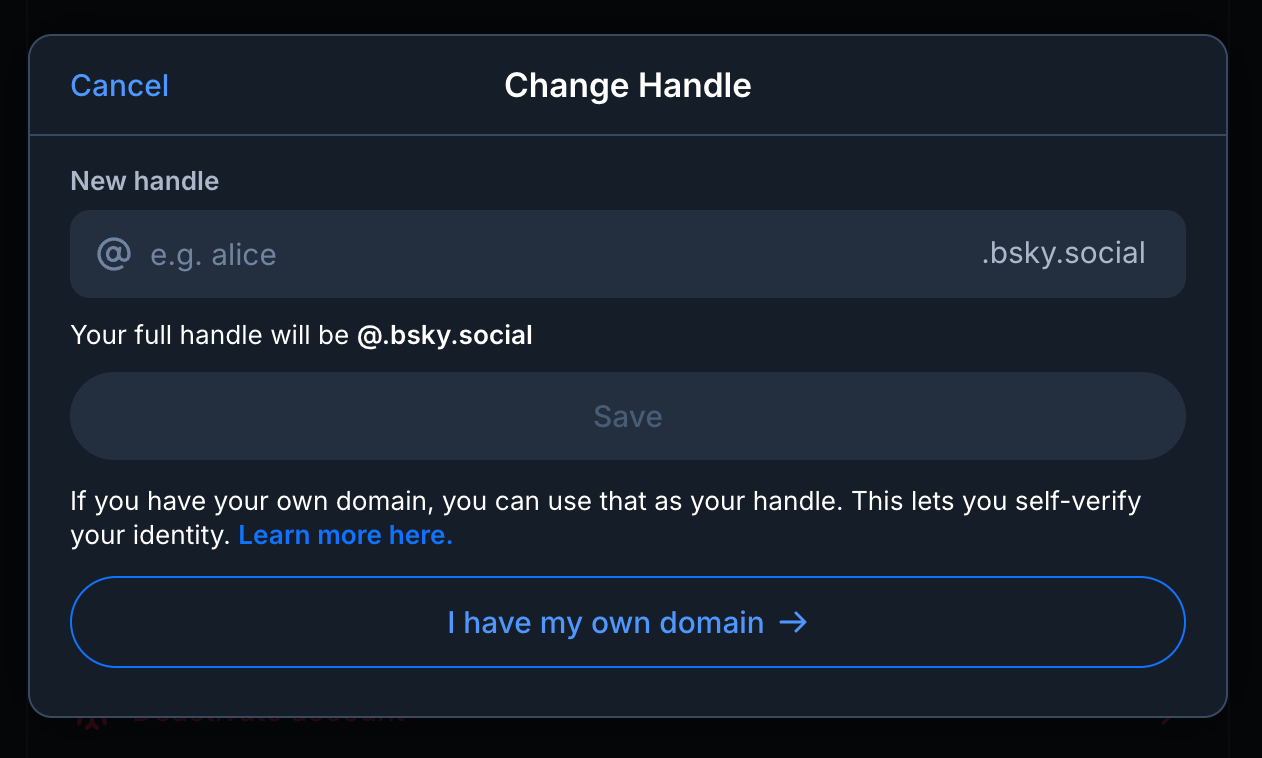
Step #3: Paste the Handle into Bluesky
Use it:
- When creating a new Bluesky account
- Or when changing the handle of your existing profile
Your new identity becomes active immediately.
Bluesky Username Rules You Should Know
Before finalizing your handle, it’s important to understand how Bluesky handles work.
Bluesky usernames:
- Must be unique
- Must follow domain format: yourname.bsky.social
- Can be replaced with your own domain (example: yourdomain.com)
- Allow letters, numbers, and hyphens
- Do not allow underscores
- Cannot contain spaces
- Become part of your public profile URL
- Once changed, your old handle becomes available again
This unique structure is what makes Bluesky feel more web-native and decentralized — but also more restrictive when choosing a username.
Can I Change My Bluesky Username? (Yes!)
Bluesky makes it very easy to change your handle.
Here’s how:
- Open Bluesky
- Go to your Profile
- Tap Settings
- Select Handle
- Choose one of two options:
- Use a Bluesky-provided handle (yourname.bsky.social)
- Connect your own domain
- Save your new handle
You keep all your followers, posts, and profile data — only your handle changes.
How to Find Your Bluesky Username
Your handle is visible:
- On your profile
- Under your display name
- In your Bluesky URL, like:
https://bsky.app/profile/yourname.bsky.social

If you use a custom domain:
https://bsky.app/profile/yourdomain.com
How to Search Usernames on Bluesky
Bluesky allows multiple ways to check if someone exists or if a handle is available.
1. Search Bar: Type the handle or name into Bluesky’s search field.
2. Direct URL Check:
Visit:
https://bsky.app/profile/yourhandle
If the profile loads → taken.
If not → available.
3. Try Custom Domain Format: If someone uses their own domain, type the domain directly.
Searching usernames helps when:
- Checking availability
- Looking for competitors
- Avoiding similar handles
- Watching out for impersonators
Final Thoughts: Claim Your Bluesky Identity Before It’s Gone
Bluesky is growing fast — and with growth comes competition for good usernames.
Your handle becomes your identity, your domain, and your brand across the network.
Finding an available one manually is almost impossible today.
But with Circleboom's Free Bluesky Username Generator, you can instantly get:
- Unique
- Creative
- Aesthetic
- Brandable
- And available
Bluesky handles without wasting hours.
Secure your perfect Bluesky username today — before someone else takes it.

