
Twitter (X) bookmarks don’t expire.
But they’re not fully permanent either.
➡️ If the original tweet gets deleted, the account is suspended, or the content becomes inaccessible, it disappears from your bookmarks as well.
To avoid cases like this and keep your bookmarks safe, you can export them with Circleboom Twitter and store them on your device.
This happened to me as well. I had saved a few really valuable threads, guides, and ideas. When I went back to check them later, some of them were simply gone.
That’s when it becomes clear: bookmarks are not actual storage. They’re just references.
So if something matters, relying only on bookmarks isn’t enough.
And, do not forget that people can delete their tweets. When they delete their posts, it doesn't matter if you bookmarked them or not, you can't access them anymore. So, before anything unfortunate like this happens, export your bookmarks, save in your device, and revisit every time when you need them!
What is Circleboom Twitter?
To avoid losing saved content, I started using Circleboom Twitter.

It’s an official X Enterprise Developer, which means it works directly with Twitter’s official APIs. The data you get is accurate, structured, and reliable.
What makes it really useful in this case is its bookmark export feature.
 infocircleboom.com
With Circleboom Twitter, you can:
🟢 Download them as a clean CSV file
🟢 Access full tweet texts
🟢 Keep links and post details
So even if the original tweet gets deleted later, you still have the content saved on your device.
Instead of trusting Twitter’s bookmark system, you actually own your saved content.
How to Download and Save Your Twitter Bookmarks
Circleboom makes this process simple.
Step #1: Log In to Circleboom Twitter
Go to the Circleboom Twitter website and log in with your credentials. If you’re a new user, sign up, it’s quick and easy!

Step #2: Go to your Bookmarks
In the left-side menu, click on “Essential Tools” and then select “Export Bookmarks” from the dropdown.

Step #3: View and Manage Your Bookmarks
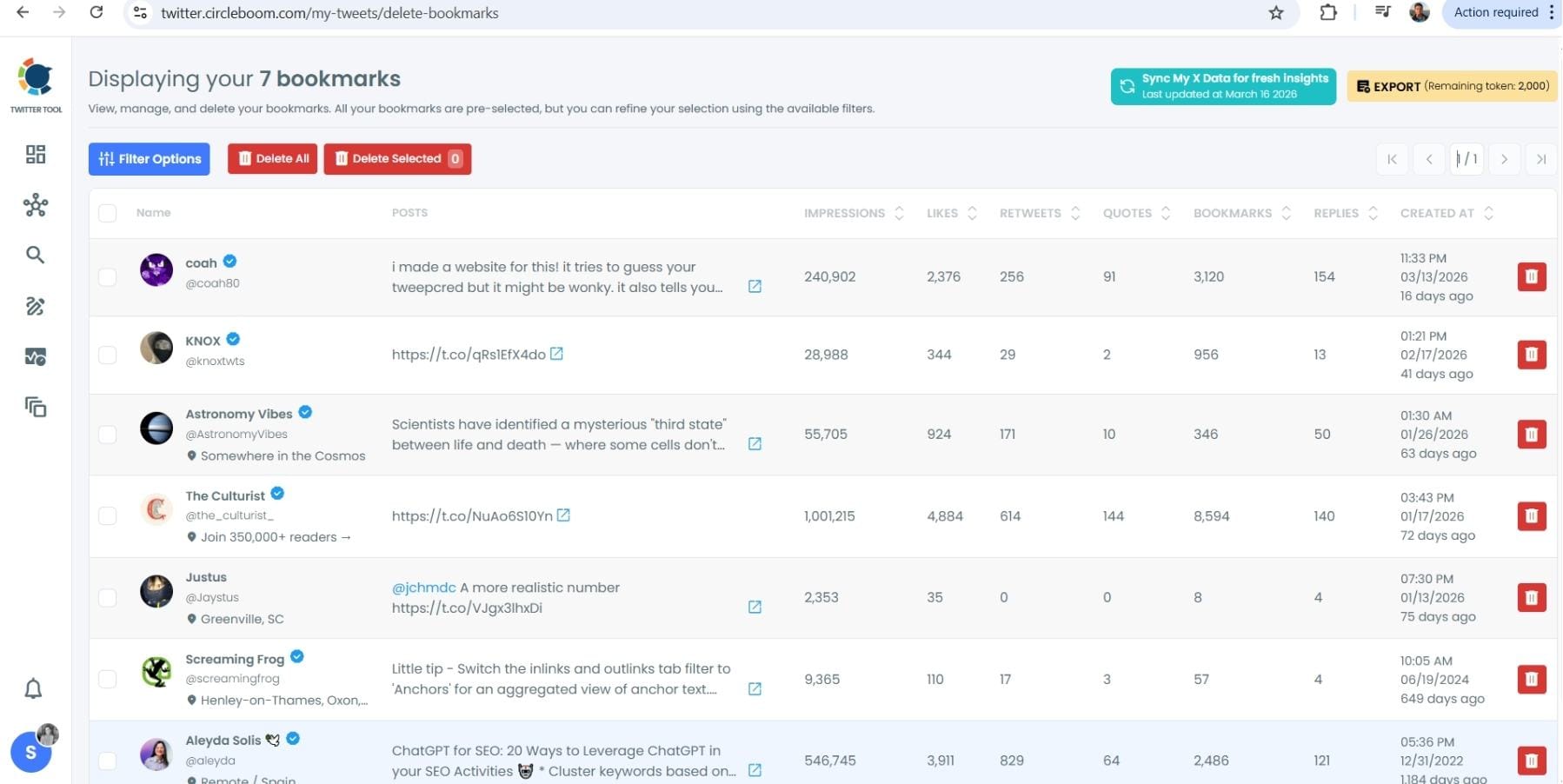
After opening the "Delete Bookmarks" section, you'll see all your saved tweets.
The page will display essential details such as likes, retweets, replies, and impressions for each bookmarked tweet.
This allows you to filter, organize, and select bookmarks for export.
Step #4: Use Filters to Find Specific Bookmarks
Click on “Filter Options” on the right side of the screen.
You can refine your bookmarks based on engagement (likes, retweets, impressions), date, language, and tweet type (posts, replies, or reposts).

Step #5: Select and Export Your Bookmarks
Check the box next to each tweet you want to export, or click "Select All" to export all bookmarks.
Click on the “Export” button at the top right. You are one step away from downloading all your Twitter bookmarks.
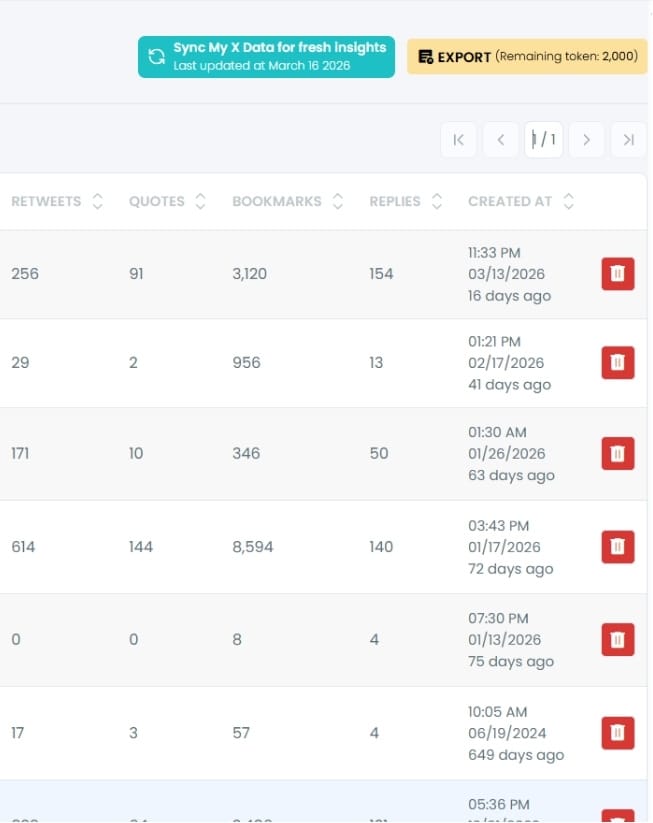
A confirmation message will pop up showing the number of bookmarks you’re about to export.
Click “Export X Bookmarks”, and your bookmarks will be downloaded as a file.

Step #6: Access and Use Your Exported Bookmarks
Once the bookmarks are exported, they will be saved in a spreadsheet format (CSV or Excel file).
The file contains detailed tweet information
This organized format makes it easy to search, sort, and reference your saved tweets whenever needed.
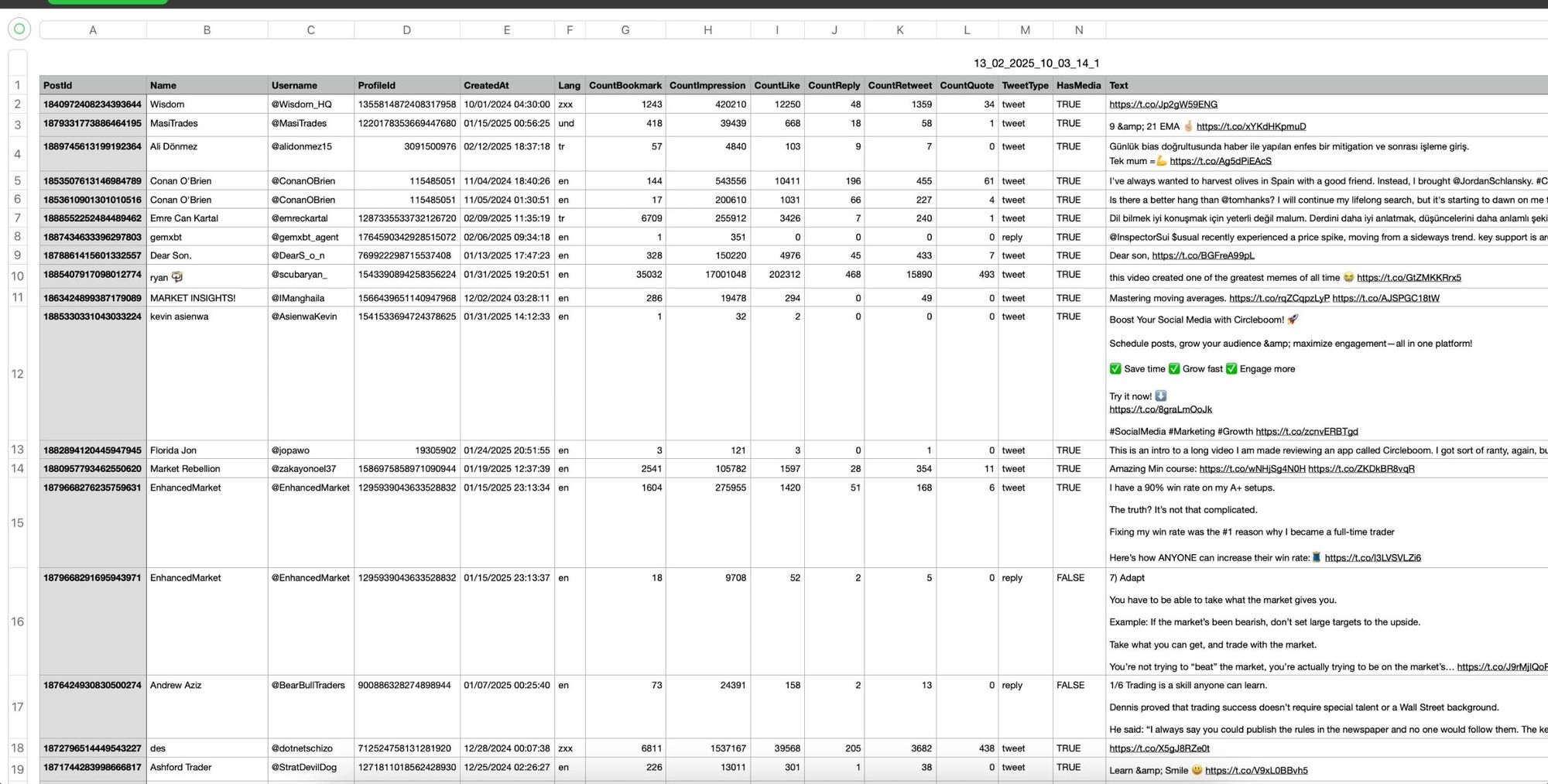
By exporting your X bookmarks, you ensure that important tweets remain accessible even if they get deleted or lost.
Why Bookmarks Can Disappear
This is the part many people don’t fully realize until it happens.
A bookmark is not a copy of a tweet. It’s just a shortcut that points to the original content. So when that original content changes or disappears, your bookmark has nothing left to show.
There are several situations where this can happen:
- The tweet gets deleted: The most common case. The owner removes the tweet, and your bookmark instantly becomes useless.
- The account gets suspended or deactivated: If the account disappears, all its tweets disappear with it.
- The tweet is made private: If the account switches to private and you’re not allowed to view it, the bookmark becomes inaccessible.
- Content gets edited or removed: Sometimes threads get partially deleted or changed, which breaks the value of what you saved.
The important thing here is control.
You don’t control the original tweet. The creator does. That means anything you save is always at risk of disappearing at any moment, without warning.
So even though bookmarks feel permanent, they are actually dependent and fragile.
 Altug Altug
Why You Should Regularly Backup Your Bookmarks
If bookmarks are part of your daily usage, you’re probably saving content for a reason.
It could be:
- A detailed thread you want to revisit
- A strategy or guide you plan to use later
- An idea you don’t want to forget
- A reference for future content
The problem is, all of these can disappear without you noticing.
There’s no notification saying:
“Hey, one of your bookmarks is gone.”
You only realize it when you go back and try to find it, and by then it’s already too late.
That’s why backing up bookmarks regularly is important.
Instead of trusting that the content will stay there, you take control and store it yourself.
This creates a safer system where:
- Your saved content is always accessible
- You don’t depend on other users keeping their tweets online
- You avoid losing valuable information over time
Think of it like saving files on your own device instead of leaving them somewhere you don’t control.
The rules change every week, from payout boosts to reach suppression. Don’t get left behind!
Join the Circleboom X Creator Growth Lab, your dedicated space for real-time algorithm updates, tested engagement strategies, and creator-to-creator insights.

Benefits of Exporting Bookmarks with Circleboom
Exporting bookmarks with Circleboom doesn’t just protect your content, it also makes it more usable.
When you download your bookmarks as a CSV file, you’re not just saving links. You’re creating a structured archive.
This gives you several advantages:
✅ Full access to tweet content: You can read the saved tweets even if they’re no longer available online
✅ Organized data: Everything is listed in a clean format, making it easy to browse and manage
✅ Searchability: Instead of scrolling endlessly on Twitter, you can quickly find what you need
✅ Long-term storage: Your saved content is no longer tied to Twitter’s system
✅ Independence: You’re not affected by deletions, suspensions, or platform changes
Over time, this becomes more than just a backup.
It turns your bookmarks into a reliable archive that you can revisit anytime, without worrying about losing anything.
Final Thought
Twitter bookmarks don’t expire.
But they’re not permanent either.
The moment the original tweet disappears, your bookmark disappears with it.
That’s why relying only on Twitter’s bookmark system isn’t enough if the content actually matters.
By exporting your bookmarks with Circleboom Twitter, you take full control of your saved content. Instead of depending on other users or the platform, you keep everything safely stored on your own device.
So even if a tweet gets deleted, suspended, or disappears for any reason, you still have it.
In the end, it’s not just about saving tweets. It’s about making sure you never lose what you saved.