
A listing page ranks on page one for three weeks. Then the property sells, the URL either 404s or sits there indexed with no purpose, and the ranking signal that page had built just evaporates. Multiply that by every listing your brokerage has ever posted and you get the core headache of real estate SEO: you're building search equity on pages that have an expiration date built in.
Meanwhile, the neighborhood page you actually want to rank forever ("homes for sale in Riverside Heights") is competing against Zillow, Redfin, Realtor.com, and three other local agents who wrote nearly identical copy. Agent bio pages get a handful of impressions a month, and nobody on the marketing team can say with confidence which hyperlocal search terms are actually bringing in traffic versus which ones are just noise in a keyword research tool. This is the gap Google Search Console (GSC) is built to close, if you know which reports to open and what to look for.
📢 How to use Twitter for real estate
Why Real Estate SEO Behaves Differently
Most SEO advice assumes a page that, once it ranks, stays roughly stable. Real estate inventory doesn't work that way. A few structural realities make this vertical uniquely volatile:
Inventory churn is constant. Listings go live, go pending, go sold, get relisted, and get pulled, often within weeks. Every state change is a URL event: a new page indexed, an old page that should be redirected or removed, or a page that quietly changes content under a URL Google already crawled and ranked.
Hyperlocal competition is dense. Unlike a national ecommerce query, "condos for sale in [neighborhood]" pits your page against the neighborhood pages of every major listing aggregator, every competing brokerage, and often your own competing agents inside the same franchise. The margin for winning a click is thin.
The searcher is on a phone, standing somewhere, deciding fast. Real estate search intent skews heavily mobile and local. A slow-loading listing page full of unoptimized property photos loses that click before it loads the second image.
None of this is fixable by "doing more SEO" in the abstract. It's fixable by watching specific signals in GSC and reacting to them on a real estate-specific cadence.
The Walkthrough: Setting Up and Reading GSC for a Real Estate Site
1. Choose the Right Property Type: Domain vs. URL-Prefix
When you verify your site in GSC, you'll set up either a Domain property or a URL-prefix property. This choice matters more for real estate sites than most verticals because of how brokerages structure their web presence.
A Domain property (verified via DNS TXT record) aggregates data across the entire domain: www, subdomains, and both HTTP and HTTPS. This is the right call if your brokerage runs individual agent microsites on subdomains (jane.brokeragename.com, mike.brokeragename.com) and you want one consolidated view of how the whole domain performs.
A URL-prefix property is scoped to exactly what you specify, for example https://www.brokeragename.com/. Use this when you want to isolate the main site and exclude agent subdomains, or when you don't control DNS and can't do a domain-level verification.
Many teams run both: a Domain property for the umbrella view, and URL-prefix properties for the main site and high-priority agent subdomains individually, so each agent's or region's performance can be pulled without filtering through the whole account.
2. Segment the Performance Report by Page Type
The Performance report (under Search results) is where you'll spend most of your time. Don't look at it as one undifferentiated table. Filter by page using "Page contains" or a regex match (GSC supports regex filters) to split your site into segments:
- Neighborhood/area pages: filter for
/neighborhoods/or/areas/ - Individual listing pages: filter for
/listings/or/property/ - Agent bio pages: filter for
/agents/ - Market report or blog content: filter for
/market-reports/or/blog/
Run each segment separately and compare impressions to clicks. A pattern you'll see constantly: neighborhood pages accumulate impressions steadily over months (good, that's evergreen equity building) while listing pages spike for two to four weeks and flatline once the property goes under contract. That's expected. What you're really auditing for is neighborhood and market-report pages with impressions but a suspiciously low click-through rate relative to their ranking position, usually a sign the title tag or meta description isn't matching what the searcher expects to see.
3. Mine the Query Report for Hyperlocal Patterns
Inside the same Performance report, switch to the Queries tab for each page segment. This is where you find the actual language searchers use, which is almost never identical to the language your CMS auto-generates for neighborhood page titles.
Look specifically for:
- Modifiers real searchers add that you haven't targeted: "homes for sale in [neighborhood] under [price]", "[neighborhood] condos with pool", "[neighborhood] school district homes"
- Query variants for the same intent ("[city] real estate agent" vs. "realtor in [city]" vs. "[city] realtors near me"), which tells you whether to consolidate or split content
- Queries where a listing page ranks for a neighborhood-level term instead of your dedicated neighborhood page, usually a sign your neighborhood page's content is thinner than a listing's and needs to be built out
Sort by impressions with low position (page two or three) to find queries you're already being seen for but not winning clicks on. That's your fastest-to-fix backlog, often solvable by strengthening on-page content rather than starting from zero.
4. Use Coverage (Pages) to Catch the Listing Lifecycle Problem
This is the report most real estate teams underuse, and it directly addresses the "listing sells, page rots" problem. Under Indexing, the Pages report shows which URLs are indexed, which are excluded, and why.
Watch for two recurring real estate CMS failure modes:
Sold listings staying indexed. If your CMS doesn't 301-redirect or noindex a listing URL once the property sells, Google keeps that page indexed showing stale content (wrong price, "for sale" language for a property that isn't). The fix is a CMS-level rule: on status change to sold, either redirect the URL to the relevant neighborhood page or apply a noindex tag, don't just leave it live.
Old listing URLs 404ing without being cleaned up. If listings are deleted outright rather than redirected, Coverage will show a growing count of "Not found (404)" pages. A handful is normal. A steadily climbing count means your CMS's teardown process is leaving orphaned internal links pointing at dead URLs. Check the Sitemaps report to confirm it isn't still listing sold properties, since a sitemap full of dead URLs wastes crawl budget on pages that will never rank again.
5. Sitemaps for High-Churn Inventory
Because listing counts change constantly, your sitemap needs to be dynamically generated, not a static file updated manually. Submit your sitemap (or a sitemap index file referencing separate sitemaps for listings, neighborhood pages, and agent pages) under the Sitemaps report and check periodically for a "Couldn't fetch" or partial-success status. For large inventories, splitting into multiple sitemaps by content type makes it easier to spot that, for instance, your listings sitemap is failing while your neighborhood sitemap is fine.
6. Mobile Usability and Core Web Vitals
Given how mobile-heavy hyperlocal search is, the Mobile Usability report is not optional. Check it for text too small to read, clickable elements too close together, or content wider than the screen, all common on listing pages where a template wasn't tested with a full photo gallery and a long amenities list loaded in.
Core Web Vitals (under Experience) matters here because listing pages are image-heavy by nature. Largest Contentful Paint issues are common where the hero image of a listing is a large, unoptimized photo loading above the fold. If Core Web Vitals shows a cluster of "Poor" URLs concentrated in your /listings/ segment, that's usually an image compression or lazy-loading problem at the template level, not a one-off.
7. Structured Data, Handled Carefully
The Enhancements section in GSC reports on structured data types Google has recognized on your site. Real estate teams commonly implement schema.org markup for property listings (address, price, listing details) to help search engines parse page content. GSC will surface errors or warnings for any structured data type it detects, useful for catching malformed markup, but it won't tell you whether a specific rich result will actually display, since that depends on Google's own eligibility rules. Treat the Enhancements report as a validator, not a guarantee of a rich snippet.
Edge Cases and Practical Tips
- Filter out your own agents' names from branded query analysis. If an agent is well known locally, their name will dominate the Queries report and obscure the actual hyperlocal, non-branded queries you're trying to optimize for. Use a "Query doesn't contain [agent name]" filter to see the real opportunity underneath.
- Compare date ranges around MLS sync events. If your CMS pulls a fresh MLS feed and does a bulk update, check Performance and Coverage for that window. A sudden spike in "Discovered, not indexed" pages often lines up with a bulk listing import Google hasn't crawled yet.
- GSC has no map pack visibility. It won't show anything about your Google Business Profile, local pack rankings, or map-based impressions. Pair GSC's organic Search data with Business Profile Insights separately, or you'll get a distorted, website-only view of your hyperlocal presence.
- Watch position volatility on neighborhood pages during listing gaps. If a neighborhood temporarily has few active listings, the neighborhood page itself may lose ranking simply because its content looks thin relative to competitors with more current inventory. Flag this to stakeholders before they assume it's a technical problem.
The Holistic Play: Your Listings Live Beyond Your Website Now
Google just gave site owners a new way to measure something that's been true for a while but never had a dedicated tool: content that lives off your website still shows up in Search and Discover, and now you can track it in the same place you track your pages. As of July 2026, Google Search Console supports a new property type called platform properties, letting you register an Instagram, TikTok, X, or YouTube account alongside your standard URL-prefix or domain property, so you can see how that platform's content performs specifically in Search and Discover.
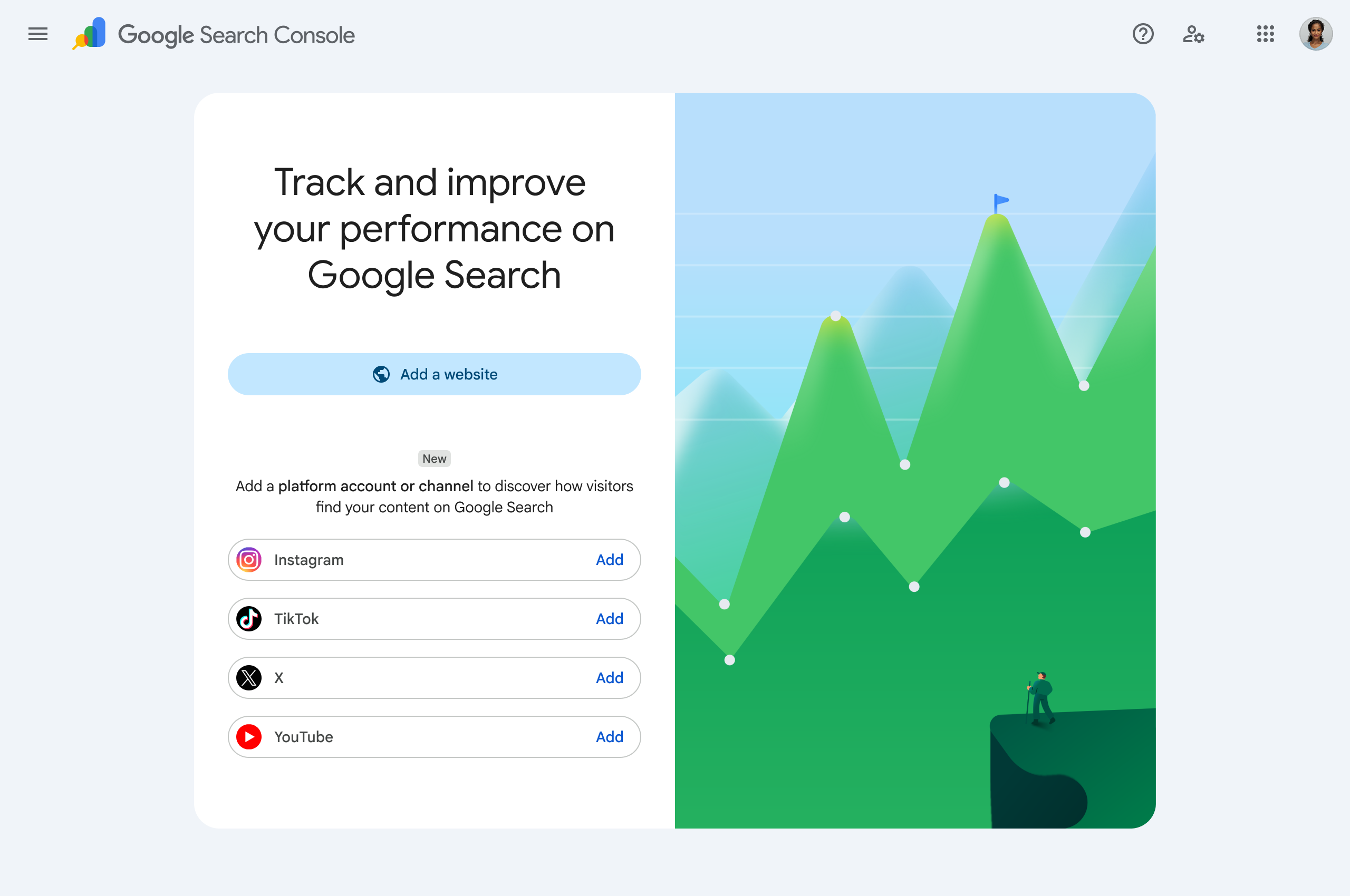
For real estate, this closes a real gap. Most agents already produce content that never touches their website: an Instagram Reel walking through a new listing, a TikTok explaining what a neighborhood is actually like to live in, a YouTube video tour of a property before the open house, a thread on X breaking down local mortgage rates or inventory. That content has always had the potential to surface in Search and Discover. It just wasn't measurable through the same tool you already use for your site. Now it is.
The practical implication is that "real estate SEO" stops being a website-only exercise. If a prospective buyer searches something hyperlocal and a YouTube tour or an Instagram Reel about that neighborhood shows up alongside your website's neighborhood page, that's your visibility footprint working across two channels at once, and you can now measure both from inside GSC.
The catch is that this only works if the social side of that footprint is actually consistent. A single viral Reel doesn't build a measurable trend; a steady publishing cadence across Instagram, TikTok, YouTube, and X does. This is where Circleboom fits into the workflow: the X Post Planner handles scheduling and queuing posts and threads (useful for market commentary and rate-update content that performs well on X), the AI Writer helps maintain a consistent voice across that cadence, and native Cross-Posting lets a single scheduled post go out to LinkedIn, Threads, Bluesky, Facebook, and Instagram from one composer. Circleboom's broader platform also handles scheduling and automation for Instagram, TikTok, and YouTube, exactly the kind of consistent multi-platform output that now has a real measurement layer behind it in Search Console. If you're going to be measured on it, it's worth being disciplined about it.
FAQ
Does Google Search Console show my Google Business Profile or map pack rankings? No. GSC only reports on organic Search, Discover, and (where applicable) News performance for verified properties. Map pack visibility lives in Google Business Profile Insights, a separate product. Use both together for a full local picture.
Should a brokerage with agent subdomains use one GSC property or several? Both, typically. A Domain property verified via DNS TXT record gives you the aggregated view across all subdomains. URL-prefix properties for the main site and individual high-priority agent subdomains let you isolate and report on those separately.
Why do my sold listing pages still show up in search results weeks after the sale closes? Almost always a CMS gap: the page was never redirected or noindexed when the listing status changed. Check the Coverage (Pages) report for that URL's indexing status, and fix the process so status changes trigger a redirect or noindex tag automatically.
Is structured data required to rank real estate listing pages? No. Structured data (schema.org markup for listing details) helps Google parse your page content and can make certain rich results eligible, but it's not a ranking prerequisite. The Enhancements report flags errors in any markup it detects, but rich result eligibility depends on Google's separate criteria.
How often should I check Coverage and Sitemaps reports on a high-inventory site? Weekly at minimum if inventory turns over quickly. A sudden jump in 404s or "Discovered, not indexed" pages is much easier to diagnose against a recent MLS sync if you're checking on a tight cycle rather than a month later.
Can GSC tell me how my Instagram or TikTok listing videos are performing in Search? As of the new platform properties feature, yes, for the platforms Google supports (Instagram, TikTok, X, and YouTube). You register the platform account as its own property type in GSC, separate from your website's URL-prefix or domain property, and it reports on how that content performs in Search and Discover.
Next Step
Pick one segment, either your neighborhood pages or your listings, filter the Performance report down to just that segment, and sort by impressions with low click-through rate. That single view will usually surface two or three fixable issues (a weak title tag, a thin neighborhood page, a stale listing still indexed) within the first ten minutes. Start there before trying to audit the whole site at once.