

People often ask me the same question:
“How do you find time to tweet so often?”
Right now I run five Twitter (X) accounts, and all of them are active. They post regularly, stay consistent, and keep publishing new tweets. From the outside, it looks like I spend hours every day writing tweets and managing them manually.
But the truth is much simpler.
I don’t manage them manually at all.
Most accounts that tweet frequently use a simple strategy: they automate their posting workflow. In my case, almost everything runs through Circleboom Twitter.
The biggest time saver is bulk scheduling tweets.
 infocircleboom.com
Instead of posting every day, I prepare tweets in advance and schedule them automatically.
Why Tweeting Frequently Looks Difficult
If someone tries to manage Twitter manually, frequent tweeting becomes exhausting very quickly.
You have to:
- Open Twitter multiple times a day
- Think of something to tweet
- Write the tweet
- Add media or links
- Post it at the right time
Doing this once is easy. Doing it every day for months is not.
Now imagine doing this for multiple accounts.
This is why many creators, marketers, and social media managers rely on scheduling tools. Instead of tweeting every day, they prepare content in batches and let it publish automatically.
The Strategy Behind Frequent Tweeting
The strategy is actually very simple.
Instead of tweeting manually every day, you:
- Write many tweets at once
- Schedule them for future dates
- Let them publish automatically
✅ This way, you stay active without needing to open Twitter constantly.
To do this, I use Circleboom Twitter, which is an official X Enterprise Developer. One of its most useful features is the Bulk Tweet Scheduler, which allows you to schedule many tweets at once.

With it, you can plan tweets for weeks, months, or even an entire year.
How I Schedule Months of Tweets in Minutes
The bulk scheduling feature removes one of the biggest problems of social media management: daily posting pressure.
Instead of posting tweets individually, you can upload many tweets at once using a simple CSV file. Once uploaded, Circleboom schedules them automatically according to the dates and times you set.
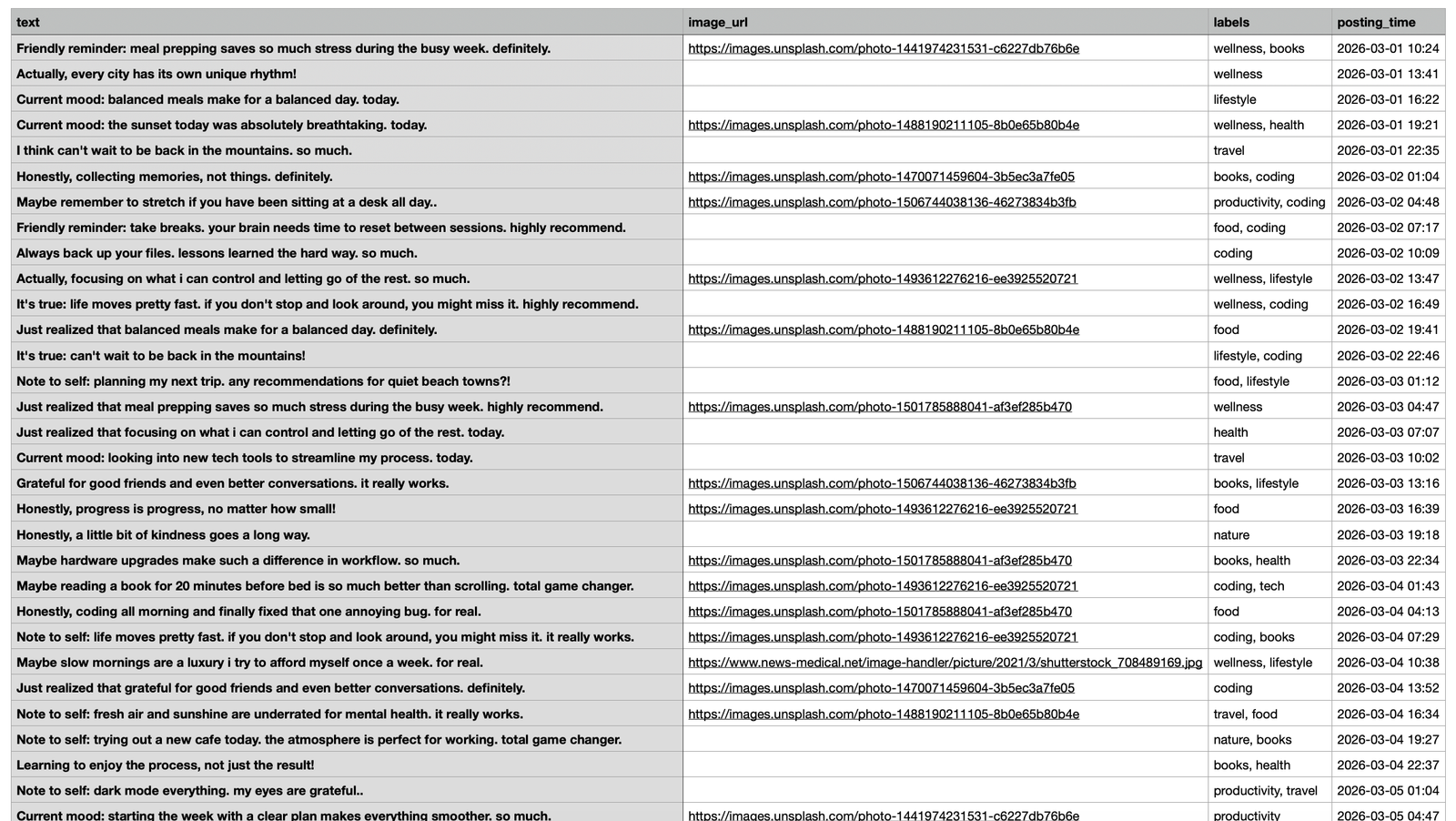
This means you can sit down once, prepare a batch of tweets, and schedule them all at the same time.
After that, your account continues posting automatically without any extra work.
How to Bulk Schedule Tweets with Circleboom Twitter
Here is how you can schedule many tweets at once using Circleboom Twitter.
Step #1: After logging in to Circleboom Twitter, go to the X Post Planner.
This is the main screen where tweets are created, edited, and scheduled. Bulk scheduling also starts from here.

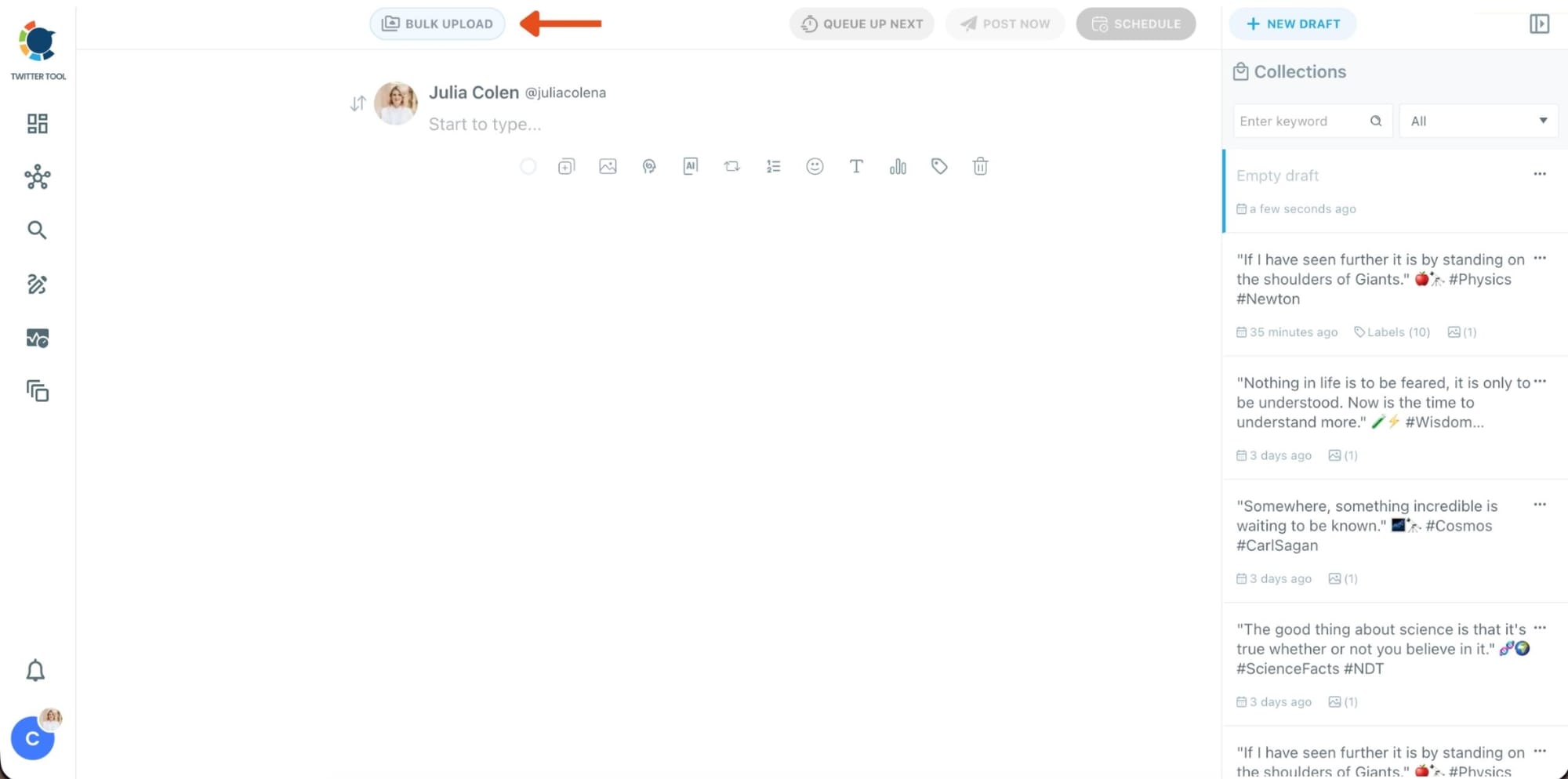
Step #2: At the top of the post planner, click Bulk Upload.
This opens the bulk scheduling interface and allows you to import multiple tweets at once instead of creating them one by one.
Step #3: Upload your CSV file
Upload your CSV file by dragging it into the upload area or selecting it from your computer.
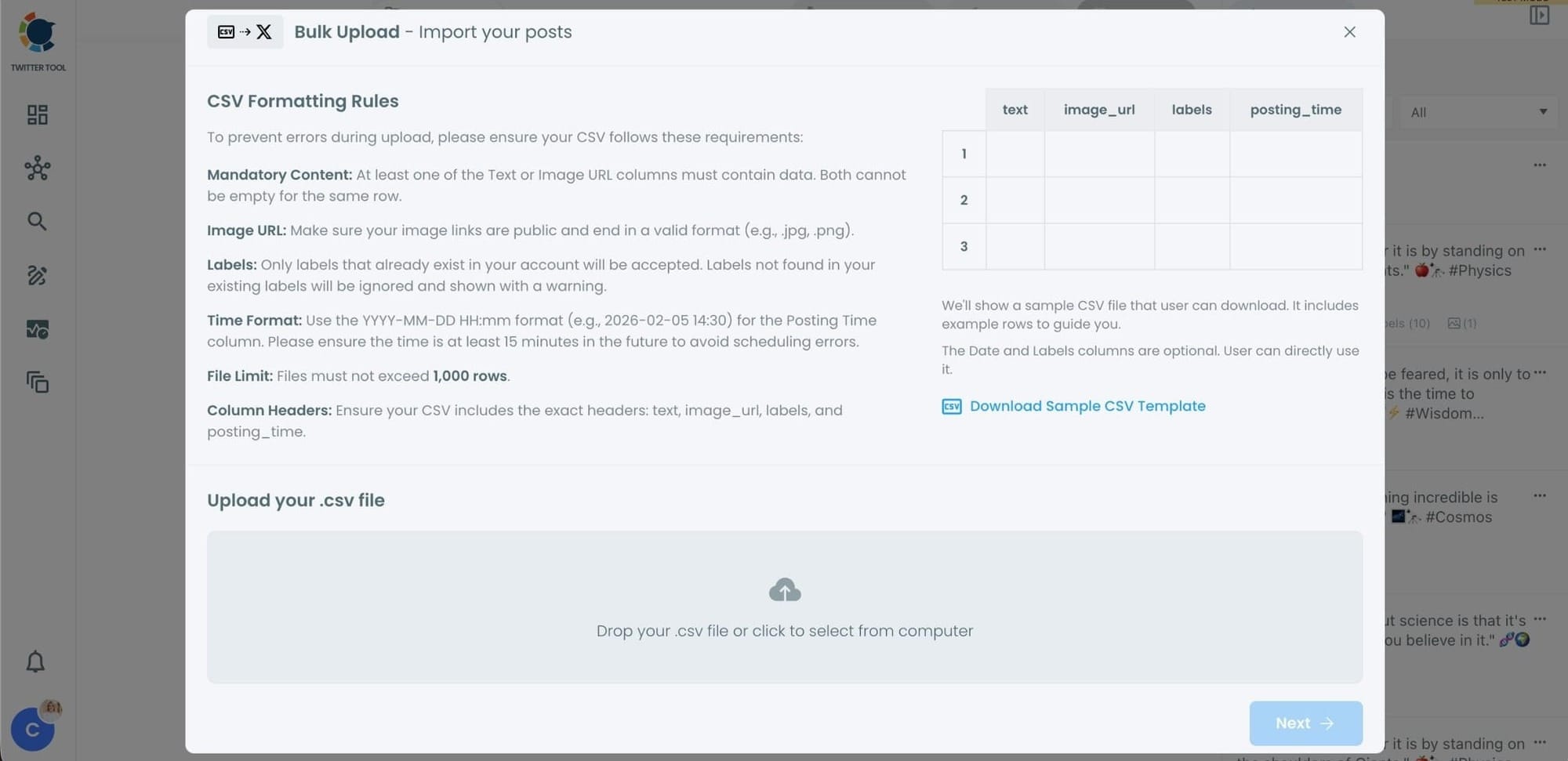
Before uploading, make sure your CSV file follows the required format.
Your file should include the correct column headers, and each row should represent a single tweet.
You can include tweet text, image URLs, labels, and posting times.
Preparing the file in the correct format prevents errors during scheduling.
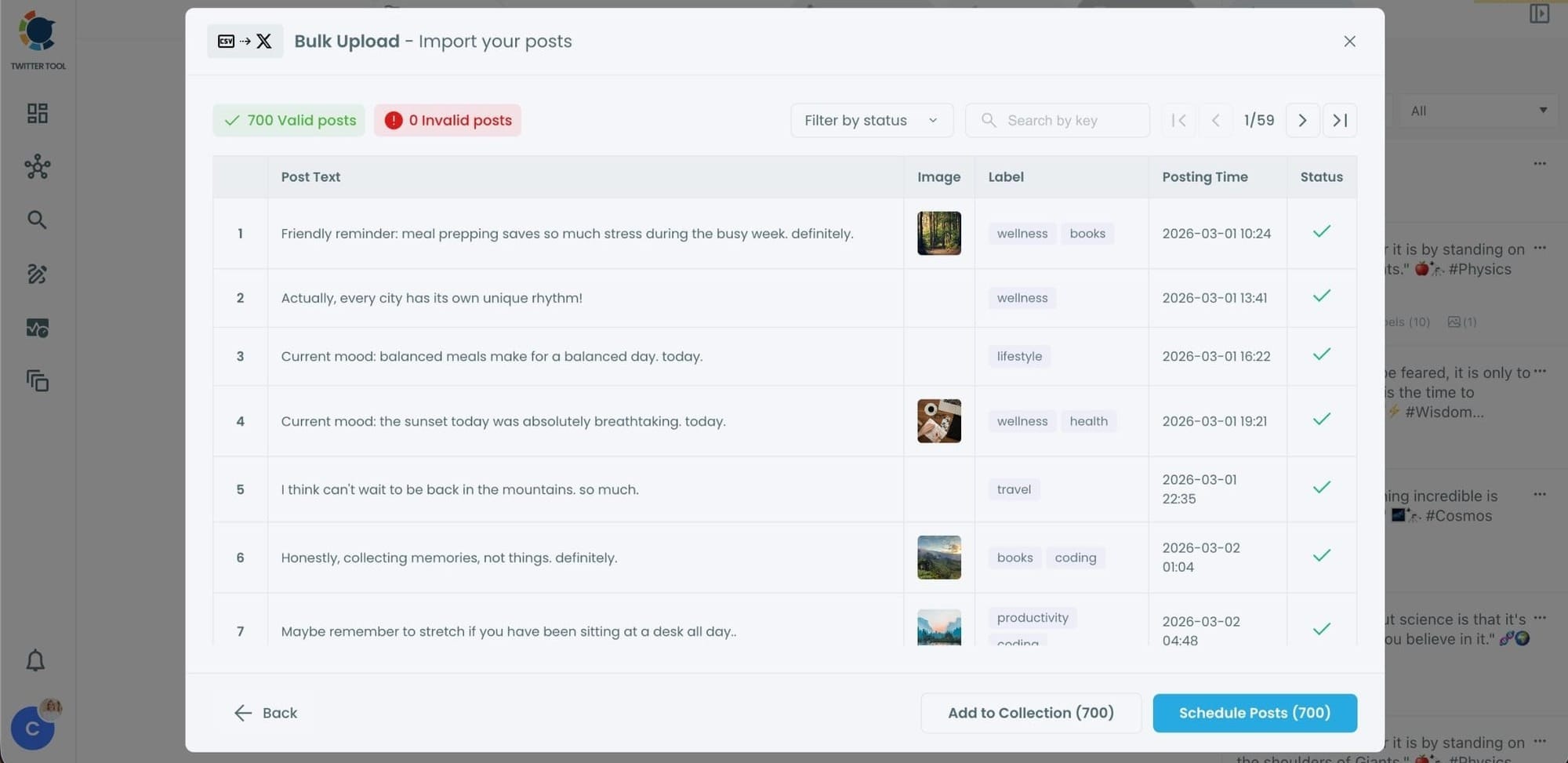
Step #4: Review your imported tweets
After uploading the CSV file, Circleboom shows all your tweets in a preview list.
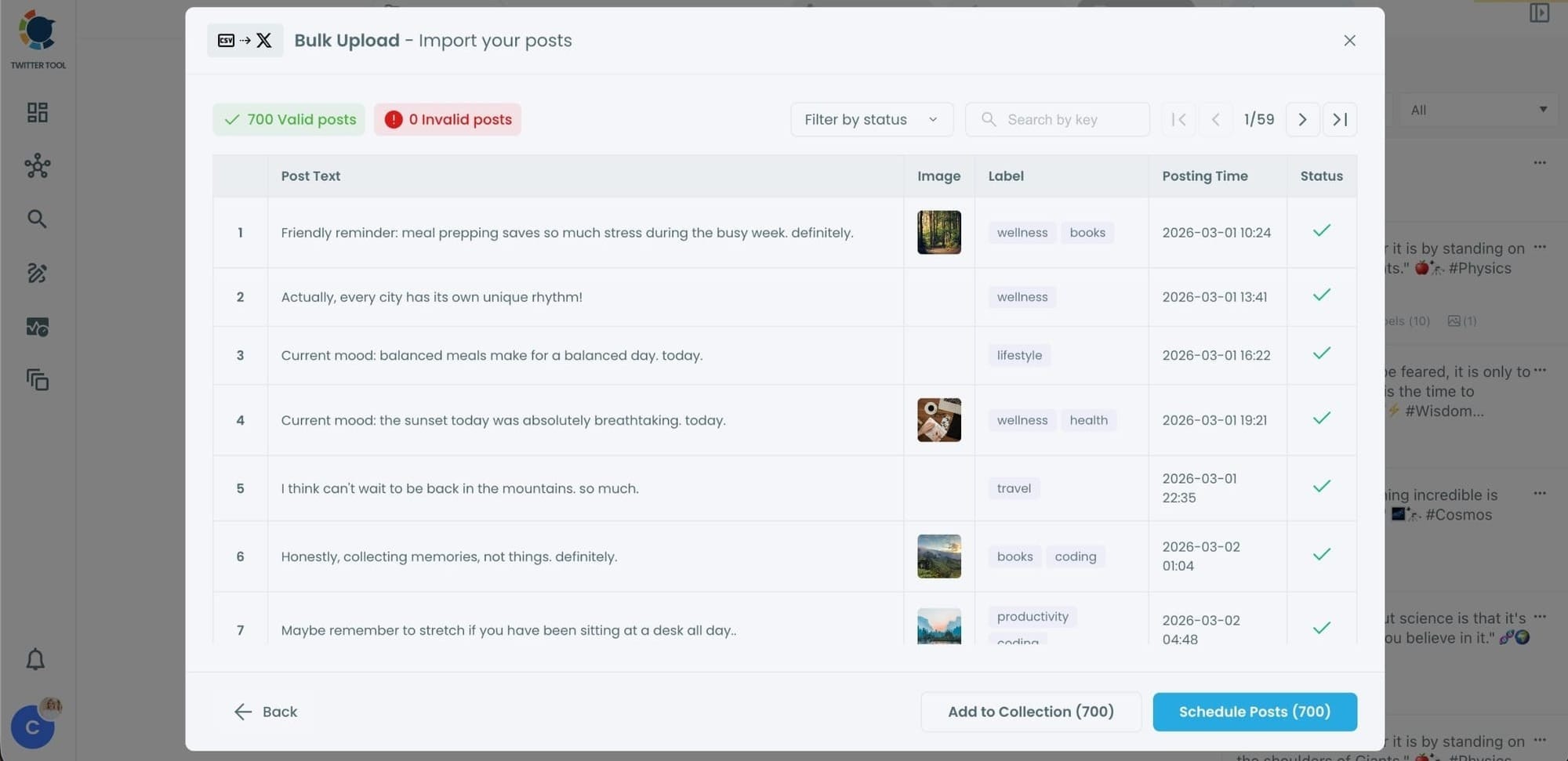
At this stage:
- Valid tweets are marked clearly
- Invalid tweets are shown with the reason for the error
- You can also add tweets to Collections if you want to organize or reuse them later
This step helps you catch and fix problems before anything is scheduled.
Step #5: Schedule all tweets at once
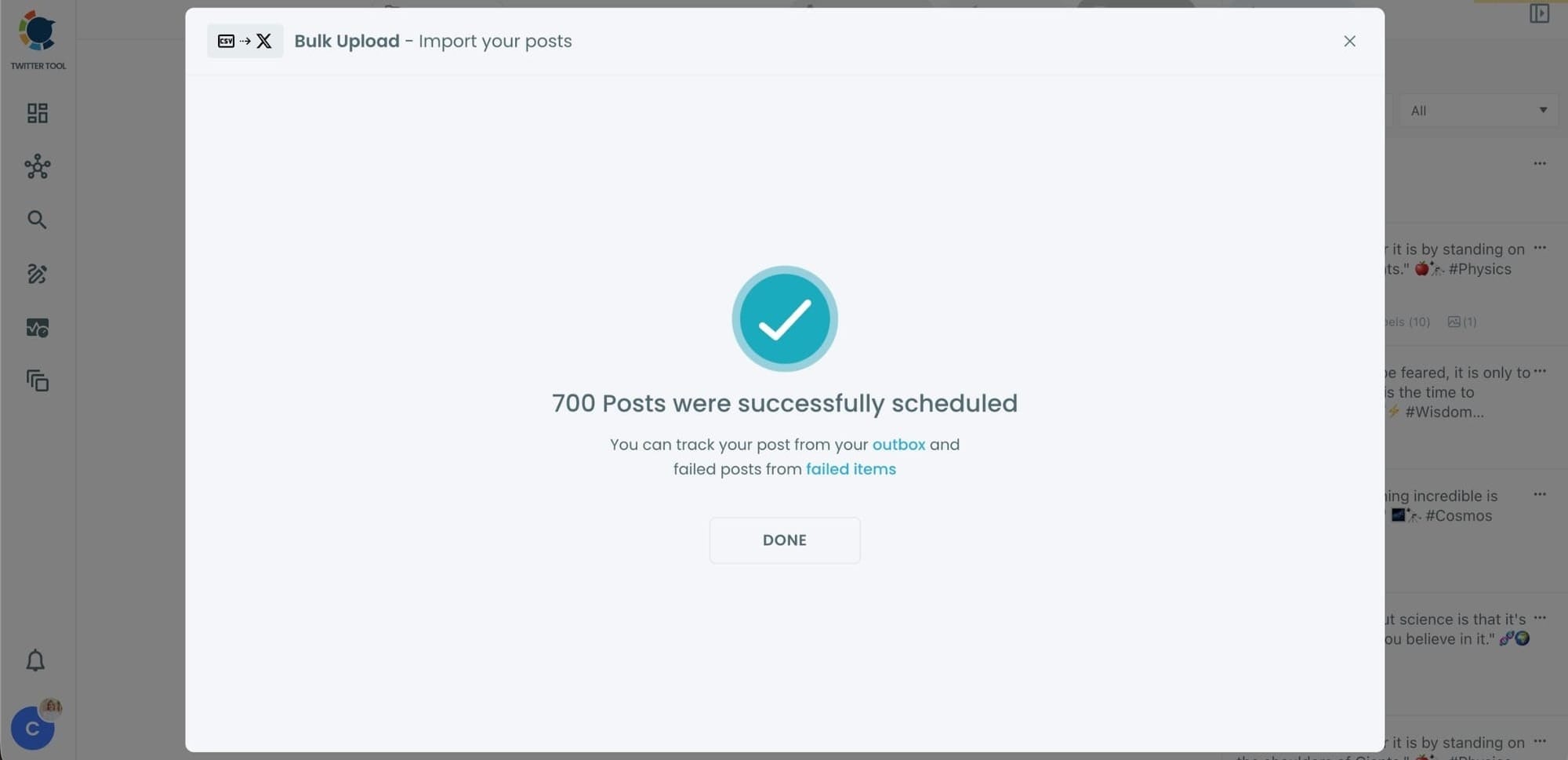
Once everything looks correct, click Schedule Posts.
Circleboom automatically schedules all valid tweets based on the posting times in your CSV file.
Even hundreds of tweets can be scheduled in seconds, without manual work.
Step #6: Manage scheduled tweets from the Outbox
After scheduling, all your tweets appear in the Outbox and calendar view.
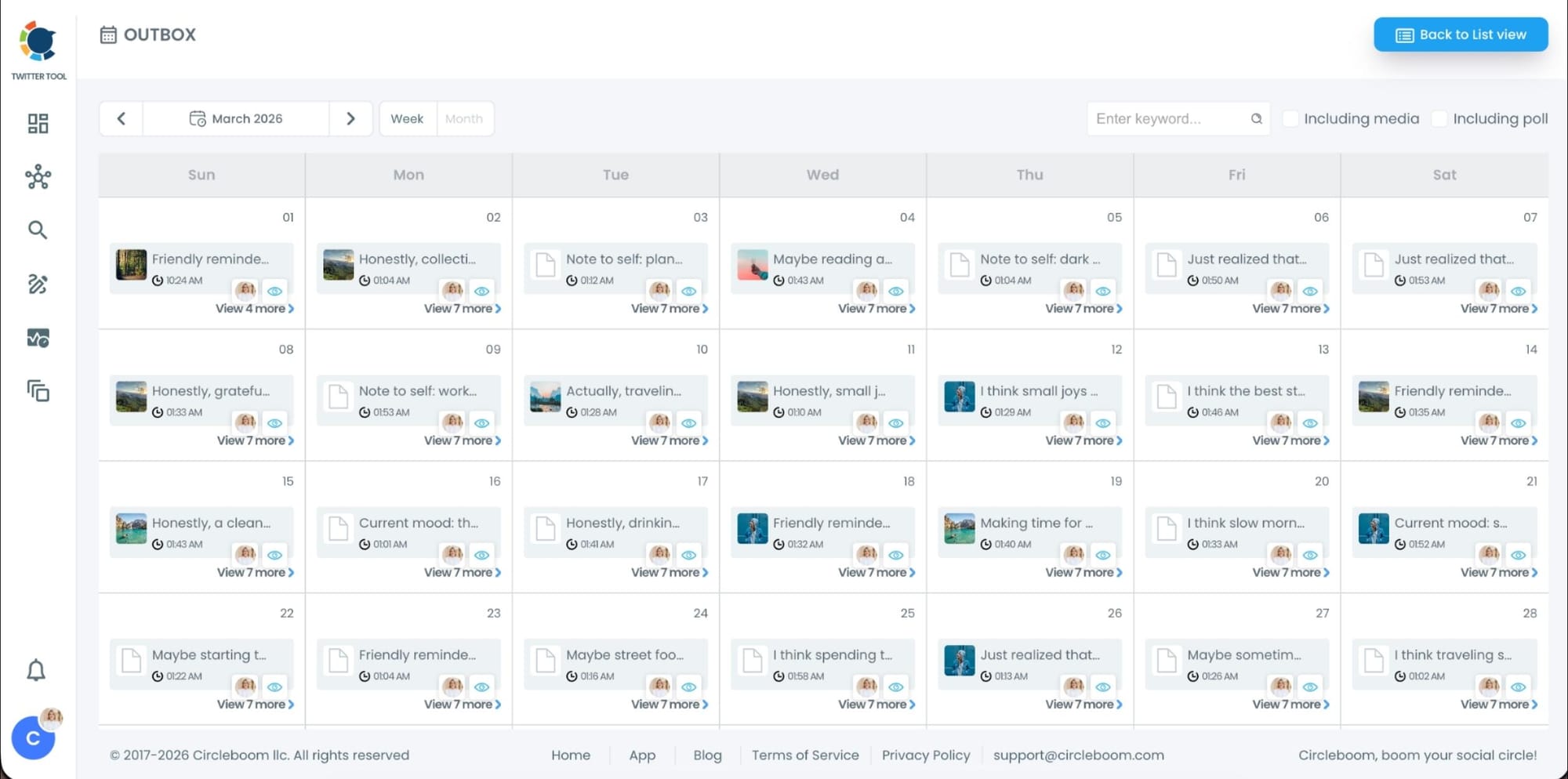
From here, you can:
- See all scheduled tweets by date and time
- Make changes if needed
- Edit or remove scheduled posts
- Keep track of your content easily
This gives you full control even after bulk scheduling is completed.
Why Bulk Scheduling Saves So Much Time
Bulk scheduling completely changes how you manage Twitter accounts.
Instead of thinking about posting every day, you only need to spend time preparing content occasionally.
This approach allows you to:
- Stay consistent with your tweets
- Avoid missing posting days
- Save a significant amount of time
- Manage multiple accounts more easily
Instead of logging in every day to write tweets, you simply prepare content once and let the system handle the rest.
Managing Multiple Accounts Becomes Much Easier
This method is especially useful when managing several accounts.
Since I run five different Twitter accounts, manually posting on each of them would take a huge amount of time. But by scheduling tweets in bulk, I can keep all of them active without spending hours every day on Twitter.
 infocircleboom.com
Many brands, creators, and social media managers follow the same strategy. Consistency does not come from posting manually every day. It comes from planning content in advance.
Final Thoughts
When you see accounts tweeting frequently, it may look like they spend all day online.
In reality, most of them are simply planning their tweets ahead of time.
Using Circleboom Twitter, you can schedule weeks or even months of content in one session and let your account stay active automatically.
If you want to stay consistent on Twitter without spending hours posting manually, bulk scheduling your tweets is one of the most effective strategies you can use.

