

When I started actively growing my Twitter account, I followed new people every day — creators, entrepreneurs, and accounts that inspired me. Everything went smoothly until one day, I saw this frustrating message:
“You can’t follow any more people right now.”
That’s when I discovered that Twitter (now X) actually limits how many accounts you can follow in a single day. These limits exist to protect account health and prevent spammy or automated behavior. But if you’re trying to grow or network quickly, those limits can slow you down.
Let’s break down what those limits are, what happens when you reach them, and how to make the process safe, automatic, and effortless.
Why Twitter Has Follow Limits
Every social media platform has built-in safety mechanisms — and on X, follow limits help stop bots and spam accounts from mass-following users to gain attention.
So yes, these limits are for a good reason. But they also affect real users who are simply trying to grow their audience.
The Daily Follow Limit on X
As of now, the daily follow limit on Twitter is:
➡️ 400 accounts per day for regular users
➡️ Up to 1,000 accounts per day for verified (Blue) users
That means you can follow 400 people in a 24-hour period. Once you hit that limit, you won’t be able to follow anyone else until the next day.
Also, Twitter doesn’t show you your daily follow count, so you won’t know you’ve reached the cap until you try to follow someone and get blocked.
If you keep following and unfollowing too aggressively, Twitter may even restrict your account temporarily — because it can look like spam activity.
What Happens When You Hit the Limit
Once you reach the daily follow limit:
- You’ll get a message saying you can’t follow more people.
- You’ll need to wait 24 hours before the counter resets.
- If you keep pushing the limit (e.g., following or unfollowing too fast), you may get a temporary label.
 Fatih Kemal Oksuzoglu
So if your goal is to follow hundreds or thousands of accounts over time — for example, to build a niche audience or engage with a specific community — this becomes a very slow process.
The Smarter Way: Use Circleboom Twitter
That’s when I turned to Circleboom Twitter, an X Enterprise Developer Partner that works fully within Twitter’s API limits.

Instead of manually following hundreds of accounts, Circleboom handles the process automatically and safely.
Here’s what makes it powerful:
✅ You can find and list accounts based on keywords, interests, or other users’ followers.
✅ You can select multiple accounts and follow them all with one click.
✅ Circleboom automatically counts your daily follows and stops when you hit your safe limit.
✅ It queues your remaining follows and continues them the next day automatically — no action needed from you.
✅ And since it’s an official Twitter partner, everything it does is compliant and safe for your account.
Step-by-Step: How to Use Circleboom to Follow Safely
Let's say you wanted to find the NFT influencers on Twitter:
Step #1: Go to the left-hand menu, open the Search tab, and click “Live Smart Search”
You’ll land on the updated Live Search page.
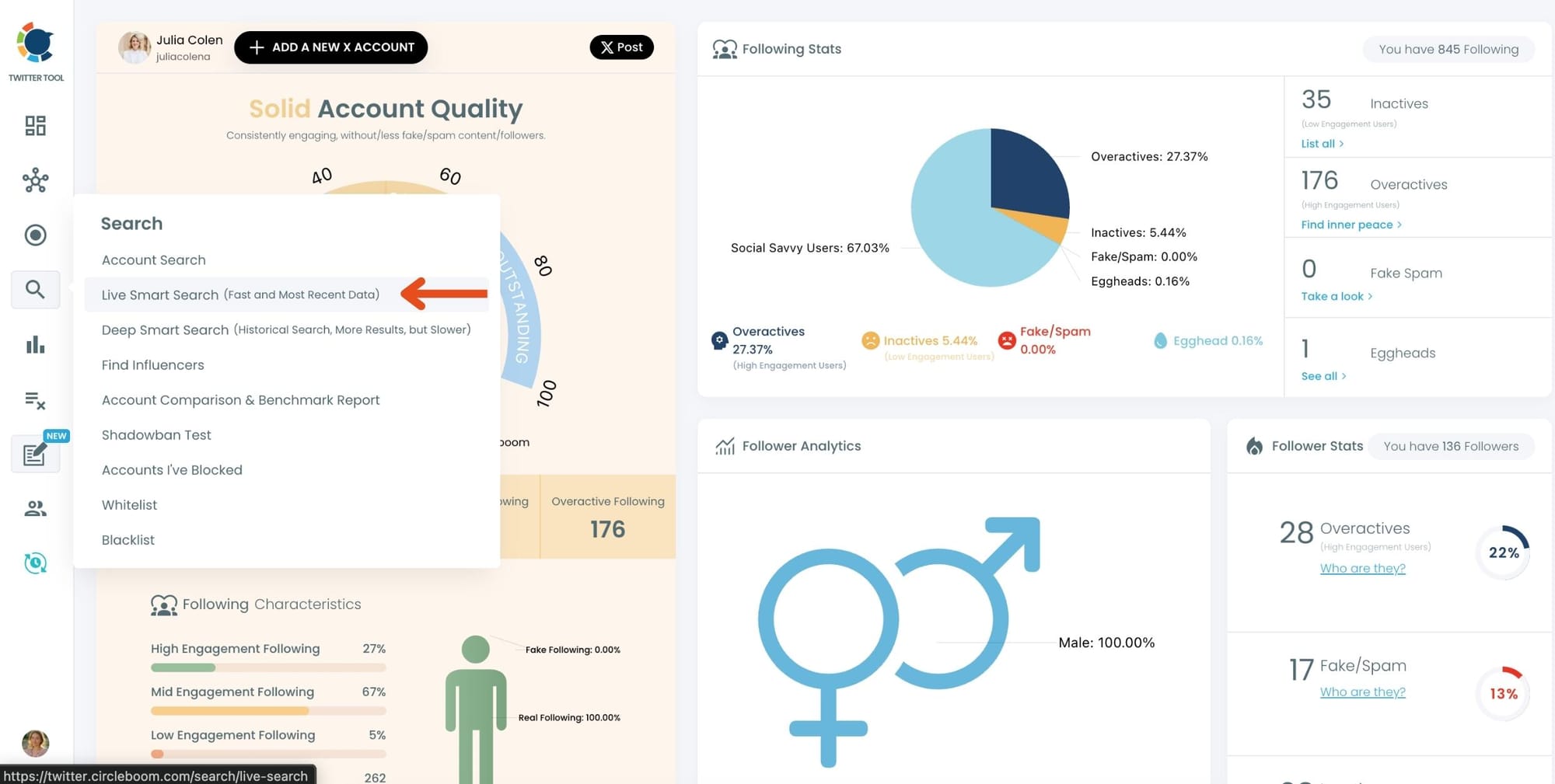
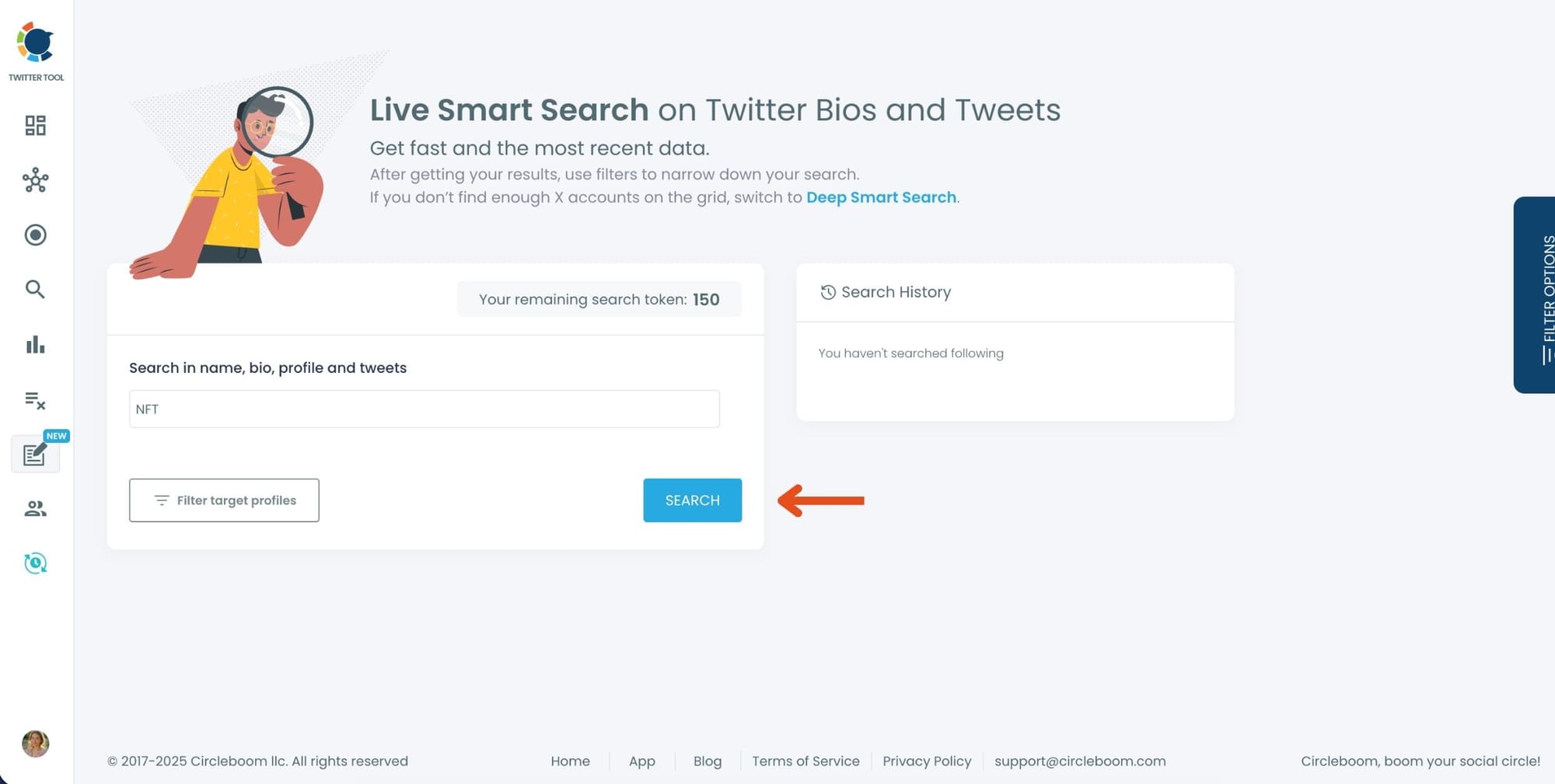
Step #2:Enter your keyword in the search bar.
Circleboom scans names, bios, profiles, and tweets in real time.
Type something like NFT and hit “Search.”
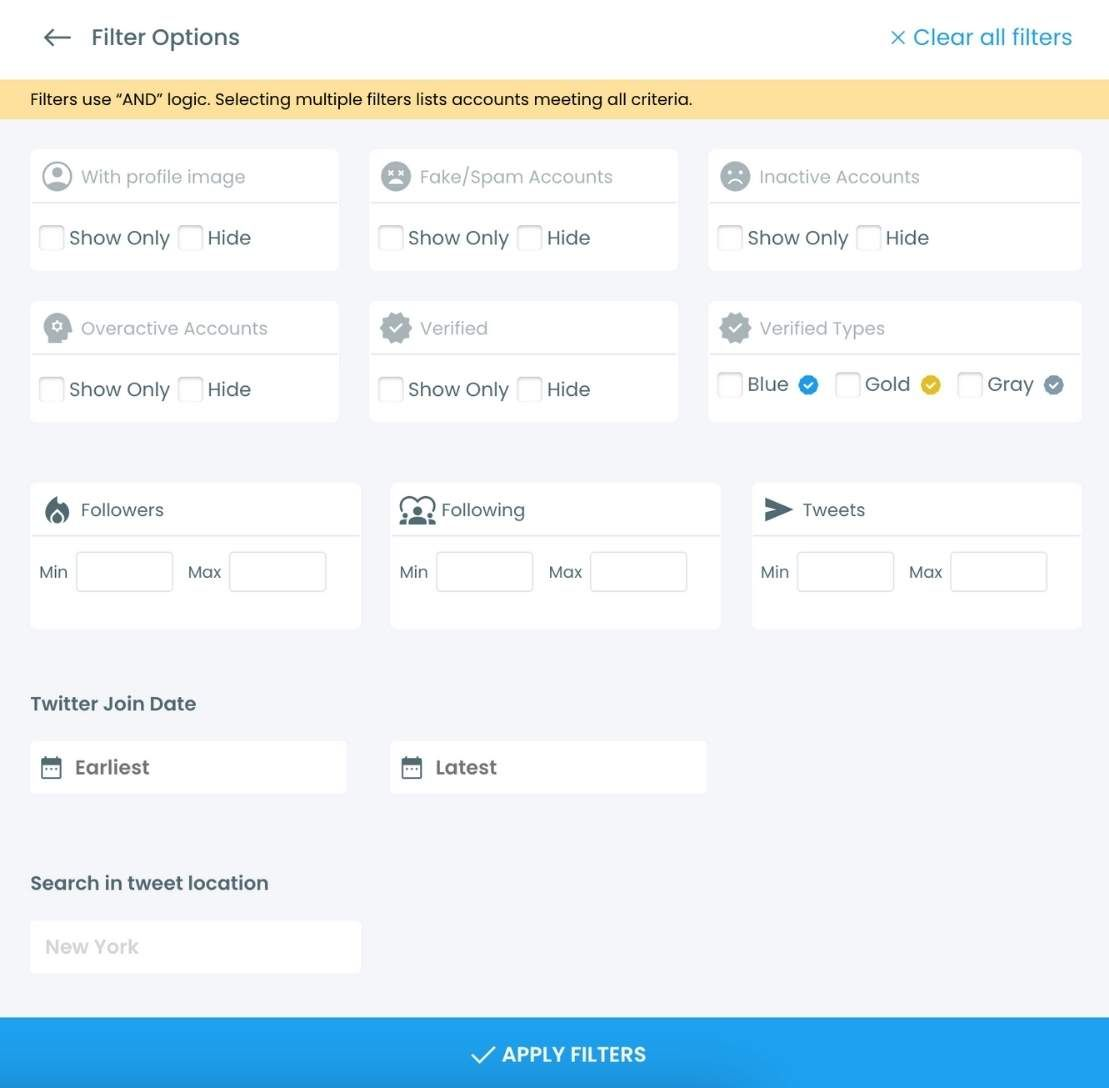
Step #3:Your results will load instantly.
Use the Filter Options if you want to narrow the list by:
• Activity level
• Verification
• Follower / following count
• Join date
• Tweet count
…or other targeting filters.
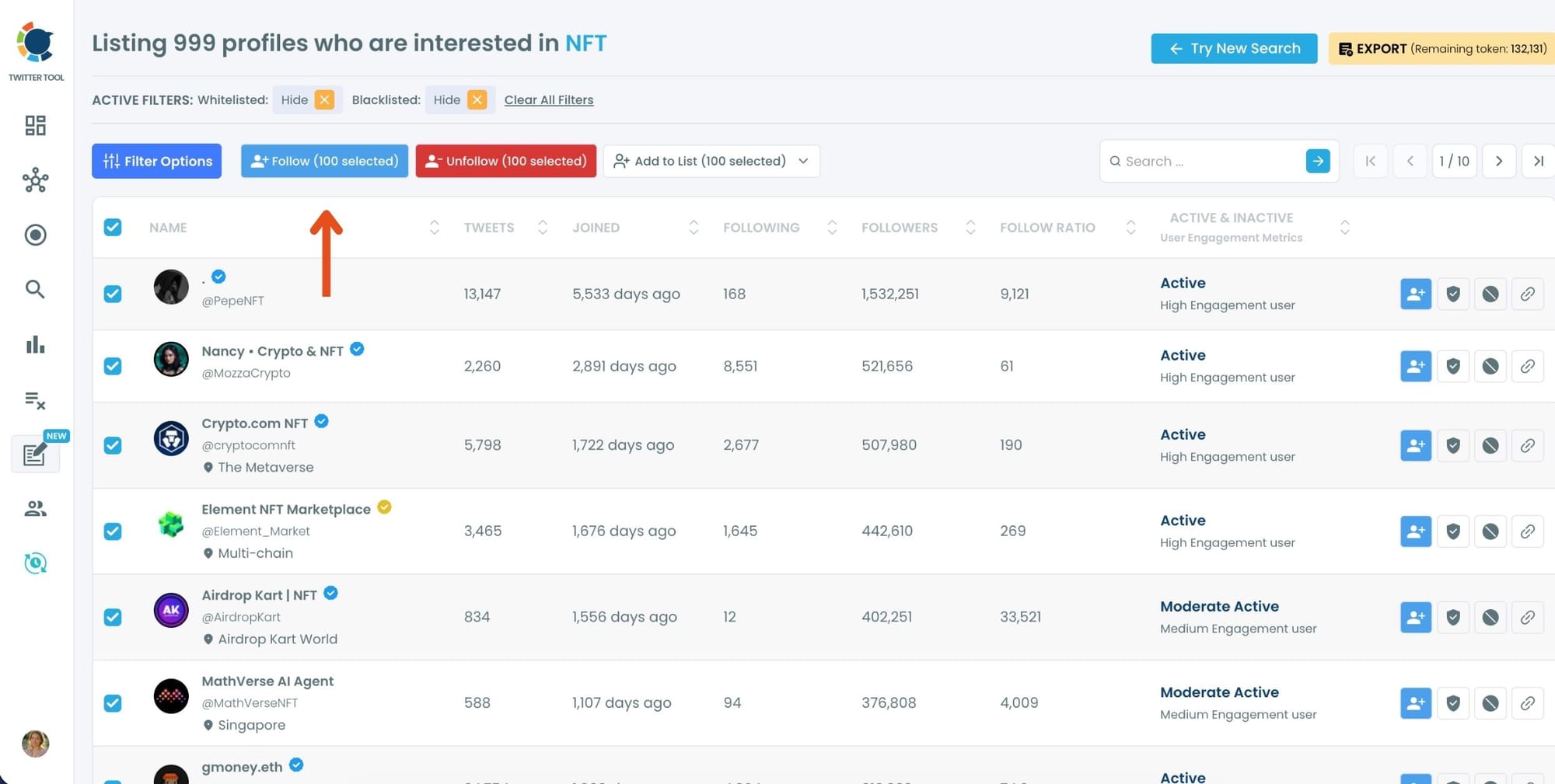
Step #4: Select the accounts you want to follow in bulk.
You can tick them one by one or use the selection tools at the top.
Once selected, click the “Follow” button.
Step #5: A safety pop-up will appear.
Circleboom reminds you of X’s follow limits and keeps your account safe by preventing aggressive or risky actions.
Read the message and click “Got It” to continue.
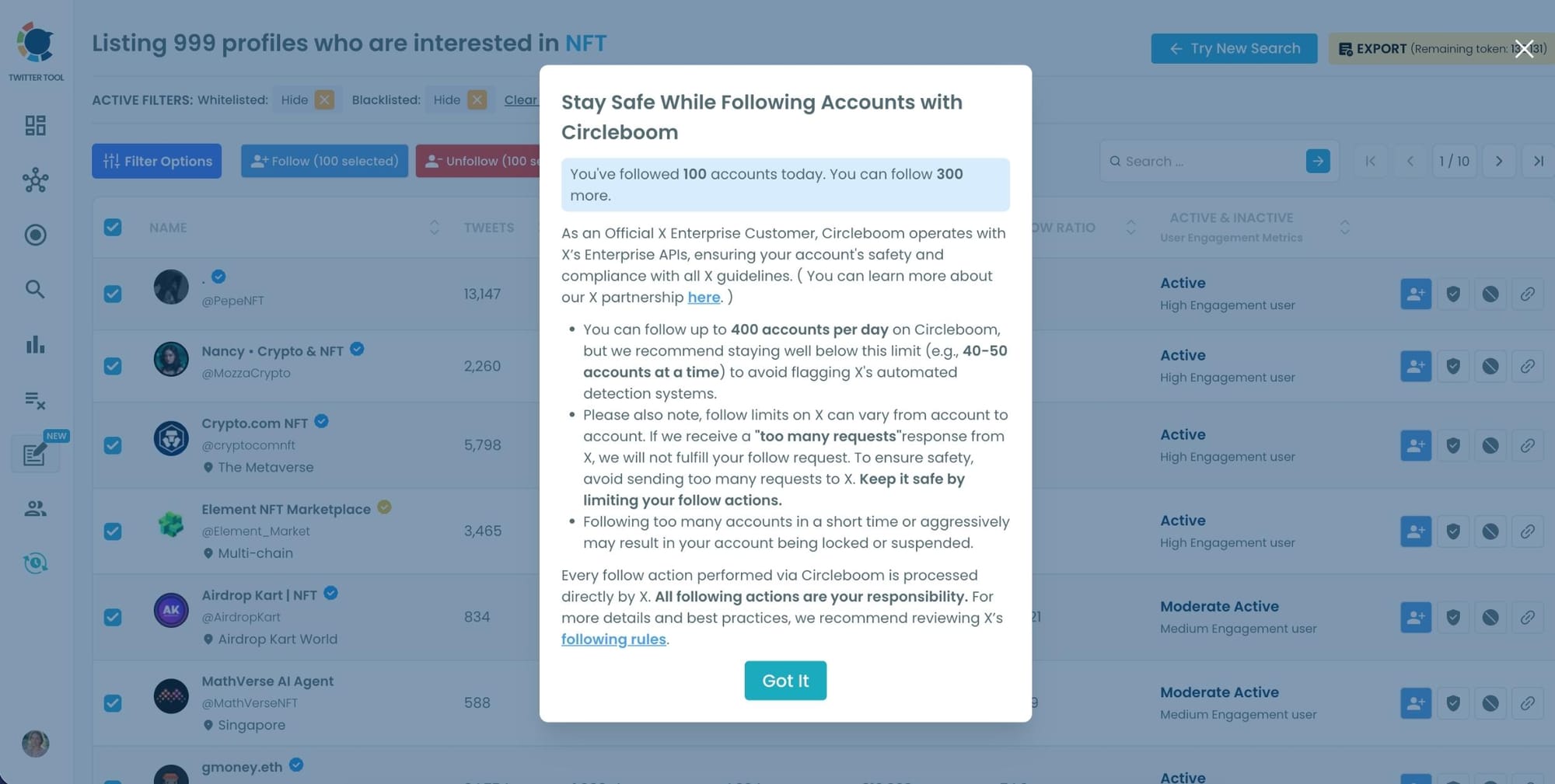
Your follow requests will begin processing automatically.
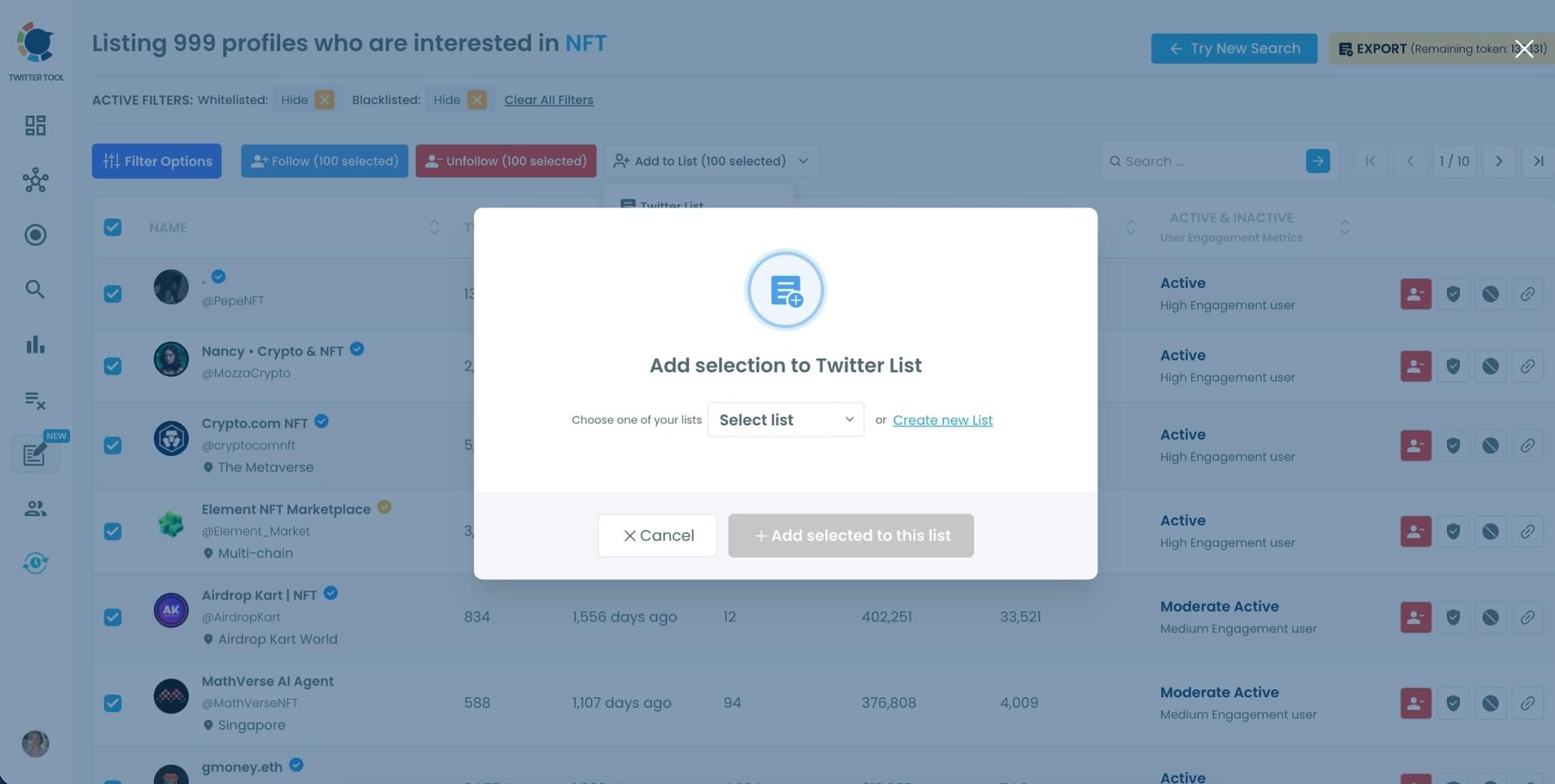
Step #6 (Optional): You can also:
• Add the selected users to a Twitter List,
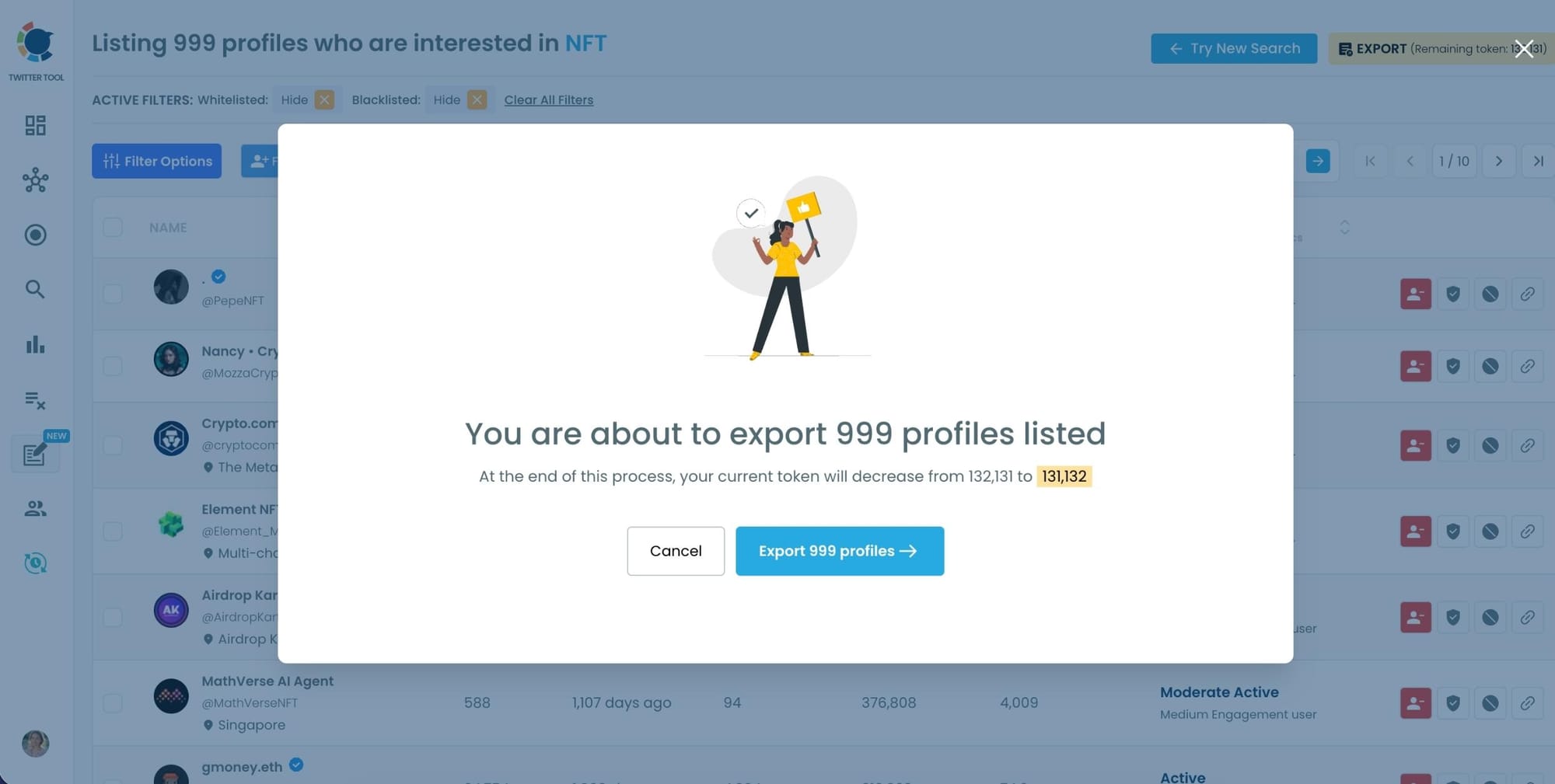
• Or Export the entire result set as a CSV file for outreach, influencer targeting, or audience building.
Circleboom Isn’t Just for Following
It also helps you manage the rest of your account with similar automation and safety:
- Unfollow inactive or irrelevant accounts automatically.
- Remove followers who don’t engage or seem spammy.
- Block unwanted users in bulk.
Everything follows Twitter’s official API rules — no spammy shortcuts, no risks.
Final Thoughts
Twitter’s daily follow limits are there for a reason — but they can make organic growth painfully slow if you do everything manually.
With Circleboom Twitter, you can stay within X’s rules while automating the process.
It counts your daily follows, queues new ones for the next day, and keeps your growth steady and natural.
Whether you want to follow hundreds of niche accounts, unfollow inactive users, or keep your follower list clean — Circleboom Twitter does it all safely and automatically.
If you want to grow faster without worrying about limits, start using Circleboom Twitter today and let it handle the heavy lifting.


