

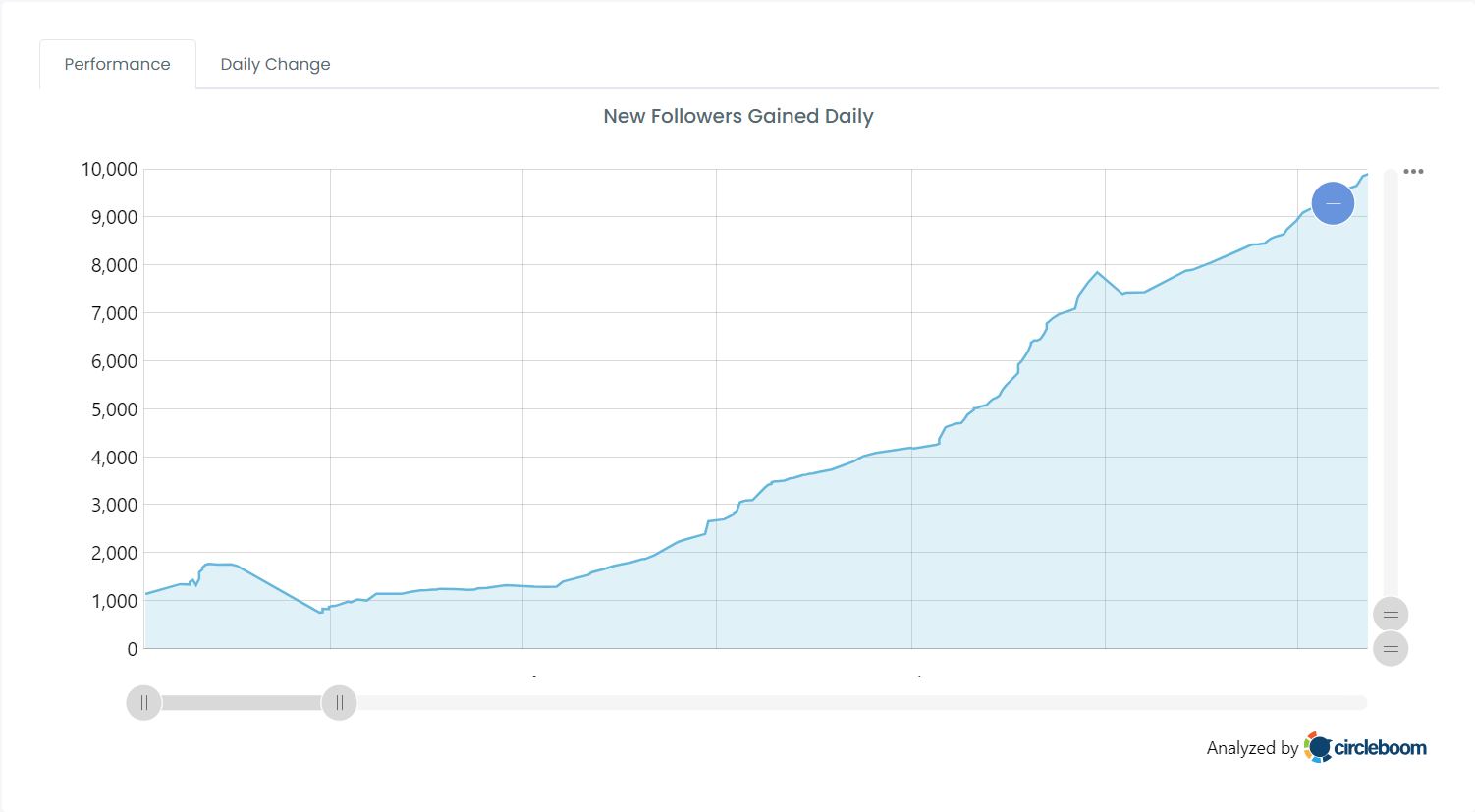
At some point, I crossed 20,000 followers on Twitter (X).
When people ask how that happened, they usually expect to hear about content tactics, posting times, or viral threads.
But one of the most important habits behind that growth sounds a bit strange at first:
I check every new follower.
It may sound obsessive, but over time I learned that who follows you is just as important as how many people follow you. Growth on Twitter isn’t only about gaining followers, it’s about protecting the quality of your account.
If you are a creator on X and want to know about the latest developments regarding the algorithm changes, engagement strategies, payout boosts, etc., you can join Circleboom's X Creator Growth Lab Community and enjoy a free space to learn from and contribute to!
Why New Followers Deserve Your Attention
A new follower is not automatically a good thing.
On Twitter, your reach and engagement are heavily influenced by the quality of your audience. If the people following you are real, active, and interested, your tweets get replies, likes, and momentum.
If a large portion of your followers are bots, fake accounts, or spam profiles, the opposite happens.
🔴 Don’t engage with your content
🔴 Lower engagement rates
🔴 Make your account look less trustworthy
🔴 Can even hurt how your tweets are distributed
That’s why blindly accepting every follower is risky. Over time, bad followers don’t just sit there, they actively weaken your account.
 Altug Altug
The Problem with Checking New Followers on Twitter (X)
Twitter technically tells you when someone follows you. You get a notification saying “X followed you.”
The problem is that this notification:
- Gets buried under likes, replies, reposts, and other alerts
- Disappears quickly in a busy notification feed
- Doesn’t give you enough context to judge the account
Twitter doesn’t offer a clean, dedicated “new followers” view where you can easily review accounts with meaningful details. If you want to check manually, you have to open profiles one by one and guess whether an account looks real.
That approach doesn’t scale, especially once your account starts growing fast.
Why Bot and Spam Followers Are Dangerous
Bot, fake, and spam accounts are more common than most people realize.
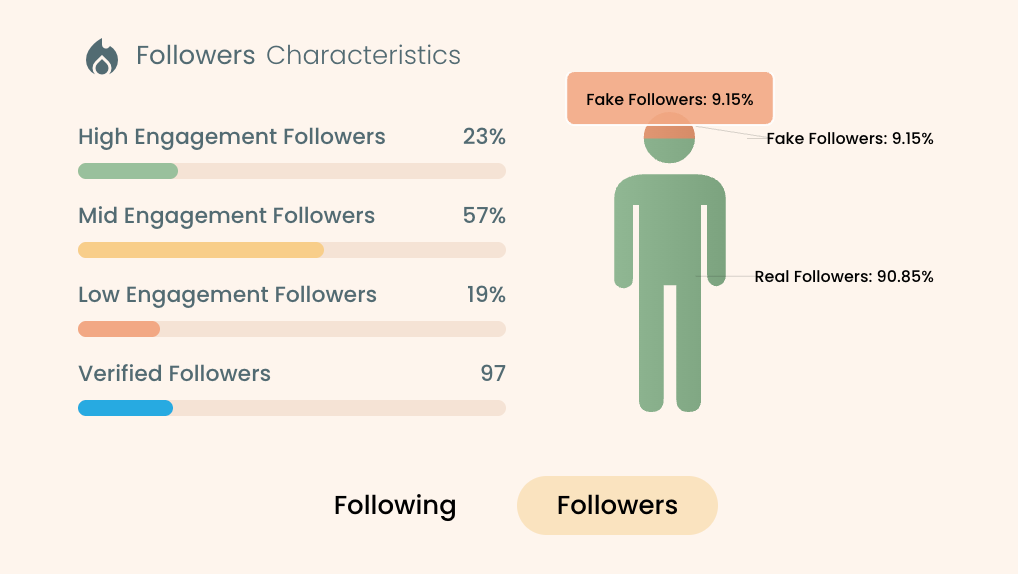
Some are obvious. Others look surprisingly normal at first glance. But over time, they all have one thing in common: they don’t behave like real users.
Letting these accounts follow you can:
⛔ Dilute your engagement signals
⛔ Attract more low-quality followers
⛔ Make your audience look artificial
⛔ Reduce the effectiveness of your content
That’s why my rule is simple: I don’t allow bot or spam accounts to stay as followers.
If a new follower looks suspicious, I remove them immediately.
Cleaning early is much easier than fixing the damage later.
How I Check New Followers Consistently
To make this manageable, I use Circleboom Twitter.

Circleboom Twitter is an official X (Twitter) Enterprise Developer, and it’s built specifically for follower management and account health. Instead of relying on scattered notifications, it gives you a clear, organized view of your new followers in one place.
What makes the difference is the context it provides.
For every new follower, Circleboom shows details that Twitter itself doesn’t surface clearly, including:
➡️ Total tweet count
➡️ Follower and following numbers
➡️ Follower–following ratio
➡️ Activity status (active, inactive, overactive)
On top of that, Circleboom analyzes accounts and labels potential bot, fake, or spam profiles. This removes a lot of guesswork and makes decisions much faster.
When I see a new follower, I’m not guessing anymore, I’m evaluating.
Step-by-Step: How to Check and Manage New Followers with Circleboom Twitter
Step #1: Log in to Circleboom Twitter
Sign in with your X account. Circleboom connects securely using X’s official API.

Step #2: Open Followers Management & Analytics
From the dashboard, go to the section where Circleboom displays your followers in a structured list.
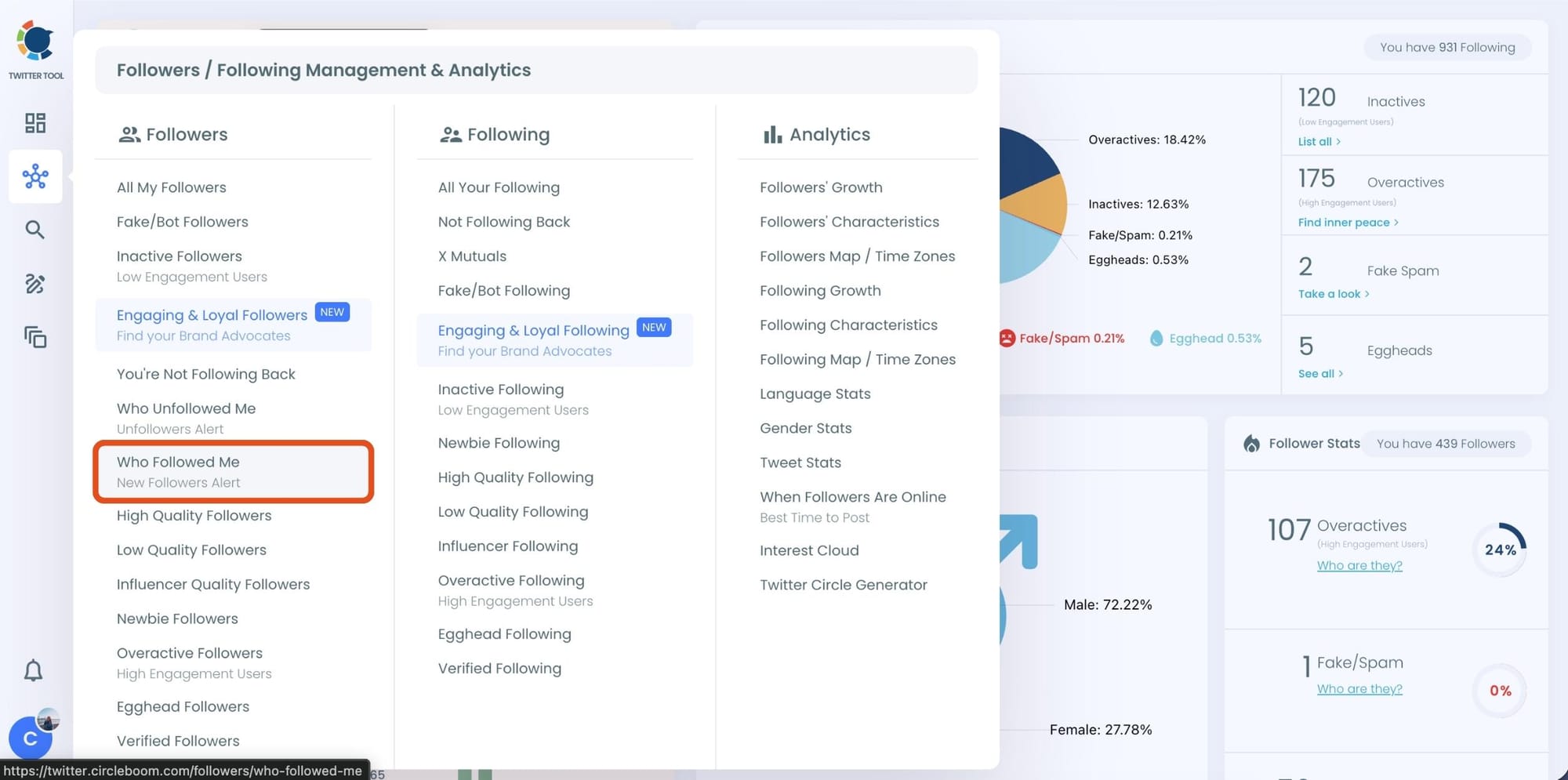
Step #3: View your newest followers
Sort or filter the list to show new followers first. This gives you a clean feed of recent accounts that have followed you.
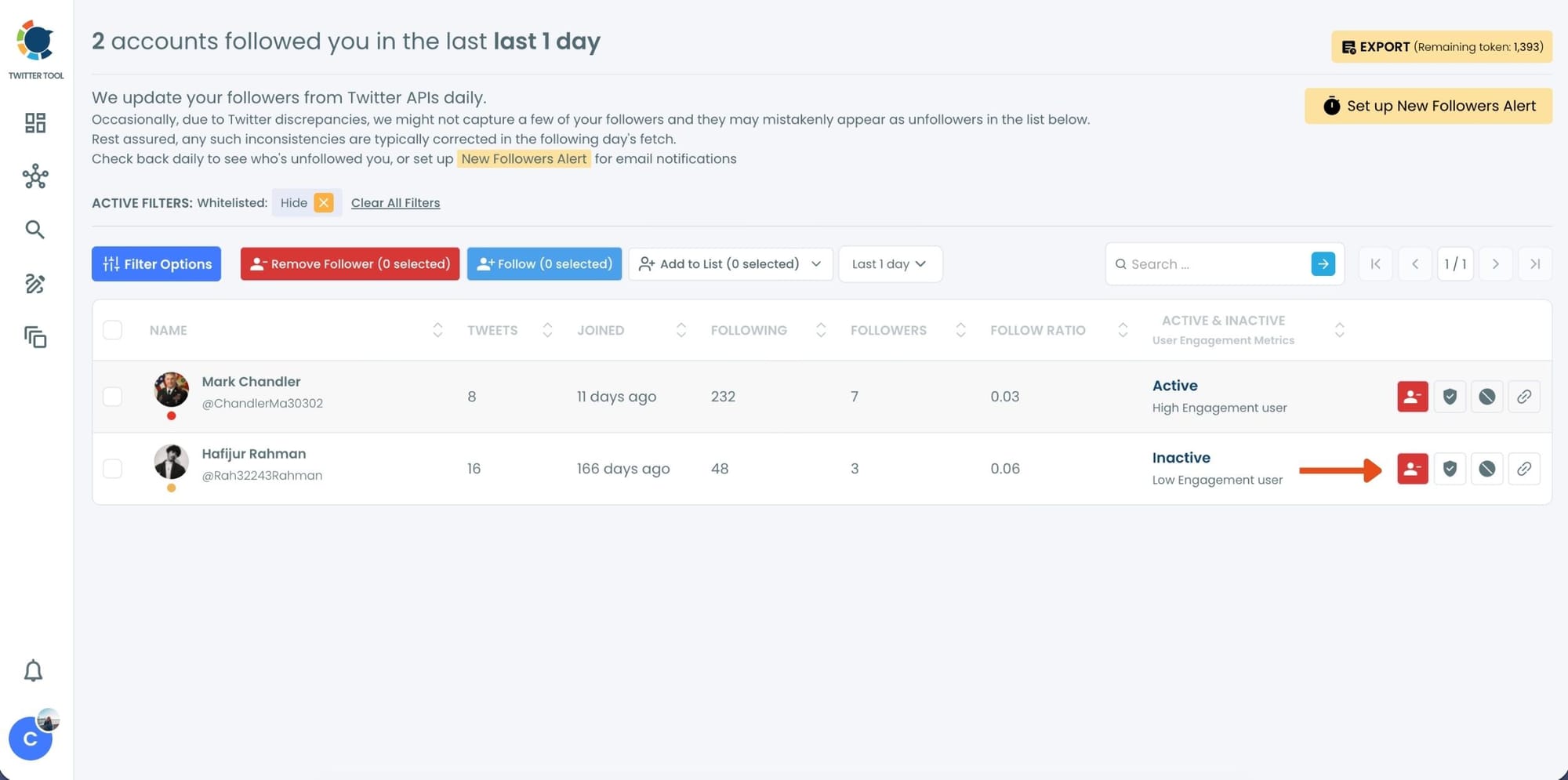
Step #4: Review account details
For each new follower, check:
- When the account was created
- How active it is

- Whether the follower–following ratio makes sense
- Whether Circleboom flags it as bot, fake, or spam

This step usually takes seconds per account.
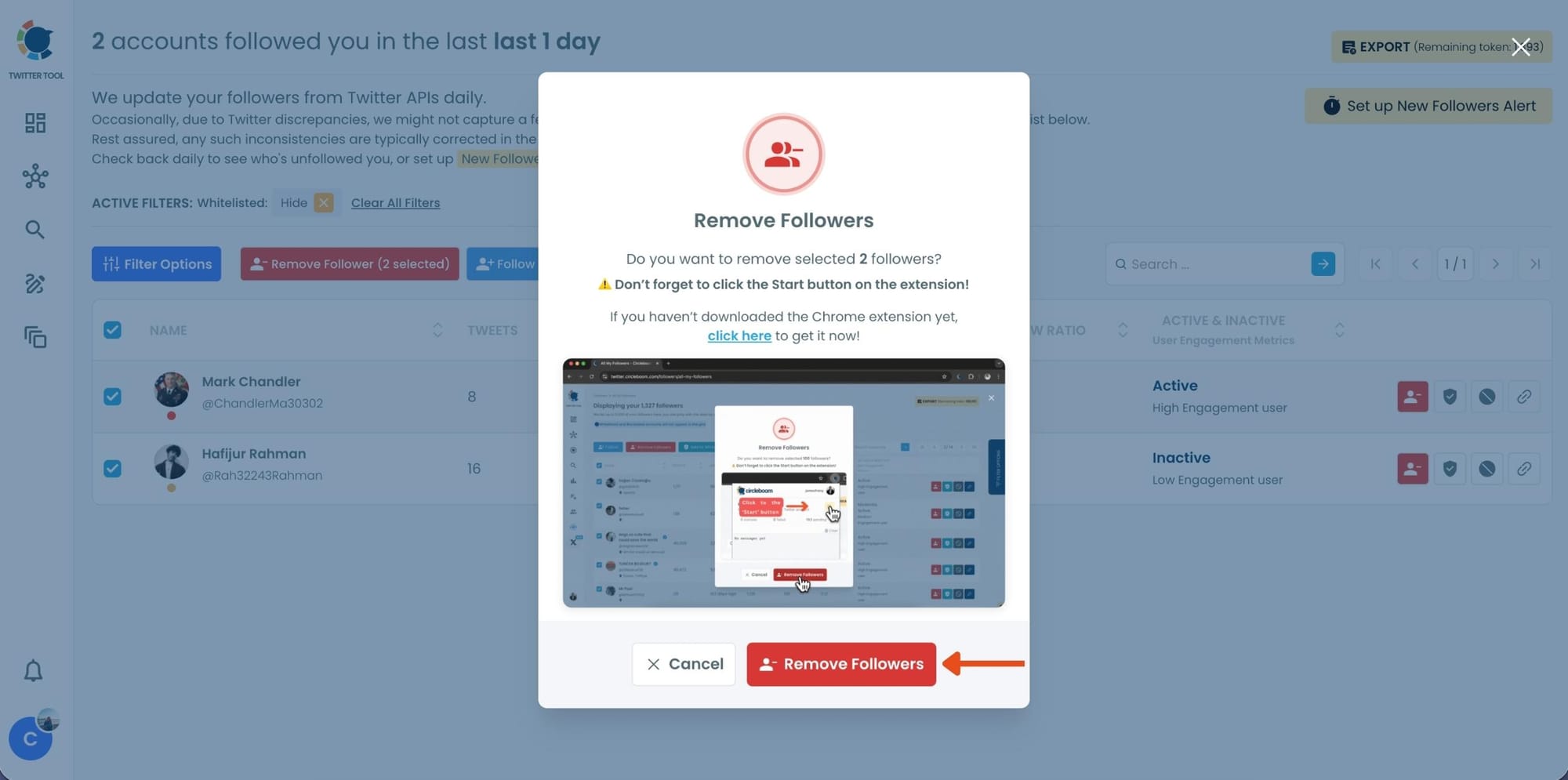
Step #5: Remove low-quality followers immediately
If an account looks suspicious or is labeled as bot or spam, select it and click Remove. The account is removed from your followers without any public interaction.
Why This Habit Works Long-Term
Checking new followers works best when it’s consistent, and consistency is hard to maintain if everything is manual. That’s why turning this habit into an automated system makes such a big difference.
With Circleboom Twitter, this process becomes sustainable because:
- New follower alerts notify you automatically
Circleboom can send daily or weekly email reports showing all new followers, so you don’t need to manually check your account or dig through notifications.
 infocircleboom.com
- No missed followers
Since Twitter’s follow notifications get buried under likes and replies, these alerts make sure every new follower is reviewed on time. - Early cleanup becomes easy
You can quickly spot bot, fake, or spam accounts and remove them before they affect engagement or account credibility. - Unfollower alerts add extra awareness
Circleboom also sends alerts when someone unfollows you, helping you track changes in your audience without guesswork.
 infocircleboom.com
- Follower management becomes automatic
Instead of remembering to check lists, you review clean reports and act only when needed.
By automating awareness and review, follower quality stays high without extra effort. This is why the habit works long-term, it stops being a task and becomes a background system.
Final Thoughts
Getting followers on Twitter is relatively easy. Keeping your account healthy is the real challenge.
One bad follower won’t ruin your account, but hundreds or thousands of them over time absolutely can. That’s why checking new followers early and consistently makes such a difference.
With the right habit and the right tools, you don’t just grow, you protect what you’ve built.
%20and%20Why%20It%20Matters%20More%20Than%20You%20Think)
