

If you’re active on X (Twitter) and also trying to grow on Instagram, you’ve probably run into the same problem: posting on both platforms takes time.
You write a tweet, then you have to copy it, turn it into an image, open Instagram, upload it again, adjust it… and repeat this every day. Most people simply stop doing it after a while.
But it doesn’t have to be like that.
✅ With Circleboom Twitter, you can connect your X account and your Instagram account and automatically share your tweets on Instagram.
What Is Circleboom Twitter?
Circleboom Twitter is an official X Enterprise Developer, which means it works directly with X’s official APIs and follows platform rules safely.

But it’s more than just a management tool. It’s designed to help you create, schedule, and distribute your content efficiently.
At the center of it is the X Post Planner, where you can create and plan your tweets.
It also includes a built-in AI Tweet Generator that learns from your previous tweets and writes in your style. This makes it easier to stay consistent without spending too much time thinking about what to post.
When it comes to visuals, Circleboom gives you built-in tools like:
- Canva to design custom images
- Unsplash to find high-quality photos
- Giphy to add GIFs
It also analyzes your followers’ activity and suggests the best times to post, so your tweets get more visibility.
You can schedule your tweets, automate your posting, and even use features like Auto Retweeter to boost impressions.
All of this already makes content creation much easier.
But the best part is what comes next.
👉 Circleboom automatically turns your tweets into Instagram-ready content.
 infocircleboom.com
Once you connect your accounts, your tweets can be shared as Instagram posts, Stories, or even Reels, styled properly for Instagram.
So instead of recreating content manually, you create once and share everywhere.
How to Connect X (Twitter) to Instagram with Circleboom
Step #1: First, log in to your Circleboom Twitter account.
If you don't have an account yet, you can create one in seconds!

Step #2: On the Circleboom Twitter dashboard, navigate to the left menu.
First, find the “Post Management & Analytics” and then click on “Write and Plan Your Post”.

Step #3: Write your tweet. Circleboom’s AI options can generate tweets for you automatically.
When it is ready, you can “Post” or “Schedule” your tweet. To see your cross-posting options, you should click on one of them.
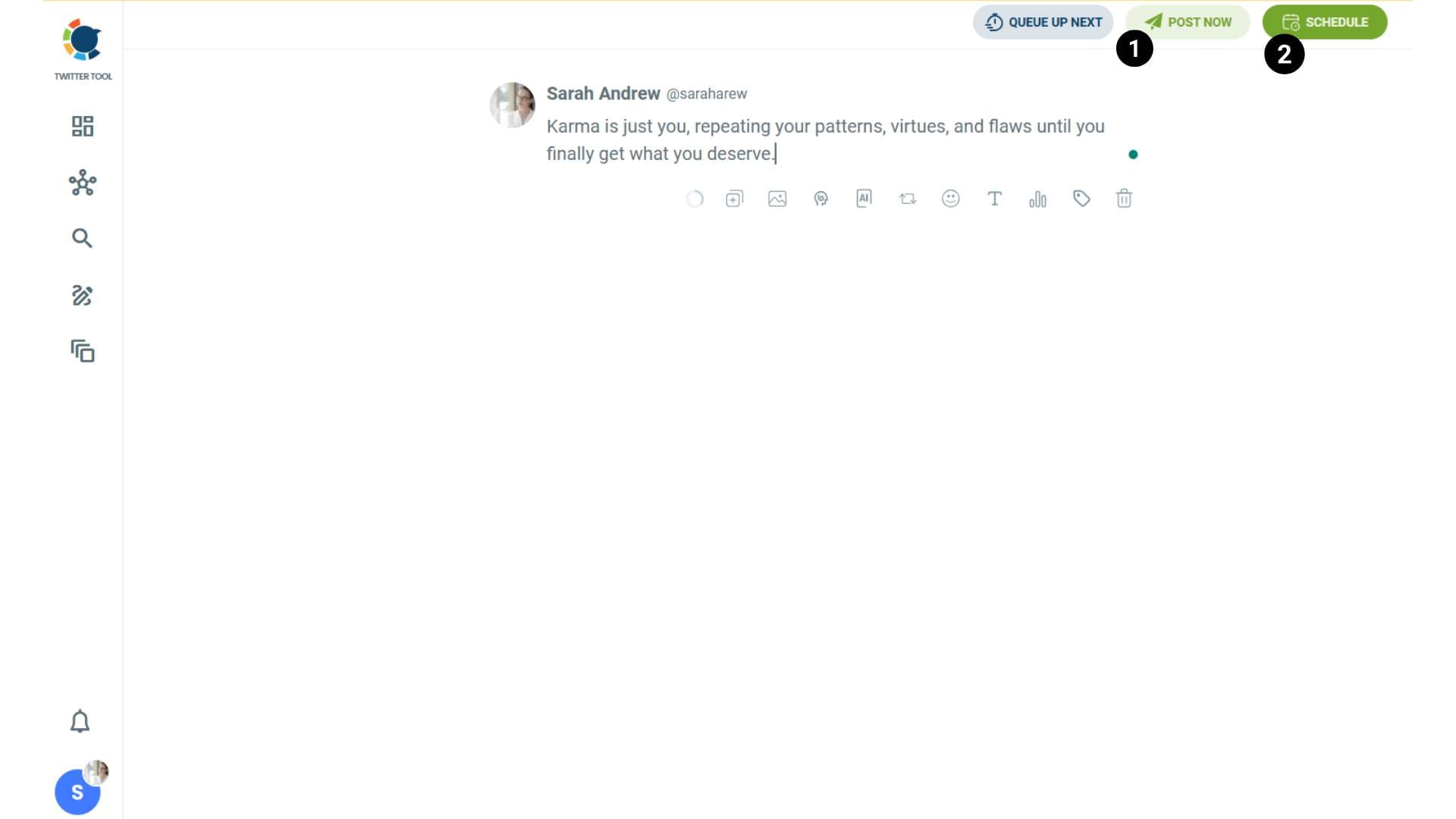
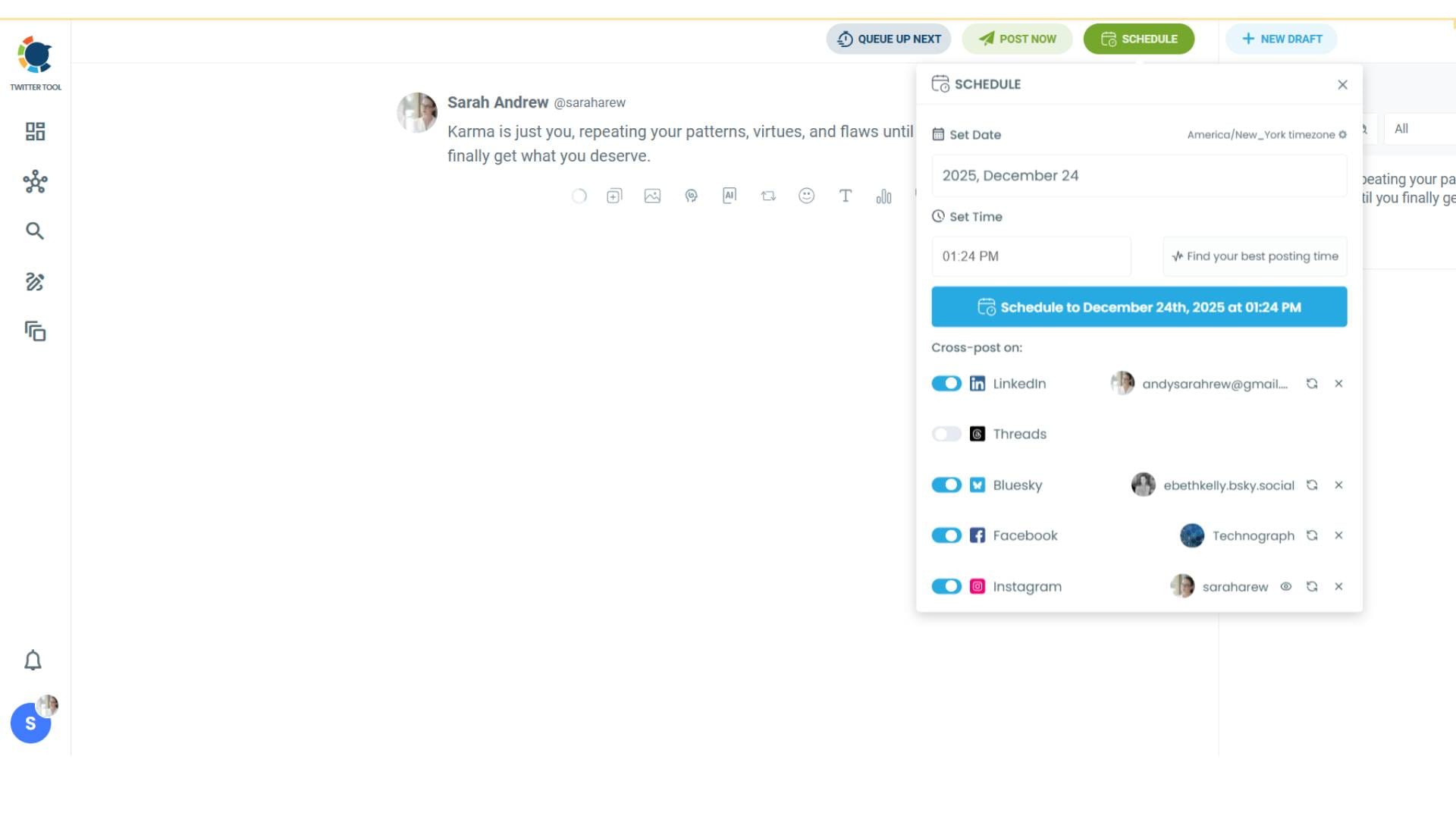
Step #4: You will see your connected platforms. You can cross-post your tweets to these accounts automatically.
You can share tweets on LinkedIn, Facebook, Threads, Bluesky, and finally, Instagram!
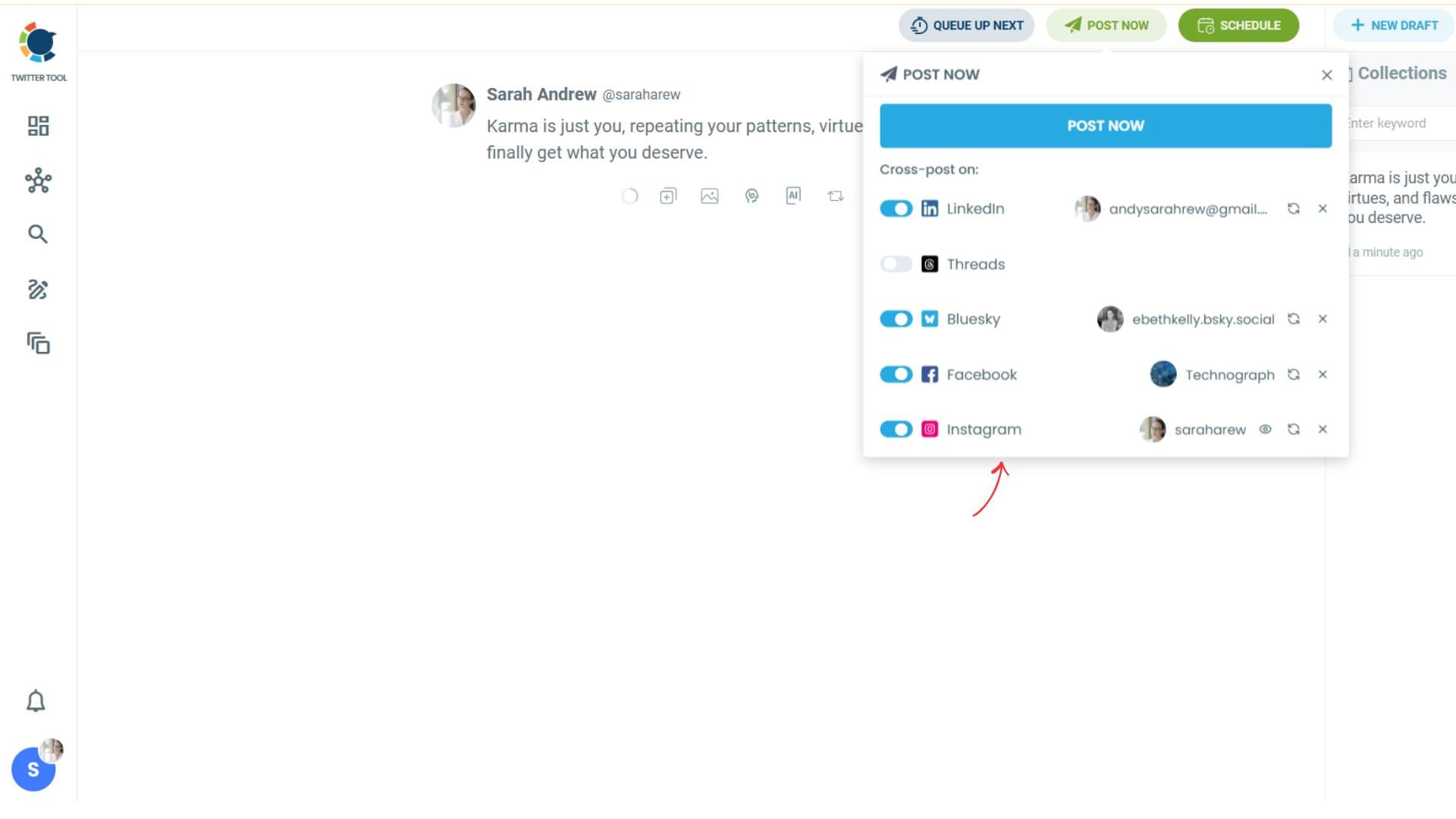
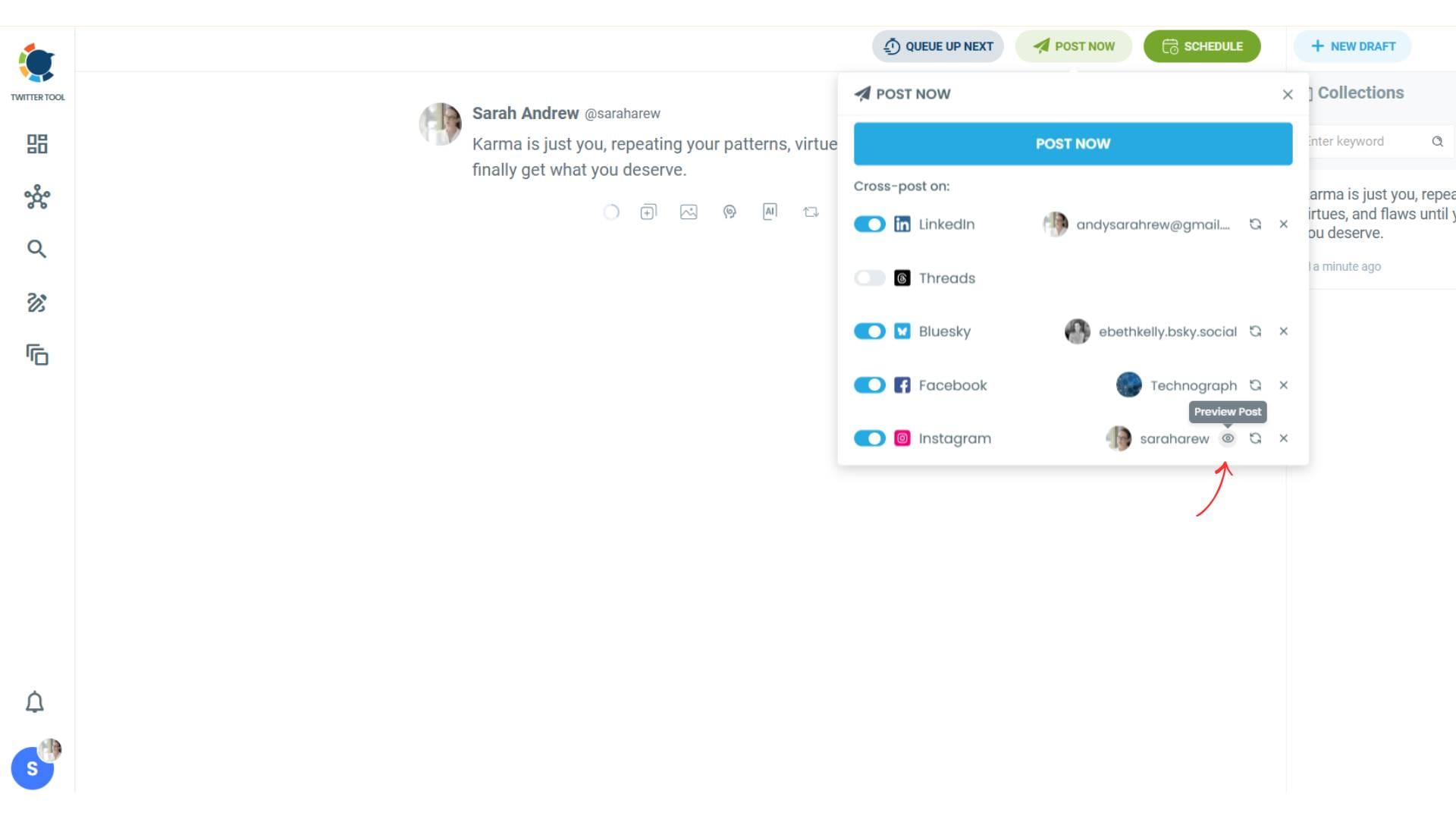
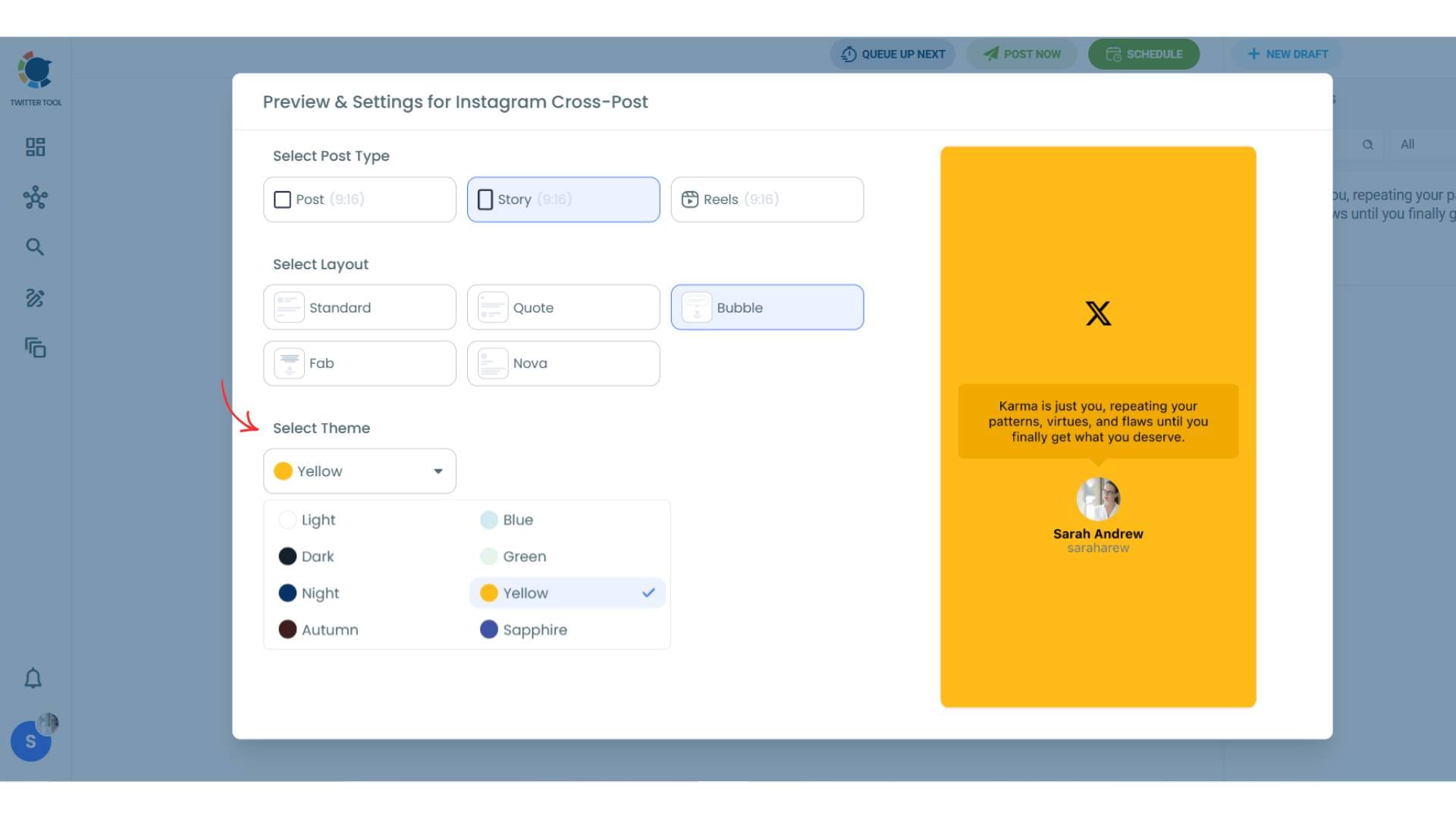
To decide if it is going to be a standard Instagram post or Story or Reels, and decide layouts and colours, click on “Preview”.
Step #5: Here you can select Instagram post type: “Post”, “Story”, and “Reels”.
You can also select the post layout.
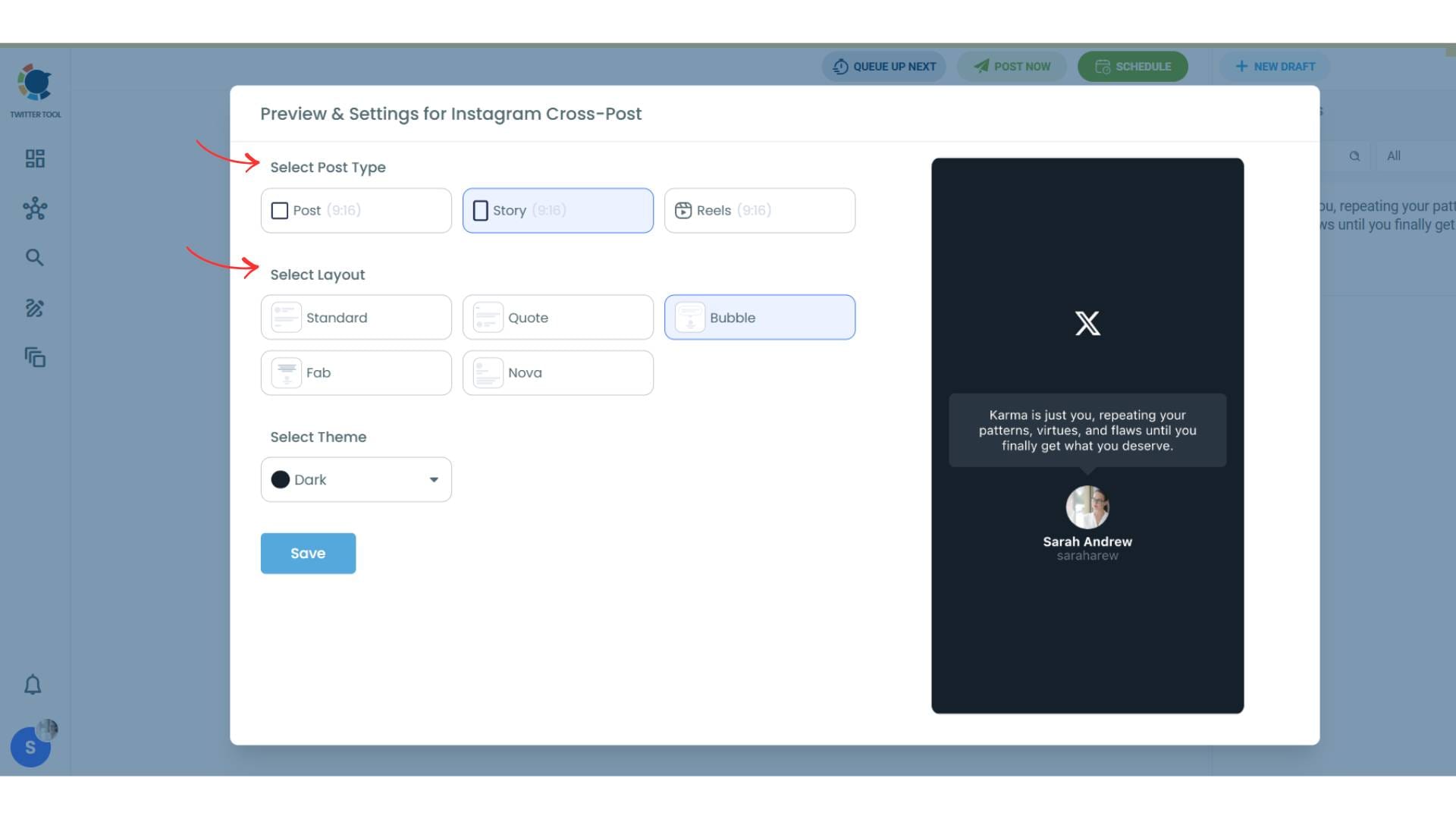
You can also select different themes. Share your tweet on Instagram with different colors.
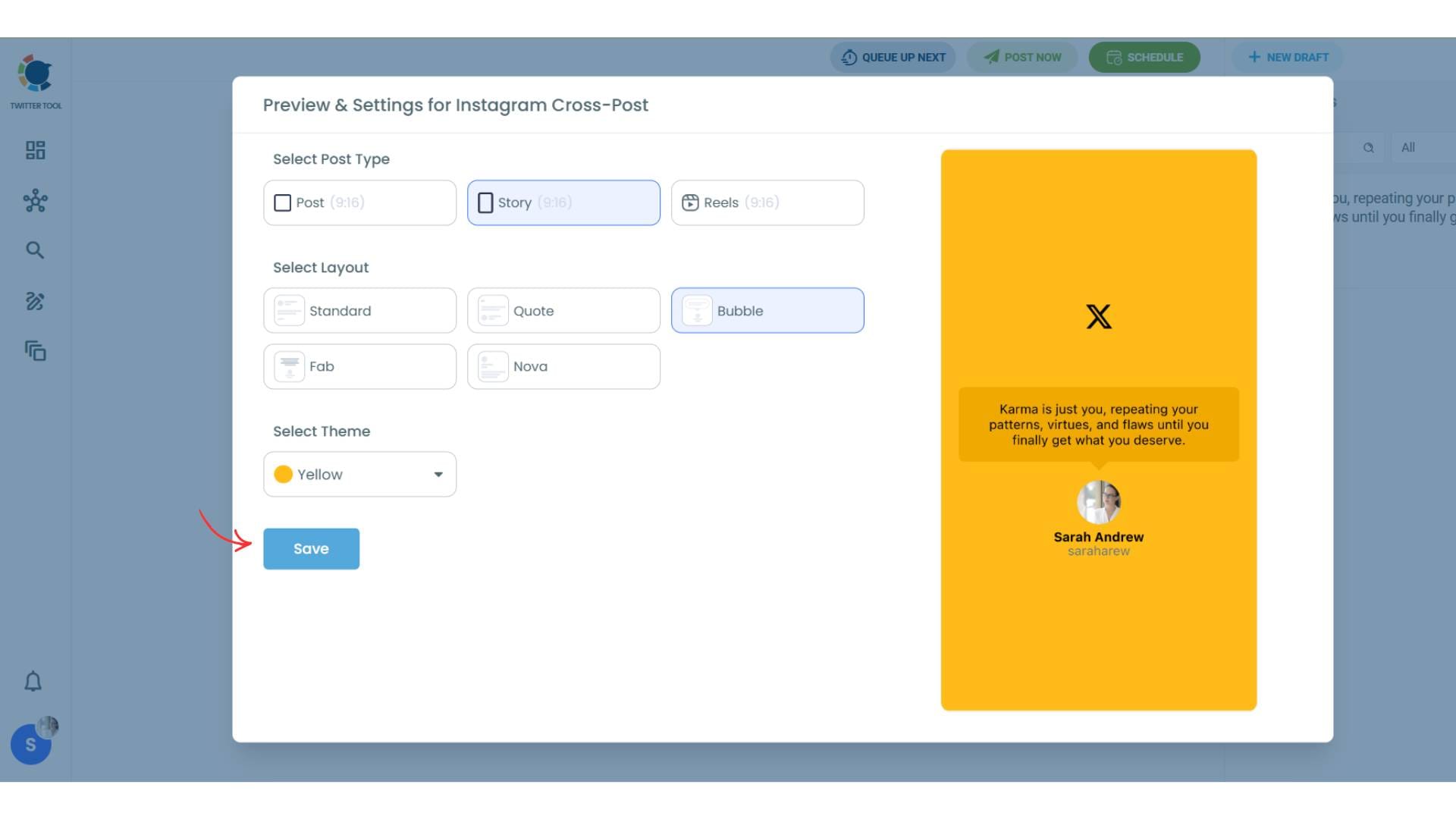
Lastly, you should click on “Save” and your Instagram cross-post is ready.
Step #6: When all is set, you can share your cross post immediately or schedule it for a later time.
You can select the day and hour and click to share your tweet!
You can get more impressions and engagement for your tweets on Instagram. Don't limit yourself to Twitter (X).
Share your tweets on Instagram to reach a wider audience.
How Tweet-to-Instagram Sharing Works
When you create a tweet in Circleboom and choose to share it on Instagram, the platform automatically converts your tweet into an image format.
This is important because Instagram is visual-first.
Circleboom takes your tweet text and turns it into a styled image that fits Instagram’s format. It applies layouts, formatting, and design so your content looks natural on Instagram.
You don’t need to design anything manually.
You can then share this content as:
Everything is handled within the same workflow.
Altug Altug
Why Connecting Twitter to Instagram Is Useful
Managing multiple platforms manually is one of the biggest reasons people lose consistency.
Connecting your accounts solves that.
- It saves time because you don’t have to recreate content.
- It keeps your content consistent across platforms.
- It helps you grow your Instagram using content you already create.
- It simplifies your workflow by managing everything in one place.
Instead of doubling your effort, you reuse your content intelligently.
Create Once, Share Everywhere
This is the real advantage.
Instead of thinking “I need to create content for X and Instagram separately,” you switch to a better approach:
Create once. Share everywhere.

With Circleboom Twitter, your tweet becomes the base content. From there, it gets transformed and distributed across platforms automatically.
This makes it much easier to stay active on both X and Instagram without extra work.
Conclusion
If you want to connect your Twitter to Instagram and stop manually reposting content, Circleboom Twitter makes it simple.
You can create your tweets, enhance them with built-in tools, schedule them, and automatically share them on Instagram as posts, Stories, or Reels.
Instead of spending time repeating the same process, you can manage everything from one place and stay consistent across platforms.
And that’s how you turn one piece of content into multiple opportunities for growth.

