
In a sample report run on public accounts, the brand with the biggest follower list in a set of four came out with the smallest high-quality audience tier: 2 percent, against 16 and 17 percent for two smaller rivals. None of that was visible on their profiles.
That gap, between what a profile shows and what a proper audit finds, is the whole reason to do this work carefully.
Manual audit: a week of screenshots, follower counts and a spreadsheet nobody can source. Circleboom: one dated report. Circleboom lines up your X account against up to four rivals on Twitter, with every figure calculated from records pulled through X's official API at Enterprise level.
→ Run a Twitter competitor audit on up to five X accounts
Below: picking rivals, reading the report in order and turning one gap into a plan.
Why checking rival profiles is not a Twitter competitor audit
A rival's profile shows three numbers: followers, following and the engagement on whatever they posted recently. A Twitter competitor audit has to answer questions those three numbers cannot, such as whose audience is real, whose posts are actually shown and whose results rest on one lucky tweet.
Follower count is the most misleading of the three, and it misleads in a predictable direction. It only grows.
An account that has existed for a decade still carries every follower that went dormant, got abandoned or was never a person to begin with. The older and bigger the account, the wider the gap between the headline number and the people who could respond to a post.
Hand-built comparisons fail for a different reason. You count one rival's posts for a week, eyeball another's likes and guess at a third's audience. Each number was gathered a different way, over a different window.
The first time someone in a meeting asks how the figures were collected, the comparison falls apart.
A single metric also points at the wrong fix. Low engagement can come from a diluted audience, a drop in output, the wrong format, bad timing or content that did not land. Each cause has a different remedy, and you only know which one applies when the other causes have been ruled out.
That is what a real competitor audit on X does: it rules causes out on one basis, on one date.
With Circleboom you can audit your Twitter competitors from one dated report instead of a spreadsheet stitched together over a week.
What Circleboom checks in a competitor audit on X
Circleboom's X Competitor Analysis & Benchmark Report puts up to five X accounts side by side: your own account plus up to four competitors, or five other accounts if you leave yours out. For each account it retrieves followers, following and up to about 3,200 recent tweets, then lays out the same nine sections for every account in the same order.
The data comes from X itself. Circleboom reads those records as an Enterprise Developer approved by X, so nothing in the report rests on scraping, which can miss tweets or return incomplete fields.
When a client or a CFO asks where a figure came from, you have an answer that holds.
The nine sections and the question each one settles
Here is what each section settles in a Twitter competitor audit:
| Report section | Audit question it settles |
|---|---|
| Essentials at a glance | How big is each account on paper? |
| Audience Quality | How much of each audience is real and active? |
| Demographics and geography | Where do the audiences live and what language do they use? |
| Posting Behavior | How often and how steadily does each account post? |
| Content Type and Format | Which formats does each account use? |
| Engagement | How does an average post perform? |
| Impression/ | Were the posts actually shown? |
| Content Leaderboards | Which posts carried the numbers? |
| Video Performance | How much video, and how many views? |
Every run is dated and saved, so the same set can be pulled again later and compared against itself.
If you want to see the output before spending anything, the Twitter competitor analysis sample report shows a full run on public accounts.
When you are ready to work on your own market, compare your X account with four competitors and read the result with the method below.
Manual audit or a report: which suits a Twitter competitor audit?
A report suits the audit better, because it measures every account the same way on the same day. A manual audit can still work for one quick question about one account, and it helps to know where that line sits.
Doing it by hand means opening each profile, scrolling recent posts and logging what you see. The walkthrough on how to audit someone else's Twitter account covers that route. It breaks down at the comparison stage, for three reasons:
- A profile shows no bot share, no inactive share and no quality tiers.
- It shows no format mix, no cadence history and no audience geography.
- Each account you log by hand sits on a different time window.
The comparison is the audit. One account's engagement rate means nothing until it sits next to four peers measured on the same basis.
For a single public account with no comparison set, our free Twitter X Metrics Calculator reads the last 100 posts and is the honest quick answer.
Once the question becomes "how do we stack up against these four accounts," you need the report.
How to do a Twitter competitor audit, step by step
The audit runs in three phases: set the comparison up, run it, then read it as an elimination.
Choose a peer set that can actually be compared
- Log in to Circleboom Twitter and connect the X account you manage.
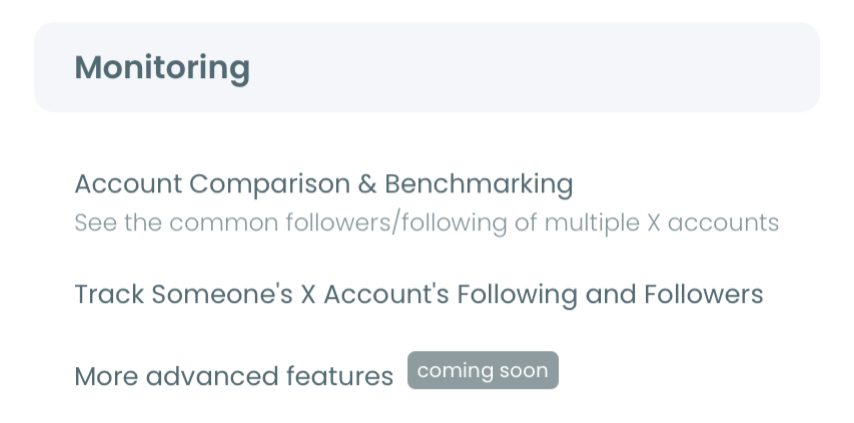
- Open the Monitoring menu from the dashboard and select X Competitor Analysis & Benchmark Report, the first item.
- Pick three or four direct peers that share your target market, language, account size and business model, not just your industry. Keep famous category leaders for a separate run, because their totals are reference material, not targets.
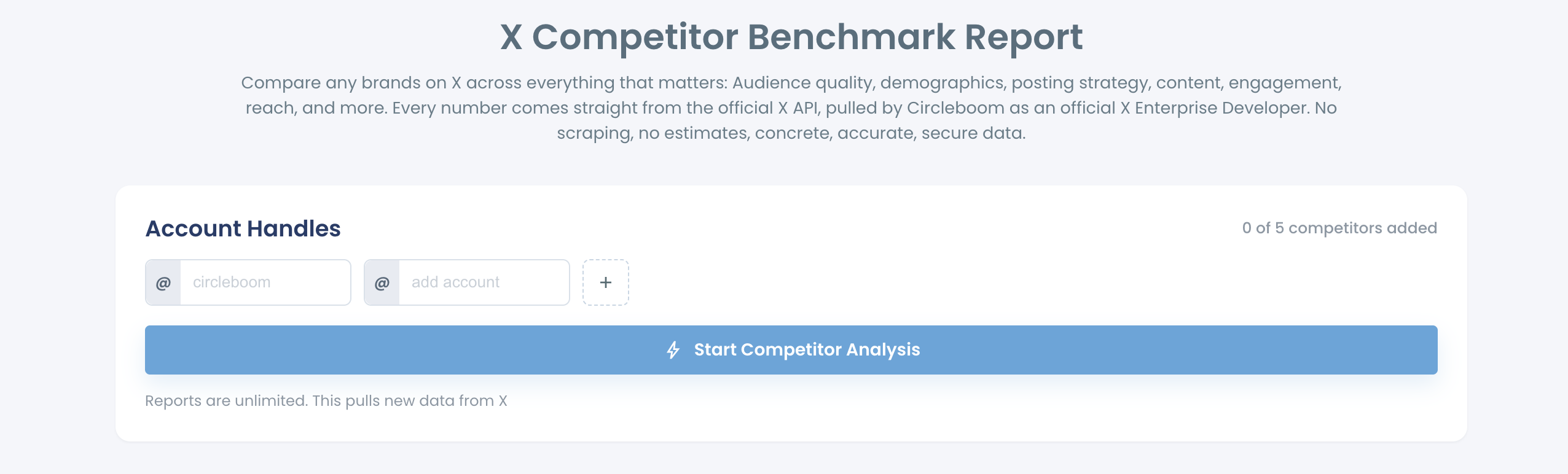
- Add each handle in its own @ field under Account Handles, using the + button for extra slots until the counter reads the number you need.
Run the report once or keep it on a monthly schedule
- Click Start Competitor Analysis. Every account must be public and under 3,000,000 followers, including your own.
- Choose Just this once or Keep it up to date every month. The monthly option gives you today's report plus one per month; a 12-month schedule is 13 reports in total. Competitor Tokens are charged per competitor per report, and your own account never uses a token.
Read the sections in the order that rules causes out
- Read Audience Quality before you trust any follower count. Suspected bot share, inactive share and the High, Medium and Low tiers tell you whether an audience can respond at all.
- Compare cadence next. The Posting Behavior panel prints a lifetime average beside a last-30-days average, which shows whether output changed recently.
- Check format results against the actual posts. Content Type and Format shows where effort goes; the leaderboards show which posts paid off.
- Look at timing last. The posting-vs-audience overlay shows whether each account publishes when its audience is online; it prints a visual overlap, not a score.
- Write down one gap and one action. Pick the largest gap you can act on and match it to a single next step.
Each section rules out one cause before you spend effort on the next. If the audience cannot respond, no content test will tell you anything, and if output collapsed last month, a format change is the wrong fix.
How to turn audit findings into a plan on X
The audit ends with one decision, not a list of twenty observations. The feature's own workflow is blunt about it: identify the largest actionable gap, then turn that gap into one action.
Here is how the common gaps map to a next step:
- Audience quality gap: review your own followers for bots and inactive accounts (covered further down).
- Content format gap: study your own strongest posts before copying a rival's format.
- Timing gap: move your posting into the hours your audience is actually online.
- Volume gap: fill the queue rather than rewriting posts that already work.
- Reporting need: turn the run into a deck for the people who fund the channel.
For the content side, the guide on what to tweet based on past post analytics shows how to plan from your own winners.
Rivals tell you what the niche rewards; your own history tells you what your audience rewards from you.
Timing is the cheapest fix of the lot. Our best time to post on Twitter feature shows when your followers are online. A gap in the overlay becomes a new schedule in an afternoon.
If someone else signs off on the plan, Create Branded Presentation puts your logo on the report. The steps are in how to create a branded presentation from a competitor report. Keep the account set and run date visible on every slide.
Read the leaderboards before you commit to a plan
I look hard at the leaderboards before deciding. The bookmark leaders often turn out to be reference-style posts that never appear in the engagement top five. The method for analyzing someone's tweets helps you read why they worked.
What to do when the audit shows an audience quality gap
Review your own audience and remove only the accounts you have checked. When a rival's audience is cleaner than yours, the fix is a careful cleanup of your follower list, done in stages, not a mass purge.
Audience quality matters for reach, not just appearances. X's engineering team explained its recommendation algorithm in a public write-up in 2023. At the time, on average half of the For You timeline came from accounts a person follows, ranked partly by how likely that person is to engage with the author.
Followers who never engage are dead weight in that half.
The arithmetic shows the stakes. With 10,000 followers at 55 percent active, removing 2,000 inactive accounts lifts the active share to about 69 percent, because 5,500 of 8,000 remain active. Against a rival at 75 percent, that closes most of the gap.
Treat every label as a signal to review, not a verdict. An account that rarely posts may still read everything you publish, and a suspected bot can turn out to be a real customer with an empty profile.
How the cleanup runs in Circleboom
The cleanup itself runs through Circleboom's Twitter follower audit tools: Fake/Bot Followers, Inactive Followers and Egghead Followers list your accounts with filters. You protect the contacts you want to keep, select the ones you have reviewed, and the removals run gradually through the Circleboom Chrome extension, with your confirmation before anything happens.
The walkthrough on a fake followers audit on Twitter goes deeper on reading those lists.
Run the next competitor report after the cleanup and the Audience Quality section shows what moved.
How often should you repeat a Twitter competitor audit?
Repeat it monthly if you report to clients or leadership, and at least quarterly otherwise. One run is a snapshot; the value appears when two dated runs of the same set sit side by side.
The simplest route is to choose Keep it up to date every month when you start. You set how many months it runs and which day of the month the report arrives, and scheduling monthly competitor reports explains each control. End Scheduling stops it at any time, and earlier runs stay under Past Analyses.
Two rules keep the series honest:
- Keep the peer set frozen. If you swap an account, say so, because a different group is not a change in position.
- Compare per-post averages before monthly totals. Totals move with post count, so a rise there can mean more posts, not better ones.
Each report also uses a rolling sample of recent tweets. A changed average can come from new posts, older posts leaving the window or extra interactions on posts that were already counted, so confirm a change in more than one section before claiming a cause.
"Our rival is far bigger, so comparing is pointless"
It sounds reasonable, yet size is the best argument for running the audit, because the report reads past it: audience quality strips out bots and inactive accounts, and engagement rate is calculated against impressions, not follower count.
The second objection is cost, and the arithmetic is simple. Five competitors on a one-off report use five tokens, and your own account is always free. The same five on a 12-month schedule use 65 tokens, because that is 13 reports.
The last one is trust: can the numbers be defended? Every figure comes from official X API records, and the classifications are labelled as Circleboom's analysis of those records, which is what lets the report survive a skeptical meeting.
→ Start your first Twitter competitor audit with today's X data
Twitter competitor audit questions, answered
Can I audit a private account or one with millions of followers?
No to private accounts, and only up to 3,000,000 followers. Circleboom can analyze public X accounts only, and any account above 3,000,000 followers cannot be added to a comparison, including your own.
Should I audit my own Twitter account before comparing it with rivals?
It helps when you want a baseline with no rival involved. Circleboom's Twitter account analysis report covers your own account across the same kind of sections, and the competitor report then shows how that baseline compares with named peers.
Can I see which followers two of my competitors share?
Yes, inside the report: the Common Audience panel shows the common followers and common followings of any two accounts in the comparison, one pair at a time.