

Most people read an X following list top-down and assume the first name is the newest follow. That assumption is wrong, and acting on it is how you miss the follow that mattered.
The list is not ordered by anything you can read as a clock. A name near the top can be a follow from last night or a follow from years ago, depending on how the list was paged and rebuilt the moment you loaded it. No date is attached to any of it, because X never publishes one.
Which leaves one honest question. If the platform will not tell you when a follow happened, where does a date come from at all?
X attaches no public date to a follow, so the answer never comes from reading a profile. Circleboom keeps a repeating watch on any public X account you nominate, compares each fresh capture of its following list against the previous one, and stamps every newly detected follow with the date it appeared. It reads those lists through official X Enterprise API access rather than scraped page reads, so an invisible decision becomes a dated row you can sort, filter, and export.
→ date every new follow on an X account
The part nobody warns you about is what "recently" means once you start measuring it.
Why the top of an X following list is not a timestamp
Order is not a date, and on X it is not even a reliable order. The following list you load is assembled page by page at request time, and accounts that were suspended, deactivated, blocked, or made private between one load and the next drop out and shift everything behind them.
Two people looking at the same profile an hour apart can get two different arrangements.
Even in the best case, order gives you sequence. Sequence answers "which follow came after which." It does not answer "was that this week or last spring."
That second question is the only one worth asking when you are watching an investor, a competitor's founder, or a reporter who covers your category. I kept treating both as the same question. They are not, and the gap between them is where the useful part of the signal lives.
Circleboom answers the second question directly, because it dates new follows on any public X account it watches instead of trying to read meaning into an order nobody timestamped.
The reason people bother at all is that follows are one of the few honest signals left on the platform. A post is a public statement. A follow is a private decision, made quietly, usually before anything is announced.
X is still where a large share of news-shaping accounts do that thinking out loud. Pew Research reached the same read in its comparison of where news influencers publish.
So the follow is worth watching. The list order is just a bad instrument for reading it, which is the same conclusion anyone reaches after trying to track recently following on X by eye.
Can you see the exact date someone followed someone on X?
No. X exposes no follow date anywhere: not on the web app, not in the mobile app, not in the public data behind a profile. The platform's own following and followers help documentation describes lists as lists, with counts and names, and nothing resembling a history or a changelog.
What X does date is narrow and worth knowing precisely:
- The account's join date, which is public and shown on every profile.
- Every post, which carries a public timestamp.
- Nothing else about the relationship graph.
A follow is a state, not an event, as far as the platform's public data is concerned. Either the connection exists right now or it does not. There is no record that it started on a Tuesday, and no notification fires when someone else's account picks up a new follow.
This trips people up because the join date sits right there on the profile, which makes it feel like other dates should be nearby. They are not. The join date belongs to the account itself. A follow belongs to the link between two accounts, and X never created a field to hold when that link came into being.
That is why the workaround is always structural rather than clever.
You cannot query backwards for a date that was never written down.
You can only start recording and let the dates accumulate forward. That was the shift I had to make before I could reliably put a date on a Twitter follow.
The same limitation is what sends most people looking for a way to read who follows who on Twitter in the first place.
Why screenshots and follower counts never produced a date
Screenshots came first. Taken by hand, filed into a folder nobody ever opened twice, and close to useless the moment two of them needed comparing.
The method fails in a way that is obvious in hindsight. Read the numbers here as an illustration rather than a measurement: a following count that moves from 812 to 815 tells you the number changed by three. It does not tell you which three, and it quietly nets out the accounts that vanished because they got suspended or went private in the same window.
Five new follows and two disappearances read as the same net gain of three.
Reading the count also means reading it on your schedule, not the account's. Miss a week and the delta compresses into one lump you can no longer separate.
Copying names into a spreadsheet fixes the identity problem and creates a worse one. The record is only as good as the discipline behind it, and one skipped week leaves a hole you cannot date afterwards, which is the same failure the raw count already had.
I also went looking for a notification. There is none. X alerts you when someone follows you, and that is the entire scope. Nobody gets a ping when the person they are watching adds an account, which is why a Twitter follower tracker exists as a category at all.
The manual approach is not lazy, it is arithmetically incapable of producing what you want. Comparing two full lists by hand, name by name, on an account with several hundred follows, is the kind of task people abandon quickly. That abandonment is the reason tooling built around who follows whom on X took off.
How I check when someone followed someone on Twitter
The fix was to stop trying to recover history and start manufacturing it. Circleboom's Monitoring menu runs the snapshot loop for you and writes the dates as it goes.
That is the whole reason I can now answer when someone followed someone on Twitter with a date instead of a shrug.
See it live: how a tracked account's new follows arrive as dated rows instead of an unordered name list.
Here is the workflow I settled on, split between setting the watch and reading what it produces.
Put the account under watch
- Log in to Circleboom Twitter and connect your own X account with official OAuth.
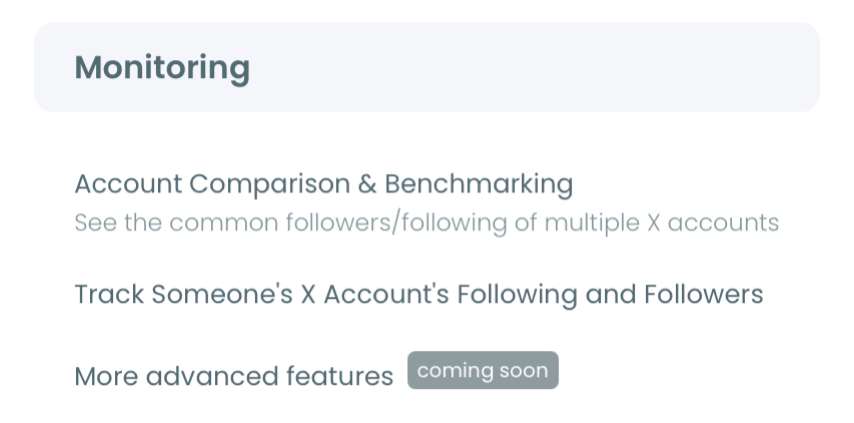
- Open the Monitoring menu and start the tracking wizard for a new account.
- Type in the account you want to watch and run the check, which confirms it exists and is publicly visible. A protected account fails here, so the step is a real gate rather than a formality.
Read the dates the tracker produces
- Choose Followings as the tracking type and set the rule to recent following, recent unfollowing, or both. The two directions bill independently, so pick the one that answers your question rather than paying for the pair by reflex.
- Set your alert preference and open the dashboard once tracking is live. Daily or weekly email reports fire only when something actually changed, and the dashboard holds the full dated history either way.
That ordering matters more than it looks. Validation happens before payment so you never spend a tracking token on an account that turns out to be private, and the rule choice happens before the first snapshot so the baseline is captured against the right list. Get those two backwards and your history starts from the wrong day.
What the tracking dashboard shows for each dated X follow
The dashboard stopped being a list and became a timeline.
New follows stack above the zero line in blue and unfollows hang below it in red, one column per day, running from the moment tracking started. A date-range picker below the chart pulls the exact accounts detected inside any window you select, so "what did they do the week of the funding rumour" becomes a two-click question.
Every detected account carries enough profile context to judge it on the spot: the account's age, its posting volume, how lopsided its follow ratio looks, and whether anyone is still home. That is usually enough to settle relevance without opening a single profile.
Two things I did not expect. First, unfollows carry as much signal as follows, and sometimes more, because a quiet unfollow after years usually means a relationship changed rather than a feed got noisy.
Second, patterns beat events. One follow is noise. Three follows into the same niche inside a week is a research pattern, and that only becomes visible once the events are dated and stacked.
Circleboom is an official X Enterprise Developer company. That is why the tracking runs on sanctioned data access rather than scraped page reads, and why detected accounts come back complete instead of partial.
The dated record also travels. Export the detected accounts as CSV and the history becomes something you can hand to a research doc or a client update. It is the same move as exporting a comparison of two X accounts for a positioning review.
Bulk actions I take on a detected X follow
A date is only useful if it changes what you do next, and the results grid is built to make that a same-session decision rather than a note-to-self. Every detected account sits next to a set of bulk actions, so the follow-up happens where the discovery happened.
Three moves cover almost everything I use it for:
- Follow the account directly from the grid when it is a prospect, a partner, or someone worth having in the feed.
- Add it to a Twitter List when it deserves ongoing observation without a relationship change.
- Whitelist or blacklist it so future results already carry your earlier judgment.
There is deliberately no bulk unfollow button in this view, and the reason is worth stating out loud. You are looking at accounts that someone else followed, not at your own following list, so a bulk removal here would act on the wrong graph entirely.
The lists move is the one I underrated longest. Adding a detected account to a list is reversible, invisible to the account, and turns a one-time signal into a monitoring habit, which is exactly what you want when the follow you spotted is interesting but not yet actionable.
Sometimes the inbound side matters as well. Track Someone's X Followers and Followings runs the same snapshot loop against the follower list instead.
Anyone weighing the category will find the same architectural split across the available Twitter follower trackers. The ones that snapshot and diff can produce dates. The ones that only read the current list never can.
Start the clock before you need the X history
You cannot look up when a follow happened. You can only start the clock and wait, and every day you spend deciding is a day of history that does not exist later.
The accounts worth watching become obvious the moment you ask which of their follows would actually change something you do. Two or three of those beat a long roster you skim once and abandon.
Start the clock on the accounts that matter to you.
→ track who follows who on Twitter and when
Frequently asked questions
Can I find out when someone followed me on Twitter?
Not retroactively. X notifies you at the moment a new follower arrives, but it keeps no dated history you can page back through, so a follow from three months ago carries no recoverable date. Tracking your own account's followers from today forward gives you dated entries going forward only.
Does the order of a following list change on its own?
Yes, and that is the part people miss. The list is rebuilt each time it is requested, and any account that gets suspended, deactivated, or switched to private drops out and shifts every name behind it. A position that looked stable last week can sit somewhere else this week without a single new follow being added.
Does tracking someone's follows notify them?
No. The watch reads list data that is already public, so the tracked account gets no alert, no visit record, and no hint that a monitoring rule exists. Only public accounts can be tracked, which is the boundary that keeps this compliant.
How far back does the history go once I set it up?
To the day you started, and no earlier. The first snapshot is your baseline, and every dated entry after that is a change measured against it, so an account tracked since last month has one month of history regardless of how long the account has existed.





%20and%20Why%20It%20Matters%20More%20Than%20You%20Think)