
You probably have a rough idea of which tweets did well. That one that took off unexpectedly, or the thread people kept sharing for weeks after you posted it. But do you actually know which tweet got reposted the most?
X doesn't make this easy to figure out. You can check individual tweets one by one, but there's no native way to sort your entire tweet history by repost count and see what's at the top. You'd have to scroll, click, compare, and hope you don't miss something posted two years ago that quietly outperformed everything else.
That's where Circleboom Twitter's Post Analytics comes in.
It pulls all your tweets into a single sortable dashboard where you can rank them by reposts, likes, impressions, or any other metric and immediately see which content actually spread the furthest.
How Do You Find Your Most Reposted Tweet on X?
X doesn't offer a built-in way to sort your tweets by repost count.
To find your most reposted tweet on X, you need a tool that aggregates your tweet performance data in one place and lets you filter by reposts directly.
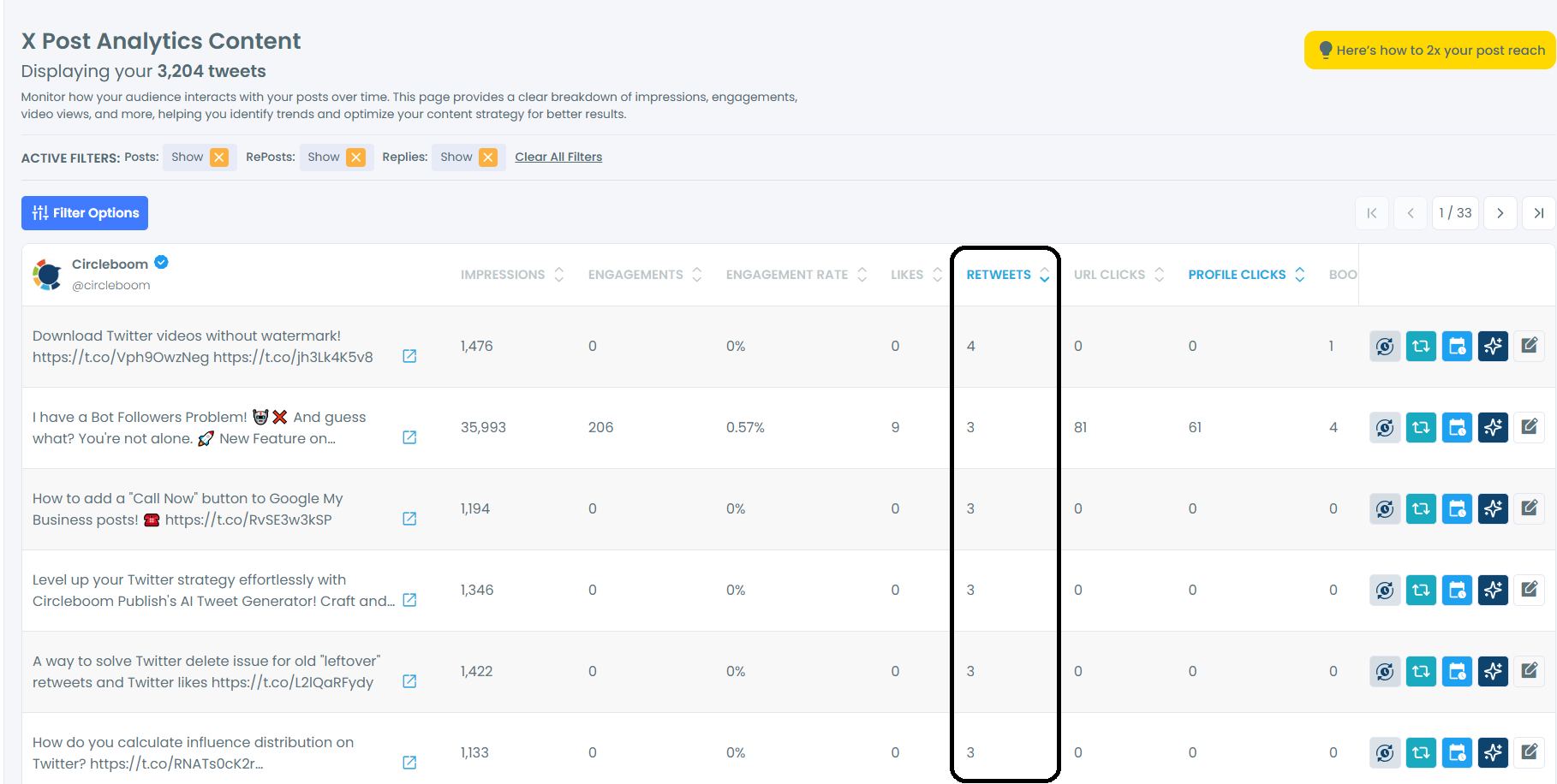
Circleboom Twitter's Post Engagement Analytics does exactly that.
It displays all your tweets with their engagement metrics and lets you sort by reposts so your highest-performing content surfaces instantly.
What Is Circleboom Twitter?
Circleboom is an Official X Enterprise Developer, meaning it accesses your data through X's official APIs rather than scraping or workarounds.

That matters because the analytics you see are accurate, up to date, and fully compliant with X's platform policies.
Here's what Circleboom covers beyond finding your most reposted tweet:
🟢 Sort and filter all your tweets by likes, reposts, impressions, replies, and more
🟢 Reuse, reschedule, or rewrite top-performing tweets directly from the analytics view
🟢 Export retweeters of any tweet to see exactly who amplified it
🟢 Track follower growth and identify what content drives it
🟢 Schedule future content and automate reposts of your best tweets with X Post Planner
For finding your most reposted tweet on X, Post Engagement Analytics is the specific feature to use. And you dont need an X Premium account to see post engagements.
How to Find Your Most Reposted Tweet on X with Circleboom Twitter
Step #1: Log In to Circleboom Twitter
Go to the Circleboom Twitter website and log in with your credentials. If you’re a new user, sign up—it’s quick and easy!

Step #2: Navigate to the Analytics Menu
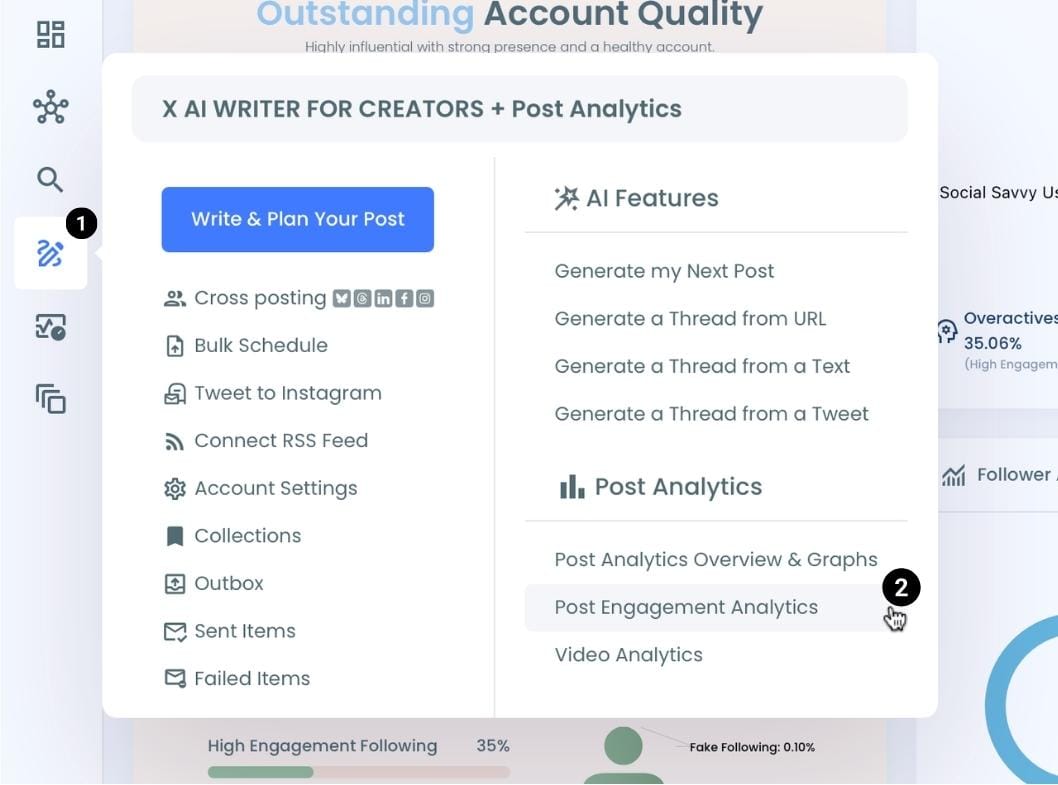
From the left-hand menu, click on "Post Engagement Analytics" from the X Post Planner Menu.
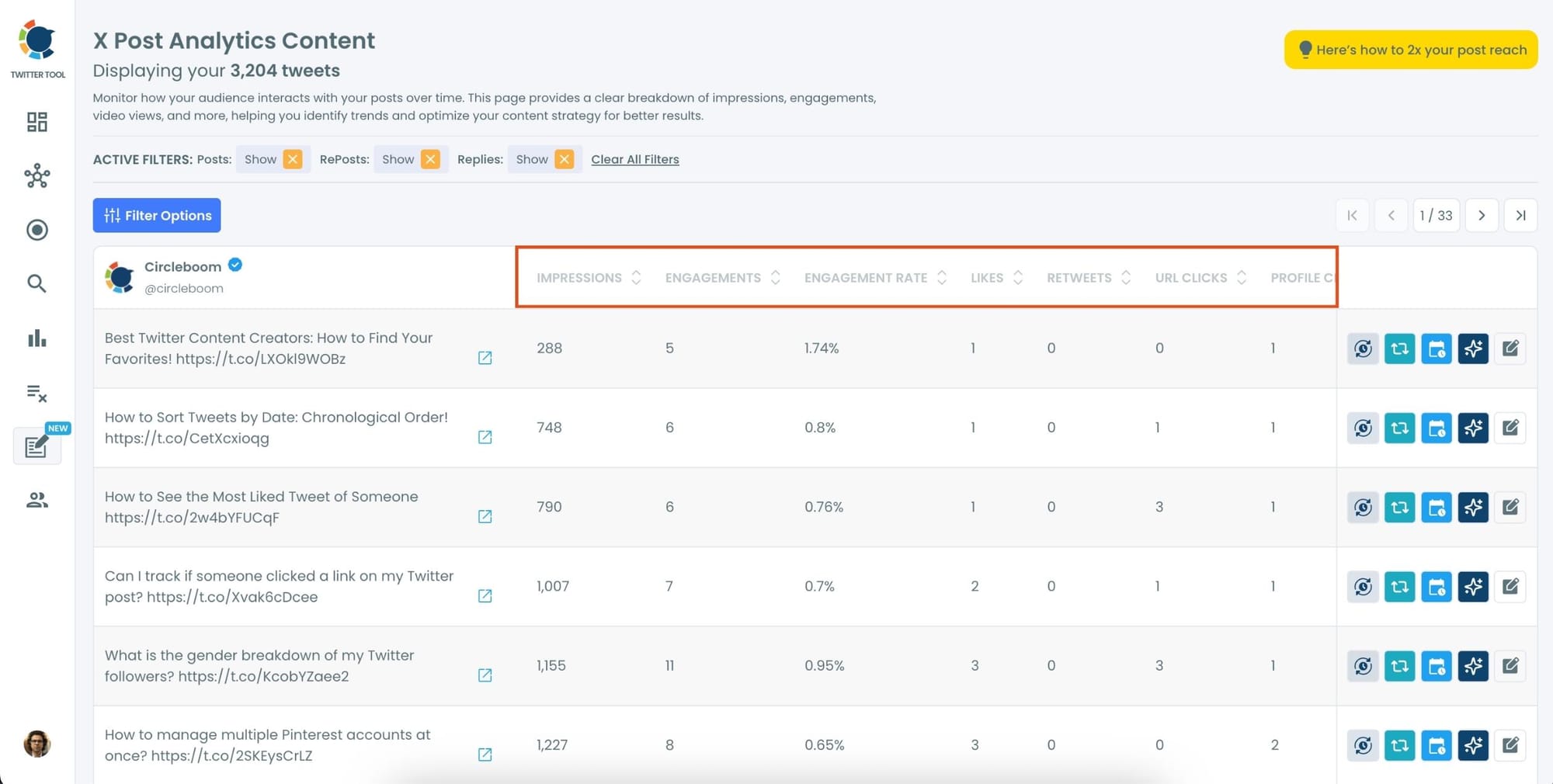
Circleboom will display a detailed breakdown of your posts, including metrics like impressions, likes, retweets, replies, and more.
Step #3: Sort by Retweets
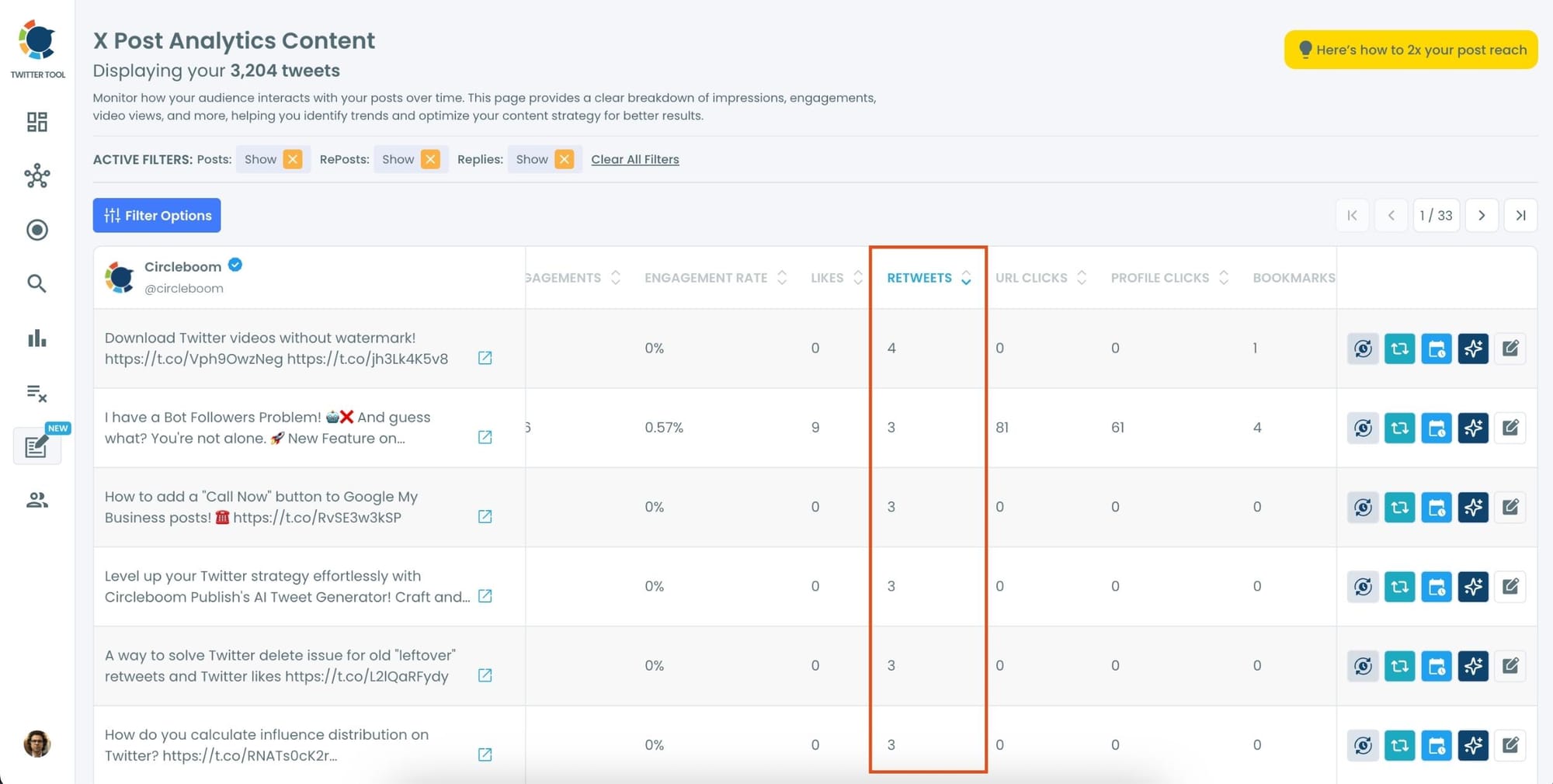
Locate the "Retweets" column in the content list.
Click on the column heading, and Circleboom will automatically arrange your tweets from the highest to the lowest number of retweets.
Optional Tips: Use Advanced Filters
For a more focused analysis, click on the "Filter Options" button.
You can refine your search by metrics like date, engagement type, or other performance indicators to identify specific trends.
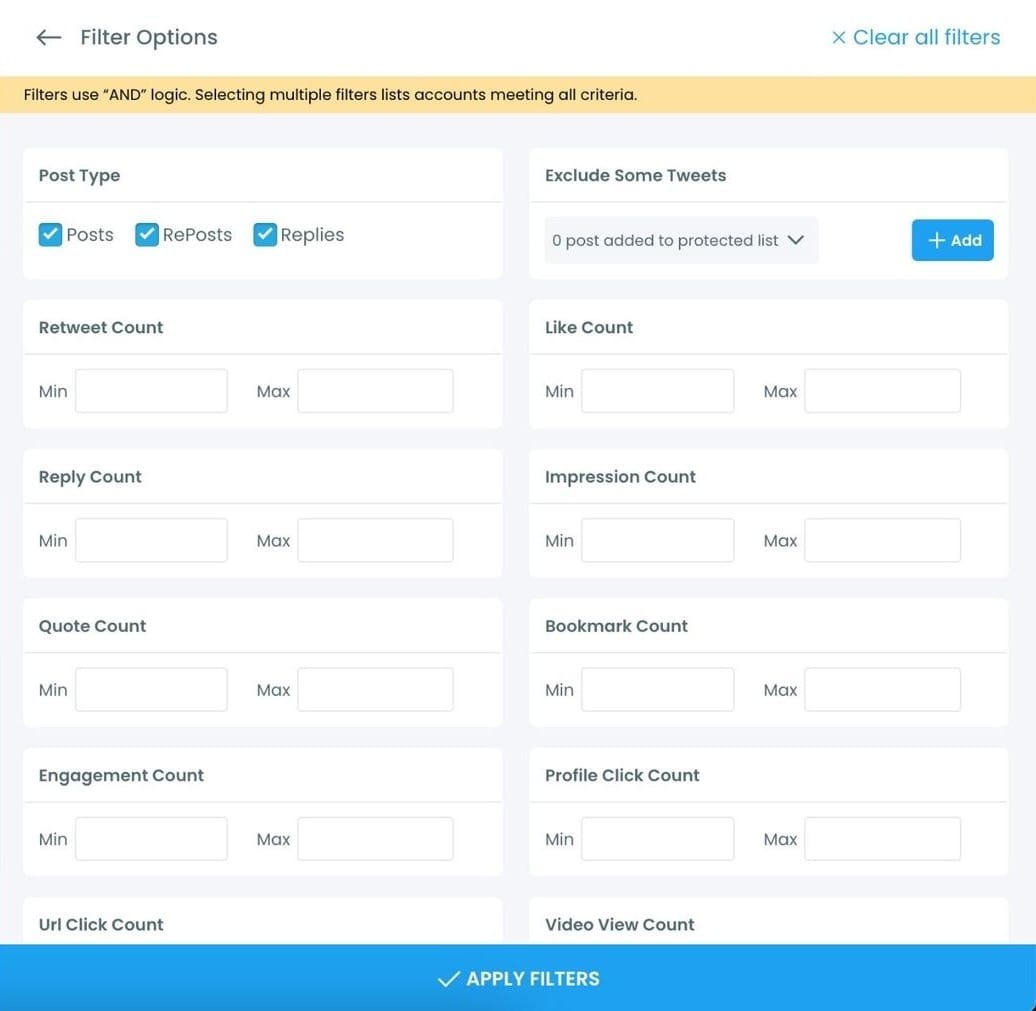
With these analytics, I could see which tweets performed best and the patterns behind their success.
Step #4: Choose What to Do Next
Circleboom quickly sorts your tweets from the most retweeted ones to the least.
For any tweet in the list, you can:
🟢 Set Auto-Retweet: Reshare it at regular intervals automatically.
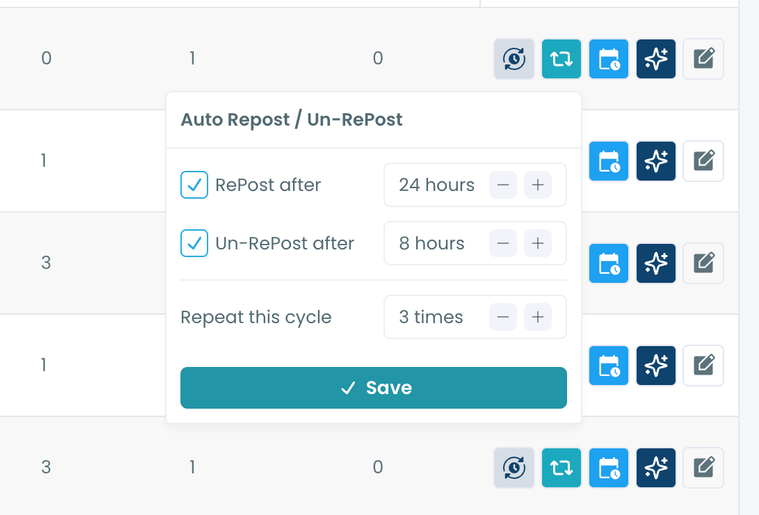
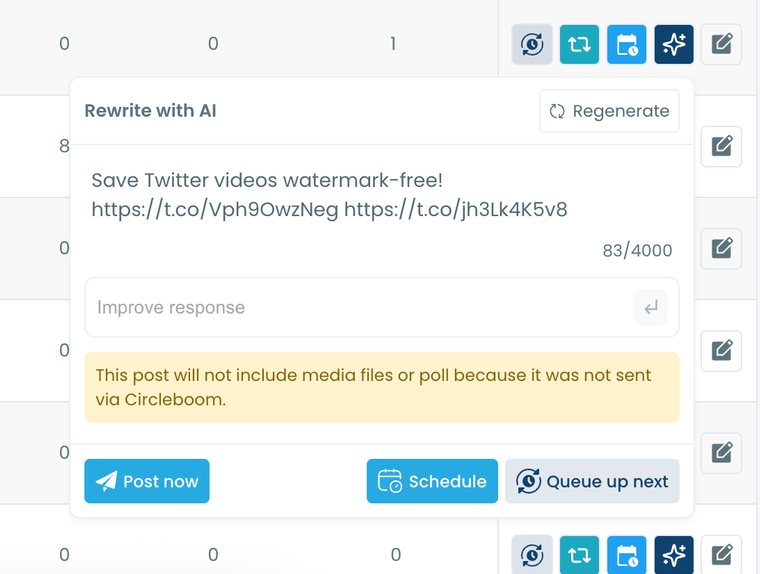
🟢 Rewrite with AI: Generate a fresh version of the tweet with improved wording.
🟢 Reschedule: Share it again at a better time based on follower activity.
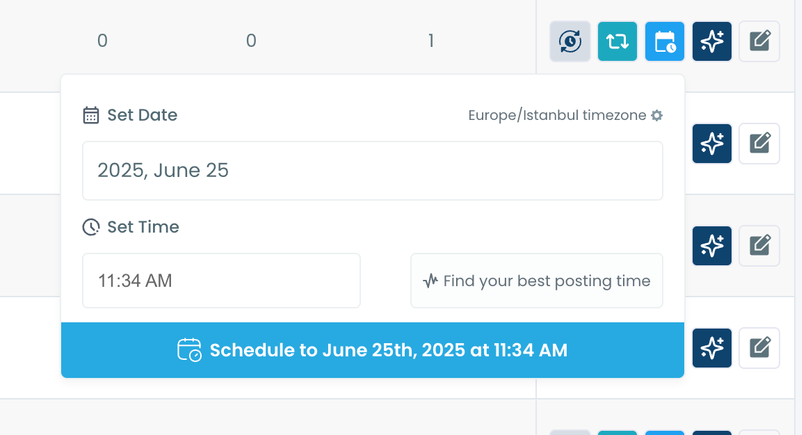
Once you’ve set it up, Circleboom handles everything. No more manual retweeting, tracking, or redoing the same steps over and over.
Why Knowing Your Most Reposted Tweet Actually Matters
Finding your most reposted tweet is not just satisfying to know. It's one of the most useful pieces of information you can have about your content.
A repost is a stronger signal than a like. When someone likes a tweet, they're reacting. When they repost it, they're putting their own name on it and sending it to their entire audience. That's a much more deliberate action, and it tells you something real about what your followers found worth sharing.
Your most reposted tweet reveals the format that spreads. Maybe it was a list. Maybe it was a single punchy observation. Maybe it was a piece of advice phrased in a specific way. Whatever it was, it resonated enough that people wanted to spread it further. That's a template worth understanding.
It shows you which topics your audience cares about most. You might have tweeted about five different subjects this year. The one that got reposted most is the one your audience felt strongly enough about to share. That's a signal about what to write more of.
It tells you what works for cold reach. Reposts are how you reach people who don't already follow you. Unlike likes, which stay mostly within your existing audience, reposts push your content into new feeds. Your most reposted tweet is your best-performing organic growth driver, and knowing what made it work helps you replicate that.
📌 Once you find your most reposted tweet, the next question is obvious: what made it spread?
Circleboom's Post Engagement Analytics lets you look at the full picture, not just the repost count, but also when the engagement happened, how it compares to your other top tweets, and whether there's a pattern worth building on.
What to Do After You Find Your Most Reposted Tweet
Knowing the tweet is step one. The more useful question is what you do with it.
Repost it. If it worked once, it can work again. Most of your followers weren't online when you originally posted it, and your audience has grown since then. Circleboom lets you reshare or reschedule the tweet directly from the analytics dashboard without leaving the page.
Rewrite it with a variation. The AI Tweet Generator can take your best-performing tweet and rewrite it with a different angle, a punchier opening, or a different structure to test whether a variation can match or beat the original.
Set it to auto-repost. If it's evergreen content, the Auto Retweet feature can automatically repost it on a schedule so it keeps circulating without you having to think about it. By retweeting your old post, you can get engagement again.
Export the people who reposted it. With Circleboom's Export Retweeters feature, you can download the full list of accounts who reposted your best tweet.
 infocircleboom.com
These are the people who actively amplified your content, which makes them a highly engaged segment worth knowing about. You can use that list for outreach, follow-backs, or building a custom ad audience.
Frequently Asked Questions
Can X show me which of my tweets got the most reposts?
Not directly. X shows repost counts on individual tweets, but there's no native feature to sort your full tweet history by repost count. To find your most reposted tweet on X quickly, you need Circleboom Twitter's Post Engagement Analytics, which aggregates all your tweets and lets you sort by reposts in one view.
Does Circleboom only show recent tweets, or my full history?
Circleboom retrieves up to your most recent 3,200 tweets, which is the limit set by X's API. For most accounts, this covers a substantial amount of history and is more than enough to identify your top-performing content.
Can I see who reposted my most popular tweet?
Yes. Once you identify your most reposted tweet in Post Engagement Analytics, you can use Circleboom's Export Retweeters feature to download the full list of accounts who reposted it. The export includes usernames, profile details, and account metrics so you can evaluate and act on that audience.
Can I reschedule my best tweet from the analytics view?
Yes. From Post Engagement Analytics, you can add a tweet directly to your posting queue, reschedule it, or set up an automatic repost cycle, all without leaving the dashboard.
Does this work without X Premium?
Yes. Circleboom's analytics features work regardless of whether you have X Premium. You get access to detailed tweet performance data through Circleboom even if your account is on the standard free tier.
Can I use this to analyze someone else's tweets too?
Post Engagement Analytics is designed for your own connected account. If you want to see which tweets from another account got the most reposts, the Export Retweeters feature lets you enter any public account's username and pull their tweet data.
Final Thoughts
Your most reposted tweet is already out there. It's sitting somewhere in your history, quietly holding the record, and most people never look back far enough to find it.
Once you know what it is, you stop guessing what spreads. You have a real example, in your own voice, that your own audience decided was worth sharing. That's more useful than any general advice about what works on X.
Find your most reposted tweet on X with Circleboom Twitter's Post Engagement Analytics:
infocircleboom.com