

If you have ever tried to schedule tweets directly on X, you already know that the problem is not writing tweets. The real problem starts after that.
🔴 You write a tweet, open the scheduler, select the date, select the time, save it. Then you do the same thing again. And again. After 10 or 15 tweets, it already feels slow. When you try to schedule dozens of tweets, it becomes exhausting.
What makes it worse is reliability. X’s built-in scheduler looks simple, but it often fails when you need it most.
Sometimes it gives an error while saving. Sometimes the page refreshes. Sometimes your scheduled tweets disappear without warning. When that happens, all the effort you put in is simply gone.
That is exactly why I stopped trusting X’s native scheduler for serious work.
What quick bulk scheduling actually means in real life
Quick bulk scheduling is not about being slightly faster. It is about changing the whole workflow.
Instead of treating each tweet as a separate task, bulk scheduling lets you handle all your content as one operation.
You prepare everything in advance, upload it once, and let the system take care of the rest.
This matters a lot if you post regularly. Daily tweets, campaigns, launches, evergreen content, or even testing different ideas all require volume. When volume increases, manual scheduling becomes the bottleneck.
Bulk scheduling removes that bottleneck completely.

Why scheduling tweets on X feels slow and fragile
X was never designed for large-scale scheduling. Its scheduler works fine for one or two tweets, but once you increase volume, the cracks start to show.
Every tweet requires repeated actions.
Formatting → adding media → selecting times → confirming saves.
You are constantly switching between screens and waiting for things to load.
On top of that, the system is not stable enough for long sessions. Errors appear randomly. Drafts fail to save. Scheduled tweets do not always publish as expected. When you are working with many tweets, even a small failure costs a lot of time.

That is when scheduling stops being a productivity tool and starts becoming a risk.
Why I use Circleboom Twitter instead
To avoid all of these issues, I use Circleboom Twitter.

Circleboom Twitter is an official X Enterprise developer, which means it works directly with X’s API in a stable and reliable way. It is built for people who create and schedule content regularly, not just for occasional posts.
Instead of repeating the same actions for every tweet, Circleboom puts the entire creation and scheduling process into a single workflow.
With Circleboom Twitter, you can:
✅ Create and schedule tweets from one dashboard
You write, format, set auto retweets, and schedule tweets with the X Post Planner without switching tools or screens. This alone removes a lot of friction compared to using X directly.
 infocircleboom.com
✅ Add visuals without leaving the platform
Circleboom includes image creation tools like Canva, plus direct access to Unsplash for photos and Giphy for GIFs. You do not need to download images or upload them manually for each tweet.

✅ Style your text with a built-in font styler
Instead of using external font generators, you can apply styled text directly while creating your tweet. This keeps the workflow fast and clean.
 Arif Akdogan
✅ Schedule tweets based on real follower activity
Instead of guessing when to post, Circleboom analyzes your followers’ activity and suggests the best times to publish. Your tweets go out when people are actually online, not at random hours.
 infocircleboom.com
My usual flow is simple. I create tweets quickly, enhance them with visuals or styled text, and schedule them for the times when my followers are active. The whole process takes minutes instead of hours.
And this is still only the individual scheduling part.
Bulk scheduling is where Circleboom really saves time
Even with faster creation, scheduling tweets one by one still takes time. That is where bulk scheduling becomes the real advantage.
Circleboom allows you to upload a CSV file that contains all your tweets.
 infocircleboom.com
Instead of clicking through the interface for each post, you prepare everything in that file and upload it once.
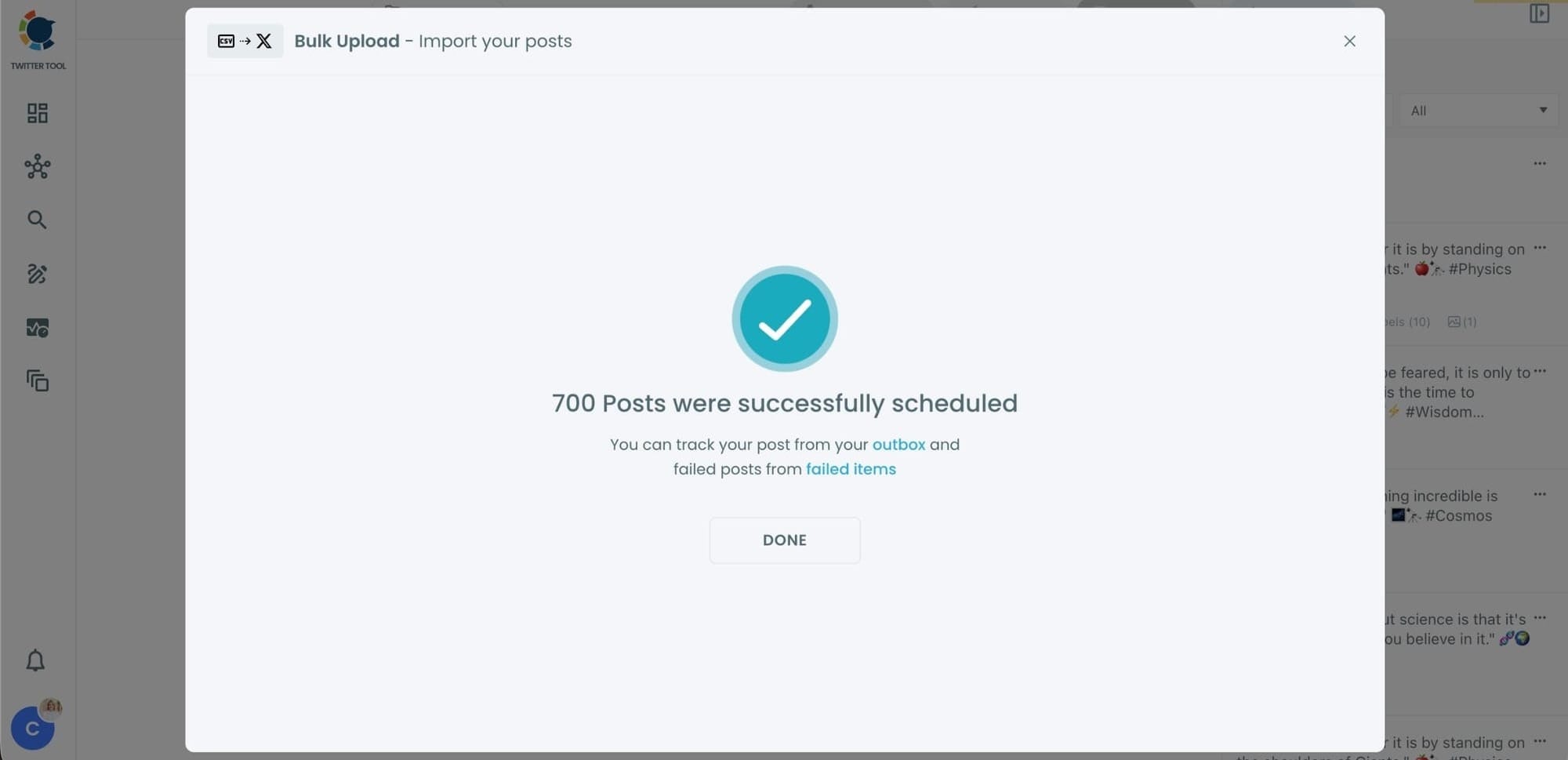
After the upload, Circleboom automatically schedules all tweets based on the settings you choose. No manual repetition. No waiting. No risk of losing drafts halfway through.
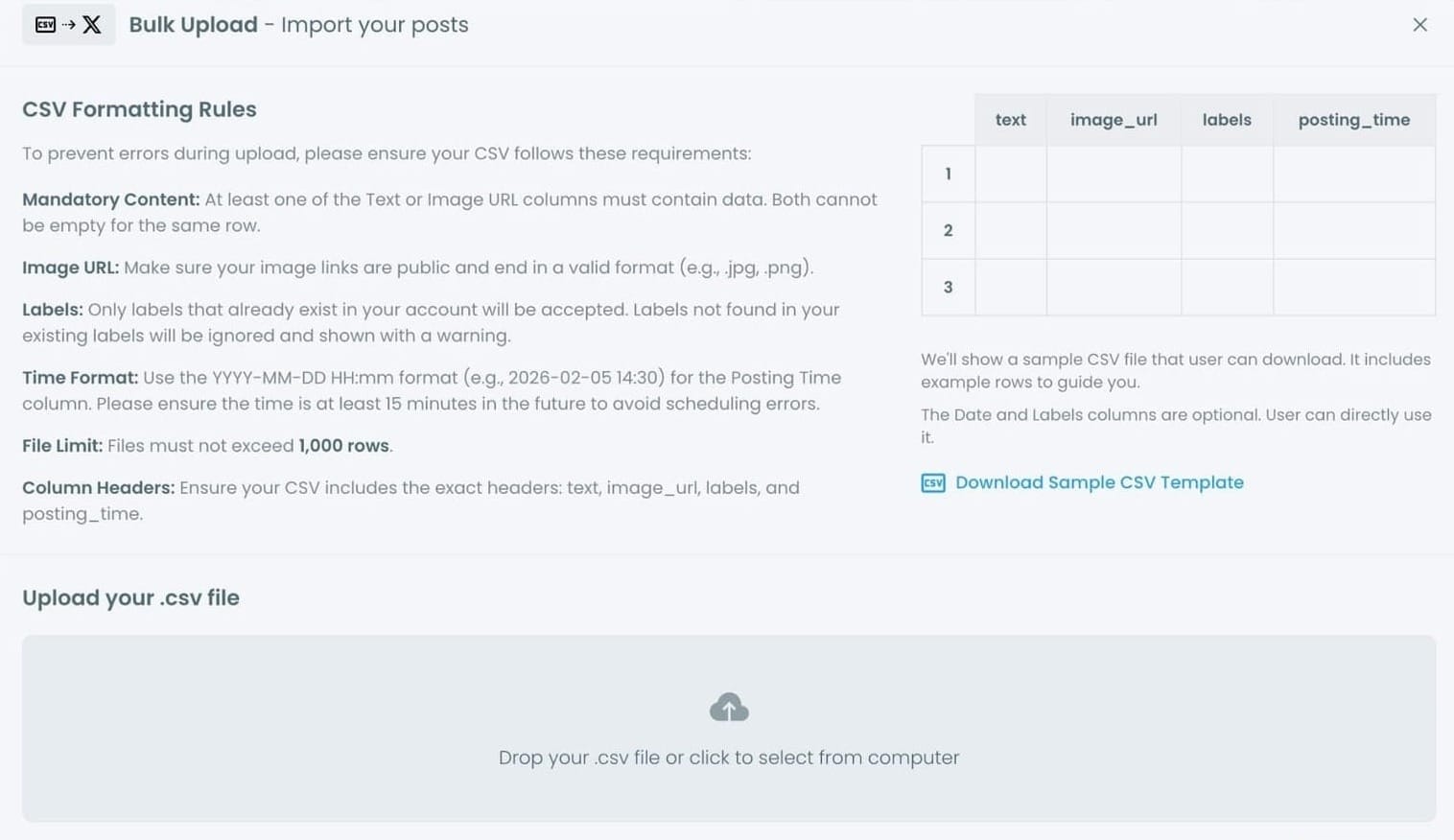
I personally used this method to schedule around 700 tweets. Doing that manually on X would have taken days, and even then, it would have been risky because of errors. With Circleboom, it was done in seconds.
Once the file was uploaded, the work was finished.
How to Quick Schedule Bulk Tweets with Circleboom Twitter Step by Step
Step #1: After logging in to Circleboom Twitter, click Bulk Schule.
This opens the bulk scheduling interface and allows you to import multiple tweets at once instead of creating them one by one.

Step #2: Upload your CSV file
Upload your CSV file by dragging it into the upload area or selecting it from your computer.
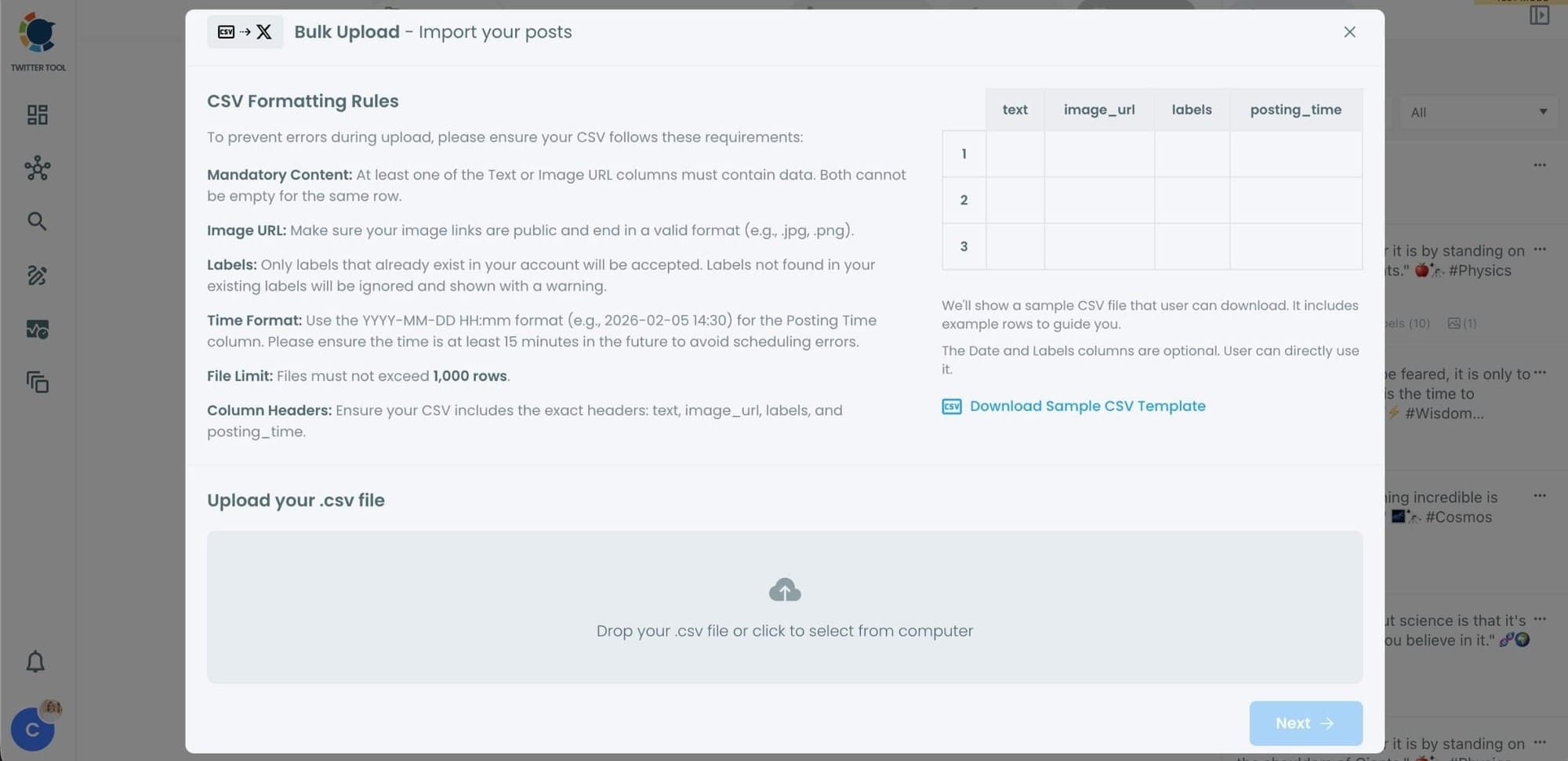
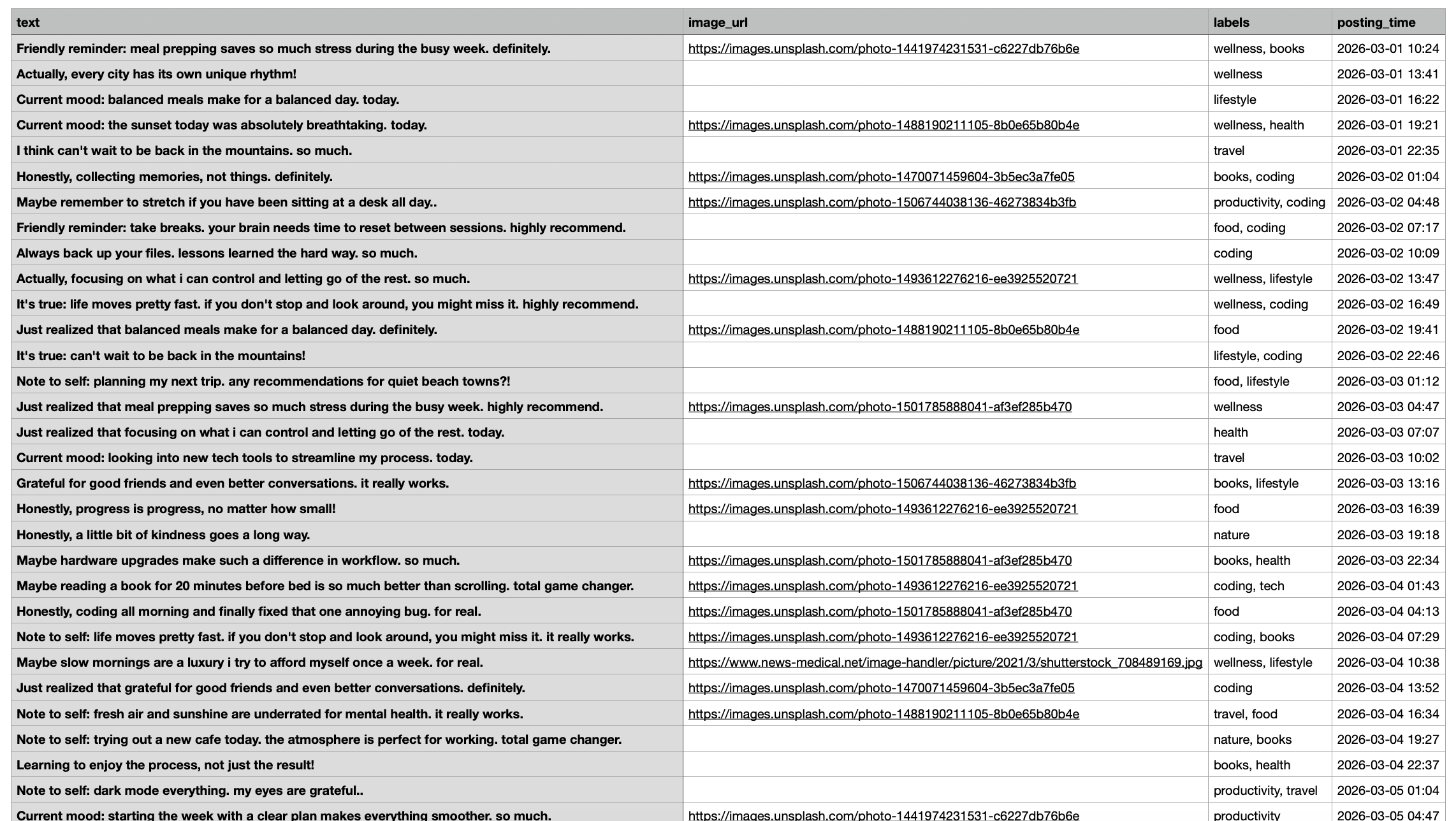
Before uploading, make sure your CSV file follows the required format.
Your file should include the correct column headers, and each row should represent a single tweet.
You can include tweet text, image URLs, labels, and posting times.
Preparing the file in the correct format prevents errors during scheduling.
Step #3: Review your imported tweets
After uploading the CSV file, Circleboom shows all your tweets in a preview list.
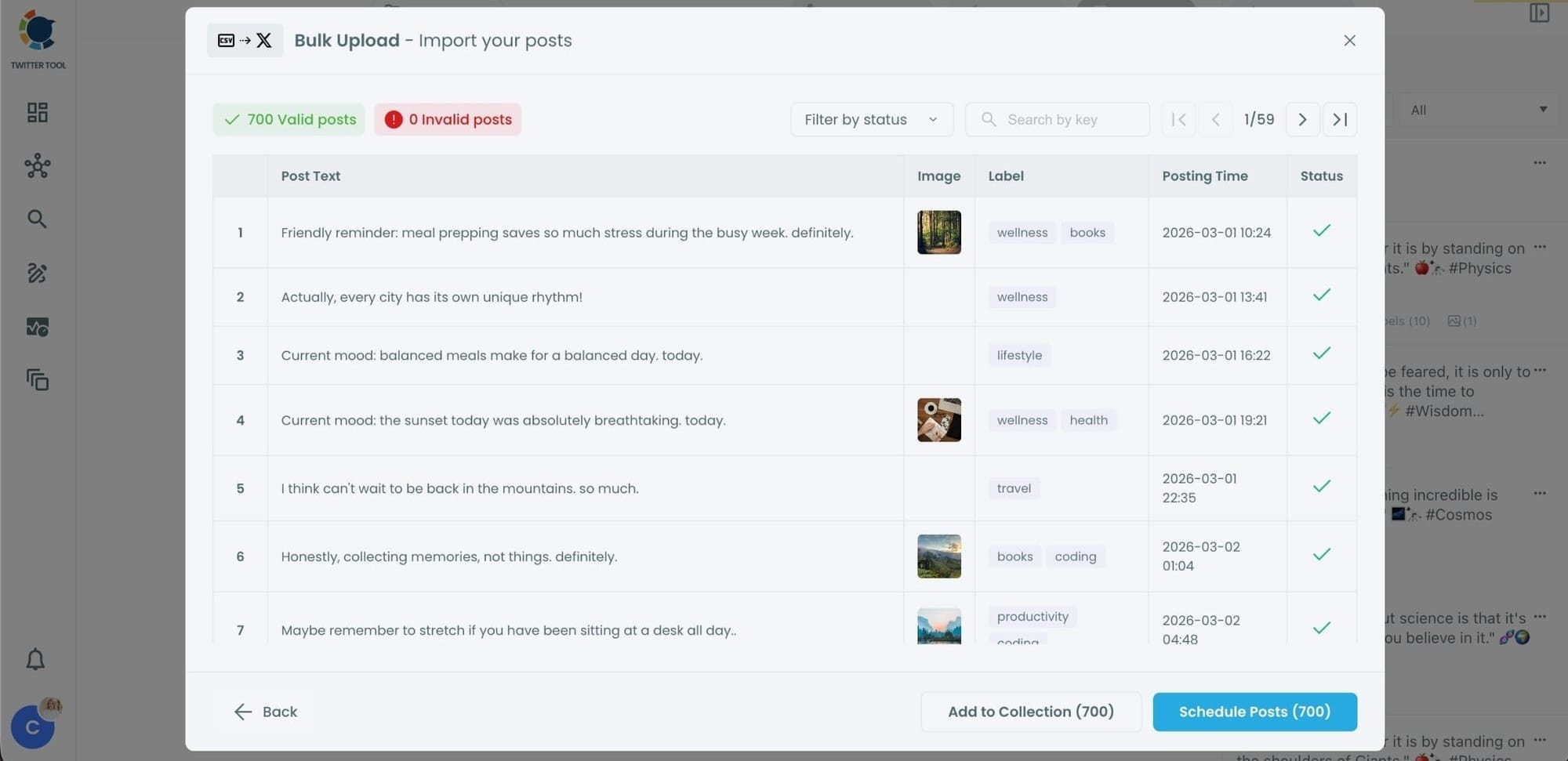
At this stage:
- Valid tweets are marked clearly
- Invalid tweets are shown with the reason for the error
- You can also add tweets to Collections if you want to organize or reuse them later
This step helps you catch and fix problems before anything is scheduled.
Step #4: Schedule all tweets at once
Once everything looks correct, click Schedule Posts.
Circleboom automatically schedules all valid tweets based on the posting times in your CSV file.
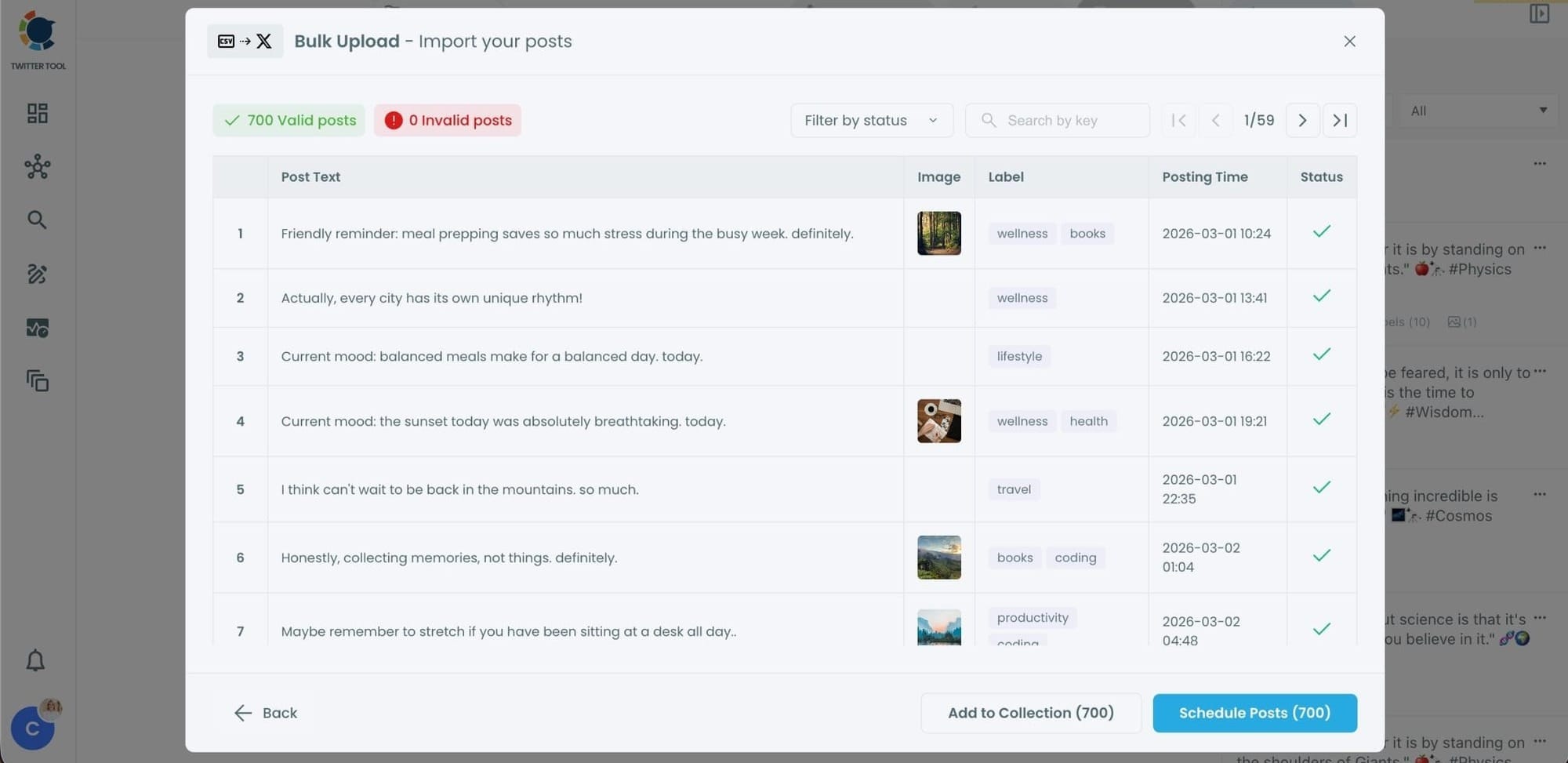
Even hundreds of tweets can be scheduled in seconds, without manual work.
Step #5: Manage scheduled tweets from the Outbox
After scheduling, all your tweets appear in the Outbox and calendar view.
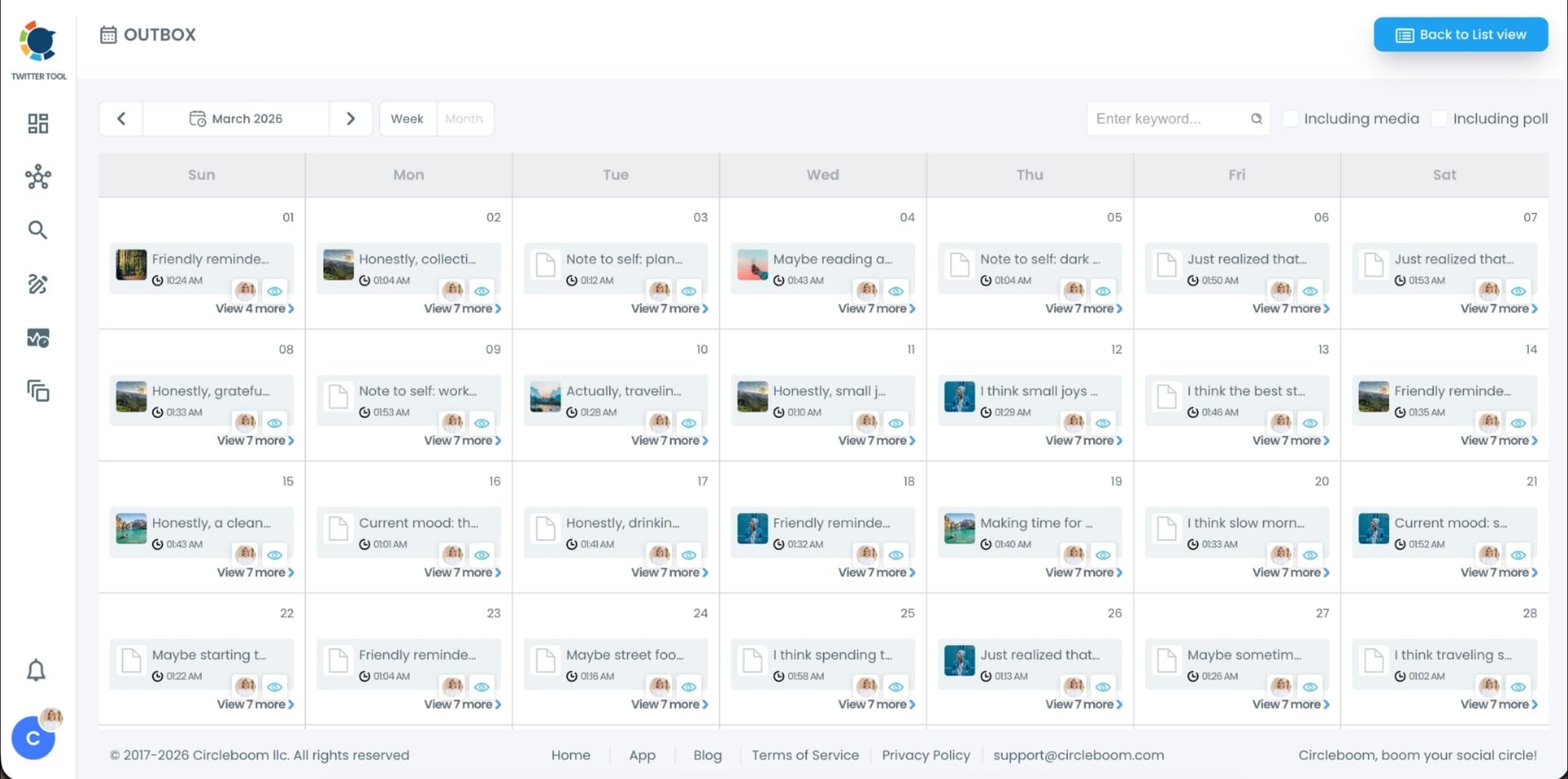
From here, you can:
- See all scheduled tweets by date and time
- Make changes if needed
- Edit or remove scheduled posts
- Keep track of your content easily
This gives you full control even after bulk scheduling is completed.
Planning your tweets before bulk scheduling
Bulk scheduling works best when your content is planned, even in a simple way. Uploading tweets without structure often leads to mistakes, repeated ideas, or poor timing.
Before creating your CSV file, it helps to decide a few things clearly:
➡️ What type of tweets you are scheduling
Evergreen tips, product updates, educational posts, promotions, or daily thoughts all work well. Knowing the goal of the tweets makes writing faster and more consistent.
➡️ How often you want to post
Decide on a rhythm such as once a day, twice a day, or specific days of the week. A clear schedule prevents your account from looking spammy and keeps posting consistent.
➡️ Writing tweets in batches
Creating all tweets at once helps keep the tone consistent and avoids repeating the same message. It is also much faster than writing tweets separately over time.
➡️ Choosing the right timing
Instead of guessing, scheduling tweets for hours when your followers are active increases visibility and engagement.
Common mistakes to avoid when bulk scheduling
Bulk scheduling is powerful, but it should be used carefully.
🔴 Links and image URLs should always be checked before uploading.
🔴 Scheduling too many tweets too close together can hurt engagement, so spacing is important.
Once you have a working CSV structure, you can reuse it again and again. That alone saves hours every time you plan content.
What changes after bulk-scheduling your tweets
Once your tweets are scheduled in bulk, your relationship with posting changes completely.
You no longer think about what to post every day. Content goes out automatically. Consistency is no longer something you struggle with.
Instead of spending time scheduling, you spend time engaging. Replying, analyzing performance, testing new ideas, and actually growing your account becomes the focus.
Bulk scheduling turns posting from a daily task into a background process.
Final thoughts
Scheduling tweets on X sounds simple, but it becomes inefficient and unreliable once you scale. Manual scheduling takes time, and X’s built-in scheduler can waste that time with errors.
That is why I rely on Circleboom Twitter. It makes tweet creation fast and bulk scheduling effortless.
If you want to schedule a lot of tweets quickly and without friction, bulk scheduling is not a luxury. It is a necessity.
)
