
The moment you start planning your Twitter content in advance, you notice something uncomfortable.
Writing tweets isn’t the hardest part anymore.
Coming up with ideas isn’t the real struggle either.
The real friction appears when all that prepared content needs to be scheduled.
What looks like a simple task at first, setting a date and time for a tweet, slowly turns into the most time-consuming part of the entire process when repeated over and over again. Scheduling tweets one by one doesn’t just take time; it quietly drains energy and focus.
That’s exactly where most content plans fall apart.
The tool I use to schedule multiple tweets at once
Once content planning became a regular habit, manual scheduling stopped fitting into the workflow. It wasn’t that it was impossible, it was that it felt unnecessarily heavy for something that should have been simple.
This is where Circleboom Twitter changed the process completely.

Circleboom Twitter is an official X Enterprise developer, which already makes it a dependable tool when it comes to managing an X account safely and consistently. But reliability alone isn’t what matters here. What really makes the difference is how Circleboom approaches content scheduling.
Instead of forcing you to interact with each tweet individually, Circleboom allows you to bulk upload your tweets and schedule them all at once. That means your content plan is treated as a whole, not as a collection of isolated actions.
 infocircleboom.com
When you work in batches, and most people who plan content do, this approach feels natural. You prepare your content, upload it in one structured file, review everything in one place, and schedule the entire batch in a single flow.
Once you experience this, manual scheduling starts to feel like doing extra work for no real reason.
How to Schedule Multiple Tweets at Once with Circleboom Twitter
tep #1: After logging in to Circleboom Twitter, go to the X Post Planner.
This is the main screen where tweets are created, edited, and scheduled. Bulk scheduling also starts from here.

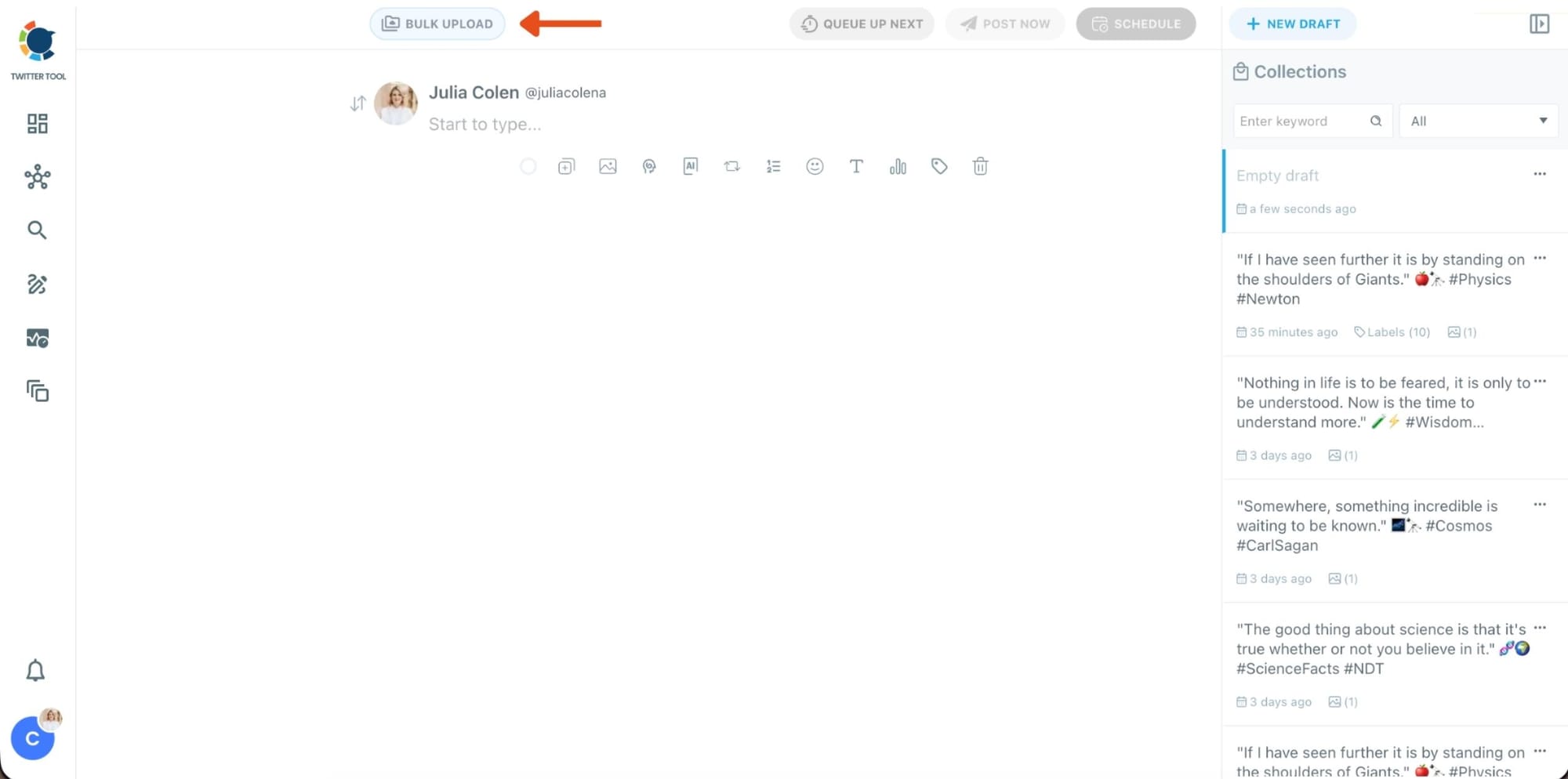
Step #2: At the top of the post planner, click Bulk Upload.
This opens the bulk scheduling interface and allows you to import multiple tweets at once instead of creating them one by one.
Step #3: Upload your CSV file
Upload your CSV file by dragging it into the upload area or selecting it from your computer.
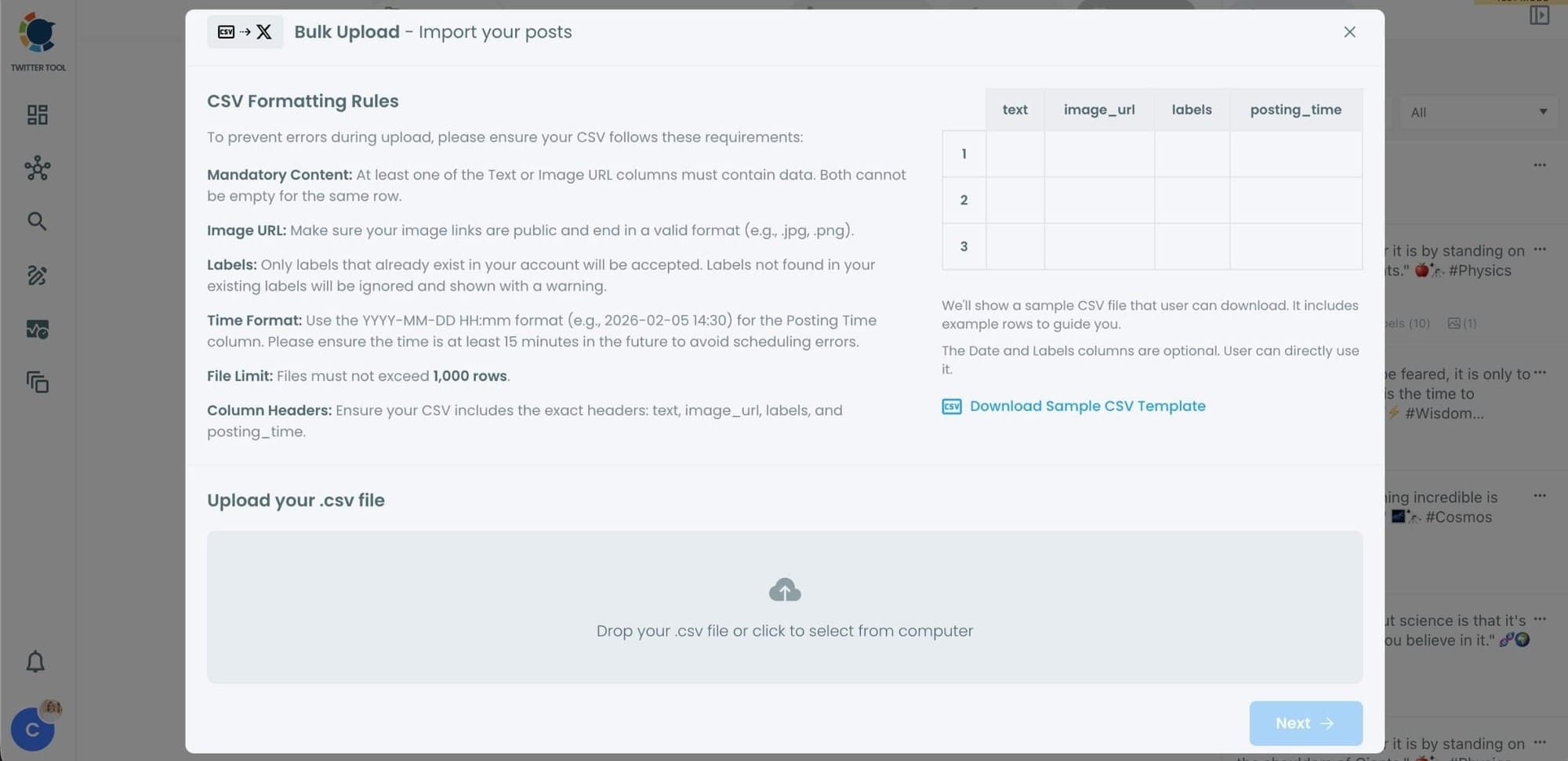
Before uploading, make sure your CSV file follows the required format.
Your file should include the correct column headers, and each row should represent a single tweet.
You can include tweet text, image URLs, labels, and posting times.
Preparing the file in the correct format prevents errors during scheduling.
Step #4: Review your imported tweets
After uploading the CSV file, Circleboom shows all your tweets in a preview list.
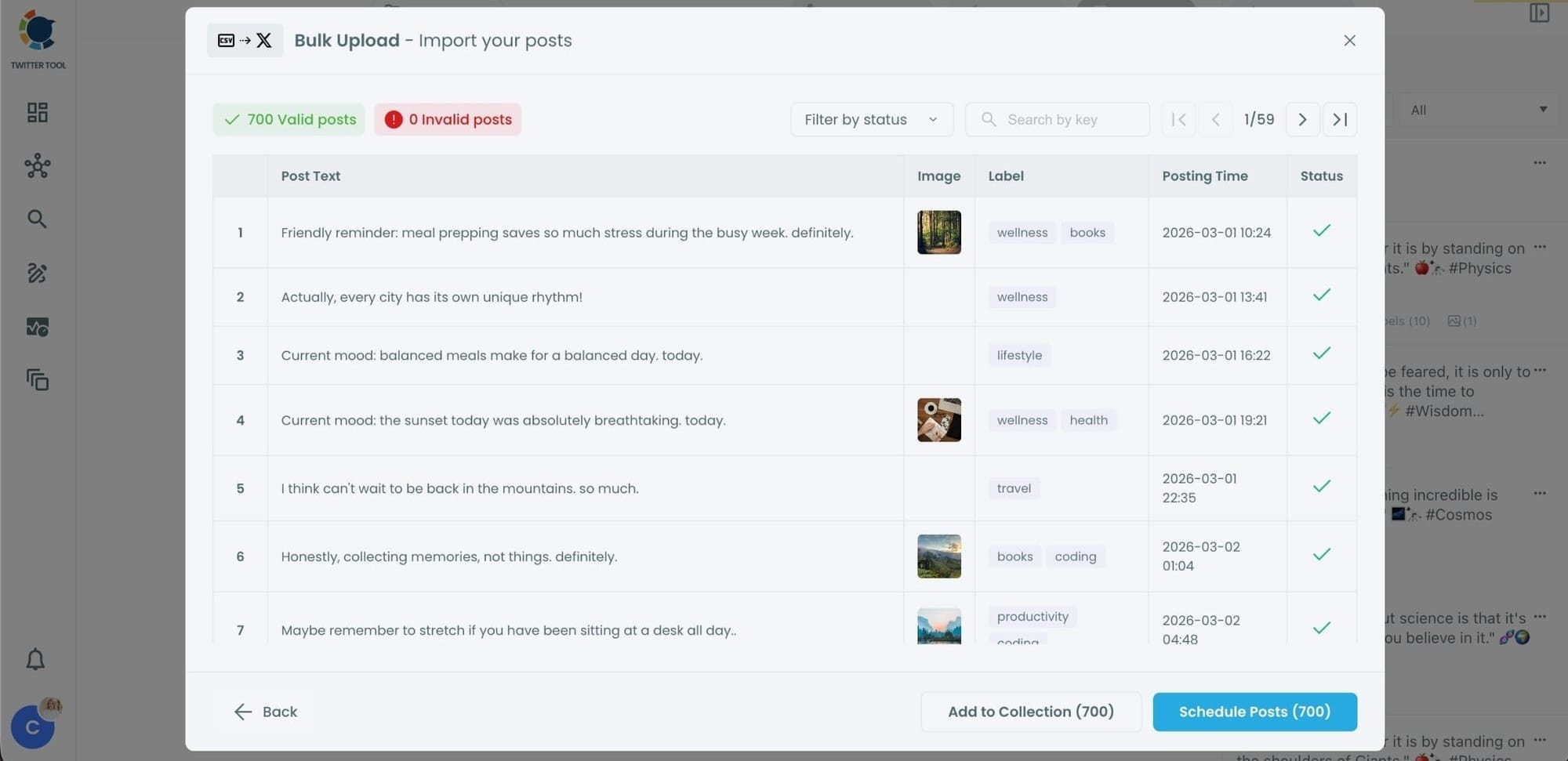
At this stage:
- Valid tweets are marked clearly
- Invalid tweets are shown with the reason for the error
- You can also add tweets to Collections if you want to organize or reuse them later
This step helps you catch and fix problems before anything is scheduled.
Step #5: Schedule all tweets at once
Once everything looks correct, click Schedule Posts.
Circleboom automatically schedules all valid tweets based on the posting times in your CSV file.
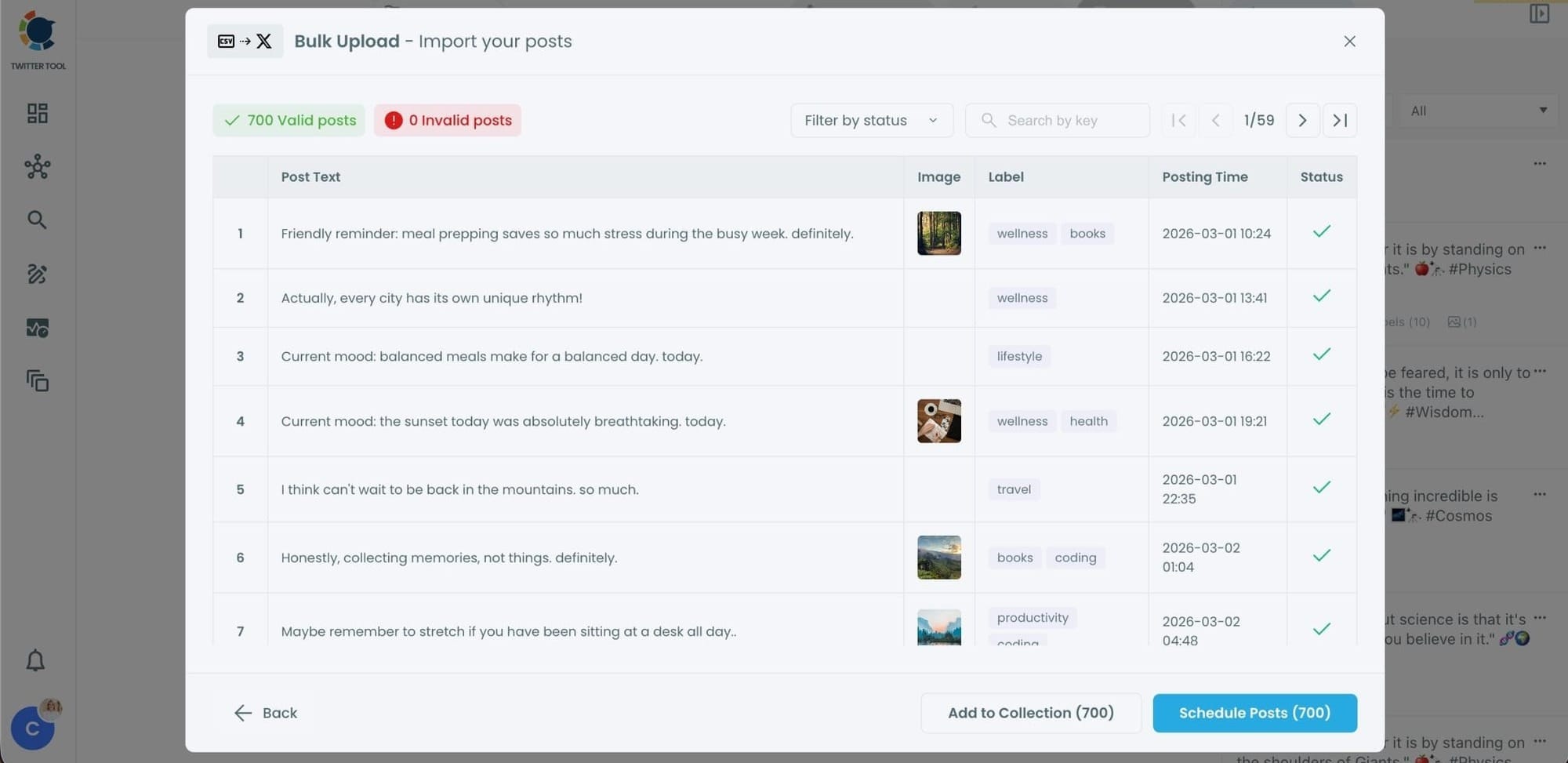
Even hundreds of tweets can be scheduled in seconds, without manual work.
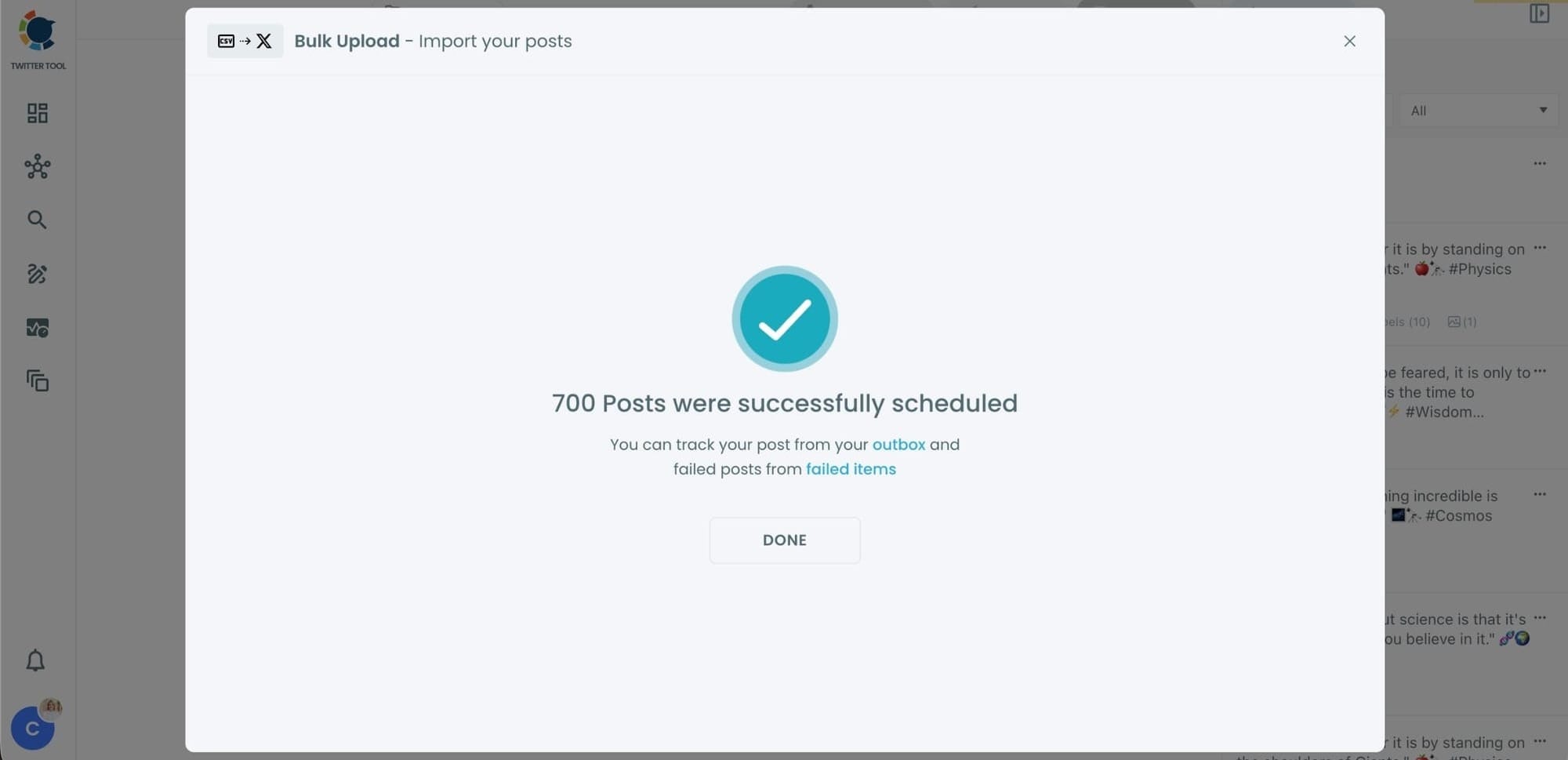
Step #6: Manage scheduled tweets from the Outbox
After scheduling, all your tweets appear in the Outbox and calendar view.
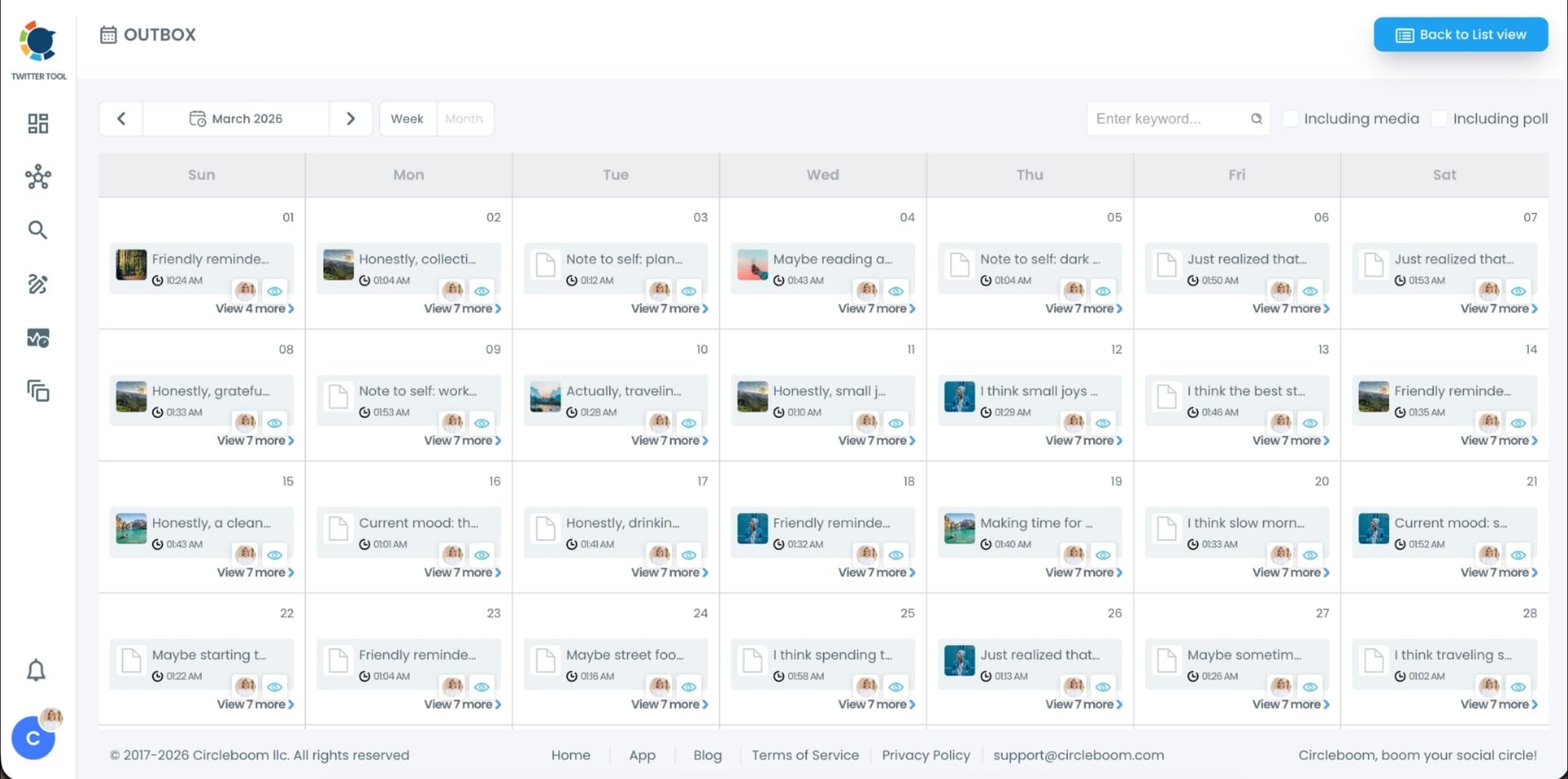
From here, you can:
- See all scheduled tweets by date and time
- Make changes if needed
- Edit or remove scheduled posts
- Keep track of your content easily
This gives you full control even after bulk scheduling is completed.
Planning content in advance makes manual scheduling feel even worse
There’s a strange irony here.
The better you get at planning content, the more painful manual scheduling becomes.
When you start thinking in weeks instead of days, your brain switches to a higher-level view:
- themes instead of individual tweets
- content blocks instead of single posts
- consistency instead of daily decisions
Manual scheduling forces you back into a micro-level mindset. It interrupts the planning flow and turns execution into a series of repetitive clicks.
Bulk scheduling fixes this disconnect. It allows your execution method to match the way you already plan content.
What bulk scheduling actually changes in real life
Bulk scheduling isn’t just a faster way to schedule tweets. It changes how posting fits into your day-to-day life.
Instead of logging in daily and reacting to the need to post, you handle posting proactively. You schedule content when you have time and mental clarity, not when the clock forces you to.
This creates several important shifts:
✅ posting stops being a daily obligation
✅ content gaps become rare
✅ you regain control over your schedule
✅ mistakes caused by rushing are reduced
Most importantly, you stop thinking about posting as something you must constantly remember.
Why bulk scheduling supports long-term consistency on X
Consistency on X isn’t about motivation or discipline. Motivation fluctuates. Discipline gets tired.
Consistency comes from systems that remove unnecessary effort.
Bulk scheduling builds that system.
Once your content is scheduled, it works for you in the background. You can focus on engagement, replies, analysis, or simply step away without worrying about missing a posting window.
This is especially important if:
- you manage more than one account
- you run campaigns or promotions
- you want predictable posting without constant monitoring
When posting becomes predictable, growth becomes more manageable.
Why bulk scheduling feels lighter mentally
One of the most underrated benefits of bulk scheduling is mental relief.
Knowing that your tweets are already scheduled creates a sense of closure. The task is finished. There’s no open loop in your head reminding you that “you still need to post something.”
That mental space matters. It frees attention for higher-value work like improving content quality, engaging with followers, or analyzing performance.
Manual scheduling keeps tasks open.
Bulk scheduling closes them.
 Harshita Agrawal
Common mistakes to avoid when scheduling tweets in bulk
Even with bulk scheduling, attention to detail still matters.
Some things to watch out for:
➡️ double-checking time zones before scheduling
➡️ making sure image URLs are public and valid
➡️ avoiding overly similar tweets scheduled back-to-back
➡️ reviewing everything before confirming
These small checks take minutes but prevent frustration later.
From daily posting stress to a repeatable content system
Scheduling tweets one by one may seem acceptable in the beginning, but over time it becomes a quiet obstacle to growth and consistency. The more seriously you take content planning, the more obvious this limitation becomes. A process that forces you to repeat the same actions every day eventually works against the effort you put into planning.
When content is planned ahead, the way it’s scheduled has to evolve as well. Otherwise, planning and execution stay out of sync.
Bulk scheduling with Circleboom Twitter closes that gap by turning scheduling into a single, controlled action instead of a daily task. You prepare your content once, upload it to one place, and schedule the entire plan in one flow.
If planning content is already part of your routine, bulk scheduling is the step that transforms that effort into something reliable and sustainable rather than stressful.

