

Community size matters.
The number of members in an X Community directly affects how it feels, how fast it moves, and how valuable it can be for different goals.
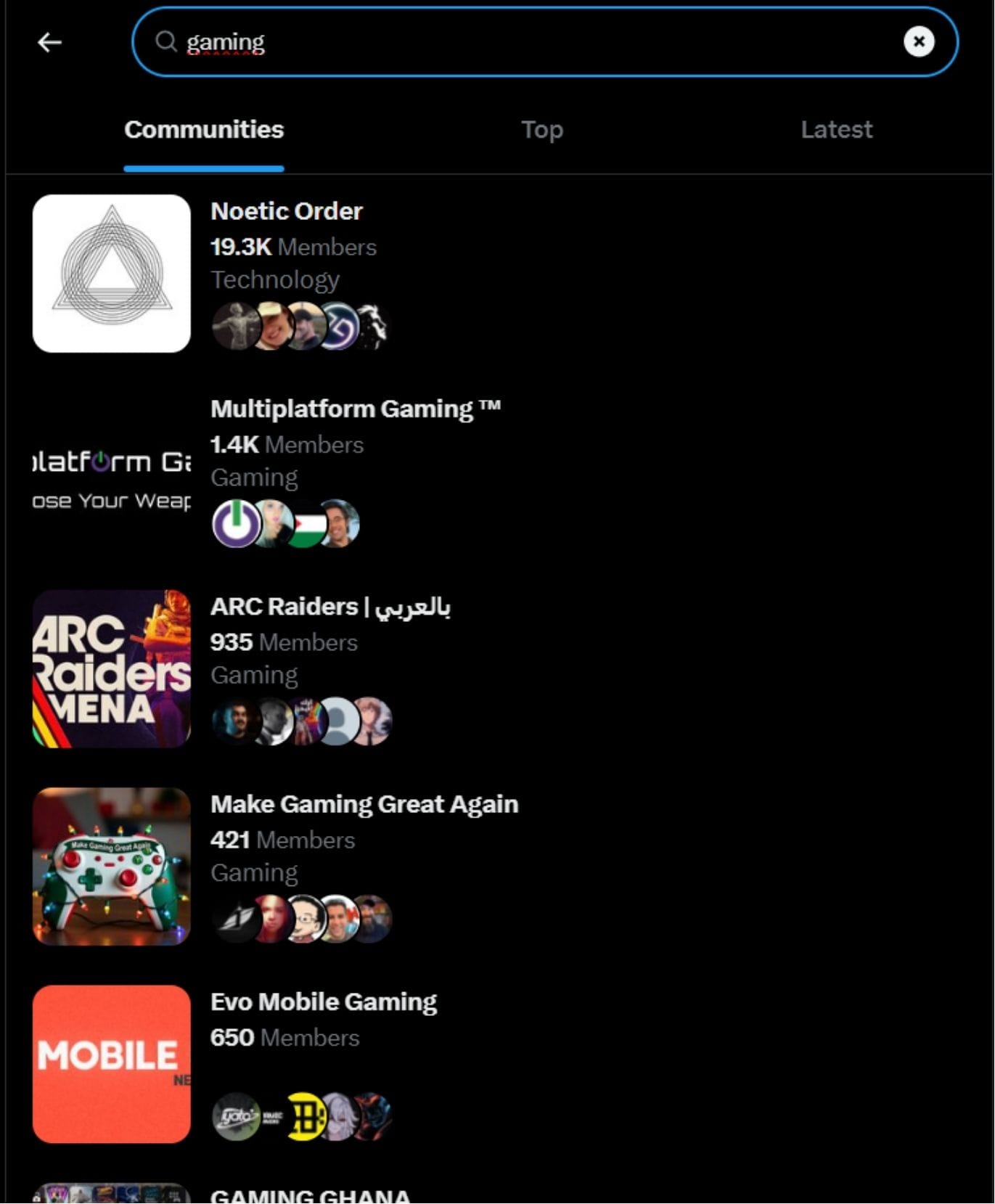
Yet searching Communities by member count is something X does not support natively.
If you are a creator on X and want to know about the latest developments regarding the algorithm changes, engagement strategies, payout boosts, etc., you can join Circleboom's X Creator Growth Lab Community and enjoy a free space to learn from and contribute to!

Why Member Count Matters
Member count influences:
- conversation depth
- visibility of posts
- signal-to-noise ratio
Generally:
- smaller Communities foster tighter discussion
- mid-sized Communities balance quality and activity
- large Communities maximize reach but can feel crowded
Choosing the right size depends on what you want from the Community.
The Problem on X
On X, users cannot:
- filter Communities by size
- sort Communities by member count
- compare multiple Communities side by side
This forces users into a slow, manual process.
How Users Work Around This
Experienced users:
- open Communities individually
- observe posting frequency
- evaluate visible engagement
Others rely on third-party analytics platforms like Circleboom, which provide structured ways to assess Communities more efficiently and avoid trial-and-error discovery.

Choosing the Right Community Size
- Learners often prefer smaller Communities
- Creators benefit from mid-sized Communities
- Brands may seek larger Communities for reach
Member count isn’t about “bigger is better”, it’s about fit.
Final Thoughts
Searching X Communities by member count should be simple, but currently isn’t.
Until X introduces native filters, users who care about Community quality will continue to rely on smarter discovery methods to make informed decisions.




%20Communities%20by%20Member%20Count)
%20Communities%20by%20Topic)
%20Communities%20by%20Name)
)