
If you want to grow on X, your account needs to stay active. And the clearest indicator of being active is simple: posting regularly.
Accounts that post consistently stay visible, reach their audience more often, and have a much higher chance of growing over time. But here’s the problem… most people don’t want to log in every single day, think of something to post, write tweets, and publish them manually.
It becomes repetitive. It takes time. And after a few days, consistency usually breaks.
🟢 If you want to stay active on X without logging in every day, the best solution is to bulk schedule your tweets with Circleboom Twitter.
What Is Circleboom Twitter?
Circleboom Twitter is an official X Enterprise Developer, which means it works directly with X’s official APIs and follows platform rules safely.
You’re not relying on risky automation tools, everything runs within X’s ecosystem.

But what really makes it powerful is how it changes the way you manage your content.
Instead of logging in every day, thinking of what to post, and manually sharing tweets, Circleboom allows you to plan everything in advance and automate the entire posting process.
➡️ One of its most useful features is bulk tweet scheduling with CSV upload.
With this feature, you can prepare all your tweets in a simple file and upload them at once. You don’t need to create posts one by one.
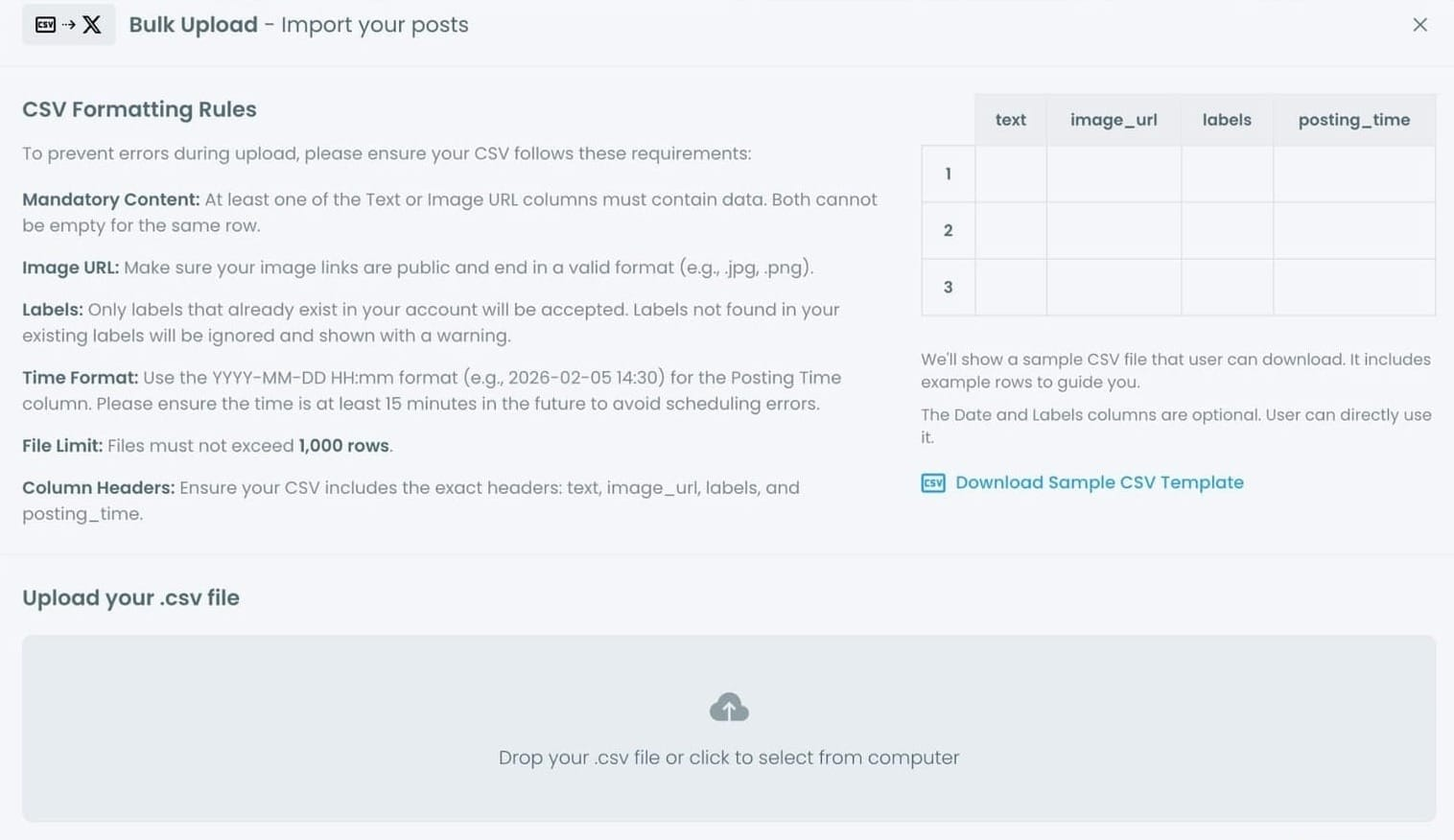
Your CSV file can include:
- Tweet text
- Image URLs (for visual content)
- Exact posting date and time
- Labels to organize your posts
There are also some important rules that make the system work smoothly:
- Each row must include at least a tweet text or an image URL
- Image URLs must be public and in a valid format (like .jpg or .png)
- Posting time must follow the
YYYY-MM-DD HH:mmformat - The scheduled time should be at least 15 minutes in the future
- You can upload up to 1,000 tweets in a single file
- Column headers must match:
text,image_url,labels,posting_time
Once you upload your CSV file, Circleboom processes everything and automatically schedules your tweets based on your plan.
 infocircleboom.com
After that, your tweets are published automatically. No need to log in, no need to post manually.
This makes it possible to schedule weeks or even months of content in one session. Instead of daily effort, you handle everything once and let it run.
How to Bulk Schedule Tweets with Circleboom Twitter
Step 1: Connect your social accounts. Go to Circleboom Twitter's X Post Planner and connect every platform you want to publish to.
You can connect Twitter, Facebook, Instagram, LinkedIn, Bluesky and Threads all together.

Step #2: You are on Circleboom Twitter. Go to the X Post Planner
You will see "Bulk Schedule" on the list. Click on it and continue.

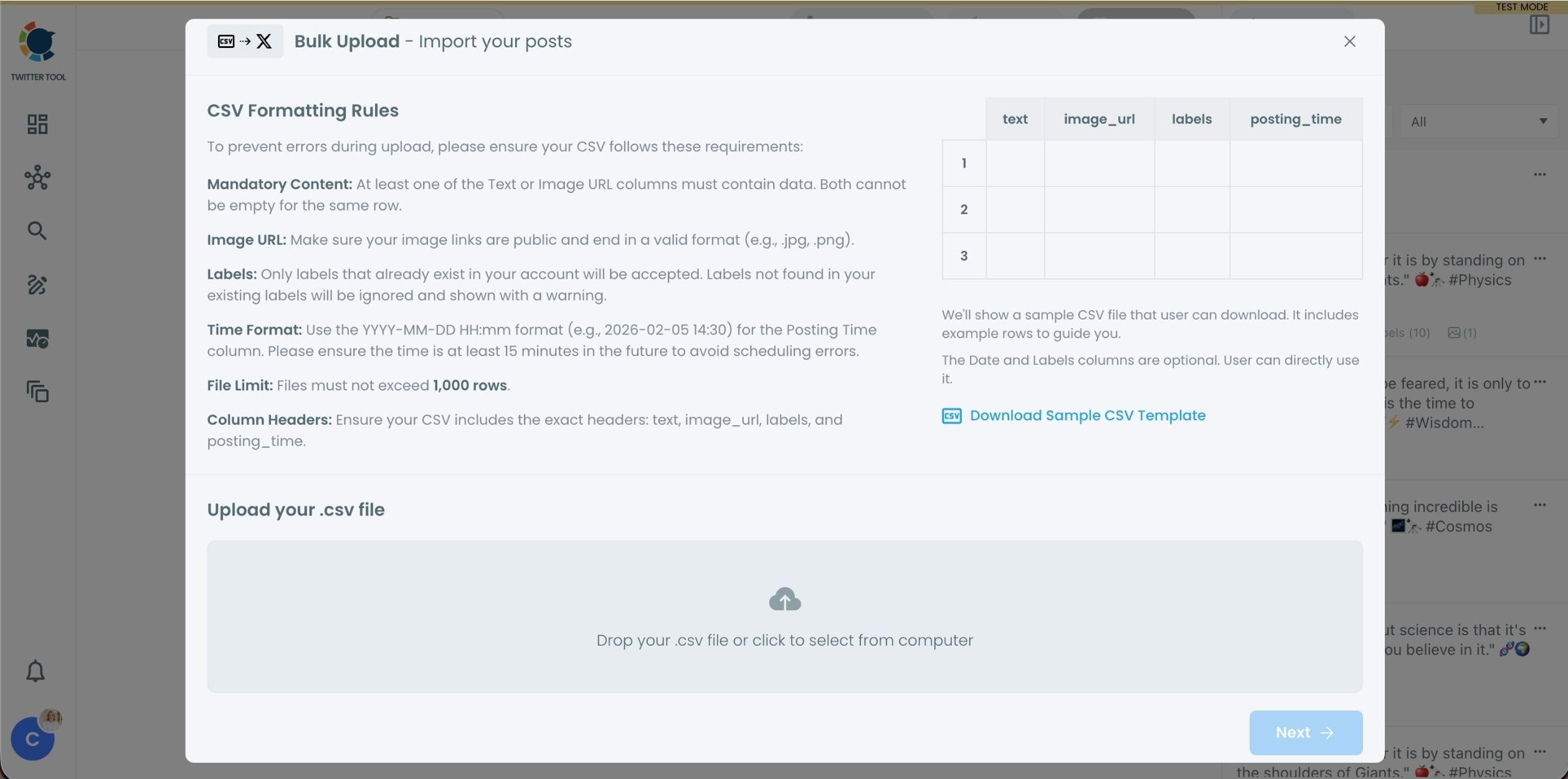
Step #3: Upload your CSV file by dragging it into the upload area or selecting it from your device.
Before uploading, make sure your CSV file follows the required format. Your file should include the correct column headers, and each row should represent a single tweet. You can include tweet text, image URLs, labels, and posting times. Preparing the file in the correct format prevents errors during scheduling.
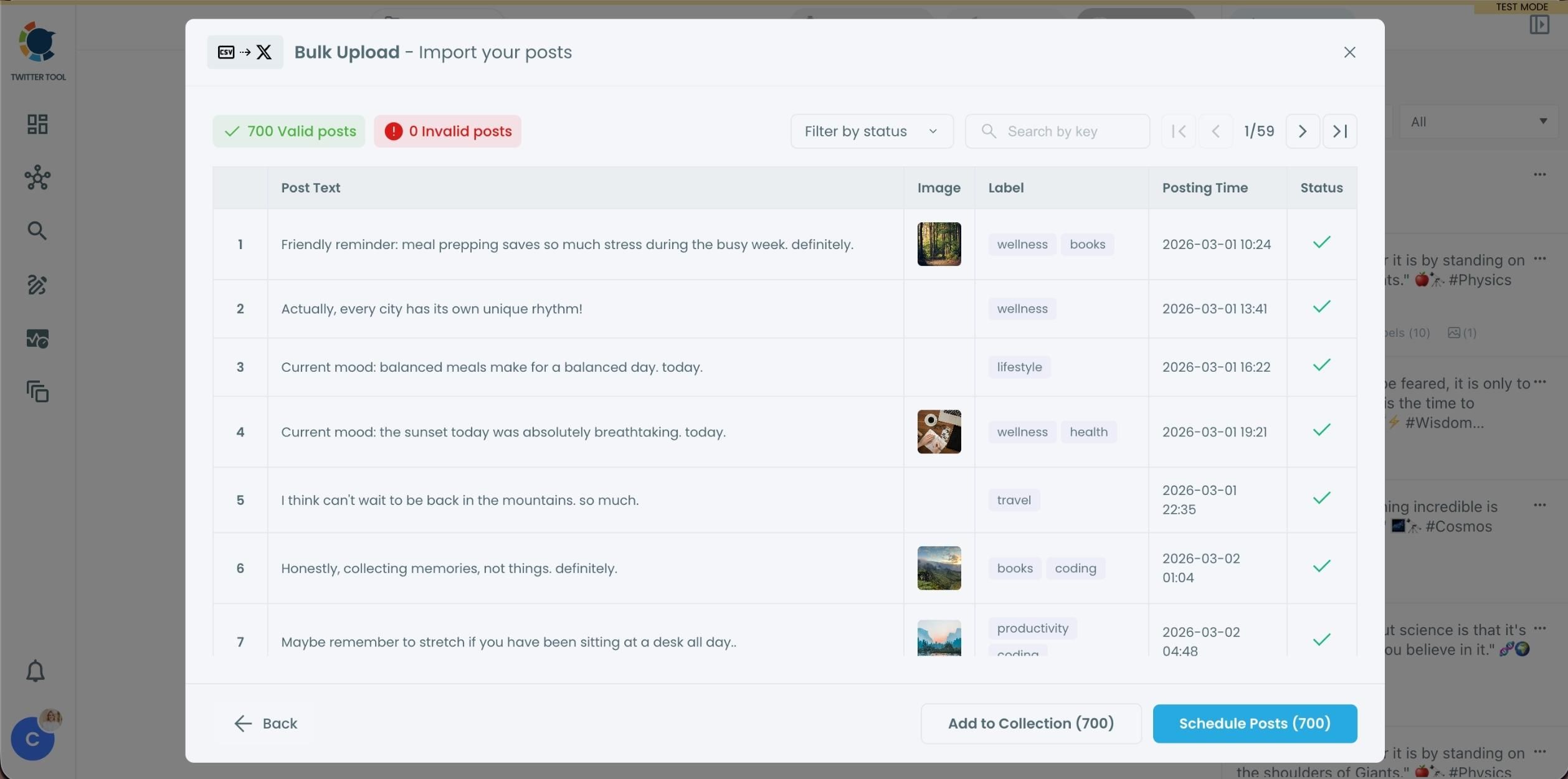
Step #4: After uploading the CSV file, Circleboom shows all your tweets in a preview list.
At this stage:
- Valid tweets are marked clearly
- Invalid tweets are shown with the reason for the error
- You can also add tweets to Collections if you want to organize or reuse them later
This step helps you catch and fix problems before anything is scheduled.
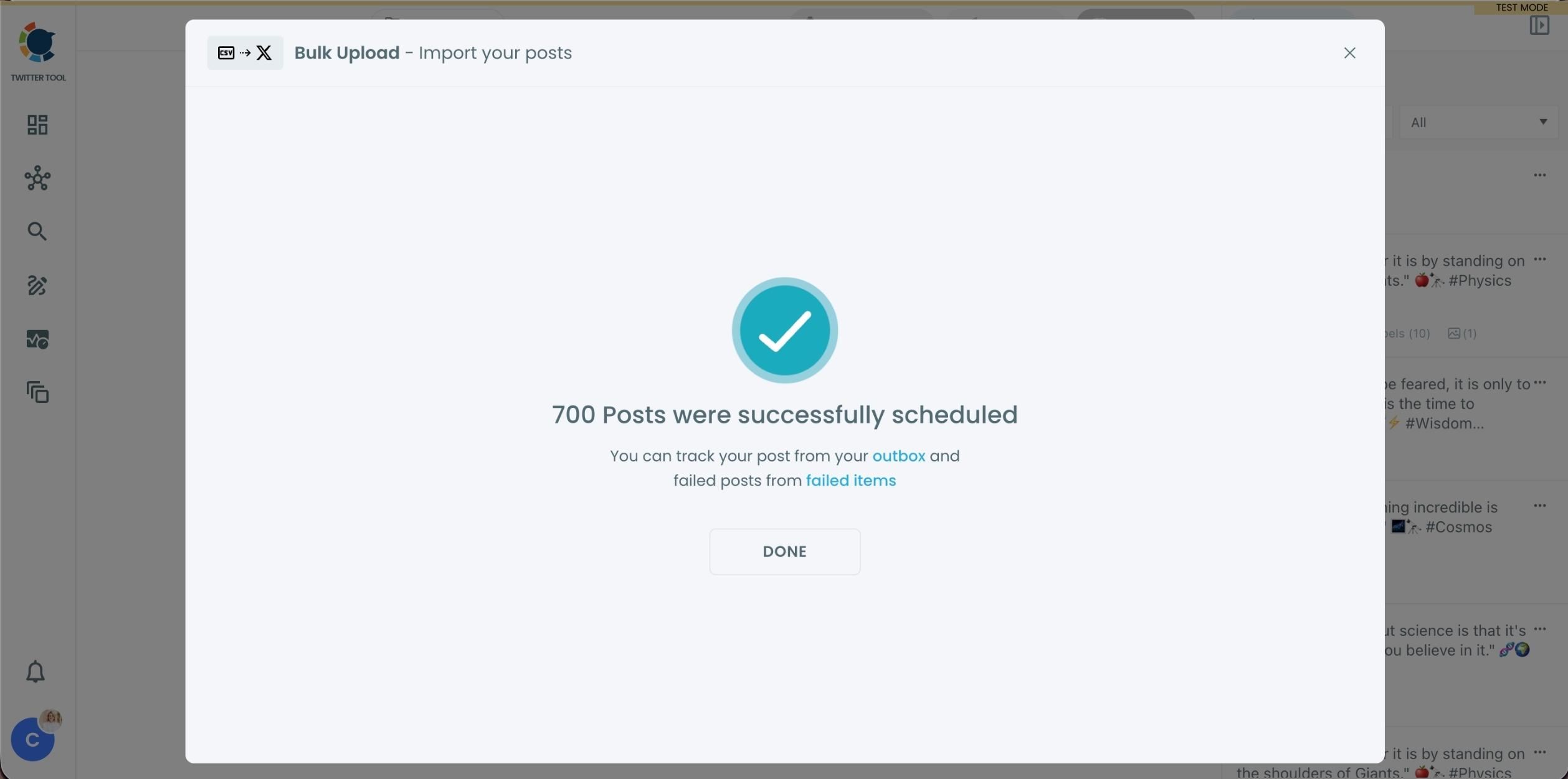
Step #5: Once everything looks correct, click Schedule Posts.
Circleboom automatically schedules all valid tweets based on the posting times in your CSV file.
Even hundreds of tweets can be scheduled in seconds, without manual work.
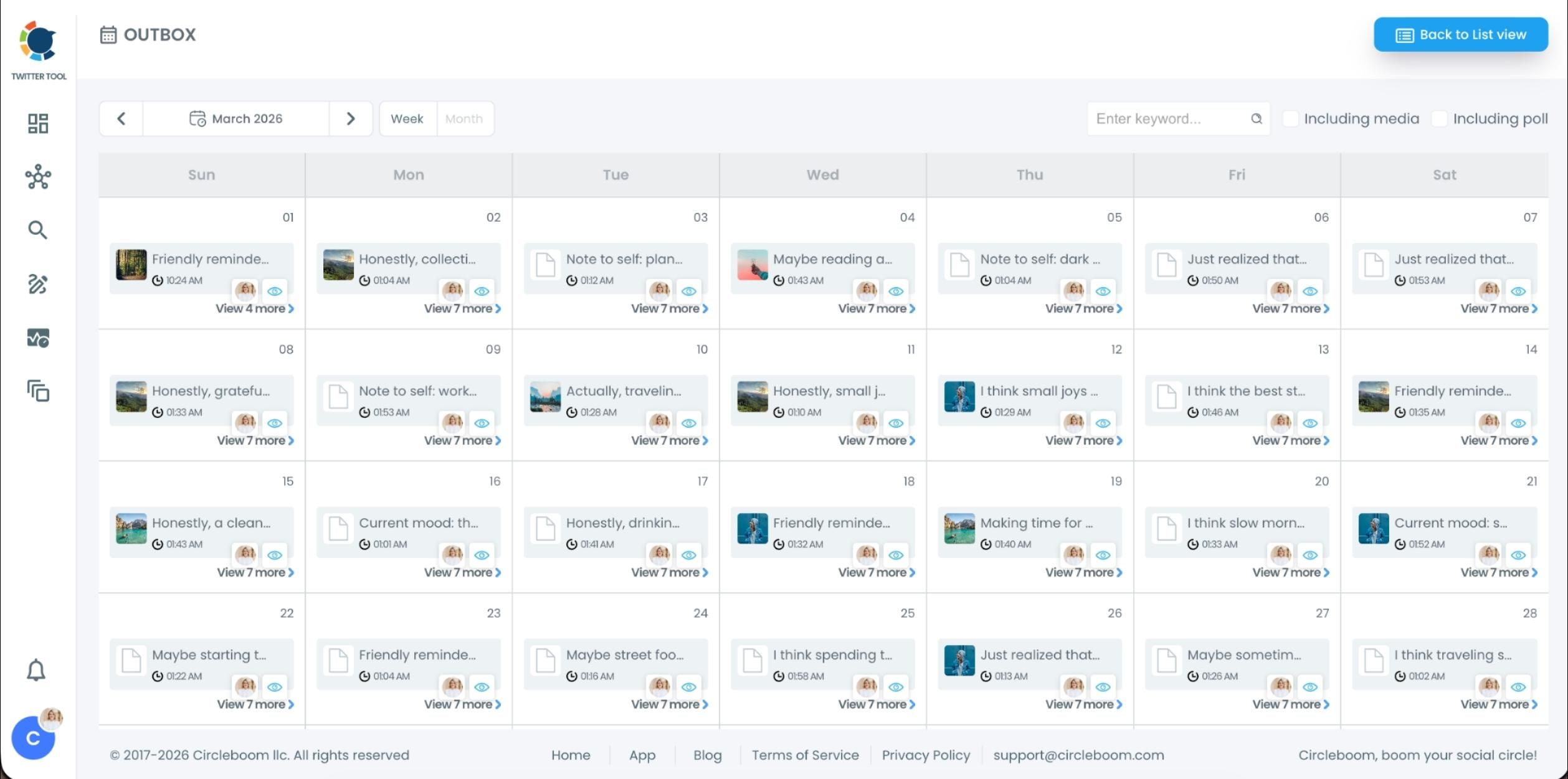
Step #6: After scheduling, all your tweets appear in the Outbox and calendar view.
From here, you can:
- See all scheduled tweets by date and time
- Make changes if needed
- Edit or remove scheduled posts
- Keep track of your content easily
This gives you full control even after bulk scheduling is completed.
Why Bulk Scheduling Is the Best Solution
Bulk scheduling removes the daily pressure completely.
Instead of thinking about posting every day, you prepare your tweets in one session and schedule them all at once.
Your account keeps posting… even when you’re not online.
This approach gives you several advantages:
- You stay active without logging in daily.
- Your posting becomes consistent.
- You can plan weeks or months ahead.
- You save time and mental energy.
- You turn content into a system instead of a daily task.
It’s a much more sustainable way to grow on X.
 Fatih Kemal Oksuzoglu
Why This Matters for Growth on X
Consistency is one of the biggest factors in growing an account.
The more regularly you post, the more chances you have to:
- Reach your followers
- Get impressions
- Stay visible in the feed
- Build familiarity with your audience
- Increase engagement over time
Being active is not about logging in every day. It’s about making sure your content keeps going out consistently.
Bulk scheduling makes that possible.
Conclusion
If you want to stay active on X without logging in every day, bulk scheduling your tweets with Circleboom Twitter is one of the most effective ways to do it.
By uploading a CSV file with your tweet texts, image URLs, and posting times, you can schedule everything at once and let Circleboom handle the rest.
Instead of spending time every day posting manually, you can plan ahead, automate your content, and stay consistent without extra effort.
And that consistency is what actually drives growth.