
A crypto account's new follows are early market signals because a follow is a private research decision made before anything is announced publicly. When a known fund, founder, or analyst starts following a small project, that choice usually precedes due diligence, a partnership, or a position.
X never shows you when a follow happened, so the signal stays invisible unless you record the account's following list over time and compare it against itself.
Circleboom Twitter records a target account's following list through authorized X data access, then surfaces the exact new accounts it has started following since the last snapshot. That delta is the signal.
→ crypto twitter new follows early market signals
The follow comes first. The news comes later.
Why a New Follow Is a Signal Before the News
In crypto, a tweet is a public statement, but a follow is a quiet decision. Serious players on X, including venture funds, exchange leadership, and on-chain analysts, follow accounts that represent their active research long before they say anything publicly. That timing gap is the whole opportunity.
If you can see the follow on the day it happens, you are reading attention while it is still private. This is the logic behind how I tracked CZ's following to catch early crypto signals, where a single new follow pointed at a project ahead of broader coverage.
The problem is that X gives you no history. A profile shows only the current state of its following list, never the order or the date each follow was added. There are no notifications, no changelog, no way to ask "what did this account follow this week." So the signal exists, but the platform keeps it unreadable.
Even checking manually fails, because there is no reliable way to check someone's new followers on X or new follows by eye when the list runs into the thousands.
Circleboom Twitter closes that gap. It records the target account's following list at regular intervals, computes the difference between snapshots, and shows you the specific new accounts with full profile data. This turns a watchlist of crypto accounts into a steady feed of crypto twitter new follows as early market signals, so the data finally becomes observable instead of hidden inside an undated list.
What the Tracker Actually Shows You
Each detected follow arrives with enough context to judge it fast. You see who followed whom, when the snapshot caught it, and the profile behind it.
For every new account the target started following, Circleboom displays:
- Username, display name, and bio for quick relevance scoring.
- Follower and following counts plus tweet count.
- Account creation date, which separates fresh project accounts from established ones.
This matters because raw alerts are noise without context. A founder following a personal account is different from a fund following a brand-new token project with a three-week-old join date. The profile data lets you sort genuine research behavior from routine follows.
For background on which accounts are worth watching in the first place, the roundup of best financial Twitter accounts is a useful starting watchlist, and the Monitoring suite holds the related tools for keeping external accounts under steady observation.
The dashboard itself is built around a dated bar chart. Blue bars rising above the zero line mark new follows on a given day, and red bars below it mark unfollows, so a glance tells you whether a tracked account is expanding its attention or pruning it. A scrollable timeline runs along the bottom, and a date picker lets you isolate a single window, such as the week before a token launch or the days after a major announcement.
Underneath the chart sits a sortable grid with one row per detected account.
The columns mirror the rest of Circleboom: NAME, TWEETS, JOINED, FOLLOWING, FOLLOWERS, FOLLOW RATIO, and an active or inactive engagement flag. An inline search bar covers name, username, and bio, so you can pull every new follow whose bio mentions a chain or a sector in seconds. That structure is what turns a pile of follows into something you can actually read.
How to Track Crypto New Follows as Early Market Signals
Set up tracking once per target account, then let the snapshots build a dated record you can read like a signal feed.
Connecting and Choosing Your Target
- log in to Circleboom Twitter with your X account to open the dashboard.

- Open the Monitoring menu, where the tracking tools for external accounts live.
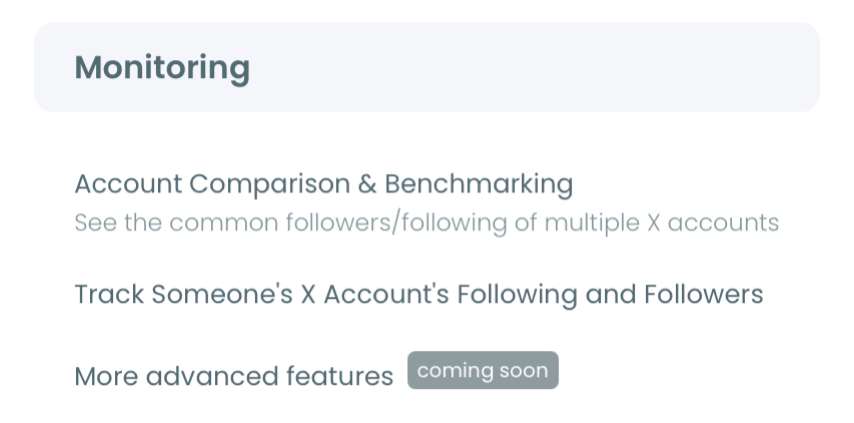
- Enter the X username of the crypto account you want to watch, then validate it to confirm the account is public.
Defining the Signal You Want
- Select Followings as the tracking option, since new follows are the forward-looking signal you are after.
- Set the tracking rule to Track Recent Following so each snapshot reports the new accounts the target started following.
- Choose your alert preference, either daily or weekly email reports, or dashboard-only review.
- Confirm the plan to activate tracking, then open the dashboard to read the dated bar chart and the results grid of new follows.
Once tracking is live, every snapshot adds another dated entry, so the longer it runs the easier it becomes to separate a real research cluster from a single random follow.
Reading Patterns Instead of Single Follows
One follow is a data point. A cluster is a signal. The accounts that reward tracking are the ones where several new follows land in the same niche inside a short window, because convergence is much harder to dismiss than a one-off.
When three accounts you already watch all start following the same young project in the same week, the market has not processed that yet, and you have. That kind of overlap is the payoff of patient tracking.
The same discipline applies to building your initial watchlist. Tracking one account is fine, but the method compounds when you monitor a small group of funds and analysts and watch where their attention overlaps.
The walkthrough on following the smart money in real time shows how to structure that multi-account watch so overlapping follows surface as a pattern.
What You Can Do With a Detected Follow
Reading the signal is the start; acting on it is where the value lands. Each row in the results grid carries inline actions, and the bulk bar at the top lets you operate on a whole selection at once.
From a detected new follow you can:
- Follow the account yourself, so a project a fund just started watching enters your own feed.
- Add it to a Twitter List for ongoing observation without committing to a follow.
- Send it to a Whitelist or Blacklist to mark it as trusted or flagged for later.
- Open the profile directly to read its recent posts before you decide.
There is deliberately no bulk unfollow button in this view, because you are acting on accounts someone else followed, not your own following list. The natural next step for a strong cluster is a dedicated List, which keeps the project under watch while you wait for the public confirmation you already anticipate. Because a raw profile gives you no dated view, a Twitter following list viewer that reads the list cleanly is the only way to make these follows legible in the first place.
Watch the Video
For a quick visual of the setup, this short guide walks through tracking any account's new following on X: How to Track Anyone's New Following on X (Twitter).
How Circleboom Gets This Data Safely
Circleboom pulls every snapshot through its standing as an official X Enterprise developer, so the tracking uses authorized, public data with no scraping and no unofficial methods. Only public accounts can be tracked, and the whole process stays inside X platform rules.
That compliance is what makes the signal sustainable rather than a one-time scrape that breaks. If you also want a one-time view of overlap before committing to ongoing tracking, Twitter competitor analysis pairs well as a snapshot companion to the live tracker.
The Short Version
Crypto follow activity is one of the earliest readable signals on X, and it stays hidden only because the platform never timestamps follows for you. Circleboom records the following list, computes the delta, and hands you the new accounts with profile context so you can act on research behavior before it becomes news.
Start tracking your highest-value crypto accounts, watch for clusters rather than single follows, and read attention while it is still private. To begin reading new crypto follows as market signals, set up your first tracked account today.
→ track crypto new follows as early market signals
Questions Crypto Traders Ask About Follow Tracking
Can I see exactly when a crypto account followed someone?
Yes, within the snapshot schedule. Circleboom records the target's following list at regular intervals and timestamps each detected change, so you get a dated history of new follows rather than the undated current state X shows.
There is a small lag equal to the snapshot interval, but the date and the new account are both captured, which is everything you need to act on the signal.
Does tracking work on any crypto account?
Tracking works on any public X account. Private accounts cannot be tracked because their following lists are not accessible through the official API. Most funds, founders, exchanges, and analysts run public profiles, which is exactly where the useful follow signals come from.
Will the account know I am tracking its follows?
No. Tracking reads only public follow data through authorized, compliant access and never interacts with the target account. There is no follow, no notification, and no footprint on their side.
How many crypto accounts should I track at once?
Start with three to five high-signal accounts, such as funds and analysts active in your niche, then expand. Watching a small overlapping group makes convergence patterns visible, which is more reliable than tracking one account in isolation.
Does tracking cost extra per account?
Each active tracking rule consumes a Tracking Token, and the remaining balance shows as a yellow badge on the dashboard. Tracking the same account's Followings and Followers counts as two separate rules, so two tokens. Exporting results to CSV draws on a separate Export Token balance, so a heavy export month never quietly drains your tracking capacity.
If I pause tracking, do I lose the history I already collected?
No. Pausing stops new snapshots but preserves the dated dashboard history you have already built. You can resume later and keep reading the same timeline. Canceling a subscription outright may affect retention depending on your plan, so pause rather than cancel if you only want a temporary break.
Can I export the detected follows for my own research?
Yes. The dashboard has an EXPORT button that downloads every detected change as a CSV, with the full profile columns intact. That lets you keep a dated research log outside the app, cross-reference clusters in a spreadsheet, or fold the follows into a wider report on where the smart money is pointing.