
Most people obsess over impressions and likes. But for follower growth, the metric that actually matters is profile clicks.
A profile click means someone saw your tweet, got curious, and tapped through to find out who you are. Not passive. Not accidental. That's the closest thing to a follow that doesn't turn into one, and it's the gap most accounts never think to close.
The accounts that grow steadily know which tweets generate those clicks and why. With Circleboom Twitter, you can sort every tweet you've ever posted by profile clicks and see exactly where that traffic is coming from.
How do you turn profile clicks into followers on Twitter?
To turn profile clicks into followers on Twitter, you need to identify which tweets generate the most profile visits, understand what those tweets have in common, and post more content in that style consistently.
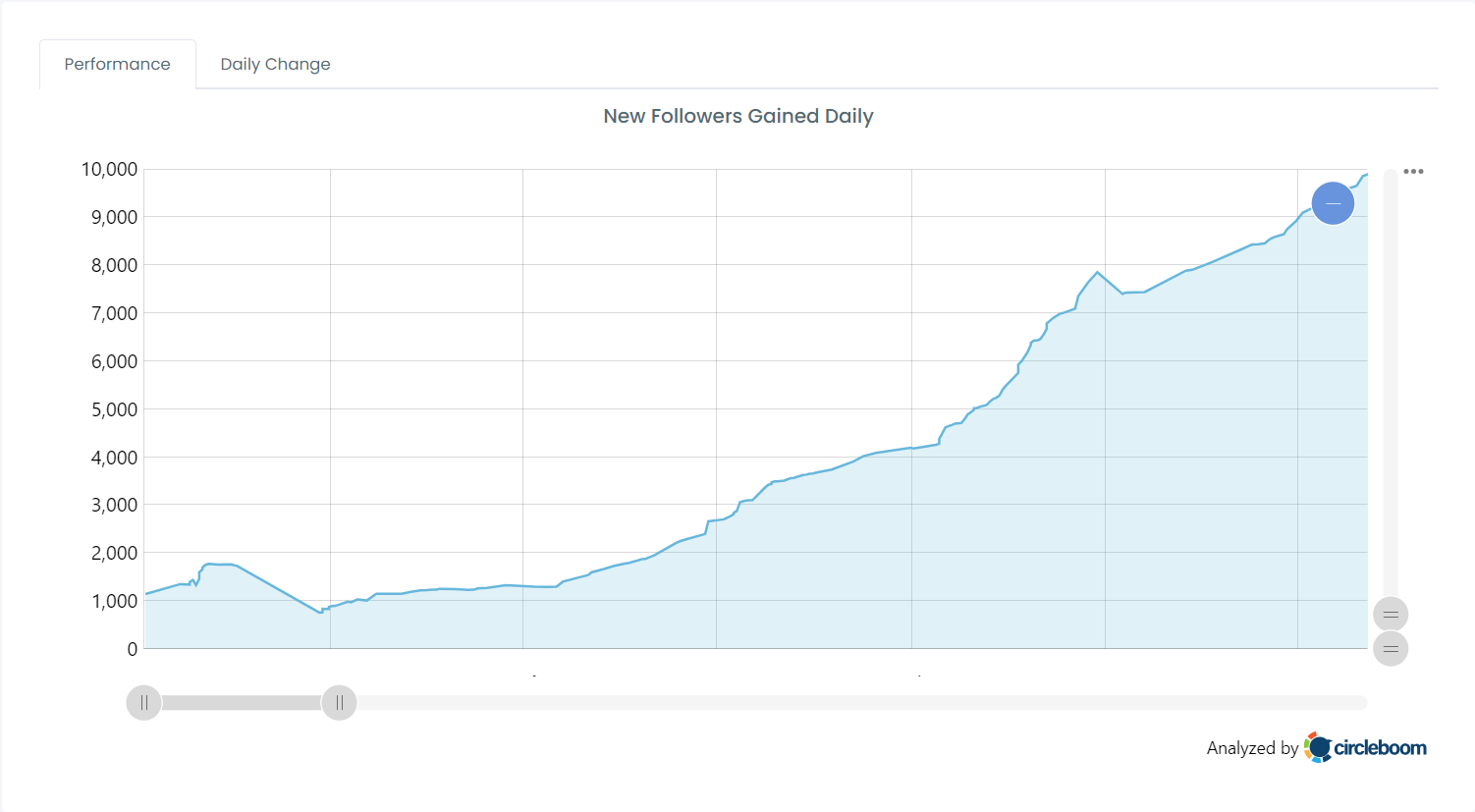
The fastest way to do this is to use Circleboom Twitter's Post Engagement Analytics, which lets you sort all your tweets by profile clicks and spot the patterns that are already working for you.
 infocircleboom.com
What Is Circleboom Twitter?
Circleboom is an Official X Enterprise Developer, which means it connects directly to X's official APIs.
No scraping, no credential sharing, no third-party workarounds. The data you see is accurate, the actions you take are compliant, and your account stays safe.

Here's what you can do with Circleboom Twitter when it comes to content performance:
🟢 Pull up every tweet you've posted in a single sortable dashboard
🟢 Sort tweets by profile clicks, impressions, engagement rate, likes, reposts, and more
🟢 Identify which tweet formats, topics, and styles are driving the most profile visits
🟢 Rewrite top-performing tweets using built-in AI tools
🟢 Reschedule or reshare high-click tweets without rebuilding them from scratch
If you've been posting consistently but don't know which content is actually pulling people toward your profile, Circleboom Twitter's Post Engagement Analytics is where that answer lives.
How to Find Your Highest Profile Click Tweets with Circleboom Twitter
Step #1: Navigate to the Analytics Menu
From the left-hand menu, click on the "X AI WRITER FOR CREATOR + Post Analytics" tab, then select "Post Analytics" from the dropdown.
Within Post Analytics, select the "Post Engagement Analytics" option.
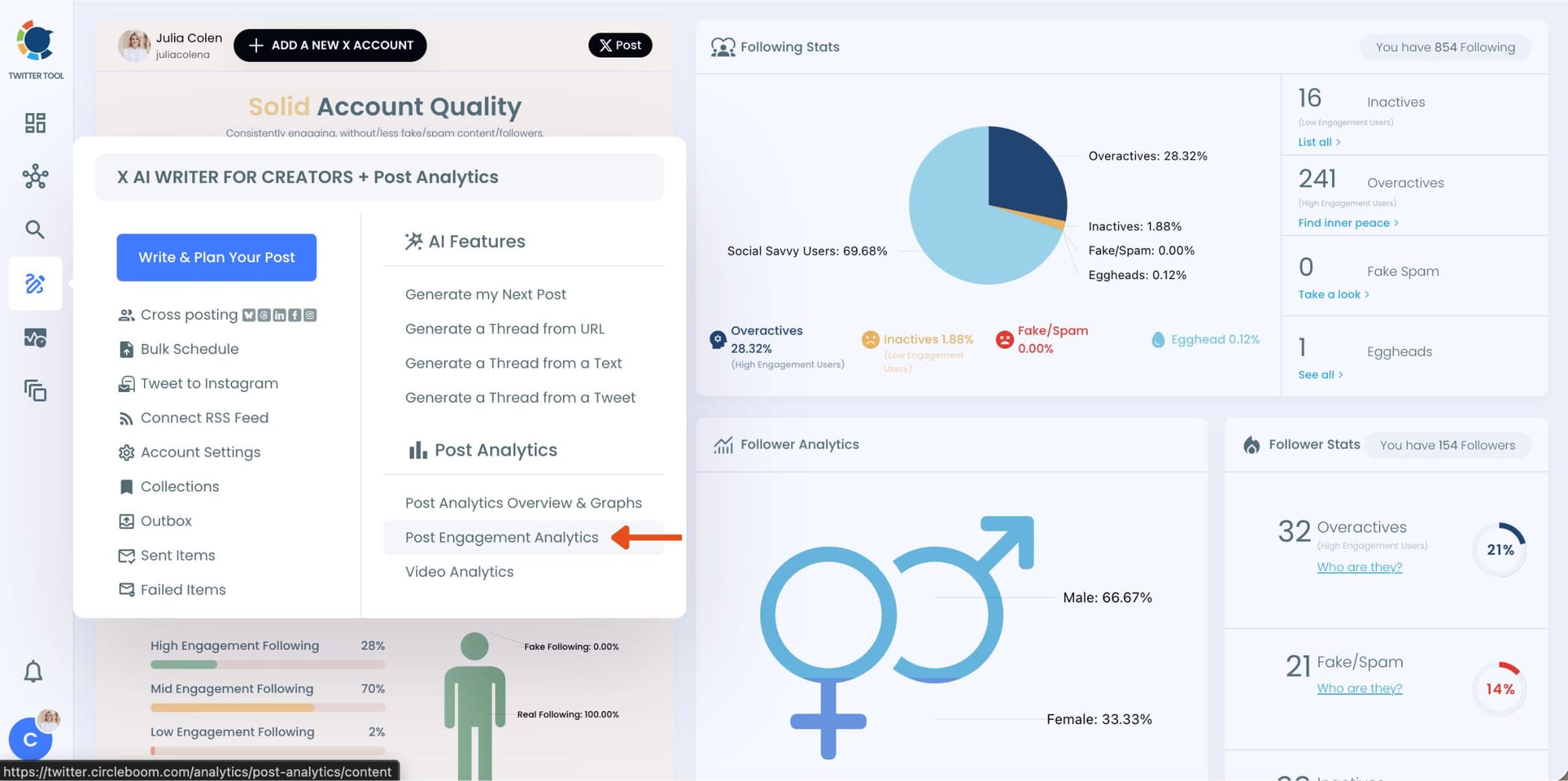
Circleboom will display a detailed breakdown of your posts, including metrics like impressions, likes, retweets, replies, and more.
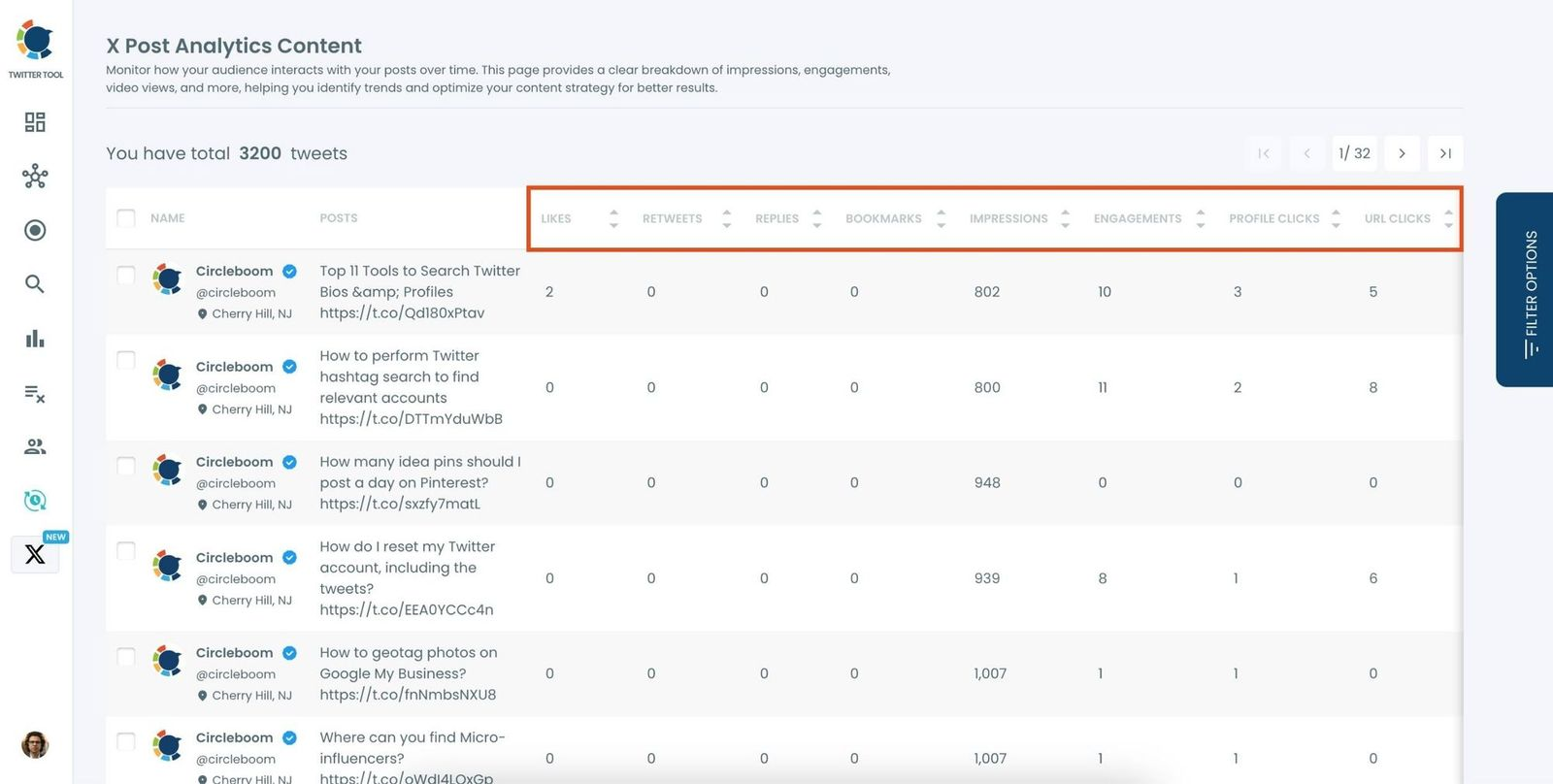
Step #2: Sort by Metrics
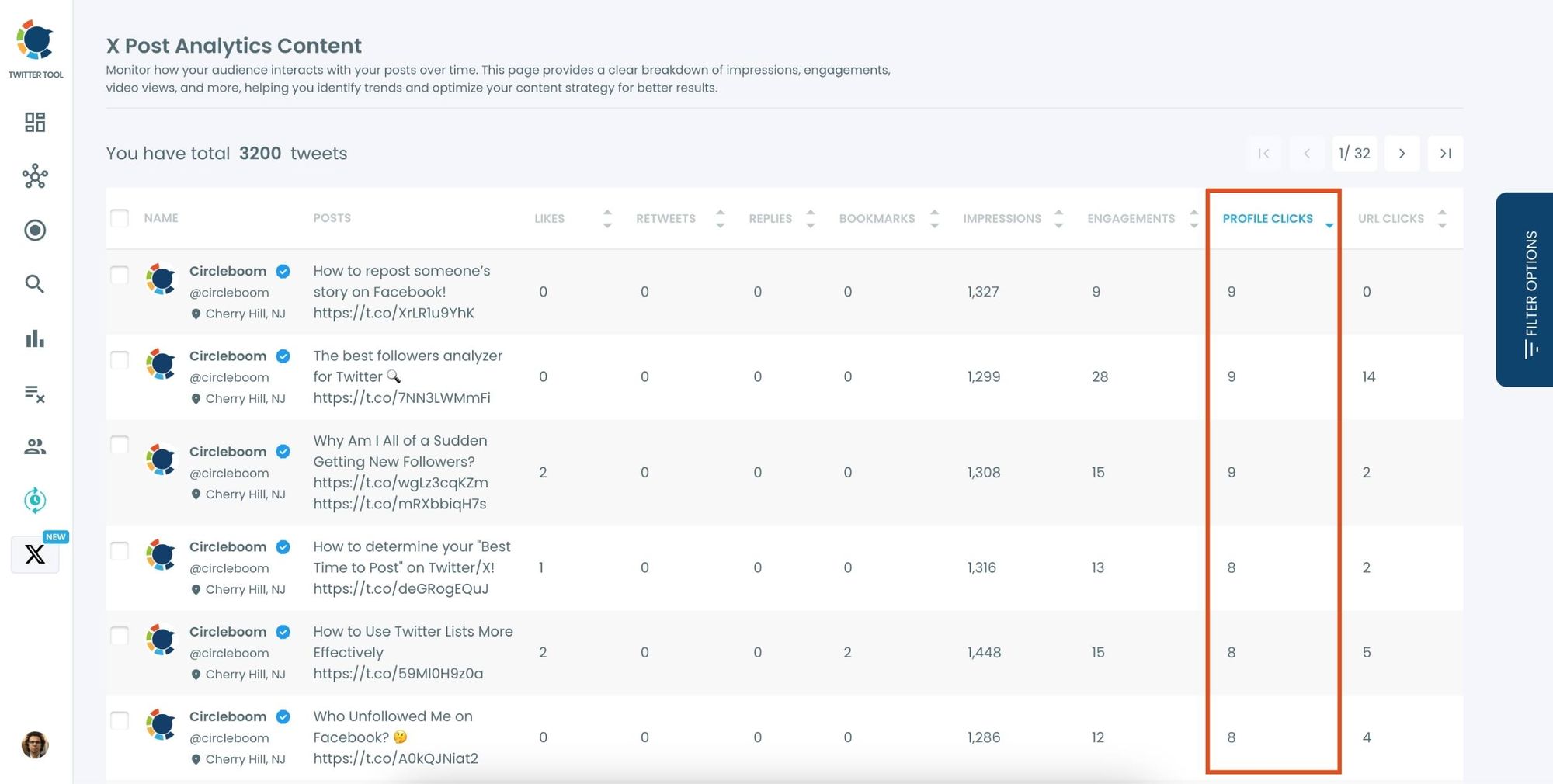
In order to find the tweets with Profile clicks, let's locate the "Profile Clicks" column in the content list.
Click on the column heading, and Circleboom will automatically arrange your tweets from the highest to the lowest number of Profile Clicks.
Step #3: Once you’ve found your old tweets, Circleboom offers several tools to make the most of them; choose which you want to use:
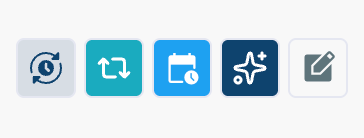
🟢 Reschedule Popular Tweets: Found a tweet that’s still relevant or hilarious but didn’t get the engagement it deserved?
With Circleboom, you can reschedule it to repost it at a better time.
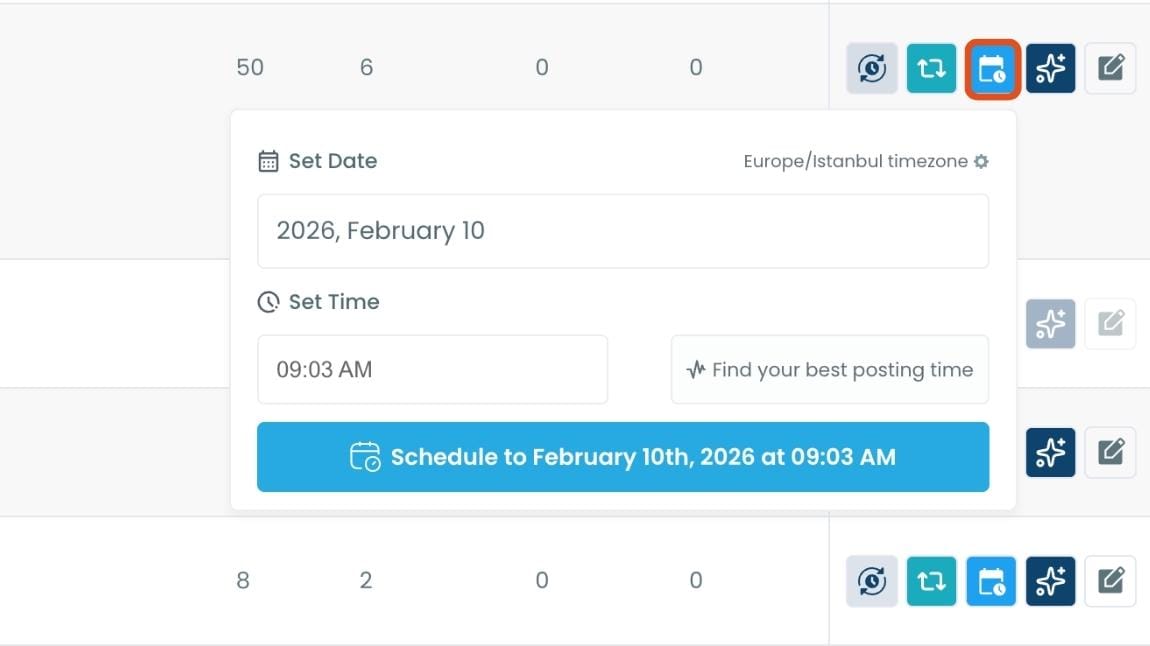
Maybe your audience wasn’t active when you first tweeted it, or perhaps it just got lost in the noise. Rescheduling ensures your best content gets a second chance to shine.
🔵 Refresh Content with AI: Some of your old tweets might feel outdated or could use a fresh twist. Circleboom’s AI-powered tweet generator can help you rewrite or improve them.
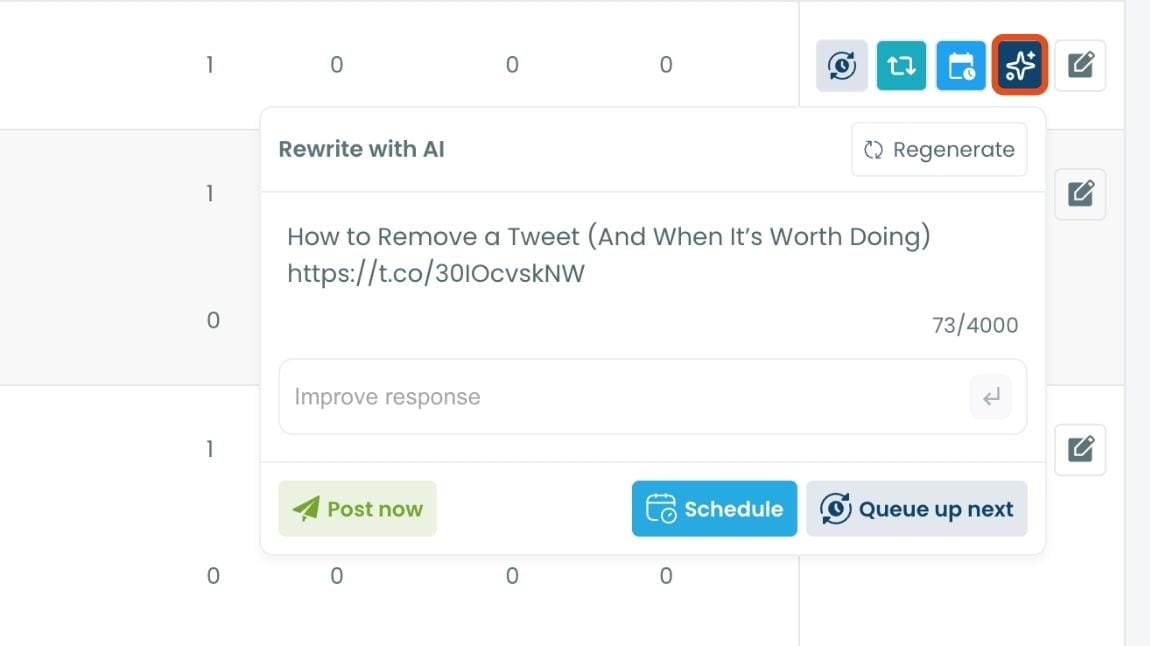
Whether you want to update the language, add a modern twist, or make it more engaging, the AI feature has got you covered.
🟡 Set Auto-Retweets: If you’ve got evergreen tweets that are still relevant, why not let them work for you on autopilot?
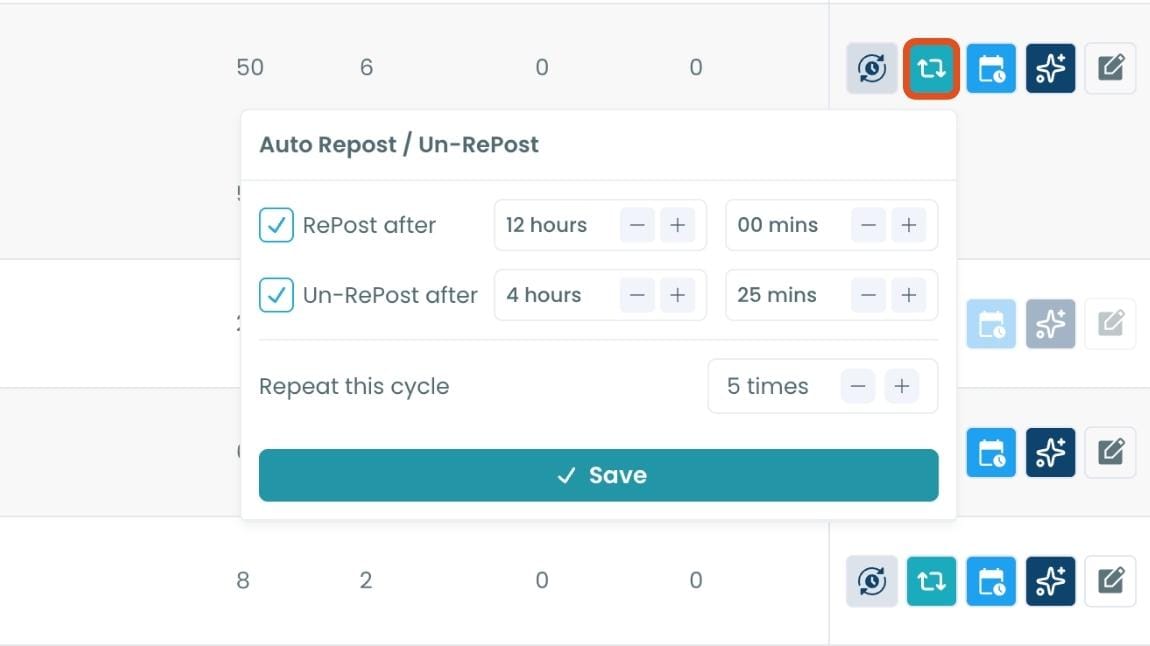
Circleboom’s auto-retweet feature allows you to automatically retweet your best-performing content at regular intervals.
This is perfect for driving consistent engagement without lifting a finger.
Why a Profile Click Doesn't Always Mean a Follow
They land on your profile, scroll through the last few tweets, and see something completely different from what brought them there. The tweet that caught their eye was a sharp take on a specific topic.
But your recent posts are a mix of opinions, retweets, and unrelated observations. Nothing confirms that the interesting thing is something you do regularly.
So they leave.
📌 The profile click means the tweet worked. The problem is usually that the profile doesn't confirm it.
This is not a bio problem. The issue is content consistency, and the only way to fix it is to know which tweets are generating those clicks in the first place. Twitter's native analytics shows profile click numbers per tweet, but only one at a time. There's no way to sort or rank all your tweets by that metric natively.
That's what Circleboom Twitter's Post Engagement Analytics does. It lists every tweet with per-tweet profile click data and lets you sort by that column in seconds.
Arif Akdogan
What Your High Profile Click Tweets Have in Common
Once you sort your tweets by profile clicks in Circleboom Twitter, patterns appear quickly. The tweets at the top usually share a few recognizable traits.
They cover a specific niche topic. General observations get impressions. Specific, informed takes on a topic people care about get profile clicks. Someone who knows nothing about your subject skips it. Someone who does care clicks through to see who's talking about it.
They express a clear point of view. Tweets that take a position, disagree with something popular, or frame a familiar problem in an unexpected way tend to generate more curiosity. Neutral content informs. Opinionated content makes people want to know more about you.
They surface in the right places. Replies to large accounts, quote tweets that add something original, and tweets that get reshared by someone else all generate profile clicks from people who have never seen you before. These are cold visitors, and they convert differently than people who already know your space.
They match what your profile actually delivers. High profile click tweets that don't lead to follows often attracted the wrong visitor. A funny, out-of-character tweet might get clicks from people with no interest in your regular content. That explains the drop-off.
If your profile click count is high but your follower conversion rate is low, the gap is almost always a content consistency problem. Visitors who click from a tweet are already interested. The profile just needs to confirm that interest was well-placed.
Why It Matters If You Ignore This
You keep posting without knowing what's working. Most people on Twitter have no idea which tweets are driving profile visits. They see follower counts go up or down and attribute it to luck, timing, or the algorithm. The data is there. They just aren't looking at it.
You waste the high-intent traffic you already have. Someone who clicks through to your profile is already warmer than someone who just saw your tweet in their feed. They're one step closer to following. Losing them because your recent posts don't match what brought them is a fixable problem.
You optimize for the wrong metric. Likes and reposts feel good. Profile clicks convert. A tweet with 200 likes and 30 profile clicks is often more valuable for growth than a tweet with 800 likes and 10 profile clicks. Without sorting by this metric specifically, you'll never know which one to replicate.
Your content strategy drifts. Without anchor data, most accounts naturally drift toward whatever feels engaging in the moment. The result is a mixed feed that doesn't signal anything clear to a new visitor. Understanding your top profile click tweets gives you a content anchor to return to.
If you want to understand not just who is clicking but who is actually engaging with your content consistently, Circleboom Twitter's Engaging and Loyal Followers tool shows you which of your followers are repeat engagers. Combine that with your profile click data and you get a clear picture of what kind of content builds real audience relationships.

Frequently Asked Questions
What is a profile click on Twitter and why does it matter?
A profile click happens when someone taps or clicks your username or avatar after seeing your tweet, going directly to your profile page. It matters because it signals active interest, not passive scrolling. The person saw something in your tweet that made them want to know more about you. That is a higher-intent action than a like, and it puts you one step away from a follow.
How is a profile click different from an impression or a like?
An impression is counted every time your tweet appears in someone's feed, whether they read it or not. A like means they noticed and approved. A profile click means they went further and actively sought out more context about who you are. For follower growth, profile clicks are the most predictive metric because they represent genuine curiosity about your account.
Can I see which specific tweets drove profile clicks?
Twitter's native analytics shows profile clicks per tweet, but only if you check each post individually. There is no native way to sort all your tweets by profile click count. With Circleboom Twitter's Post Engagement Analytics, you can view all your tweets in a single dashboard and sort them by profile clicks instantly, making it easy to find your top-performing posts without digging through each one manually.
How many profile clicks does it actually take to get a follow?
There is no universal ratio, but the pattern is consistent: profile click to follow conversion depends on whether your recent tweets confirm what the visitor came to see. If they clicked from a niche opinion tweet and your last five posts match that tone and topic, conversion rates go up. If the content feels inconsistent or unrelated, most visitors leave without following regardless of how good the original tweet was.
What should my profile look like once someone clicks through?
Your pinned tweet and your three to five most recent posts do most of the work. They should reflect the same voice, topic area, or style that brought the visitor there. A clear bio helps, but it matters less than whether your recent tweets make the visitor think "this person regularly posts things I want to read." If the answer to that question isn't obvious in the first few seconds, most people leave.
How often should I analyze my profile click data?
Once a week is a reasonable starting point if you post daily or near-daily. Looking at it monthly is enough if you post less frequently. The goal is to spot patterns over a body of work, not to react to individual tweets. With Circleboom Twitter, you can apply date range filters to compare different periods and see whether your profile click counts are trending up as you adjust your content style.
Final Thoughts
The follow gap is not a mystery. Someone clicked to your profile because a tweet caught their attention. Whether they followed depends on whether the rest of your content confirmed that the first tweet was representative of what you do.
➡️ You can close that gap, but only once you know which tweets are generating those clicks and what they have in common. Circleboom Twitter shows you exactly that, tweet by tweet, sortable in seconds. Start with your top profile click tweets, find the pattern, and build from there.
Turn profile clicks into followers on Twitter by using Circleboom Twitter's Post Engagement Analytics to sort your tweets by profile visits and rewrite of what already works.
infocircleboom.com